2009 GMC CANYON automatic transmission
[x] Cancel search: automatic transmissionPage 164 of 414
In addition to the engine oil life system monitoring the
oil life, additional maintenance is recommended in
the Maintenance Schedule in this manual. SeeEngine
Oil on page 5-15andScheduled Maintenance on
page 6-4for more information.
Language
This feature allows you to choose the language in which
the DIC display shows information.
To set your choice for this feature:
1. With the engine off, turn the key to ON/RUN, but do
not start the engine.
2. Close all doors so the DOORS message does not
display in the DIC.
3. Momentarily press and release the reset stem until
the current language is displayed: English (default),
Spanish, or French.
4. To select a different language, press and hold the
reset stem until the next language appears.
5. Repeat Step 4 until the desired language is
displayed. Once the desired language is shown on
the DIC display, the language is set.
6. To exit the language selection, momentarily press
and release the reset stem. All DIC messages will
now display in the language selected.
Automatic Door Locks
This feature allows you to program the door locks to a
preferred setting.
To set your choice for this feature:
1. With the engine off, turn the key to LOCK/OFF.
Do not remove the key from the ignition.
2. Press and hold the power door lock button until the
DIC display shows the current door lock mode.
3. To view the next available mode, press and hold
the reset stem until the mode appears. Release
the reset stem and press and hold again to view the
next mode.
4. Once the desired mode is shown on the DIC display,
briey press the reset stem to set your choice.
The DIC display then clears.
The following are the available modes:
Lock 1 (default):On vehicles with an automatic
transmission, this mode locks all of the doors when the
vehicle is shifted out of P (Park) and unlocks all of
the doors when the vehicle is shifted into P (Park).
On vehicles with a manual transmission, this mode locks
all of the doors when the vehicle speed is greater
than 15 mph (24 km/h) and unlocks all of the doors
when the key is removed from the ignition.
3-36
Page 165 of 414
Lock 2:On vehicles with an automatic transmission,
this mode locks all of the doors when the vehicle
is shifted out of P (Park) and unlocks the driver’s door
when the vehicle is shifted into P (Park).
On vehicles with a manual transmission, this mode locks
all of the doors when the vehicle speed is greater than
15 mph (24 km/h) and unlocks the driver’s door when the
key is removed from the ignition.
Lock 3:On vehicles with an automatic transmission, this
mode locks all of the doors when the vehicle is shifted out
of P (Park). The doors will not automatically unlock.
On vehicles with a manual transmission, this mode locks
all of the doors when the vehicle speed is greater than
15 mph (24 km/h). The doors will not automatically
unlock.
Remote Keyless Entry (RKE) Feedback
This feature allows you to program the Remote
Keyless Entry (RKE) feedback to a preferred setting.
To set your choice for this feature:
1. With the engine off, turn the key to LOCK/OFF.
Do not remove the key from the ignition.
2. Press and hold the lock and unlock buttons on the
RKE transmitter at the same time. Hold both
buttons until the DIC display shows the current
RKE feedback mode.3. To view the next available mode, press and hold
the reset stem until the mode appears. Release
the reset stem and press and hold again to view the
next mode.
4. Once the desired mode is shown on the DIC
display, briey press the reset stem to set your
choice. The DIC display then clears.
The following are the available modes:
RFA 1 (default):This mode ashes the parking lamps
when you press the lock or unlock buttons on the
RKE transmitter.
RFA 2:This mode ashes the parking lamps and
sounds the horn when you press the lock button on the
RKE transmitter. This mode also ashes the parking
lamps when you press the unlock button on the
RKE transmitter.
RFA 3:This mode ashes the parking lamps and
sounds the horn when you press the lock or unlock
buttons on the RKE transmitter.
RFA 4:This mode disables RKE feedback. There will
be no feedback when you press the lock or unlock
buttons on the RKE transmitter.
3-37
Page 198 of 414
To turn off TCS and StabiliTrak, press and hold the
StabiliTrak/TCS button until the TRAC OFF and
STAB SYS OFF messages come on the DIC and the
StabiliTrak/TCS light comes on the instrument panel.
To turn TCS and StabiliTrak back on, press and release
the StabiliTrak/TCS button.
When the TCS or StabiliTrak system is turned off, the
StabiliTrak/TCS light and the appropriate TRAC OFF or
STAB SYS OFF message will be displayed on the DIC.
The vehicle will still have brake-traction control when TCS
or StabiliTrak is off, but will not be able to use the engine
speed management system. The StabiliTrak/TCS light
ashes when either system is actively working. See
Traction Control Operation following for more information.
Traction Control System (TCS)
The Traction Control System (TCS) is part of StabiliTrak.
TCS limits wheel slip which is especially useful in slippery
road conditions. The system operates only if it senses
that any of the wheels are spinning or beginning to lose
traction. When this happens, TCS applies the brakes to
limit wheel spin and also reduces engine power. The
system may be heard or felt while it is working. This is
normal and does not mean there is a problem with the
vehicle.Notice:If the wheel(s) of one axle is allowed to
spin excessively while the StabiliTrak, ABS
and brake warning lights and any relevant DIC
messages are displayed, the transfer case could be
damaged. The repairs would not be covered by
the vehicle warranty. Reduce engine power and do
not spin the wheel(s) excessively while these
lights and messages are displayed.
TCS can operate on dry roads under some conditions.
When this happens, the system may be heard
working or a reduction in acceleration may be noticed.
This is normal and does not mean there is a problem
with the vehicle. Examples of these conditions include
hard acceleration in a turn, an abrupt upshift or
downshift of the transmission or driving on rough roads.
If cruise control is being used when TCS begins to
limit wheel spin, the cruise control automatically
disengages. The cruise control can be re-engaged
when road conditions allow. SeeCruise Control
on page 3-10.
4-8
Page 209 of 414

Attach a ag to the vehicle to be more visible to
approaching traffic on trails or hills.
Sound the horn as you approach the top of the hill
to let opposing traffic know you are there.
Use headlamps even during the day to make the
vehicle more visible to oncoming traffic.
{CAUTION:
Driving to the top (crest) of a hill at full speed can
cause an accident. There could be a drop-off,
embankment, cliff, or even another vehicle. You
could be seriously injured or killed. As you near
the top of a hill, slow down and stay alert.If the vehicle stalls, or is about to stall, and you cannot
make it up the hill:
Push the brake pedal to stop the vehicle and keep
it from rolling backwards and apply the parking
brake.
If the engine is still running, shift the transmission to
R (Reverse), release the parking brake, and slowly
back down the hill in R (Reverse).
If the engine has stopped running, you need to
restart it. With the brake pedal pressed and the
parking brake still applied, shift the automatic
transmission to P (Park) or the manual transmission
to Neutral and restart the engine. Then, shift to
R (Reverse), release the parking brake, and slowly
back down the hill as straight as possible in
R (Reverse).
While backing down the hill, put your left hand on the
steering wheel at the 12 o’clock position so you can
tell if the wheels are straight and can maneuver as
you back down. It is best to back down the hill with
the wheels straight rather than in the left or right
direction. Turning the wheel too far to the left or right
will increase the possibility of a rollover.
4-19
Page 232 of 414
Four-Wheel Drive Vehicles
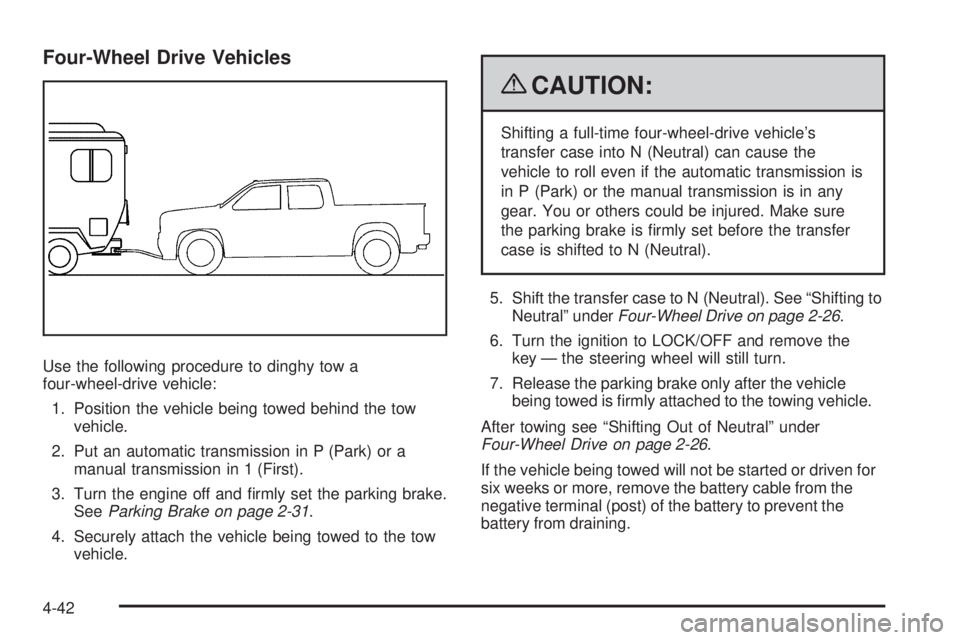
Use the following procedure to dinghy tow a
four-wheel-drive vehicle:
1. Position the vehicle being towed behind the tow
vehicle.
2. Put an automatic transmission in P (Park) or a
manual transmission in 1 (First).
3. Turn the engine off and rmly set the parking brake.
SeeParking Brake on page 2-31.
4. Securely attach the vehicle being towed to the tow
vehicle.
{CAUTION:
Shifting a full-time four-wheel-drive vehicle’s
transfer case into N (Neutral) can cause the
vehicle to roll even if the automatic transmission is
in P (Park) or the manual transmission is in any
gear. You or others could be injured. Make sure
the parking brake is rmly set before the transfer
case is shifted to N (Neutral).
5. Shift the transfer case to N (Neutral). See “Shifting to
Neutral” underFour-Wheel Drive on page 2-26.
6. Turn the ignition to LOCK/OFF and remove the
key — the steering wheel will still turn.
7. Release the parking brake only after the vehicle
being towed is rmly attached to the towing vehicle.
After towing see “Shifting Out of Neutral” under
Four-Wheel Drive on page 2-26.
If the vehicle being towed will not be started or driven for
six weeks or more, remove the battery cable from the
negative terminal (post) of the battery to prevent the
battery from draining.
4-42
Page 234 of 414
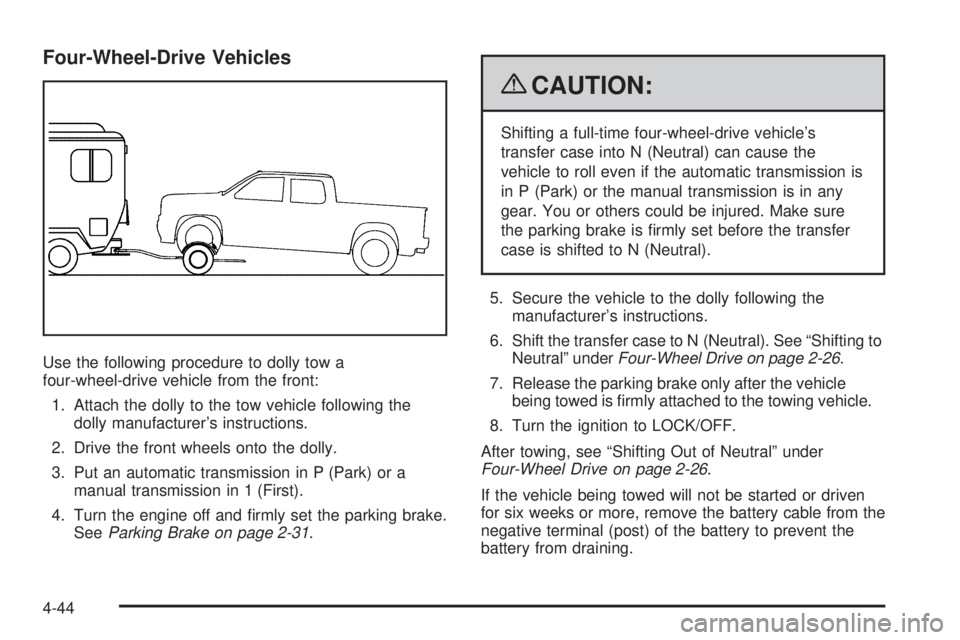
Four-Wheel-Drive Vehicles
Use the following procedure to dolly tow a
four-wheel-drive vehicle from the front:
1. Attach the dolly to the tow vehicle following the
dolly manufacturer’s instructions.
2. Drive the front wheels onto the dolly.
3. Put an automatic transmission in P (Park) or a
manual transmission in 1 (First).
4. Turn the engine off and rmly set the parking brake.
SeeParking Brake on page 2-31.
{CAUTION:
Shifting a full-time four-wheel-drive vehicle’s
transfer case into N (Neutral) can cause the
vehicle to roll even if the automatic transmission is
in P (Park) or the manual transmission is in any
gear. You or others could be injured. Make sure
the parking brake is rmly set before the transfer
case is shifted to N (Neutral).
5. Secure the vehicle to the dolly following the
manufacturer’s instructions.
6. Shift the transfer case to N (Neutral). See “Shifting to
Neutral” underFour-Wheel Drive on page 2-26.
7. Release the parking brake only after the vehicle
being towed is rmly attached to the towing vehicle.
8. Turn the ignition to LOCK/OFF.
After towing, see “Shifting Out of Neutral” under
Four-Wheel Drive on page 2-26.
If the vehicle being towed will not be started or driven
for six weeks or more, remove the battery cable from the
negative terminal (post) of the battery to prevent the
battery from draining.
4-44
Page 235 of 414
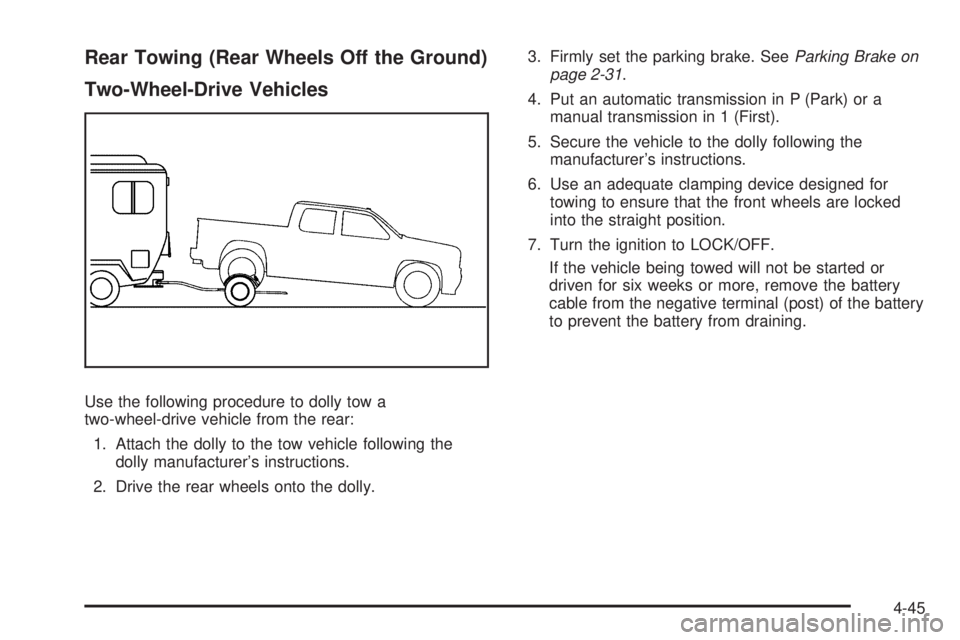
Rear Towing (Rear Wheels Off the Ground)
Two-Wheel-Drive Vehicles
Use the following procedure to dolly tow a
two-wheel-drive vehicle from the rear:
1. Attach the dolly to the tow vehicle following the
dolly manufacturer’s instructions.
2. Drive the rear wheels onto the dolly.3. Firmly set the parking brake. SeeParking Brake on
page 2-31.
4. Put an automatic transmission in P (Park) or a
manual transmission in 1 (First).
5. Secure the vehicle to the dolly following the
manufacturer’s instructions.
6. Use an adequate clamping device designed for
towing to ensure that the front wheels are locked
into the straight position.
7. Turn the ignition to LOCK/OFF.
If the vehicle being towed will not be started or
driven for six weeks or more, remove the battery
cable from the negative terminal (post) of the battery
to prevent the battery from draining.
4-45
Page 236 of 414
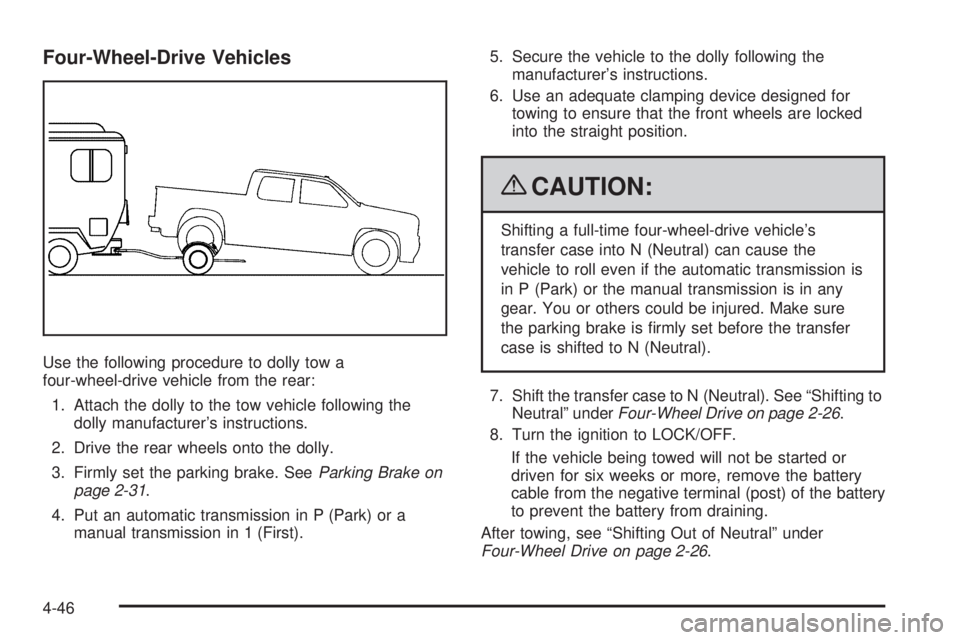
Four-Wheel-Drive Vehicles
Use the following procedure to dolly tow a
four-wheel-drive vehicle from the rear:
1. Attach the dolly to the tow vehicle following the
dolly manufacturer’s instructions.
2. Drive the rear wheels onto the dolly.
3. Firmly set the parking brake. SeeParking Brake on
page 2-31.
4. Put an automatic transmission in P (Park) or a
manual transmission in 1 (First).5. Secure the vehicle to the dolly following the
manufacturer’s instructions.
6. Use an adequate clamping device designed for
towing to ensure that the front wheels are locked
into the straight position.
{CAUTION:
Shifting a full-time four-wheel-drive vehicle’s
transfer case into N (Neutral) can cause the
vehicle to roll even if the automatic transmission is
in P (Park) or the manual transmission is in any
gear. You or others could be injured. Make sure
the parking brake is rmly set before the transfer
case is shifted to N (Neutral).
7. Shift the transfer case to N (Neutral). See “Shifting to
Neutral” underFour-Wheel Drive on page 2-26.
8. Turn the ignition to LOCK/OFF.
If the vehicle being towed will not be started or
driven for six weeks or more, remove the battery
cable from the negative terminal (post) of the battery
to prevent the battery from draining.
After towing, see “Shifting Out of Neutral” under
Four-Wheel Drive on page 2-26.
4-46