Page 111 of 336
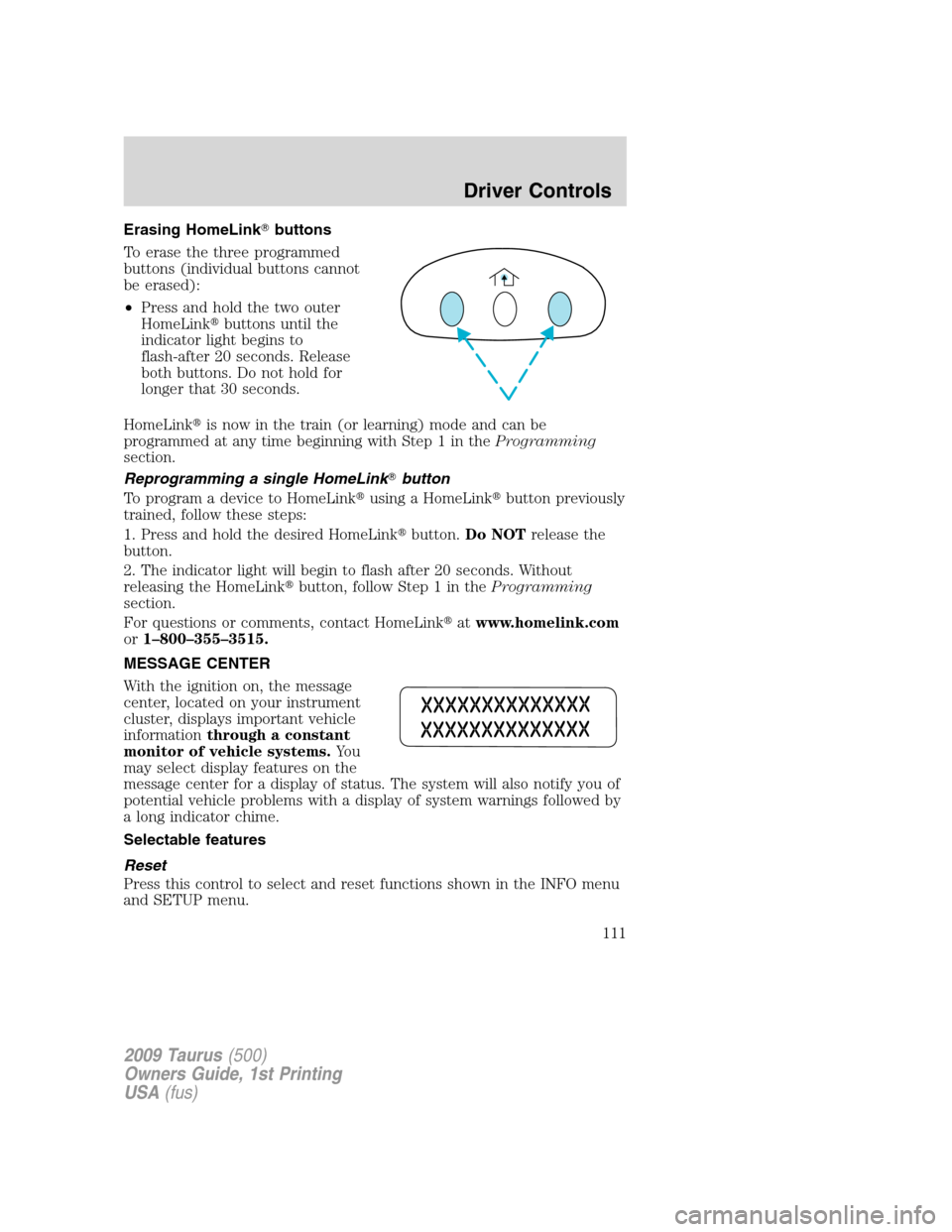
Erasing HomeLink�buttons
To erase the three programmed
buttons (individual buttons cannot
be erased):
•Press and hold the two outer
HomeLink�buttons until the
indicator light begins to
flash-after 20 seconds. Release
both buttons. Do not hold for
longer that 30 seconds.
HomeLink�is now in the train (or learning) mode and can be
programmed at any time beginning with Step 1 in theProgramming
section.
Reprogramming a single HomeLink�button
To program a device to HomeLink�using a HomeLink�button previously
trained, follow these steps:
1. Press and hold the desired HomeLink�button.Do NOTrelease the
button.
2. The indicator light will begin to flash after 20 seconds. Without
releasing the HomeLink�button, follow Step 1 in theProgramming
section.
For questions or comments, contact HomeLink�atwww.homelink.com
or1–800–355–3515.
MESSAGE CENTER
With the ignition on, the message
center, located on your instrument
cluster, displays important vehicle
informationthrough a constant
monitor of vehicle systems.Yo u
may select display features on the
message center for a display of status. The system will also notify you of
potential vehicle problems with a display of system warnings followed by
a long indicator chime.
Selectable features
Reset
Press this control to select and reset functions shown in the INFO menu
and SETUP menu.
2009 Taurus(500)
Owners Guide, 1st Printing
USA(fus)
Driver Controls
111
Page 114 of 336
Usually, when something affects the compass readings, the compass will
correct itself after a few days of operating your vehicle in normal
conditions. If the compass still appears to be inaccurate, a manual
calibration may be necessary. Refer toCompass zone/calibration
adjustment.
Most geographic areas (zones) have a magnetic north compass point that
varies slightly from the northerly direction on maps. This variation is four
degrees between adjacent zones and will become noticeable as the
vehicle crosses multiple zones. A correct zone setting will eliminate this
error. Refer toCompass zone/calibration adjustment.
Compass zone adjustment
Perform the following steps on an open area free from steel structures
and high voltage lines. For optimum calibration, turn off all electrical
accessories (heater / air conditioning, wipers, etc.) and make sure all
vehicle doors are shut.
1. Turn ignition to the on position.
2. Start the engine.
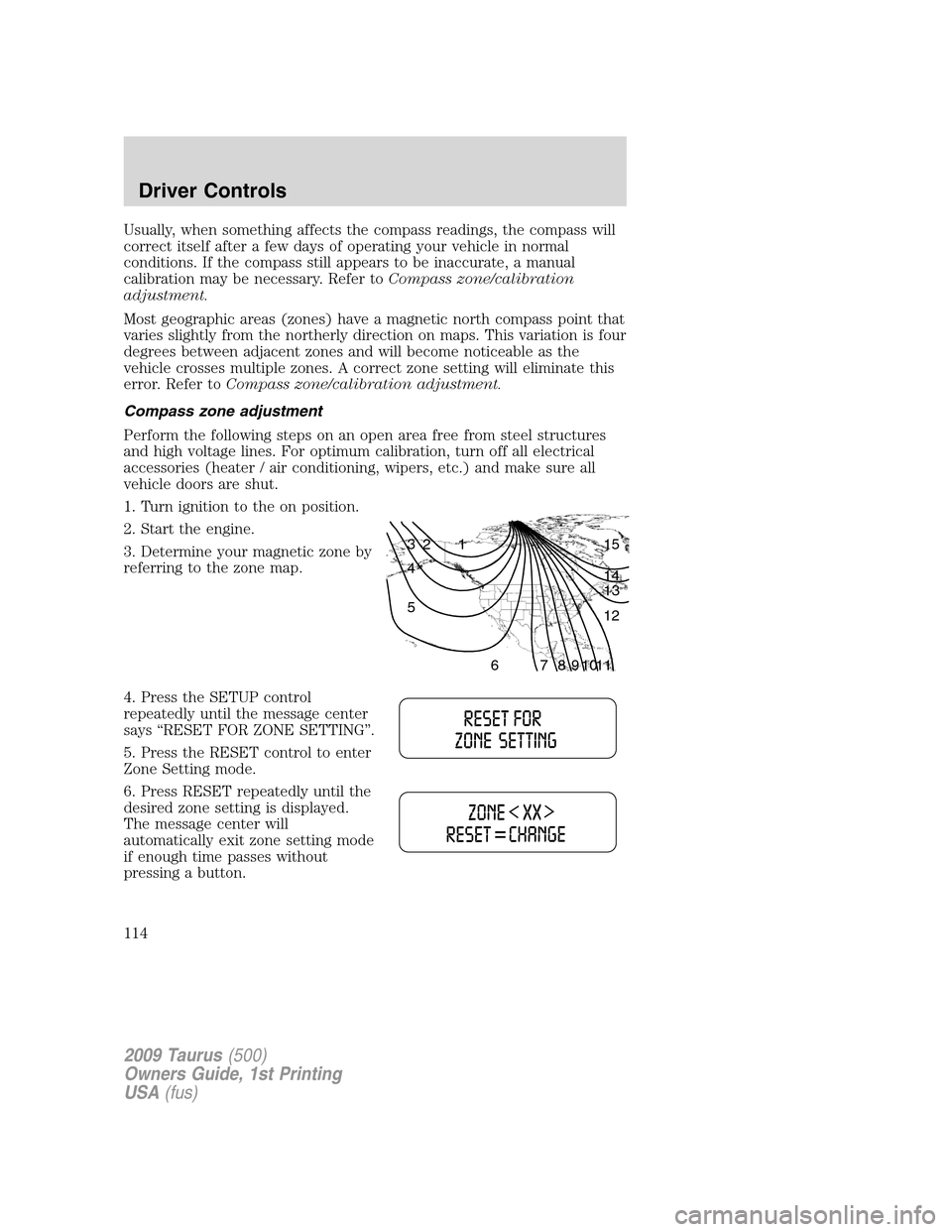
3. Determine your magnetic zone by
referring to the zone map.
4. Press the SETUP control
repeatedly until the message center
says “RESET FOR ZONE SETTING”.
5. Press the RESET control to enter
Zone Setting mode.
6. Press RESET repeatedly until the
desired zone setting is displayed.
The message center will
automatically exit zone setting mode
if enough time passes without
pressing a button.
1 2 3
4
5
6 7 8 9 101112 13 14 15
2009 Taurus(500)
Owners Guide, 1st Printing
USA(fus)
Driver Controls
114
Page 117 of 336
![FORD TAURUS 2009 5.G Owners Manual To reset the oil monitoring system to 100% after each oil change
(approximately 7,500 miles [12,000 km] or six months) perform the
following:
1. Press the SETUP control to enter
SYSTEM CHECK, then pre](/manual-img/11/5355/w960_5355-116.png "FORD TAURUS 2009 5.G Owners Manual To reset the oil monitoring system to 100% after each oil change
(approximately 7,500 miles [12,000 km] or six months) perform the
following:
1. Press the SETUP control to enter
SYSTEM CHECK, then pre")
To reset the oil monitoring system to 100% after each oil change
(approximately 7,500 miles [12,000 km] or six months) perform the
following:
1. Press the SETUP control to enter
SYSTEM CHECK, then press SETUP
control again to display “OIL LIFE =
XXX% HOLD RESET = NEW”.
2. Press and hold the RESET
control for two seconds and release.
Oil life is set to 100% and “OIL LIFE
SET TO 100%” is displayed.
3. While “OIL LIFE SET TO 100%”
is displayed, if a lower oil life is
desired, press and release the RESET control to reduce the value. Each
press of the RESET control reduces the value by 10%.
Note:Oil life of 100% equals 7,500 miles (12,000 km) or six months. For
example, setting oil life to 60% sets the oil life value to 4,500 miles
(7,200 km) and 108 days.
Language
1. Select this function from the
SETUP menu for the current
language to be displayed.
2. Pressing the RESET control
cycles the message center through
each of the language choices.
3. Press and hold the RESET control to set the language choice.
Units (English/Metric)
1. Select this function from the
SETUP menu for the current units
to be displayed.
2. Press the RESET control to
change from English to Metric.
Autolamp delay (if equipped)
This feature keeps your headlights on for up to three minutes after the
ignition is switched off.
2009 Taurus(500)
Owners Guide, 1st Printing
USA(fus)
Driver Controls
117
Page 122 of 336
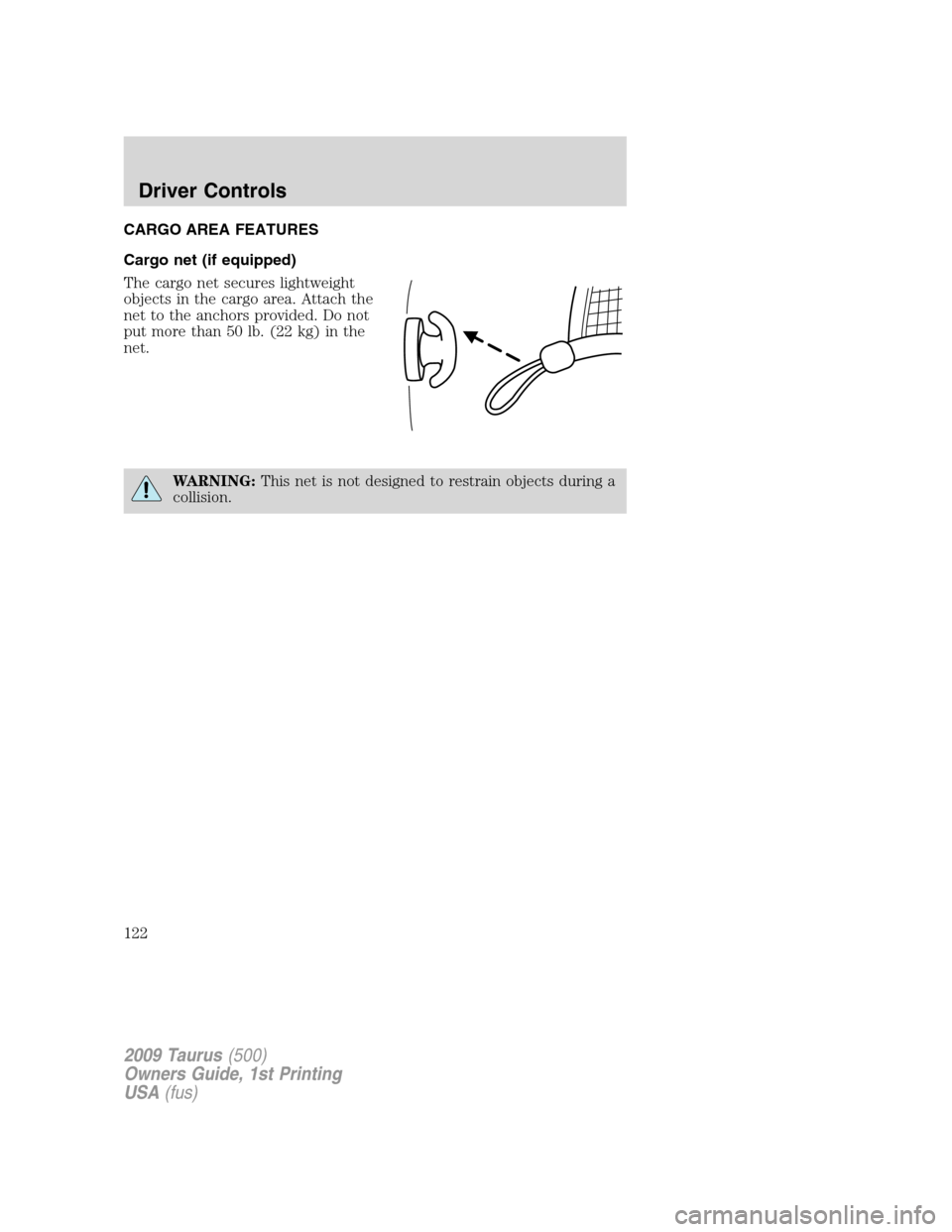
CARGO AREA FEATURES
Cargo net (if equipped)
The cargo net secures lightweight
objects in the cargo area. Attach the
net to the anchors provided. Do not
put more than 50 lb. (22 kg) in the
net.
WARNING:This net is not designed to restrain objects during a
collision.
2009 Taurus(500)
Owners Guide, 1st Printing
USA(fus)
Driver Controls
122
Page 130 of 336
INTERIOR LUGGAGE COMPARTMENT RELEASE
Your vehicle is equipped with a mechanical interior luggage compartment
release handle that provides a means of escape for children and adults in
the event they become locked inside the luggage compartment.
Adults are advised to familiarize themselves with the operation and
location of the release handle.
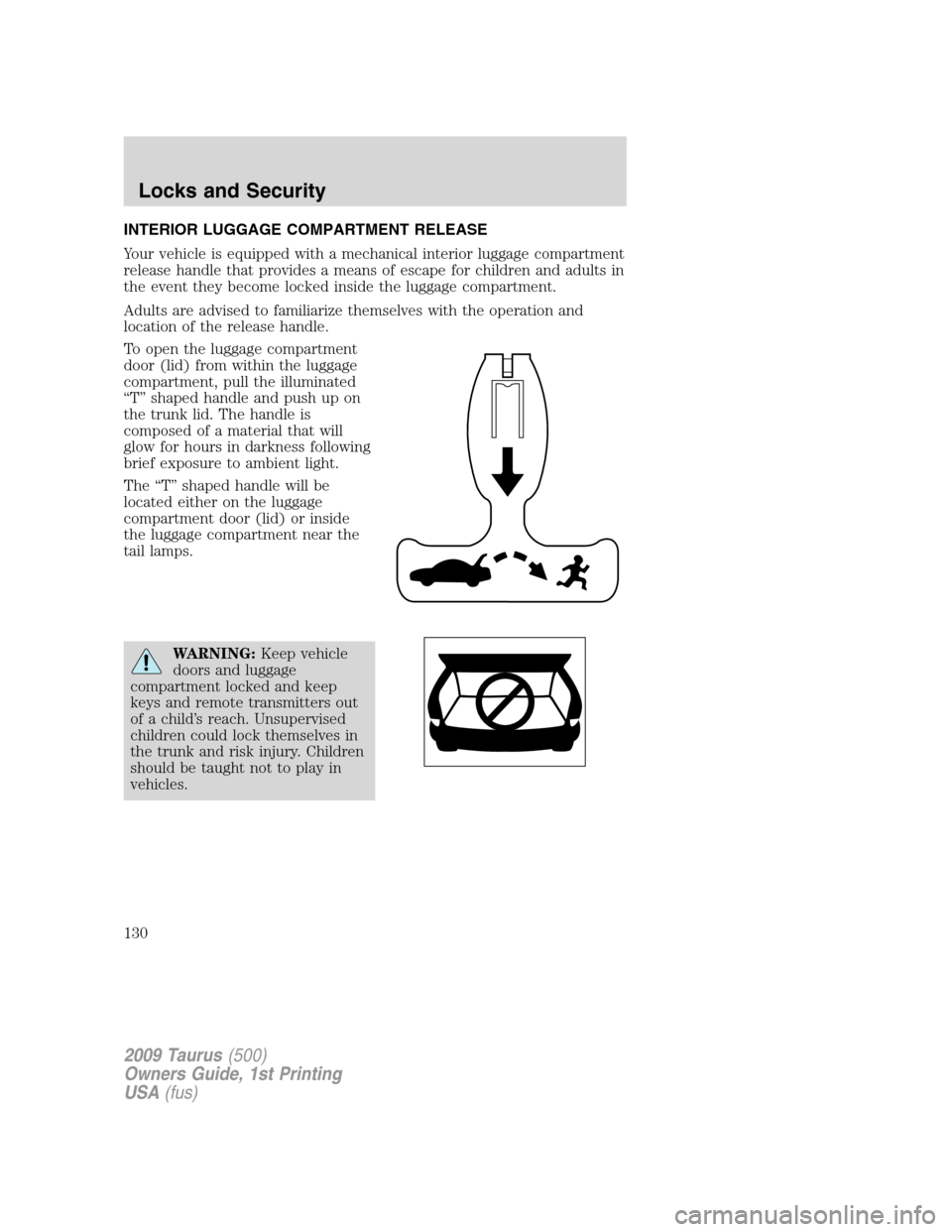
To open the luggage compartment
door (lid) from within the luggage
compartment, pull the illuminated
“T” shaped handle and push up on
the trunk lid. The handle is
composed of a material that will
glow for hours in darkness following
brief exposure to ambient light.
The “T” shaped handle will be
located either on the luggage
compartment door (lid) or inside
the luggage compartment near the
tail lamps.
WARNING:Keep vehicle
doors and luggage
compartment locked and keep
keys and remote transmitters out
of a child’s reach. Unsupervised
children could lock themselves in
the trunk and risk injury. Children
should be taught not to play in
vehicles.
2009 Taurus(500)
Owners Guide, 1st Printing
USA(fus)
Locks and Security
130
Page 132 of 336
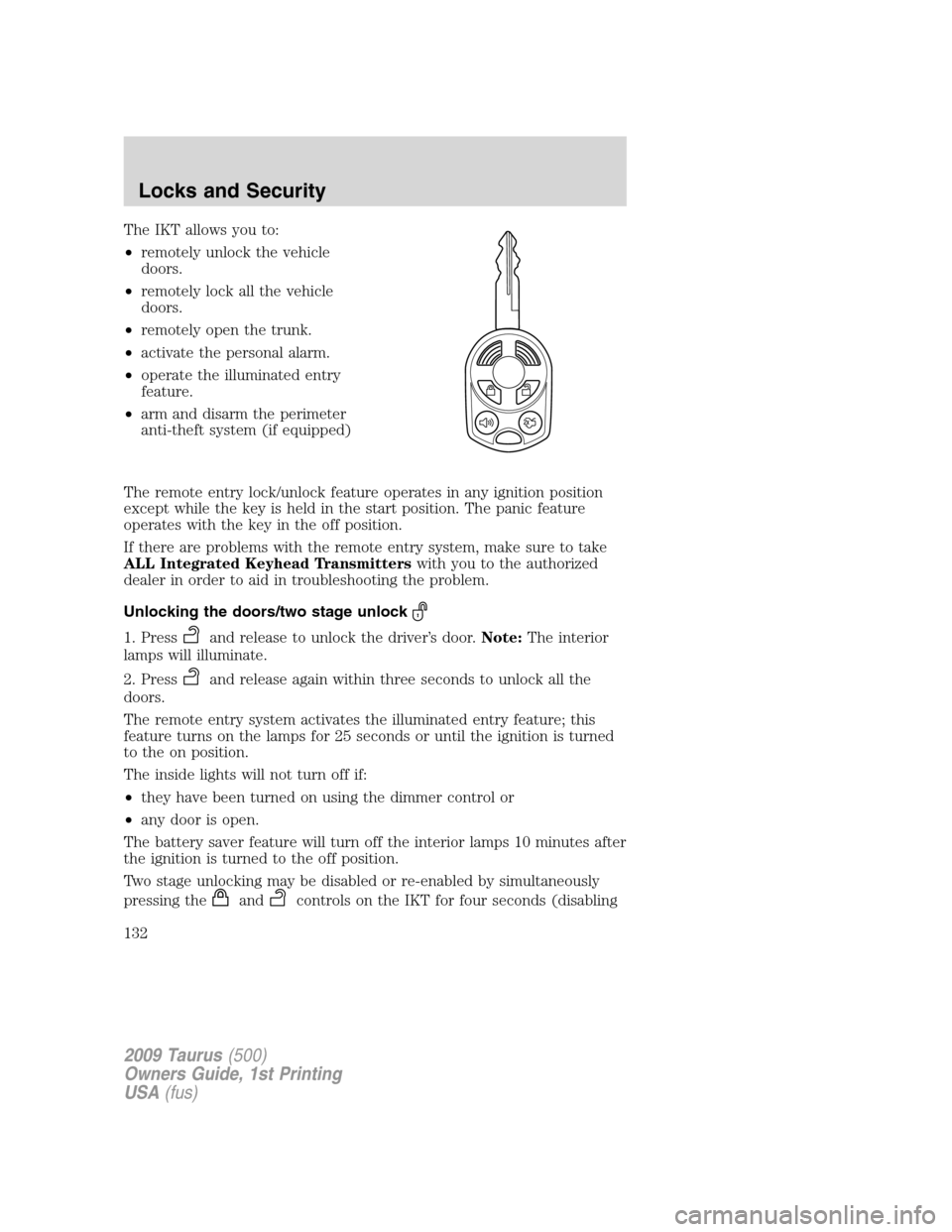
The IKT allows you to:
•remotely unlock the vehicle
doors.
•remotely lock all the vehicle
doors.
•remotely open the trunk.
•activate the personal alarm.
•operate the illuminated entry
feature.
•arm and disarm the perimeter
anti-theft system (if equipped)
The remote entry lock/unlock feature operates in any ignition position
except while the key is held in the start position. The panic feature
operates with the key in the off position.
If there are problems with the remote entry system, make sure to take
ALL Integrated Keyhead Transmitterswith you to the authorized
dealer in order to aid in troubleshooting the problem.
Unlocking the doors/two stage unlock
1. Pressand release to unlock the driver’s door.Note:The interior
lamps will illuminate.
2. Press
and release again within three seconds to unlock all the
doors.
The remote entry system activates the illuminated entry feature; this
feature turns on the lamps for 25 seconds or until the ignition is turned
to the on position.
The inside lights will not turn off if:
•they have been turned on using the dimmer control or
•any door is open.
The battery saver feature will turn off the interior lamps 10 minutes after
the ignition is turned to the off position.
Two stage unlocking may be disabled or re-enabled by simultaneously
pressing the
andcontrols on the IKT for four seconds (disabling
2009 Taurus(500)
Owners Guide, 1st Printing
USA(fus)
Locks and Security
132
Page 136 of 336
Illuminated entry
The interior lamps and puddle lamps (if equipped) illuminate when the
Integrated Keyhead Transmitter or the keyless entry system keypad is
used to unlock the door(s).
The illuminated entry system will turn off the interior lights if:
•the ignition is turned to the on position, or
•the Integrated Keyhead Transmitter
control is pressed, or
•the vehicle is locked using the keyless entry keypad, or
•after 25 seconds of illumination.
The inside lights will not turn off if:
•they have been turned on with the dimmer control, or
•any door is open.
Perimeter lamps illuminated entry
With the Integrated Keyhead Transmitter system, the following items will
illuminate when the
control on the transmitter is pressed:
•Headlamps
•Park lamps
•Tail lamps
The lamps will automatically turn off:
•if the ignition switch is turned to the on position, or
•the Integrated Keyhead Transmitter lock control is pressed, or
•the vehicle is locked using the keyless entry keypad, or
•after 25 seconds of illumination.
Note:On some vehicles, the perimeter lamps illuminated entry feature
will not activate in daylight conditions.
Deactivating/activating perimeter lamps illuminated entry
You may enable/disable this feature by having your vehicle serviced by
your authorized dealer.
You may also perform the following power door lock sequence to
enable/disable the perimeter lamps feature.Note:Before starting, ensure
the ignition is in the 1 (off) position and all vehicle doors are closed. You
must complete Steps 1–5 within 30 seconds or the procedure will have
to be repeated. If the procedure needs to be repeated, wait a minimum
of 30 seconds before beginning again.
2009 Taurus(500)
Owners Guide, 1st Printing
USA(fus)
Locks and Security
136
Page 137 of 336
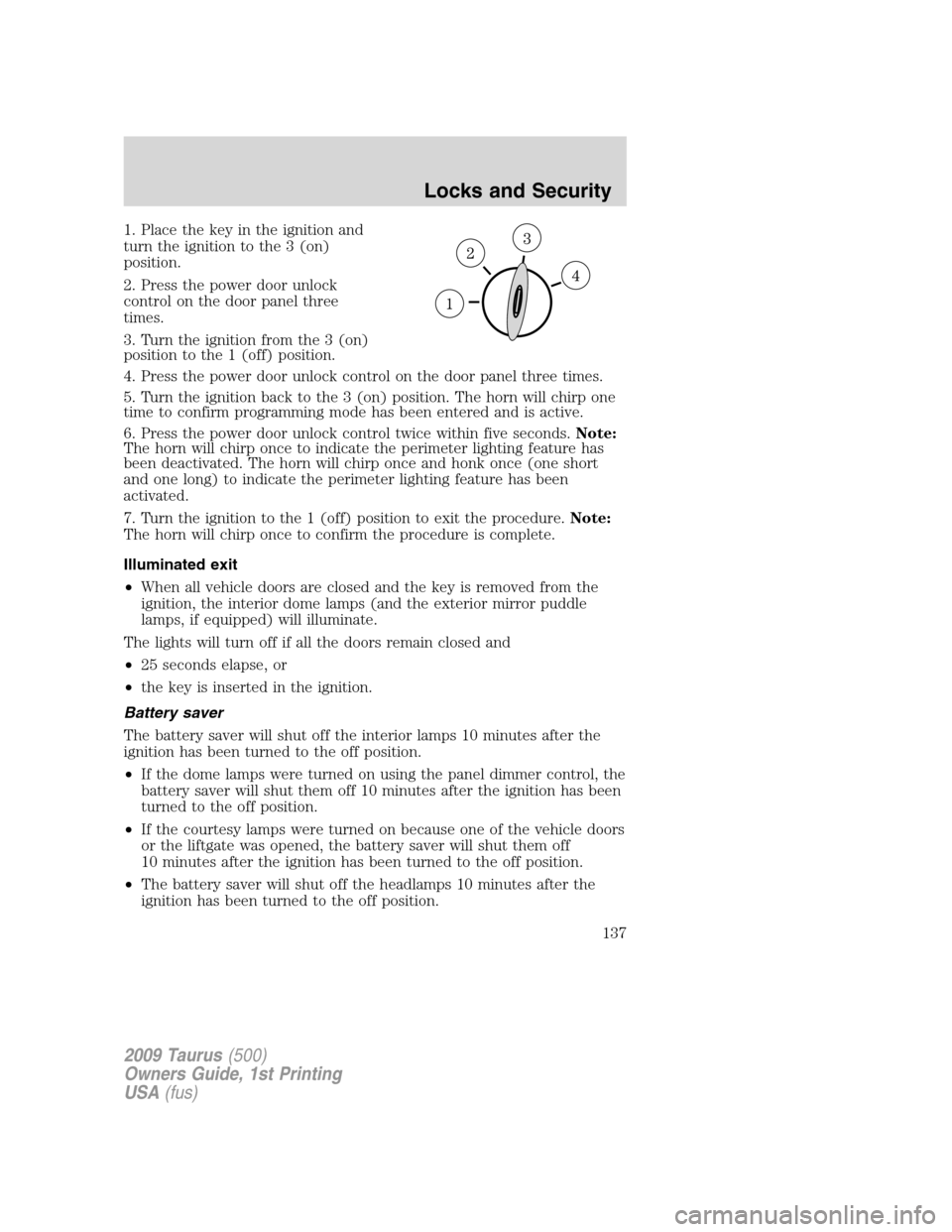
1. Place the key in the ignition and
turn the ignition to the 3 (on)
position.
2. Press the power door unlock
control on the door panel three
times.
3. Turn the ignition from the 3 (on)
position to the 1 (off) position.
4. Press the power door unlock control on the door panel three times.
5. Turn the ignition back to the 3 (on) position. The horn will chirp one
time to confirm programming mode has been entered and is active.
6. Press the power door unlock control twice within five seconds.Note:
The horn will chirp once to indicate the perimeter lighting feature has
been deactivated. The horn will chirp once and honk once (one short
and one long) to indicate the perimeter lighting feature has been
activated.
7. Turn the ignition to the 1 (off) position to exit the procedure.Note:
The horn will chirp once to confirm the procedure is complete.
Illuminated exit
•When all vehicle doors are closed and the key is removed from the
ignition, the interior dome lamps (and the exterior mirror puddle
lamps, if equipped) will illuminate.
The lights will turn off if all the doors remain closed and
•25 seconds elapse, or
•the key is inserted in the ignition.
Battery saver
The battery saver will shut off the interior lamps 10 minutes after the
ignition has been turned to the off position.
•If the dome lamps were turned on using the panel dimmer control, the
battery saver will shut them off 10 minutes after the ignition has been
turned to the off position.
•If the courtesy lamps were turned on because one of the vehicle doors
or the liftgate was opened, the battery saver will shut them off
10 minutes after the ignition has been turned to the off position.
•The battery saver will shut off the headlamps 10 minutes after the
ignition has been turned to the off position.
2009 Taurus(500)
Owners Guide, 1st Printing
USA(fus)
Locks and Security
137