2009 FORD EXPLORER SPORT TRAC roof
[x] Cancel search: roofPage 25 of 351
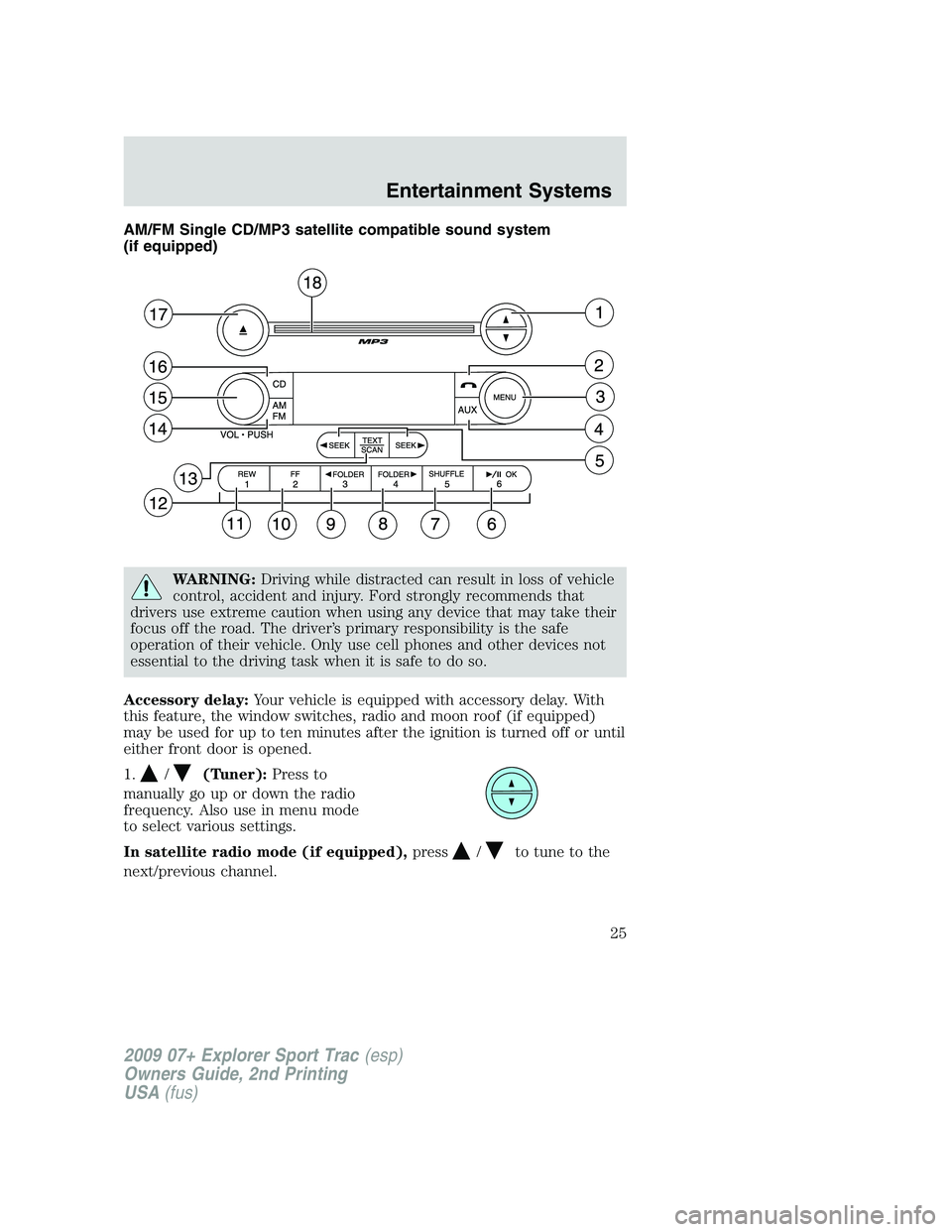
AM/FM Single CD/MP3 satellite compatible sound system
(if equipped)
WARNING:Driving while distracted can result in loss of vehicle
control, accident and injury. Ford strongly recommends that
drivers use extreme caution when using any device that may take their
focus off the road. The driver’s primary responsibility is the safe
operation of their vehicle. Only use cell phones and other devices not
essential to the driving task when it is safe to do so.
Accessory delay:Your vehicle is equipped with accessory delay. With
this feature, the window switches, radio and moon roof (if equipped)
may be used for up to ten minutes after the ignition is turned off or until
either front door is opened.
1.
/(Tuner):Press to
manually go up or down the radio
frequency. Also use in menu mode
to select various settings.
In satellite radio mode (if equipped),press
/to tune to the
next/previous channel.
2009 07+ Explorer Sport Trac(esp)
Owners Guide, 2nd Printing
USA(fus)
Entertainment Systems
25
Page 33 of 351
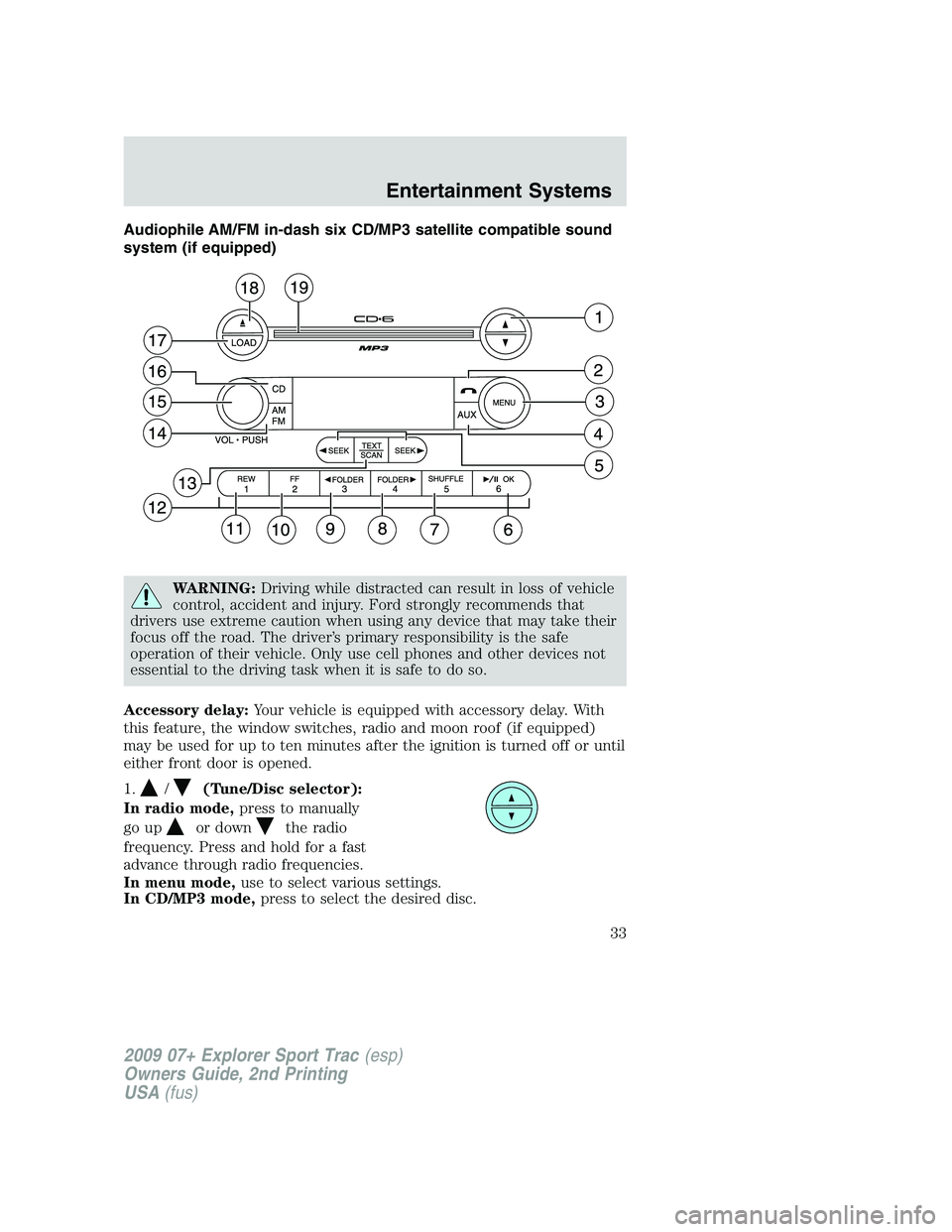
Audiophile AM/FM in-dash six CD/MP3 satellite compatible sound
system (if equipped)
WARNING:Driving while distracted can result in loss of vehicle
control, accident and injury. Ford strongly recommends that
drivers use extreme caution when using any device that may take their
focus off the road. The driver’s primary responsibility is the safe
operation of their vehicle. Only use cell phones and other devices not
essential to the driving task when it is safe to do so.
Accessory delay:Your vehicle is equipped with accessory delay. With
this feature, the window switches, radio and moon roof (if equipped)
may be used for up to ten minutes after the ignition is turned off or until
either front door is opened.
1.
/(Tune/Disc selector):
In radio mode,press to manually
go up
or downthe radio
frequency. Press and hold for a fast
advance through radio frequencies.
In menu mode,use to select various settings.
In CD/MP3 mode,press to select the desired disc.
2009 07+ Explorer Sport Trac(esp)
Owners Guide, 2nd Printing
USA(fus)
Entertainment Systems
33
Page 47 of 351
Satellite radio reception factors:To receive the satellite signal, your
vehicle has been equipped with a satellite radio antenna located on the
roof of your vehicle. The vehicle roof provides the best location for an
unobstructed, open view of the sky, a requirement of a satellite radio
system. Like AM/FM, there are several factors that can affect satellite
radio reception performance:
•Antenna obstructions: For optimal reception performance, keep the
antenna clear of snow and ice build-up and keep luggage and other
material as far away from the antenna as possible.
•Terrain: Hills, mountains, tall buildings, bridges, tunnels, freeway
overpasses, parking garages, dense tree foliage and thunderstorms can
interfere with your reception.
•Station overload: When you pass a ground based broadcast repeating
tower, a stronger signal may overtake a weaker one and result in an
audio mute.
Unlike AM/FM audible static, you will hear an audio mute when there is
a satellite radio signal interference. Your radio display may display NO
SIGNAL to indicate the interference.
SIRIUS satellite radio service:SIRIUS Satellite Radio is a subscription
based satellite radio service that broadcasts music, sports, news and
entertainment programming. A service fee is required in order to receive
SIRIUS service. Vehicles that are equipped with a factory installed
SIRIUS Satellite Radio system include:
•Hardware and limited subscription term, which begins on the date of
sale or lease of the vehicle.
•Use of online media player providing access to all SIRIUS music
channels over the internet using any computer connected to the
internet (U.S. customers only).
For information on extended subscription terms, contact SIRIUS at
1–888–539–7474.
Note:SIRIUS reserves the unrestricted right to change, rearrange, add
or delete programming including canceling, moving or adding particular
channels, and its prices, at any time, with or without notice to you. Ford
Motor Company shall not be responsible for any such programming
changes.
2009 07+ Explorer Sport Trac(esp)
Owners Guide, 2nd Printing
USA(fus)
Entertainment Systems
47
Page 73 of 351
If the switch is pressed and held to the normal open or ONE TOUCH
DOWN position during a ONE TOUCH UP event, the window will stop. If,
after 1/2 second the switch is still held, the window will perform a
normal open or ONE TOUCH DOWN.
Bounce-Back (Driver’s window only)
When an obstacle has been detected in the window opening as the
window is moving upward, the window will automatically reverse
direction and move down. This is known as “bounce-back”. If the ignition
is turned off (without accessory delay being active) during bounce-back,
the window will move down until the bounce-back position is reached.
Security Override
To override a bounce-back condition, within two seconds after the
window reaches the bounce-back position, pull and hold the switch up
andthe window will travel up with no bounce-back or pinch
protection.If the switch is released before the window is fully closed,
the window will stop. For example, this can be used to overcome the
resistance of ice on the window or seals.
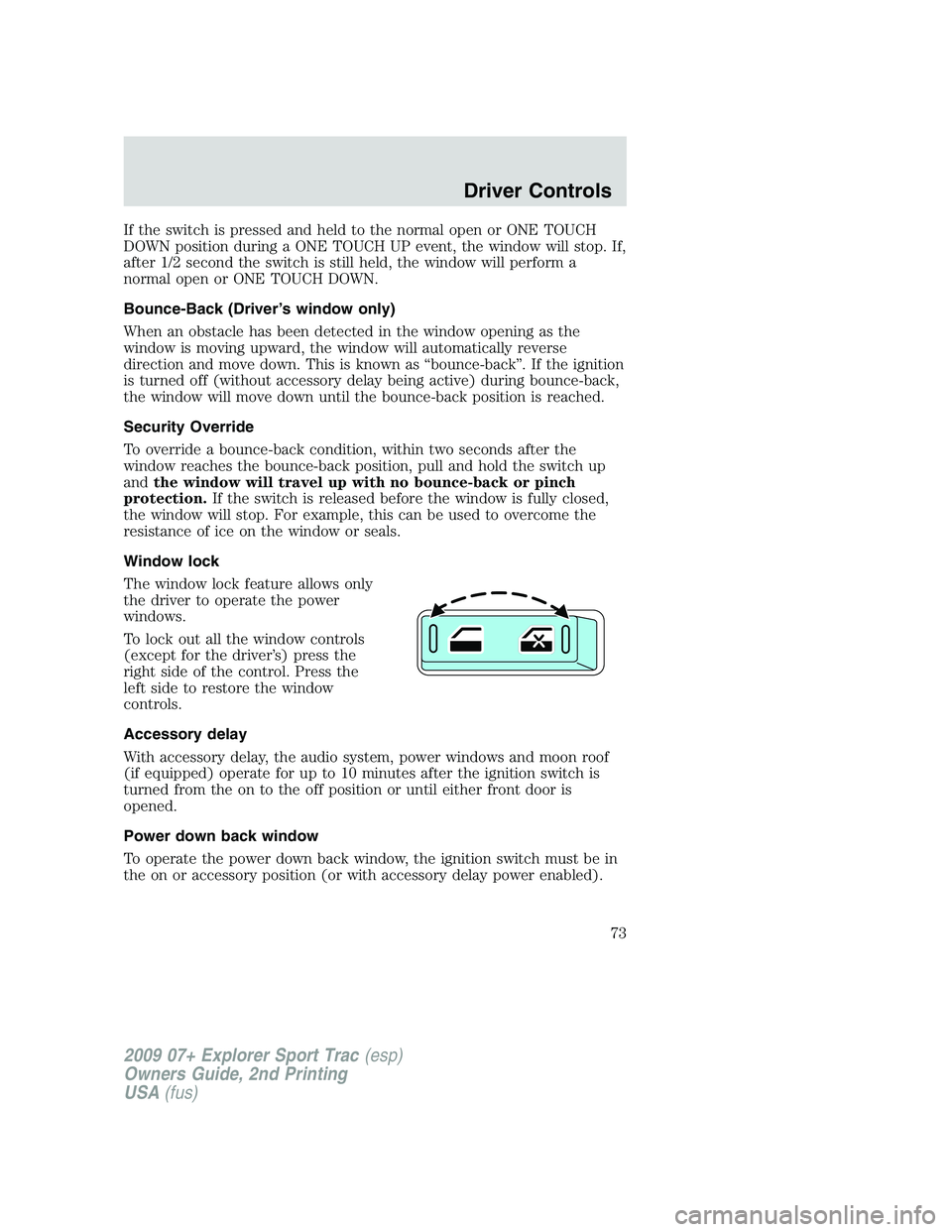
Window lock
The window lock feature allows only
the driver to operate the power
windows.
To lock out all the window controls
(except for the driver’s) press the
right side of the control. Press the
left side to restore the window
controls.
Accessory delay
With accessory delay, the audio system, power windows and moon roof
(if equipped) operate for up to 10 minutes after the ignition switch is
turned from the on to the off position or until either front door is
opened.
Power down back window
To operate the power down back window, the ignition switch must be in
the on or accessory position (or with accessory delay power enabled).
2009 07+ Explorer Sport Trac(esp)
Owners Guide, 2nd Printing
USA(fus)
Driver Controls
73
Page 83 of 351
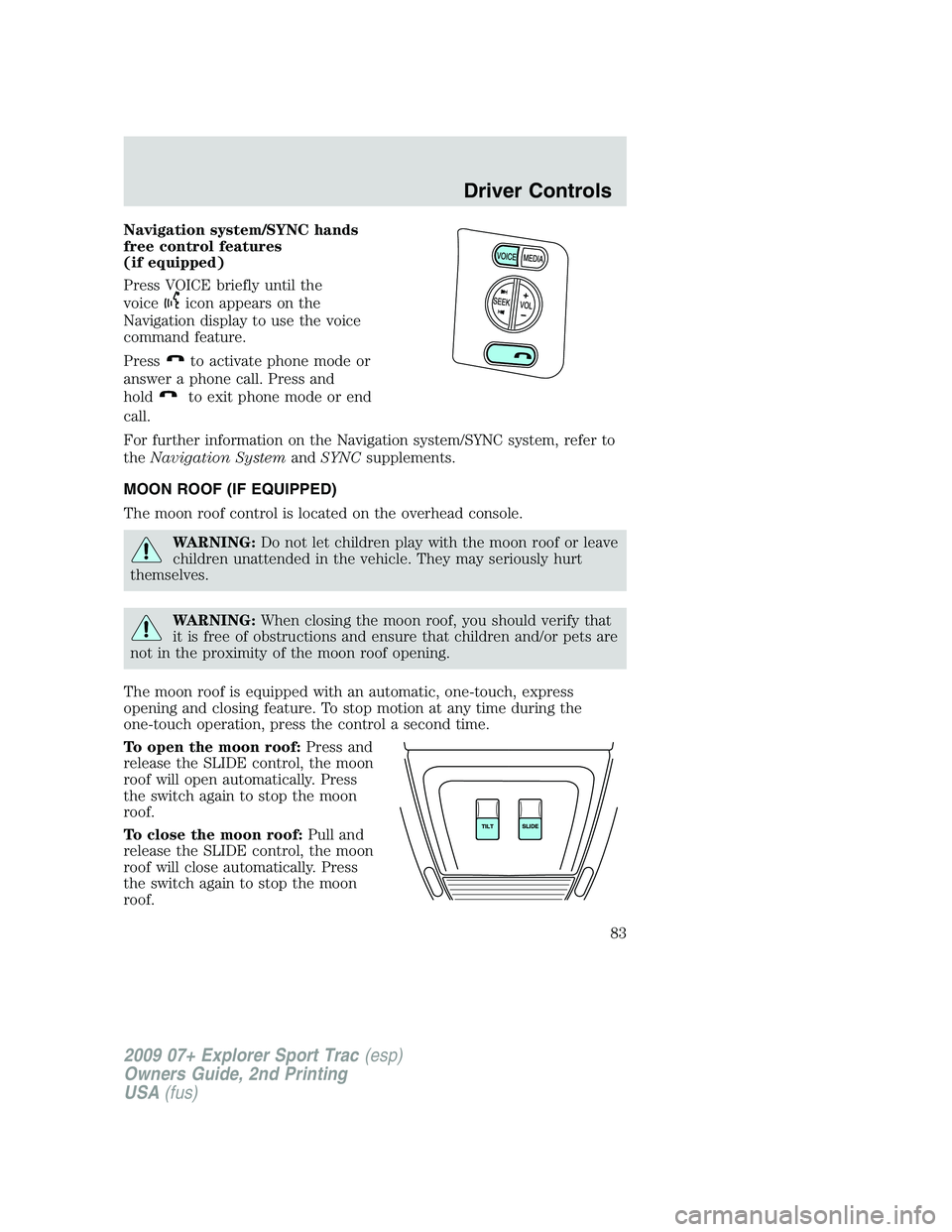
Navigation system/SYNC hands
free control features
(if equipped)
Press VOICE briefly until the
voice
icon appears on the
Navigation display to use the voice
command feature.
Press
to activate phone mode or
answer a phone call. Press and
hold
to exit phone mode or end
call.
For further information on the Navigation system/SYNC system, refer to
theNavigation SystemandSYNCsupplements.
MOON ROOF (IF EQUIPPED)
The moon roof control is located on the overhead console.
WARNING:Do not let children play with the moon roof or leave
children unattended in the vehicle. They may seriously hurt
themselves.
WARNING:When closing the moon roof, you should verify that
it is free of obstructions and ensure that children and/or pets are
not in the proximity of the moon roof opening.
The moon roof is equipped with an automatic, one-touch, express
opening and closing feature. To stop motion at any time during the
one-touch operation, press the control a second time.
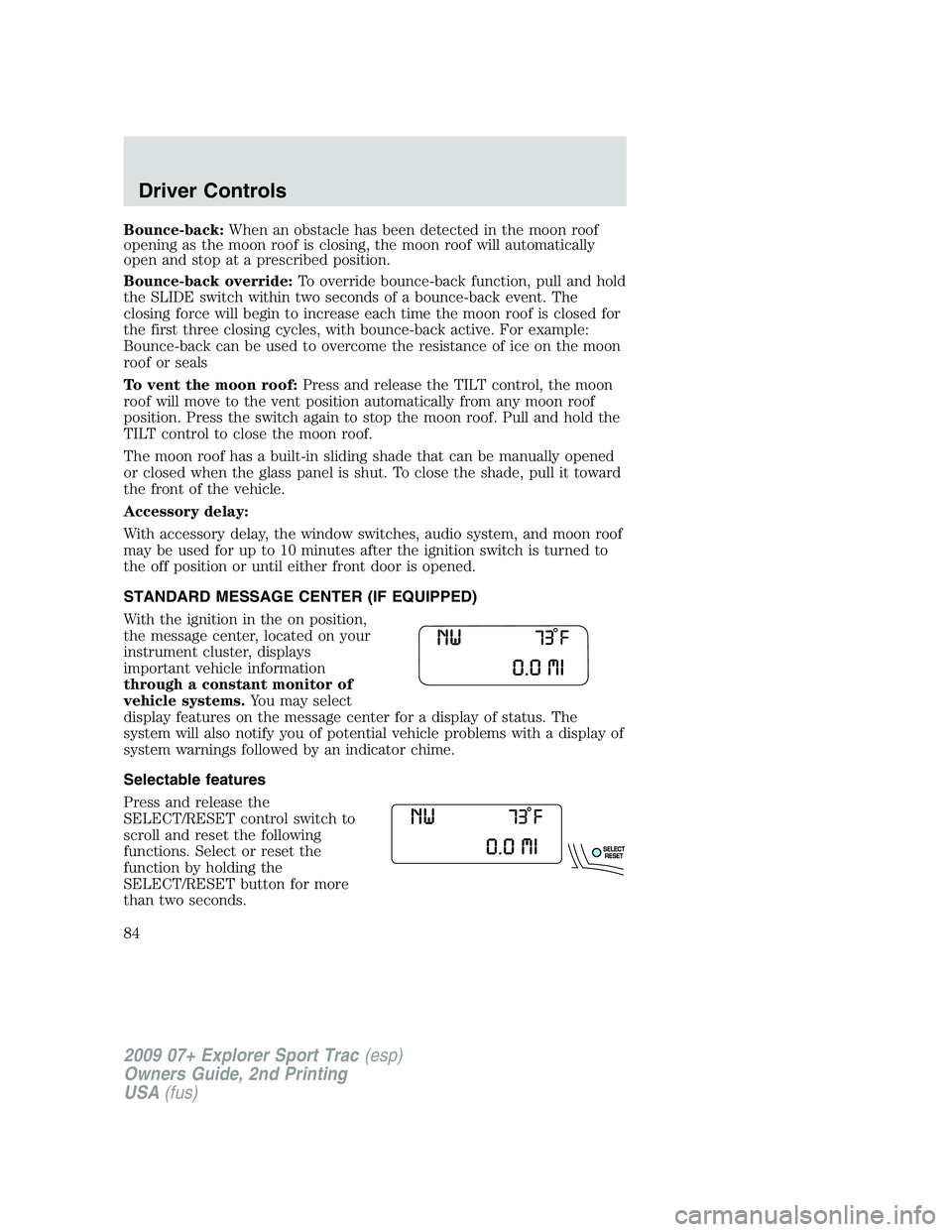
To open the moon roof:Press and
release the SLIDE control, the moon
roof will open automatically. Press
the switch again to stop the moon
roof.
To close the moon roof:Pull and
release the SLIDE control, the moon
roof will close automatically. Press
the switch again to stop the moon
roof.
2009 07+ Explorer Sport Trac(esp)
Owners Guide, 2nd Printing
USA(fus)
Driver Controls
83
Page 84 of 351
Bounce-back:When an obstacle has been detected in the moon roof
opening as the moon roof is closing, the moon roof will automatically
open and stop at a prescribed position.
Bounce-back override:To override bounce-back function, pull and hold
the SLIDE switch within two seconds of a bounce-back event. The
closing force will begin to increase each time the moon roof is closed for
the first three closing cycles, with bounce-back active. For example:
Bounce-back can be used to overcome the resistance of ice on the moon
roof or seals
To vent the moon roof:Press and release the TILT control, the moon
roof will move to the vent position automatically from any moon roof
position. Press the switch again to stop the moon roof. Pull and hold the
TILT control to close the moon roof.
The moon roof has a built-in sliding shade that can be manually opened
or closed when the glass panel is shut. To close the shade, pull it toward
the front of the vehicle.
Accessory delay:
With accessory delay, the window switches, audio system, and moon roof
may be used for up to 10 minutes after the ignition switch is turned to
the off position or until either front door is opened.
STANDARD MESSAGE CENTER (IF EQUIPPED)
With the ignition in the on position,
the message center, located on your
instrument cluster, displays
important vehicle information
through a constant monitor of
vehicle systems.You may select
display features on the message center for a display of status. The
system will also notify you of potential vehicle problems with a display of
system warnings followed by an indicator chime.
Selectable features
Press and release the
SELECT/RESET control switch to
scroll and reset the following
functions. Select or reset the
function by holding the
SELECT/RESET button for more
than two seconds.
2009 07+ Explorer Sport Trac(esp)
Owners Guide, 2nd Printing
USA(fus)
Driver Controls
84
Page 116 of 351
Pickup box storage compartment
The storage compartments are located inside the pickup box behind the
wheel wells.
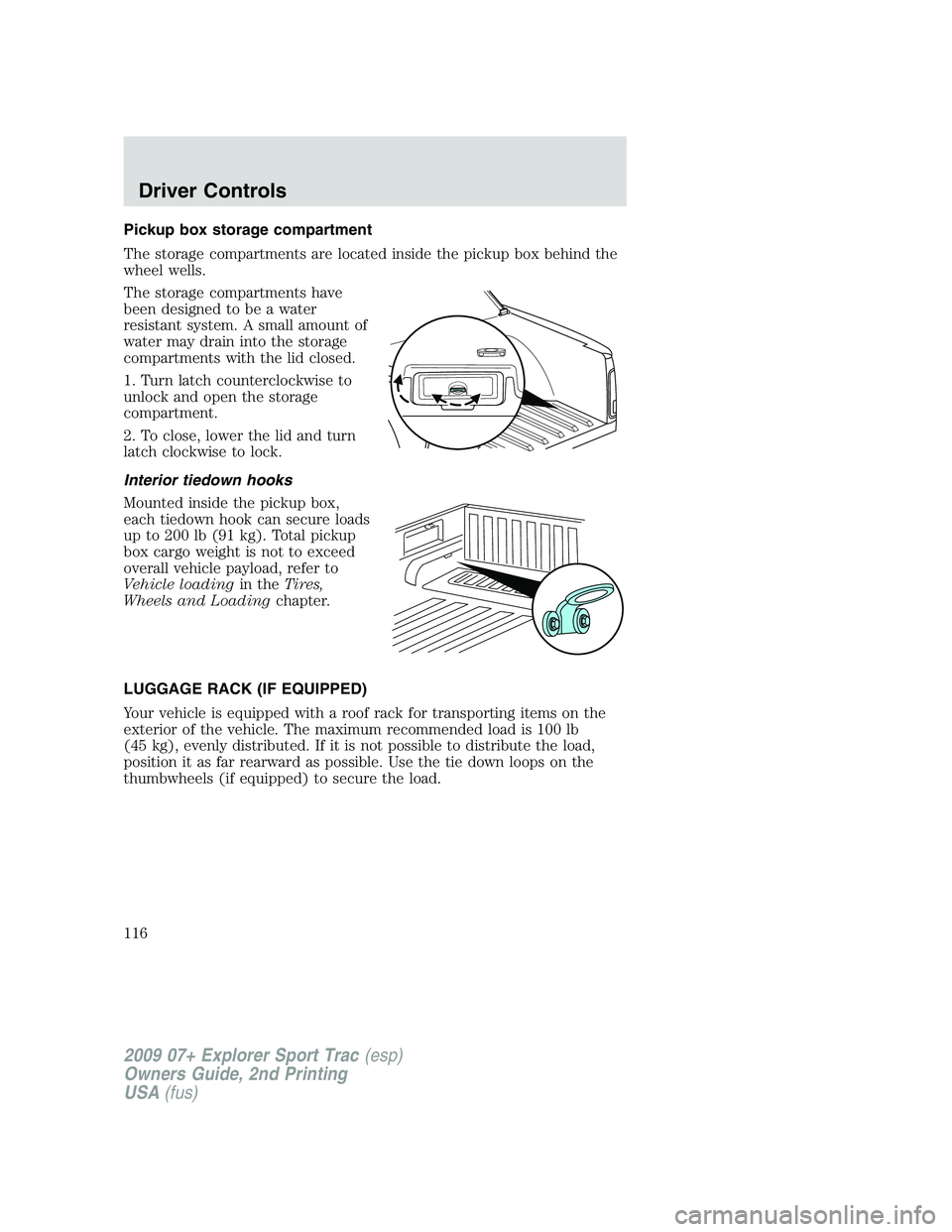
The storage compartments have
been designed to be a water
resistant system. A small amount of
water may drain into the storage
compartments with the lid closed.
1. Turn latch counterclockwise to
unlock and open the storage
compartment.
2. To close, lower the lid and turn
latch clockwise to lock.
Interior tiedown hooks
Mounted inside the pickup box,
each tiedown hook can secure loads
up to 200 lb (91 kg). Total pickup
box cargo weight is not to exceed
overall vehicle payload, refer to
Vehicle loadingin theTires,
Wheels and Loadingchapter.
LUGGAGE RACK (IF EQUIPPED)
Your vehicle is equipped with a roof rack for transporting items on the
exterior of the vehicle. The maximum recommended load is 100 lb
(45 kg), evenly distributed. If it is not possible to distribute the load,
position it as far rearward as possible. Use the tie down loops on the
thumbwheels (if equipped) to secure the load.
2009 07+ Explorer Sport Trac(esp)
Owners Guide, 2nd Printing
USA(fus)
Driver Controls
116
Page 117 of 351
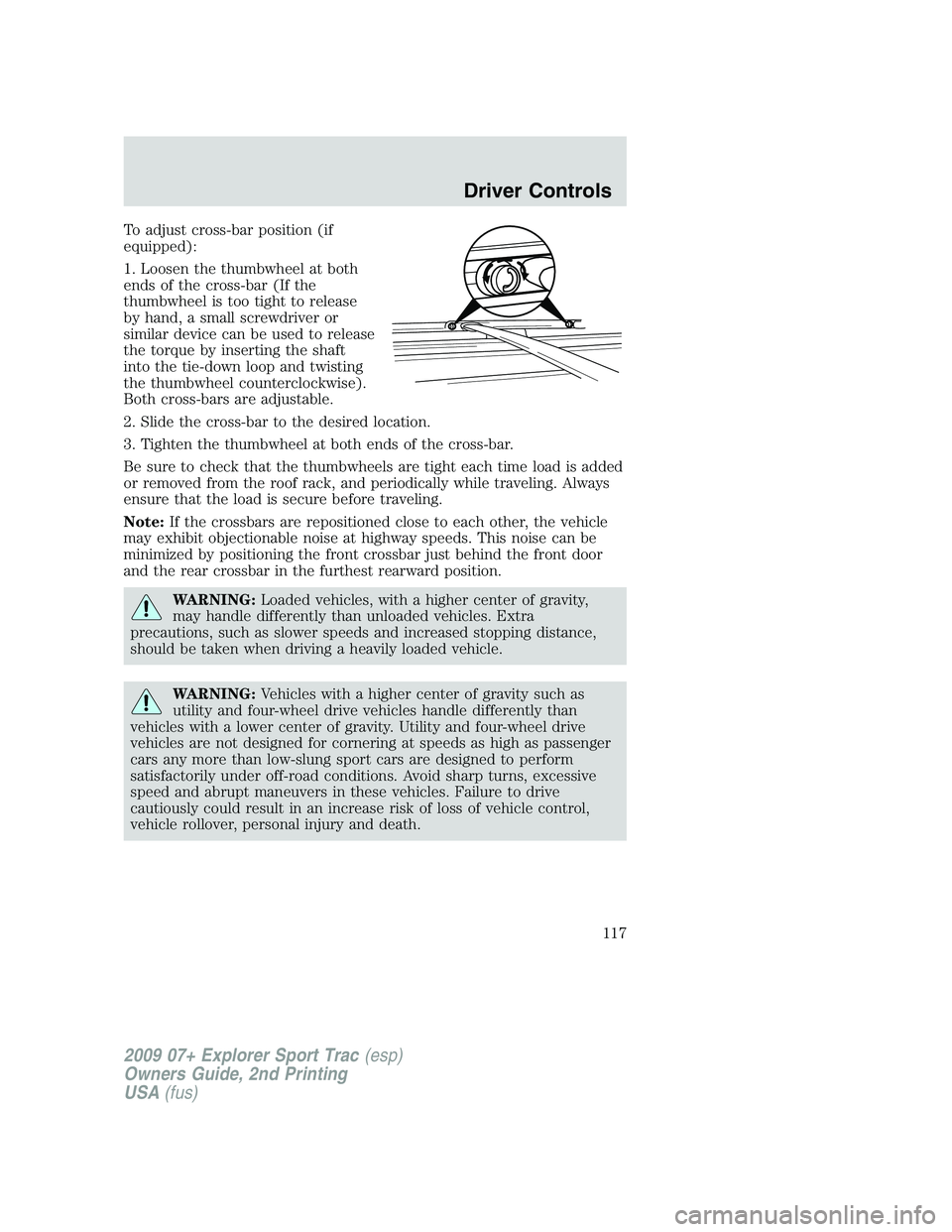
To adjust cross-bar position (if
equipped):
1. Loosen the thumbwheel at both
ends of the cross-bar (If the
thumbwheel is too tight to release
by hand, a small screwdriver or
similar device can be used to release
the torque by inserting the shaft
into the tie-down loop and twisting
the thumbwheel counterclockwise).
Both cross-bars are adjustable.
2. Slide the cross-bar to the desired location.
3. Tighten the thumbwheel at both ends of the cross-bar.
Be sure to check that the thumbwheels are tight each time load is added
or removed from the roof rack, and periodically while traveling. Always
ensure that the load is secure before traveling.
Note:If the crossbars are repositioned close to each other, the vehicle
may exhibit objectionable noise at highway speeds. This noise can be
minimized by positioning the front crossbar just behind the front door
and the rear crossbar in the furthest rearward position.
WARNING:Loaded vehicles, with a higher center of gravity,
may handle differently than unloaded vehicles. Extra
precautions, such as slower speeds and increased stopping distance,
should be taken when driving a heavily loaded vehicle.
WARNING:Vehicles with a higher center of gravity such as
utility and four-wheel drive vehicles handle differently than
vehicles with a lower center of gravity. Utility and four-wheel drive
vehicles are not designed for cornering at speeds as high as passenger
cars any more than low-slung sport cars are designed to perform
satisfactorily under off-road conditions. Avoid sharp turns, excessive
speed and abrupt maneuvers in these vehicles. Failure to drive
cautiously could result in an increase risk of loss of vehicle control,
vehicle rollover, personal injury and death.
2009 07+ Explorer Sport Trac(esp)
Owners Guide, 2nd Printing
USA(fus)
Driver Controls
117