Page 19 of 407
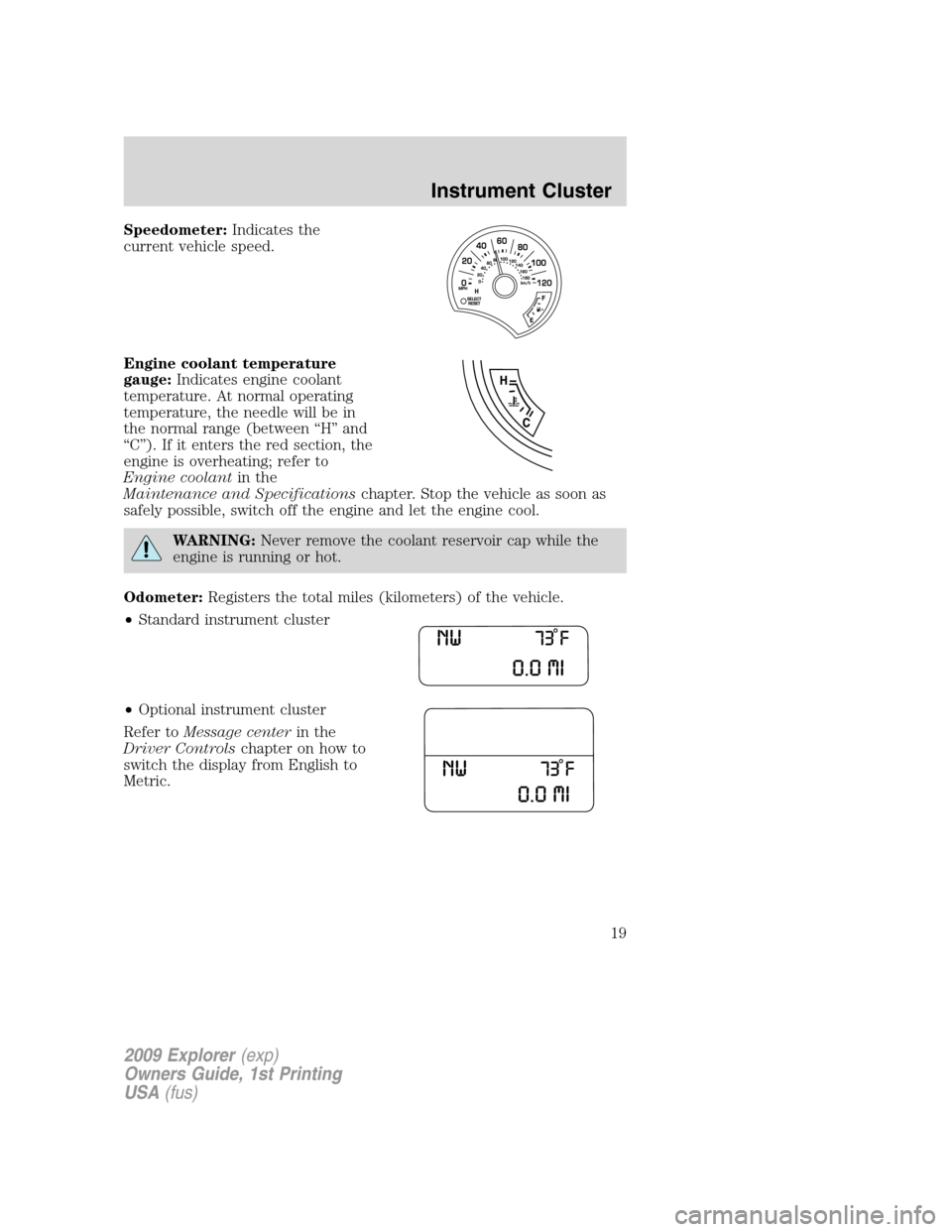
Speedometer:Indicates the
current vehicle speed.
Engine coolant temperature
gauge:Indicates engine coolant
temperature. At normal operating
temperature, the needle will be in
the normal range (between “H” and
“C”). If it enters the red section, the
engine is overheating; refer to
Engine coolantin the
Maintenance and Specificationschapter. Stop the vehicle as soon as
safely possible, switch off the engine and let the engine cool.
WARNING:Never remove the coolant reservoir cap while the
engine is running or hot.
Odometer:Registers the total miles (kilometers) of the vehicle.
•Standard instrument cluster
•Optional instrument cluster
Refer toMessage centerin the
Driver Controlschapter on how to
switch the display from English to
Metric.
2009 Explorer(exp)
Owners Guide, 1st Printing
USA(fus)
Instrument Cluster
19
Page 20 of 407

Trip odometer:Registers the miles (kilometers) of individual journeys.
•Standard instrument cluster
Press the SELECT/RESET control
once to switch from the odometer to
the TRIP A feature. Press the
control again to select the TRIP B
feature. To reset the trip, press and
hold the control again until the trip reading is 0.0 miles.
•Optional instrument cluster
Press and release the message
center INFO button until TRIP A
mode appears in the display. Press
the control again to select the TRIP
B feature. Press the RESET button
to reset.
Note:Outside air temperature will
only be displayed in the instrument cluster message center on vehicles
with manual climate control.
Tachometer:Indicates the engine
speed in revolutions per minute.
Driving with your tachometer
pointer continuously at the top of
the scale may damage the engine.
Fuel gauge:Indicates
approximately how much fuel is left
in the fuel tank (when the ignition
is in the on position). The fuel
gauge may vary slightly when the
vehicle is in motion or on a grade.
Refer toFilling the tankin the
Maintenance and Specifications
chapter for more information.
The FUEL icon and arrow indicates which side of the vehicle the fuel
door is located.
2009 Explorer(exp)
Owners Guide, 1st Printing
USA(fus)
Instrument Cluster
20
Page 112 of 407
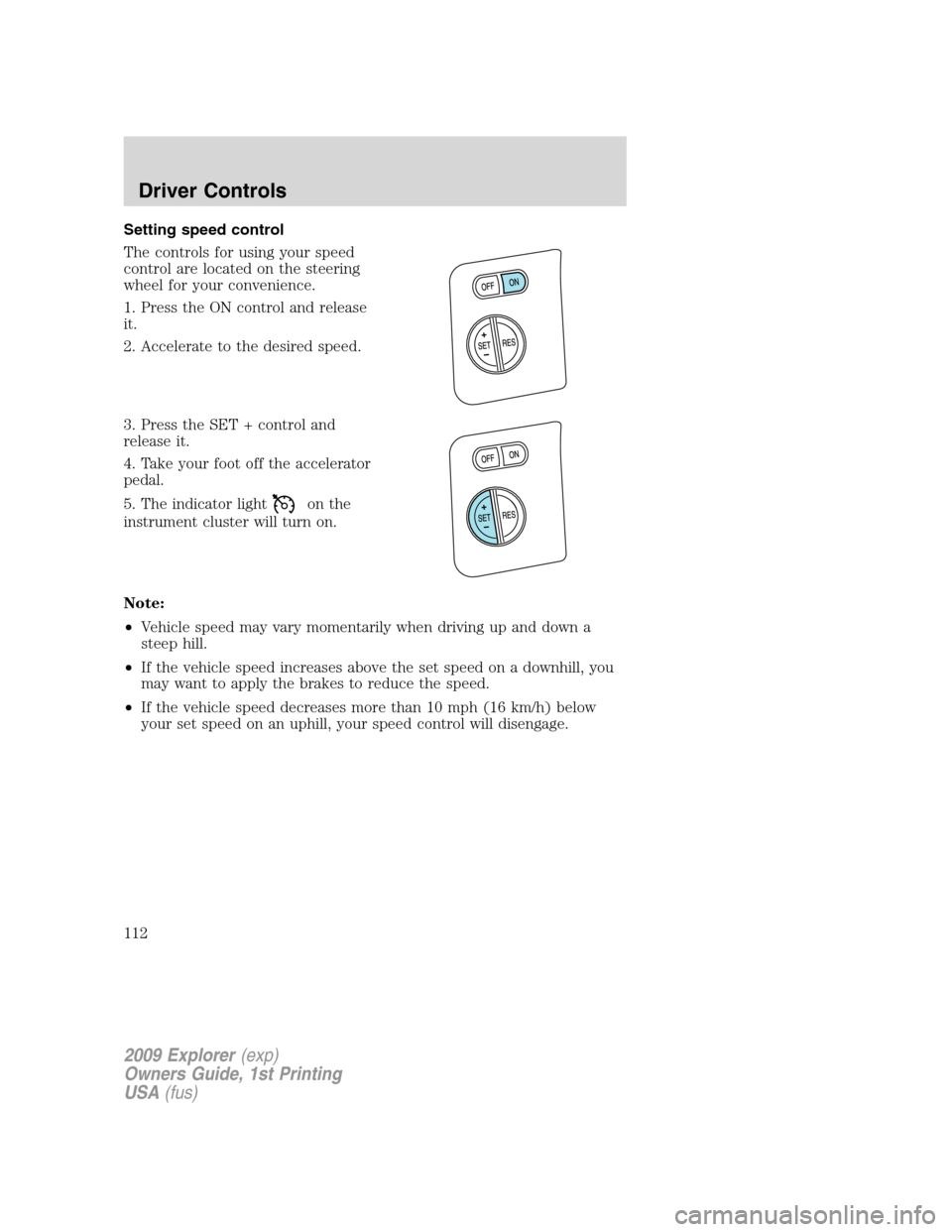
Setting speed control
The controls for using your speed
control are located on the steering
wheel for your convenience.
1. Press the ON control and release
it.
2. Accelerate to the desired speed.
3. Press the SET + control and
release it.
4. Take your foot off the accelerator
pedal.
5. The indicator light
on the
instrument cluster will turn on.
Note:
•Vehicle speed may vary momentarily when driving up and down a
steep hill.
•If the vehicle speed increases above the set speed on a downhill, you
may want to apply the brakes to reduce the speed.
•If the vehicle speed decreases more than 10 mph (16 km/h) below
your set speed on an uphill, your speed control will disengage.
2009 Explorer(exp)
Owners Guide, 1st Printing
USA(fus)
Driver Controls
112
Page 123 of 407
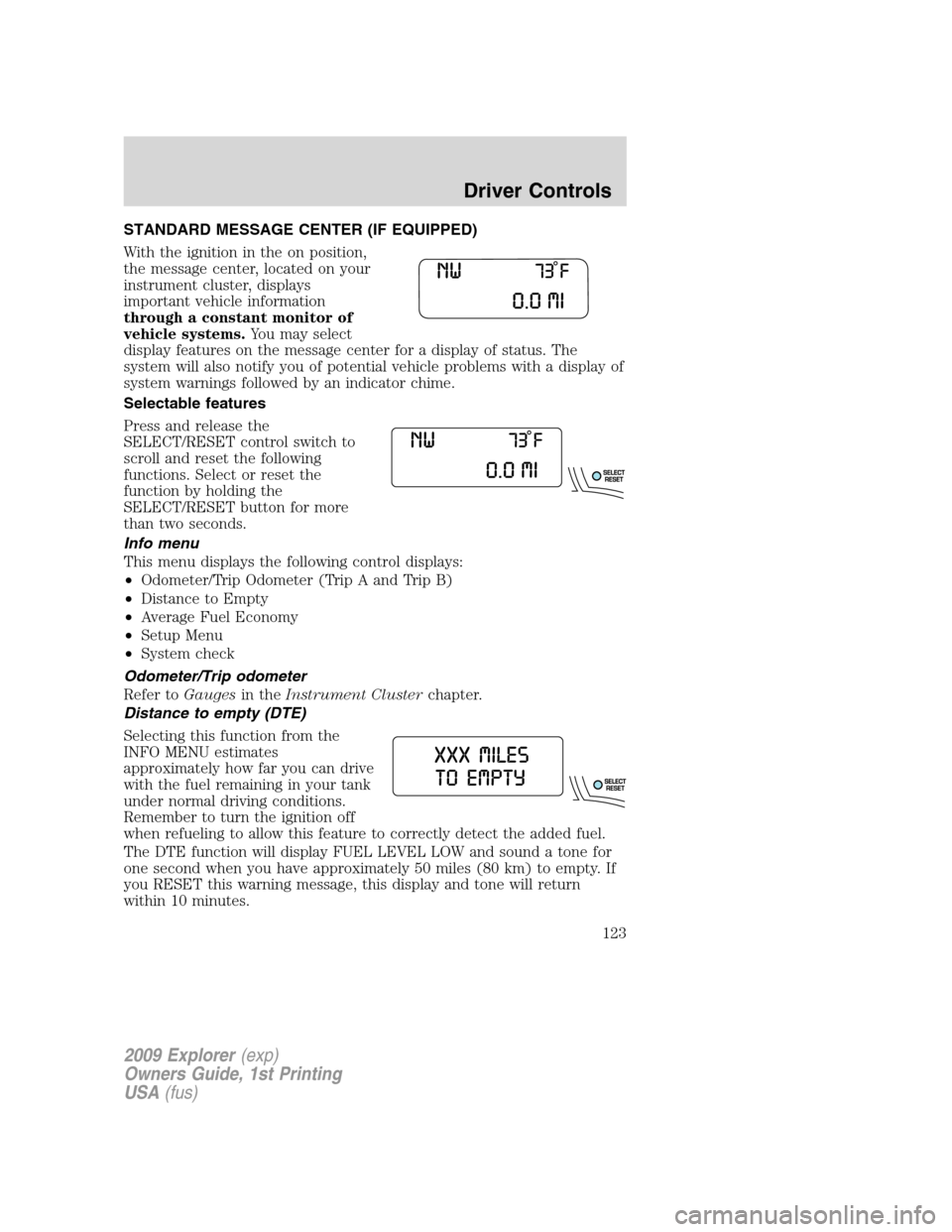
STANDARD MESSAGE CENTER (IF EQUIPPED)
With the ignition in the on position,
the message center, located on your
instrument cluster, displays
important vehicle information
through a constant monitor of
vehicle systems.You may select
display features on the message center for a display of status. The
system will also notify you of potential vehicle problems with a display of
system warnings followed by an indicator chime.
Selectable features
Press and release the
SELECT/RESET control switch to
scroll and reset the following
functions. Select or reset the
function by holding the
SELECT/RESET button for more
than two seconds.
Info menu
This menu displays the following control displays:
•Odometer/Trip Odometer (Trip A and Trip B)
•Distance to Empty
•Average Fuel Economy
•Setup Menu
•System check
Odometer/Trip odometer
Refer toGaugesin theInstrument Clusterchapter.
Distance to empty (DTE)
Selecting this function from the
INFO MENU estimates
approximately how far you can drive
with the fuel remaining in your tank
under normal driving conditions.
Remember to turn the ignition off
when refueling to allow this feature to correctly detect the added fuel.
The DTE function will display FUEL LEVEL LOW and sound a tone for
one second when you have approximately 50 miles (80 km) to empty. If
you RESET this warning message, this display and tone will return
within 10 minutes.
2009 Explorer(exp)
Owners Guide, 1st Printing
USA(fus)
Driver Controls
123
Page 135 of 407
OPTIONAL MESSAGE CENTER (IF EQUIPPED)
With the ignition in the on position,
the message center, located on your
instrument cluster, displays
important vehicle information
through a constant monitor of
vehicle systems.You may select
display features on the message
center for a display of status. The
system will also notify you of potential vehicle problems with a display of
system warnings followed by an indicator chime.
Your display can show up to six reconfigurable telltales at one time. What
ever is displayed in the top left corner has the highest priority.
Selectable features
Reset
Press the RESET control to select
and reset functions shown in the
INFO menu, SETUP menu, text
warnings and reconfigurable telltale
warnings.
2009 Explorer(exp)
Owners Guide, 1st Printing
USA(fus)
Driver Controls
135
Page 136 of 407
Info menu
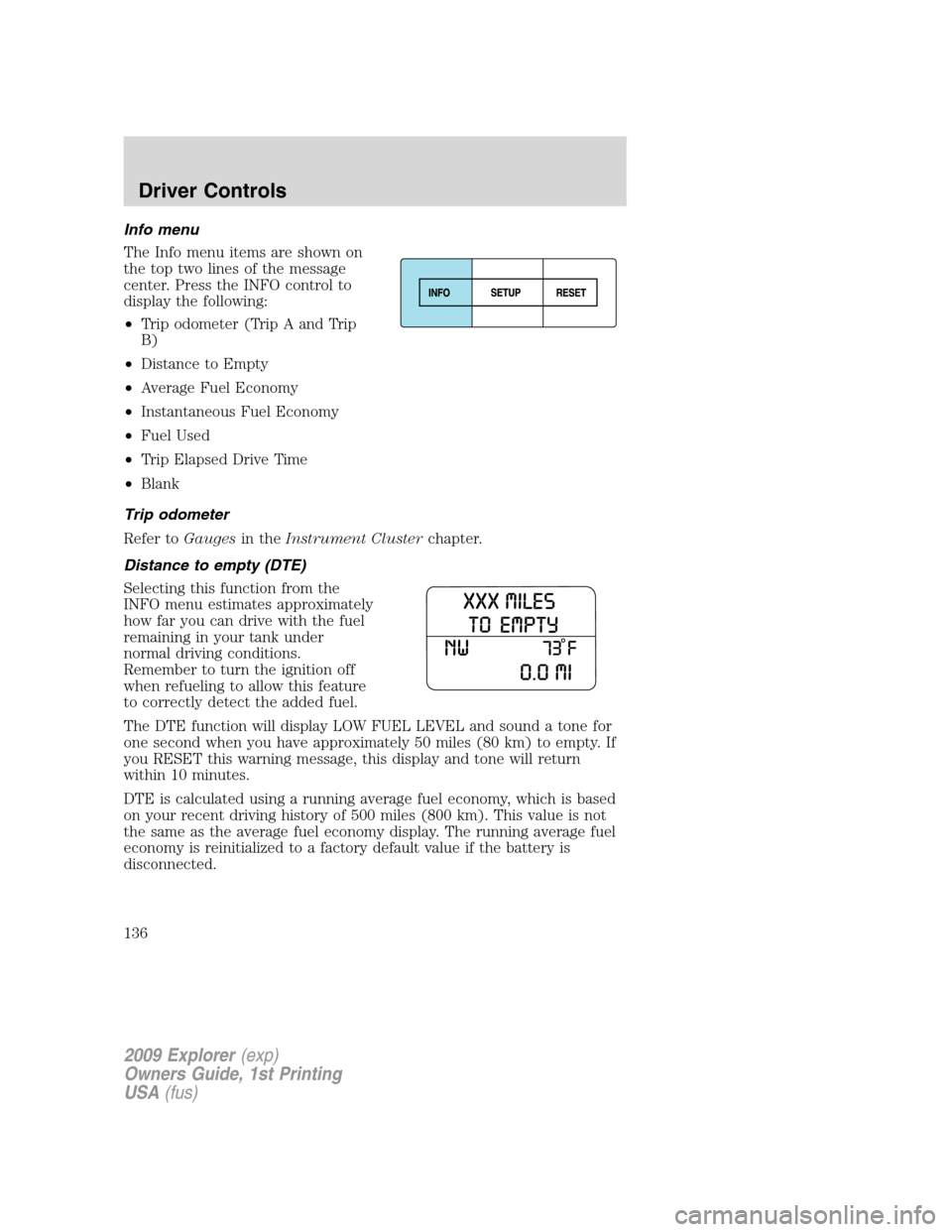
The Info menu items are shown on
the top two lines of the message
center. Press the INFO control to
display the following:
•Trip odometer (Trip A and Trip
B)
•Distance to Empty
•Average Fuel Economy
•Instantaneous Fuel Economy
•Fuel Used
•Trip Elapsed Drive Time
•Blank
Trip odometer
Refer toGaugesin theInstrument Clusterchapter.
Distance to empty (DTE)
Selecting this function from the
INFO menu estimates approximately
how far you can drive with the fuel
remaining in your tank under
normal driving conditions.
Remember to turn the ignition off
when refueling to allow this feature
to correctly detect the added fuel.
The DTE function will display LOW FUEL LEVEL and sound a tone for
one second when you have approximately 50 miles (80 km) to empty. If
you RESET this warning message, this display and tone will return
within 10 minutes.
DTE is calculated using a running average fuel economy, which is based
on your recent driving history of 500 miles (800 km). This value is not
the same as the average fuel economy display. The running average fuel
economy is reinitialized to a factory default value if the battery is
disconnected.
2009 Explorer(exp)
Owners Guide, 1st Printing
USA(fus)
Driver Controls
136
Page 191 of 407
Front safety belt pretensioners
The safety belt pretensioners at the front outboard seating positions are
designed to tighten the safety belts firmly against the occupant’s body
during frontal collisions, and in side collisions and rollovers. This helps
increase the effectiveness of the safety belts. In frontal collisions, the
safety belt pretensioners can be activated alone or, if the collision is of
sufficient severity, together with the front airbags.
Front safety belt energy management retractors
The front outboard safety belt energy management retractors allow
webbing to be pulled out of the retractor in a gradual and controlled
manner in response to the occupant’s forward momentum. This helps
reduce the risk of force-related injuries to the occupant’s chest by
limiting the load on the occupant. Refer toEnergy management feature
section in this chapter.
Determining if the Personal Safety System�is operational
The Personal Safety System�uses a warning light in the instrument
cluster or a back-up tone to indicate the condition of the system. Refer
to theWarning lights and chimessection in theInstrument Cluster
chapter. Routine maintenance of the Personal Safety System�is not
required.
The Restraints Control Module (RCM) monitors its own internal circuits
and the circuits for the airbag supplemental restraints, crash sensor(s),
safety belt pretensioners, front safety belt buckle sensors, front
passenger sensing system, and the driver seat position sensor. In
addition, the RCM also monitors the restraints warning light in the
instrument cluster. A difficulty with the system is indicated by one or
more of the following:
•The warning light will either flash or stay lit.
•The warning light will not illuminate immediately after the ignition is
turned on.
•A series of five beeps will be heard. The tone pattern will repeat
periodically until the problem and warning light are repaired.
If any of these things happen, even intermittently, contact your
authorized dealer as soon as possible. Unless serviced, the system may
not function properly in the event of a collision.
2009 Explorer(exp)
Owners Guide, 1st Printing
USA(fus)
Seating and Safety Restraints
191
Page 198 of 407
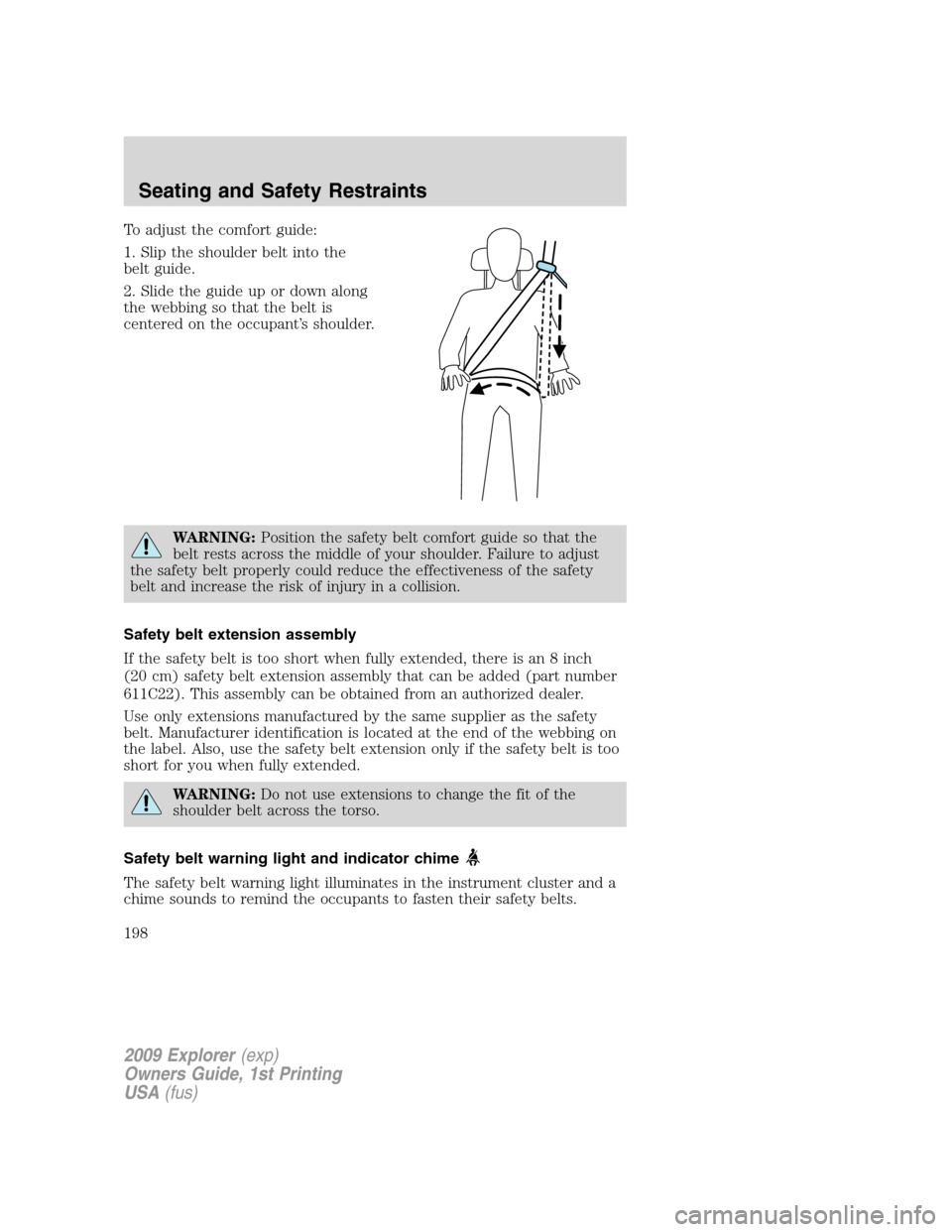
To adjust the comfort guide:
1. Slip the shoulder belt into the
belt guide.
2. Slide the guide up or down along
the webbing so that the belt is
centered on the occupant’s shoulder.
WARNING:Position the safety belt comfort guide so that the
belt rests across the middle of your shoulder. Failure to adjust
the safety belt properly could reduce the effectiveness of the safety
belt and increase the risk of injury in a collision.
Safety belt extension assembly
If the safety belt is too short when fully extended, there is an 8 inch
(20 cm) safety belt extension assembly that can be added (part number
611C22). This assembly can be obtained from an authorized dealer.
Use only extensions manufactured by the same supplier as the safety
belt. Manufacturer identification is located at the end of the webbing on
the label. Also, use the safety belt extension only if the safety belt is too
short for you when fully extended.
WARNING:Do not use extensions to change the fit of the
shoulder belt across the torso.
Safety belt warning light and indicator chime
The safety belt warning light illuminates in the instrument cluster and a
chime sounds to remind the occupants to fasten their safety belts.
2009 Explorer(exp)
Owners Guide, 1st Printing
USA(fus)
Seating and Safety Restraints
198