2009 FORD CROWN VICTORIA oil temperature
[x] Cancel search: oil temperaturePage 11 of 271
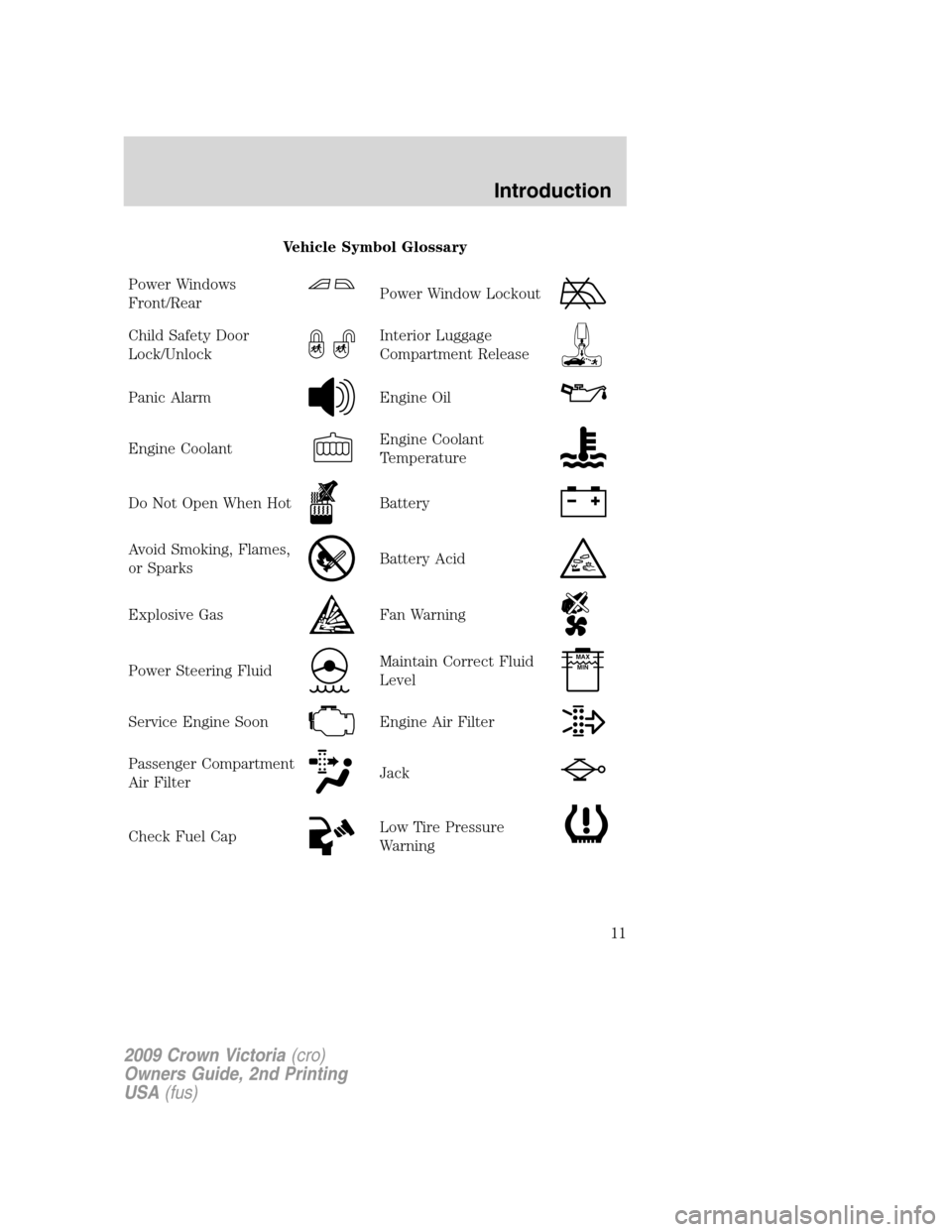
Vehicle Symbol Glossary
Power Windows
Front/Rear
Power Window Lockout
Child Safety Door
Lock/UnlockInterior Luggage
Compartment Release
Panic AlarmEngine Oil
Engine CoolantEngine Coolant
Temperature
Do Not Open When HotBattery
Avoid Smoking, Flames,
or SparksBattery Acid
Explosive GasFan Warning
Power Steering FluidMaintain Correct Fluid
LevelMAX
MIN
Service Engine SoonEngine Air Filter
Passenger Compartment
Air FilterJack
Check Fuel CapLow Tire Pressure
Warning
2009 Crown Victoria(cro)
Owners Guide, 2nd Printing
USA(fus)
Introduction
11
Page 15 of 271
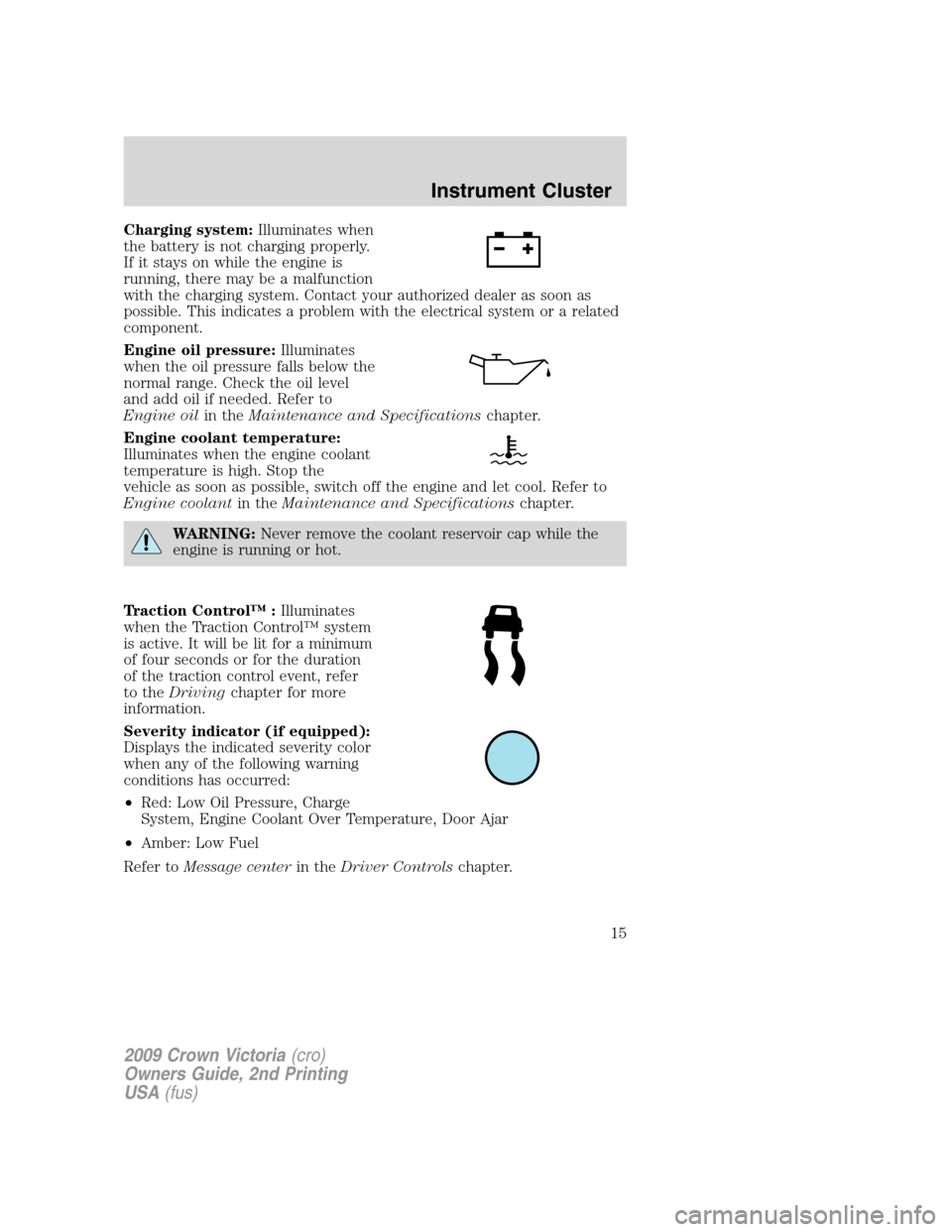
Charging system:Illuminates when
the battery is not charging properly.
If it stays on while the engine is
running, there may be a malfunction
with the charging system. Contact your authorized dealer as soon as
possible. This indicates a problem with the electrical system or a related
component.
Engine oil pressure:Illuminates
when the oil pressure falls below the
normal range. Check the oil level
and add oil if needed. Refer to
Engine oilin theMaintenance and Specificationschapter.
Engine coolant temperature:
Illuminates when the engine coolant
temperature is high. Stop the
vehicle as soon as possible, switch off the engine and let cool. Refer to
Engine coolantin theMaintenance and Specificationschapter.
WARNING:Never remove the coolant reservoir cap while the
engine is running or hot.
Traction Control™ :Illuminates
when the Traction Control™ system
is active. It will be lit for a minimum
of four seconds or for the duration
of the traction control event, refer
to theDrivingchapter for more
information.
Severity indicator (if equipped):
Displays the indicated severity color
when any of the following warning
conditions has occurred:
•Red: Low Oil Pressure, Charge
System, Engine Coolant Over Temperature, Door Ajar
•Amber: Low Fuel
Refer toMessage centerin theDriver Controlschapter.
2009 Crown Victoria(cro)
Owners Guide, 2nd Printing
USA(fus)
Instrument Cluster
15
Page 69 of 271
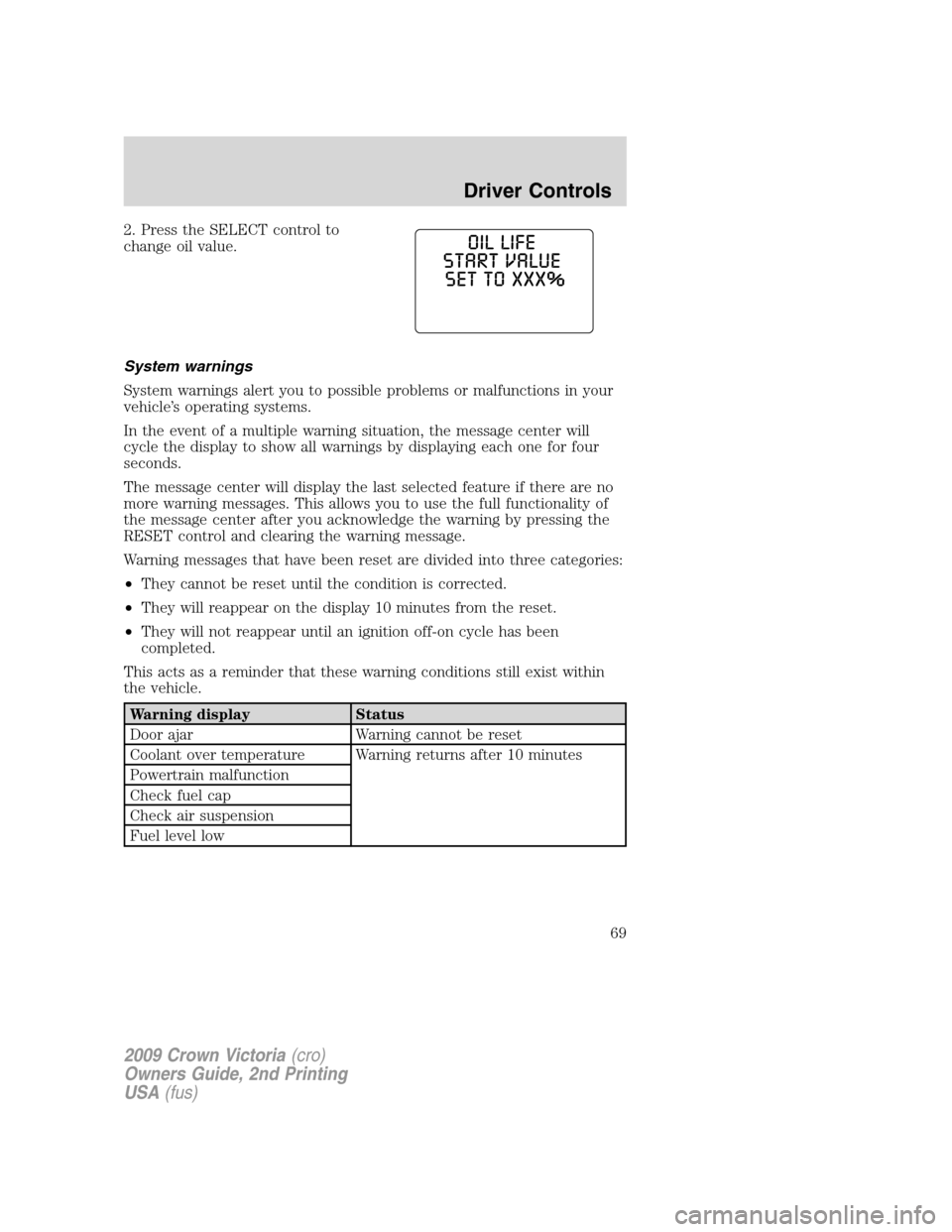
2. Press the SELECT control to
change oil value.
System warnings
System warnings alert you to possible problems or malfunctions in your
vehicle’s operating systems.
In the event of a multiple warning situation, the message center will
cycle the display to show all warnings by displaying each one for four
seconds.
The message center will display the last selected feature if there are no
more warning messages. This allows you to use the full functionality of
the message center after you acknowledge the warning by pressing the
RESET control and clearing the warning message.
Warning messages that have been reset are divided into three categories:
•They cannot be reset until the condition is corrected.
•They will reappear on the display 10 minutes from the reset.
•They will not reappear until an ignition off-on cycle has been
completed.
This acts as a reminder that these warning conditions still exist within
the vehicle.
Warning display Status
Door ajar Warning cannot be reset
Coolant over temperature Warning returns after 10 minutes
Powertrain malfunction
Check fuel cap
Check air suspension
Fuel level low
2009 Crown Victoria(cro)
Owners Guide, 2nd Printing
USA(fus)
Driver Controls
69
Page 70 of 271
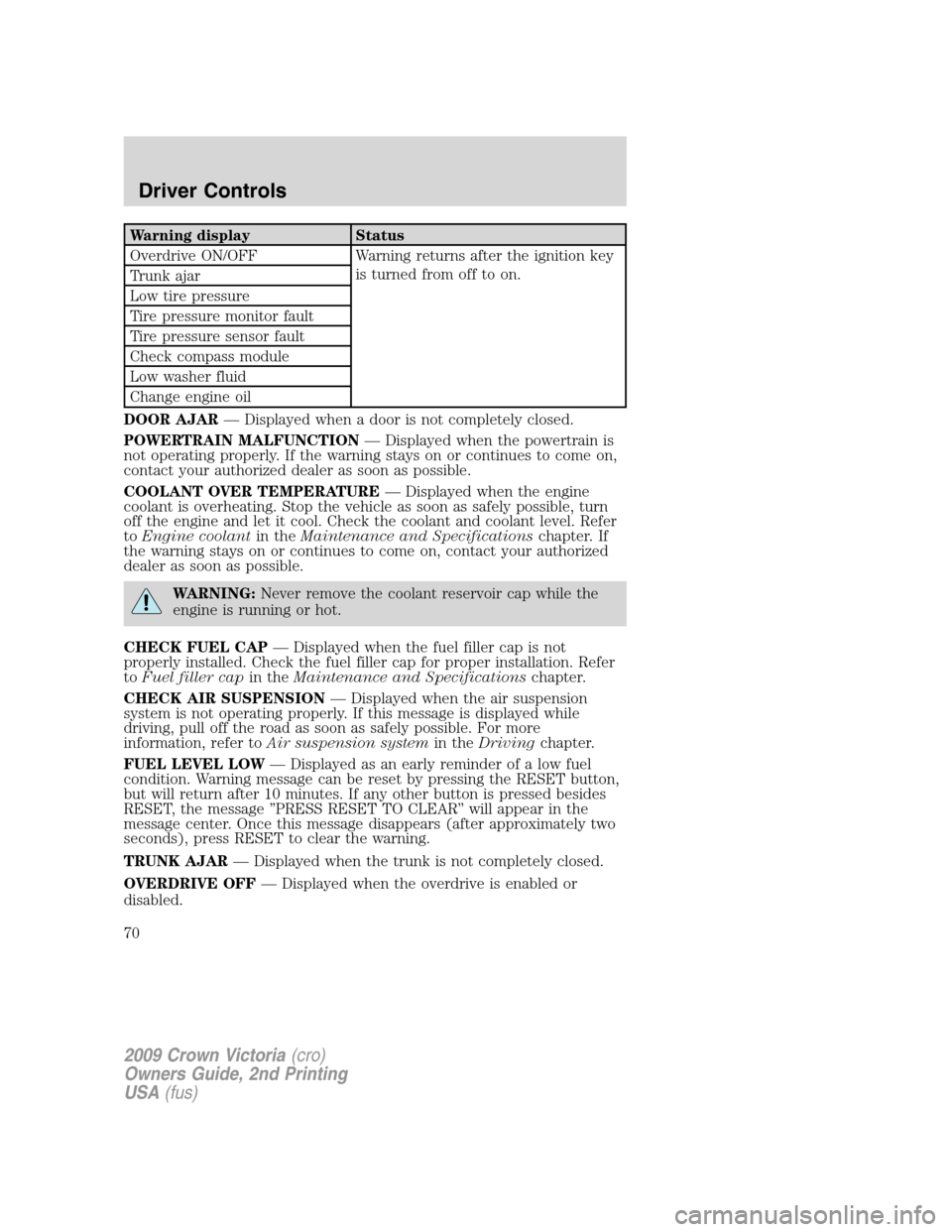
Warning display Status
Overdrive ON/OFF Warning returns after the ignition key
is turned from off to on.
Trunk ajar
Low tire pressure
Tire pressure monitor fault
Tire pressure sensor fault
Check compass module
Low washer fluid
Change engine oil
DOOR AJAR— Displayed when a door is not completely closed.
POWERTRAIN MALFUNCTION— Displayed when the powertrain is
not operating properly. If the warning stays on or continues to come on,
contact your authorized dealer as soon as possible.
COOLANT OVER TEMPERATURE— Displayed when the engine
coolant is overheating. Stop the vehicle as soon as safely possible, turn
off the engine and let it cool. Check the coolant and coolant level. Refer
toEngine coolantin theMaintenance and Specificationschapter. If
the warning stays on or continues to come on, contact your authorized
dealer as soon as possible.
WARNING:Never remove the coolant reservoir cap while the
engine is running or hot.
CHECK FUEL CAP— Displayed when the fuel filler cap is not
properly installed. Check the fuel filler cap for proper installation. Refer
toFuel filler capin theMaintenance and Specificationschapter.
CHECK AIR SUSPENSION— Displayed when the air suspension
system is not operating properly. If this message is displayed while
driving, pull off the road as soon as safely possible. For more
information, refer toAir suspension systemin theDrivingchapter.
FUEL LEVEL LOW— Displayed as an early reminder of a low fuel
condition. Warning message can be reset by pressing the RESET button,
but will return after 10 minutes. If any other button is pressed besides
RESET, the message ’’PRESS RESET TO CLEAR’’ will appear in the
message center. Once this message disappears (after approximately two
seconds), press RESET to clear the warning.
TRUNK AJAR— Displayed when the trunk is not completely closed.
OVERDRIVE OFF— Displayed when the overdrive is enabled or
disabled.
2009 Crown Victoria(cro)
Owners Guide, 2nd Printing
USA(fus)
Driver Controls
70
Page 189 of 271
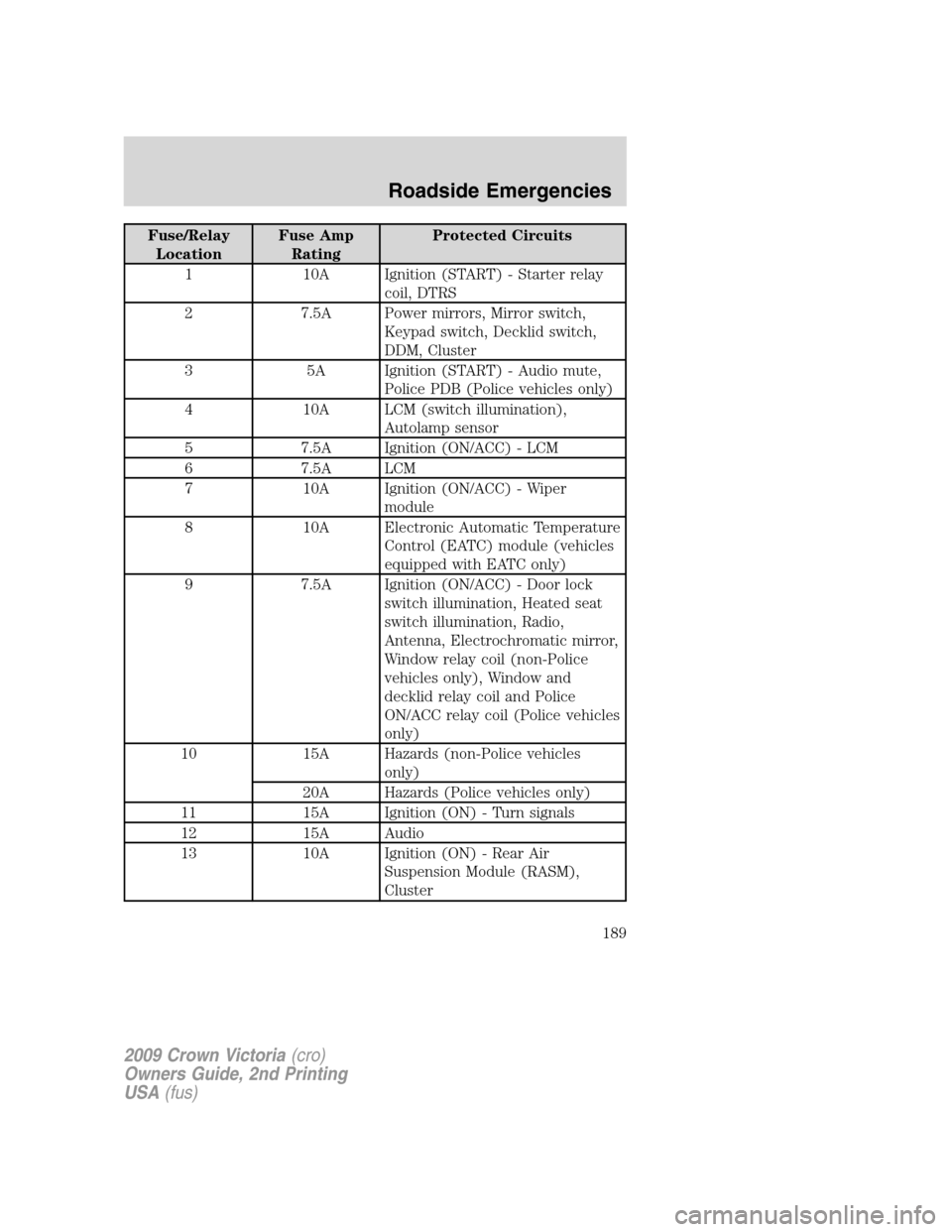
Fuse/Relay
LocationFuse Amp
RatingProtected Circuits
1 10A Ignition (START) - Starter relay
coil, DTRS
2 7.5A Power mirrors, Mirror switch,
Keypad switch, Decklid switch,
DDM, Cluster
3 5A Ignition (START) - Audio mute,
Police PDB (Police vehicles only)
4 10A LCM (switch illumination),
Autolamp sensor
5 7.5A Ignition (ON/ACC) - LCM
6 7.5A LCM
7 10A Ignition (ON/ACC) - Wiper
module
8 10A Electronic Automatic Temperature
Control (EATC) module (vehicles
equipped with EATC only)
9 7.5A Ignition (ON/ACC) - Door lock
switch illumination, Heated seat
switch illumination, Radio,
Antenna, Electrochromatic mirror,
Window relay coil (non-Police
vehicles only), Window and
decklid relay coil and Police
ON/ACC relay coil (Police vehicles
only)
10 15A Hazards (non-Police vehicles
only)
20A Hazards (Police vehicles only)
11 15A Ignition (ON) - Turn signals
12 15A Audio
13 10A Ignition (ON) - Rear Air
Suspension Module (RASM),
Cluster
2009 Crown Victoria(cro)
Owners Guide, 2nd Printing
USA(fus)
Roadside Emergencies
189
Page 221 of 271
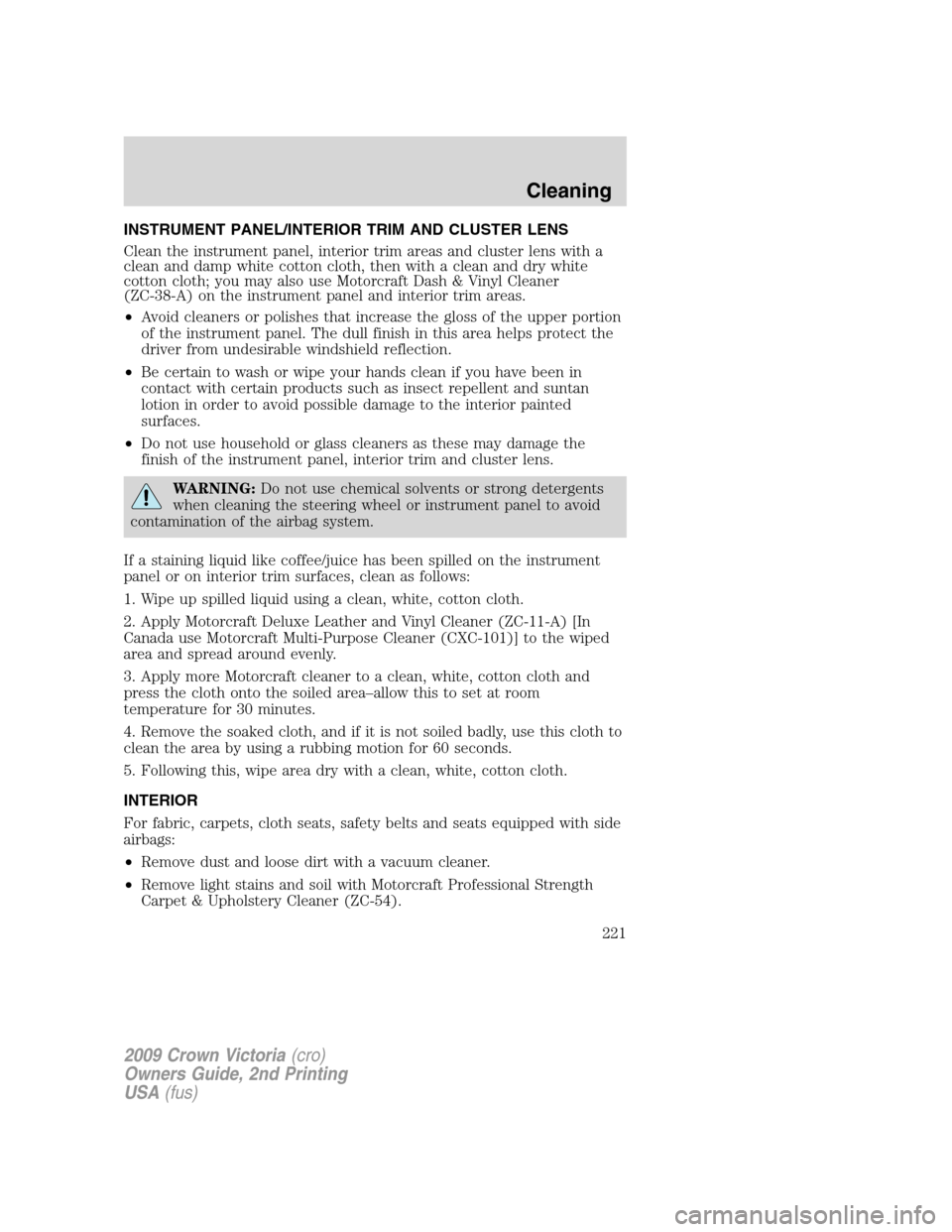
INSTRUMENT PANEL/INTERIOR TRIM AND CLUSTER LENS
Clean the instrument panel, interior trim areas and cluster lens with a
clean and damp white cotton cloth, then with a clean and dry white
cotton cloth; you may also use Motorcraft Dash & Vinyl Cleaner
(ZC-38-A) on the instrument panel and interior trim areas.
•Avoid cleaners or polishes that increase the gloss of the upper portion
of the instrument panel. The dull finish in this area helps protect the
driver from undesirable windshield reflection.
•Be certain to wash or wipe your hands clean if you have been in
contact with certain products such as insect repellent and suntan
lotion in order to avoid possible damage to the interior painted
surfaces.
•Do not use household or glass cleaners as these may damage the
finish of the instrument panel, interior trim and cluster lens.
WARNING:Do not use chemical solvents or strong detergents
when cleaning the steering wheel or instrument panel to avoid
contamination of the airbag system.
If a staining liquid like coffee/juice has been spilled on the instrument
panel or on interior trim surfaces, clean as follows:
1. Wipe up spilled liquid using a clean, white, cotton cloth.
2. Apply Motorcraft Deluxe Leather and Vinyl Cleaner (ZC-11-A) [In
Canada use Motorcraft Multi-Purpose Cleaner (CXC-101)] to the wiped
area and spread around evenly.
3. Apply more Motorcraft cleaner to a clean, white, cotton cloth and
press the cloth onto the soiled area–allow this to set at room
temperature for 30 minutes.
4. Remove the soaked cloth, and if it is not soiled badly, use this cloth to
clean the area by using a rubbing motion for 60 seconds.
5. Following this, wipe area dry with a clean, white, cotton cloth.
INTERIOR
For fabric, carpets, cloth seats, safety belts and seats equipped with side
airbags:
•Remove dust and loose dirt with a vacuum cleaner.
•Remove light stains and soil with Motorcraft Professional Strength
Carpet & Upholstery Cleaner (ZC-54).
2009 Crown Victoria(cro)
Owners Guide, 2nd Printing
USA(fus)
Cleaning
221
Page 264 of 271
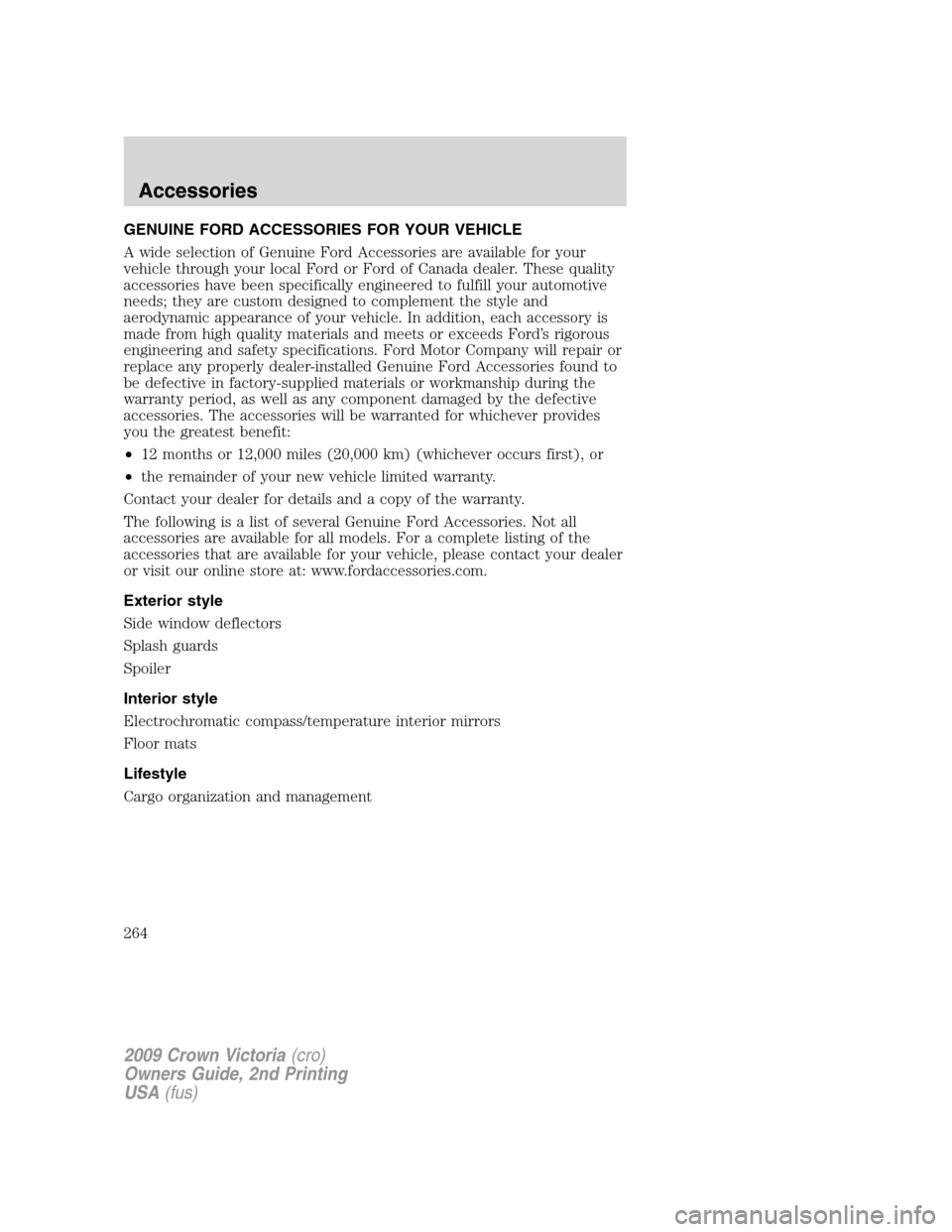
GENUINE FORD ACCESSORIES FOR YOUR VEHICLE
A wide selection of Genuine Ford Accessories are available for your
vehicle through your local Ford or Ford of Canada dealer. These quality
accessories have been specifically engineered to fulfill your automotive
needs; they are custom designed to complement the style and
aerodynamic appearance of your vehicle. In addition, each accessory is
made from high quality materials and meets or exceeds Ford’s rigorous
engineering and safety specifications. Ford Motor Company will repair or
replace any properly dealer-installed Genuine Ford Accessories found to
be defective in factory-supplied materials or workmanship during the
warranty period, as well as any component damaged by the defective
accessories. The accessories will be warranted for whichever provides
you the greatest benefit:
•12 months or 12,000 miles (20,000 km) (whichever occurs first), or
•the remainder of your new vehicle limited warranty.
Contact your dealer for details and a copy of the warranty.
The following is a list of several Genuine Ford Accessories. Not all
accessories are available for all models. For a complete listing of the
accessories that are available for your vehicle, please contact your dealer
or visit our online store at: www.fordaccessories.com.
Exterior style
Side window deflectors
Splash guards
Spoiler
Interior style
Electrochromatic compass/temperature interior mirrors
Floor mats
Lifestyle
Cargo organization and management
2009 Crown Victoria(cro)
Owners Guide, 2nd Printing
USA(fus)
Accessories
264