2009 FORD CROWN VICTORIA engine
[x] Cancel search: enginePage 15 of 271
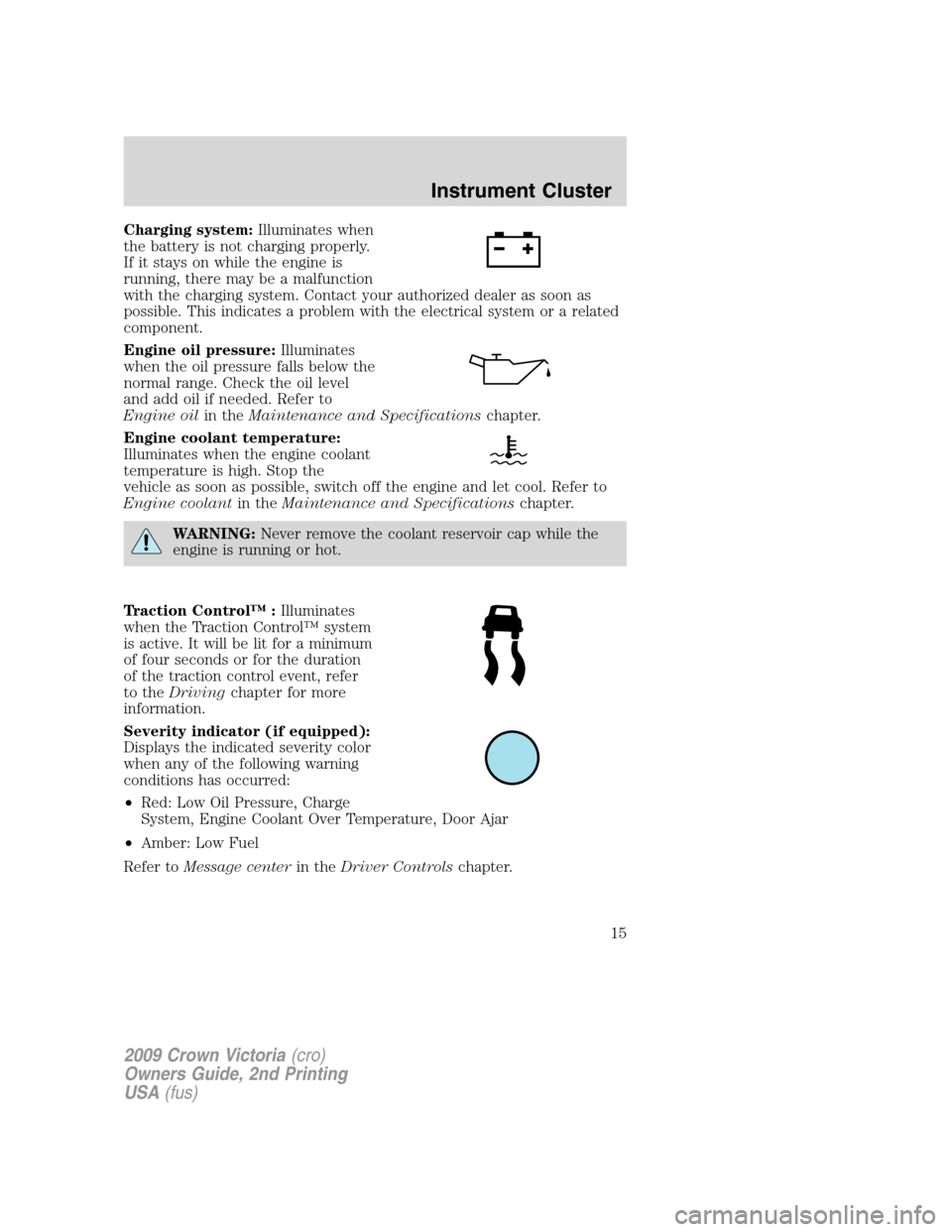
Charging system:Illuminates when
the battery is not charging properly.
If it stays on while the engine is
running, there may be a malfunction
with the charging system. Contact your authorized dealer as soon as
possible. This indicates a problem with the electrical system or a related
component.
Engine oil pressure:Illuminates
when the oil pressure falls below the
normal range. Check the oil level
and add oil if needed. Refer to
Engine oilin theMaintenance and Specificationschapter.
Engine coolant temperature:
Illuminates when the engine coolant
temperature is high. Stop the
vehicle as soon as possible, switch off the engine and let cool. Refer to
Engine coolantin theMaintenance and Specificationschapter.
WARNING:Never remove the coolant reservoir cap while the
engine is running or hot.
Traction Control™ :Illuminates
when the Traction Control™ system
is active. It will be lit for a minimum
of four seconds or for the duration
of the traction control event, refer
to theDrivingchapter for more
information.
Severity indicator (if equipped):
Displays the indicated severity color
when any of the following warning
conditions has occurred:
•Red: Low Oil Pressure, Charge
System, Engine Coolant Over Temperature, Door Ajar
•Amber: Low Fuel
Refer toMessage centerin theDriver Controlschapter.
2009 Crown Victoria(cro)
Owners Guide, 2nd Printing
USA(fus)
Instrument Cluster
15
Page 18 of 271
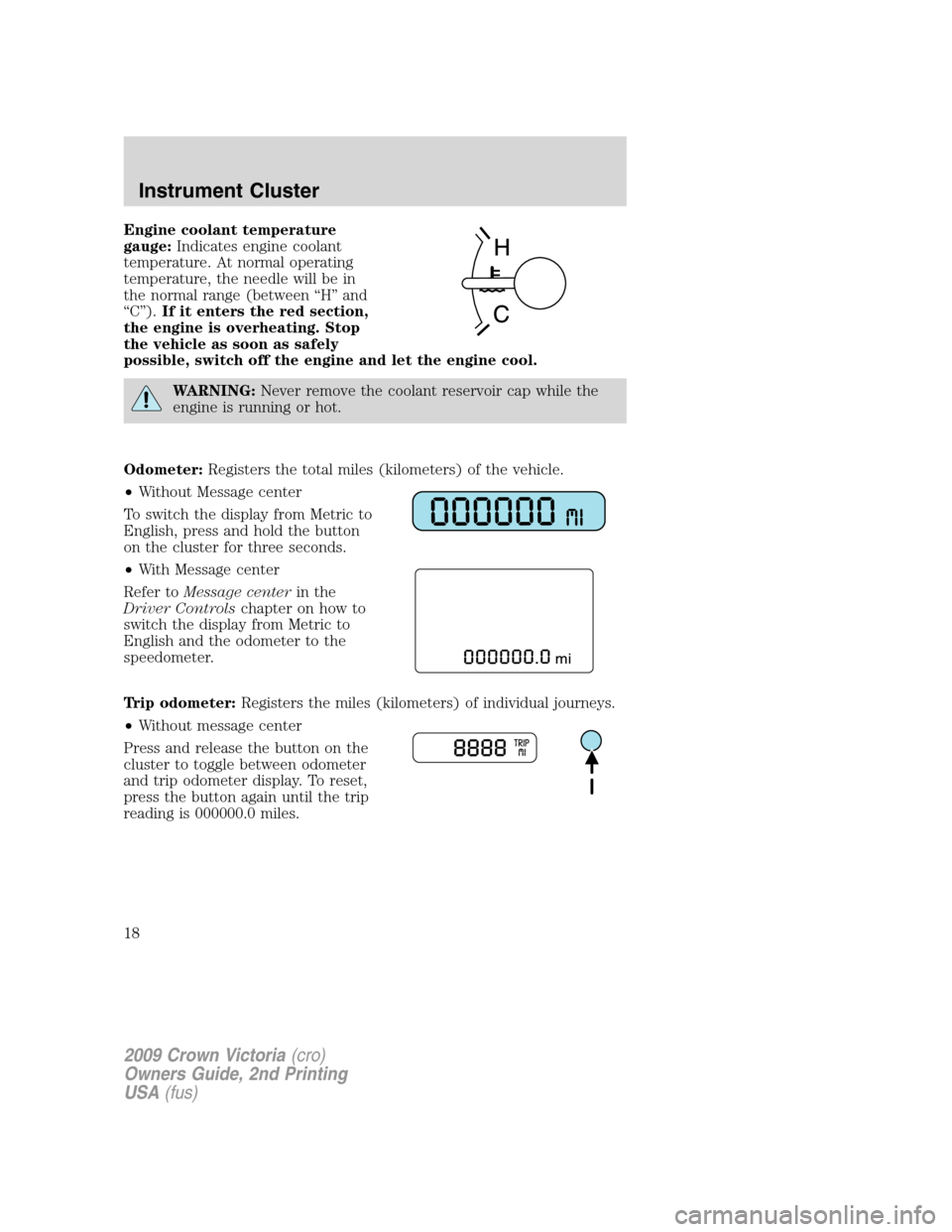
Engine coolant temperature
gauge:Indicates engine coolant
temperature. At normal operating
temperature, the needle will be in
the normal range (between “H” and
“C”).If it enters the red section,
the engine is overheating. Stop
the vehicle as soon as safely
possible, switch off the engine and let the engine cool.
WARNING:Never remove the coolant reservoir cap while the
engine is running or hot.
Odometer:Registers the total miles (kilometers) of the vehicle.
•Without Message center
To switch the display from Metric to
English, press and hold the button
on the cluster for three seconds.
•With Message center
Refer toMessage centerin the
Driver Controlschapter on how to
switch the display from Metric to
English and the odometer to the
speedometer.
Trip odometer:Registers the miles (kilometers) of individual journeys.
•Without message center
Press and release the button on the
cluster to toggle between odometer
and trip odometer display. To reset,
press the button again until the trip
reading is 000000.0 miles.
2009 Crown Victoria(cro)
Owners Guide, 2nd Printing
USA(fus)
Instrument Cluster
18
Page 19 of 271
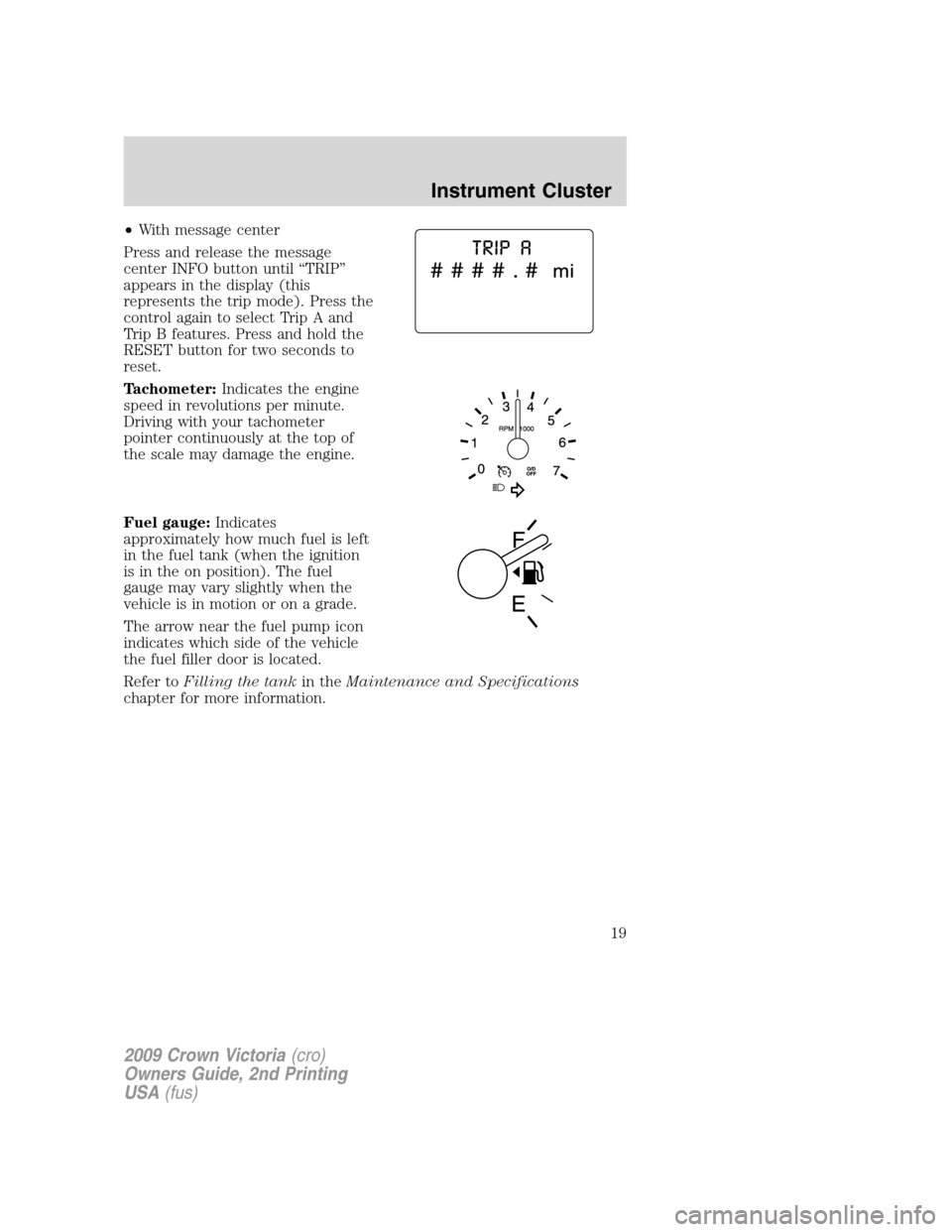
•With message center
Press and release the message
center INFO button until “TRIP”
appears in the display (this
represents the trip mode). Press the
control again to select Trip A and
Trip B features. Press and hold the
RESET button for two seconds to
reset.
Tachometer:Indicates the engine
speed in revolutions per minute.
Driving with your tachometer
pointer continuously at the top of
the scale may damage the engine.
Fuel gauge:Indicates
approximately how much fuel is left
in the fuel tank (when the ignition
is in the on position). The fuel
gauge may vary slightly when the
vehicle is in motion or on a grade.
The arrow near the fuel pump icon
indicates which side of the vehicle
the fuel filler door is located.
Refer toFilling the tankin theMaintenance and Specifications
chapter for more information.
2009 Crown Victoria(cro)
Owners Guide, 2nd Printing
USA(fus)
Instrument Cluster
19
Page 55 of 271
CENTER CONSOLE (IF EQUIPPED)
Your vehicle may be equipped with a variety of console features. These
include:
•Utility compartment
•Power point (inside storage bin)
•Cupholders
•Air vents to the rear seating positions (heat only)
WARNING:Use only soft cups in the cupholder. Hard objects
can injure you in a collision.
AUXILIARY POWER POINT (12VDC)
Power outlets are designed for accessory plugs only. Do not insert
any other object in the power outlet as this will damage the
outlet and blow the fuse. Do not hang any type of accessory or
accessory bracket from the plug. Improper use of the power
outlet can cause damage not covered by your warranty.
The auxiliary power point is located under the cup holder and ashtray
drawer in the center stack. The auxiliary power point for five passenger
vehicles is located in the floor console storage bin.
Do not use the power point for operating the cigarette lighter element (if
equipped).
To prevent the fuse from being blown, do not use the power point(s)
over the vehicle capacity of 12 VDC/180W. If the power point or cigar
lighter socket is not working, a fuse may have blown. Refer toFuses and
relaysin theRoadside Emergencieschapter for information on
checking and replacing fuses.
To have full capacity usage of your power point, the engine is required to
be running to avoid unintentional discharge of the battery. To prevent
the battery from being discharged:
•do not use the power point longer than necessary when the engine is
not running,
•do not leave battery chargers, video game adapters, computers and
other devices plugged in overnight or when the vehicle is parked for
extended periods.
Always keep the power point caps closed when not being used.
2009 Crown Victoria(cro)
Owners Guide, 2nd Printing
USA(fus)
Driver Controls
55
Page 70 of 271
Warning display Status
Overdrive ON/OFF Warning returns after the ignition key
is turned from off to on.
Trunk ajar
Low tire pressure
Tire pressure monitor fault
Tire pressure sensor fault
Check compass module
Low washer fluid
Change engine oil
DOOR AJAR— Displayed when a door is not completely closed.
POWERTRAIN MALFUNCTION— Displayed when the powertrain is
not operating properly. If the warning stays on or continues to come on,
contact your authorized dealer as soon as possible.
COOLANT OVER TEMPERATURE— Displayed when the engine
coolant is overheating. Stop the vehicle as soon as safely possible, turn
off the engine and let it cool. Check the coolant and coolant level. Refer
toEngine coolantin theMaintenance and Specificationschapter. If
the warning stays on or continues to come on, contact your authorized
dealer as soon as possible.
WARNING:Never remove the coolant reservoir cap while the
engine is running or hot.
CHECK FUEL CAP— Displayed when the fuel filler cap is not
properly installed. Check the fuel filler cap for proper installation. Refer
toFuel filler capin theMaintenance and Specificationschapter.
CHECK AIR SUSPENSION— Displayed when the air suspension
system is not operating properly. If this message is displayed while
driving, pull off the road as soon as safely possible. For more
information, refer toAir suspension systemin theDrivingchapter.
FUEL LEVEL LOW— Displayed as an early reminder of a low fuel
condition. Warning message can be reset by pressing the RESET button,
but will return after 10 minutes. If any other button is pressed besides
RESET, the message ’’PRESS RESET TO CLEAR’’ will appear in the
message center. Once this message disappears (after approximately two
seconds), press RESET to clear the warning.
TRUNK AJAR— Displayed when the trunk is not completely closed.
OVERDRIVE OFF— Displayed when the overdrive is enabled or
disabled.
2009 Crown Victoria(cro)
Owners Guide, 2nd Printing
USA(fus)
Driver Controls
70
Page 71 of 271
LOW TIRE PRESSURE— Displayed when one or more tires on your
vehicle have low tire pressure. Refer toInflating your tiresin theTires,
Wheels and Loadingchapter.
TIRE PRESSURE MONITOR FAULT— Displayed when the Tire
Pressure Monitoring System is malfunctioning. If the warning stays on or
continues to come on, contact your authorized dealer as soon as
possible.
TIRE PRESSURE SENSOR FAULT— Displayed when a tire pressure
sensor is malfunctioning, or your spare tire is in use (Note: this includes
the use of the optional full-sized matching spare tire and wheel). For
more information on how the system operates under these conditions,
refer toTire Pressure Monitoring System (TPMS)in theTires, Wheels
and Loadingchapter. If the warning stays on or continues to come on,
contact your authorized dealer as soon as possible.
WASHER FLUID LEVEL LOW— Indicates the washer fluid reservoir
is less than one quarter full. Check the washer fluid level. Refer to
Windshield washer fluidin theMaintenance and Specifications
chapter.
OIL LIFE CHANGE SOON— Displayed when the engine oil life
remaining is 10% or less. When oil life left is between 10% and 0%, the
XX% OIL LIFE CHANGE SOON message will be displayed.
OIL CHANGE REQUIRED— Displayed when the oil life left reaches
0%, the OIL CHANGE REQUIRED message will be displayed.
An oil change is required whenever indicated by the message center and
according to the recommended maintenance schedule. USE ONLY
RECOMMENDED ENGINE OILS.
To reset the oil monitoring system to 100% after each oil change
(approximately 7,500 miles [12,000 km] or six months) perform the
following:
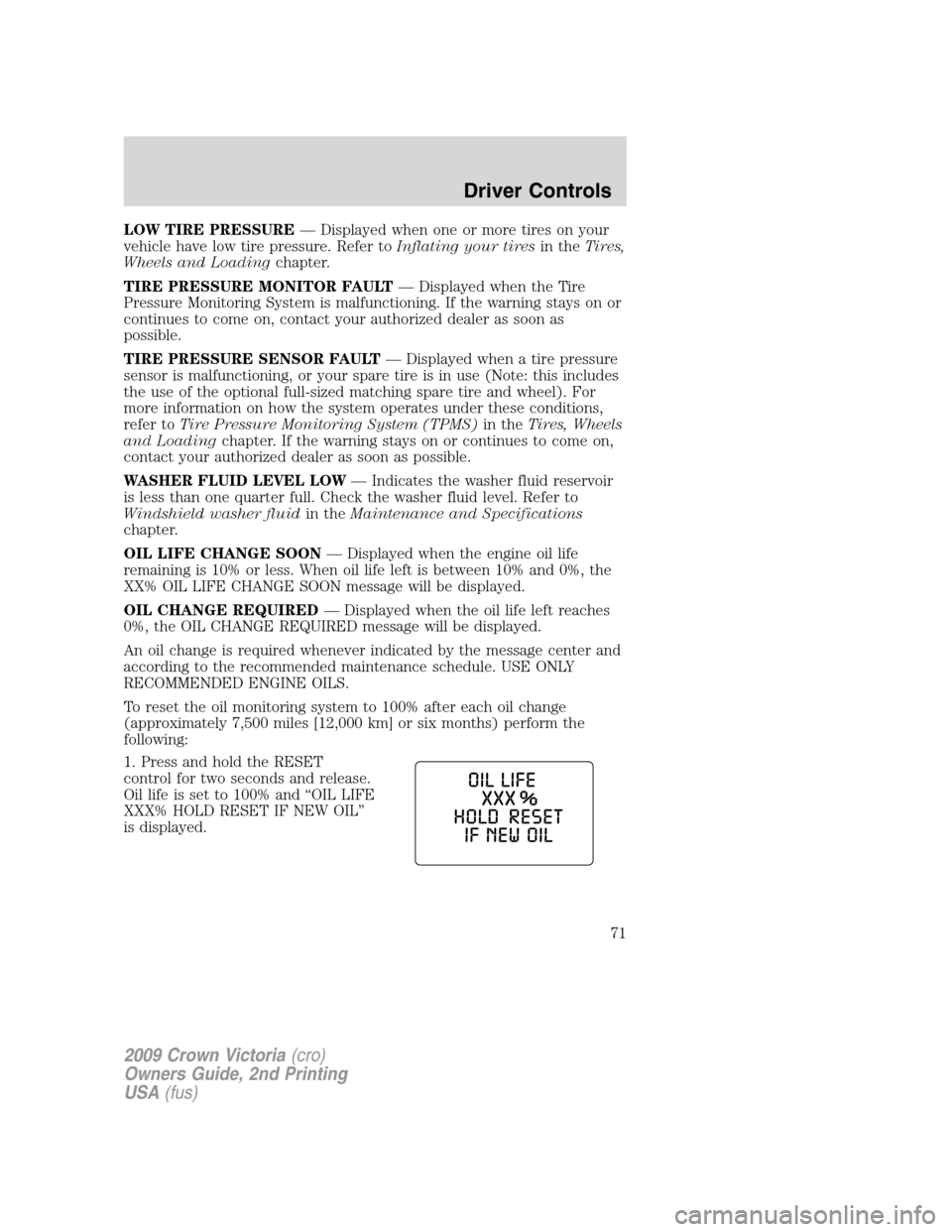
1. Press and hold the RESET
control for two seconds and release.
Oil life is set to 100% and “OIL LIFE
XXX% HOLD RESET IF NEW OIL”
is displayed.
2009 Crown Victoria(cro)
Owners Guide, 2nd Printing
USA(fus)
Driver Controls
71
Page 73 of 271
KEYS
The vehicle is equipped with a master key which will access the vehicle’s
doors, trunk, glove box, ignition and remote trunk release.
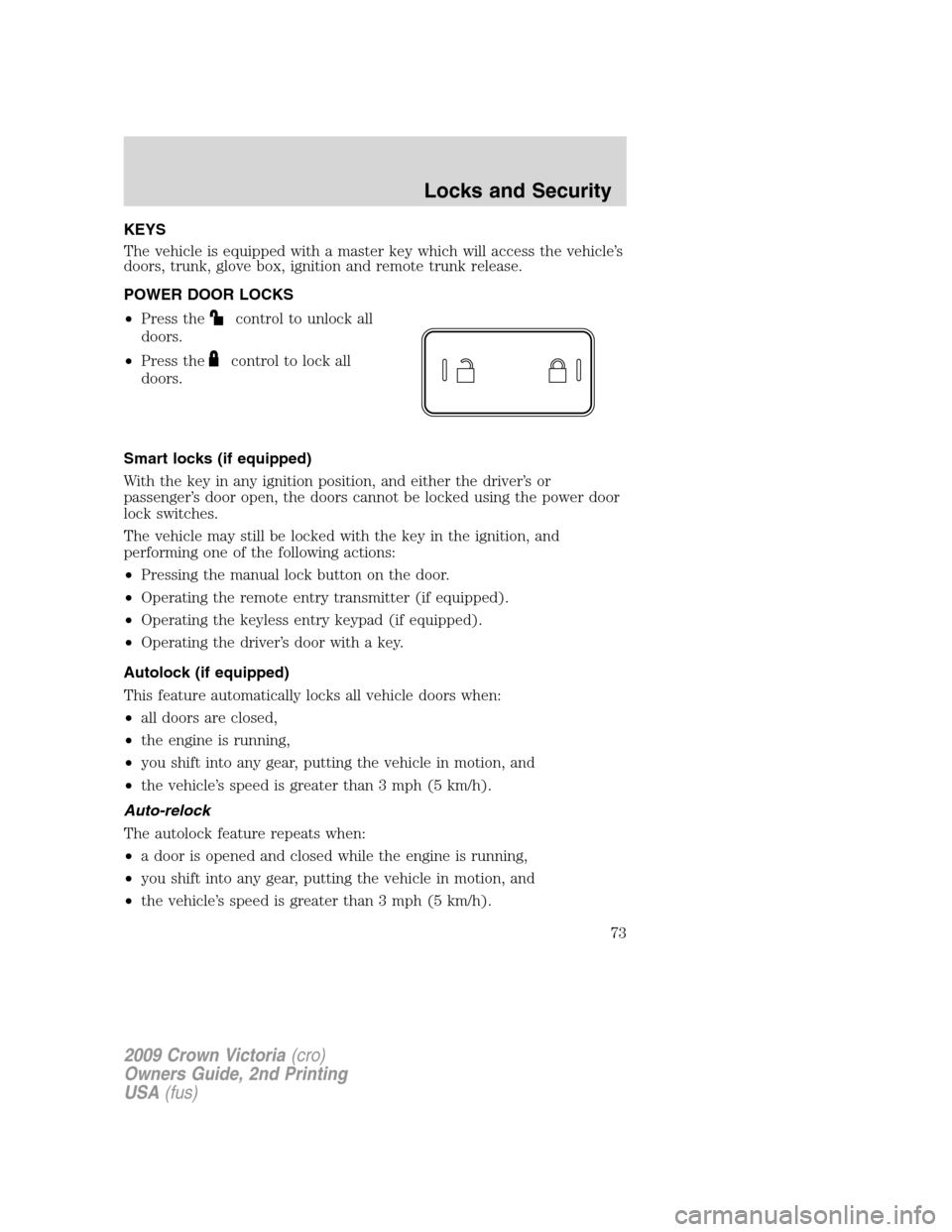
POWER DOOR LOCKS
•Press the
control to unlock all
doors.
•Press the
control to lock all
doors.
Smart locks (if equipped)
With the key in any ignition position, and either the driver’s or
passenger’s door open, the doors cannot be locked using the power door
lock switches.
The vehicle may still be locked with the key in the ignition, and
performing one of the following actions:
•Pressing the manual lock button on the door.
•Operating the remote entry transmitter (if equipped).
•Operating the keyless entry keypad (if equipped).
•Operating the driver’s door with a key.
Autolock (if equipped)
This feature automatically locks all vehicle doors when:
•all doors are closed,
•the engine is running,
•you shift into any gear, putting the vehicle in motion, and
•the vehicle’s speed is greater than 3 mph (5 km/h).
Auto-relock
The autolock feature repeats when:
•a door is opened and closed while the engine is running,
•you shift into any gear, putting the vehicle in motion, and
•the vehicle’s speed is greater than 3 mph (5 km/h).
2009 Crown Victoria(cro)
Owners Guide, 2nd Printing
USA(fus)
Locks and Security
73
Page 83 of 271
Locking doors with the keyless entry system
It is not necessary to enter the factory-set code prior to locking all doors.
Tolock the doors,press 7•8 and press 9•0 at the same time.
Note:The doors will not lock if the driver door is ajar.
Anti-scan feature
If the wrong code has been entered seven times (35 consecutive button
presses), the keypad will go into an anti-scan mode. This mode disables
the keypad for one minute and the keypad lamp will flash.
The anti-scan feature will turn off after:
•one minute of keypad inactivity.
•pressing the
control on the remote entry transmitter.
•the ignition is turned to the on position.
SECURILOCK™ PASSIVE ANTI-THEFT SYSTEM
SecuriLock™ passive anti-theft system is an engine immobilization
system. This system is designed to help prevent the engine from being
started unless acoded key programmed to your vehicleis used. The
use of the wrong type of coded key may lead to a “no-start” condition.
This device complies with part 15 of the FCC rules and with RSS-210 of
Industry Canada. Operation is subject to the following two conditions:
(1) This device may not cause harmful interference, and (2) This device
must accept any interference received, including interference that may
cause undesired operation.
Radio type approval numbers for Immobiliser System PATS XCVR
If the type approval of your immobilizer system is inspected in one of the
countries listed in the following table, refer to the corresponding
approval number:
Immobiliser System PATS XCVR certification numbers
TX Frequency: 134,2 kHz -8,1 dBµA/m @ 10 m
Country Name Type Approval Number
American Samoa (USA) See USA
Bahrain DLM/GEN/18/18/16
Barbados 340/3 Vol.II
Canada CANADA: 3043104475A
China CMII ID:2005DJ0428
2009 Crown Victoria(cro)
Owners Guide, 2nd Printing
USA(fus)
Locks and Security
83