2009 FORD CROWN VICTORIA warning
[x] Cancel search: warningPage 177 of 271
TRACTION CONTROL™ (IF EQUIPPED)
The Traction Control™ system helps you maintain the stability and
steerability of your vehicle, especially on slippery road surfaces such as
snow- or ice-covered roads and gravel roads. The system will allow your
vehicle to make better use of available traction in these conditions.
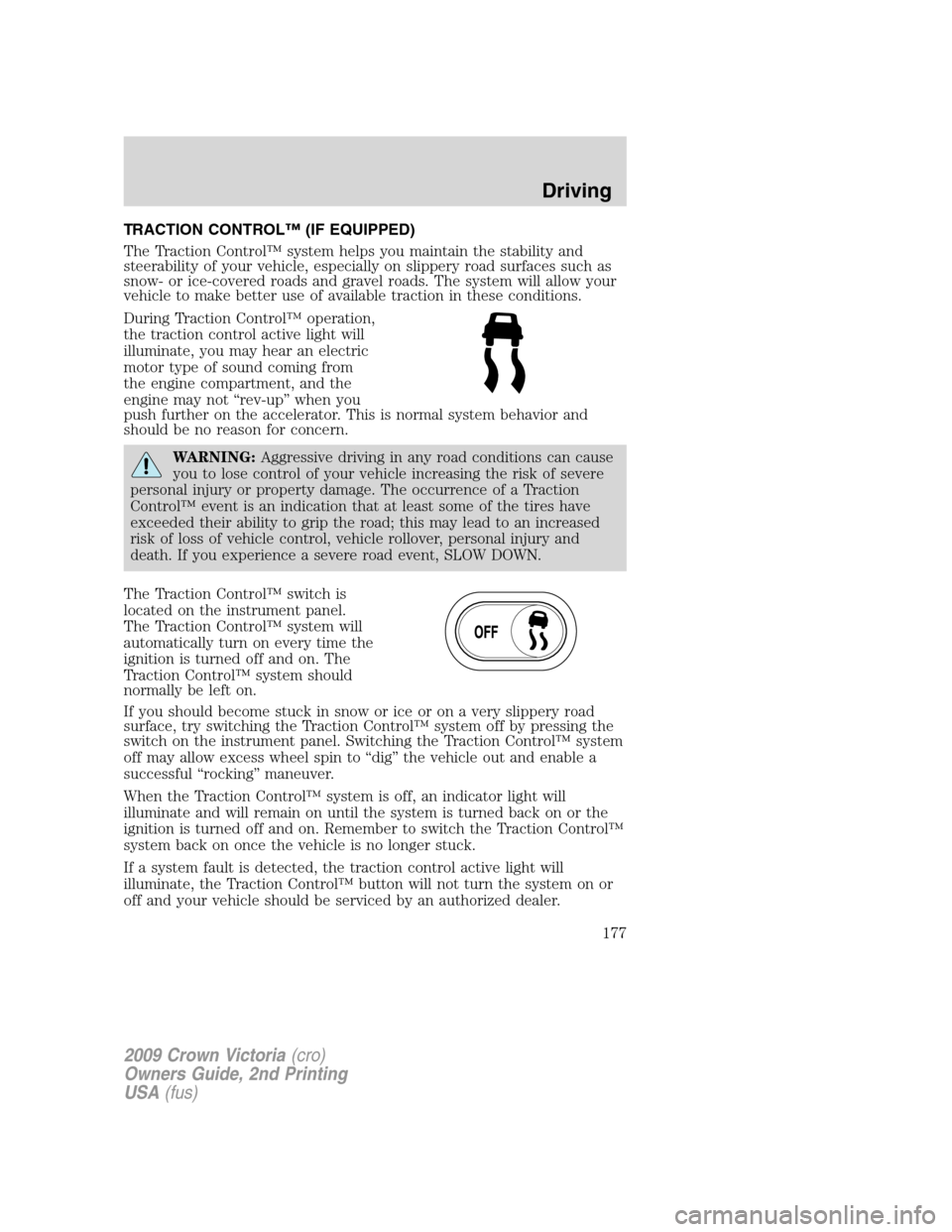
During Traction Control™ operation,
the traction control active light will
illuminate, you may hear an electric
motor type of sound coming from
the engine compartment, and the
engine may not “rev-up” when you
push further on the accelerator. This is normal system behavior and
should be no reason for concern.
WARNING:Aggressive driving in any road conditions can cause
you to lose control of your vehicle increasing the risk of severe
personal injury or property damage. The occurrence of a Traction
Control™ event is an indication that at least some of the tires have
exceeded their ability to grip the road; this may lead to an increased
risk of loss of vehicle control, vehicle rollover, personal injury and
death. If you experience a severe road event, SLOW DOWN.
The Traction Control™ switch is
located on the instrument panel.
The Traction Control™ system will
automatically turn on every time the
ignition is turned off and on. The
Traction Control™ system should
normally be left on.
If you should become stuck in snow or ice or on a very slippery road
surface, try switching the Traction Control™ system off by pressing the
switch on the instrument panel. Switching the Traction Control™ system
off may allow excess wheel spin to “dig” the vehicle out and enable a
successful “rocking” maneuver.
When the Traction Control™ system is off, an indicator light will
illuminate and will remain on until the system is turned back on or the
ignition is turned off and on. Remember to switch the Traction Control™
system back on once the vehicle is no longer stuck.
If a system fault is detected, the traction control active light will
illuminate, the Traction Control™ button will not turn the system on or
off and your vehicle should be serviced by an authorized dealer.
2009 Crown Victoria(cro)
Owners Guide, 2nd Printing
USA(fus)
Driving
177
Page 179 of 271
If you exceed the load limit, the rear air suspension may not operate.
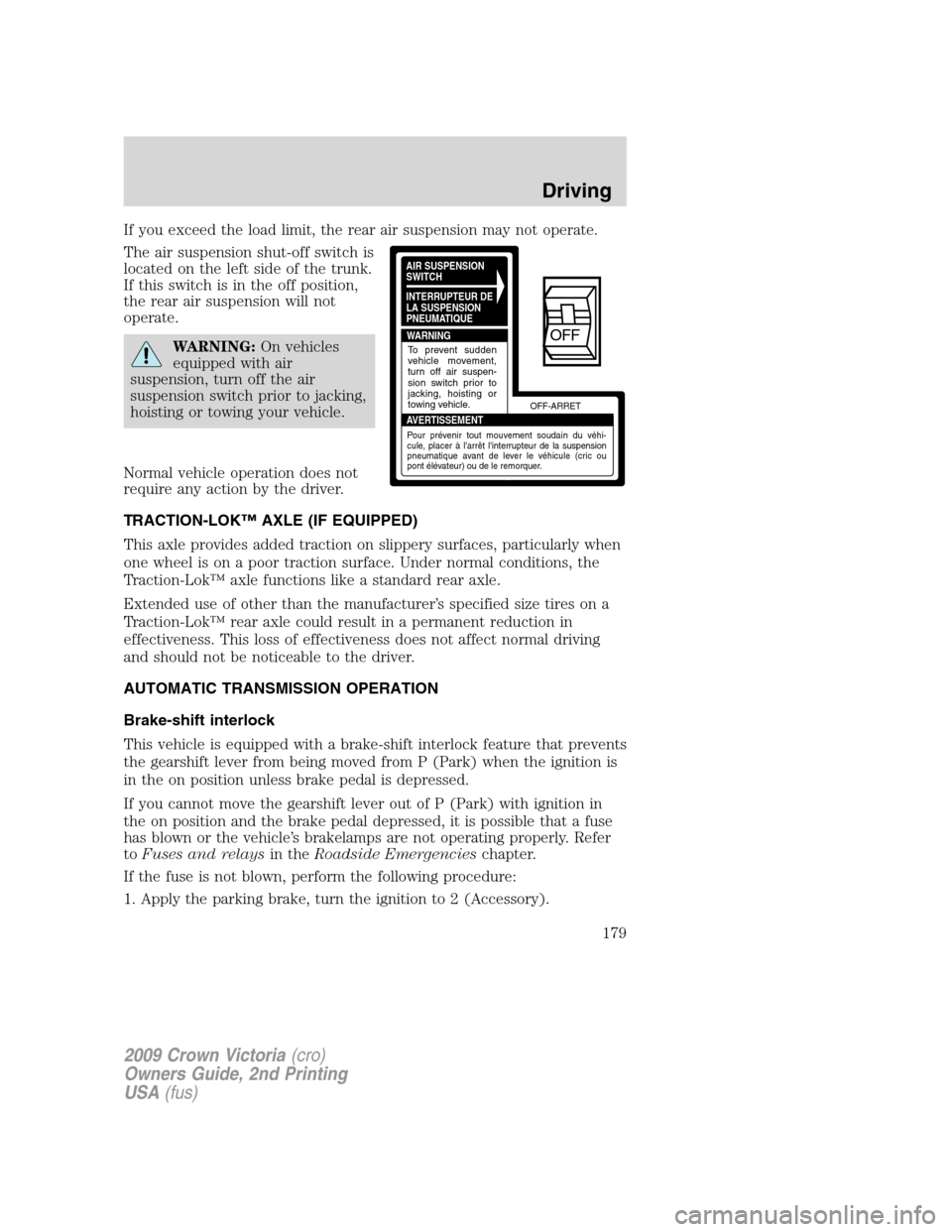
The air suspension shut-off switch is
located on the left side of the trunk.
If this switch is in the off position,
the rear air suspension will not
operate.
WARNING:On vehicles
equipped with air
suspension, turn off the air
suspension switch prior to jacking,
hoisting or towing your vehicle.
Normal vehicle operation does not
require any action by the driver.
TRACTION-LOK™ AXLE (IF EQUIPPED)
This axle provides added traction on slippery surfaces, particularly when
one wheel is on a poor traction surface. Under normal conditions, the
Traction-Lok™ axle functions like a standard rear axle.
Extended use of other than the manufacturer’s specified size tires on a
Traction-Lok™ rear axle could result in a permanent reduction in
effectiveness. This loss of effectiveness does not affect normal driving
and should not be noticeable to the driver.
AUTOMATIC TRANSMISSION OPERATION
Brake-shift interlock
This vehicle is equipped with a brake-shift interlock feature that prevents
the gearshift lever from being moved from P (Park) when the ignition is
in the on position unless brake pedal is depressed.
If you cannot move the gearshift lever out of P (Park) with ignition in
the on position and the brake pedal depressed, it is possible that a fuse
has blown or the vehicle’s brakelamps are not operating properly. Refer
toFuses and relaysin theRoadside Emergencieschapter.
If the fuse is not blown, perform the following procedure:
1. Apply the parking brake, turn the ignition to 2 (Accessory).
AIR SUSPENSION
SWITCH
INTERRUPTEUR DE
LA SUSPENSION
PNEUMATIQUE
WARNING
AVERTISSEMENTOFF-ARRET
To prevent sudden
vehicle movement,
turn off air suspen-
sion switch prior to
jacking, hoisting or
towing vehicle.
Pour prévenir tout mouvement soudain du véhi-
cule, placer à l'arrêt l'interrupteur de la suspension
pneumatique avant de lever le véhicule (cric ou
pont élévateur) ou de le remorquer.
OFF
2009 Crown Victoria(cro)
Owners Guide, 2nd Printing
USA(fus)
Driving
179
Page 180 of 271
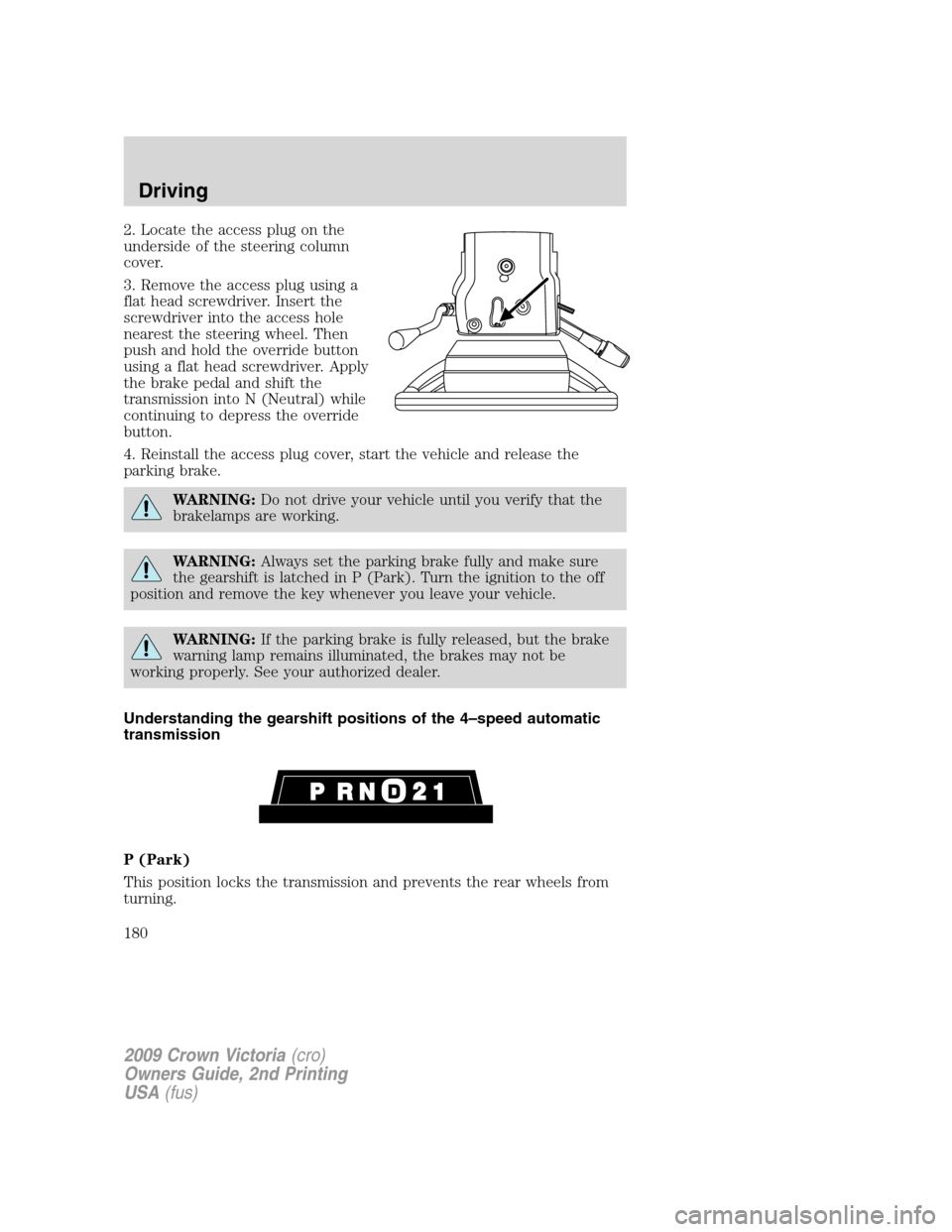
2. Locate the access plug on the
underside of the steering column
cover.
3. Remove the access plug using a
flat head screwdriver. Insert the
screwdriver into the access hole
nearest the steering wheel. Then
push and hold the override button
using a flat head screwdriver. Apply
the brake pedal and shift the
transmission into N (Neutral) while
continuing to depress the override
button.
4. Reinstall the access plug cover, start the vehicle and release the
parking brake.
WARNING:Do not drive your vehicle until you verify that the
brakelamps are working.
WARNING:Always set the parking brake fully and make sure
the gearshift is latched in P (Park). Turn the ignition to the off
position and remove the key whenever you leave your vehicle.
WARNING:If the parking brake is fully released, but the brake
warning lamp remains illuminated, the brakes may not be
working properly. See your authorized dealer.
Understanding the gearshift positions of the 4–speed automatic
transmission
P (Park)
This position locks the transmission and prevents the rear wheels from
turning.
2009 Crown Victoria(cro)
Owners Guide, 2nd Printing
USA(fus)
Driving
180
Page 181 of 271
To put your vehicle in gear:
•Start the engine
•Depress the brake pedal
•Move the gearshift lever into the desired gear
To put your vehicle in P (Park):
•Come to a complete stop
•Move the gearshift lever and securely latch it in P (Park)
WARNING:Always set the parking brake fully and make sure
the gearshift is latched in P (Park). Turn the ignition to the off
position and remove the key whenever you leave your vehicle.
R (Reverse)
With the gearshift lever in R (Reverse), the vehicle will move backward.
Always come to a complete stop before shifting into and out of R
(Reverse).
N (Neutral)
With the gearshift lever in N (Neutral), the vehicle can be started and is
free to roll. Hold the brake pedal down while in this position.
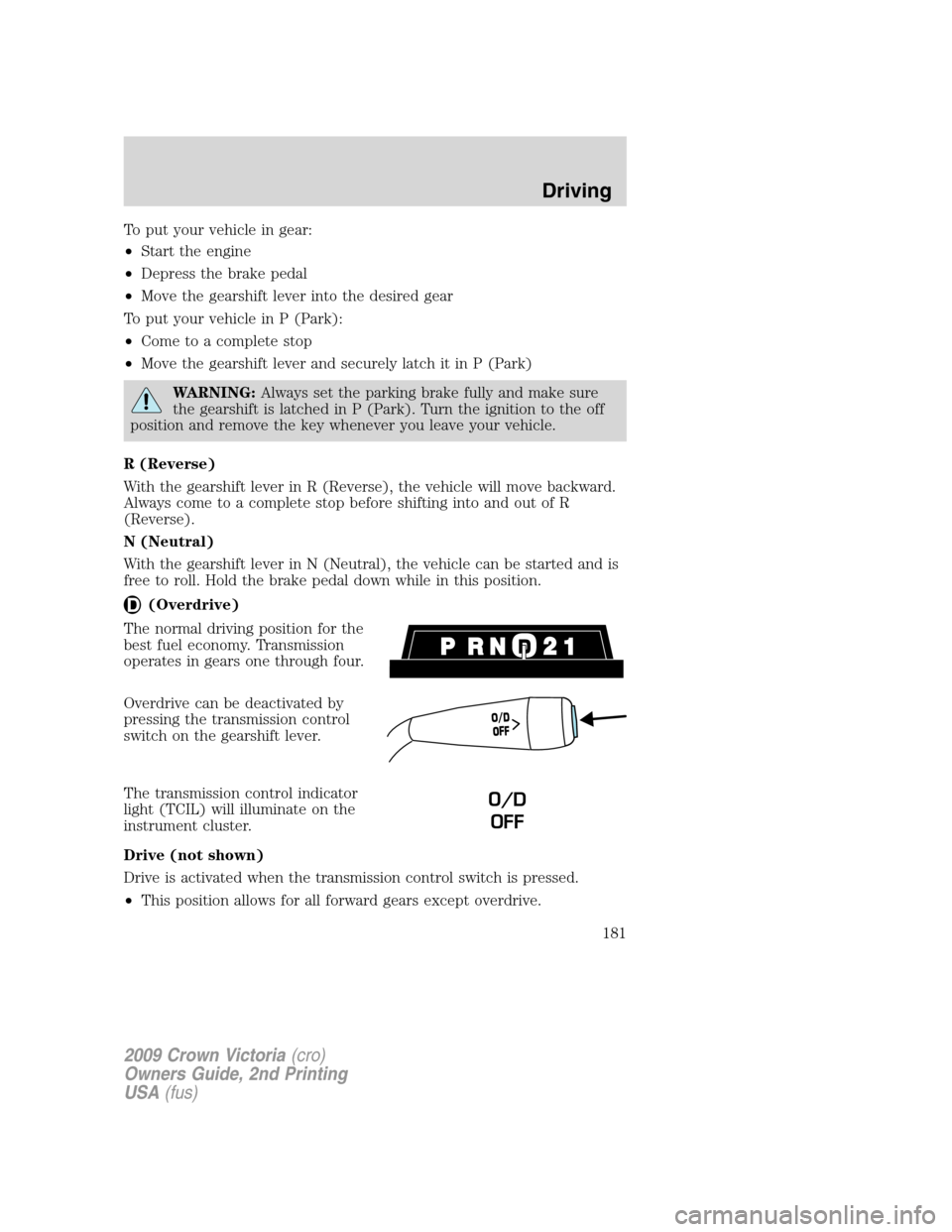
(Overdrive)
The normal driving position for the
best fuel economy. Transmission
operates in gears one through four.
Overdrive can be deactivated by
pressing the transmission control
switch on the gearshift lever.
The transmission control indicator
light (TCIL) will illuminate on the
instrument cluster.
Drive (not shown)
Drive is activated when the transmission control switch is pressed.
•This position allows for all forward gears except overdrive.
O
/
D
O
F
F
O/D
OFF
2009 Crown Victoria(cro)
Owners Guide, 2nd Printing
USA(fus)
Driving
181
Page 191 of 271
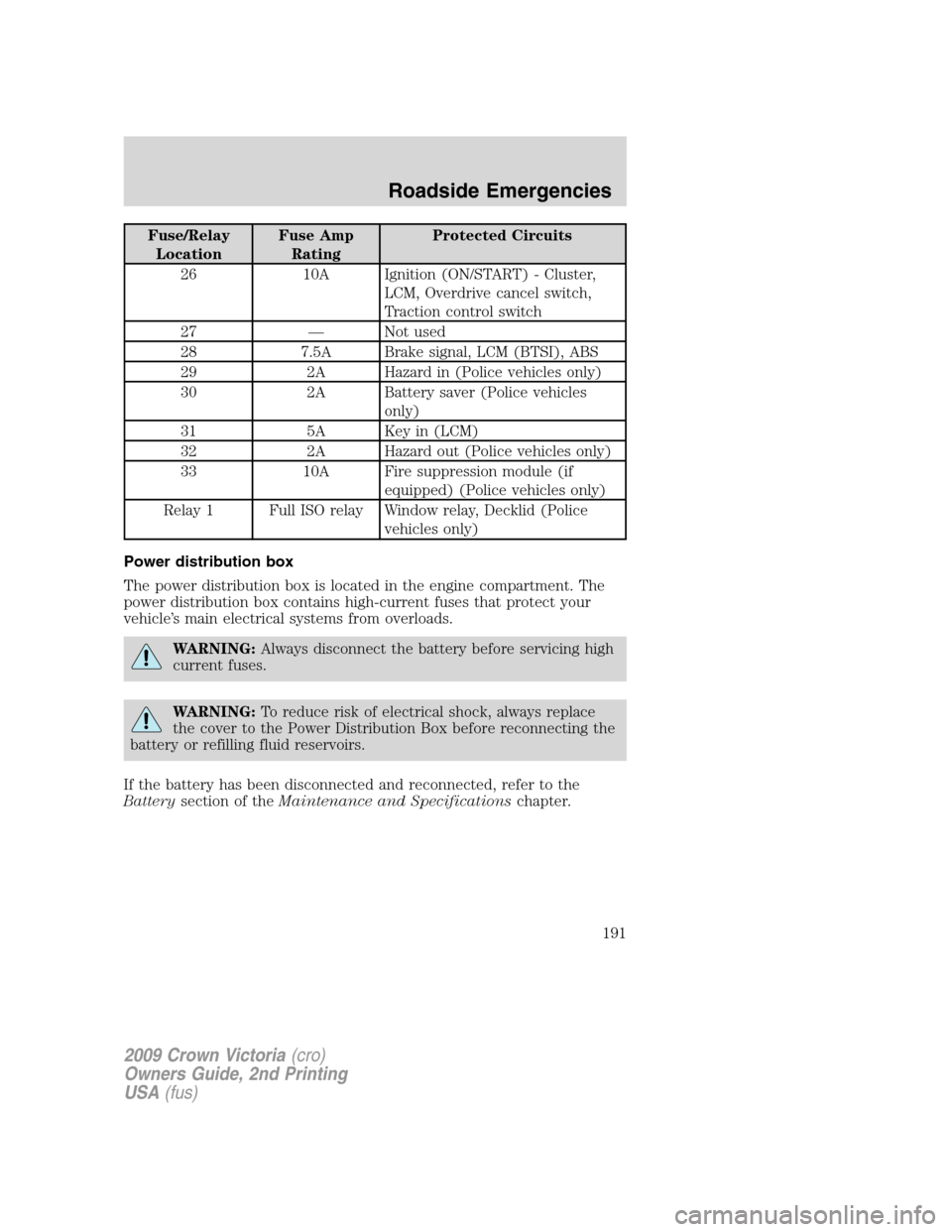
Fuse/Relay
LocationFuse Amp
RatingProtected Circuits
26 10A Ignition (ON/START) - Cluster,
LCM, Overdrive cancel switch,
Traction control switch
27 — Not used
28 7.5A Brake signal, LCM (BTSI), ABS
29 2A Hazard in (Police vehicles only)
30 2A Battery saver (Police vehicles
only)
31 5A Key in (LCM)
32 2A Hazard out (Police vehicles only)
33 10A Fire suppression module (if
equipped) (Police vehicles only)
Relay 1 Full ISO relay Window relay, Decklid (Police
vehicles only)
Power distribution box
The power distribution box is located in the engine compartment. The
power distribution box contains high-current fuses that protect your
vehicle’s main electrical systems from overloads.
WARNING:Always disconnect the battery before servicing high
current fuses.
WARNING:To reduce risk of electrical shock, always replace
the cover to the Power Distribution Box before reconnecting the
battery or refilling fluid reservoirs.
If the battery has been disconnected and reconnected, refer to the
Batterysection of theMaintenance and Specificationschapter.
2009 Crown Victoria(cro)
Owners Guide, 2nd Printing
USA(fus)
Roadside Emergencies
191
Page 196 of 271
and tread design. If this is the case, this dissimilar spare tire is still rated
for your vehicle loads (GAWR and GVWR). This temporary spare tire is
not equipped with a Tire Pressure Monitor System (TPMS) sensor.
Note:The tire pressure monitoring system (TPMS) indicator light will
illuminate when the spare is in use. To restore the full functionality of
the TPMS system, all road wheels equipped with the tire pressure
monitoring sensors must be mounted on the vehicle.
Have a flat tire serviced by an authorized dealer in order to prevent
damage to the TPMS sensor, refer toTire Pressure Monitoring System
(TPMS)in theTires, Wheels, and Loadingchapter. Replace the spare
tire with a road tire as soon as possible. During repairing or replacing of
the flat tire, have the authorized dealer inspect the TPMS sensor for
damage.
WARNING:The use of tire sealants may damage your Tire
Pressure Monitoring System and should not be used.
WARNING:Refer toTire Pressure Monitoring System (TPMS)
in theTire, Wheels and Loadingchapter for important
information. If the tire pressure monitor sensor becomes damaged, it
will no longer function.
Dissimilar spare tire/wheel information
WARNING:Failure to follow these guidelines could result in an
increased risk of loss of vehicle control, injury or death.
If you have a dissimilar spare tire/wheel, then it is intended for
temporary use only. This means that if you need to use it, you should
replace it as soon as possible with a road tire/wheel that is the same size
and type as the road tires and wheels that were originally provided by
Ford. If the dissimilar spare tire or wheel is damaged, it should be
replaced rather than repaired.
A dissimilar spare tire/wheel is defined as a spare tire and/or wheel that
is different in brand, size or appearance from the road tires and wheels
and can be one of three types:
1.T-type mini-spare:This spare tire begins with the letter “T” for tire
size and may have “Temporary Use Only” molded in the sidewall
2.Full-size dissimilar spare with label on wheel:This spare tire has
a label on the wheel that states: “THIS TIRE AND WHEEL FOR
TEMPORARY USE ONLY”
2009 Crown Victoria(cro)
Owners Guide, 2nd Printing
USA(fus)
Roadside Emergencies
196
Page 199 of 271
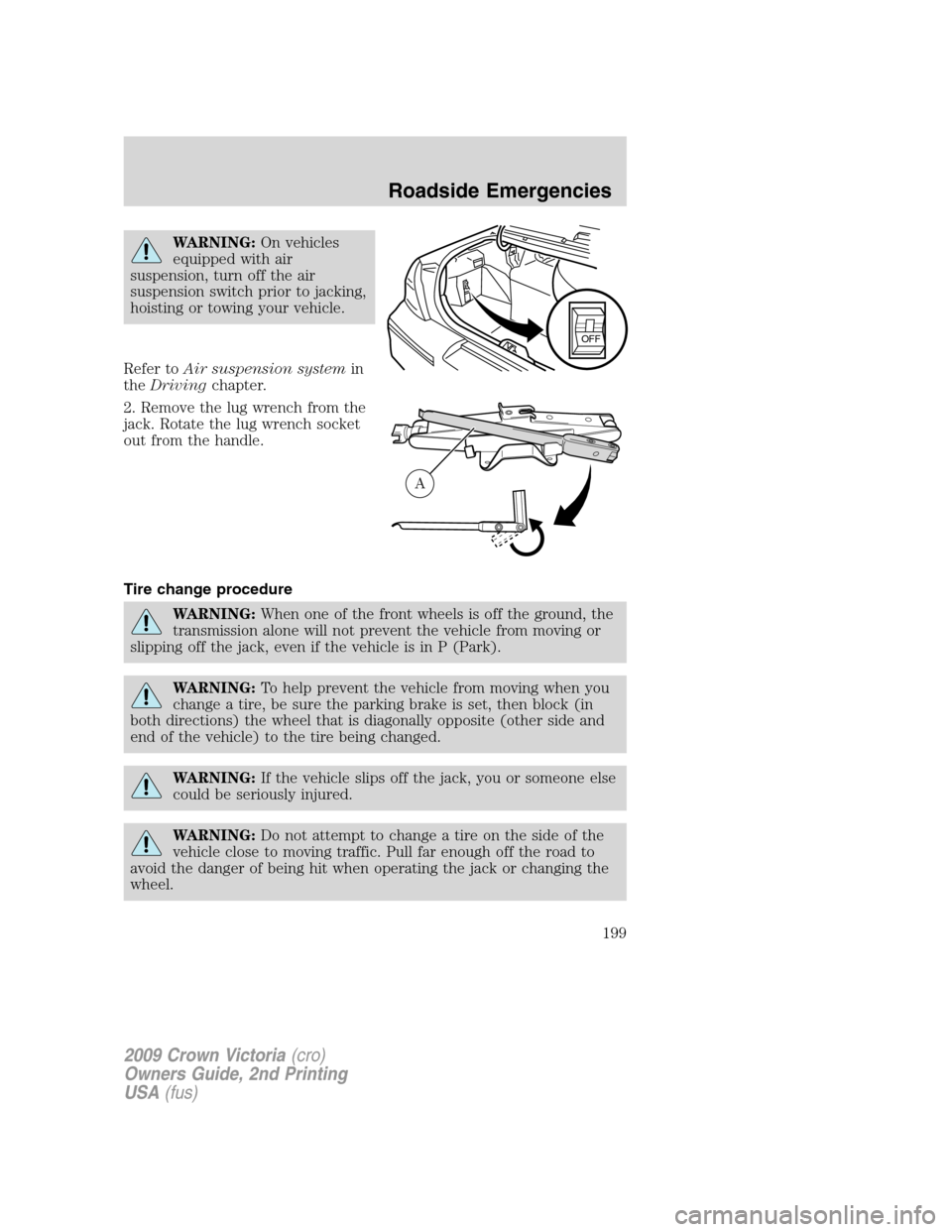
WARNING:On vehicles
equipped with air
suspension, turn off the air
suspension switch prior to jacking,
hoisting or towing your vehicle.
Refer toAir suspension systemin
theDrivingchapter.
2. Remove the lug wrench from the
jack. Rotate the lug wrench socket
out from the handle.
Tire change procedure
WARNING:When one of the front wheels is off the ground, the
transmission alone will not prevent the vehicle from moving or
slipping off the jack, even if the vehicle is in P (Park).
WARNING:To help prevent the vehicle from moving when you
change a tire, be sure the parking brake is set, then block (in
both directions) the wheel that is diagonally opposite (other side and
end of the vehicle) to the tire being changed.
WARNING:If the vehicle slips off the jack, you or someone else
could be seriously injured.
WARNING:Do not attempt to change a tire on the side of the
vehicle close to moving traffic. Pull far enough off the road to
avoid the danger of being hit when operating the jack or changing the
wheel.
OFF
A
2009 Crown Victoria(cro)
Owners Guide, 2nd Printing
USA(fus)
Roadside Emergencies
199
Page 201 of 271
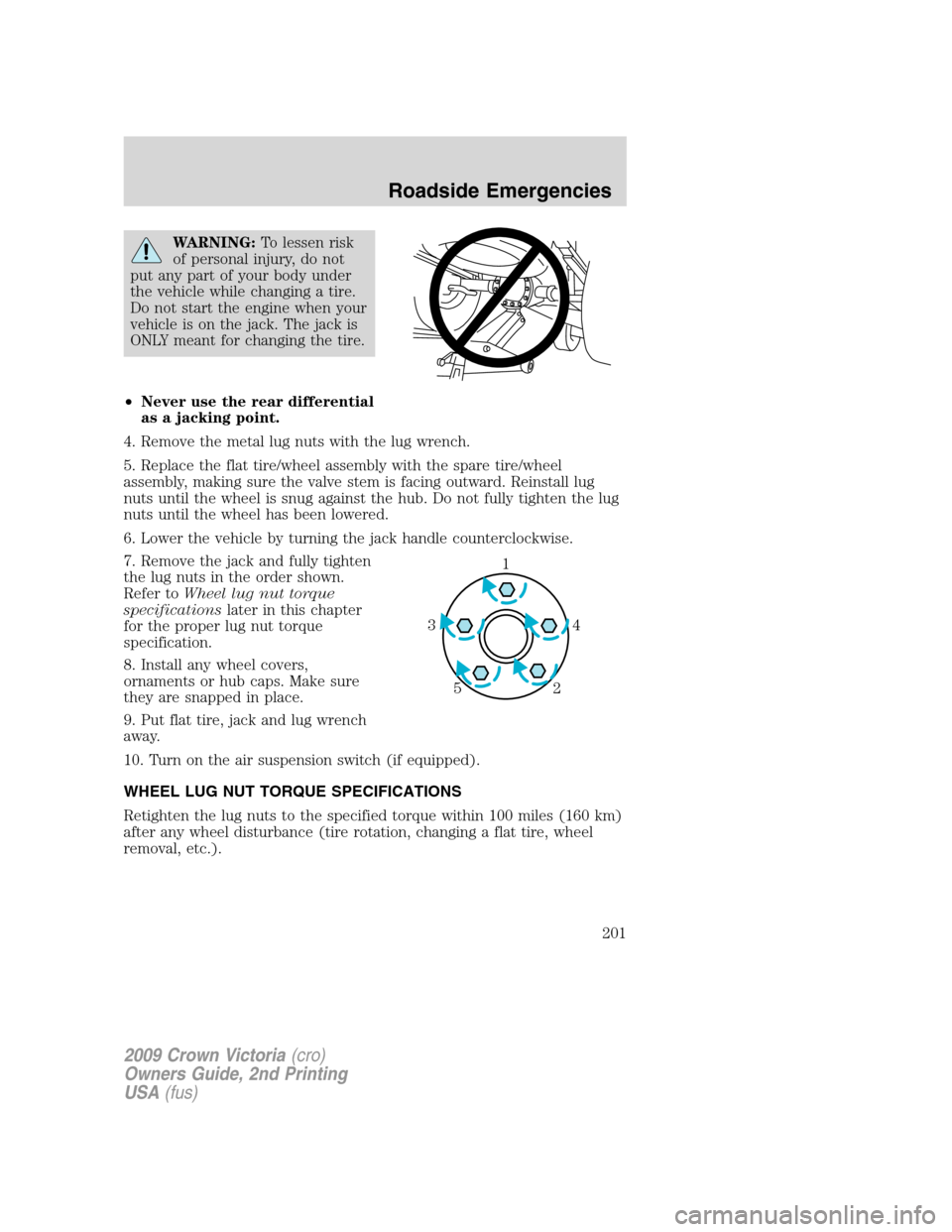
WARNING:To lessen risk
of personal injury, do not
put any part of your body under
the vehicle while changing a tire.
Do not start the engine when your
vehicle is on the jack. The jack is
ONLY meant for changing the tire.
•Never use the rear differential
as a jacking point.
4. Remove the metal lug nuts with the lug wrench.
5. Replace the flat tire/wheel assembly with the spare tire/wheel
assembly, making sure the valve stem is facing outward. Reinstall lug
nuts until the wheel is snug against the hub. Do not fully tighten the lug
nuts until the wheel has been lowered.
6. Lower the vehicle by turning the jack handle counterclockwise.
7. Remove the jack and fully tighten
the lug nuts in the order shown.
Refer toWheel lug nut torque
specificationslater in this chapter
for the proper lug nut torque
specification.
8. Install any wheel covers,
ornaments or hub caps. Make sure
they are snapped in place.
9. Put flat tire, jack and lug wrench
away.
10. Turn on the air suspension switch (if equipped).
WHEEL LUG NUT TORQUE SPECIFICATIONS
Retighten the lug nuts to the specified torque within 100 miles (160 km)
after any wheel disturbance (tire rotation, changing a flat tire, wheel
removal, etc.).
1
4 3
2 5
2009 Crown Victoria(cro)
Owners Guide, 2nd Printing
USA(fus)
Roadside Emergencies
201