Page 127 of 381

To Activate
Push and release the ON/OFF button located
on the end of the speed control lever. The
indicator light in the instrument cluster will
illuminate to show that the speed control sys-
tem is on. To turn the system off, push and release the
ON/OFF button again. The system and the indicator
light will turn off.
WARNING!
Leaving the electronic speed control system on when
not in use is dangerous. You could accidentally set
the system or cause it to go faster than you want. You
could lose control and have an accident. Always
leave the system OFF when you aren’t using it.
To Set At A Desired Speed
When the vehicle reaches the speed desired, push the
lever downward to SET DECEL and release. Remove
your foot from the accelerator pedal and the vehicle will
operate at the selected speed.
NOTE:
•Speed control will only function in 3rd, 4th, or 5th gear
when in the Autostick�mode (if equipped).
•The speed control may not engage if a different size
tire is installed on one wheel, such as the compact
spare tire.
To Deactivate
The system will disable electronic speed control without
erasing the memory if you:
•Softly tap the brake pedal,
•Depress the brake pedal, or
•Pull the speed control lever toward you to CANCEL.
UNDERSTANDING THE FEATURES OF YOUR VEHICLE 127
3
Page 129 of 381
On steep hills, a greater speed loss or gain may occur, so
it may be preferable to drive without speed control.
WARNING!
Speed control can be dangerous where the system
can’t maintain a constant speed. Your vehicle could
go too fast for the conditions and you could lose
control. An accident could be the result. Don’t use
speed control in heavy traffic or on roads that are
winding, icy, snow-covered, or slippery.
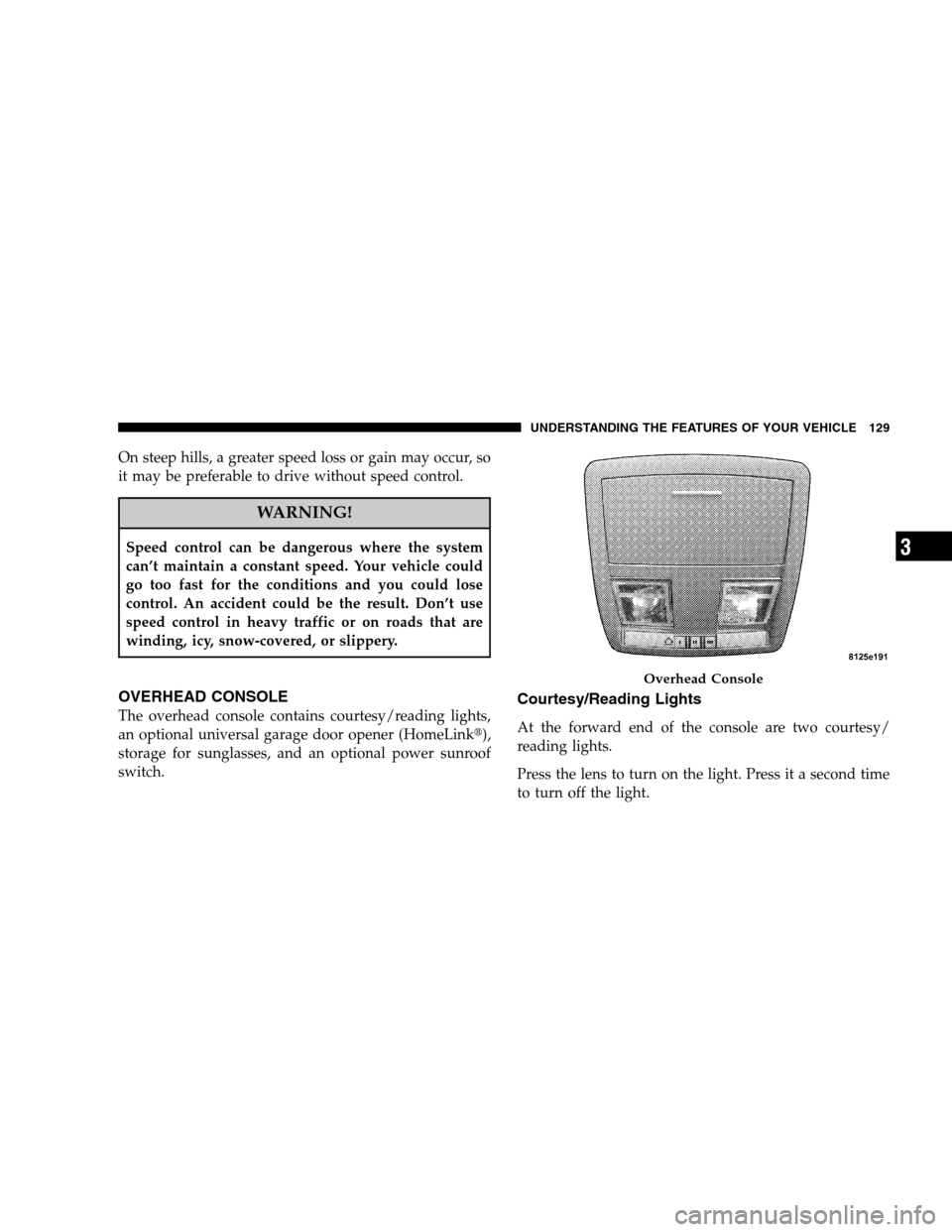
OVERHEAD CONSOLE
The overhead console contains courtesy/reading lights,
an optional universal garage door opener (HomeLink�),
storage for sunglasses, and an optional power sunroof
switch.
Courtesy/Reading Lights
At the forward end of the console are two courtesy/
reading lights.
Press the lens to turn on the light. Press it a second time
to turn off the light.
Overhead Console
UNDERSTANDING THE FEATURES OF YOUR VEHICLE 129
3
Page 131 of 381

WARNING!
Your motorized door or gate will open and close while
you are training the Universal Transceiver. Do not train
the transceiver if people or pets are in the path of the
door or gate. Only use this transceiver with a garage
door opener that has a “stop and reverse” feature as
required by federal safety standards. This includes
most garage door opener models manufactured after
1982. Do not use a garage door opener without these
safety features. Call toll-free 1–800–355–3515 or, on the
Internet at www.HomeLink.com for safety information
or assistance.
WARNING!
Vehicle exhaust contains carbon monoxide, a danger-
ous gas. Do not run your vehicle in the garage while
training the transceiver. Exhaust gas can cause seri-
ous injury or death.
Programming HomeLink�
Before You Begin
If you have not trained any of the HomeLink�buttons,
erase all channels before you begin training.
To do this, press and hold the two outside buttons for 20
seconds. The EVIC will display “CLEARING CHAN-
NELS.” Release the buttons when the EVIC message
states “CHANNELS CLEARED.”
It is recommended that a new battery be placed in the
hand-held transmitter of the device being programmed
to HomeLink�for more efficient training and accurate
transmission of the radio-frequency signal.
Your vehicle should be parked outside of the garage
while training.
1. Turn the ignition switch to the ON/RUN position.
UNDERSTANDING THE FEATURES OF YOUR VEHICLE 131
3
Page 137 of 381

WARNING!
•Never leave children in a vehicle with the key in
the ignition switch. Occupants, particularly unat-
tended children, can become entrapped by the
power sunroof while operating the power sunroof
switch. Such entrapment may result in serious
injury or death.
•In an accident, there is a greater risk of being
thrown from a vehicle with an open sunroof. You
could also be seriously injured or killed. Always
fasten your seat belt properly and make sure all
passengers are also properly secured.
•Do not allow small children to operate the sun-
roof. Never allow fingers or other body parts, or
any object, to project through the sunroof opening.
Injury may result.
Opening Sunroof - Manually
Press and hold the switch in the rearward position.
Release the switch when the sunroof is in the position
desired and it will stop moving. If you continue to hold
the switch in the rearward position, the sunroof will open
fully and then stop automatically. Release the switch once
the sunroof stops moving.
Opening Sunroof - Express
Press the switch rearward and release, and the sunroof
will open automatically from any position. The sunroof
will open fully and then stop automatically. This is called
Express Open. During Express Open operation, any
movement of the sunroof switch will stop the sunroof.
Closing Sunroof - Manually
Press and hold the switch in the forward position.
Release the switch when the sunroof is in the position
desired and it will stop moving. If you continue to hold
UNDERSTANDING THE FEATURES OF YOUR VEHICLE 137
3
Page 145 of 381
UNDERSTANDING YOUR INSTRUMENT PANEL
CONTENTS
�Instrument Panel Features.................148
�Instrument Cluster......................149
�Instrument Cluster Description.............150
�Electronic Vehicle Information Center (EVIC) . . . 159
▫Electronic Vehicle Information Center (EVIC)
Displays............................161
▫Engine Oil Change Indicator System........162
▫Trip Functions.......................163
▫Performance Features..................165▫Compass Display.....................169
▫Driver-Selectable Surround Sound (DSS) –
If Equipped.........................171
▫System Warnings
(Customer Information Features)..........171
▫Personal Settings
(Customer Programmable Features)........172
�Radio General Information................175
▫Radio Broadcast Signals.................175
▫Two Types Of Signals..................1754
Page 148 of 381
INSTRUMENT PANEL FEATURES
1 — Air Outlet 5 — Heated Seat Switch 9 — Ignition Switch
2 — Instrument Cluster 6 — ESP OFF Switch 10 — Trunk Release Switch
3 — Glove Box 7 — Hazard Warning Switch 11 — Headlight Switch
4 — Radio 8 — Climate Control 148 UNDERSTANDING YOUR INSTRUMENT PANEL
Page 150 of 381

INSTRUMENT CLUSTER DESCRIPTION
1. Fuel Gauge
The pointer shows the level of fuel in the fuel tank when
the ignition switch is in the ON position.
2. Trip Odometer Button
Press this button to change the display from odometer to
either of two trip odometer settings. The letter “A” or “B”
will appear when in the trip odometer mode. Push in and
hold the button for two seconds to reset the trip odometer
to 0 mi (km). The odometer must be in TRIP mode to
reset it.
3. Speedometer
Indicates vehicle speed.
4. Electronic Speed Control Indicator Light
This light will turn on when the electronic
speed control is on.5. Tachometer
The red segments indicate the maximum permissible
engine revolutions per minute (RPM x 1000) for each gear
range. Ease up on the accelerator before reaching the red
area.
6. Charging System Warning Light
This light shows the status of the electrical charg-
ing system. The light should turn on when the
ignition switch is first turned ON and remain on briefly
as a bulb check. If the light stays on or turns on while
driving, turn off some of the vehicle’s non-essential
electrical devices (i.e., radio) or slightly increase engine
speed (if at idle). If the light remains on, it means that the
charging system is experiencing a problem. See your
local authorized dealer to obtain service immediately.
150 UNDERSTANDING YOUR INSTRUMENT PANEL
Page 151 of 381

7. Electronic Throttle Control (ETC) Warning Light
This light will turn on briefly as a bulb check
when the ignition switch is turned ON. This
light will also turn on while the engine is
running if there is a problem with the Elec-
tronic Throttle Control system.
If the light comes on while the engine is running, safely
bring the vehicle to a complete stop as soon as possible,
place the shift lever in PARK, and cycle the ignition key. The
light should turn off. If the light remains lit with the engine
running, your vehicle will usually be drivable. However, see
your authorized dealer for service as soon as possible.
If the light is flashing when the engine is running,
immediate service is required. In this case, you may
experience reduced performance, an elevated/rough idle
or engine stall, and your vehicle may require towing.
Also, have the system checked by an authorized dealer if
the light does not come on during starting.8. Temperature Gauge
The temperature gauge shows engine coolant tempera-
ture. Any reading within the normal range indicates that
the engine cooling system is operating satisfactorily.
The gauge pointer will likely indicate a higher tempera-
ture when driving in hot weather, up mountain grades,
or when towing a trailer. It should not be allowed to
exceed the upper limits of the normal operating range.
CAUTION!
Driving with a hot cooling system could damage
your vehicle. If the temperature gauge reads 240°F
(116°C) or greater, pull over and stop the vehicle. Idle
the vehicle with the air conditioner turned off until
the pointer drops back into the normal range 200–
230°F (93–110°C). If the pointer remains at 240°F
(116°C) or greater and you hear a chime, turn the
engine OFF immediately and call for service.
UNDERSTANDING YOUR INSTRUMENT PANEL 151
4