Page 84 of 411
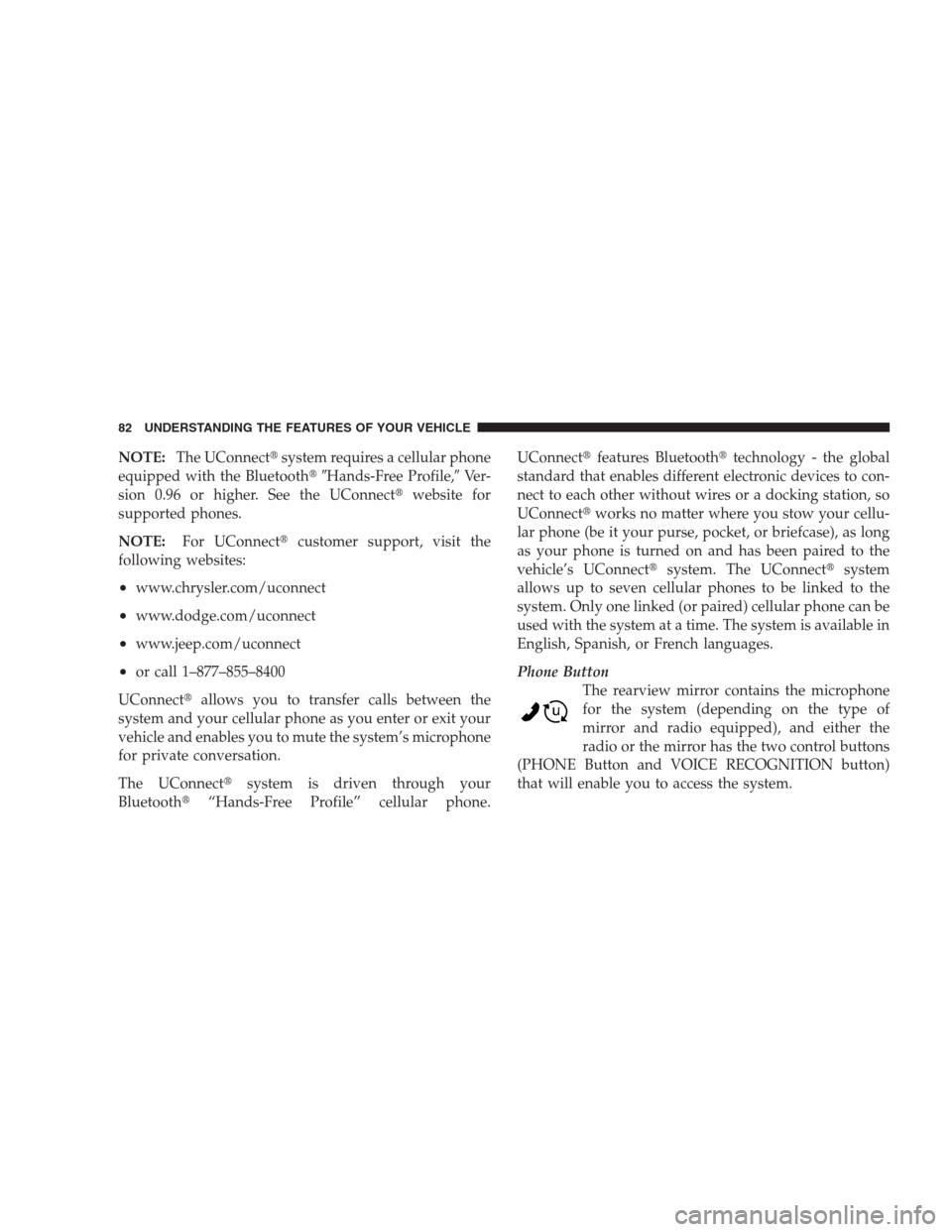
NOTE:The UConnect�system requires a cellular phone
equipped with the Bluetooth��Hands-Free Profile,�Ve r -
sion 0.96 or higher. See the UConnect�website for
supported phones.
NOTE:For UConnect�customer support, visit the
following websites:
•www.chrysler.com/uconnect
•www.dodge.com/uconnect
•www.jeep.com/uconnect
•or call 1–877–855–8400
UConnect�allows you to transfer calls between the
system and your cellular phone as you enter or exit your
vehicle and enables you to mute the system’s microphone
for private conversation.
The UConnect�system is driven through your
Bluetooth�“Hands-Free Profile” cellular phone.UConnect�features Bluetooth�technology - the global
standard that enables different electronic devices to con-
nect to each other without wires or a docking station, so
UConnect�works no matter where you stow your cellu-
lar phone (be it your purse, pocket, or briefcase), as long
as your phone is turned on and has been paired to the
vehicle’s UConnect�system. The UConnect�system
allows up to seven cellular phones to be linked to the
system. Only one linked (or paired) cellular phone can be
used with the system at a time. The system is available in
English, Spanish, or French languages.
Phone Button
The rearview mirror contains the microphone
for the system (depending on the type of
mirror and radio equipped), and either the
radio or the mirror has the two control buttons
(PHONE Button and VOICE RECOGNITION button)
that will enable you to access the system.
82 UNDERSTANDING THE FEATURES OF YOUR VEHICLE
Page 89 of 411

•When prompted, enter the number designation (e.g.,
�Home,��Work,��Mobile,�or�Pager�). This will allow
you to store multiple numbers for each phonebook
entry, if desired.
•When prompted, recite the phone number for the
phonebook entry that you are adding.
After you are finished adding an entry into the phone-
book, you will be given the opportunity to add more
phone numbers to the current entry or to return to the
main menu.
The UConnect�system will allow you to enter up to 32
names in the phonebook with each name having up to
four associated phone numbers and designations. Each
language has a separate 32-name phonebook accessible
only in that language. In addition, if equipped and
supported by your phone, UConnect�automatically
downloads your mobile phone’s phonebook.
Phonebook Download – Automatic Phonebook
Transfer From Mobile Phone
If equipped and specifically supported by your phone,
UConnect�automatically downloads names (text names)
and number entries from the mobile phone’s phonebook.
Specific Bluetooth�Phones with Phone Book Access
Profile may support this feature. See UConnect�website
for supported phones.
•To call a name from downloaded (or UConnect�)
Phonebook, follow the procedure in “Call by Saying a
Name” section.
•Automatic download and update, if supported, begins
as soon as the Bluetooth�wireless phone connection is
made to the UConnect�, for example, after you start
the vehicle.
•A maximum of 1000 entries per phone will be down-
loaded and updated every time a phone is connected
to the UConnect�.
UNDERSTANDING THE FEATURES OF YOUR VEHICLE 87
3
Page 92 of 411
•Press the PHONE button to begin.
•After the�Ready�prompt and the following beep, say
�Phonebook Delete.�
•After you enter the Phonebook Delete menu, you will
then be asked for the name of the entry that you wish
to delete. You can either say the name of a phonebook
entry that you wish to delete or you can say�List
Names�to hear a list of the entries in the phonebook
from which you choose. To select one of the entries
from the list, press the VOICE RECOGNITION button
while the UConnect�system is playing the desired
entry and say�Delete.�
•After you enter the name, the UConnect�system will
ask you which designation you wish to delete: home,
work, mobile, pager, or all. Say the designation you
wish to delete.
•Note that only the phonebook entry in the current
language is deleted.
•Automatic downloaded phonebook entries cannot be
deleted or edited.
Delete/Erase “All” UConnect�Phonebook Entries
•
Press the PHONE button to begin.
•After the�Ready�prompt and the following beep, say
�Phonebook Erase All.�
•The UConnect�system will ask you to verify that you
wish to delete all the entries from the phonebook.
•After confirmation, the phonebook entries will be
deleted.
•Note that only the phonebook in the current language
is deleted.
90 UNDERSTANDING THE FEATURES OF YOUR VEHICLE
Page 96 of 411

•After the ignition key is switched to OFF, a call can
continue on the UConnect�system either until the call
ends, or until the vehicle battery condition dictates
cessation of the call on the UConnect�system and
transfer of the call to the mobile phone.
•After the ignition key is switched to OFF, a call can
continue on the UConnect�system for a certain dura-
tion, after which the call is automatically transferred
from the UConnect�system to the mobile phone.
•An active call is automatically transferred to the
mobile phone after the ignition key is switched to OFF.
UConnect�System Features
Language Selection
To change the language that the UConnect�system is
using:
•Press the PHONE button to begin.
•After the�Ready�prompt and the following beep, say
the name of the language you wish to switch to
English, Espanol, or Francais.
•Continue to follow the system prompts to complete
the language selection.
After selecting one of the languages, all prompts and
voice commands will be in that language.
NOTE:After every UConnect�language change opera-
tion, only the language-specific 32-name phonebook is
usable. The paired phone name is not language-specific
and usable across all languages.
Emergency Assistance
If you are in an emergency and the mobile phone is
reachable:
•Pick up the phone and manually dial the emergency
number for your area.
94 UNDERSTANDING THE FEATURES OF YOUR VEHICLE
Page 105 of 411
•In a convertible vehicle, system performance may be
compromised with the convertible top down.
Far End Audio Performance
•
Audio quality is maximized under:
•low-to-medium blower setting,
•low-to-medium vehicle speed,
•low road noise,
•smooth road surface,
•fully closed windows,
•dry weather conditions, and
•operation from the driver’s seat.
•Performance, such as audio clarity, echo, and loudness
to a large degree rely on the phone and network, and
not the UConnect�system.
•Echo at the far end can sometimes be reduced by
lowering the in-vehicle audio volume.
•In a convertible vehicle, system performance may be
compromised with the convertible top down.
Bluetooth�Communication Link
Cellular phones have been found to lose connection to
the UConnect�system. When this happens, the connec-
tion can generally be re-established by switching the
phone off/on. Your cellular phone is recommended to
remain in Bluetooth�ON mode.
Power-Up
After switching the ignition key from OFF to either the
ON or ACC position, or after a language change, you
must wait at least five seconds prior to using the system.
UNDERSTANDING THE FEATURES OF YOUR VEHICLE 103
3
Page 110 of 411
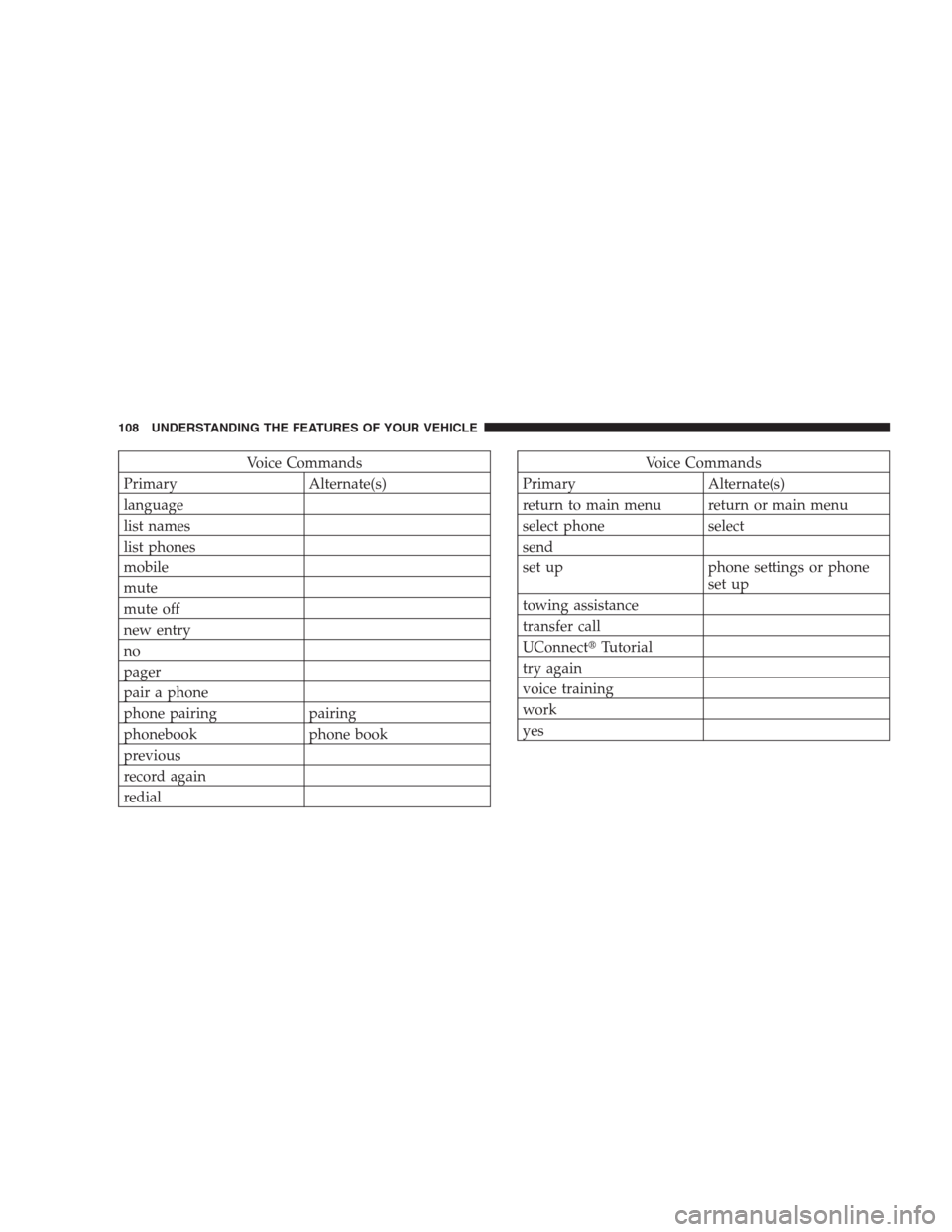
Voice Commands
Primary Alternate(s)
language
list names
list phones
mobile
mute
mute off
new entry
no
pager
pair a phone
phone pairing pairing
phonebook phone book
previous
record again
redialVoice Commands
Primary Alternate(s)
return to main menu return or main menu
select phone select
send
set up phone settings or phone
set up
towing assistance
transfer call
UConnect�Tutorial
try again
voice training
work
yes
108 UNDERSTANDING THE FEATURES OF YOUR VEHICLE
Page 115 of 411
Memo
To switch to the voice recorder mode say “Memo”. In this
mode, you may say the following commands:
•“New Memo” (to record a new memo) — During the
recording you may press the VR hard-key to stop
recording. You proceed by saying one of the following
commands:
“Save” (to save the memo)
“Continue” (to continue recording)
“Delete” (to delete the recording)
•“Play Memos” (to play previously recorded memos)
— During the playback you may press the VR hard-
key to stop playing memos. You proceed by saying one
of the following commands:
“Repeat” (to repeat a memo)
“Next” (to play the next memo)
“Previous” (to play the previous memo)
“Delete” (to delete a memo)
•“Delete All” (to delete all memos)
System Setup
To switch to system setup say “Setup”. In this mode, you
may say the following commands:
•“Language English”
•“Language French”
•“Language Spanish”
•“Tutorial”
•“Voice Training”
NOTE:Keep in mind that you have to press the VR
hard-key first and wait for the beep before speaking the
“Barge In” commands.
UNDERSTANDING THE FEATURES OF YOUR VEHICLE 113
3
Page 183 of 411

continue until the vehicle runs out of fuel. Adding a
significant amount of fuel to the vehicle will turn off the
�LOW FUEL�text and a new DTE value will be dis-
played, based on the current values in the DTE calcula-
tion and the current fuel tank level.
Elapsed Time
Shows the total elapsed time of travel since the last reset
when the ignition switch is in the ACC position. Elapsed
time will increment when the ignition switch is in the ON
or START position.
Tire Pressure Monitor (TPM) — If Equipped
Refer to Section 5, “Tire Pressure Monitoring System
(TPMS)” for system operation.
Personal Settings (Customer-Programmable
Features)
This allows the driver to set and recall features when the
vehicle is stopped.Press and release the EVIC button until Personal Settings
is displayed in the EVIC.
Use the EVIC button to display one of the following
choices.
Language
When in this display you may select different languages
for all display nomenclature, including the trip functions.
Pressing the EVIC button while in this display selects
English, Espanol, or Francais depending on availability.
As you continue, the displayed information will be
shown in the selected language.
NOTE:UConnect�language will not change using the
EVIC. Please refer to “Language Selection” in the Hands–
Free Communication (UConnect�) — If Equipped section
of this manual for details.
UNDERSTANDING YOUR INSTRUMENT PANEL 181
4