Page 246 of 473
VIDEO ENTERTAINMENT SYSTEM (VES)™ — IF
EQUIPPED
The optional Video Entertainment System (VES)™ in-
cludes the following components for rear seat entertain-
ment:
•A diagonal 7 in (17.8 cm) Liquid Crystal Display (LCD)
screen integrated into the center console armrest. The
screen features brightness control for optimum day-
time and nighttime viewing.
Opening the Rear Seat VES™
244 UNDERSTANDING YOUR INSTRUMENT PANEL
Page 247 of 473
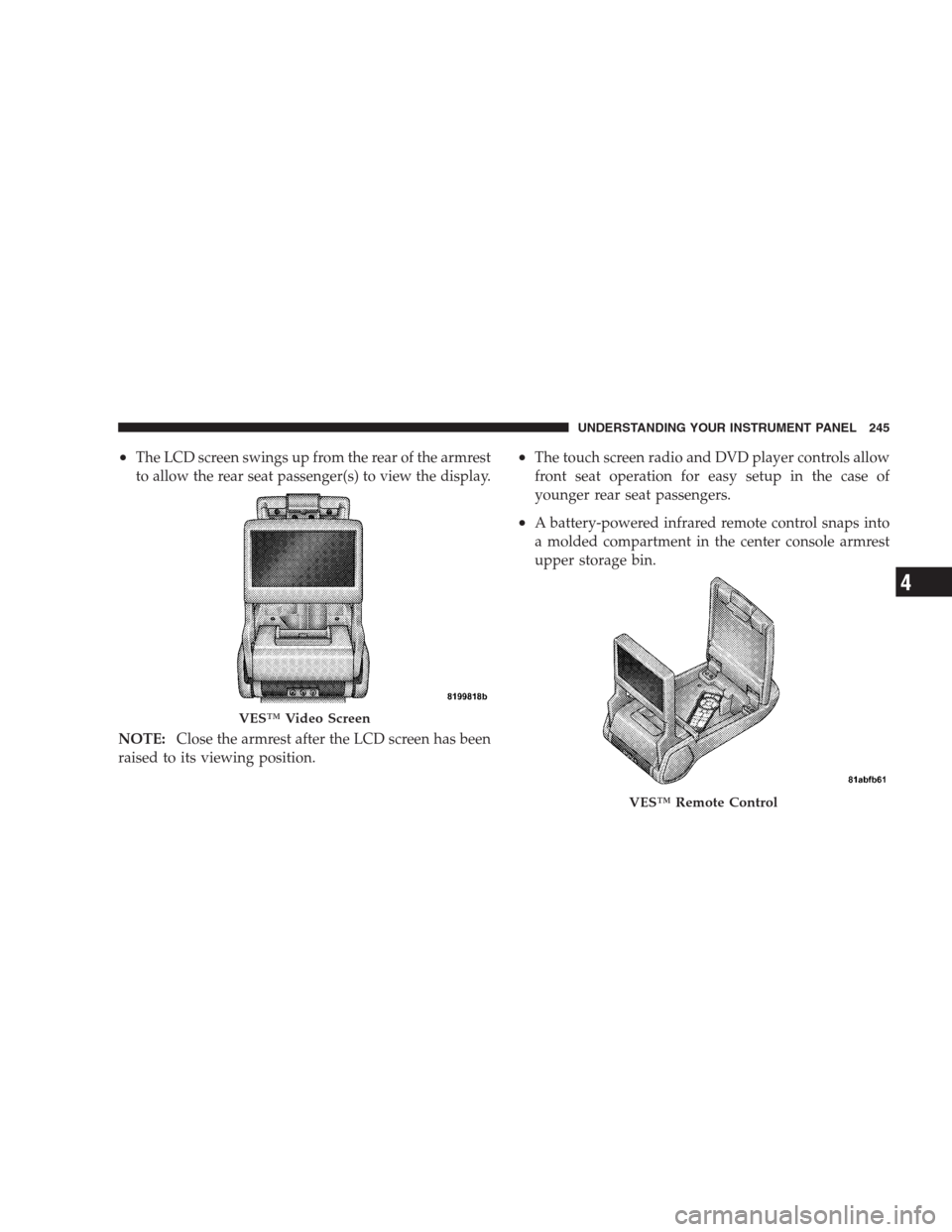
•The LCD screen swings up from the rear of the armrest
to allow the rear seat passenger(s) to view the display.
NOTE:Close the armrest after the LCD screen has been
raised to its viewing position.•The touch screen radio and DVD player controls allow
front seat operation for easy setup in the case of
younger rear seat passengers.
•A battery-powered infrared remote control snaps into
a molded compartment in the center console armrest
upper storage bin.
VES™ Video Screen
VES™ Remote Control
UNDERSTANDING YOUR INSTRUMENT PANEL 245
4
Page 248 of 473
•Two wireless infrared headsets allow rear seat passen-
gers to listen to the same or individual audio sources.
Audio/Video RCA Jacks (AUX Jacks)
on the rear of the center console enable
the monitor to display video directly
from a video camera, connect video
games for display on the screen, or
play music directly from an MP3
player.
1. Video in (yellow)
2. Left audio in (white)
3. Right audio in (red)
NOTE:Refer to your “Vehicle Entertainment System
(VES)™ Users Manual” for detailed operating instruc-
tions.REMOTE SOUND SYSTEM CONTROLS — IF
EQUIPPED
The remote sound system controls are located on the rear
surface of the steering wheel. The left- and right-hand
controls are rocker-type switches with a push-button in
the center of each switch. Reach behind the steering
wheel to access the switches.
Remote Sound Controls
246 UNDERSTANDING YOUR INSTRUMENT PANEL
Page 278 of 473

In the event that the problem has been momentary, the
transaxle can be reset to regain all forward gears.
1. Stop the vehicle.
2. Shift into PARK.
3. Turn the ignition OFF, and then restart the engine.
4. Shift into the desired gear range and resume driving.
NOTE:Even if the transaxle can be reset, it is recom-
mended that you visit a dealer at your earliest possible
convenience. Your dealer has diagnostic equipment to
determine if the problem could recur.
If the transaxle cannot be reset, dealer service is required.AUTOSTICK�— IF EQUIPPED
AutoStick�is a driver-interactive transaxle that offers six
manual ratio changes to provide you with more control.
AutoStick�allows you to maximize engine braking,
eliminate undesirable upshifts and downshifts, and im-
prove overall vehicle performance. This system can also
provide you with more control during passing, city
driving, cold slippery conditions, mountain driving,
trailer towing, and many other situations.
Operation
By placing the shift lever one shift-level below the DRIVE
position, it can be moved from side to side. This allows
the driver to select a higher or lower range of gears.
Moving the shift lever to the Left (-) triggers a downshift
and to the Right (+) an upshift. The gear position will
display in the instrument cluster on the transaxle range
indicator.
276 STARTING AND OPERATING
Page 321 of 473

•Three Trigger Modules (mounted in three of the four
wheel-wells)
•Various Tire Pressure Monitoring System Messages,
which display in the Electronic Vehicle Information
Center (EVIC)
•Tire Pressure Monitoring Telltale Light
Tire Pressure Monitoring Low Pressure Warnings
The Tire Pressure Monitoring Telltale Light will
illuminate in the instrument cluster and a chime
will sound when tire pressure is low in one or
more of the four active road tires. In addition, the
Electronic Vehicle Information Center (EVIC) will display
a graphic showing the pressure values of each tire with
the low tire pressure values flashing.Should this occur, you should stop as soon as possible,
and inflate all tires with low pressure (those flashing in
the EVIC graphic) to the vehicle’s recommended cold
placard pressure value. Once the system receives the
updated tire pressures, the system will automatically
update, the graphic display in the EVIC will stop flash-
ing, and the Tire Pressure Monitoring Telltale Light will
STARTING AND OPERATING 319
5
Page 322 of 473
turn off. The vehicle may need to be driven for up to
20 minutes above 15 mph (25 km/h) in order for the
TPMS to receive this information.
Check TPMS Warning
When a system fault is detected, a chime will sound and
the Tire Pressure Monitoring Telltale Light will flash on
and off for 75 seconds and then remain on solid. In
addition, the EVIC will display a�CHECK TPM SYS-
TEM�message for three seconds and then display dashes
(- -) in place of the pressure value to indicate which
sensor is not being received.
320 STARTING AND OPERATING
Page 323 of 473

If the ignition key is cycled, this sequence will repeat,
providing the system fault still exists. If the system fault
no longer exists, the Tire Pressure Monitoring Telltale
Light will no longer flash, and the�CHECK TPM SYS-
TEM�message will no longer display, and a pressure
value will display in place of the dashes. A system fault
can occur due to any of the following:
1. Jamming due to electronic devices or driving next to
facilities emitting the same Radio Frequencies as the TPM
sensors.
2. Installing some form of aftermarket window tinting
that affects radio wave signals.
3. Lots of snow or ice around the wheels or wheel
housings.
4. Using tire chains on the vehicle.
5. Using wheels/tires not equipped with TPM sensors.NOTE:
1. The compact spare tire (if so equipped) does not have
a tire pressure monitoring sensor. Therefore, the TPMS
will not monitor the pressure in the compact spare tire.
2. If you install the compact spare tire in place of a road
tire that has a pressure below the low-pressure warning
limit, upon the next ignition key cycle, the TPM Telltale
Light will remain ON, a chime will sound, and the EVIC
will still display a flashing pressure value in the graphic
display.
3. After driving the vehicle for up to 20 minutes above
15 mph (25 km/h), the TPM Telltale Light will flash on
and off for 75 seconds and then remain on solid. In
addition, the EVIC will display a�CHECK TPM SYS-
TEM�message for three seconds and then display dashes
(- -) in place of the pressure value.
STARTING AND OPERATING 321
5
Page 324 of 473
4. For each subsequent ignition key cycle, a chime will
sound, the TPM Telltale Light will flash on and off for
75 seconds and then remain on solid, and the EVIC will
display a�CHECK TPM SYSTEM�message for three
seconds and then display dashes (- -) in place of the
pressure value.
5. Once you repair or replace the original road tire, and
reinstall it on the vehicle in place of the compact spare,
the TPMS will update automatically. In addition, the
TPM Telltale Light will turn OFF and the graphic in the
EVIC will display a new pressure value instead of dashes
(- -), as long no tire pressure is below the low-pressure
warning limit in any of the four active road tires. The
vehicle may need to be driven for up to 20 minutes above
15 mph (25 km/h) in order for the TPMS to receive this
information.General Information
This device complies with part 15 of the FCC rules and
RSS 210 of Industry Canada. Operation is subject to the
following conditions:
•This device may not cause harmful interference.
•This device must accept any interference received,
including interference that may cause undesired
operation.
The tire pressure sensors are covered under one of the
following licenses:
United States.....................KR5S120123
Canada........................2671-S120123
322 STARTING AND OPERATING