Page 63 of 481

irritation continues, see your doctor. If these particles
settle on your clothing, follow the garment manufac-
turer's instructions for cleaning.
²It is not advisable to drive your vehicle after the
airbags have deployed. If you are involved in another
collision, the airbags will not be in place to protect you.
WARNING!
Deployed airbags and seat belt pretensioners cannot
protect you in another collision. Have the airbags,
seat belt pretensioners, and the front passenger seat
belt retractor assembly, replaced by an authorized
dealer as soon as possible.
Maintaining Your Airbag System
WARNING!
²Modifications to any part of the airbag system
could cause it to fail when you need it. You could
be injured if the airbag system is not there to
protect you. Do not modify the components or
wiring, including adding any kind of badges or
stickers to the steering wheel hub trim cover or the
upper right side of the instrument panel. Do not
modify the front bumper, vehicle body structure,
or add aftermarket side steps or running boards.
²You need proper knee impact protection in a
collision. Do not mount or locate any aftermarket
equipment on or behind the knee bolsters.
²It is dangerous to try to repair any part of the
airbag system yourself. Be sure to tell anyone who
works on your vehicle that it has an airbag system.
THINGS TO KNOW BEFORE STARTING YOUR VEHICLE 61
2
Page 79 of 481
Safety Checks You Should Make Outside The
Vehicle
Tires
Examine tires for tread wear or uneven wear patterns.
Check for stones, nails, glass or other objects lodged in
the tread.
Inspect for tread cuts or sidewall cracks. Check wheel
nuts for tightness and tires for proper pressure.
Lights
Check the operation of all exterior lights. Check turn
signal and high beam indicator lights on the instrument
panel.
Door Latches
Check for positive closing, latching and locking.
Fluid Leaks
Check area under vehicle after overnight parking for fuel,
water, oil, or other fluid leaks. Also, if fuel fumes are
detected, the cause should be located and corrected.
THINGS TO KNOW BEFORE STARTING YOUR VEHICLE 77
2
Page 89 of 481
WARNING!
Vehicles and other objects seen in the right side
convex mirror will look smaller and farther away
than they really are. Relying too much on your right
side mirror could cause you to collide with another
vehicle or other object. Use your inside mirror when
judging the size or distance of a vehicle seen in the
right side mirror.
Automatic Dimming Driver's Outside Mirror Ð If
Equipped
This mirror will automatically adjust for annoying light
glare from vehicles behind you. This feature is controlled
by the inside mirror and can be turned off by pressing the
button at the base of the inside mirror.
Heated Mirrors Ð If Equipped
Heated mirrors are automatically activated when you
depress the rear window defroster switch located on the
instrument panel. The light will illuminate to indicate
that the heating elements are on. Turning off the rear
window defroster or the ignition will deactivate the
heated mirrors.
UNDERSTANDING THE FEATURES OF YOUR VEHICLE 87
3
Page 106 of 481
Phone and Network Status Indicators
If available on the radio and/or on a premium display
such as the instrument panel cluster, and supported by
your cell phone, the UConnecttsystem will provide
notification to inform you of your phone and network
status when you are attempting to make a phone call
using UConnectt. The status is given for roaming, net-
work signal strength, phone battery strength, etc.
Dialing Using the Cellular Phone Keypad
You can dial a phone number with your cellular phone
keypad and still use the UConnecttsystem (while dial-
ing via the cell phone keypad, the user must exercise
caution and take precautionary safety measures). By
dialing a number with your paired Bluetoothtcellular
phone, the audio will be played through your vehicle's
audio system. The UConnecttsystem will work the same
as if you dial the number using voice recognition.NOTE:Certain brands of mobile phones do not send the
dial ring to the UConnecttsystem to play it on the
vehicle audio system, so you will not hear it. Under this
situation, after successfully dialing a number the user
may feel that the call did not go through even though the
call is in progress. Once your call is answered, you will
hear the audio.
Mute/Un-Mute (Mute Off)
When you mute the UConnecttsystem, you will still be
able to hear the conversation coming from the other
party, but the other party will not be able to hear you. In
order to mute the UConnecttsystem:
²Press the ªVoice Recognitionº button.
²Following the beep, say9Mute.9
In order to un-mute the UConnecttsystem:
²Press the ªVoice Recognitionº button.
²Following the beep, say9Mute off.9
104 UNDERSTANDING THE FEATURES OF YOUR VEHICLE
Page 125 of 481
Four-Way Passenger's Power Seat Ð If Equipped
The front passenger's power seat switches are located on
the right side of the passenger seat lower side trim. The
bottom switch controls forward/rearward adjustment.
The top switch controls the seatback recline adjustment.
NOTE:The four-way seat does not have an up/down
adjustment.
Heated Seats Ð If Equipped
This feature heats the front driver, passenger, and second
row seats. The controls for the front heated seats are
located on the instrument panel below the climate con-
trols.
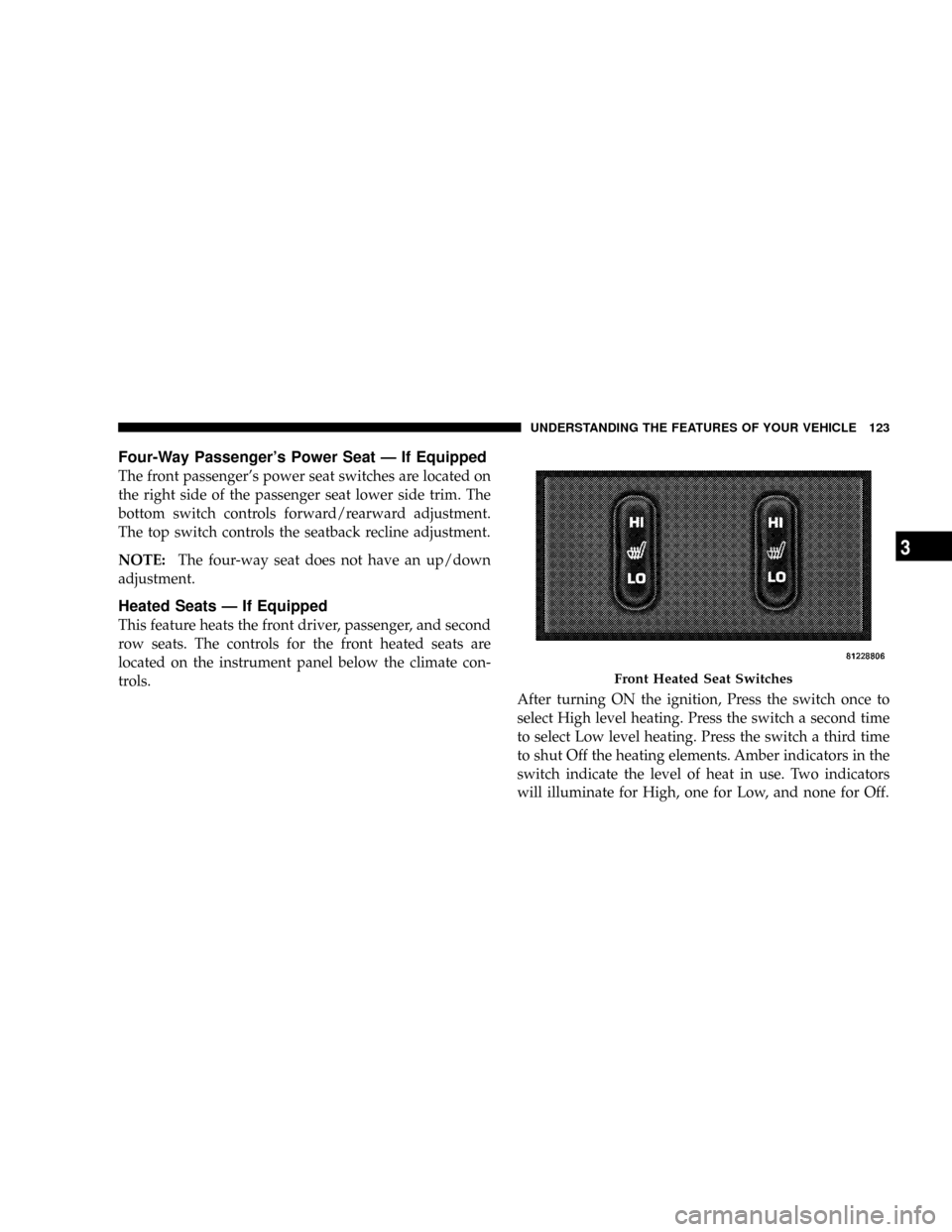
After turning ON the ignition, Press the switch once to
select High level heating. Press the switch a second time
to select Low level heating. Press the switch a third time
to shut Off the heating elements. Amber indicators in the
switch indicate the level of heat in use. Two indicators
will illuminate for High, one for Low, and none for Off.
Front Heated Seat Switches
UNDERSTANDING THE FEATURES OF YOUR VEHICLE 123
3
Page 142 of 481
position. Each stored memory setting will have an asso-
ciated Easy Exit and Easy Entry position. The Easy Exit
and Easy Entry feature may be automatically disabled if
the seat is positioned rearward enough and there is no
benefit in moving the seat any farther rearward.
NOTE:The Easy Entry/Easy Exit feature can be en-
abled or disabled through the programmable features in
the Electronic Vehicle Information Center (EVIC). For
details, refer to ªPersonal Settings (Customer Program-
mable Features)º under ªOverhead Console with Elec-
tronic Vehicle Information Center (EVIC) ± If Equippedº
in Section 3.TO OPEN AND CLOSE THE HOOD
To open the hood, two latches must be released:
1. Pull the hood release lever located under the left side
of the instrument panel.
Hood Release Lever
140 UNDERSTANDING THE FEATURES OF YOUR VEHICLE
Page 144 of 481
LIGHTS
Headlight Switch
Headlights, Parking Lights and Instrument Panel
Lights
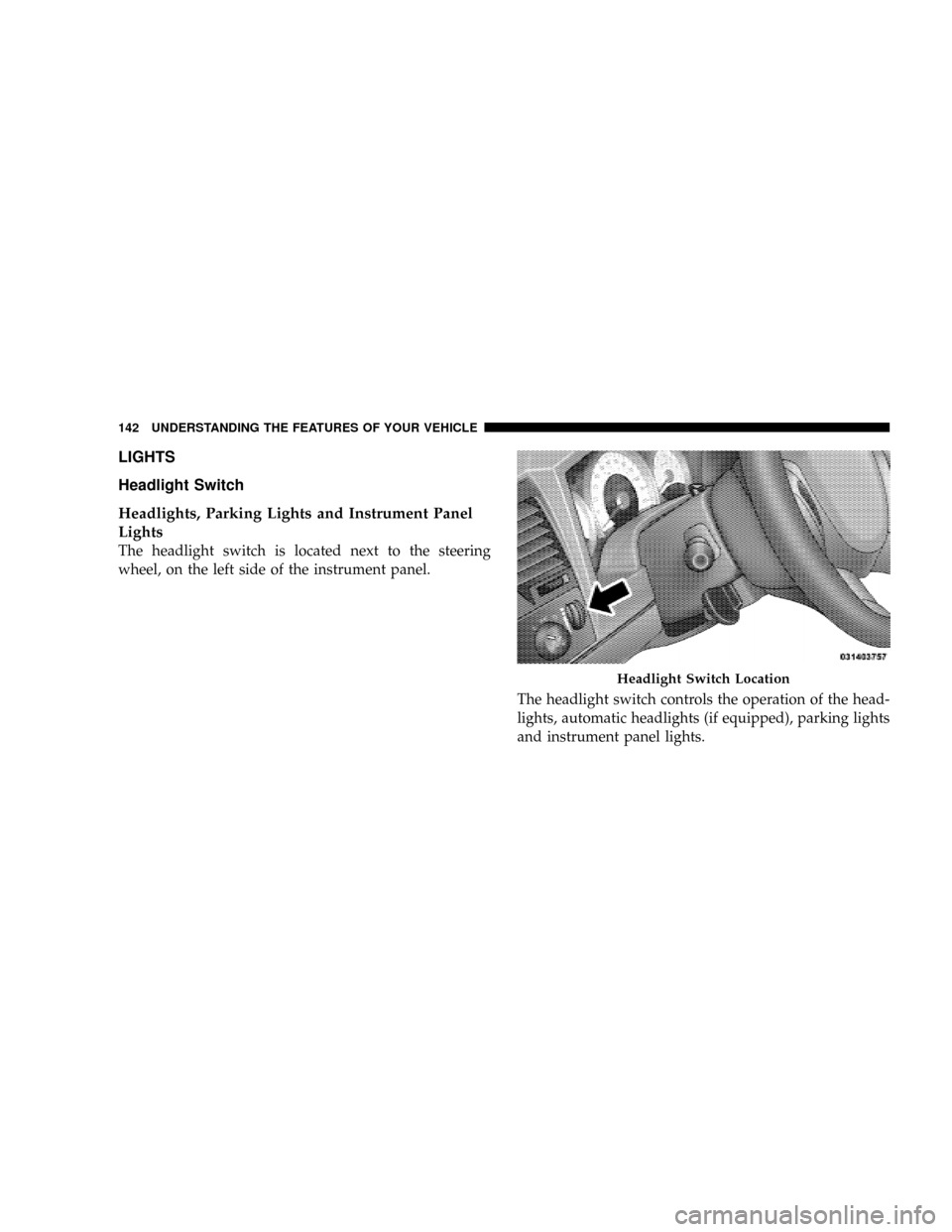
The headlight switch is located next to the steering
wheel, on the left side of the instrument panel.
The headlight switch controls the operation of the head-
lights, automatic headlights (if equipped), parking lights
and instrument panel lights.
Headlight Switch Location
142 UNDERSTANDING THE FEATURES OF YOUR VEHICLE
Page 145 of 481
Rotating the headlight switch clockwise to the first
position will turn on the parking lights, taillights, side
marker lights, license plate light and instrument panel
lights. To turn on the headlights, rotate the switch clock-
wise into the second position.NOTE:
²Your vehicle is equipped with plastic headlight lenses
that are lighter and less susceptible to stone breakage
than glass headlights.
²Plastic is not as scratch resistant as glass and therefore
different lens cleaning procedures must be followed.
²To minimize the possibility of scratching the lenses
and reducing light output, avoid wiping with a dry
cloth. To remove road dirt, wash with a mild soap
solution followed by rinsing.
²Do not use abrasive cleaning components, solvents,
steel wool or other abrasive materials to clean the
lenses.Headlight Switch
UNDERSTANDING THE FEATURES OF YOUR VEHICLE 143
3