Page 132 of 493
2. Press and release the SET (S) button on the Memory
switch, then press the side of the rocker switch labeled (2)
within five seconds. The EVIC will display which
memory position is being set.
NOTE:
•Memory profiles can be set without the vehicle in
PARK, but the vehicle must be in PARK to recall a
memory profile.
•The Recall Memory with Remote Key Unlock feature
can be enabled or disabled. Refer to “Recall Memory
with Remote Key Unlock,” under “Personal Settings
(Customer-Programmable Features)” under “Elec-
tronic Vehicle Information Center (EVIC)” in Section 4.
Linking and Unlinking the Remote Keyless Entry
(RKE) Transmitter to the Memory Feature
Your Remote Keyless Entry (RKE) transmitters can be
programmed to recall one of two pre-programmed
memory profiles by pressing the UNLOCK button on the
RKE transmitter.
To program your RKE transmitters, perform the follow-
ing:
1. Remove the key from the ignition.
2. Select the desired memory profile 1 or 2.
3. Press and release the SET (S) button on the Memory
switch, then press and release the side of the rocker
switch labeled 1 or 2 accordingly.�Memory Profile Set” (1
or 2) will display in the EVIC.
4. Press and release the LOCK button on the RKE
transmitter within 10 seconds.
130 UNDERSTANDING THE FEATURES OF YOUR VEHICLE
Page 142 of 493
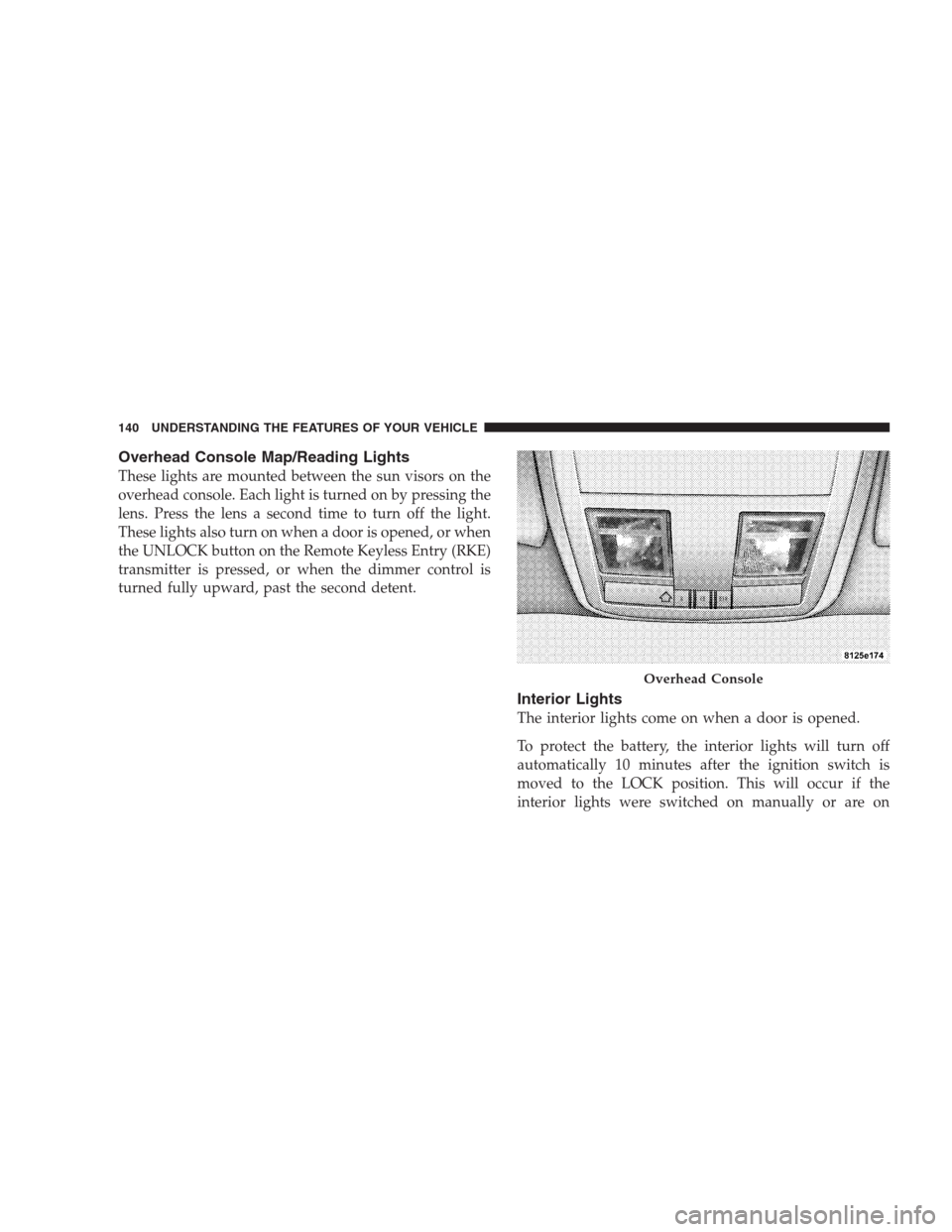
Overhead Console Map/Reading Lights
These lights are mounted between the sun visors on the
overhead console. Each light is turned on by pressing the
lens. Press the lens a second time to turn off the light.
These lights also turn on when a door is opened, or when
the UNLOCK button on the Remote Keyless Entry (RKE)
transmitter is pressed, or when the dimmer control is
turned fully upward, past the second detent.
Interior Lights
The interior lights come on when a door is opened.
To protect the battery, the interior lights will turn off
automatically 10 minutes after the ignition switch is
moved to the LOCK position. This will occur if the
interior lights were switched on manually or are on
Overhead Console
140 UNDERSTANDING THE FEATURES OF YOUR VEHICLE
Page 148 of 493
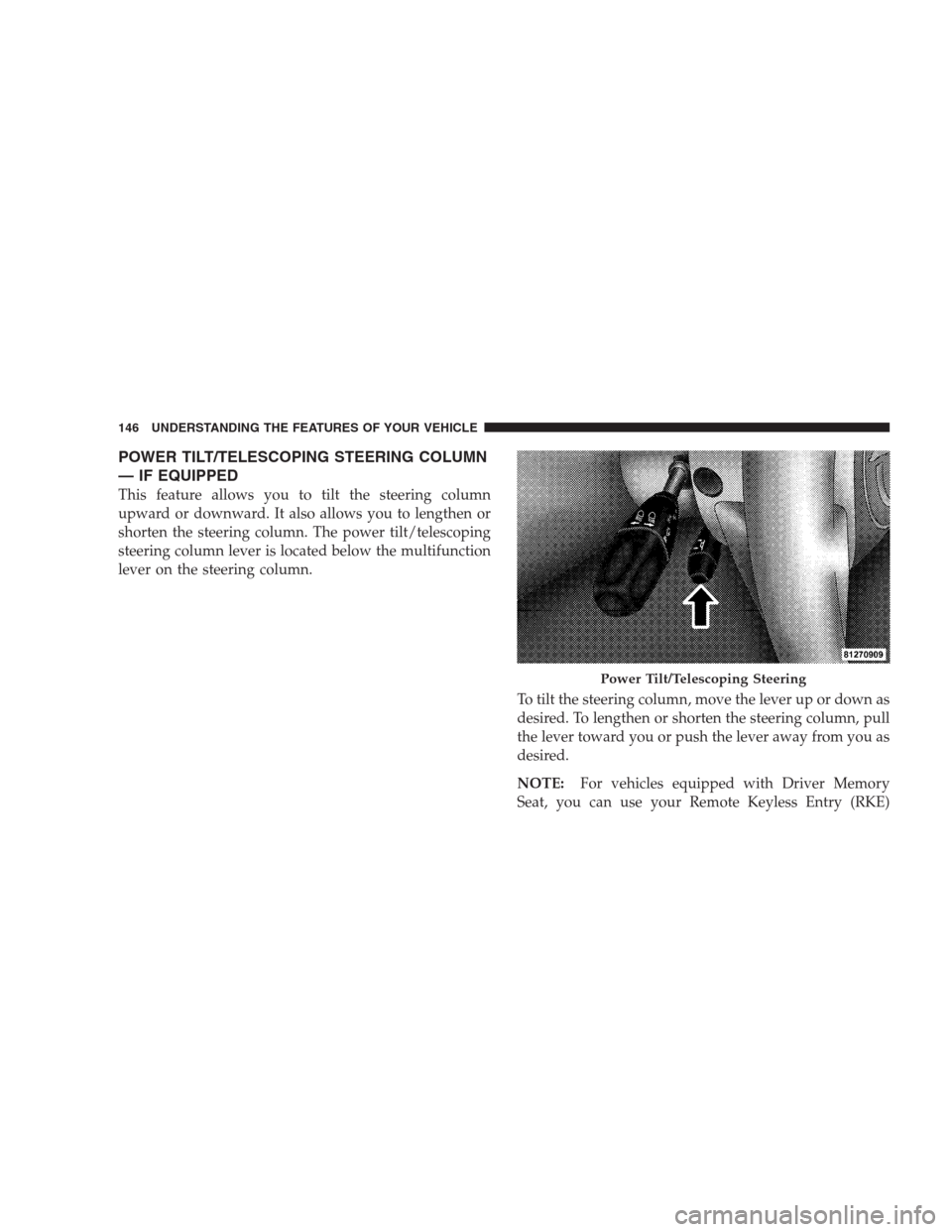
POWER TILT/TELESCOPING STEERING COLUMN
— IF EQUIPPED
This feature allows you to tilt the steering column
upward or downward. It also allows you to lengthen or
shorten the steering column. The power tilt/telescoping
steering column lever is located below the multifunction
lever on the steering column.
To tilt the steering column, move the lever up or down as
desired. To lengthen or shorten the steering column, pull
the lever toward you or push the lever away from you as
desired.
NOTE:For vehicles equipped with Driver Memory
Seat, you can use your Remote Keyless Entry (RKE)
Power Tilt/Telescoping Steering
146 UNDERSTANDING THE FEATURES OF YOUR VEHICLE
Page 150 of 493
Press the switch rearward to move the pedals rearward
(toward the driver).
•The pedals can be adjusted with the ignition OFF.
•The pedals can be adjusted while driving.
•The pedalscannotbe adjusted when the vehicle is in
REVERSE or when the Electronic Speed Control is on.
One of the following messages will display in the
Electronic Vehicle Information Center (EVIC) if a pedal
adjustment is attempted when the system is locked
out: “Adjustable Pedal Disabled — Cruise Control
Engaged” or “Adjustable Pedal Disabled — Vehicle In
Reverse.”
NOTE:For vehicles equipped with Driver Memory
Seat, you can use your Remote Keyless Entry (RKE)
transmitter or the memory switch on the driver’s door
trim panel to return the adjustable pedals to pre-
programmed positions. Refer to “Driver Memory Seat”
in this section.
CAUTION!
Do not place any article under the adjustable pedals
or impede its ability to move as it may cause damage
to the pedal controls. Pedal travel may become lim-
ited if movement is stopped by an obstruction in the
adjustable pedal’s path.
ELECTRONIC SPEED CONTROL
When engaged, Electronic Speed Control takes over the
accelerator operation at speeds greater than 25 mph
(40 km/h).
The Electronic Speed Control lever located on the right
side of the steering wheel operates the system.
148 UNDERSTANDING THE FEATURES OF YOUR VEHICLE
Page 182 of 493
OVERHEAD CONSOLE
The overhead console contains courtesy/reading lights,
an optional universal garage door opener (HomeLink�),
storage for sunglasses, and an optional power sunroof
switch.
Courtesy/Reading Lights
At the forward end of the console are two courtesy/
reading lights.
Press the lens to turn on the light. Press it a second time
to turn off the light.
These lights also turn on when a door is opened, or when
the UNLOCK button on the Remote Keyless Entry (RKE)
transmitter is pressed, or when the dimmer control is
turned fully upward, past the second detent.
Sunglasses Storage
At the rear of the console, a compartment is provided for
the storage of a pair of sunglasses.
The storage compartment access is a�push/push�design.
Push on the raised bar on the compartment door to open.
Push on the raised bar to close.
Overhead Console
180 UNDERSTANDING THE FEATURES OF YOUR VEHICLE
Page 201 of 493
UNDERSTANDING YOUR INSTRUMENT PANEL
CONTENTS
�Instrument Panel Features............... 203
�Premium Instrument Cluster............. 204
�Instrument Cluster Descriptions........... 205
�Electronic Vehicle Information Center (EVIC) . . 214
▫Electronic Vehicle Information Center (EVIC)
Displays........................... 216
▫Trip Functions...................... 220
▫Performance Pages — If Equipped........ 222
▫Keyless Go Display — If Equipped........ 226▫Compass Display.................... 226
▫Navigation — If Equipped.............. 228
▫Driver-Selectable Surround Sound (DSS) –
If Equipped........................ 229
▫System Warnings (Customer Information
Features).......................... 230
▫Personal Settings (Customer-Programmable
Features).......................... 230
�Setting The Analog Clock................ 2354
Page 221 of 493
•Adjustable Pedals Disabled – Vehicle In REVERSE
(with a single chime) — only available on vehicles
equipped with memory seats.
•Channel # Transmit
•Channel # Training
•Channel # Trained
•Clearing Channels
•Channels Cleared
•Did Not Train
•Left Front Low Pressure (with a single chime). Refer to
information on “Tire Pressure” and “Tire Pressure
Monitor” under “Starting And Operating.”
•Left Rear Low Pressure (with a single chime). Refer to
information on “Tire Pressure” and “Tire Pressure
Monitor” under “Starting And Operating.”
•Right Front Low Pressure (with a single chime). Refer
to information on “Tire Pressure” and “Tire Pressure
Monitor” under “Starting And Operating.”
•Right Rear Low Pressure (with a single chime). Refer
to information on “Tire Pressure” and “Tire Pressure
Monitor” under “Starting And Operating.”
•Check TPM System (with a single chime). Refer to
information on “Tire Pressure” and “Tire Pressure
Monitor” under “Starting And Operating.”
•Check Gascap (refer to “Adding Fuel” in Section 5)
•Service Park Assist System (with a single chime)
•Service Keyless System
•Wrong Key
•Push Button or Insert Key/Turn To Run (refer to
“Remote Starting System” in Section 2)
UNDERSTANDING YOUR INSTRUMENT PANEL 219
4
Page 228 of 493
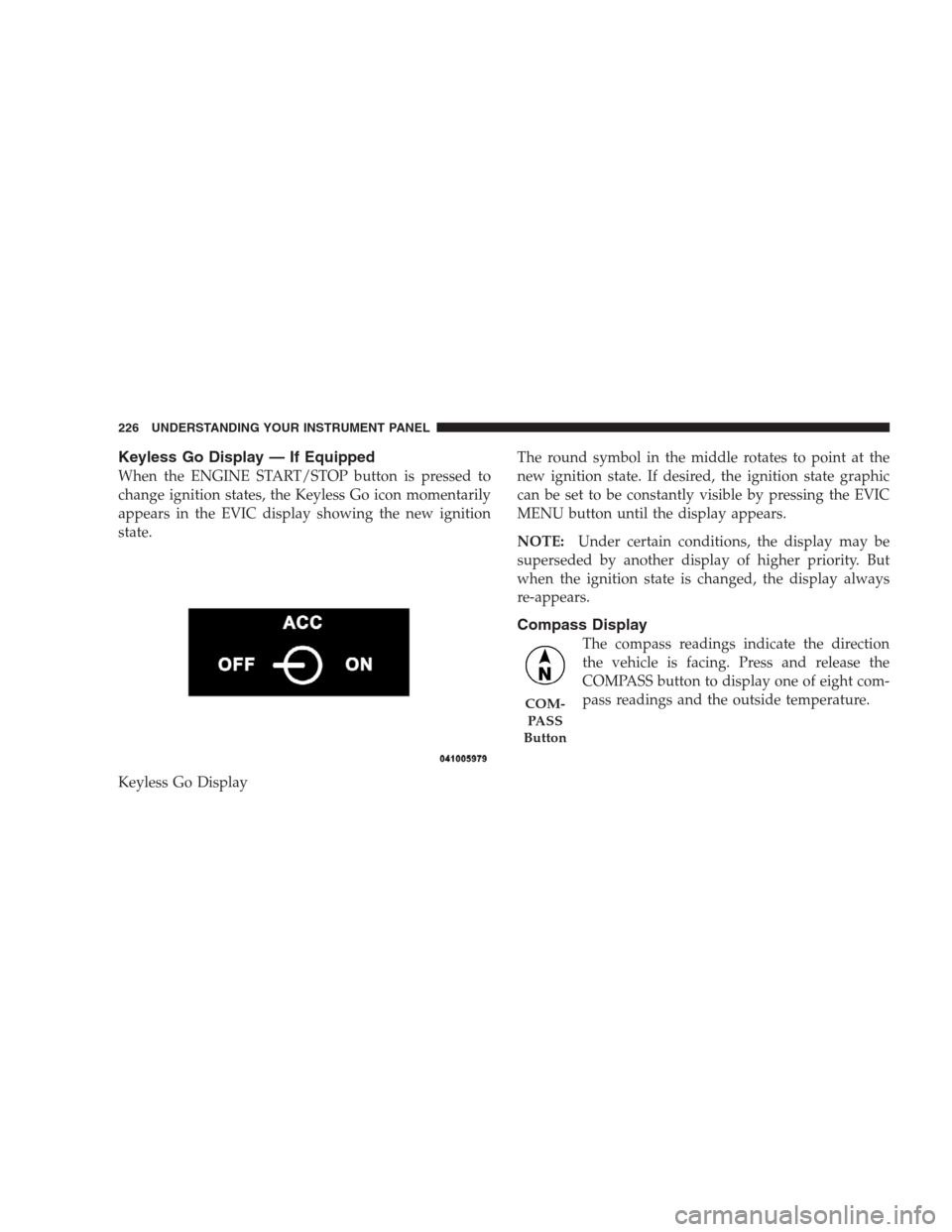
Keyless Go Display — If Equipped
When the ENGINE START/STOP button is pressed to
change ignition states, the Keyless Go icon momentarily
appears in the EVIC display showing the new ignition
state.
Keyless Go DisplayThe round symbol in the middle rotates to point at the
new ignition state. If desired, the ignition state graphic
can be set to be constantly visible by pressing the EVIC
MENU button until the display appears.
NOTE:Under certain conditions, the display may be
superseded by another display of higher priority. But
when the ignition state is changed, the display always
re-appears.
Compass Display
The compass readings indicate the direction
the vehicle is facing. Press and release the
COMPASS button to display one of eight com-
pass readings and the outside temperature.
COM-
PA S S
Button
226 UNDERSTANDING YOUR INSTRUMENT PANEL