Page 279 of 493
NOTE:
•You may have to remove the connector pin protection
cap from the 16–pin connector port, prior to connect-
ing the cable.
•If the iPod�battery is completely discharged, it may
not communicate with the UCI system until a mini-
mum charge is attained. Leaving the iPod�connected
to the UCI system may charge it to the required level.
Using This Feature
By using the optional connection cable to connect an
iPod�to the vehicle’s UCI 16–pin connector port:
•The iPod�audio can be played on the vehicle’s sound
system, providing metadata (Artist, track title, album,
etc.) information on the radio display.
•The iPod�can be controlled using the radio buttons to
Play, Browse, and List the iPod�contents.
•The iPod�battery charges when plugged into the UCI
connector.
Controlling The iPod�Using Radio Buttons
To get into the UCI (iPod�) mode and access a connected
iPod�, press the ‘AUX’ button on the radio faceplate.
Once in the UCI (iPod�) mode, iPod�audio tracks (if
available from iPod�) start playing over the vehicle’s
audio system.
Play Mode
When switched to UCI mode, the iPod�automatically
starts Play mode. In Play mode, you may use the
following buttons on the radio faceplate to control the
iPod�and display data:
•Use the TUNE control knob to select the next or
previous track.
•Turning it clockwise (forward) by one click, while
playing a track, skips to the next track.
UNDERSTANDING YOUR INSTRUMENT PANEL 277
4
Page 280 of 493
•Turning it counterclockwise (backward) by one
click, during the first two seconds of the track, will
jump to the previous track in the list. Turning this
button at any other time in the track, will jump to
the beginning of the current track.
•Jump backward in the current track by pressing and
holding the <
button long enough will take you to the beginning
of the current track.
•Jump forward in the current track by pressing and
holding theFF>> button.
•A single press backward <> will
jump backward or forward respectively, for five
seconds.
•Use the <> buttons to jump to the
previous or next track. If the <
pressed during the first two seconds of the track, it willjump to the previous track in the list, if you press this
button at any other time in the track it will jump to the
beginning of the track. If you press theSEEK>>
button during play mode, it will jump to the next track
in the list.
•While a track is playing, press theINFObutton to see
the associated metadata (Artist, track title, album, etc.)
for that track. Pressing theINFObutton again jumps
to the next screen of data for that track. Once you have
seen all screens, the lastINFObutton press will take
you back to the play mode screen on the radio.
•Pressing theREPEATbutton will change the iPod�
mode to repeat the current playing track.
•Press theSCANbutton to use iPod�scan mode, which
will play the first five seconds of each track in the
current list and then forward to the next song. To stop
SCAN mode and start playing the desired track, when
it is playing the track, press theSCANbutton again.
278 UNDERSTANDING YOUR INSTRUMENT PANEL
Page 281 of 493
During Scan mode you can also press the <
andSEEK>> buttons to select the previous and next
tracks.
•RNDbutton (available on sales code RES radio only):
Pressing this button toggles between Shuffle ON and
Shuffle OFF modes for the iPod�.IftheRNDicon is
showing on the radio display, then the shuffle mode is
ON.
List Or Browse Mode
During Play mode, pressing any of the buttons described
below, takes you to List mode. List mode enables you to
scroll through the list of menus and tracks on the iPod�.
•TUNEcontrol knob: TheTUNEcontrol knob functions
in a similar manner as the scroll wheel on the iPod�.
•Turning it clockwise (forward) and counterclock-
wise (backward) scrolls through the lists, displaying
the track detail on the radio display. Once you havethe track to be played highlighted on the radio
display, press theTUNEcontrol knob to select and
start playing the track. Turning theTUNEcontrol
knob fast will scroll through the list faster. During
fast scroll, you may notice a slight delay in updating
the information on the radio display.
•During all List modes, the iPod�displays all lists in
“wrap-around” mode. So if the track is at the
bottom of the list just turn the wheel backwards
(counter-clockwise) to get to the track faster.
•In List mode, the radioPRESETButtons are used as
shortcuts to the following lists on the iPod�.
•Preset 1 – Playlists
•Preset 2 – Artists
•Preset 3 – Albums
•Preset 4 – Genres
UNDERSTANDING YOUR INSTRUMENT PANEL 279
4
Page 286 of 493
RW/FF
Pressing the RW (Rewind) or FF (Fast Forward) buttons
causes the tuner to search for the next channel in the
direction of the arrows.
TUNE Control (Rotary)
Turn the rotary Tune/Scroll control knob clockwise to
increase or counterclockwise to decrease the channel.
MUSIC TYPE Button — Except REU Radio
Pressing this button once will turn on the Music Type
mode for five seconds. Pressing the MUSIC TYPE button
or turning the Tune/Scroll control knob within five
seconds will allow the program format type to be se-
lected.
Toggle the MUSIC TYPE button again to select the music
type.By pressing the SEEK button when the Music Type
function is active, the radio will be tuned to the next
channel with the same selected Music Type name.
If a preset button is activated while in the Music Type
(Program Type) mode, the Music Type mode will be
exited and the radio will tune to the preset channel.
MUSIC TYPE Button — REU Radio
Pressing this button provides a MUSIC TYPES list from
which you can make a selection. Once a selection is
made, you can seek up, or down, or scan the channels
and the radio will tune to the next station matching the
selected format. There is no time-out for this screen.
Pressing the MUSIC TYPE button again will close the
MUSIC TYPE screen. Once closed, seek up, seek down,
and scan will no longer be based on your selection.
284 UNDERSTANDING YOUR INSTRUMENT PANEL
Page 293 of 493
REMOTE SOUND SYSTEM CONTROLS — IF
EQUIPPED
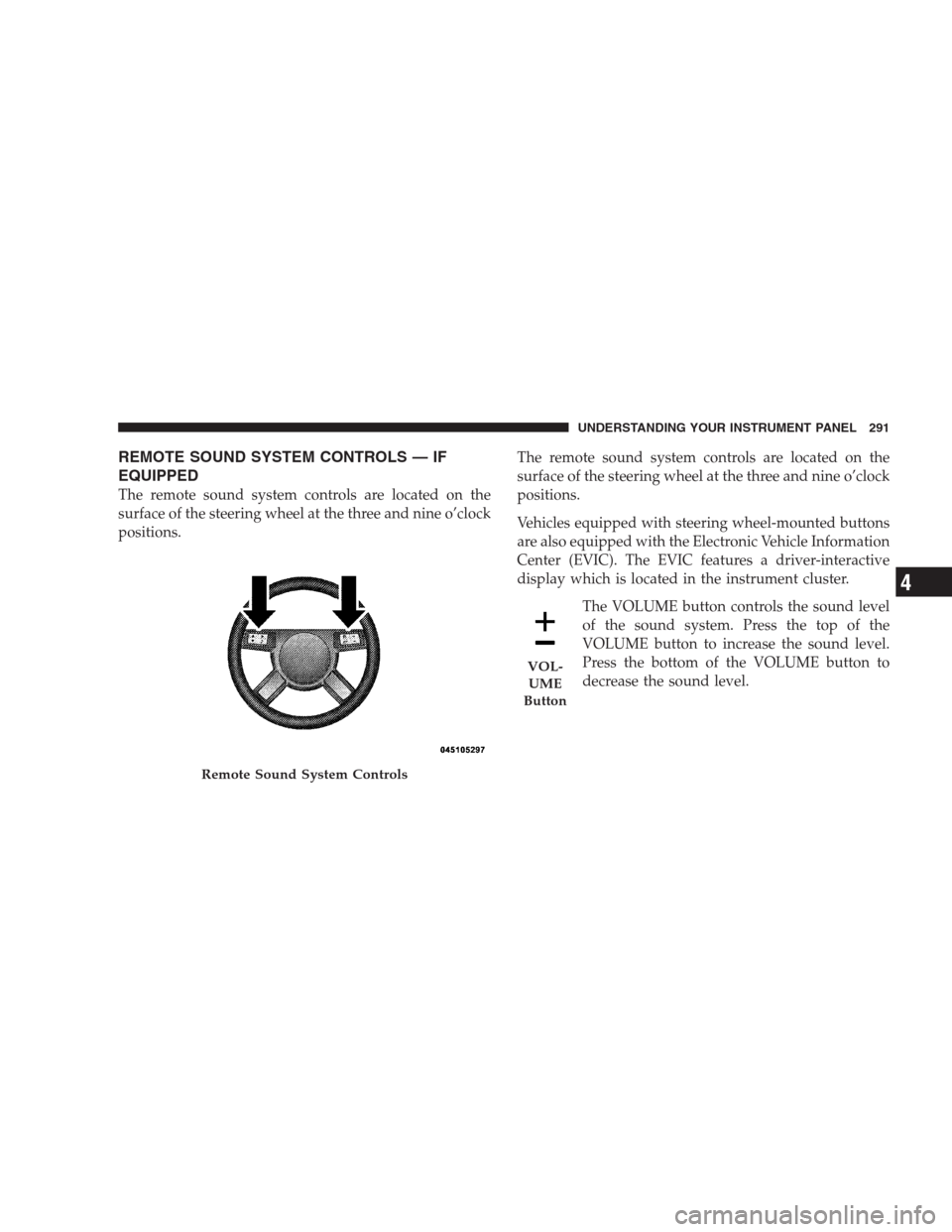
The remote sound system controls are located on the
surface of the steering wheel at the three and nine o’clock
positions.The remote sound system controls are located on the
surface of the steering wheel at the three and nine o’clock
positions.
Vehicles equipped with steering wheel-mounted buttons
are also equipped with the Electronic Vehicle Information
Center (EVIC). The EVIC features a driver-interactive
display which is located in the instrument cluster.
The VOLUME button controls the sound level
of the sound system. Press the top of the
VOLUME button to increase the sound level.
Press the bottom of the VOLUME button to
decrease the sound level.
Remote Sound System Controls
VOL-
UME
Button
UNDERSTANDING YOUR INSTRUMENT PANEL 291
4
Page 310 of 493
Automatic Transmission
The shift lever must be in the NEUTRAL or PARK
position before you can start the engine. Apply the brakes
before shifting into any driving gear.
CAUTION!
Damage to the transmission may occur if the follow-
ing precautions are not observed:
•Shift into PARK only after the vehicle has come to
a complete stop.
•Shift into or out of REVERSE only after the
vehicle has come to a complete stop and the engine
is at idle speed.
•Do not shift from REVERSE, PARK, or NEUTRAL
into any forward gear when the engine is above
idle speed.
•Before shifting into any gear, make sure your foot
is firmly on the brake pedal.
Keyless Go (If Equipped)
This function allows the driver to op-
erate the ignition switch with the push
of a button, as long as the ENGINE
START/STOP button is installed and
the Keyless Go ignition key (FOBIK)
can be detected inside of the vehicle.
Removing and Re-Installing the Engine Start/Stop
Button
The ENGINE START/STOP button may be removed
from the receptacle to allow the vehicle ignition to be
controlled conventionally by inserting the FOBIK. The
button may be removed using the valet key from the
FOBIK as a thin tool. Insert the metal part of the valet key
under the chrome bezel at the 6 o’clock position, and
gently pry the button loose.
308 STARTING AND OPERATING
Page 436 of 493
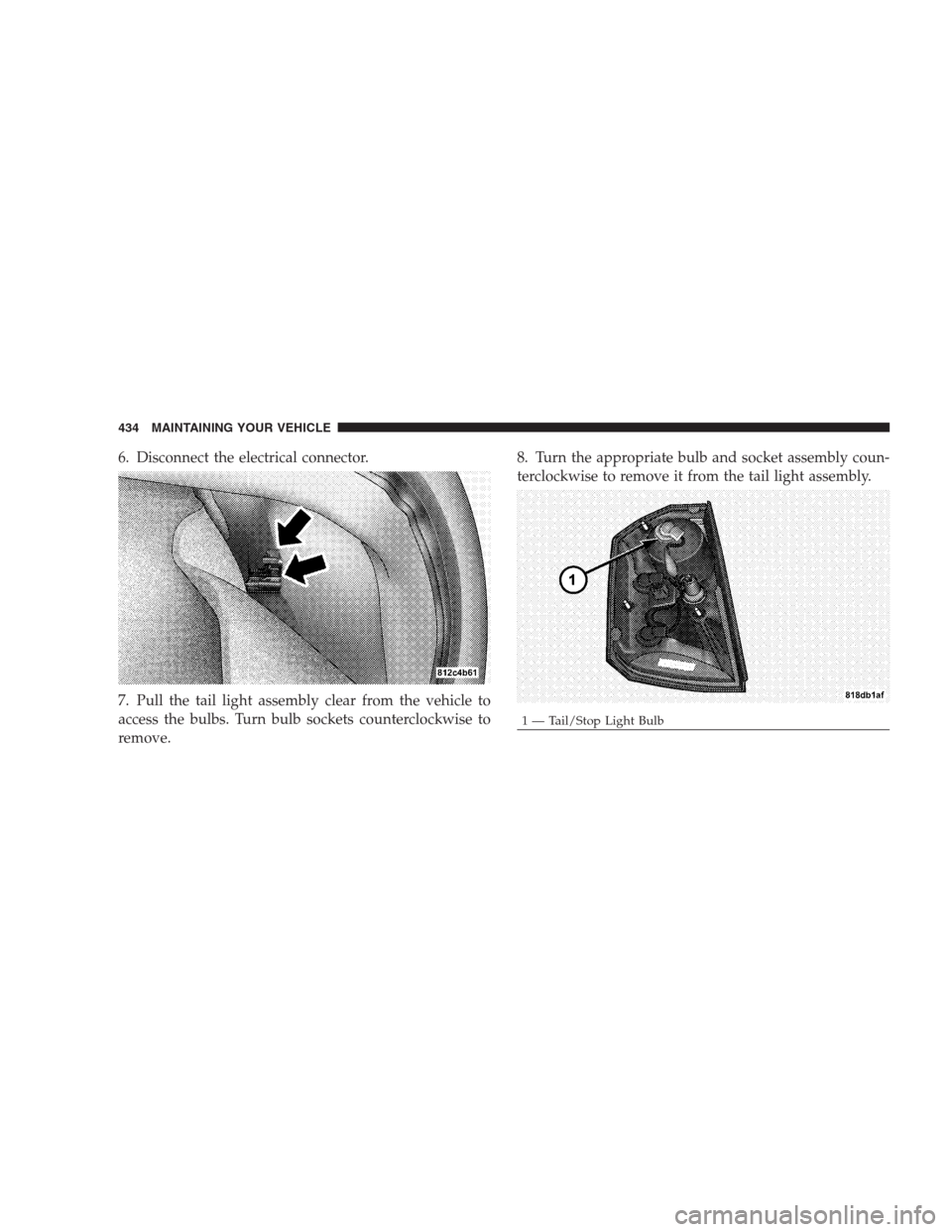
6. Disconnect the electrical connector.
7. Pull the tail light assembly clear from the vehicle to
access the bulbs. Turn bulb sockets counterclockwise to
remove.8. Turn the appropriate bulb and socket assembly coun-
terclockwise to remove it from the tail light assembly.
1 — Tail/Stop Light Bulb 434 MAINTAINING YOUR VEHICLE
Page 438 of 493
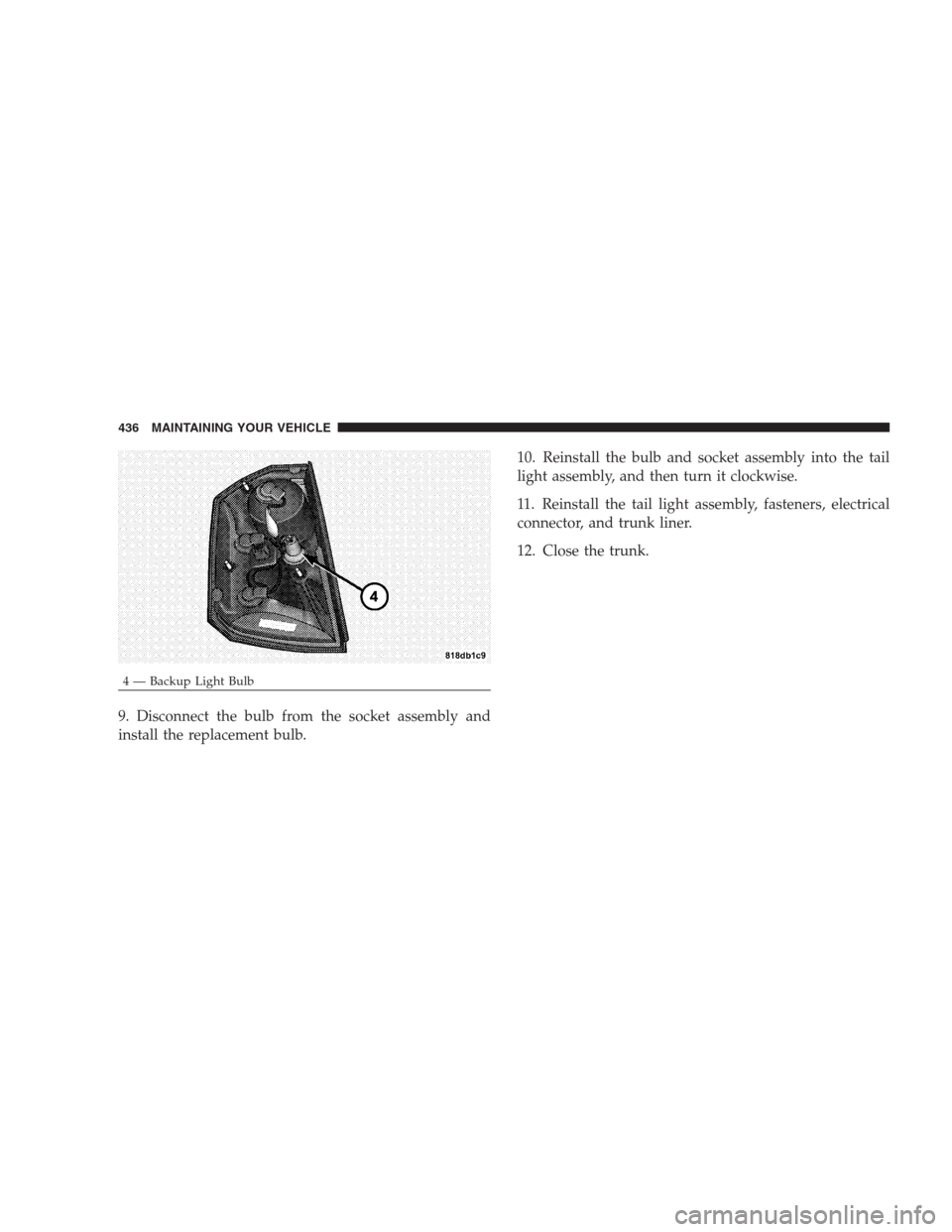
9. Disconnect the bulb from the socket assembly and
install the replacement bulb.10. Reinstall the bulb and socket assembly into the tail
light assembly, and then turn it clockwise.
11. Reinstall the tail light assembly, fasteners, electrical
connector, and trunk liner.
12. Close the trunk.
4 — Backup Light Bulb 436 MAINTAINING YOUR VEHICLE