Page 139 of 526
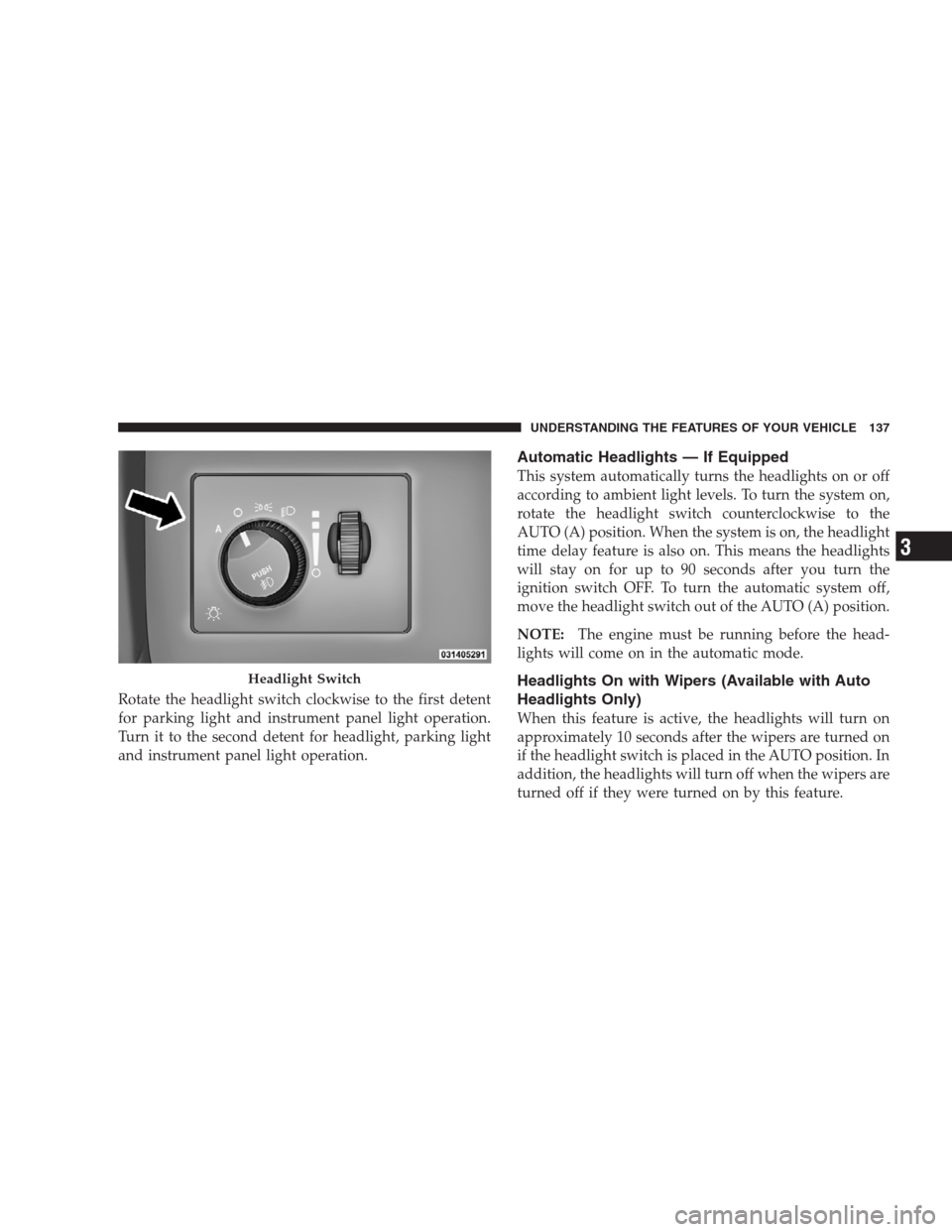
Rotate the headlight switch clockwise to the first detent
for parking light and instrument panel light operation.
Turn it to the second detent for headlight, parking light
and instrument panel light operation.
Automatic Headlights — If Equipped
This system automatically turns the headlights on or off
according to ambient light levels. To turn the system on,
rotate the headlight switch counterclockwise to the
AUTO (A) position. When the system is on, the headlight
time delay feature is also on. This means the headlights
will stay on for up to 90 seconds after you turn the
ignition switch OFF. To turn the automatic system off,
move the headlight switch out of the AUTO (A) position.
NOTE:The engine must be running before the head-
lights will come on in the automatic mode.
Headlights On with Wipers (Available with Auto
Headlights Only)
When this feature is active, the headlights will turn on
approximately 10 seconds after the wipers are turned on
if the headlight switch is placed in the AUTO position. In
addition, the headlights will turn off when the wipers are
turned off if they were turned on by this feature.
Headlight Switch
UNDERSTANDING THE FEATURES OF YOUR VEHICLE 137
3
Page 163 of 526
WARNING!
The Resume function should only be used if traffic
and road conditions permit. Resuming a set speed
that is too high or too low for prevailing traffic and
road conditions could cause the vehicle to accelerate
or decelerate too sharply for safe operation. This
could cause an accident and/or serious injury.
To Vary the Speed Setting
While ACC is set, you can increase the set speed by lifting
and holding the lever up (RESUME/ACCEL). If the lever
is continually held, the set speed will continue to increase
in 5 mph (10 km/h) increments until the lever is released.
The increase in set speed is reflected in the EVIC display.
Tapping the lever up once will result in a 1 mph (1 km/h)
increase in set speed. Each subsequent tap of the lever
results in an increase of 1 mph (1 km/h).While ACC is set, the set speed can be decreased by
pushing and holding the lever down (SET/DECEL). If
the lever is continually held, the set speed will continue
to decrease in 5 mph (10 km/h) increments until the lever
is released. The decrease in set speed is reflected in the
EVIC display.
Tapping the lever down once will result ina1mph
(1 km/h) decrease in set speed. Each subsequent tap of
the lever results in a decrease of 1 mph (1 km/h).
NOTE:
•When you use the lever to decelerate, if the engine’s
braking power does not slow the vehicle sufficiently to
reach the set speed, the brake system will automati-
cally slow the vehicle.
UNDERSTANDING THE FEATURES OF YOUR VEHICLE 161
3
Page 194 of 526
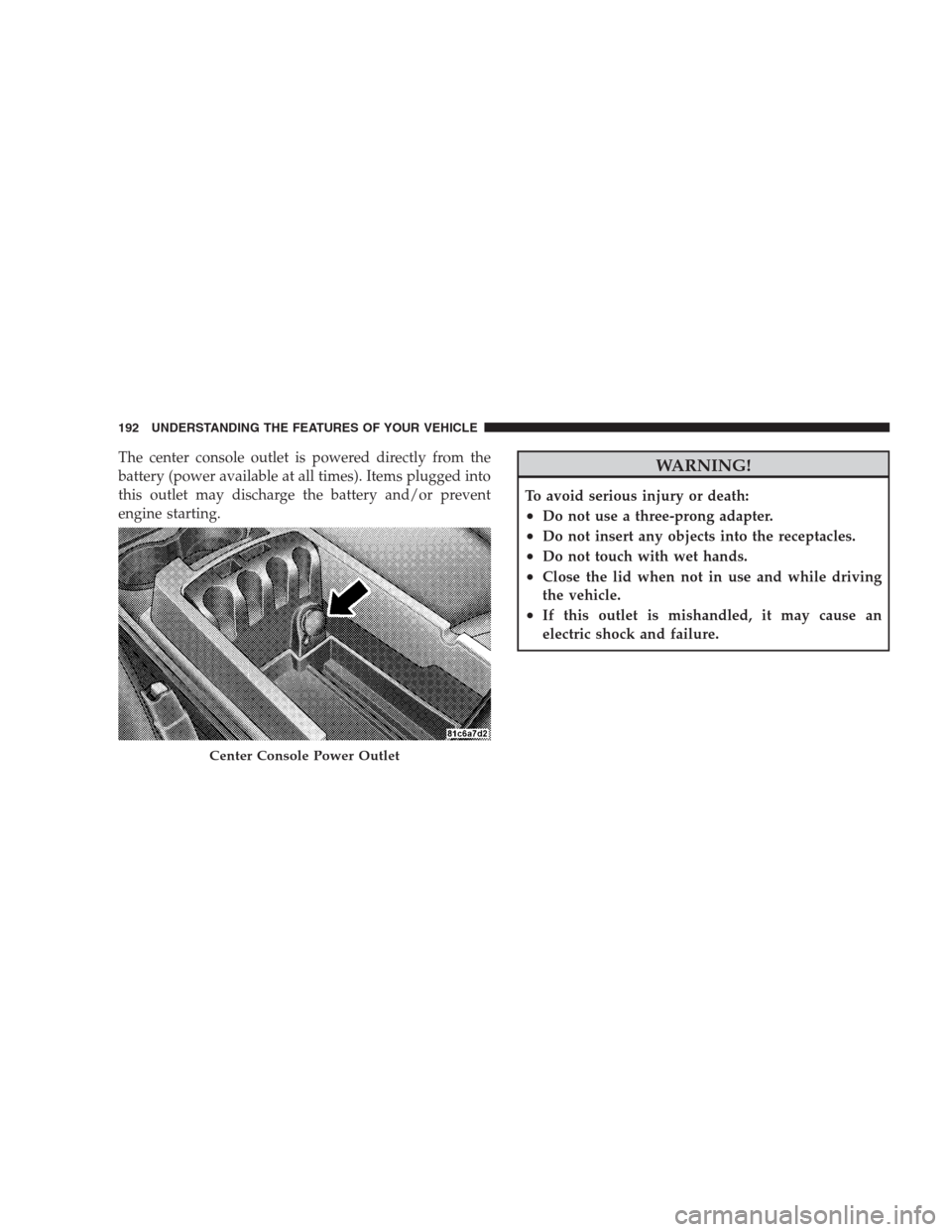
The center console outlet is powered directly from the
battery (power available at all times). Items plugged into
this outlet may discharge the battery and/or prevent
engine starting.WARNING!
To avoid serious injury or death:
•Do not use a three-prong adapter.
•Do not insert any objects into the receptacles.
•Do not touch with wet hands.
•Close the lid when not in use and while driving
the vehicle.
•If this outlet is mishandled, it may cause an
electric shock and failure.
Center Console Power Outlet
192 UNDERSTANDING THE FEATURES OF YOUR VEHICLE
Page 195 of 526
CAUTION!
•Many accessories that can be plugged in draw
power from the vehicle’s battery even when not in
use (i.e., cellular phones, etc.). Eventually, if
plugged in long enough, the vehicle’s battery will
discharge sufficiently to degrade battery life
and/or prevent engine starting.
•Accessories that draw higher power (i.e., coolers,
vacuum cleaners, lights, etc.) will degrade the
battery even more quickly. Only use these inter-
mittently and with greater caution.
•After the use of high power draw accessories or
long periods of the vehicle not being started (with
accessories still plugged in), the vehicle must be
driven a sufficient length of time to allow the
alternator to recharge the vehicle’s battery.
(Continued)
CAUTION! (Continued)
•Power outlets are designed for accessory plugs
only. Do not hang any type of accessory or acces-
sory bracket from the plug. Improper use of the
power outlet can cause damage.
UNDERSTANDING THE FEATURES OF YOUR VEHICLE 193
3
Page 211 of 526

reading is changed because of repair or replacement, be
sure to keep a record of the reading before and after the
service so that the correct mileage can be determined.
Rear Wheel Drive (RWD) / All Wheel Drive (AWD)
Displays (Base Cluster)
On vehicles equipped with a Base Instrument Cluster, the
odometer will display “2drivE” when the vehicle is in
Rear Wheel Drive (RWD), and “4drivE” when All Wheel
Drive (AWD) is activated.
If the odometer displays the “tCASE” warning message
after engine start up, or during driving, the AWD system
is not functioning properly and service is required.
NOTE:Vehicles equipped with Electronic Vehicle Infor-
mation Center (EVIC) will display “ALL WHEEL
DRIVE” and “REAR WHEEL DRIVE” when the appro-
priate condition exists. The EVIC will display “SERVICE
AWD SYSTEM” if the system is not functioning properlyand service is required. Refer to “Electronic Vehicle
Information Center (EVIC)” in this section for more
information.
Change Oil Message (Base Cluster)
Your vehicle is equipped with an engine oil change
indicator system. The “Change Oil” message will flash in
the instrument cluster odometer for approximately
12 seconds after a single chime has sounded to indicate
the next scheduled oil change interval. The engine oil
change indicator system is duty cycle based, which
means the engine oil change interval may fluctuate
dependent upon your personal driving style.
Unless reset, this message will continue to display each
time you turn the ignition switch to the ON position. To
turn off the message temporarily, press and release the
TRIP ODOMETER button on the instrument cluster. To
UNDERSTANDING YOUR INSTRUMENT PANEL 209
4
Page 212 of 526

reset the oil change indicator system (after performing
the scheduled maintenance) perform the following pro-
cedure:
1. Turn the ignition switch to the ON position. (Do not
start the engine).
2. Fully depress the accelerator pedal slowly three
times within 10 seconds.
3. Turn the ignition switch to the LOCK position.
NOTE:If the indicator message illuminates when you
start the vehicle, the oil change indicator system did not
reset. If necessary, repeat this procedure.
On vehicles equipped with a Premium Instrument Clus-
ter, this display shows the Electronic Vehicle Information
Center (EVIC) messages when the appropriate conditions
exist.Lo tirE
When the appropriate condition exists the odometer
display will toggle between Lo and tirE for three cycles.
Loose Fuel Filler Cap Message
If the vehicle diagnostic system determines that the fuel
filler cap is loose, improperly installed, or damaged, a
“Check Gascap” message will display in the EVIC.
Tighten the fuel filler cap properly and press the TRIP
ODOMETER button to turn off the message. If the
problem continues, the message will appear the next time
the vehicle is started.
A loose, improperly installed, or damaged fuel filler cap
may also turn on the Malfunction Indicator Light (MIL).
Refer to “Electronic Vehicle Information Center (EVIC)”
in this section for more information.
210 UNDERSTANDING YOUR INSTRUMENT PANEL
Page 213 of 526
7. Tachometer
The red segments indicate the maximum permissible
engine revolutions per minute (RPM x 1000) for each gear
range. Ease up on the accelerator before reaching the red
area.
8. Engine Temperature Warning Light
This light will turn on and a single chime will
sound to warn of an overheated engine condition.
When this light turns on, the engine temperature
is critically hot. If the light turns on while driving, safely
pull over and stop the vehicle. The vehicle should be
turned OFF immediately and serviced as soon as pos-
sible. (Refer to “If Your Engine Overheats” in Section 6
for more information).9. Anti-Lock Brake (ABS) Light — If Equipped
This light monitors the Anti-Lock Brake System
(ABS). The light will turn on when the ignition
switch is turned to the ON position and may stay on for
as long as four seconds.
If the ABS Light remains on or turns on while driving,
then the Anti-Lock portion of the brake system is not
functioning and service is required. However, the con-
ventional brake system will continue to operate normally
if the Brake Warning Light is not on.
If the ABS Light is on, the brake system should be
serviced as soon as possible to restore the benefits of
Anti-Lock brakes. If the ABS Light does not turn on when
the ignition switch is turned to the ON position, have the
light inspected by an authorized dealer.
UNDERSTANDING YOUR INSTRUMENT PANEL 211
4
Page 214 of 526

10. Electronic Stability Program (ESP) / Brake Assist
System (BAS) Malfunction Indicator Light
The yellow Electronic Stability Program (ESP)
/ Brake Assist System (BAS) Malfunction Indi-
cator Light will turn on when the key in the
ignition switch is turned to the ON position.
The light should go out with the engine running. The
system will turn this light on continuously while the
engine is running if it detects a malfunction in either the
ESP, the BAS or both.
11. Airbag Warning Light
This light will turn on for six to eight seconds
as a bulb check when the ignition switch is first
turned ON. If the light is either not on during
starting, or stays on, or turns on while driving,
then have the system inspected at an authorized dealer as
soon as possible.12. Brake Warning Light
This light monitors various brake functions,
including brake fluid level and parking brake
application. If the brake light turns on, it may
indicate that the parking brake is applied, that
the brake fluid level is low, or that there is a problem with
the anti-lock brake system reservoir.
If the light remains on when the parking brake has been
disengaged, and the fluid level is at the full mark on the
master cylinder reservoir, it indicates a possible brake
hydraulic system malfunction or a problem with the
Brake Booster has been detected by the Anti-Lock Brake
System (ABS) / Electronic Stability Program (ESP) sys-
tem. In this case, the light will remain on until the
condition has been corrected. If the problem is related to
the brake booster, the ABS pump will run when applying
the brake and a brake pedal pulsation may be felt during
each stop.
212 UNDERSTANDING YOUR INSTRUMENT PANEL