2009 CHEVROLET SUBURBAN manual radio set
[x] Cancel search: manual radio setPage 278 of 578
Setting the Tone
(Bass/Midrange/Treble)
BASS/MID/TREB (Bass, Midrange, or Treble):
To adjust bass, midrange, or treble, press the
fknob
until the tone control labels display. Continue pressing to
highlight the desired label, or press the pushbutton
positioned under the desired label. Turn the
fknob
clockwise or counterclockwise to adjust the
highlighted setting. Adjust the highlighted setting
by pressing either SEEK arrow,
\FWD (forward),
or
sREV (reverse) button until the desired levels are
obtained. If a station’s frequency is weak or if there is
static, decrease the treble.
To quickly adjust bass, midrange, or treble to the middle
position, press the pushbutton positioned under the
BASS, MID, or TREB label for more than two seconds. A
beep sounds and the level adjusts to the middle position.
To quickly adjust all tone and speaker controls to the
middle position, press the
fknob for more than
two seconds.
EQ (Equalization):Press this button to choose bass
and treble equalization settings designed for different
types of music. The choices are pop, rock, country, talk,
jazz, and classical. Selecting MANUAL or changing bass
or treble, returns the EQ to the manual bass and treble
settings.Unique EQ settings can be saved for each source.
If the radio has a Bose
®audio system, the EQ settings
are either MANUAL or TALK.
Digital Signal Processing (DSP):Press the EQ button
to change the DSP settings (only available on Bose
®
systems with the LTZ option package). DSP settings
provide a choice of different listening experiences.
The following DSP settings are available:
Normal— Select this setting to adjust the audio for
normal mode. This provides the best sound quality
for all seating positions.
Driver— Select this setting to adjust the audio for
the driver to receive the best possible sound
quality.
Rear— Select this setting to adjust the audio for
the rear seat passengers to receive the best
possible sound quality.
Surround (Centerpoint®)— Select this setting to
enable Bose Centerpoint®. Centerpoint®signal
processing produces a surround sound listening
experience from a CD or XM stereo digital audio
source. Centerpoint
®delivers ve independent audio
channels from conventional two channel stereo
recordings. (Not available for AM or FM.)
3-90
Page 288 of 578
O(Power):Press to turn the radio on or off. Turn
clockwise or counterclockwise to increase or decrease
the volume. Press and hold for more than two seconds
to turn off the radio and Rear Seat Entertainment (RSE)
system, and to start the parental control feature.
Parental control prevents the rear seat occupant from
operating the Rear Seat Audio (RSA) system or remote
control.
A lock symbol displays next to the clock display. The
parental control feature remains on until this knob
is pressed and held for more than two seconds again,
or until the driver turns the ignition off and exits the
vehicle.
f(Tune):Turn to change tracks on a CD or DVD, to
manually tune a radio station, or to change clock or date
settings, while in the clock or date setting mode. See
the information given earlier in this section specic to the
radio, CD, and the DVD. Also, see “Setting the Clock”
in the index, for setting the clock and date.
©SEEK (Previous Track/Chapter):Press the left
arrow to return to the start of the current track or
chapter. Press the left arrow again to go to the previous
track or chapter. This button might not work when the
DVD is playing the copyright information or the previews.SEEK
¨(Next Track/Chapter):Press the right arrow
to go to the next track or chapter. This button might
not work when the DVD is playing the copyright
information or the previews.
sREV (Fast Reverse):Press to quickly reverse the
CD or DVD at ve times the normal speed. The radio
displays the elapsed time while in fast reverse. To stop
fast reversing, press again. This button might not
work when the DVD is playing the copyright information
or the previews.
\FWD (Fast Forward):Press to fast forward the CD
or DVD. The radio displays the elapsed time and fast
forwards ve times the normal speed. To stop fast
forwarding, press again. This button might not work
when the DVD is playing the copyright information or the
previews.
Z(Eject):Press this button to eject a CD or DVD. If
a CD or DVD is ejected, but not removed, the player
automatically pulls it back in after 15 seconds.
If loading and reading of a CD cannot be completed,
because of an unknown format, etc., and the disc fails to
eject, press and hold this button for more than
ve seconds to force the disc to eject.
3-100
Page 560 of 578
Current and Past Model Order Forms
Technical Service Bulletins and Manuals are available
for current and past model GM vehicles. To request
an order form, specify year and model name of
the vehicle.
ORDER TOLL FREE: 1-800-551-4123
Monday-Friday 8:00 AM - 6:00 PM
Eastern Time
For Credit Card Orders Only
(VISA-MasterCard-Discover), visit Helm, Inc.
on the World Wide Web at: helminc.com
Or you can write to:
Helm, Incorporated
P.O. Box 07130
Detroit, MI 48207
Prices are subject to change without notice and without
incurring obligation. Allow ample time for delivery.
Note to Canadian Customers: All listed prices are
quoted in U.S. funds. Canadian residents are to make
checks payable in U.S. funds.
Vehicle Data Recording and
Privacy
Your GM vehicle has a number of sophisticated
computers that record information about the vehicle’s
performance and how it is driven. For example,
your vehicle uses computer modules to monitor and
control engine and transmission performance, to monitor
the conditions for airbag deployment and deploy
airbags in a crash and, if so equipped, to provide
antilock braking to help the driver control the vehicle.
These modules may store data to help your
dealer/retailer technician service your vehicle. Some
modules may also store data about how you operate the
vehicle, such as rate of fuel consumption or average
speed. These modules may also retain the owner’s
personal preferences, such as radio pre-sets, seat
positions, and temperature settings.
7-16
Page 564 of 578
Appearance Care (cont.)
Washing Your Vehicle.................................5-110
Weatherstrips............................................5-109
Windshield, Backglass, and Wiper Blades......5-111
Ashtray.........................................................3-21
Assistance Program, Roadside........................... 7-7
Audio System.................................................3-83
Audio Steering Wheel Controls....................3-138
Navigation/Radio System, see Navigation
Manual.................................................3-115
Setting the Clock.........................................3-84
XM™ Satellite Radio Antenna System...........3-140
Audio System(s).............................................3-86
Audio Systems
Radio Reception........................................3-139
Rear Seat (RSA).......................................3-136
Theft-Deterrent Feature...............................3-138
Automatic Headlamp System............................3-16
Automatic Transmission
Fluid..................................................5-22, 5-25
Operation...................................................2-32
Autoride
®.......................................................4-50
Auxiliary
Roof Mounted Lamp....................................3-18
Axle, Rear.....................................................5-49
B
Battery..........................................................5-43
Electric Power Management..........................3-19
Run-Down Protection...................................3-20
Belt Routing, Engine.......................................6-16
Bench Seat, Split (60/40).................................1-14
Bluetooth
®....................................................3-115
Brake
Emergencies................................................ 4-6
Pedal and Adjustable Throttle........................2-30
Brakes..........................................................5-40
Antilock....................................................... 4-5
Parking......................................................2-45
System Warning Light..................................3-40
Braking........................................................... 4-4
Braking in Emergencies..................................... 4-6
Break-In, New Vehicle.....................................2-26
Bucket Seats, Rear.........................................1-20
Bulb Replacement...........................................5-58
Fog Lamps .................................................3-17
Halogen Bulbs............................................5-56
Headlamp Aiming........................................5-53
Headlamps.................................................5-56
License Plate Lamps....................................5-58
Taillamps, Turn Signal, Stoplamps and
Back-up Lamps........................................5-57
Buying New Tires...........................................5-78
2
Page 573 of 578
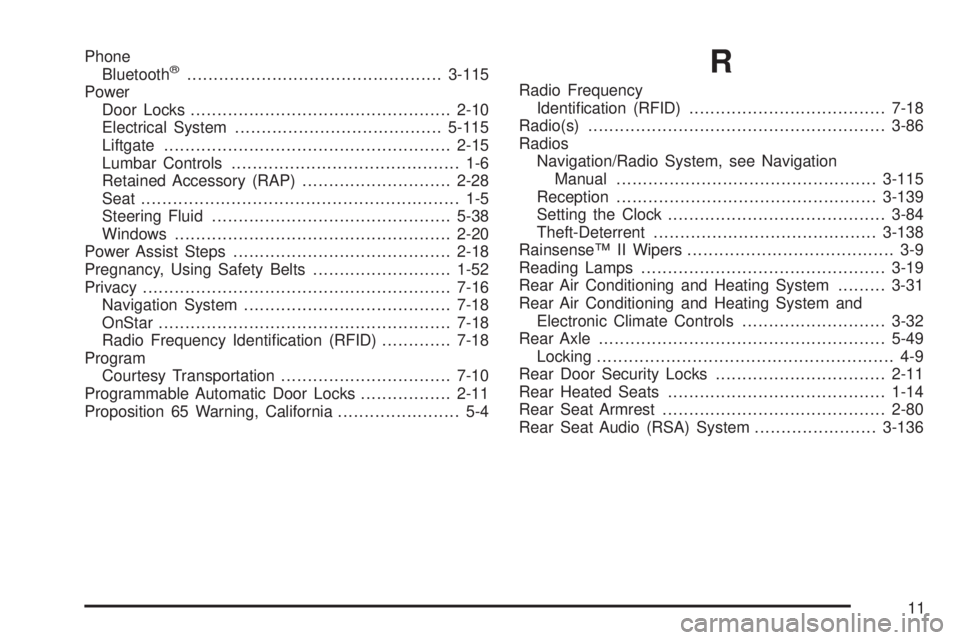
Phone
Bluetooth®................................................3-115
Power
Door Locks.................................................2-10
Electrical System.......................................5-115
Liftgate......................................................2-15
Lumbar Controls........................................... 1-6
Retained Accessory (RAP)............................2-28
Seat ............................................................ 1-5
Steering Fluid.............................................5-38
Windows....................................................2-20
Power Assist Steps.........................................2-18
Pregnancy, Using Safety Belts..........................1-52
Privacy..........................................................7-16
Navigation System.......................................7-18
OnStar.......................................................7-18
Radio Frequency Identication (RFID).............7-18
Program
Courtesy Transportation................................7-10
Programmable Automatic Door Locks.................2-11
Proposition 65 Warning, California....................... 5-4R
Radio Frequency
Identication (RFID).....................................7-18
Radio(s)........................................................3-86
Radios
Navigation/Radio System, see Navigation
Manual.................................................3-115
Reception.................................................3-139
Setting the Clock.........................................3-84
Theft-Deterrent..........................................3-138
Rainsense™ II Wipers....................................... 3-9
Reading Lamps..............................................3-19
Rear Air Conditioning and Heating System.........3-31
Rear Air Conditioning and Heating System and
Electronic Climate Controls...........................3-32
Rear Axle......................................................5-49
Locking........................................................ 4-9
Rear Door Security Locks................................2-11
Rear Heated Seats.........................................1-14
Rear Seat Armrest..........................................2-80
Rear Seat Audio (RSA) System.......................3-136
11