2009 CHEVROLET SUBURBAN brake
[x] Cancel search: brakePage 253 of 578
CHECK TRAILER WIRING
On vehicles with the Integrated Trailer Brake Control
(ITBC) system, this message may display and a chime
may sound when one of the following conditions exists:
A trailer with electric brakes becomes disconnected
from the vehicle.
If the disconnect occurs while the vehicle is
stopped, this message clears itself after a
short time.
If the disconnect occurs while the vehicle is
moving, this message stays on until the ignition
is turned off.
There is a short in the wiring to the electric trailer
brakes.
When this message displays, power is no longer
available to the trailer brakes.
As soon as it is safe to do so, carefully pull your vehicle
over to the side of the road and turn the ignition off.
Check the wiring connection to the trailer and turn the
ignition back on. This message clears if the trailer is
reconnected. This message also clears if you
acknowledge it. If this message still displays, either
your vehicle or the trailer needs service. See your
dealer/retailer.
See “Integrated Trailer Brake Control System” under
Towing a Trailer on page 4-50for more information.
DRIVER DOOR OPEN
This message displays and a chime sounds if the driver
door is not fully closed and the vehicle is shifted out
of P (Park). Stop and turn off the vehicle, check the door
for obstructions, and close the door again. Check to
see if the message still appears on the DIC.
ENGINE HOT A/C (Air Conditioning)
TURNED OFF
This message displays when the engine coolant
becomes hotter than the normal operating temperature.
SeeEngine Coolant Temperature Gage on page 3-42.To
avoid added strain on a hot engine, the air conditioning
compressor automatically turns off. When the coolant
temperature returns to normal, the air conditioning
compressor turns back on. You can continue to drive your
vehicle.
If this message continues to appear, have the system
repaired by your dealer/retailer as soon as possible
to avoid damage to the engine.
ENGINE OIL HOT IDLE ENGINE
This message displays when the engine oil becomes
hotter than the normal operating temperature. Stop and
allow the vehicle to idle until it cools down. See
Engine Coolant Temperature Gage on page 3-42.
3-65
Page 257 of 578
SERVICE AIR BAG
This message displays if there is a problem with the
airbag system. Have your dealer/retailer inspect
the system for problems. SeeAirbag Readiness Light
on page 3-37andAirbag System on page 1-81for more
information.
SERVICE BATTERY CHARGING
SYSTEM
On some vehicles, this message displays if there is a
problem with the battery charging system. Under certain
conditions, the charging system light may also turn
on in the instrument panel cluster. SeeCharging System
Light on page 3-39. Driving with this problem could
drain the battery. Turn off all unnecessary accessories.
Have the electrical system checked as soon as
possible. See your dealer/retailer.
SERVICE BRAKE SYSTEM
This message displays along with the brake system
warning light if there is a problem with the brake system.
SeeBrake System Warning Light on page 3-40. If this
message appears, stop as soon as possible and turn off
the vehicle. Restart the vehicle and check for the
message on the DIC display. If the message is still
displayed or appears again when you begin driving, the
brake system needs service as soon as possible.
See your dealer/retailer.
SERVICE BRAKES SOON
This message displays if there is a problem with the
brake system. If this message appears, stop as soon as
possible and turn off the vehicle. Restart the vehicle
and check for the message on the DIC display. If
the message is still displayed or appears again when
you begin driving, the brake system needs service. See
your dealer/retailer.
SERVICE PARK ASSIST
If your vehicle has the Ultrasonic Rear Parking Assist
(URPA) system, this message displays if there is a
problem with the URPA system. Do not use this system
to help you park. SeeUltrasonic Rear Parking Assist
(URPA) on page 2-56for more information. See
your dealer/retailer for service.
SERVICE SIDE BLIND ZONE ALERT
SYSTEM
If your vehicle has the Side Blind Zone Alert (SBZA)
system and this message displays, both SBZA displays
will remain on indicating there is a problem with the
SBZA system. If these displays remain on after
continued driving, the system needs service. See your
dealer/retailer. SeeSide Blind Zone Alert (SBZA)
on page 2-58for more information.
3-69
Page 259 of 578
SERVICE TRAILER BRAKE SYSTEM
On vehicles with the Integrated Trailer Brake Control
(ITBC) system, this message displays and a chime
sounds when there is a problem with the ITBC system.
When this message displays, power is no longer
available to the trailer brakes.
As soon as it is safe to do so, carefully pull your vehicle
over to the side of the road and turn the ignition off.
Check the wiring connection to the trailer and turn the
ignition back on. If this message still displays, either your
vehicle or the trailer needs service. See your
dealer/retailer.
See “Integrated Trailer Brake Control System” under
Towing a Trailer on page 4-50for more information.
SIDE BLIND ZONE ALERT
SYSTEM OFF
If your vehicle has the Side Blind Zone Alert (SBZA)
system, this message displays when the SBZA system
has been turned off. SeeSide Blind Zone Alert
(SBZA) on page 2-58andDIC Operation and Displays
(With DIC Buttons) on page 3-52orDIC Operation
and Displays (Without DIC Buttons) on page 3-58for
more information.
SIDE BLIND ZONE SYS. (System)
UNAVAILABLE
If your vehicle has the Side Blind Zone Alert (SBZA)
system, this message displays when the SBZA system
is disabled because the sensor is blocked and cannot
detect vehicles in your blind zone. The sensor may
be blocked by mud, dirt, snow, ice, or slush. This
message may also display during heavy rain or due to
road spray. It may also come on when driving in
isolated areas with no guardrails, trees, or road signs
and light traffic. Your vehicle does not need service. For
cleaning instructions, seeWashing Your Vehicle on
page 5-110. SeeSide Blind Zone Alert (SBZA) on
page 2-58for more information.
STABILITRAK OFF
If your vehicle has StabiliTrak, this message displays
when you turn off StabiliTrak, or when the stability control
has been automatically disabled. To limit wheel spin and
realize the full benets of the stability enhancement
system, you should normally leave StabiliTrak on.
However, you should turn StabiliTrak off if your vehicle
gets stuck in sand, mud, ice, or snow and you want to
rock your vehicle to attempt to free it, or if you are driving
in extreme off-road conditions and require more wheel
spin. SeeIf Your Vehicle is Stuck in Sand, Mud, Ice, or
Snow on page 4-31. To turn the StabiliTrak system on or
off, seeStabiliTrak
®System on page 4-6.
3-71
Page 260 of 578
There are several conditions that can cause this
message to appear.
One condition is overheating, which could occur if
StabiliTrak activates continuously for an extended
period of time.
The message also displays if the brake system
warning light is on. SeeBrake System Warning
Light on page 3-40.
The message could display if the stability system
takes longer than usual to complete its diagnostic
checks due to driving conditions.
The message displays if an engine or vehicle
related problem has been detected and the vehicle
needs service. See your dealer/retailer.
The message also displays if the vehicle is shifted
into 4LO.
The message turns off as soon as the conditions that
caused the message to be displayed are no longer
present.
TIGHTEN GAS CAP
This message may display along with the check engine
light on the instrument panel cluster if the vehicle’s
fuel cap is not tightened properly. SeeMalfunction
Indicator Lamp on page 3-43. Reinstall the fuel cap fully.
SeeFilling the Tank on page 5-9. The diagnostic
system can determine if the fuel cap has been left off or
improperly installed. A loose or missing fuel cap
allows fuel to evaporate into the atmosphere. A few
driving trips with the cap properly installed should turn
this light and message off.
TIRE LEARNING ACTIVE
On vehicles with the Tire Pressure Monitor System
(TPMS), this message displays when the TPMS
is re-learning the tire positions on your vehicle. The tire
positions must be re-learned after rotating the tires
or after replacing a tire or sensor. SeeTire Inspection
and Rotation on page 5-76,Tire Pressure Monitor
System on page 5-71, andInflation - Tire Pressure on
page 5-70for more information.
3-72
Page 261 of 578

TRACTION CONTROL OFF
If your vehicle has StabiliTrak, this message displays
when the Traction Control System (TCS) is turned
off. Adjust your driving accordingly. SeeStabiliTrak
®
System on page 4-6for more information.
TRAILER CONNECTED
On vehicles with the Integrated Trailer Brake Control
(ITBC) system, this message displays briey when
a trailer with electric brakes is rst connected to
the vehicle.
This message clears itself after several seconds. This
message also clears if you acknowledge it. After
this message clears, the TRAILER GAIN/OUTPUT
display appears in the DIC.
See “TRAILER GAIN/OUTPUT” underDIC Operation
and Displays (With DIC Buttons) on page 3-52or
DIC Operation and Displays (Without DIC Buttons) on
page 3-58and “Integrated Trailer Brake Control System”
underTowing a Trailer on page 4-50for more
information.
TRANSMISSION HOT IDLE ENGINE
Notice:If you drive your vehicle while the
transmission uid is overheating and the
transmission temperature warning is displayed on
the instrument panel cluster and/or DIC, you
can damage the transmission. This could lead to
costly repairs that would not be covered by
your warranty. Do not drive your vehicle with
overheated transmission uid or while the
transmission temperature warning is displayed.
This message displays along with a sound if the
transmission uid in the vehicle gets hot. Driving with
the transmission uid temperature high can cause
damage to the vehicle. Stop the vehicle and let it idle to
allow the transmission to cool. This message clears
and the chime stops when the uid temperature reaches
a safe level.
TURN SIGNAL ON
This message displays and a chime sounds if a turn
signal is left on for 3/4 of a mile (1.2 km). Move the turn
signal/multifunction lever to the off position.
3-73
Page 269 of 578
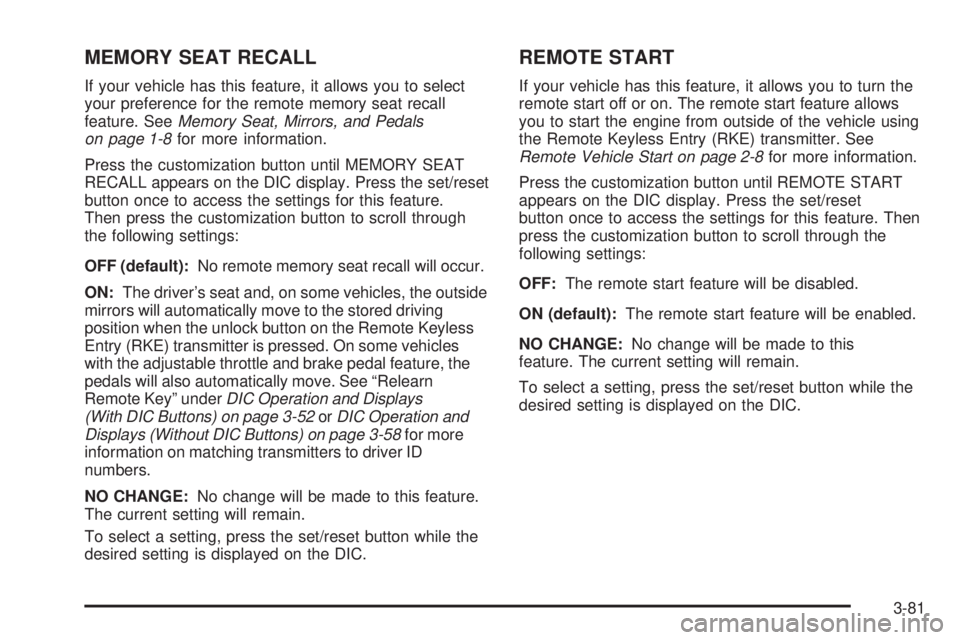
MEMORY SEAT RECALL
If your vehicle has this feature, it allows you to select
your preference for the remote memory seat recall
feature. SeeMemory Seat, Mirrors, and Pedals
on page 1-8for more information.
Press the customization button until MEMORY SEAT
RECALL appears on the DIC display. Press the set/reset
button once to access the settings for this feature.
Then press the customization button to scroll through
the following settings:
OFF (default):No remote memory seat recall will occur.
ON:The driver’s seat and, on some vehicles, the outside
mirrors will automatically move to the stored driving
position when the unlock button on the Remote Keyless
Entry (RKE) transmitter is pressed. On some vehicles
with the adjustable throttle and brake pedal feature, the
pedals will also automatically move. See “Relearn
Remote Key” underDIC Operation and Displays
(With DIC Buttons) on page 3-52orDIC Operation and
Displays (Without DIC Buttons) on page 3-58for more
information on matching transmitters to driver ID
numbers.
NO CHANGE:No change will be made to this feature.
The current setting will remain.
To select a setting, press the set/reset button while the
desired setting is displayed on the DIC.
REMOTE START
If your vehicle has this feature, it allows you to turn the
remote start off or on. The remote start feature allows
you to start the engine from outside of the vehicle using
the Remote Keyless Entry (RKE) transmitter. See
Remote Vehicle Start on page 2-8for more information.
Press the customization button until REMOTE START
appears on the DIC display. Press the set/reset
button once to access the settings for this feature. Then
press the customization button to scroll through the
following settings:
OFF:The remote start feature will be disabled.
ON (default):The remote start feature will be enabled.
NO CHANGE:No change will be made to this
feature. The current setting will remain.
To select a setting, press the set/reset button while the
desired setting is displayed on the DIC.
3-81
Page 329 of 578
Your Driving, the Road, and the Vehicle............4-2
Driving for Better Fuel Economy.......................4-2
Defensive Driving...........................................4-2
Drunk Driving.................................................4-3
Control of a Vehicle........................................4-3
Braking.........................................................4-4
Antilock Brake System (ABS)...........................4-5
Braking in Emergencies...................................4-6
StabiliTrak
®System........................................4-6
Locking Rear Axle..........................................4-9
Steering........................................................4-9
Off-Road Recovery.......................................4-11
Passing.......................................................4-11
Loss of Control.............................................4-11
Off-Road Driving...........................................4-13
Driving at Night............................................4-25
Driving in Rain and on Wet Roads..................4-26Before Leaving on a Long Trip.......................4-27
Highway Hypnosis........................................4-27
Hill and Mountain Roads................................4-28
Winter Driving..............................................4-29
If Your Vehicle is Stuck in Sand, Mud, Ice,
or Snow...................................................4-31
Rocking Your Vehicle to Get It Out.................4-32
Recovery Hooks...........................................4-32
Loading the Vehicle......................................4-33
Adding a Snow Plow or Similar Equipment.......4-39
Towing..........................................................4-43
Towing Your Vehicle.....................................4-43
Recreational Vehicle Towing...........................4-43
Level Control...............................................4-49
Autoride
®.....................................................4-50
Towing a Trailer...........................................4-50
Trailer Recommendations...............................4-72
Section 4 Driving Your Vehicle
4-1
Page 330 of 578
Your Driving, the Road, and
the Vehicle
Driving for Better Fuel Economy
Driving habits can affect fuel mileage. Here are some
driving tips to get the best fuel economy possible.
Avoid fast starts and accelerate smoothly.
Brake gradually and avoid abrupt stops.
Avoid idling the engine for long periods of time.
When road and weather conditions are appropriate,
use cruise control, if equipped.
Always follow posted speed limits or drive more
slowly when conditions require.
Keep vehicle tires properly inated.
Combine several trips into a single trip.
Replace the vehicle’s tires with the same TPC Spec
number molded into the tire’s sidewall near the size.
Follow recommended scheduled maintenance.
Defensive Driving
Defensive driving means “always expect the
unexpected.” The rst step in driving defensively
is to wear your safety belt — SeeSafety Belts: They
Are for Everyone on page 1-32.
{CAUTION:
Assume that other road users (pedestrians,
bicyclists, and other drivers) are going to be
careless and make mistakes. Anticipate what
they might do and be ready. In addition:
Allow enough following distance between you
and the driver in front of you.
Focus on the task of driving.
Driver distraction can cause collisions resulting in
injury or possible death. These simple defensive
driving techniques could save your life.
4-2