2009 CHEVROLET SILVERADO ignition
[x] Cancel search: ignitionPage 378 of 600
Rear Towing (Rear Wheels Off the
Ground)
Two-Wheel-Drive Vehicles
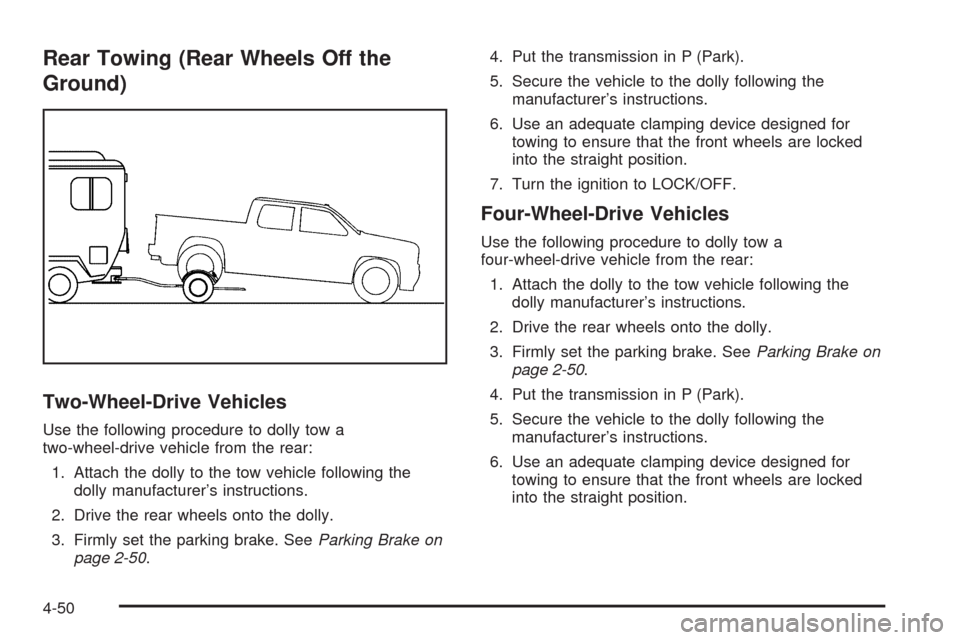
Use the following procedure to dolly tow a
two-wheel-drive vehicle from the rear:
1. Attach the dolly to the tow vehicle following the
dolly manufacturer’s instructions.
2. Drive the rear wheels onto the dolly.
3. Firmly set the parking brake. SeeParking Brake on
page 2-50.4. Put the transmission in P (Park).
5. Secure the vehicle to the dolly following the
manufacturer’s instructions.
6. Use an adequate clamping device designed for
towing to ensure that the front wheels are locked
into the straight position.
7. Turn the ignition to LOCK/OFF.
Four-Wheel-Drive Vehicles
Use the following procedure to dolly tow a
four-wheel-drive vehicle from the rear:
1. Attach the dolly to the tow vehicle following the
dolly manufacturer’s instructions.
2. Drive the rear wheels onto the dolly.
3. Firmly set the parking brake. SeeParking Brake on
page 2-50.
4. Put the transmission in P (Park).
5. Secure the vehicle to the dolly following the
manufacturer’s instructions.
6. Use an adequate clamping device designed for
towing to ensure that the front wheels are locked
into the straight position.
4-50
Page 379 of 600
{CAUTION:
Shifting a four-wheel-drive vehicle’s transfer case
into N (Neutral) can cause the vehicle to roll even
if the transmission is in P (Park). The driver or
others could be injured. Make sure the parking
brake is rmly set before the transfer case is
shifted to N (Neutral).
7. Shift the transfer case to N (Neutral). See “Shifting
into Neutral” underFour-Wheel Drive on page 2-36
for the proper procedure to select the neutral
position for the vehicle.
8. Turn the ignition to LOCK/OFF.
After towing, see “Shifting Out of Neutral” under
Four-Wheel Drive on page 2-36.
Towing a Trailer
If the vehicle has a diesel engine, see the DURAMAX®
Diesel manual for more information.
Do not tow a trailer during break-in. SeeNew Vehicle
Break-In on page 2-21for more information.
{CAUTION:
The driver can lose control when pulling a trailer if
the correct equipment is not used or the vehicle is
not driven properly. For example, if the trailer is
too heavy, the brakes may not work well or even
at all. The driver and passengers could be
seriously injured. The vehicle may also be
damaged; the resulting repairs would not be
covered by the vehicle warranty. Pull a trailer only
if all the steps in this section have been followed.
Ask your dealer/retailer for advice and information
about towing a trailer with the vehicle.
Notice:Pulling a trailer improperly can damage the
vehicle and result in costly repairs not covered
by the vehicle warranty. To pull a trailer correctly,
follow the advice in this section and see your
dealer/retailer for important information about
towing a trailer with the vehicle.
To identify the trailering capacity of the vehicle, read the
information in “Weight of the Trailer” that appears
later in this section.
4-51
Page 398 of 600
The ITBC system is integrated with the vehicle’s brake,
anti-lock brake and StabiliTrak (if equipped) systems.
In trailering conditions that cause the vehicle’s anti-lock
brake or StabiliTrak systems to activate, power sent
to the trailer’s brakes will be automatically adjusted to
minimize trailer wheel lock-up. This does not imply
that the trailer has the StabiliTrak system.
If the vehicle’s brake, anti-lock brake or StabiliTrak
systems are not functioning properly, the ITBC system
may not be fully functional or may not function at
all. Make sure all of these systems are fully operational
to ensure full functionality of the ITBC system.
The ITBC system is powered through the vehicle’s
electrical system. Turning the ignition off will also turn
off the ITBC system. The ITBC system is fully functional
only when the ignition is in ON or in RUN.
The ITBC system can only be used with trailers with
electric brakes.
{CAUTION:
Connecting a trailer that is not compatible with the
ITBC system may result in reduced or complete
loss of trailer braking. There may be an increase in
stopping distance or trailer instability which could
result in personal injury or damage to the vehicle,
trailer, or other property. An aftermarket controller
may be available for use with trailers with surge, air
or electric-over-hydraulic trailer brake systems. To
determine the type of brakes on the trailer and the
availability of controllers, check with your trailer
manufacturer or dealer/retailer.
When trailering, make sure of the following:
The ITBC system is used only with trailers that are
equipped with electric brakes.
All applicable local and federal laws and regulations
are followed.
All electrical and mechanical connections to the
trailer are made correctly.
The trailer’s brakes are in proper working condition.
The trailer and vehicle are properly loaded for
the towing condition.
4-70
Page 403 of 600
Other ITBC Related DIC Messages
In addition to displaying TRAILER GAIN and TRAILER
OUTPUT through the DIC, trailer connection and
ITBC system status is displayed in the DIC.
TRAILER CONNECTED – This message will be briey
displayed when a trailer with electric brakes is rst
connected to the vehicle. This message will
automatically turn off in about ten seconds. The driver
can also acknowledge this message before it
automatically turns off.
CHECK TRAILER WIRING – This message will be
displayed if:
1. The ITBC system rst determines connection to a
trailer with electric brakes and then the trailer
harness becomes disconnected from the vehicle.
If the disconnect occurs while the vehicle is
stationary, this message will automatically turn off in
about thirty seconds. This message will also turn
off if the driver acknowledges this message off or if
the trailer harness is re-connected.
If the disconnect occurs while the vehicle is moving,
this message will continue until the ignition is
turned off. This message will also turn off if the
driver acknowledges this message off or if the trailer
harness is re-connected.2. There is an electrical fault in the wiring to the
electric trailer brakes. This message will continue as
long as there is an electrical fault in the trailer
wiring. This message will also turn off if the driver
acknowledges this message off.
To determine if the electrical fault is on the vehicle side
or trailer side of the trailer wiring harness connection,
do the following:
1. Disconnect the trailer wiring harness from the
vehicle.
2. Turn the ignition OFF.
3. Wait ten seconds, then turn the ignition back
to RUN.
4. If the CHECK TRAILER WIRING message
re-appears, the electrical fault is on the vehicle side.
If the CHECK TRAILER WIRING message only
re-appears when connecting the trailer wiring
harness to the vehicle, the electrical fault is on the
trailer side.
SERVICE TRAILER BRAKE SYSTEM – This message
will be displayed when there is a problem with the
ITBC system. If this message persists over multiple
ignition cycles there is a problem with the ITBC system.
Take the vehicle to an authorized GM dealer to have
the ITBC system diagnosed and repaired.
4-75
Page 404 of 600
If either the CHECK TRAILER WIRING or SERVICE
TRAILER BRAKE SYSTEM message is displayed while
driving the vehicle, power is no longer available to
the trailer brakes. When traffic conditions allow, carefully
pull the vehicle over to the side of the road and turn
the ignition off. Check the wiring connection to the trailer
and turn the ignition back on. If either of these
messages continues, either the vehicle or trailer needs
service.
An authorized GM dealer may be able to diagnose and
repair problems with the trailer. However, any
diagnosis and repair of the trailer is not covered under
the vehicle warranty. Please contact your trailer
dealer for assistance with trailer repairs and trailer
warranty information.Driving with a Trailer
{CAUTION:
When towing a trailer, exhaust gases may collect
at the rear of the vehicle and enter if the liftgate,
trunk/hatch, or rear-most window is open.
Engine exhaust contains carbon monoxide (CO)
which cannot be seen or smelled. It can cause
unconsciousness and even death.
To maximize safety when towing a trailer:
Have the exhaust system inspected for
leaks and make necessary repairs before
starting a trip.
Never drive with the liftgate, trunk/hatch, or
rear-most window open.
Fully open the air outlets on or under the
instrument panel.
Adjust the Climate Control system to a setting
that brings in only outside air and set the fan
speed to the highest setting. See Climate
Control System in the Index.
For more information about carbon monoxide, see
Engine Exhaust on page 2-55.
4-76
Page 451 of 600
Windshield Washer Fluid
What to Use
When windshield washer uid needs to be added, be
sure to read the manufacturer’s instructions before
use. Use a uid that has sufficient protection against
freezing in an area where the temperature may fall
below freezing.
Adding Washer Fluid
The vehicle has a low washer uid message in the DIC
that comes on when the washer uid is low. The message
is displayed for 15 seconds at the start of each ignition
cycle. When the WASHER FLUID LOW ADD FLUID
message displays, you will need to add washer uid
to the windshield washer uid reservoir.
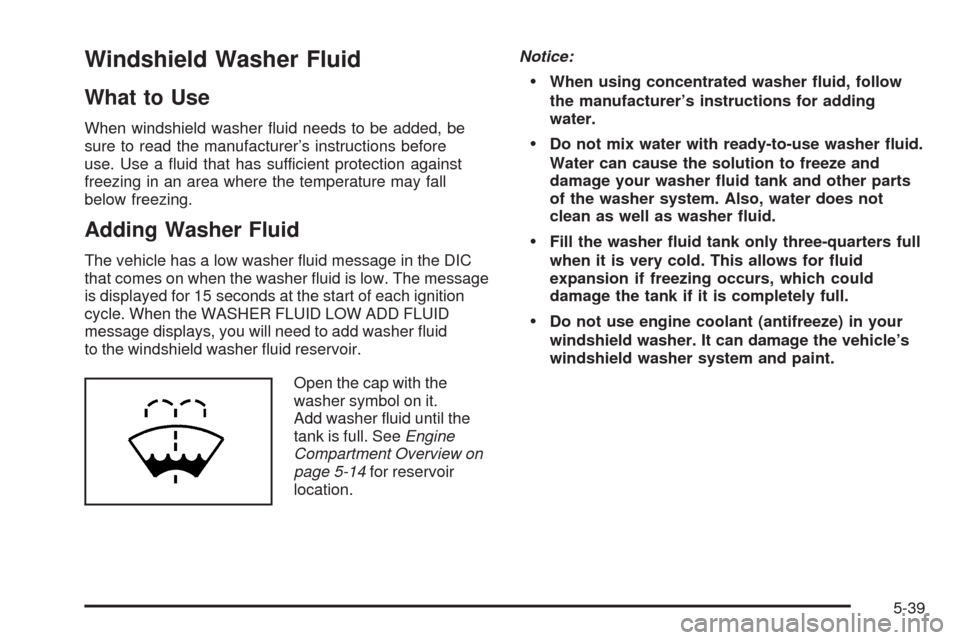
Open the cap with the
washer symbol on it.
Add washer uid until the
tank is full. SeeEngine
Compartment Overview on
page 5-14for reservoir
location.Notice:
When using concentrated washer uid, follow
the manufacturer’s instructions for adding
water.
Do not mix water with ready-to-use washer uid.
Water can cause the solution to freeze and
damage your washer uid tank and other parts
of the washer system. Also, water does not
clean as well as washer uid.
Fill the washer uid tank only three-quarters full
when it is very cold. This allows for uid
expansion if freezing occurs, which could
damage the tank if it is completely full.
Do not use engine coolant (antifreeze) in your
windshield washer. It can damage the vehicle’s
windshield washer system and paint.
5-39
Page 457 of 600
Notice:If the other vehicle’s system is not a 12-volt
system with a negative ground, both vehicles can
be damaged. Only use vehicles with 12-volt systems
with negative grounds to jump start your vehicle.
2. If you have a vehicle with a diesel engine with
two batteries, you should know before you begin
that, especially in cold weather, you may not be
able to get enough power from a single battery
in another vehicle to start your diesel engine. If your
vehicle has more than one battery, use the battery
that is closer to the starter -- this will reduce
electrical resistance. This is located on the
passenger side, in the rear of the engine
compartment.
3. Get the vehicles close enough so the jumper cables
can reach, but be sure the vehicles are not touching
each other. If they are, it could cause an unwanted
ground connection. You would not be able to start
your vehicle, and the bad grounding could damage
the electrical systems.
To avoid the possibility of the vehicles rolling, set the
parking brake rmly on both vehicles involved in the
jump start procedure. Put the automatic transmission
in P (Park) or a manual transmission in Neutral
before setting the parking brake. If you have a
four-wheel-drive vehicle, be sure the transfer
case is in a drive gear, not in Neutral.Notice:If you leave the radio or other accessories
on during the jump starting procedure, they could be
damaged. The repairs would not be covered by the
warranty. Always turn off the radio and other
accessories when jump starting the vehicle.
4. Turn off the ignition on both vehicles. Unplug
unnecessary accessories plugged into the cigarette
lighter or the accessory power outlets. Turn off the
radio and all the lamps that are not needed. This will
avoid sparks and help save both batteries. And it
could save the radio!
5. Open the hood on the other vehicle and locate the
positive (+) and negative (−) terminal locations on
that vehicle.
The positive (+) terminal, is located under a red
plastic cover at the positive battery post. To uncover
the positive (+) terminal, open the red plastic cover.
5-45
Page 489 of 600
Federal Communications Commission
(FCC) and Industry and Science Canada
The Tire Pressure Monitor System (TPMS) operates
on a radio frequency and complies with Part 15 of
the FCC Rules. Operation is subject to the following
two conditions:
1. This device may not cause harmful interference.
2. This device must accept any interference received,
including interference that may cause undesired
operation.
The TPMS operates on a radio frequency and complies
with RSS-210 of Industry and Science Canada.
Operation is subject to the following two conditions:
1. This device may not cause interference.
2. This device must accept any interference received,
including interference that may cause undesired
operation of the device.
Changes or modications to this system by other than
an authorized service facility could void authorization to
use this equipment.
Tire Pressure Monitor Operation
This vehicle may have a Tire Pressure Monitor System
(TPMS). The TPMS is designed to warn the driver when
a low tire pressure condition exists. TPMS sensors are
mounted onto each tire and wheel assembly, excluding
the spare tire and wheel assembly. The TPMS sensors
monitor the air pressure in the vehicle’s tires and
transmits the tire pressure readings to a receiver
located in the vehicle.
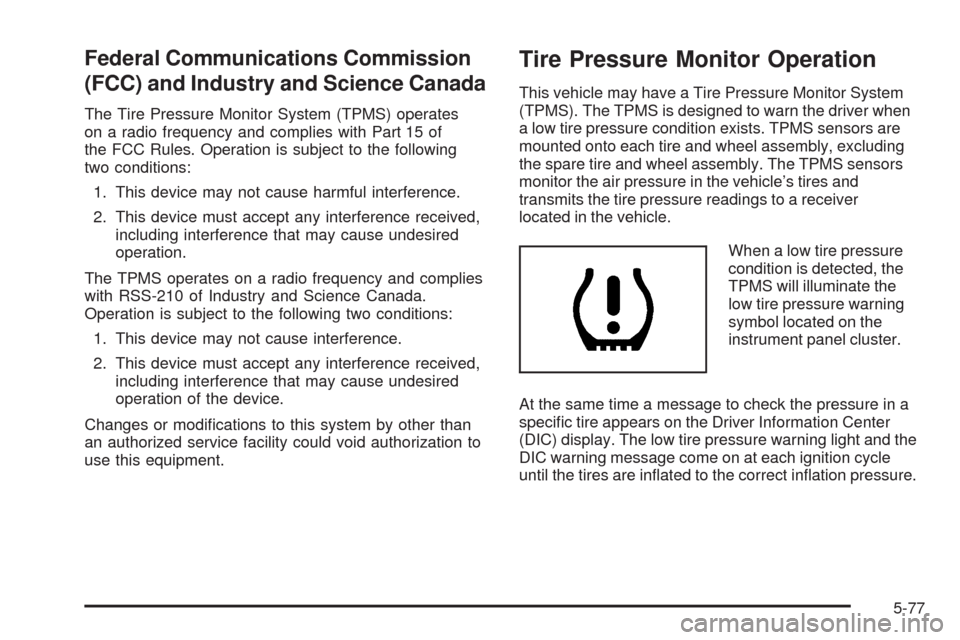
When a low tire pressure
condition is detected, the
TPMS will illuminate the
low tire pressure warning
symbol located on the
instrument panel cluster.
At the same time a message to check the pressure in a
specic tire appears on the Driver Information Center
(DIC) display. The low tire pressure warning light and the
DIC warning message come on at each ignition cycle
until the tires are inated to the correct ination pressure.
5-77