2009 CHEVROLET AVALANCHE ABS
[x] Cancel search: ABSPage 320 of 550
Traction control and StabiliTrak can be turned on by
pressing and releasing the StabiliTrak button if not
automatically shut off for any other reason.
When the TCS or StabiliTrak system is turned off, the
StabiliTrak light and the appropriate TCS off or
StabiliTrak off message will be displayed on the DIC to
warn the driver. The vehicle will still have brake-traction
control when traction control is off, but will not be
able to use the engine speed management system. See
“Traction Control Operation” next for more information.
When the traction control system has been turned
off, system noises may still be heard as a result of the
brake-traction control coming on.
It is recommended to leave the system on for normal
driving conditions, but it may be necessary to turn
the system off if the vehicle is stuck in sand, mud, ice or
snow, and you want to “rock” the vehicle to attempt to
free it. It may also be necessary to turn off the
system when driving in extreme off-road conditions
where high wheel spin is required. SeeIf Your Vehicle
is Stuck in Sand, Mud, Ice, or Snow on page 4-32.Traction Control Operation
The traction control system is part of the StabiliTrak
system. Traction control limits wheel spin by reducing
engine power to the wheels (engine speed
management) and by applying brakes to each individual
wheel (brake-traction control) as necessary.
The traction control system is enabled automatically
when the vehicle is started. It will activate and the
StabiliTrak light will ash if it senses that any of the
wheels are spinning or beginning to lose traction while
driving. If traction control is turned off, only the
brake-traction control portion of traction control will
work. The engine speed management will be disabled.
In this mode, engine power is not reduced automatically
and the driven wheels can spin more freely. This can
cause the brake-traction control to activate constantly.
Notice:If the wheel(s) of one axle is allowed to spin
excessively while the StabiliTrak, ABS and brake
warning lights and any relevant DIC messages
are displayed, the transfer case could be damaged.
The repairs would not be covered by the vehicle
warranty. Reduce engine power and do not spin the
wheel(s) excessively while these lights and
messages are displayed.
4-8
Page 324 of 550

Skidding
In a skid, a driver can lose control of the vehicle.
Defensive drivers avoid most skids by taking reasonable
care suited to existing conditions, and by not overdriving
those conditions. But skids are always possible.
The three types of skids correspond to the vehicle’s three
control systems. In the braking skid, the wheels are not
rolling. In the steering or cornering skid, too much speed
or steering in a curve causes tires to slip and lose
cornering force. And in the acceleration skid, too much
throttle causes the driving wheels to spin.
Remember: StabiliTrak
®helps avoid only the
acceleration skid. SeeStabiliTrak®System on page 4-6.
If the StabiliTrak®System is off, then an acceleration
skid is best handled by easing your foot off the
accelerator pedal.
If the vehicle starts to slide, ease your foot off the
accelerator pedal and quickly steer the way you want
the vehicle to go. If you start steering quickly enough,
the vehicle may straighten out. Always be ready for
a second skid if it occurs.
Of course, traction is reduced when water, snow, ice,
gravel, or other material is on the road. For safety, slow
down and adjust your driving to these conditions. It is
important to slow down on slippery surfaces because
stopping distance will be longer and vehicle control more
limited.While driving on a surface with reduced traction, try your
best to avoid sudden steering, acceleration, or braking,
including reducing vehicle speed by shifting to a lower
gear. Any sudden changes could cause the tires to
slide. You may not realize the surface is slippery until
the vehicle is skidding. Learn to recognize warning
clues — such as enough water, ice, or packed snow on
the road to make a mirrored surface — and slow down
when you have any doubt.
Remember: Any Antilock Brake System (ABS) helps
avoid only the braking skid.
Off-Road Driving
Vehicles with four-wheel drive can be used for off-road
driving. Vehicles without four-wheel drive and vehicles
with 20-inch tire/wheel assemblies should not be driven
off-road except on a level, solid surface.
The airbag system is designed to work properly under a
wide range of conditions, including off-road usage.
Always wear your safety belt and observe safe driving
speeds, especially on rough terrain.
4-12
Page 342 of 550

TheStabiliTrak®System on page 4-6improves the
ability to accelerate on slippery roads, but slow down
and adjust your driving to the road conditions. When
driving through deep snow, turn off the traction control
part of the StabiliTrak
®System to help maintain
vehicle motion at lower speeds.
TheAntilock Brake System (ABS) on page 4-5improves
vehicle stability during hard stops on a slippery roads,
but apply the brakes sooner than when on dry
pavement.
Allow greater following distance on any slippery road
and watch for slippery spots. Icy patches can occur on
otherwise clear roads in shaded areas. The surface
of a curve or an overpass can remain icy when
the surrounding roads are clear. Avoid sudden steering
maneuvers and braking while on ice.
Turn off cruise control, if equipped, on slippery surfaces.
Blizzard Conditions
Being stuck in snow can be in a serious situation. Stay
with the vehicle unless there is help nearby. If possible,
use theRoadside Assistance Program on page 7-7.To
get help and keep everyone in the vehicle safe:
Turn on theHazard Warning Flashers on page 3-6.
Tie a red cloth to an outside mirror.
{CAUTION:
Snow can trap engine exhaust under the vehicle.
This may cause exhaust gases to get inside.
Engine exhaust contains carbon monoxide (CO)
which cannot be seen or smelled. It can cause
unconsciousness and even death.
If the vehicle is stuck in the snow:
Clear away snow from around the base of
your vehicle, especially any that is blocking
the exhaust pipe.
Check again from time to time to be sure
snow does not collect there.
CAUTION: (Continued)
4-30
Page 359 of 550
Autoride®
With this feature, improved vehicle ride and handling is
provided under a variety of passenger and loading
conditions.
The system is fully automatic and uses a computer
controller to continuously monitor vehicle speed, wheel
to body position, lift/dive and steering position of the
vehicle. The controller then sends signals to each shock
absorber to independently adjust the damping level to
provide the optimum vehicle ride.
Autoride also interacts with the tow/haul mode that,
when activated, will provide additional control of
the shock absorbers. This additional control results in
better ride and handling characteristics when the vehicle
is loaded or towing a trailer. See “Tow/Haul Mode”
underTowing a Trailer on page 4-47for more
information.
Towing a Trailer
Do not tow a trailer during break-in. SeeNew Vehicle
Break-In on page 2-32for more information.
{CAUTION:
The driver can lose control when pulling a trailer if
the correct equipment is not used or the vehicle is
not driven properly. For example, if the trailer is
too heavy, the brakes may not work well — or
even at all. The driver and passengers could be
seriously injured. The vehicle may also be
damaged; the resulting repairs would not be
covered by the vehicle warranty. Pull a trailer only
if all the steps in this section have been followed.
Ask your dealer/retailer for advice and information
about towing a trailer with the vehicle.
Notice:Pulling a trailer improperly can damage the
vehicle and result in costly repairs not covered
by the vehicle warranty. To pull a trailer correctly,
follow the advice in this section and see your
dealer/retailer for important information about
towing a trailer with the vehicle.
To identify the trailering capacity of the vehicle, read the
information in “Weight of the Trailer” that appears
later in this section.
4-47
Page 377 of 550

3. When the wheel chocks are in place, release the
regular brakes until the chocks absorb the load.
4. Reapply the brake pedal. Then apply the parking
brake and shift into P (Park).
5. If the vehicle is four-wheel-drive, be sure the
transfer case is in a drive gear and not in
N (Neutral).
6. Release the brake pedal.
{CAUTION:
It can be dangerous to get out of the vehicle if the
shift lever is not fully in P (Park) with the parking
brake rmly set. The vehicle can roll.
If the engine has been left running, the vehicle can
move suddenly. You or others could be injured. To
be sure the vehicle will not move, even when on
fairly level ground, use the steps that follow.
Always put the shift lever fully in P (Park) with the
parking brake rmly set.
Leaving After Parking on a Hill
1. Apply and hold the brake pedal while you:
Start the engine
Shift into a gear
Release the parking brake
2. Let up on the brake pedal.
3. Drive slowly until the trailer is clear of the chocks.
4. Stop and have someone pick up and store the
chocks.
Maintenance When Trailer Towing
The vehicle needs service more often when pulling a
trailer. See this manual’s Maintenance Schedule
or Index for more information. Things that are especially
important in trailer operation are automatic transmission
uid, engine oil, axle lubricant, belts, cooling system
and brake system. It is a good idea to inspect
these before and during the trip.
Check periodically to see that all hitch nuts and bolts
are tight.
4-65
Page 481 of 550
Laundry detergents or dishwashing soaps with
degreasers can leave residue that streaks and
attracts dirt. For liquid cleaners, about 20 drops per
gallon (3.78 L) of water is a good guide. Use
only mild, neutral-pH soaps.
Too much cleaner that saturates the upholstery.
Organic solvents such as naptha, alcohol, etc. that
can damage the vehicle’s interior.
Fabric/Carpet
Use a vacuum cleaner with a soft brush attachment
frequently to remove dust and loose dirt. A canister
vacuum with a beater bar in the nozzle may only
be used on oor carpet and carpeted oor mats. For
any soil, always try to remove it rst with plain water or
club soda. Before cleaning, gently remove as much
of the soil as possible using one of the following
techniques:
For liquids: gently blot the remaining soil with a
paper towel. Allow the soil to absorb into the
paper towel until no more can be removed.
For solid dry soils: remove as much as possible
and then vacuum.To clean:
1. Saturate a lint-free, clean white cloth with water or
club soda.
2. Wring the cloth to remove excess moisture.
3. Start on the outside edge of the soil and gently rub
toward the center. Continue cleaning, using a clean
area of the cloth each time it becomes soiled.
4. Continue to gently rub the soiled area until the
cleaning cloth remains clean.
5. If the soil is not completely removed, use a mild
soap solution and repeat the cleaning process
that was used with plain water.
If any of the soil remains, a commercial fabric cleaner or
spot lifter may be necessary. When a commercial
upholstery cleaner or spot lifter is to be used, test a
small hidden area for colorfastness rst. If the locally
cleaned area gives any impression that a ring formation
may result, clean the entire surface.
After the cleaning process has been completed, a paper
towel can be used to blot excess moisture from the
fabric or carpet.
5-101
Page 537 of 550
A
Accessories and Modications............................ 5-3
Accessory Power Outlets.................................3-19
Adding Equipment to Your Airbag-Equipped
Vehicle.......................................................1-77
Additives, Fuel................................................. 5-7
Add-On Electrical Equipment...........................5-107
Adjustable Throttle and Brake Pedal..................2-35
Air Cleaner/Filter, Engine.................................5-19
Air Conditioning......................................3-20, 3-23
Airbag
Passenger Status Indicator...........................3-33
Readiness Light..........................................3-32
Airbag System................................................1-62
Adding Equipment to Your Airbag-Equipped
Vehicle...................................................1-77
How Does an Airbag Restrain?......................1-68
Passenger Sensing System...........................1-70
Servicing Your Airbag-Equipped Vehicle..........1-76
What Makes an Airbag Inate?......................1-68
What Will You See After an Airbag Inates?....1-69
When Should an Airbag Inate?....................1-67
Where Are the Airbags?...............................1-65
Antenna, Fixed Mast......................................3-132
Antenna, XM™ Satellite Radio Antenna System . . . 3-132
Antilock Brake System (ABS)............................. 4-5
Antilock Brake, System Warning Light................3-37Appearance Care
Aluminum or Chrome-Plated Wheels.............5-105
Care of Safety Belts...................................5-102
Chemical Paint Spotting..............................5-106
Cleaning Exterior Lamps/Lenses..................5-103
Fabric/Carpet............................................5-101
Finish Care...............................................5-104
Finish Damage..........................................5-106
Instrument Panel, Vinyl, and Other Plastic
Surfaces...............................................5-102
Interior Cleaning........................................5-100
Leather....................................................5-102
Sheet Metal Damage..................................5-106
Tires........................................................5-105
Underbody Maintenance.............................5-106
Washing Your Vehicle.................................5-103
Weatherstrips............................................5-103
Windshield and Wiper Blades......................5-104
Appointments, Scheduling Service.....................7-10
Ashtray.........................................................3-20
Audio System.................................................3-76
Audio Steering Wheel Controls....................3-130
Fixed Mast Antenna...................................3-132
Navigation/Radio System, see Navigation
Manual.................................................3-108
Radio Reception........................................3-131
Rear Seat Audio (RSA)...............................3-128
1
Page 543 of 550
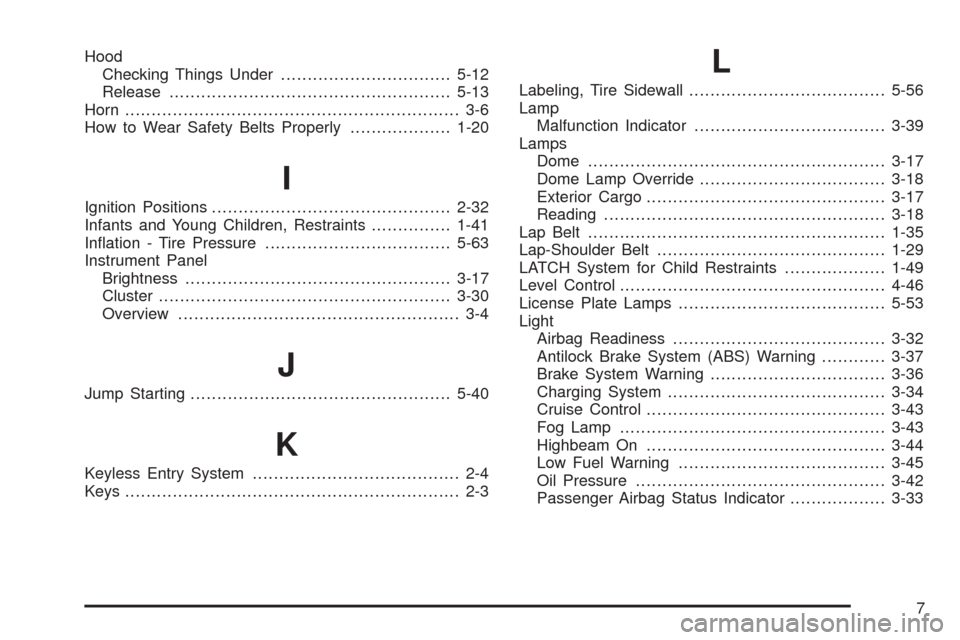
Hood
Checking Things Under................................5-12
Release.....................................................5-13
Horn ............................................................... 3-6
How to Wear Safety Belts Properly...................1-20
I
Ignition Positions.............................................2-32
Infants and Young Children, Restraints...............1-41
Ination - Tire Pressure...................................5-63
Instrument Panel
Brightness..................................................3-17
Cluster.......................................................3-30
Overview..................................................... 3-4
J
Jump Starting.................................................5-40
K
Keyless Entry System....................................... 2-4
Keys............................................................... 2-3
L
Labeling, Tire Sidewall.....................................5-56
Lamp
Malfunction Indicator....................................3-39
Lamps
Dome ........................................................3-17
Dome Lamp Override...................................3-18
Exterior Cargo.............................................3-17
Reading.....................................................3-18
Lap Belt........................................................1-35
Lap-Shoulder Belt...........................................1-29
LATCH System for Child Restraints...................1-49
Level Control..................................................4-46
License Plate Lamps.......................................5-53
Light
Airbag Readiness........................................3-32
Antilock Brake System (ABS) Warning............3-37
Brake System Warning.................................3-36
Charging System.........................................3-34
Cruise Control.............................................3-43
Fog Lamp ..................................................3-43
Highbeam On.............................................3-44
Low Fuel Warning.......................................3-45
Oil Pressure...............................................3-42
Passenger Airbag Status Indicator..................3-33
7