2009 CADILLAC SRX steering
[x] Cancel search: steeringPage 153 of 442

Using Cruise Control on Hills
How well your cruise control will work on hills depends
upon your speed, load, and the steepness of the hills.
When going up steep hills, you might have to step
on the accelerator pedal to maintain the vehicle speed.
When going downhill, you might have to brake or
shift to a lower gear to keep the vehicle speed down.
If the brake is applied the cruise control is disengage.
Ending Cruise Control
There are three ways to end cruise control:
Step lightly on the brake pedal.
Press the[button on the steering wheel.
Press theTbutton on the steering wheel.
Erasing Speed Memory
The cruise control set speed memory is erased,
when the cruise control or the ignition is turned off.
Headlamps
The exterior lamp control is located in the middle of the
turn signal/multifunction lever.
O(Exterior Lamp Control):Turn the control with this
symbol on it to operate the exterior lamps.
The exterior lamp control has four positions:
O(Off):Turns off all lamps, except the Daytime
Running Lamps (DRL).
AUTO (Automatic):Turns the exterior lamps on and
off automatically depending upon how much light is
available outside of the vehicle.
;(Parking Lamps):Turns on the parking lamps
together with the following:
Sidemarker Lamps
Taillamps
License Plate Lamps
Instrument Panel Lights
5(Headlamps):Turns on the headlamps, together
with the previously listed lamps and lights.
3-15
Page 163 of 442

Air Conditioning
#
(Air Conditioning):Press to turn the air
conditioning on or off, and override the automatic
system. When selecting the AUTO fan or AUTO mode,
the air conditioning comes on automatically, as
necessary.
The air conditioning system removes moisture from the
air, so water might drip underneath the vehicle while
idling or after turning off the engine. This is normal.
Sensors
There is a solar sensor
located on top of the
instrument panel, near the
windshield.There is an interior
temperature sensor
located below the climate
control system next to
the steering wheel.
An ambient sensor is located behind the grille in front
of the vehicle.
These sensors help the climate control system
automatically control the temperature setting.
The system can supply cooler air to the side of the
vehicle facing the sun. The recirculation mode will also
be used as needed to maintain cool outlet temperatures.
Do not cover any of the sensors or the climate control
system might not work properly.
3-25
Page 183 of 442
If the fuel supply gets low, the FUEL LEVEL LOW
message will appear on the Driver Information Center
(DIC) and a single chime will sound. SeeDIC Warnings
and Messages on page 3-51for more information.
All of the following situations are normal and do
not indicate that anything is wrong with the fuel gage:
At the gas station the gas pump shuts off before
the gage reads full.
The gage may change when you turn, stop quickly
or accelerate quickly.
It takes a little more or less fuel to ll the tank than
the gage indicated. For example, the gage may
have indicated that the tank was half full, but
it actually took a little more or less than half the
tank’s capacity to ll the tank.
Driver Information Center (DIC)
The Driver Information Center (DIC) gives you the status
of many of your vehicle’s systems. The DIC is also used
to display warning/status messages. All messages will
appear in the DIC display located at the bottom of the
instrument panel cluster, below the tachometer and
speedometer. The DIC buttons are located on the
instrument panel, to the left of the steering wheel.
The DIC comes on when the ignition is on. After a short
delay, the DIC will display the information that was
last displayed before the engine was turned off.
The top line of the DIC display shows the vehicle
system information and the warning/status messages.
The bottom line of the DIC display shows the odometer
on the left side, the outside air temperature on the
right side, and the shift position indicator in the center.
For more information on the shift position indicator,
seeAutomatic Transmission Operation on page 2-27.
When the sport mode is active, an S will appear next to
the shift position indicator on the center of the DIC
display. When the manual mode is active, an M will
appear on the DIC display. When the normal mode
is active, only the shift position indicator will appear.
3-45
Page 184 of 442

While the Driver Shift Control (DSC) feature is active,
the DIC will change to show the selected gear.
See “Driver Shift Control (DSC)” underAutomatic
Transmission Operation on page 2-27for more
information.
If a problem is detected, a warning message will appear
on the display. Be sure to take any message that
appears on the display seriously and remember that
clearing the message will only make the message
disappear, not correct the problem.
DIC Operation and Displays
The Driver Information
Center (DIC) has different
displays which can be
accessed by pressing the
DIC buttons located on
the instrument panel, to the
left of the steering wheel.
3Trip/Fuel:Press this button to scroll through the
trip and fuel displays. See “Trip/Fuel Display Menu
Items” following for more information on these displays.
TVehicle Information:Press this button to scroll
through the vehicle information displays. See “Vehicle
Information Display Menu Items” following for more
information on these displays.
UCustomization:Press this button to scroll through
each of the customization features. SeeDIC Vehicle
Customization on page 3-60for more information on the
customization features.
VSet/Reset:Press this button to reset certain DIC
features and to acknowledge DIC warning messages
and clear them from the DIC display.
yzMenu Up/Down:Press this button to scroll up
and down the menu items.
3-46
Page 194 of 442

SERVICE BRAKE ASSIST
This message displays if there is a problem with the
brake system. The brake system warning light and the
antilock brake system warning light may also display
on the instrument panel cluster. SeeBrake System
Warning Light on page 3-36andAntilock Brake System
(ABS) Warning Light on page 3-37for more information.
If this happens, stop as soon as possible and turn off
the vehicle. Restart the vehicle and check for the
message on the DIC display. If the message displays
or appears again when you begin driving, the brake
system needs service. See your dealer/retailer as soon
as possible. SeeBrakes on page 5-34for more
information.
SERVICE BRAKE SYSTEM
This message displays, while the ignition is on, when
the brake uid level is low. The brake system warning
light on the instrument panel cluster also comes on.
SeeBrake System Warning Light on page 3-36for more
information. Have the brake system serviced by your
dealer/retailer as soon as possible.
SERVICE PARKING ASSIST
If your vehicle has the Ultrasonic Rear Parking Assist
(URPA) system, this message displays if there is a
problem with the URPA system. Do not use this system
to help you park. SeeUltrasonic Rear Parking Assist
(URPA) on page 2-41for more information. See your
dealer/retailer for service.
SERVICE POWER STEERING
Your vehicle may have a speed variable assist steering
system. SeeSteering on page 4-8.
This message displays if a problem is detected with the
speed variable assist steering system. When this
message is displayed, you may notice that the effort
required to steer the vehicle decreases or feels lighter,
but you will still be able to steer the vehicle.
SERVICE STABILITRAK
This message displays if there has been a problem
detected with the StabiliTrak®system.
If this message comes on while you are driving,
pull off the road as soon as possible and stop carefully.
Try resetting the system by turning the ignition off
then back on. If this message still stays on or comes
3-56
Page 196 of 442

SERVICE VEHICLE SOON
This message displays when a non-emissions related
malfunction occurs. Have your vehicle serviced by your
dealer/retailer as soon as possible.
SPEED LIMITED TO XXX MPH (km/h)
This message displays when your vehicle speed
is limited to 80 mph (128 km/h) because the vehicle
detects a problem in the speed variable assist steering,
magnetic ride control, or automatic leveling control
systems. Have your vehicle serviced by your
dealer/retailer.
STABILITRAK NOT READY
This message may display and the Traction Control
System and StabiliTrak®Warning Light on the
instrument panel cluster may be on after rst driving the
vehicle and exceeding 19 mph (30 km/h) for 30 seconds.
The StabiliTrak
®system is not functional until the
light has turned off. SeeStabiliTrak®System on
page 4-6for more information.
STABILITRAK OFF
This message displays when you turn off StabiliTrak®,
or when the stability control has been automatically
disabled. To limit wheel spin and realize the full benets
of the stability enhancement system, you shouldnormally leave StabiliTrak
®on. However, you should
turn StabiliTrak®off if your vehicle gets stuck in
sand, mud, ice, or snow and you want to rock your
vehicle to attempt to free it, or if you are driving
in extreme off-road conditions and require more wheel
spin. SeeIf Your Vehicle is Stuck in Sand, Mud,
Ice, or Snow on page 4-29. To turn the StabiliTrak
®
system on or off, seeStabiliTrak®System on page 4-6.
There are several conditions that can cause this
message to appear.
One condition is overheating, which could occur if
StabiliTrak®activates continuously for an extended
period of time.
The message also displays if the brake system
warning light is on. SeeBrake System Warning
Light on page 3-36.
The message could display if the stability system
takes longer than usual to complete its diagnostic
checks due to driving conditions.
The message displays if an engine or vehicle
related problem has been detected and the vehicle
needs service. See your dealer/retailer.
The message turns off as soon as the conditions that
caused the message to be displayed are no longer
present.
3-58
Page 212 of 442

Storing a Radio Station as a Favorite
Drivers are encouraged to set up their radio station
favorites while the vehicle is stopped. Tune to your
favorite stations using the presets, favorites button, and
steering wheel controls, if your vehicle has this
feature. SeeDefensive Driving on page 4-2.
FAV (Favorites):A maximum of 36 stations can be
programmed as favorites using the six pushbuttons
positioned below the radio station frequency labels and
by using the radio favorites page button. Press the
FAV button to go through up to six pages of favorites,
each having six favorite stations available per page.
Each page of favorites can contain any combination of
AM, FM, or XM stations. To store a station as a
favorite, perform the following steps:
1. Tune to the desired radio station.
2. Press the FAV button to display the page where
you want the station stored.
3. Press and hold one of the six pushbuttons until a
beep sounds. When that pushbutton is pressed
and released, the station that was set, returns.
4. Repeat the steps for each pushbutton radio station
you want stored as a favorite.The number of favorites pages can be setup using
the MENU button. To setup the number of favorites
pages:
1. Press the MENU button to display the radio
setup menu.
2. Press the pushbutton located below the
FAV 1-6 label.
3. Select the desired number of favorites pages by
pressing the pushbutton located below the
displayed page numbers.
4. Press the FAV button, or let the menu time out, to
return to the original main radio screen showing the
radio station frequency labels and to begin the
process of programming your favorites for the
chosen amount of numbered pages.
3-74
Page 228 of 442
PROG (Program):Press this button to go to the next
preset radio station or channel set on the main
radio. This function is inactive, with some radios, if the
front seat passengers are listening to the radio.
When a CD or DVD audio disc is playing, press this
button to go to the beginning of the CD or DVD audio.
This function is inactive, with some radios, if the
front seat passengers are listening to the CD or
DVD audio.
When a disc is playing in the CD or DVD changer,
press this button to select the next disc, if multiple discs
are loaded. This function is inactive, with some radios,
if the front seat passengers are listening to the disc.
When a DVD video menu is being displayed, press the
PROG button to perform the menu function, enter.
Theft-Deterrent Feature
THEFTLOCK®is designed to discourage theft of the
vehicle’s radio by learning a portion of the Vehicle
Identication Number (VIN). The radio does not operate
if it is stolen or moved to a different vehicle.
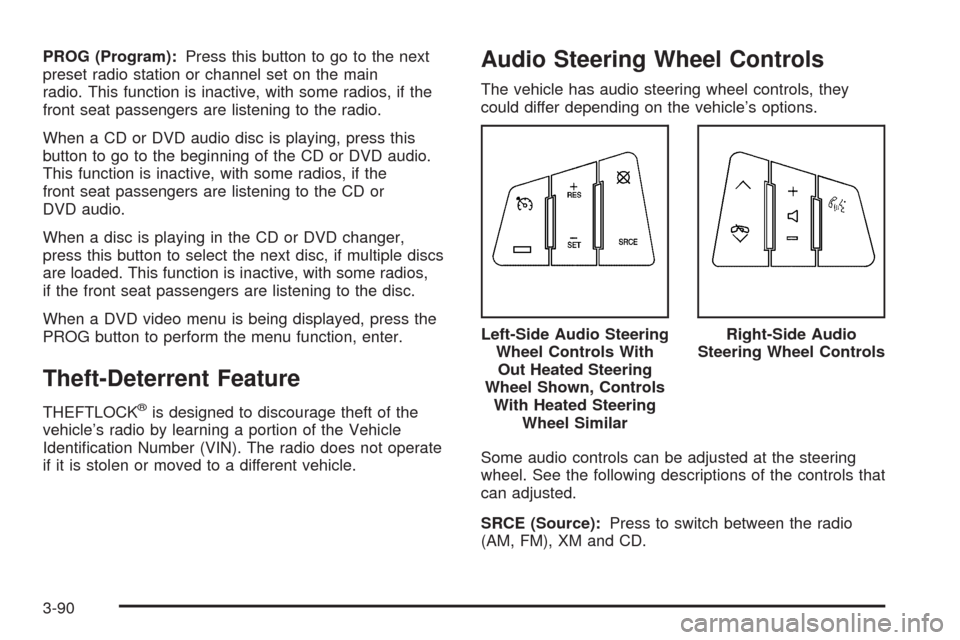
Audio Steering Wheel Controls
The vehicle has audio steering wheel controls, they
could differ depending on the vehicle’s options.
Some audio controls can be adjusted at the steering
wheel. See the following descriptions of the controls that
can adjusted.
SRCE (Source):Press to switch between the radio
(AM, FM), XM and CD.Left-Side Audio Steering
Wheel Controls With
Out Heated Steering
Wheel Shown, Controls
With Heated Steering
Wheel Similar
Right-Side Audio
Steering Wheel Controls
3-90