2009 CADILLAC SRX change time
[x] Cancel search: change timePage 187 of 442

Vehicle Information Display Menu Items
T
(Vehicle Information):The following display
menu items can be displayed by pressing the vehicle
information button:
OIL LIFE REMAINING
If the vehicle has this display, it shows the estimated oil
life remaining. If you see 99% OIL LIFE REMAINING
on the display, that means that 99% of the current oil life
remains.
When the oil life is depleted, the CHANGE ENGINE OIL
SOON message will appear on the display. You should
change the oil as soon as possible. In addition to
the engine oil life system monitoring the oil life,
additional maintenance is recommended in the
Maintenance Schedule in this manual. SeeScheduled
Maintenance on page 6-4andEngine Oil on page 5-16.
Remember, you must reset the OIL LIFE yourself after
each oil change. It will not reset itself. Also, be
careful not to reset the OIL LIFE accidentally at any
time other than when the oil has just been changed.
It cannot be reset accurately until the next oil change.
To reset the engine oil life system, SeeEngine Oil
Life System on page 5-19. The display will show 100%
when the system is reset.
UNITS
This display allows you to select between English or
Metric units of measurement. Once in this display, press
the set/reset button to select between ENGLISH or
METRIC units.
PARKING ASSIST
If the vehicle has the Ultrasonic Rear Parking Assist
(URPA) system, this display allows the system to
be turned on or off. Once in this display, press the
set/reset button to select between ON or OFF. If you
choose ON, the system will be turned on. If you choose
OFF, the system will be turned off. The URPA system
automatically turns back on after each vehicle start.
When the URPA system is turned off and the vehicle
is shifted out of P (Park), the DIC will display the
PARKING ASSIST OFF message as a reminder that
the system has been turned off. SeeDIC Warnings and
Messages on page 3-51andUltrasonic Rear Parking
Assist (URPA) on page 2-41for more information.
3-49
Page 188 of 442

FRONT TIRES or REAR TIRES
The pressure for each tire can be viewed in the DIC.
The tire pressure will be shown in either pounds
per square inch (psi) or kilopascals (kPa). Press the
vehicle information button until the DIC shows the tire
pressure for the front tires. Press the vehicle information
button again to view the pressure for the rear tires.
If a low or high tire pressure condition is detected by
the system while driving, a message advising you to
check the pressure in a specic tire will appear in the
display. SeeInflation - Tire Pressure on page 5-56
andDIC Warnings and Messages on page 3-51for
more information.
RELEARN REMOTE KEY
This display allows you to match Remote Keyless
Entry (RKE) transmitters to the vehicle. To match an
RKE transmitter to the vehicle:
1. Press the vehicle information button until PRESS
V
TO RELEARN REMOTE KEY displays.
2. Press the set/reset button until REMOTE KEY
LEARNING ACTIVE is displayed.3. Press and hold the lock and unlock buttons on the
rst transmitter at the same time for about
15 seconds.
On vehicles with memory recall seats, the rst
transmitter learned will match driver 1 and
the second will match driver 2.
A chime will sound indicating that the transmitter
is matched.
4. To match additional transmitters at this time,
repeat Step 3.
Each vehicle can have a maximum of
eight transmitters matched to it.
5. To exit the programming mode, you must cycle the
key to LOCK/OFF.
SPEEDOMETER
This display shows a digital speedometer in the DIC.
The speed will be displayed in either miles per hour
(mph) or kilometers per hour (km/h). Press the vehicle
information button until the DIC shows the digital
speedometer. To change the units from English to
metric, see “UNITS” earlier in this section.
Blank Display
This display shows no information.
3-50
Page 198 of 442
TURN SIGNAL ON
This message displays as a reminder to turn off the turn
signal if you drive your vehicle for more than about
1 mile (1.6 km) with a turn signal on. A multiple chime
sounds when this message is displayed.
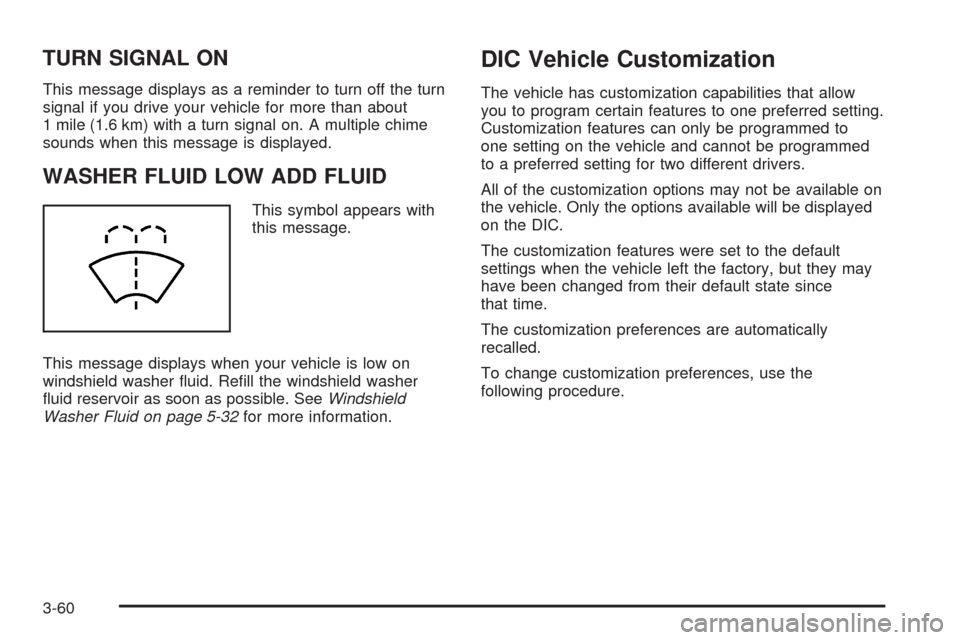
WASHER FLUID LOW ADD FLUID
This symbol appears with
this message.
This message displays when your vehicle is low on
windshield washer uid. Rell the windshield washer
uid reservoir as soon as possible. SeeWindshield
Washer Fluid on page 5-32for more information.
DIC Vehicle Customization
The vehicle has customization capabilities that allow
you to program certain features to one preferred setting.
Customization features can only be programmed to
one setting on the vehicle and cannot be programmed
to a preferred setting for two different drivers.
All of the customization options may not be available on
the vehicle. Only the options available will be displayed
on the DIC.
The customization features were set to the default
settings when the vehicle left the factory, but they may
have been changed from their default state since
that time.
The customization preferences are automatically
recalled.
To change customization preferences, use the
following procedure.
3-60
Page 202 of 442

DELAY DOOR LOCK
This feature allows you to select whether or not the
locking of the vehicle’s doors and liftgate will be delayed.
When locking the doors and liftgate with the power
door lock switch and a door or the liftgate is open, this
feature will delay locking the doors and liftgate until
ve seconds after the last door is closed. You will hear
three chimes to signal that the delayed locking feature
is in use. The key must be out of the ignition for
this feature to work. You can temporarily override
delayed locking by pressing the power door lock switch
twice or the lock button on the RKE transmitter twice.
SeeDelayed Locking on page 2-10for more information.
Press the customization button until DELAY DOOR
LOCK appears on the DIC display. Press the set/reset
button to access the settings for this feature. Then
press the menu up/down button to scroll through the
following settings:
OFF:There will be no delayed locking of the vehicle’s
doors.
ON (default):The doors will not lock until ve seconds
after the last door or the liftgate is closed.
NO CHANGE:No change will be made to this feature.
The current setting will remain.
To select a setting, press the set/reset button while the
desired setting is displayed on the DIC.
EXIT LIGHTING
This feature allows you to select the amount of time you
want the exterior lamps to remain on when it is dark
enough outside. This happens after the key is turned
from ON/RUN to LOCK/OFF.
Press the customization button until EXIT LIGHTING
appears on the DIC display. Press the set/reset button
to access the settings for this feature. Then press
the menu up/down button to scroll through the following
settings:
OFF:The exterior lamps will not turn on.
30 SECONDS (default):The exterior lamps will
stay on for 30 seconds.
1 MINUTE:The exterior lamps will stay on for
one minute.
2 MINUTES:The exterior lamps will stay on for
two minutes.
NO CHANGE:No change will be made to this feature.
The current setting will remain.
To select a setting, press the set/reset button while the
desired setting is displayed on the DIC.
3-64
Page 204 of 442

PARK TILT MIRRORS
If the vehicle has this feature, it allows you to select
whether or not the outside mirror(s) will automatically tilt
down when the vehicle is shifted into R (Reverse).
SeePark Tilt Mirrors on page 2-40for more information.
Press the customization button until PARK TILT
MIRRORS appears on the DIC display. Press the
set/reset button to access the settings for this feature.
Then press the menu up/down button to scroll through
the following settings:
OFF (default):Neither outside mirror will be tilted down
when the vehicle is shifted into R (Reverse).
DRIVER MIRROR:The driver’s outside mirror will be
tilted down when the vehicle is shifted into R (Reverse).
PASSENGER MIRROR:The passenger’s outside
mirror will be tilted down when the vehicle is shifted into
R (Reverse).
BOTH MIRRORS:The driver’s and passenger’s outside
mirrors will be tilted down when the vehicle is shifted
into R (Reverse).
NO CHANGE:No change will be made to this feature.
The current setting will remain.
To select a setting, press the set/reset button while the
desired setting is displayed on the DIC.
EASY EXIT SEAT
If the vehicle has this feature, it allows you to select
your preference for the automatic easy exit seat feature.
SeeMemory Seat and Mirrors on page 1-5for more
information.
Press the customization button until EASY EXIT SEAT
appears in the display. Press the set/reset button to
access the settings for this feature. Then press the
menu up/down button to scroll through the following
settings:
OFF (default):No automatic seat exit recall will occur.
ON:The driver’s seat will move back when the key
is removed from the ignition.
The automatic easy exit seat movement will only occur
one time after the key is removed from the ignition. If the
automatic movement has already occurred, and you put
the key back in the ignition and remove it again, the seat
will stay in the original exit position, unless a memory
recall took place prior to removing the key again.
NO CHANGE:No change will be made to this feature.
The current setting will remain.
To select a setting, press the set/reset button while the
desired setting is displayed on the DIC.
3-66
Page 207 of 442

Notice:Contact your dealer/retailer before adding
any equipment.
Adding audio or communication equipment could
interfere with the operation of the vehicle’s engine,
radio, or other systems, and could damage them.
Follow federal rules covering mobile radio and
telephone equipment.
The vehicle has Retained Accessory Power (RAP).
With RAP, the audio system can be played even after
the ignition is turned off. SeeRetained Accessory
Power (RAP) on page 2-24for more information.
Setting the Clock
Radio with a Single CD or a Six-Disc
CD Player
Vehicles equipped with a Bose®sound system,
have an analog clock as well as the digital radio clock.
At the time of new vehicle delivery, the digital radio
clock display should be disabled. If you decide to
use the digital radio clock as well as the analog
clock, you can change the setting to enable the
radio clock display.
Enabling/Disabling the Digital
Radio Clock
For the Single CD Player
To turn the radio clock display on or off:
1. Turn the radio on.
2. Press the
Hbutton until the clock and date setting
menus appear.
3. Press the pushbutton located under the forward
arrow label until the menu for default clock and
date settings appear.
4. Press the pushbutton located under the currently
displayed status of either ON or OFF. The ON
display indicates the radio clock display is disabled
and the OFF display indicates the radio clock
display is enabled. Press this pushbutton to toggle
the radio clock display on or off.
If the radio clock display is turned on, the screen
displays Radio Clock ON for 10 seconds, then
returns to the original clock display menu.
If the radio clock display is turned off, the screen
displays Radio Clock OFF for 10 seconds.
The menus for clock and date settings are removed,
and ON displays as a current status indicating
that the clock display can be turned on, if desired.
The radio clock and analog clock are not synchronized.
Occasionally you might need to set the digital radio clock
using the procedure below to synchronize both clocks.
3-69
Page 208 of 442

For a Six-Disc CD Player
To turn the radio clock display on or off:
1. Turn the radio on.
2. Press the MENU button until the
Hlabel option
is displayed.
3. Press the pushbutton located under the
Hlabel
until the clock and date settings appear.
4. Press the pushbutton located under the forward
arrow label until the menu for default clock and
date settings appear.
5. Press the pushbutton located under the currently
displayed status of either ON or OFF. The ON
display indicates the radio clock display is disabled
and the OFF display indicates the radio clock
display is enabled. Press this pushbutton to toggle
the radio clock display on or off.
If the radio clock display is turned on, the screen
displays Radio Clock ON for 10 seconds, then
returns to the original clock display menu.
If the radio clock display is turned off, the screen
displays Radio Clock OFF for 10 seconds.
The menus for clock and date settings are removed,
and ON displays as a current status indicating
that the clock display can be turned on, if desired.
Setting the Time and Date
For the Single CD Player
This type of radio has aHbutton for setting the time
and date. To set the time and date:
1. Turn the radio on.
2. Press the
Hbutton and HR, MIN, MM, DD, YYYY
(hour, minute, month, day, and year) displays.
3. Press the pushbutton located under any one of the
labels that you want to change. Every time the
pushbutton is pressed again, the time or the date if
selected, increases by one.
Another way to increase the time or date,
is to press the right SEEK arrow or the
\FWD button.
To decrease the time or date, press the
left SEEK arrow or the
sREV button.
You can also turn the
aknob, located on the
upper right side of the radio faceplate, to adjust
the selected setting.
3-70
Page 209 of 442

For a Six-Disc CD Player
This type of radio has a MENU button for setting the
time and date. To set the time and date:
1. Turn the radio on.
2. Press the MENU button until the
Hlabel option is
displayed.
3. Press the pushbutton located under the
Hlabel
and the HR, MIN, MM, DD, YYYY (hour, minute,
month, day, and year) displays.
4. Press the pushbutton located under any one of the
labels that you want to change. Every time the
pushbutton is pressed again, the time or the date if
selected, increases by one.
Another way to increase the time or date,
is to press the right SEEK arrow or the
\FWD button.
To decrease the time or date, press the
left SEEK arrow or the
sREV button. You can
also turn the
a(tune) knob, located on the
upper right side of the radio faceplate, to adjust
the selected setting.
Changing the Time and Date
Default Setting
For the Single CD Player
To change the time and date default setting:
1. Change the time default setting from 12 hour
to 24 hour or the date default setting from
month/day/year to day/month/year, by pressing
the
Hbutton.
2. Once the clock and date settings display along with
the forward arrow, press the pushbutton located
under the forward arrow until the time 12H and 24H,
and the date MM/DD/YYYY (month, day, and
year) and DD/MM/YYYY (day, month, and year)
displays.
3. Press the pushbutton located under the desired
option, then press the
Hbutton again to apply
the selected default, or let the screen time out.
3-71