2009 CADILLAC ESCALADE EXT audio
[x] Cancel search: audioPage 253 of 546

A. Source (AM, FM, XM, CD, etc.) Touch Screen
Button. SeeNavigation Audio System on page 4-57
for more information.
B. Clock Touch Screen Button. See “Setting the Clock”
underCongure Menu on page 4-40for more
information.
C. POI (Point of Interest) Touch Screen Button. See
“Displaying Points of Interest (POI) on the Map
Screen” underSymbols on page 4-16for more
information.
D.
1(Zoom Out) Touch Screen Button. See “Map
Scales” underMaps on page 4-14for more
information.
E.
y©¨z(Seek) Key (Previous/Next). See
Navigation Audio System on page 4-57for more
information.
F.
w(Tune) Knob. SeeNavigation Audio System
on page 4-57for more information.
G. NAV (Navigation) Key. See “Hard Keys” underUsing
the Navigation System on page 4-11for more
information.
H. RPT (Repeat) Key. See “Hard Keys” underUsing
the Navigation System on page 4-11for more
information.
I. DEST (Destination) Key. SeeDestination on
page 4-23for more information.J. CONFIG (Congure) Key. SeeCongure Menu on
page 4-40for more information.
K.
e(Sound) Key. See “Sound Menu” under
Navigation Audio System on page 4-57for more
information.
L.
5(Phone) Key. SeeOnStar®System on page 2-56
andBluetooth®on page 3-66for more information.
M. FAV (Favorite) Key. See “Storing Radio Station
Presets” underNavigation Audio System on
page 4-57for more information.
N. AUDIO Key. SeeNavigation Audio System on
page 4-57for more information.
O.
m(Tilt) Key. See “Hard Keys” underUsing the
Navigation System on page 4-11for more
information.
P.
O/n(Power/Volume) Knob. SeeNavigation
Audio System on page 4-57for more information.
Q. CD/DVD Video/Audio Slot. SeeCD Player on
page 4-64orDVD Player on page 4-71for more
information.
R.
Z(CD/DVD Video/Audio Eject) Key. SeeCD
Player on page 4-64orDVD Player on page 4-71for
more information.
S.
M(Load) Key. SeeCD Player on page 4-64or
DVD Player on page 4-71for more information.
4-3
Page 254 of 546

T. Map DVD Slot. See “Installing the Map DVD” under
Maps on page 4-14for information on how to
install and eject a map DVD.
U.
Z(DVD Map Disc Eject) Key. SeeMaps on
page 4-14for more information.
V. Mark Touch Screen Button. See “Adding
Destinations to the Address Book” underDestination
on page 4-23for more information.
W.
0(Zoom In) Touch Screen Button. See “Map
Scales” underMaps on page 4-14for more
information.
X. Map Scale. See “Map Scales” underMaps on
page 4-14for more information.
Y. North Up/Heading Up Symbol. SeeSymbols on
page 4-16for more information.
Z. No GPS Symbol. SeeSymbols on page 4-16for
more information.
AA. FULL MAP Touch Screen Button. See “NAV” under
“Hard Keys” underUsing the Navigation System
on page 4-11for more information.
Getting Started
Read this manual thoroughly to become familiar with
how the navigation system operates.
The navigation system includes navigation and audio
functions.
While entering the vehicle or when turning the vehicle
off, some DVD Map Disc noise is normal.
Keeping your eyes on the road and your mind on the
drive is important for safe driving. The navigation system
has built-in features intended to help keep your eyes
on the road and mind on the drive. Some features may
be disabled while driving. Note that these functions
will be grayed-out. A grayed-out function indicates it is
not available when the vehicle is moving.
All functions are available when the vehicle is parked.
Do the following before driving:
Become familiar with the navigation system
operation, hard keys on the faceplate, and
touch-sensitive screen buttons of the navigation
system.
Set up the audio by presetting favorite stations,
setting the tone, and adjusting the speakers.
4-4
Page 257 of 546

Language — English/Metric
To change the language of the navigation screens, see
Driver Information Center (DIC) on page 3-41for
more information.
To change the navigation screens from English or
metric, seeDIC Operation and Displays on page 3-42
for more information.
Deleting Personal Information
This navigation system can record and store personal
information such as names and addresses. Delete
this information when selling your vehicle or returning a
leased vehicle. See “Edit Address Book — Edit/View”
underCongure Menu on page 4-40for deleting
information from the address book.
Limit Features While Driving
The navigation system may have this feature.
Touch the Limit Features While Driving screen button to
turn the ability to limit functions on and off while
driving. When this screen button is highlighted, the
following functions are limited while driving:
Music Navigator Scrolling
Radio Category Scrolling
Navigation Menu Scrolling and some functionsSee “Category” underNavigation Audio System on
page 4-57for more information. See “From Map” under
Destination on page 4-23for more information.
Some functions will remain limited regardless of the
setting.
Storing Radio Station Presets
To set preset radio stations, do the following:
1. Press
Oto turn the system on.
2. Press the AUDIO hard key and select the desired
band (AM, FM, or XM (if equipped)).
3. Use the
w(tuning) knob or the SEEK arrows to
tune to the desired station.
4. Press and hold one of the ve preset screen
buttons, at the bottom of the screen, until a beep is
heard or if the station displays on the selected
preset button.
5. Repeat the steps for each preset.
See “Storing Radio Station Presets” underNavigation
Audio System on page 4-57for more information.
4-7
Page 262 of 546
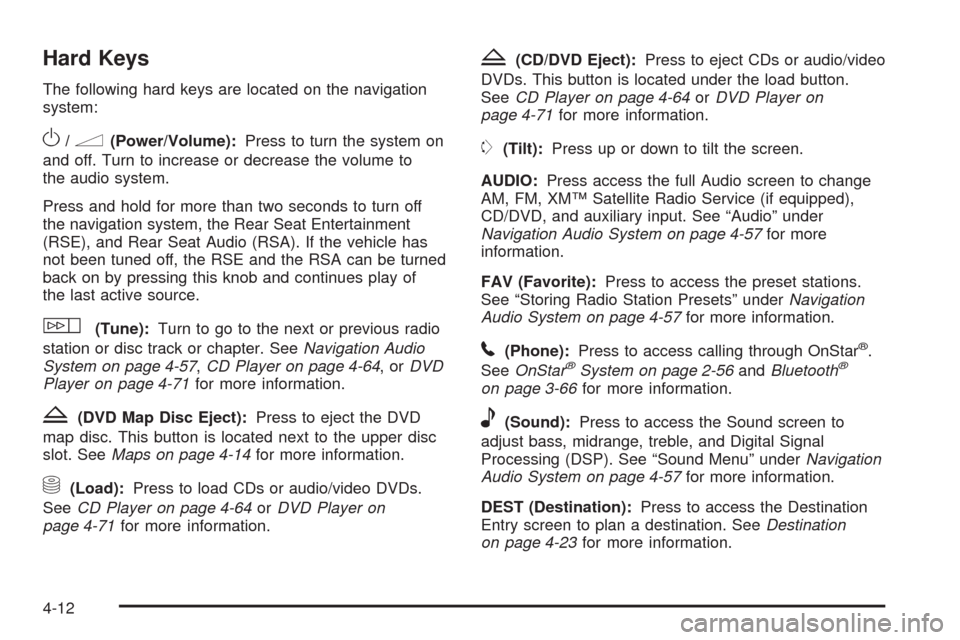
Hard Keys
The following hard keys are located on the navigation
system:
O/n(Power/Volume):Press to turn the system on
and off. Turn to increase or decrease the volume to
the audio system.
Press and hold for more than two seconds to turn off
the navigation system, the Rear Seat Entertainment
(RSE), and Rear Seat Audio (RSA). If the vehicle has
not been tuned off, the RSE and the RSA can be turned
back on by pressing this knob and continues play of
the last active source.
w(Tune):Turn to go to the next or previous radio
station or disc track or chapter. SeeNavigation Audio
System on page 4-57,CD Player on page 4-64,orDVD
Player on page 4-71for more information.
Z(DVD Map Disc Eject):Press to eject the DVD
map disc. This button is located next to the upper disc
slot. SeeMaps on page 4-14for more information.
M(Load):Press to load CDs or audio/video DVDs.
SeeCD Player on page 4-64orDVD Player on
page 4-71for more information.
Z(CD/DVD Eject):Press to eject CDs or audio/video
DVDs. This button is located under the load button.
SeeCD Player on page 4-64orDVD Player on
page 4-71for more information.
m(Tilt):Press up or down to tilt the screen.
AUDIO:Press access the full Audio screen to change
AM, FM, XM™ Satellite Radio Service (if equipped),
CD/DVD, and auxiliary input. See “Audio” under
Navigation Audio System on page 4-57for more
information.
FAV (Favorite):Press to access the preset stations.
See “Storing Radio Station Presets” underNavigation
Audio System on page 4-57for more information.
5(Phone):Press to access calling through OnStar®.
SeeOnStar®System on page 2-56andBluetooth®
on page 3-66for more information.
e(Sound):Press to access the Sound screen to
adjust bass, midrange, treble, and Digital Signal
Processing (DSP). See “Sound Menu” underNavigation
Audio System on page 4-57for more information.
DEST (Destination):Press to access the Destination
Entry screen to plan a destination. SeeDestination
on page 4-23for more information.
4-12
Page 263 of 546

CONFIG (Congure Menu):Press to adjust features
for sound, radio, navigation, and the display. See
Congure Menu on page 4-40for more information.
NAV (Navigation):Press to view your vehicle’s current
position on the map screen. Each press of this key
cycles through Full Map and the tab that displays the
current audio source (AM, FM, CD, etc.). Full Map
displays the screen in full map view. Selecting the audio
tab splits the screen between the map screen and the
current audio source screen menu. See “Audio”
underNavigation Audio System on page 4-57for more
information.
RPT (Navigation Repeat):Press to repeat the last
voice guidance prompt.
y©¨z(Seek):Press the seek arrows to seek
and scan radio stations, to seek tracks on a CD, and to
seek chapters on a DVD. SeeNavigation Audio
System on page 4-57,CD Player on page 4-64,orDVD
Player on page 4-71for more information.
Touch-Sensitive Screen Buttons
Touch-sensitive screen buttons are located on the
screen. When a screen button has been selected, a
beep sounds. Screen buttons are highlighted when
a feature is available.
Alpha-Numeric Keyboard
Letters of the alphabet, symbols, punctuation, and
numbers, when available, displays on the navigation
screen as an alpha or numeric keyboard. The alpha
keyboard displays when the system requires entry of a
city or street name.
All characters are touch-sensitive screen buttons. Touch
a character to select it.
A-Y (Accent Alphabet):Select to enter letters with
accent symbols. This button may toggle to A-Z.
A-Z (Alphabet):Select to enter letters from the
alphabet. This button may toggle to A-Y.
0-9 (Numbers):Select to enter numbers.
U(Space):Select to enter a space between
characters or the words of a name.
Backspace:Select if an incorrect character has been
entered.
To make name entries easier, the system only highlights
the characters that can follow the last one entered.
For example, if a Z is entered, a T may not be available
for selection.
If a name does not display after entry, it may need to be
entered differently or the map DVD disc may not
contain that information. SeeDatabase Coverage
Explanations on page 4-56for more information.
4-13
Page 290 of 546

Congure Menu
Press the CONFIG (Congure) hard key to adjust
several of the system’s features and preferences.
The last selected CONFIG screen is the screen that
displays: Sound, Radio, Nav (navigation), Display,
or Time.
Sound
Press the CONFIG key to enter the congure menu
options, then press the CONFIG key repeatedly
until Sound is selected or touch the Sound screen
button to make speaker and DSP (Digital Signal
Processing) adjustments. See “Sound Menu” under,
Navigation Audio System on page 4-57for more
information.
Radio
Press the CONFIG key to enter the congure menu
options, then press the CONFIG key repeatedly
until Radio is selected or touch the Radio screen button
to make changes for radio information displayed,
preset pages, XM™ categories, and Bose
®AudioPilot®.
See “Radio Menu” under,Navigation Audio System
on page 4-57for more information.
4-40
Page 307 of 546

Navigation Audio System
Notice:Before adding any sound equipment to the
vehicle, such as an audio system, CD player, CB
radio, mobile telephone, or two-way radio, make
sure that it can be added by checking with your
dealer/retailer. Also, check federal rules covering
mobile radio and telephone units. If sound
equipment can be added, it is very important to do
it properly. Added sound equipment can interfere
with the operation of the vehicle’s engine, radio, or
other systems, and even damage them. The
vehicle’s systems can interfere with the operation of
sound equipment that has been added.
Notice:The chime signals related to safety belts,
parking brake, and other functions of the vehicle
operate through the navigation system. If that
equipment is replaced or additional equipment is
added to the vehicle, the chimes may not work.
Make sure that replacement or additional equipment
is compatible with the vehicle before installing it.
See “Accessories and Modications” in the Index of
the vehicle’s owner manual.
Playing the Radio
O
/n(Power/Volume):Press to turn the audio
system on and off. Turn to increase or to decrease
the volume.
Press and hold for more than two seconds to turn off
the navigation system, the Rear Seat Entertainment
(RSE) video screen, and Rear Seat Audio (RSA). If the
vehicle has not been turned off, press this knob to
turn RSE and RSA back on and to continue playback of
the last active source.
w(Tuning Knob):Turn to go to the next or
previous frequency or disc track or chapter. SeeCD
Player on page 4-64orDVD Player on page 4-71
for more information.
AUDIO:Press to display the audio screen. Press to
switch between AM, FM, or XM, if equipped, DISC, or
AUX (Auxiliary), or touch the screen button. SeeCD
Player on page 4-64,DVD Player on page 4-71,
andAuxiliary Devices on page 4-78for more
information.
4-57
Page 308 of 546

Finding a Station
If viewing a map screen, touch the source screen (AM,
FM, XM, CD, etc.) button. The display splits between
the audio screen and the map screen. All
station-changing functions can be performed from this
screen.If you do not want to view a split screen or you are not
on a map screen, press the AUDIO hard key.
AM/FM/XM:Touch the source (AM, FM, or XM, if
equipped) screen button or press the AUDIO key
repeatedly until the desired source is highlighted. AM source shown, other sources similar
FM source shown, other sources similar
4-58