2009 CADILLAC ESCALADE EXT AUX
[x] Cancel search: AUXPage 246 of 546

Audio can be heard through wired headphones (not
included) plugged into the jacks on the RSA. If
your vehicle has this feature, audio can also be heard
on Channel 2 of the wireless headphones.
The front audio system allows the rear speakers to
continue playing even when the RSA audio is active
through the headphones.
To listen to an iPod or portable audio device through
the RSA, attach the iPod or portable audio device to the
auxiliary input (if available), located below the RSA
system. Turn the iPod on, then choose the front auxiliary
input with the RSA SRCE button.
P(Power):Press this button to turn the RSA
on or off.
Volume:Turn this knob to increase or to decrease the
volume of the wired headphones. The left knob
controls the left headphones and the right knob controls
the right headphones.
SRCE (Source):Press this button to switch between
the radio (AM/FM), XM™ (if equipped), CD, and if
your vehicle has these features, DVD, and rear auxiliary.
3-86
Page 248 of 546

Audio Steering Wheel Controls
Vehicles with audio
steering wheel controls
could differ depending on
the vehicle’s options.
Some audio controls can
be adjusted at the steering
wheel.
w(Next):Press to go to the next radio station stored
as a favorite, or the next track if a CD/DVD is playing.
xc(Previous/End):Press to go to the previous
radio station stored as a favorite, the next track if
a CD/DVD is playing, to reject an incoming call, or end
a current call.
bg(Mute/Push to Talk):Press to silence the vehicle
speakers only. Press again to turn the sound on.
For vehicles with OnStar
®or Bluetooth systems press
and hold
bgfor longer than two seconds to
interact with those systems. SeeOnStar®System on
page 2-56andBluetooth®on page 3-66for more
information.
SRCE (Source/Voice Recognition):Press to switch
between the radio (AM, FM, XM), CD, and for vehicles
with, DVD, and rear auxiliary.
Press and hold this button for longer than one second
to initiate voice recognition. SeeVoice Recognition
on page 4-78for more information.
+
e−e(Volume): Press to increase or to decrease
the radio volume.
¨(Seek):Press to go to the next radio station while
in AM, FM, or XM™. Press
¨to go to the next
track or chapter while sourced to the CD or DVD slot.
Press the
¨if multiple discs are loaded to go to
the next disc while sourced to a CD player.
3-88
Page 251 of 546

Overview.........................................................4-2
Navigation System Overview............................4-2
Getting Started...............................................4-4
Cleaning the Display.....................................4-11
Features and Controls....................................4-11
Using the Navigation System..........................4-11
Maps ..........................................................4-14
Symbols......................................................4-16
Destination..................................................4-23
Congure Menu............................................4-40
Global Positioning System (GPS)....................4-54Vehicle Positioning........................................4-54
Problems with Route Guidance.......................4-55
If the System Needs Service..........................4-56
Ordering Map DVDs......................................4-56
Database Coverage Explanations....................4-56
Navigation Audio System................................4-57
CD Player...................................................4-64
DVD Player.................................................4-71
Care of Your CDs and DVDs.........................4-77
Auxiliary Devices..........................................4-78
Voice Recognition..........................................4-78
Section 4 Navigation System
4-1
Page 262 of 546
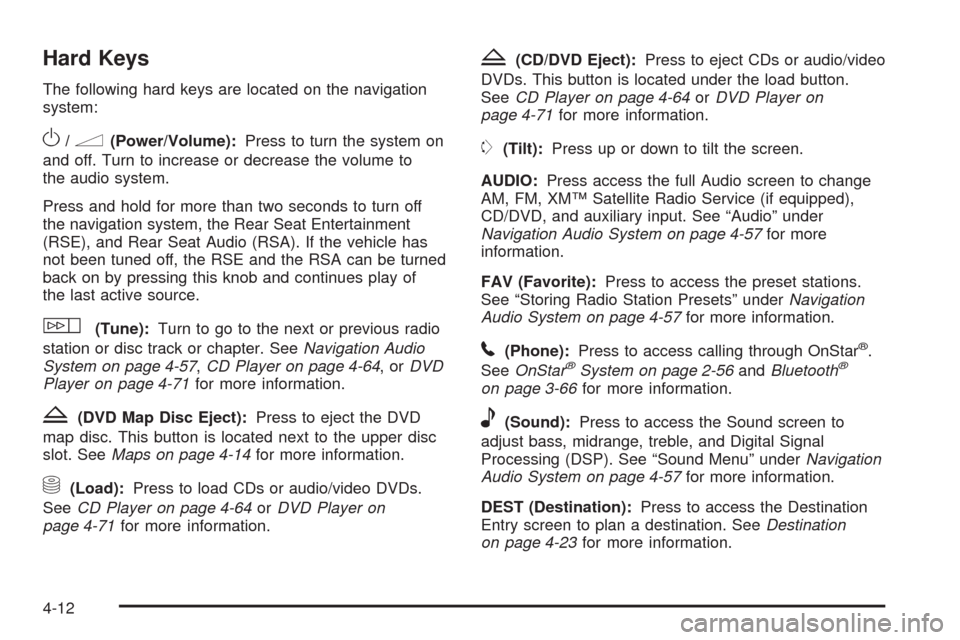
Hard Keys
The following hard keys are located on the navigation
system:
O/n(Power/Volume):Press to turn the system on
and off. Turn to increase or decrease the volume to
the audio system.
Press and hold for more than two seconds to turn off
the navigation system, the Rear Seat Entertainment
(RSE), and Rear Seat Audio (RSA). If the vehicle has
not been tuned off, the RSE and the RSA can be turned
back on by pressing this knob and continues play of
the last active source.
w(Tune):Turn to go to the next or previous radio
station or disc track or chapter. SeeNavigation Audio
System on page 4-57,CD Player on page 4-64,orDVD
Player on page 4-71for more information.
Z(DVD Map Disc Eject):Press to eject the DVD
map disc. This button is located next to the upper disc
slot. SeeMaps on page 4-14for more information.
M(Load):Press to load CDs or audio/video DVDs.
SeeCD Player on page 4-64orDVD Player on
page 4-71for more information.
Z(CD/DVD Eject):Press to eject CDs or audio/video
DVDs. This button is located under the load button.
SeeCD Player on page 4-64orDVD Player on
page 4-71for more information.
m(Tilt):Press up or down to tilt the screen.
AUDIO:Press access the full Audio screen to change
AM, FM, XM™ Satellite Radio Service (if equipped),
CD/DVD, and auxiliary input. See “Audio” under
Navigation Audio System on page 4-57for more
information.
FAV (Favorite):Press to access the preset stations.
See “Storing Radio Station Presets” underNavigation
Audio System on page 4-57for more information.
5(Phone):Press to access calling through OnStar®.
SeeOnStar®System on page 2-56andBluetooth®
on page 3-66for more information.
e(Sound):Press to access the Sound screen to
adjust bass, midrange, treble, and Digital Signal
Processing (DSP). See “Sound Menu” underNavigation
Audio System on page 4-57for more information.
DEST (Destination):Press to access the Destination
Entry screen to plan a destination. SeeDestination
on page 4-23for more information.
4-12
Page 307 of 546

Navigation Audio System
Notice:Before adding any sound equipment to the
vehicle, such as an audio system, CD player, CB
radio, mobile telephone, or two-way radio, make
sure that it can be added by checking with your
dealer/retailer. Also, check federal rules covering
mobile radio and telephone units. If sound
equipment can be added, it is very important to do
it properly. Added sound equipment can interfere
with the operation of the vehicle’s engine, radio, or
other systems, and even damage them. The
vehicle’s systems can interfere with the operation of
sound equipment that has been added.
Notice:The chime signals related to safety belts,
parking brake, and other functions of the vehicle
operate through the navigation system. If that
equipment is replaced or additional equipment is
added to the vehicle, the chimes may not work.
Make sure that replacement or additional equipment
is compatible with the vehicle before installing it.
See “Accessories and Modications” in the Index of
the vehicle’s owner manual.
Playing the Radio
O
/n(Power/Volume):Press to turn the audio
system on and off. Turn to increase or to decrease
the volume.
Press and hold for more than two seconds to turn off
the navigation system, the Rear Seat Entertainment
(RSE) video screen, and Rear Seat Audio (RSA). If the
vehicle has not been turned off, press this knob to
turn RSE and RSA back on and to continue playback of
the last active source.
w(Tuning Knob):Turn to go to the next or
previous frequency or disc track or chapter. SeeCD
Player on page 4-64orDVD Player on page 4-71
for more information.
AUDIO:Press to display the audio screen. Press to
switch between AM, FM, or XM, if equipped, DISC, or
AUX (Auxiliary), or touch the screen button. SeeCD
Player on page 4-64,DVD Player on page 4-71,
andAuxiliary Devices on page 4-78for more
information.
4-57
Page 310 of 546

4. Seek, scan, or tune to the desired station, to select
the station.
5. Press and hold one of the preset screen buttons for
more than two seconds or until a beep is heard.
6. Repeat the steps for each preset.
Sound Menu
e
(Sound):Press this key or press the CONFIG key to
access the Sound menu to adjust the treble, midrange,
bass, fade, balance, and Digital Signal Processing (DSP).
The system automatically stores audio adjustment
settings as changes are made for each audio source
including AM, FM, XM (if equipped), CD, and AUX.
Setting the Tone
TREBLE:Touch the plus (+) or minus (−) sign to
increase or decrease the treble. If a station is weak or
has static, decrease the treble.
MID (Midrange):Touch the plus (+) or minus (−) sign
to increase or decrease the midrange.
BASS:Touch the plus (+) or minus (−) sign to increase
or decrease the bass.
Adjusting the Speakers
L/R (Left/Right) (Balance):To adjust the balance
between the left and the right speakers, touch and hold
the L or R screen buttons.
Front/Rear (Fade):To adjust the fade between the
front and the rear speakers, touch and hold the Front or
Rear screen buttons.
4-60
Page 328 of 546

Auxiliary Devices
The vehicle may have a rear entertainment system
(RSE) with a second and third row screen. The RSE has
audio adapters to allow you to connect auxiliary
devices. The audio can be heard through the speakers
or through the wireless or wired headphones. See
“Audio/Video Jacks” under,Rear Seat Entertainment
(RSE) System on page 3-77for more information.
Drivers are encouraged to set up any auxiliary device
while the vehicle is in P (Park). SeeDefensive
Driving on page 5-2for more information on driver
distraction.To switch the RSE system to use an auxiliary device:
1. Connect the auxiliary device to the RSE system, for
the second or third row.
2. Press the AUDIO key then press the AUDIO key
repeatedly until AUX (auxiliary) is selected or
touch the AUX screen button. An auxiliary device
must be connected for the AUX screen button
to appear as an option to select.
3. For the second row display select the Rear AUX
screen button next to Rear Display 1 and for the
third row display select the Rear AUX screen button
next to Rear Display 2. Each screen works
independently of the other. The second row screen
can watch a DVD while the third row screen can
use the auxiliary device.
The rear seat passengers can also use the remote
control to change the functions of the RSE. SeeRear
Seat Entertainment (RSE) System on page 3-77
for more information.
Voice Recognition
The navigation system’s voice recognition allows for
hands-free operation of the navigation system,
audio system, and OnStar
®features. The DVD map
disc must be installed in the navigation system for voice
recognition to work. See “Installing the DVD Map
Disc” underMaps on page 4-14for more information.
4-78
Page 331 of 546
![CADILLAC ESCALADE EXT 2009 3.G Owners Manual Radio Commands
The following are radio commands that can be accessed
by clearly stating the commands exactly as they are
written.
Radio [band] [select] AM, radio [band] [select] FM,
radio [band] [sele](/manual-img/23/7931/w960_7931-330.png "CADILLAC ESCALADE EXT 2009 3.G Owners Manual Radio Commands
The following are radio commands that can be accessed
by clearly stating the commands exactly as they are
written.
Radio [band] [select] AM, radio [band] [select] FM,
radio [band] [sele")
Radio Commands
The following are radio commands that can be accessed
by clearly stating the commands exactly as they are
written.
Radio [band] [select] AM, radio [band] [select] FM,
radio [band] [select] XM, radio [band] [select]
satellite:Instructs the system to go to either the AM,
FM, or XM (if equipped).
Radio [select] (frequency) AM, radio [select]
(frequency) FM:Instructs the system to go to a specic
frequency on either AM or FM.
Radio [select] (channel) XM, radio [select] (channel)
satellite:Instructs the system to go to a specic
channel on the XM™ band (if equipped).
Radio help:Instructs the system to assist with radio
commands.
CD Commands
The following are CD, MP3, and DVD commands that
can be accessed by clearly stating the commands
exactly as they are written.
CD, DVD, Disc:Use this command to select a CD,
DVD, or disc that is currently loaded.CD, DVD, Disc, [select] track (one, two, three,
etc.):Instructs the system to select a specic track
number.
CD, DVD, Disc select next folder:Use this command
to select the next folder on the MP3 or audio DVD.
CD, DVD, Disc select previous folder:Use this
command to select the previous folder on the MP3 or
audio DVD.
CD help, DVD help, Disc help:Instructs the system to
assist with CD and DVD commands.
Auxiliary Commands
The following auxiliary commands can be accessed by
clearly stating the commands exactly as they are
written. The commands are available when the auxiliary
source is available.
Aux (Auxiliary):Use this command to select the
auxiliary device, when a device is connected.
Voice Help
Voice help:Provides a description of help commands
that can be used.
4-81