2009 BMW M3 light
[x] Cancel search: lightPage 102 of 246
Practical interior accessories
100 other areas could result in burns.
When leaving the car, always remove the
remote control so that children cannot operate
the cigarette lighter and burn themselves.<
Ashtray, rear
Opening
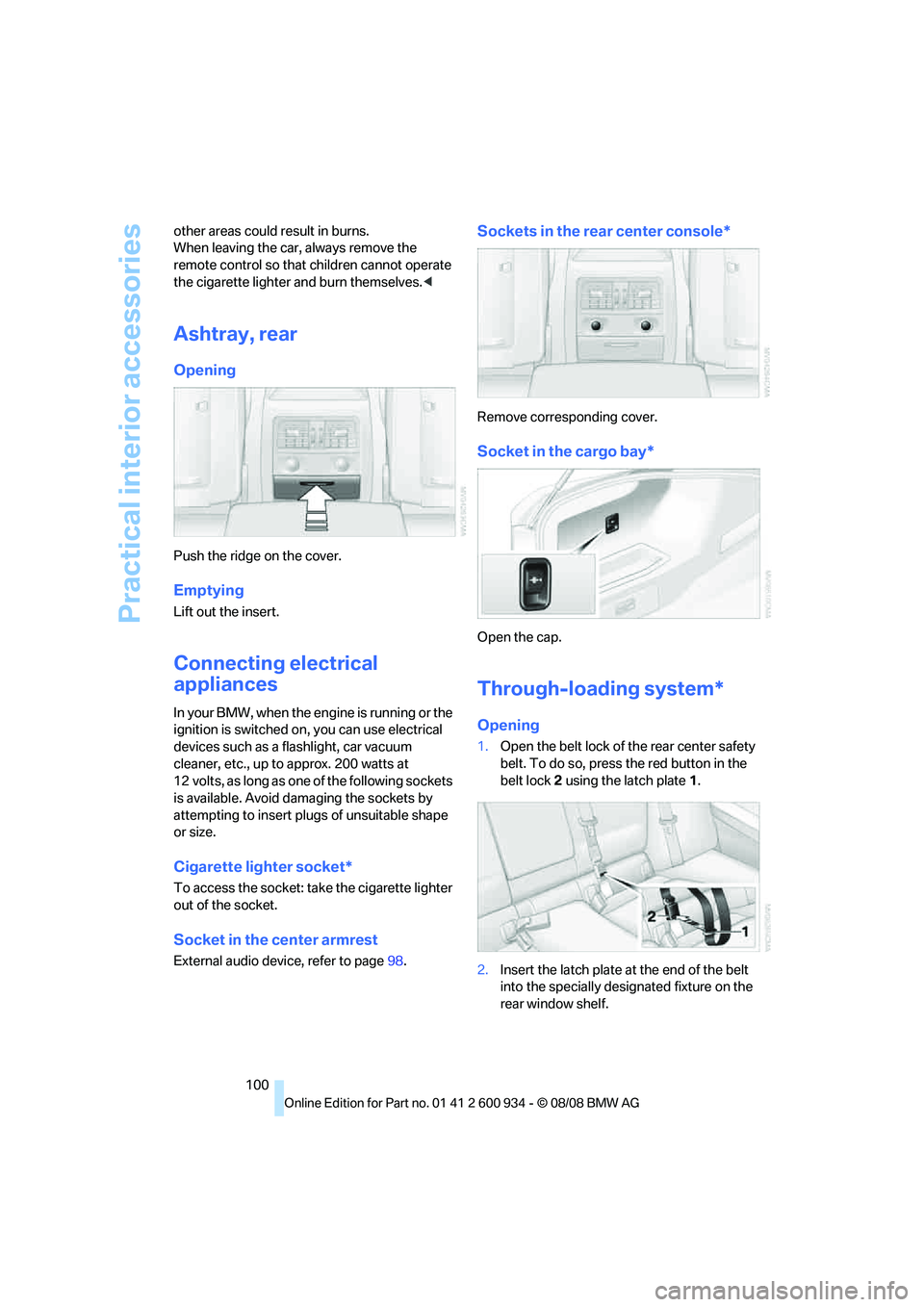
Push the ridge on the cover.
Emptying
Lift out the insert.
Connecting electrical
appliances
In your BMW, when the engine is running or the
ignition is switched on, you can use electrical
devices such as a flashlight, car vacuum
cleaner, etc., up to approx. 200 watts at
12 volts, as long as one of the following sockets
is available. Avoid damaging the sockets by
attempting to insert plugs of unsuitable shape
or size.
Cigarette lighter socket*
To access the socket: take the cigarette lighter
out of the socket.
Socket in the center armrest
External audio device, refer to page98.
Sockets in the rear center console*
Remove corresponding cover.
Socket in the cargo bay*
Open the cap.
Through-loading system*
Opening
1.Open the belt lock of the rear center safety
belt. To do so, press the red button in the
belt lock 2 using the latch plate1.
2.Insert the latch plate at the end of the belt
into the specially designated fixture on the
rear window shelf.
ba8_E90M3_cic.book Seite 100 Dienstag, 19. August 2008 11:51 11
Page 103 of 246

Controls
101Reference
At a glance
Driving tips
Communications
Navigation
Entertainment
Mobility
3.Push the corresponding head restraint
down as far as it will go, refer to page39.
4.To release the rear seat backrest, pull the
corresponding lever in the cargo bay.
5.The unlocked rear seat backrest moves for-
ward slightly. Fold the backrest forward by
the head restraint.
Closing
1.Return the rear seat backrest to its upright
position and engage it.
When returning the backrest into its
seating position, make sure that the
seat's locking mechanism engages prop-
erly. Otherwise, cargo could be thrown
around in the event of sharp braking or
swerving and endanger the occupants.<2.Release the latch plate from the fixture on
the rear window shelf and insert it into the
belt lock of the center safety belt. Make sure
you hear the latch plate engage in the belt
buckle.
The lashing eyes in the cargo bay provide you
with a way to attach cargo bay nets
* or draw
straps for securing suitcases and luggage, refer
to page109.
Storage compartments inside
the cargo bay
Depending on your vehicle's equipment, the
following storage spaces can be found in the
cargo bay:
>Left storage compartment, e.g. for storing a
box of cleaning tissues or up to 12 CD jack-
ets, depending on vehicle equipment ver-
sion
>Net
* for securing smaller objects, to be
attached to the fixtures on the floor panel
>Hooks for hanging up, e.g. shopping bags
or tote bags
>Rubber strap on the left trim panel for
securing small objects such as a folding
umbrella
>Net for small objects on the right trim panel
of the cargo bay
Folding up the floor panel
Do not exceed the maximum permissible
load of 55 lbs/25 kg for the storage com-
partment under the floor panel, otherwise dam-
age could result.<
ba8_E90M3_cic.book Seite 101 Dienstag, 19. August 2008 11:51 11
Page 109 of 246

Driving tips
107Reference
At a glance
Controls
Communications
Navigation
Entertainment
Mobility
ing, take care to avoid possible contact
between the hot exhaust system and any highly
flammable materials such as hay, leaves, grass,
etc. Such contact could lead to a fire, with the
risk of serious personal injuries and property
damage. Do not touch hot exhaust pipes, e. g.
when loading the cargo bay, otherwise there is a
risk of burn injuries.<
Hydroplaning
When driving on wet or slushy roads,
reduce road speed. If you do not, a wedge
of water can form between tires and road sur-
face. This situation, known as hydroplaning,
means that the tire can completely lose contact
with the road surface, so that neither the car can
be steered nor the brake be properly applied.<
The risk of hydroplaning increases with declin-
ing tread depth on the tires, refer also to Mini-
mum tread depth on page189.
Driving through water
Drive through water on the road only if it is
not deeper than 1 ft/30 cm, and then only
at walking speed at the most. Otherwise, the
vehicle's engine, the electrical systems and the
transmission may be damaged.<
Use the parking brake on inclines
On inclines, do not hold the vehicle for a
lengthy period using the clutch; use the
parking brake instead. Otherwise greater clutch
wear will result.<
For more information about the drive-off assis-
tant, refer to page78.
Braking safely
Your BMW is equipped with ABS as a standard
feature. Applying the brakes fully is the most
effective way of braking in situations in which
this is necessary. Since the vehicle maintains
steering responsiveness, you can still avoid
possible obstacles with a minimum of steering
effort.
Pulsation of the brake pedal, combined with
sounds from the hydraulic circuits, indicate that
ABS is in its active mode.
Driving in wet conditions
When roads are wet or there is heavy rain,
briefly exert gentle pressure on the brake pedal
every few miles. Monitor traffic conditions to
ensure that this maneuver does not endanger
other road users. The heat generated in this
process helps dry the pads and rotors to ensure
that full braking efficiency will then be available
when you need it.
Hills
To prevent overheating and the resulting
reduced efficiency of the brake system,
drive long or steep downhill gradients in the
gear in which the least braking is required. Even
light but consistent brake pressure can lead to
high temperatures, brake wear and possibly
even brake failure.<
You can increase the engine's braking effect by
shifting down, all the way to first gear if neces-
sary. This strategy helps you avoid placing
excessive loads on the brake system.
M dual clutch transmission: never drive
with the transmission in neutral or with
the engine switched off; otherwise, engine
braking action will not be present or there will be
no power assistance to the brakes or steering.
Manual transmission: never drive with the
clutch held down, with the transmission in neu-
tral or with the engine switched off; otherwise,
engine braking action will not be present or
there will be no power assistance to the brakes
or steering.
Never allow floor mats, carpets or any other
objects to protrude into the area around the
pedals, otherwise pedal function could be
impaired.<
Corrosion on brake rotors
When the vehicle is driven only occasionally,
during extended periods when the vehicle is not
used at all, and in operating conditions where
brake applications are less frequent, there is an
increased tendency for corrosion to form on
rotors, while contaminants accumulate on the
brake pads. This occurs because the minimum
pressure which must be exerted by the pads
ba8_E90M3_cic.book Seite 107 Dienstag, 19. August 2008 11:51 11
Page 111 of 246
Driving tips
109Reference
At a glance
Controls
Communications
Navigation
Entertainment
Mobility
Load
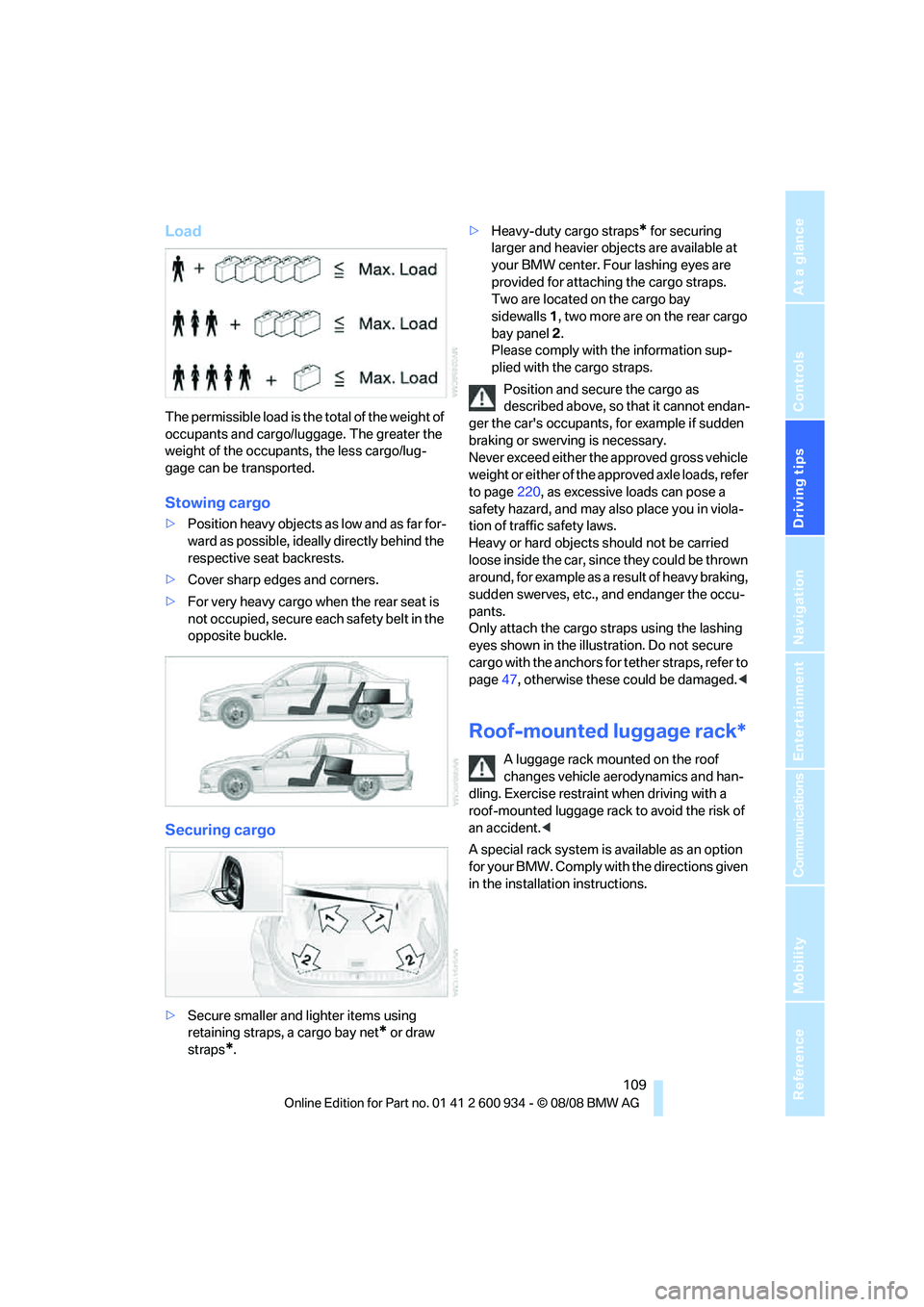
The permissible load is the total of the weight of
occupants and cargo/luggage. The greater the
weight of the occupants, the less cargo/lug-
gage can be transported.
Stowing cargo
>Position heavy objects as low and as far for-
ward as possible, ideally directly behind the
respective seat backrests.
>Cover sharp edges and corners.
>For very heavy cargo when the rear seat is
not occupied, secure each safety belt in the
opposite buckle.
Securing cargo
>Secure smaller and lighter items using
retaining straps, a cargo bay net
* or draw
straps
*.>Heavy-duty cargo straps
* for securing
larger and heavier objects are available at
your BMW center. Four lashing eyes are
provided for attaching the cargo straps.
Two are located on the cargo bay
sidewalls1, two more are on the rear cargo
bay panel2.
Please comply with the information sup-
plied with the cargo straps.
Position and secure the cargo as
described above, so that it cannot endan-
ger the car's occupants, for example if sudden
braking or swerving is necessary.
Never exceed either the approved gross vehicle
weight or either of the approved axle loads, refer
to page220, as excessive loads can pose a
safety hazard, and may also place you in viola-
tion of traffic safety laws.
Heavy or hard objects should not be carried
loose inside the car, since they could be thrown
around, for example as a result of heavy braking,
sudden swerves, etc., and endanger the occu-
pants.
Only attach the cargo straps using the lashing
eyes shown in the illustration. Do not secure
cargo with the anchors for tether straps, refer to
page47, otherwise these could be damaged.<
Roof-mounted luggage rack*
A luggage rack mounted on the roof
changes vehicle aerodynamics and han-
dling. Exercise restraint when driving with a
roof-mounted luggage rack to avoid the risk of
an accident.<
A special rack system is available as an option
for your BMW. Comply with the directions given
in the installation instructions.
ba8_E90M3_cic.book Seite 109 Dienstag, 19. August 2008 11:51 11
Page 113 of 246
Driving tips
111Reference
At a glance
Controls
Communications
Navigation
Entertainment
Mobility
BMW M3 engineering
High performance V8 engine
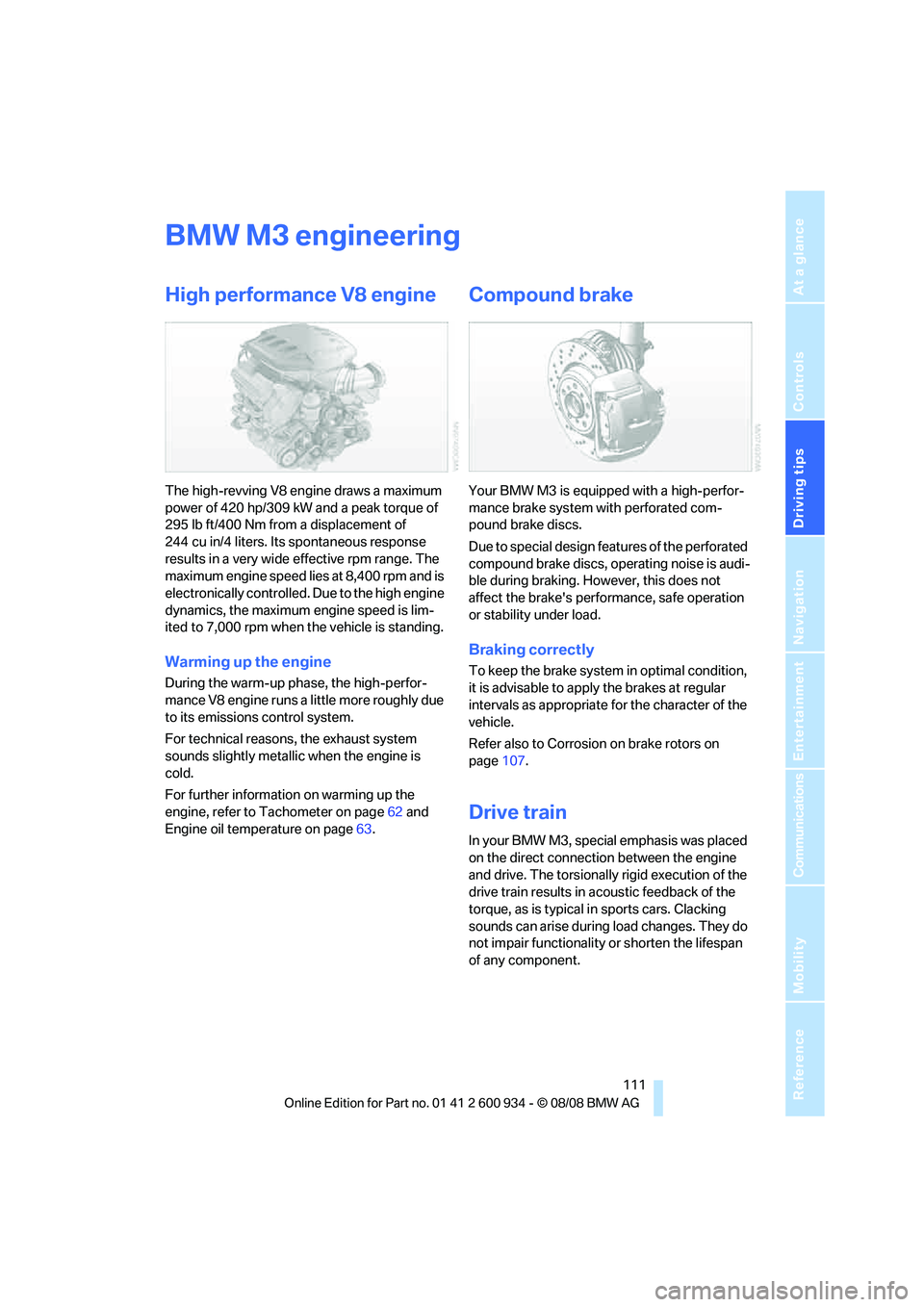
The high-revving V8 engine draws a maximum
power of 420 hp/309 kW and a peak torque of
295 lb ft/400 Nm from a displacement of
244 cu in/4 liters. Its spontaneous response
results in a very wide effective rpm range. The
maximum engine speed lies at 8,400 rpm and is
electronically controlled. Due to the high engine
dynamics, the maximum engine speed is lim-
ited to 7,000 rpm when the vehicle is standing.
Warming up the engine
During the warm-up phase, the high-perfor-
mance V8 engine runs a little more roughly due
to its emissions control system.
For technical reasons, the exhaust system
sounds slightly metallic when the engine is
cold.
For further information on warming up the
engine, refer to Tachometer on page62 and
Engine oil temperature on page63.
Compound brake
Your BMW M3 is equipped with a high-perfor-
mance brake system with perforated com-
pound brake discs.
Due to special design features of the perforated
compound brake discs, operating noise is audi-
ble during braking. However, this does not
affect the brake's performance, safe operation
or stability under load.
Braking correctly
To keep the brake system in optimal condition,
it is advisable to apply the brakes at regular
intervals as appropriate for the character of the
vehicle.
Refer also to Corrosion on brake rotors on
page107.
Drive train
In your BMW M3, special emphasis was placed
on the direct connection between the engine
and drive. The torsionally rigid execution of the
drive train results in acoustic feedback of the
torque, as is typical in sports cars. Clacking
sounds can arise during load changes. They do
not impair functionality or shorten the lifespan
of any component.
ba8_E90M3_cic.book Seite 111 Dienstag, 19. August 2008 11:51 11
Page 118 of 246

Navigation system
116
Navigation system
General information
With the help of satellites, the navigation sys-
tem is able to ascertain the precise position of
the vehicle and guide you reliably to any desti-
nation you enter.
The navigation data is stored in the vehicle and
can be updated using navigation DVDs.
Make all entries while the vehicle is sta-
tionary
Enter data only when the vehicle is stationary,
and always give priority to the applicable traffic
regulations in the event of any contradiction
between traffic and road conditions and the
instructions issued by the navigation system.
Failure to take to this precaution can place you
in violation of the law and put vehicle occupants
and other road users in danger.<
Updating the navigation data
The navigation data is stored in the vehicle and
can be updated using a navigation DVD. Please
contact the BMW center if you have any ques-
tions.
Inserting navigation DVD
1.Insert the navigation DVD into the DVD
player with the labeled side facing up.
2.Follow the instructions on the display.
3.Enter the authorization code of the naviga-
tion DVD and change the DVD if needed.
Displaying information on the version
1."Navigation"
2.Open "Options".
3."Navigation system version". Information
on the data version is displayed.
Removing navigation DVD
1. Press button 1.
The DVD emerges slightly from the drive.
2.Remove the DVD.
If the DVD is not ejected, the drive may be
blocked. In this case, a message will appear on
the Control Display.
*
ba8_E90M3_cic.book Seite 116 Dienstag, 19. August 2008 11:51 11
Page 120 of 246

Destination entry
118 Delete letters, if necessary:
>To delete individual letters:
Turn the controller to select , and
then press the controller.
>To delete all letters:
Turn the controller to select , and
then press the controller for an extended
period.
>To enter spaces:
Select the symbol.
The list gradually grows smaller each time
you enter a new letter.
2.Move the controller to the right.
3.Select the name of the town/city from the
list. The three destinations stored last are
displayed.
If there are several towns/cities with the same
name:
1.Change to the list of town/city names.
2.Highlight the town/city: a preview map is
displayed.
3.Select the town/city.
Entering the postal code
1.Select "Town/City/Zip Code" or the dis-
played town/city.
2.Select the symbol.
3.Select the digits.
4.Change to the list of postal codes and
towns/cities.
5.Highlight the postal code. A preview map is
displayed in the assistance window.
6.Select the postal code.
Entering street and intersection
1.Select "Street" or the displayed street.
2.Enter a street and intersection as you would
the town/city.
After the street you can also enter the intersec-
tion or the house number.
If there are several streets with the same name:1.Change to the list of street names.
2.Highlight the street: a preview map is dis-
played.
3.Select the street.
Entering a street without a destination
town/city
You can also enter a street without specifying a
town/city. In this case, all streets of the same
name in the specified state/province are
offered. The corresponding town/city is dis-
played after the street name.
If a town/city has already been entered, you can
negate this entry. This could be helpful in
instances where the desired street does not
exist in the entered town/city because it
belongs to another suburb, for example.
1."Navigation"
2."Enter address"
3.Select "Street" or the displayed street.
4.Change to the list of street names.
5."Find streets in" the state/province cur-
rently displayed.
6.Select the letters.
7.Change to the list of street names.
8.Highlight the street. A preview map is dis-
played in the assistance window.
9.Select the street.
Entering a house number
You can enter any house number stored in the
navigation data for the street.
1."House number"
2.Select the digits.
ba8_E90M3_cic.book Seite 118 Dienstag, 19. August 2008 11:51 11
Page 122 of 246
Destination entry
120 3.Highlight the entry.
4.Open "Options".
5."Edit in Contacts" or "Delete entry".
Using home address as destination
The home address must be stored as a destina-
tion. Refer to Specifying a contact as the home
address, page173.
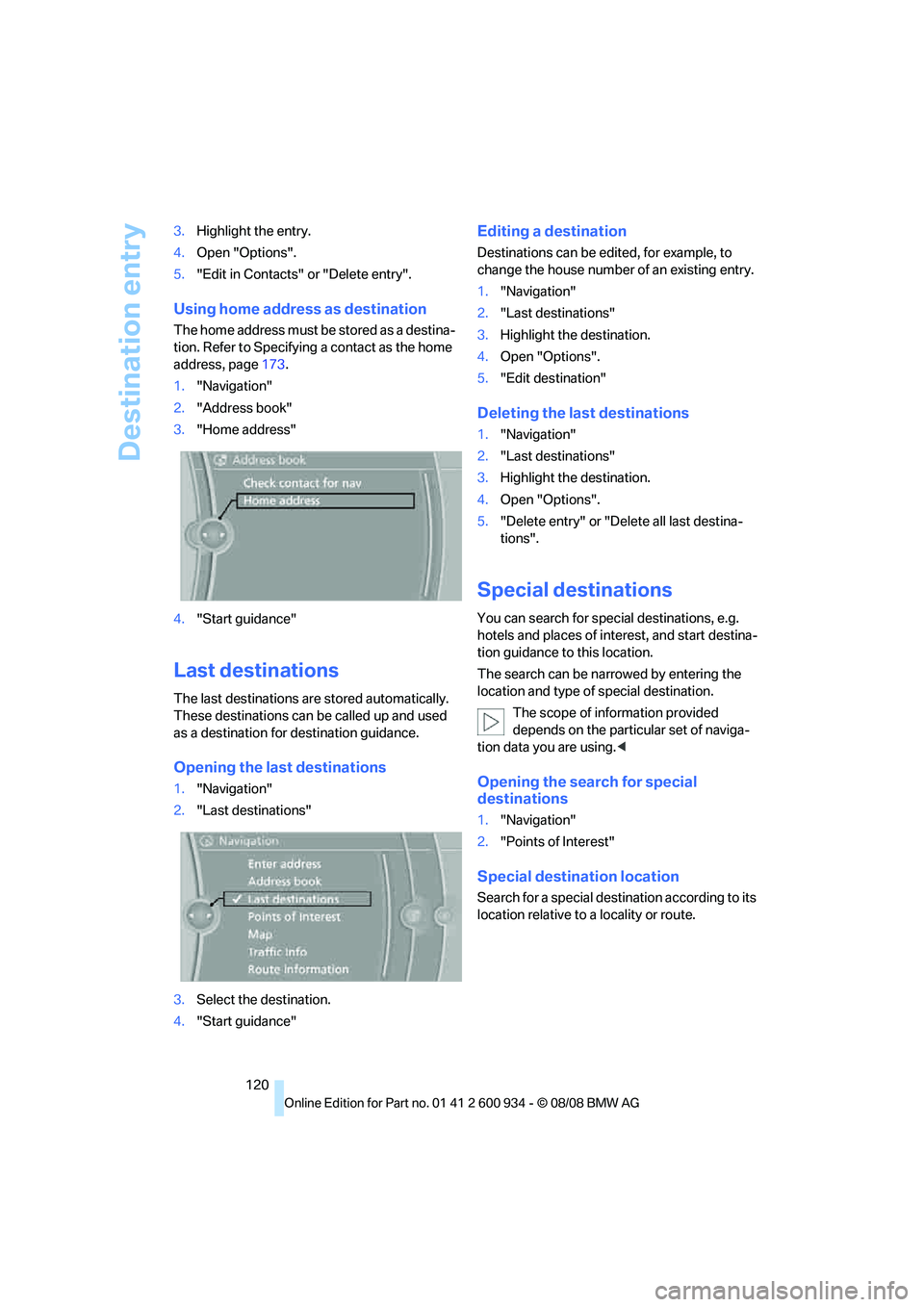
1."Navigation"
2."Address book"
3."Home address"
4."Start guidance"
Last destinations
The last destinations are stored automatically.
These destinations can be called up and used
as a destination for destination guidance.
Opening the last destinations
1."Navigation"
2."Last destinations"
3.Select the destination.
4."Start guidance"
Editing a destination
Destinations can be edited, for example, to
change the house number of an existing entry.
1."Navigation"
2."Last destinations"
3.Highlight the destination.
4.Open "Options".
5."Edit destination"
Deleting the last destinations
1."Navigation"
2."Last destinations"
3.Highlight the destination.
4.Open "Options".
5."Delete entry" or "Delete all last destina-
tions".
Special destinations
You can search for special destinations, e.g.
hotels and places of interest, and start destina-
tion guidance to this location.
The search can be narrowed by entering the
location and type of special destination.
The scope of information provided
depends on the particular set of naviga-
tion data you are using.<
Opening the search for special
destinations
1."Navigation"
2."Points of Interest"
Special destination location
Search for a special destination according to its
location relative to a locality or route.
ba8_E90M3_cic.book Seite 120 Dienstag, 19. August 2008 11:51 11