2009 AUDI S6 suspension
[x] Cancel search: suspensionPage 184 of 398

• .___A_ u_d_ i _P _a_ r_ k_ i_ n ..:g=-- S_ y=-- s_t _ e _m _____________________________________________ _
Applies to vehic les: with Audi Park ing System (rearl and rear-view camera
Rear-view camera tips
We recommend that you practice parking with t he rear -view camera
in a traff ic -free location, or parking lot, to become fami liar with the
system, the orientati on line s, a nd th eir functi on. When doi ng this,
there should be good light and weather conditions.
In the MMI Display, objects or vehicles ap pea r closer or further away
i f:
• you are driving in reverse gear from a level surface onto an
inc lin e, o r a downwa rd sl ope,
• you are driving in reverse gear toward protruding objects,
• the ve hicle is carrying too much load in the rear.
The accuracy of the orientation lines and blue surfaces diminishes if :
• the Adaptive Air Suspension* is defective, or th e dynamic, off
road, o r lift mode is swi tched on,
• the rear -view camera does not provide a reliable image, for
exam ple, in po or vi sibi lit y c ondi tio ns or if the lens is dirt y,
• the image on the screen is not visible due to sun g lare and reflec
t ion .
Caring for the rear-view camera lens:
• Dampen the lens with a household a lcoho l- based g lass c leaner,
and c lean th e lens wit h a dry cl oth.
• Remove snow with a hand brush.
• Remove ice, preferably with de -icing spray~
0.
& WARNING
• The rear-v iew camera does not replace the view to the rear and
the rear view mirrors .
• The rear-view camer a - because of technical limitat ions -does
not show the entire area behind the vehicle~
page 175 , fig. 178.
& WARNING (continued )
Be especially careful to che ck for small children and animals
before backing up . Small children and animals will not alway s be
shown in the rear-view display .
• The Audi Parking System is not a sub stitute for being careful
and alert when back ing up . Be especially careful during parking
and similar maneuver s. Always watch where you are driving and
make su re that nothing is in the way .
• Do not allow yourself to be distracted from traffic by the rear
view camera pi ctures .
• When maneuvering or parking , do not only u se the MMI Display
for orientat ion . Certain obje cts - depending on the screen resolu
tion -may not, or not entirely, be displayed ; for example tr ailer
hitches , cha ins , narrow posts , or fences .
• Only use the rear -view camera for aid if it shows a good , clear
picture . The image may be obscured , for example , by the sun
shining into the lens, dirt on the lens, or as the result of a defect -
danger of accident!
• If the image i s hazy when the MMI Display is switched on or the
area behind the vehicle is not visible (for e xample , as the result of
a dirty or defective lens ), the rear -view camera must not be used
for aid in maneuver ing - danger of accident!
• The rear -view camera generates two -dimensional images . For
this reason , please note that recesses in the ground and
protruding parts on another vehicle , or protruding objects fixed to
the ground , will be more difficult or impossible to recognize on the
MMI Di splay, due to the missing spacial depth .
• If the position and the installation angle of the camera has
changed, for example , after a rear end collision , do not continue to
use the system for safety reasons . Have it checked by an autho
rized Audi dealer or qualified work shop .
• Only use the rear-v iew camera when the rear lid is fully closed .
Make sure that objects mounted on the rear are not obscuring the
camera v iew .
Page 185 of 398
______________________________________________ A_ u_ d_ i _P _a_ r_ k_ i_ n """g=-- S_ y-=- s_t _e _m __ lllll
& W ARNING (continu ed )
• Remove ice , preferably with de-icing spray.
0 Note
• N ever use warm or hot water to remove snow or ice from the
rear -view camera le ns -danger of crack formation on the lens!
• When clea nin g t he le ns, never use care pr oducts wi th an abra
sive effect.
[ i J Tips
T he positions of the orientation lines/ surfaces are disp laced up or
down if the parking process is carried out with the rear-view came ra
i n Adaptive Air Suspension*~
page 20 d yna mic, off -road, or lif t
mode. Therefore, the acc uracy is reduced. •
Controls and equip
ment I • •
Page 186 of 398

• .___A_ d_ a --=- p_t_ i_v _e _ A_ ir_ S_u_ s_,_ p_e_ n_ s_io _ n _____________________________________________ _
Adaptive Air Suspension
Adaptive Air Suspension and
Damping
A pplies to vehicles: wi th Adap tive Air Suspens ion
Description
Adaptive Air Suspension and damping can be regulated
and they adapt automatically to a request from the driver
and the driving situation at the time.
Adaptive Air Suspension is an electronically controlled springing
and damping system . This chassis system makes it easier on the
driver by adapting to the particular situation through imperceptible
control processes.
The
Adaptive Air Suspension component regulates ground clear
ance depending on vehicle speed, load condition and driver input.
When the system is in automatic mode, accelerating to a speed above a predetermined limit will make the vehicle lower itself. On
the other hand, driving more slowly results in the vehicle raising again at specific speeds.
The
damping component provides individual control of the
damping forces. For example, with damping characteristics set to
provide greater comfort, damping is set somewhat harder for a brief
period only as required, for example, when going around a curve or
over rough road surfaces as well as when braking.
Settings
Adaptive Air Suspension provides the driver with the opportunity to
set the chassis characteristics also to their individual preference.
With the driving modes
standard, automatic and dynamic the driver
has three chassis settings available, ranging from comfort to sporty .
In addition,
lift provides a fourth mode which can be selecting for
driving over poor stretches of road :::::,
page 185, "Chassis controls". The modes are set in
MMI:::::,
page 185.
& WARNING
The height of the parked vehicle can change due to temperature
fluctuations or changes in load.
0 Note
• Whenever you park your vehicle, always make sure there is
adequate clearance above and below the vehicle. The height of the parked vehicle can change as the result of temperature fluctuations,
changes in load condition and changes in the driving mode (ground
clearance!.
• If the vehicle is being transported (e.g. by tow truck, train, ship,
etc.) , mount the tie -down chains/cables over the running surface
(circumference) of the tires . Never secure the vehicle by the axle, the
suspension struts or the front or rear towline eye. For technical
reasons, the pressure in the suspension struts may change during
the transport, which could result in the vehicle no longer being
secured properly.
• To prevent damage to the vehicle underbody, remember that
your vehicle is not an off-road vehicle, even in the "lift" mode. The
ground clearance is insufficient for this type of operation.
• If you are going to tow a trailer, you must activate the trailer oper
ation mode :::::,
page 186.
[ i] Tips
Before you raising your vehicle using the vehicle jack (for example,
when changing a flat tire) you must activate the jacking mode
=> page 186. •
Page 187 of 398
____________________________________________ A_ d_a--' p=-- t_iv _e_ A_ ir_ S_u_ s-=- p_e _ n_ s _ io_ n __ llll
Ap plies to vehicl es: wi th Adap tive Ai r Su sp ension
Chassis controls
Four different driving modes can be set by the driver.
The automatic contro l processes are speed -and time -dependent.
For example, it is not possib le to raise the suspension to the lift
mode above certain speeds.
L ev el a djustment
automatic
dynamic
aut om ati c Ground clearan
ce
about 4.7 - 4 .1 inches
(120 -105 mm)
about 4.7 inches (120 mm)
about 4.1 inches (105 mm)
a bo ut 5.3 inches ( 135 mm)
Se lect the automatic mode i f you p refer suspension and damping
settings emphasizing comfort .
• Low ering : When a speed of about 75 mph (120 km/h) is exceeded
for more than 30 seconds, the vehicle is automatically lowered by about 0.6 inch (15 mm) to the dynamic level which is more suitable
for highway speeds. Road holding is optimized as a result of the lower center of gravity and fuel consumption is reduced as a result
of reduced wind res istance.
• Rais ing : The vehicle is automatically raised again if the speed
falls below about 44 mph (70 km/h) for a period of 2 minutes . The
vehic le is raised immediate ly when speed falls below about 22 mph
(35 km/h).
s ta nd ard
Select the standard mode if you desire a suspension setting with a
special emphasis on comfort. In the standard mode there is
no
lowering of the suspension. Even a t high speeds, the vehicle stays
at the same level. Damping characteristics with a decided emphasis
on comfort are selected in this mode.
Controls and equip
ment d
y n ami c
Select the dynamic mode if you prefer a sporty suspension setting .
In this mode, the vehicle is lowered whi le it is still stationary and
spo rty damping characteristics are selected . The warn ing light
c.::i
in the instrument cluster will come on for a few seconds just to
remind you of the reduced ground clearance .
If y ou switch off the engine wh ile the ve hicle is in the dynamic mode
and then switch on the ignition once again, the
c.::i warning light
wi ll also come on again f or a few seconds as a reminder .
lift
Select the lift mode when you have to travel over poor sect ions of
road (e .g. trails). In the lift mode, the vehic le is raised by 0.6 inch (15
m m) compared to norma l leve l while it is stil l stationary and
damping characteristics are adjusted to emphasize comfort .
The lift mode can be activated only at speeds below 50 mp h (80
km/h) . When a speed of about 62 mph (100 km/h) is exceeded, the
system automatical ly leaves lift mode and the mode set previously
(standard, automat ic, dynam ic) is activated aga in. •
App lies to v ehic les : with Ada ptive Air Suspens io n
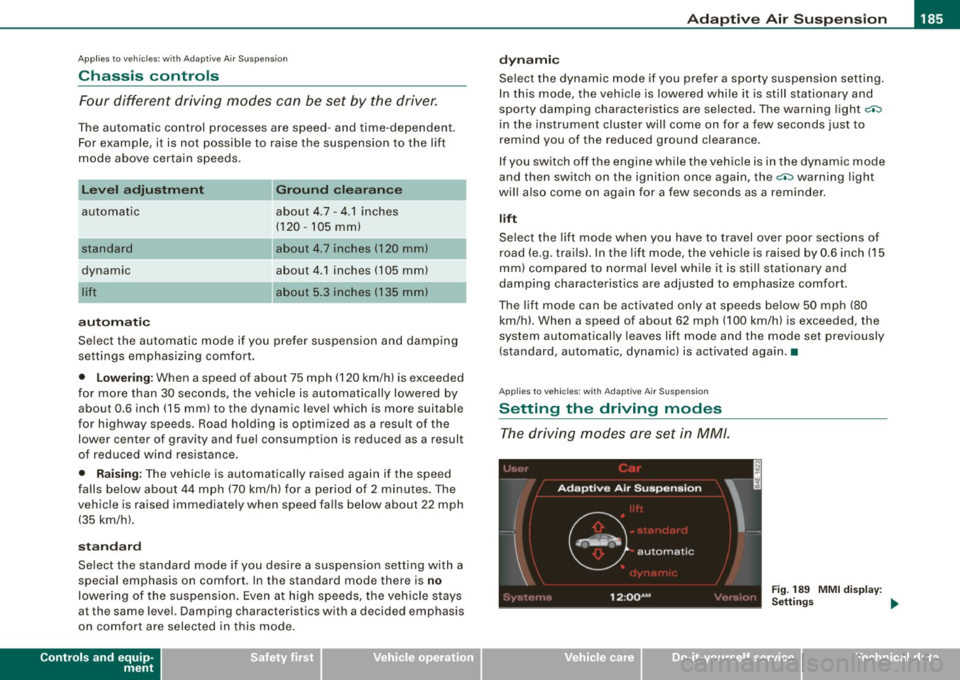
Setting the driving modes
The driving modes are set in MM/.
Fig . 189 MMI di splay:
Settin gs _,.
I • •
Page 188 of 398

• ..__A_ d_ a--=- p_t _iv _ e_ A_ i_ r _ S_ u_ s....; p=--- e_n_ s_ io_ n _____________________________________________ _
The ignition must be switched on to set the driving modes.
- Press the !CARI function button. The main menu
Adaptive Air Suspension appears=>
page 185, fig. 189.
- Select the desired mode with the control knob.
Please note that not every driving mode can be selected in every
driving situation. For example, it is not possible to switch to "lift"
mode at speeds above 50 mph (80 km/h). This mode is then shown
greyed out in the MMI display.
For additional information on the driving modes=>
page 185,
"Chassis controls". •
Applies to vehicles: with Adaptive Air Suspension
Jacking mode when changing a flat tire
This mode must be activated before raising the vehicle
with a vehicle jack.
Fig. 190 MMI display :
Activate jacking mode
Switching jacking mode on and off
-Press the (CAR] function button. The main menu
Adaptive Air Suspension appears.
- Press the !SETUP) function button. The main menu
Adaptive Air Suspension appears=> fig. 190. - Turn the control knob to
Vehicle jack mode and select on
or
off as required.
The vehicle jack mode must be activated before changing a wheel
so that the automatic control processes for the air suspension do
not make lifting with the vehicle jack more difficult.
[ i ] Tips
The vehicle jack mode is switched off automatically at speeds above
9 mph (15 km/h).•
Applies to vehicles: with Adaptive Air Suspension
Towing a trailer
Automatic lowering is not desirable when towing a trailer.
Fig. 191 MMI display:
Activate towing opera
tion
If you are going to tow a trailer, you must activate the trailer
towing mode.
Switching the trailer towing mode on and off
manually
- Pressthe!CARJfunction button. The main menu
Adaptive Air Suspension appears.
Page 189 of 398
____________________________________________ A_ d_a--' p=-- t_iv _e_ A_ ir_ S_u_ s-=- p_e _ n_ s _ io_ n __ !II
- Press the I SETUP I functio n button . The menu Ad aptiv e
Air
Su spen sion appears~ page 786, fig. 191.
- Select
Trailer towing mode on or off as requ ired .
Leve l A djus tment w he n t ow ing a tra il e r
• Before hitching up the trailer and before adjusting the tongue
weight at the trailer, the automatic or standard mode
mu st be
selected, so that the vehicle is at normal level=>
page 185, "Setting
the driving modes".
• If driving in dynamic mode is desired, this mode
mu st be
selected before hitching up the tra iler and before adjust ing the
tongue weight . However, note that your vehicle is lowered and
ground c learance is reduced .
• If you have to drive under difficult road conditions, you can
select lift mode after hitching up the trailer or after adjusting the
tongue weight .
Restri ctions when op erating wi th a trailer
When operating wi th a trailer, the lift mode can only be selected up
to about 25 mph (40 km/h) . The system automatically goes out of li ft
mode when speed exceeds about 31 mph (50 km/hl.
If the veh icle is in automatic, standard or lift mode before the tra iler
towing mode is activated, the dynamic mode cannot be activated.
I f the vehic le is in dynamic mode before towing operation is acti
vated, it can be driven in this mode. If the suspension is switched
from this mode to automatic mode, dynamic mode cannot be re
selected.
[ i ) Tips
If the trai ler towing mode has been activated, the vehicle will not
sink to the dynamic level if selected. •
Controls and equip
ment I • •
Page 232 of 398

-Airbag system ----=--a.---------------------------------------
& WARN ING (continued )
• Always make sure that the side airbag can inflate without inter
fe rence :
- Never install seat covers or replacement upholstery over the
front seatback s that have not been spe cifically approved by
Audi.
- Never use additional seat cushions that cover the areas
where the side airbags inflate .
- Damage to the original seat covers or to the seam in the area
of the side airbag module must always be repaired immedi
ately by an authorized Audi dealer .
• The airbag system can be activated only once. After an airbag
ha s inflated , it must be replaced by an authorized Audi de aler or
qualified technician who has the technical information , training
and special equipment necessary .
• The airbag system can be deployed only once. After an airbag
has been deployed , it must be repla ced with new repla cement
parts designed and approved especially for your Audi model
version . Replacement of complete airbag systems or airbag
components must be performed by qualified workshops only .
Make sure that any airbag service action is entered in your Audi
Warranty
& Maintenance booklet under AIRBAG REPLACEMENT
RECORD .
• For safety reasons in severe accidents , the alternator and
starter are separated from the vehicle battery with a pyrotechn ic
circuit interrupter.
-Work on the pyrotechni c circuit interrupter must only be
performed by a qualified dealer -risk of an accident!
- If the vehi cle or the circuit inte rrupter is scrapped , all appli
cable safety precautions must be followed.
W For the sake of the environment
Undeployed a irba g mo dules and prete nsioners might be c lass if ied
as Perchlorate Material -special handling may apply, see
www.dtsc.ca.gov/hazardouswaste/p erc hlo ra te. W hen t he ve hicle or
parts of the restraint system inc luding airbag modules and safety
b elts wi th pre tens io ners a re s crappe d, all ap plicab le laws a nd reg u
l ations must be observed . Your authorized Audi dealer is fam iliar
wit h these req uire ments an d we rec ommend th at yo u have your
dea ler perform this service for you. •
Other things that can affect Advanced Airbag
performance
Changing the vehic le 's suspension system can change the way that
t h e Adva nced Ai rbag Syste m performs in a c rash. Fo r example,
using tire -rim combinations not approved by Audi, lowering the
ve hicle, c hang ing the s tif fne ss of the su spe nsio n, in cl ud in g th e
springs, suspens ion struts, shoc k absorbers etc. can change the
f o rce s tha t are m eas ure d b y the air bag senso rs and se nt to the e lec
tronic control unit. Some suspension changes can, for example,
increa se the fo rce levels measured by the senso rs and ma ke the
airbag system dep loy in crashes in which it wou ld not deploy if the
changes had not been made . Othe r kinds of changes may reduce
t h e force lev els measured by the sensors and preve nt the airbag
from dep loying when it sho uld.
T he s ensors i n the safet y be lt buc kle for the driver a nd fr ont
passenger seat tell the e lectronic contro l modu le if the safety belt is
l a tc h ed or not. If the sa fety belt is b eing use d, th e front airbag wi ll
deploy at a slightly higher rate of v ehic le dece leration than if the
safety be lt is n ot be ing use d. T herefo re, i n a partic ular collision, it i s
possible that an air bag wi ll not deploy at a seating position where
the safety be lt i s being used but wi ll inflate at the position whe re the
sa fety be lt is not bei ng used. It is important tha t noth ing i nte rfer e
with the safety belt buckles so that the sensors can send the correct
i nfo rmati on about saf ety belt use to the e lectr onic co ntrol unit. .,.
Page 233 of 398

& WARNING
Changing the vehicle's suspension including u se of unapproved
tire -rim combinations can change Advan ced Airbag performance
and in crease the risk of serious per sonal injury in a crash .
• Never in stall su spension components that do not have the
same pe rformance character istics as the components or iginally
installed on your vehicle.
• Never use t ire-r im combinations that have not b een approved
by Audi.
& WARNING
Items stored between the safety belt buckle and the center
c onsole can cause the sensors in the buckle to send the wrong
information to the electronic control module and prevent the
Adv anced Airbag System from working properly .
• Alway s make sure that nothing can interfere with the safety
belt buckles and that they are not obstructed .
<£> For the sake of the environment
Undeployed airbag modu les and pretens ioners m ight be c lassified
as Pe rchlorat e Mate rial -specia l han dling may a pply, s ee
www.dtsc.ca.gov/hazardouswaste/perchlorate . When the vehicle or
par ts of the re strai nt syste m inc ludi ng airbag m odules and safety
belts with pretensioners are scrapped, all applicable laws and regu
la tio ns must be o bse rved. Your autho rize d Audi dealer is fami liar
with these requirements and we recommend that you have your
dea ler perfo rm thi s se rvice for you. •
Safety first
Side airbags
Description of side airbags Airbag
system
T
he airb ag sys tem c an prov ide sup pleme ntal p ro te ction
to prop erly restraine d oc cup ants .
Fig. 214 Side airbag
location in the driver 's
s eat
The side airbags are located in the sides of the front seat backrests
~ fig . 21 4 and the rear backrest * facing the doors . They are identi
fied by the word "AIR BAG" .
The side airbag system basic ally consists of:
• t he e le ctr oni c co ntr ol mod ule and e xte rnal side i mpact se nso rs
• the two side airbags located in the sides of the front bac krests
• t wo rear side ai rbags (as an o rder ed
option)
• t he air bag war ning lig ht i n the instru ment cl uster.
The ai rbag sys tem is m onitored e lec tron ica lly to make certa in t hat
it is functioning properly at all times. Each time you turn on the igni
tion, t he a irbag sy stem i ndica tor ligh t w ill come on for a few
seconds (se lf diagnostics) .
T he side airbag sy stem su pplements the safet y belts and can help
to reduce t he risk of injury to the driver's , front and rear*
passenger's uppe r torso on the side of the vehicle that is struck in a
s ide co llisio n. T he a irbag dep loys on ly in side im pac ts and only
when the vehic le acceleration registered by the control unit is h igh
~
Vehicle care I I irechnical data