Page 172 of 433
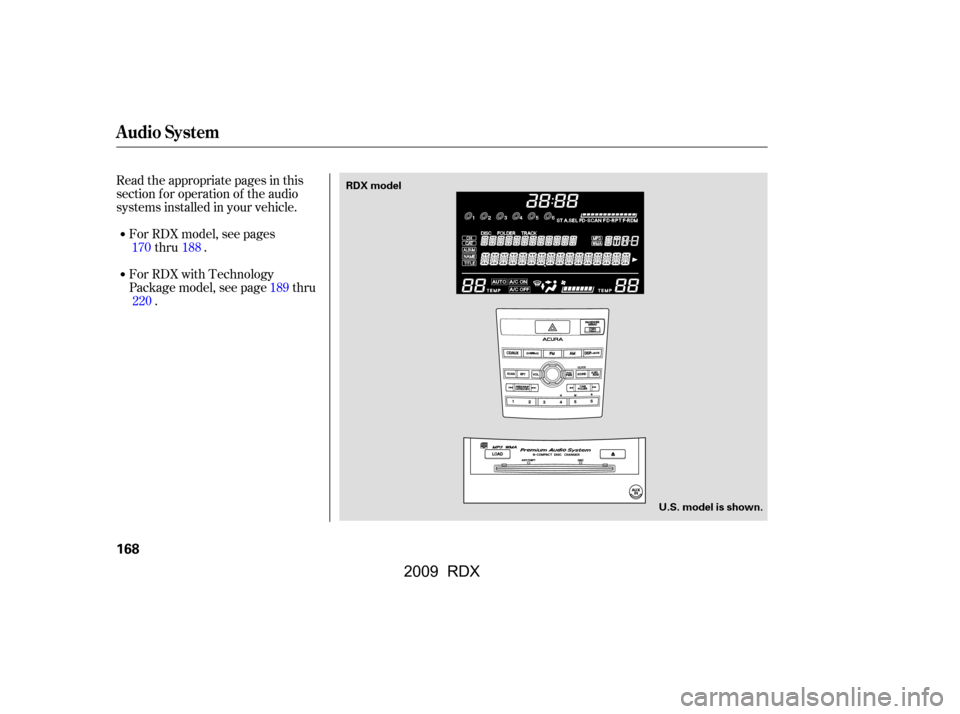
Read the appropriate pages in this
section f or operation of the audio
systems installed in your vehicle.For RDX model, see pages thru .
For RDX with Technology
Package model, see page thru .
170 188
189
220
Audio System
168
RDX model
U.S. model is shown.
�����—�����—�
�
�y�
�������������y���
�(�)� �������y���
�����y
2009 RDX
Page 173 of 433
Audio System
Features
169
U.S. model is shown.
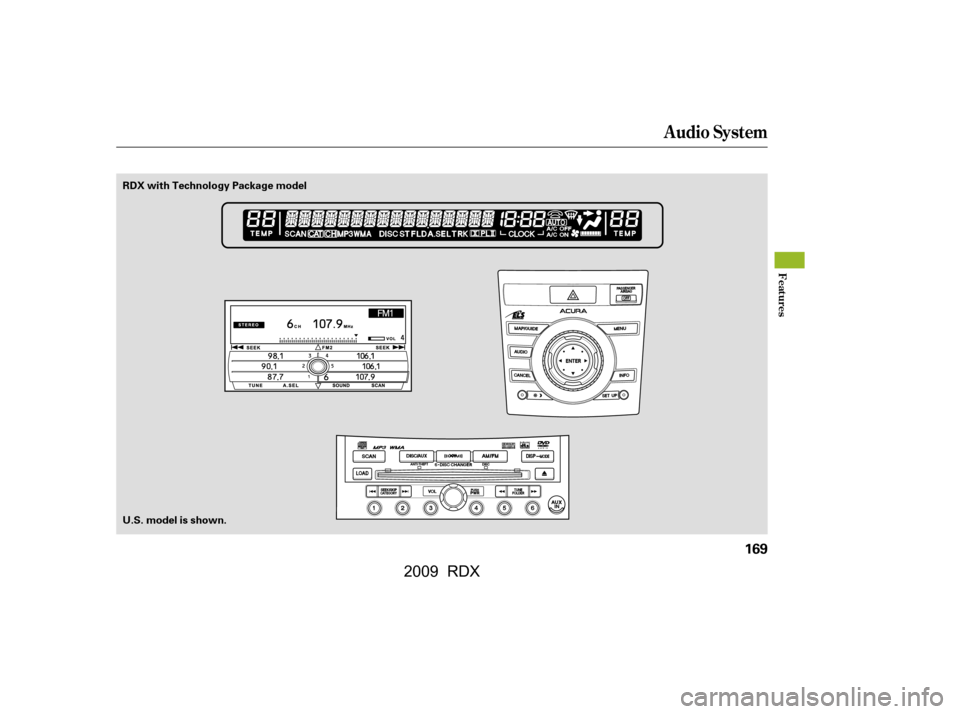
RDX with Technology Package model
�\f���—�\f���—�
�
�y�
�������������y���
�(�)� �����\f�y�\f�
�����y
2009 RDX
Page 174 of 433
The band and f requency that the
radio was last tuned to is displayed.
To change bands, press the AM or
FM button. On the FM band, ‘‘ST’’
will be shown on the center display if
the station is broadcasting in stereo.
Stereo reproduction on AM is not
available.
The ignition switch must be in the
ACCESSORY (I) or the ON (II)
position. Turn the system on by
pushing the PWR/VOL knob, or the
AM or FM button. Adjust the volume
by turning the PWR/VOL knob.
XM
Satellite Radio inf ormation is
available on page . 183
On RDX model
Audio System
To Play the AM/FM Radio
170
STEREO
INDICATOR
FM BUTTON
SCAN BUTTON
TUNE/FOLDER BAR
AM BUTTONSCAN
INDICATOR
A.SEL
INDICATOR
A.SEL/RDM BUTTON VOLUME
LEVEL
PWR/VOL KNOB
PRESET BARS
SEEK/SKIP BAR
U.S. model is shown.
�\f���—�\f���—�
�
�y�
�����������\f�y���
�(�)� �����\f�y�\f�
�����y
2009 RDX
Page 175 of 433

�µ
�µ �µ�µ�µ
�µ
CONT INUED
You can use any of f ive methods to
f ind radio stations on the selected
band: tune, seek, scan, the preset
bars, and auto select.Use the TUNE/FOLDER
bar to tune the radio to a desired
f requency. Press the side of the
bar to tune to a higher f requency,
and the side of the bar to tune
to a lower f requency.
The SEEK f unction
searches up and down from the
current f requency to f ind a station
with a strong signal. To activate it,
press the or side of the
SEEK/SKIP bar, then release it.
If youpressandholdthe or side of the bar, the f requency
will begin to change rapidly. It will
stop when you release it. The SCAN f unction
samples all stations with strong
signals on the selected band. To
activate it, press the SCAN button,
then release it. You will see ‘‘SCAN’’
on the center display. The system
will scan f or a station with a strong
signal. When it f inds one, it will stop
and play that station for about 10
seconds.
If you do nothing, the system will
then scan f or the next strong station
andplayitfor10seconds.Whenit
plays a station you want to listen to,
press the SCAN button again. Each side of the bars (1
6) can store one f requency on AM
and two f requencies on FM.
Select the desired band, AM or
FM. FM1 and FM2 let you store
two f requencies with each side of
the preset bar.
UsetheTUNE,SEEK,orSCAN
function to tune the radio to a
desired station.
Pick the preset number (1 6), f or
the station you want to store.
Press the lef t or right side of the
bar,andholdituntilyouheara
beep.
Repeat steps 1 through 3 to store a
total of six stations on AM and
twelve stations on FM.
1.
2.
3.
4.
To Select a Station
TUNE
SEEK
SCA N Preset
Audio System
Features
171
�\f���—�\f���—�
�
�y�
���������\f���y���
�(�)� �����\f�y�\f�
�����y
2009 RDX
Page 176 of 433
�µ�µ If you do not like the stations auto
select has stored, you can store
other f requencies on the preset bars.
,pressthe
A. SEL/RDM button. This restores
the presets you originally set. For inf ormation on AM/FM radio
f requencies and reception, see page
.
For inf ormation, see page .
If you are
traveling far from home and can no
longer receive your preset stations,
you can use the auto select feature to
find stations in the local area.
To activate it, press the A. SEL/
RDM button. ‘‘A. SEL’’ will f lash on
the center display, and the system
will go into scan mode f or several
seconds. It stores the f requencies of
six AM and twelve FM stations in
the preset bars (1 6).
You will see ‘‘0’’ displayed if auto
select cannot f ind a strong station f or
every preset bar. 221
186
To turn of f auto select
Audio System
Radio Frequencies and Reception
Adjusting the Sound
AUTO SELECT
172
�\f���—�\f���—�
�
�y�
���������\f���y���
�(�)� �����\f�y�\f�
�����y
2009 RDX
Page 177 of 433
CONT INUED
On RDX model
Audio System
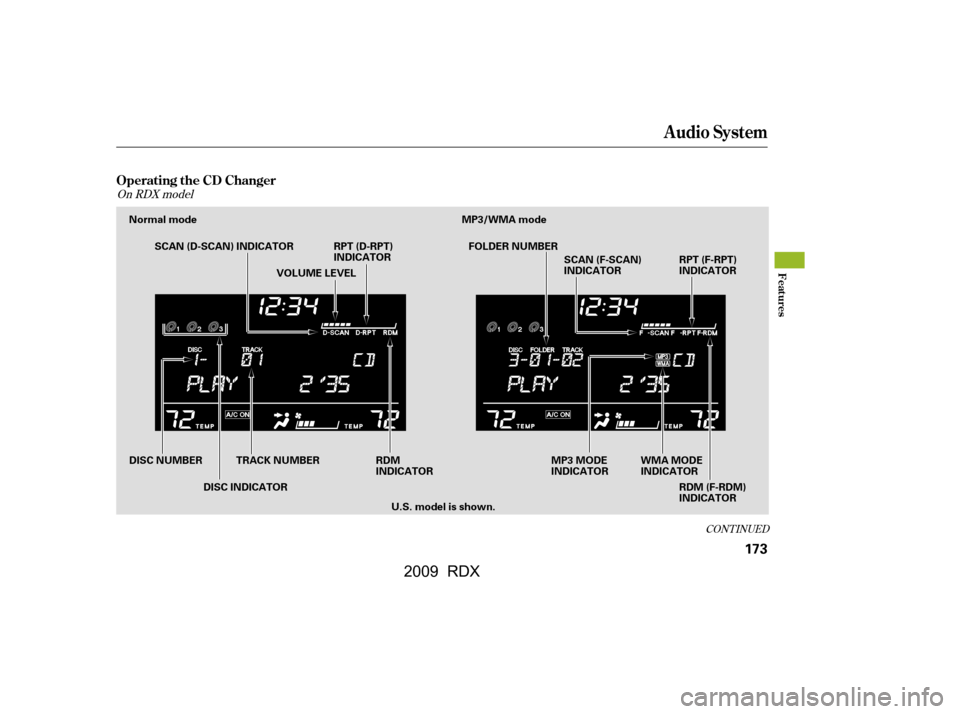
Operating the CD Changer
Features
173
Normal mode MP3/WMA modeSCAN (D-SCAN) INDICATOR RPT (D-RPT) INDICATOR
WMA MODE
INDICATOR
MP3 MODE
INDICATOR
RDM (F-RDM)
INDICATOR
RPT (F-RPT)
INDICATOR
RDM
INDICATOR
DISC NUMBER
DISC INDICATORTRACK NUMBER FOLDER NUMBER
SCAN (F-SCAN)
INDICATOR
VOLUME LEVEL
U.S. model is shown.
�\f���—�\f���—�
�
�y�
���������
���y���
�(�)� �����\f�y�\f�
�����y
2009 RDX
Page 178 of 433
Audio System
174
LOAD BUTTONDISC SLOT EJECT BUTTON
DISC LOAD INDICATOR
CD/AUX BUTTON
RPT BUTTON SCAN BUTTON
U.S. model is shown.
DISP/MODE BUTTON
TUNE/FOLDER BAR
A.SEL/RDM BUTTON
PWR/VOL KNOBPRESET BARS
SEEK/SKIP BAR
�\f���—�\f���—�
�
�y�
�������������y���
�(�)� �����\f�y�\f�
�����y
2009 RDX
Page 179 of 433

Your audio system has an in-dash
CD changer that holds up to six CDs,
providing several hours of
continuous entertainment. You
operate this CD changer with the
same controls used f or the radio.
To load CDs or operate the CD
changer, the ignition switch must be
in the ACCESSORY (I) or ON (II)
position.For best results when using CD-R or
CD-RW discs, use only high quality
discs labeled f or audio use. When
recording a CD-R or CD-RW, the
recordingmustbeclosedinorder
f or the disc to be played by the CD
player.
You cannot load and play 3-inch
(8-cm)discsinthissystem.
Video CDs and DVDs will not work
in this unit.
The disc changer can play these disc
formats:
The disc packages or jackets should
have one of these marks. The changer can also play MP3 or
WMA format (see page ).
CD (CD-DA)
CD-R/RW 177
CONT INUED
Audio System
Features
175
Do not use CDs with adhesive labels.
The label can curl up and cause the CD
to jam in the unit.
�\f���—�\f���—�
�
�y�
�������������y���
�(�)� �����\f�y�\f�
���\f�y
2009 RDX