Page 71 of 274
Seats
Front seats
Lumbar support: turn the control for firmer or softer lumbar support.
Front-rear adjustment: lift the bar and move the seat to the position of your choice.
Raise/lower front edge of seat cushion, pump up/down.
Backrest tilt: turn the control to adjust the angle of the backrest.
Raise/lower the seat, pump up/down.
Control panel for power seat.
WARNING
Do not adjust the seat while driving. The seat should be adjusted so that the brake pedal can be depressed fully. In
addition, position the seat as far rearward as comfort and control allow.
Check that the seat is securely locked into position after adjusting.
Folding the front seat backrest
The front passenger seat backrest can be folded to a horizontal position to make room for a long load. Fold the
backrest as follows:
Move the seat as far back as possible.
Adjust the backrest to an upright position.
Lift the catches on the rear of the backrest.
ProCarManuals.com
Page 72 of 274

Without releasing the catches, push the backrest forward.
Move the seat as far forward as possible so that the head restraint slides under the glove compartment.
WARNING
Cover sharp edges on the load to help prevent injury to occupants. Secure the load to help prevent shifting during
sudden stops.
83 03 Your driving environment
Seats
Power seat (option)
Front edge of seat cushion up/down
Seat forward/backward and up/down
Backrest tilt
Operation
The seats can be adjusted for a short period after unlocking the door with the remote control without the key in the
ignition slot. Seat adjustment is normally made when the ignition is on and can always be made when the engine is
running.
NOTE
Only one of the power seat's controls can be used at the same time.
The power seats have an overload protector that activates if a seat is blocked by any object. If this occurs, switch
off the ignition (key in position 0) and wait for a short period before operating the seat again.
Seat with memory function (option)
ProCarManuals.com
Page 73 of 274

Stored seat position
Stored seat position
Stored seat position
Memory button
Programming the memory
Three different seating and door mirror positions can be stored in the driver seat's memory.
The following example explains how button 1 can be programmed. Buttons 2 and 3 can be programmed in the same
way.
To program (store) a seat position and door mirror position in button 1:
1. Move the seat (and door mirrors) to the desired position using the seat and mirror adjustment controls.
2. Press and hold down the M (memory) button.
3. With the memory button depressed, press the button 1 briefly to store the current position for the seat/mirrors.
To move the seat and mirrors to the position that they were in when a button was programmed:
1. Press and hold down button 1 until the seat and mirrors stop moving.
NOTE
As a safety precaution, the seat will stop automatically if the button is released before the seat has reached the preset
position.
84 03 Your driving environment
Seats
Remote keyless entry system and the driver's seat
The remote control transmitter also controls the position of the power driver's seat in the following way:
1. Adjust the seat to your preferences.
2. When you leave your vehicle, lock it using the remote control.
The position of the driver's seat is now stored in the remote control's memory.
ProCarManuals.com
Page 74 of 274

Automatic seat adjustment
To move the seat to the position in which you left it:
1. Unlock the driver's door with the same remote control (the one used to lock the doors)
2. Open the driver's door within 2 minutes.
The driver's seat will automatically move to the position in which you left it.
NOTE
The key memory is independent of the seat memory.
The seat will Move to this position even if someone else has moved it to a different seating position and locked
the vehicle with a different remote control.
This feature will work in the same way with all of the remote control transmitters that you use with your vehicle.
The function can be activated/deactivated under Car key memory
Seat & mirror positions . For a description of the
menu system, see the information beginning on page 125
.
Emergency stop
If the seat accidentally begins to move, press one of the buttons to stop the seat.
WARNING
Because the driver's seat can be adjusted with the ignition off, children should never be left unattended in the
vehicle.
Movement of the seat can be STOPPED at any time by pressing any button on the power seat control panel.
Do not adjust the seat while driving. The seat should be adjusted so that the brake pedal can be depressed fully. In
addition, position the seat as far rearward as comfort and control allow.
The seat rails on the floor must not be obstructed in any way when the seat is in motion.
Heated/ventilated seats (option)
See page 131
.
85 03 Your driving environment
Seats
Rear seats
Folding down the rear seat backrests
ProCarManuals.com
Page 75 of 274

The three sections of the rear seat backrest can be folded down in different combinations to make it easier to transport
long objects.
The left (driver's side) section can be folded down separately.
The center section can be folded down separately.
The right (passenger's side) section can be folded down together with the center section.
All three sections can be folded down together.
Release and lower the center head restraint (see page 86) if the center and/or right section of the backrest is to be
lowered. The outboard head restraints fold down automatically.
Pull up the backrest release control on the respective section(s) and fold the section(s) down.
NOTE
It may be necessary to move the front seats forward or put their backrests in a more upright position before folding
down the rear seat backrests.
WARNING
When the backrest(s) are returned to the upright position, check that it is properly locked in place. The red
indicators should not be visible.
Return the outboard head restraints to the upright position.
Long loads should always be securely anchored to help avoid injury in the event of a sudden stop.
Always turn the engine off and apply the parking brake when loading/unloading the vehicle.
Place the transmission in the Park ( P) position to help prevent inadvertent movement of the gear selector.
On hot days, the temperature in the vehicle interior can rise very quickly. Exposure of people to these high
temperatures for even a short period of time can cause heat-related injury or death. Small children are particularly at
risk.
86 03 Your driving environment
Seats
Rear center head restraint
ProCarManuals.com
Page 121 of 274

Electronic climate control, ECC
Ventilated front driver's seat (option)
Blower
Heated front driver's seat (option)
Air distribution
Heated front passenger's seat (option)
Auto
Ventilated front passenger's seat (option)
Temperature control, passenger's side
A/C - On/Off
Heated rear window and door mirrors, see page 102.
Defroster (maximum effect)
Recirculation/Air quality system
Temperature control, driver's side
Ventilated front seats (option)
The ventilation system consists of fans in the seats and backrests that draw air through the seat upholstery. The cooling
effect increases as the air in the passenger compartment becomes cooler.
The ventilation is controlled by the ECC system, which takes into account the seat temperature, sunlight in the
passenger compartment, and the ambient temperature.
The ventilation can be used at the same time as seat heating.
The ventilation system can be activated when the engine is running. There are three comfort levels that produce
different cooling and dehumidification effects:
Level three: press the button once for maximum output - three indicator lights come on.
Level two: press the button twice for a lower output - two indicator lights come on.
Level one: press the button three times for the lowest output - one indicator light comes on.
Press the button a fourth time to switch off the function - the indicator light will go out.
ProCarManuals.com
Page 122 of 274

Blower control
Turn the control clockwise to increase or counterclockwise to decrease the blower speed. Pressing the AUTO switch
will automatically regulate blower speed and override manual adjustment.
NOTE
If the blower is turned off completely, the air conditioning is disengaged, which may result in fogging on the
windows.
Heated front seats (option)
Press the button once for the highest heat level - three indicator lights come on.
Press the button twice for a lower heat level - two indicator lights come on.
Press the button three times for the lowest heat level - one indicator light comes on.
Press the button four times to switch off the heat - no indicator lights come on.
132 04 Comfort and driving pleasure
Climate system
Heated rear seats 1
Heat control for the outboard seating positions takes place in the same way as for the front seat.
Air distribution
The figure consists of three buttons. When the buttons are pressed, an indicator light in front of the respective part of
the figure illuminates and shows which air distribution is selected, see page 135
.
1Option on Canadian models only.
Auto
ProCarManuals.com
Page 130 of 274
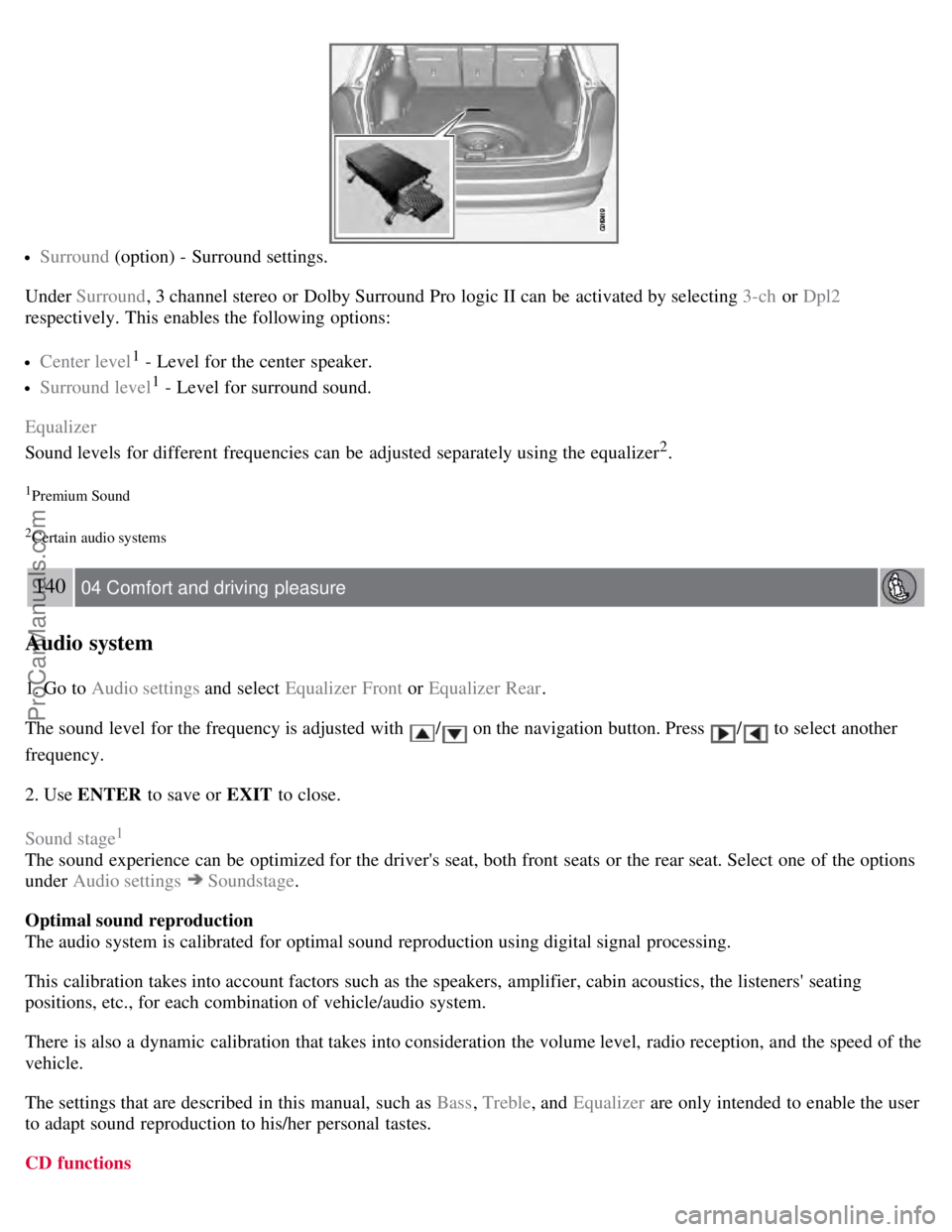
Surround (option) - Surround settings.
Under Surround , 3 channel stereo or Dolby Surround Pro logic II can be activated by selecting 3-ch or Dpl2
respectively. This enables the following options:
Center level1 - Level for the center speaker.
Surround level1 - Level for surround sound.
Equalizer
Sound levels for different frequencies can be adjusted separately using the equalizer
2.
1Premium Sound
2Certain audio systems
140 04 Comfort and driving pleasure
Audio system
1. Go to Audio settings and select Equalizer Front or Equalizer Rear.
The sound level for the frequency is adjusted with
/ on the navigation button. Press / to select another
frequency.
2. Use ENTER to save or EXIT to close.
Sound stage
1
The sound experience can be optimized for the driver's seat, both front seats or the rear seat. Select one of the options
under Audio settings
Soundstage .
Optimal sound reproduction
The audio system is calibrated for optimal sound reproduction using digital signal processing.
This calibration takes into account factors such as the speakers, amplifier, cabin acoustics, the listeners' seating
positions, etc., for each combination of vehicle/audio system.
There is also a dynamic calibration that takes into consideration the volume level, radio reception, and the speed of the
vehicle.
The settings that are described in this manual, such as Bass , Treble, and Equalizer are only intended to enable the user
to adapt sound reproduction to his/her personal tastes.
CD functions
ProCarManuals.com
