Page 146 of 275
This function provides the driver with an instantaneous conversion of the car's current speed from km/h to mph.
Current speed in km/h (U.S. models only)
This function provides the driver with an instantaneous conversion of the car's current speed from mph to km/h.
Current fuel consumption (Instantaneous)
Current fuel consumption is calculated every second. The information on the display is updated every few seconds.
When the vehicle is stationary, "----" appears on the display.
Average fuel consumption
The average fuel consumption since the last reset. Reset using RESET.
Driving distance on current fuel reserve
The calculation is based on the average fuel consumption over the last 20 miles ( 30 km) and the remaining usable fuel
in the tank. This shows the approximate distance that can be driven with the fuel quantity remaining in the tank. When
the driving distance on the current fuel reserve is less than 12 miles ( 20 km), " ---- miles to empty tank" is shown on
the display.
NOTE
The actual distance that can be driven on the usable fuel remaining in the tank may be influenced by a change in
driving style.
148 04 Comfort and driving pleasure
Trip computer
Resetting
1. Select Average speed or Average fuel consumption .
2. Press and hold RESET for approx. 1 second to reset the selected function. If RESET is kept depressed for at 3 three
seconds, Average speed and Average fuel consumption are reset simultaneously.
149 04 Comfort and driving pleasure
Compass
Operation
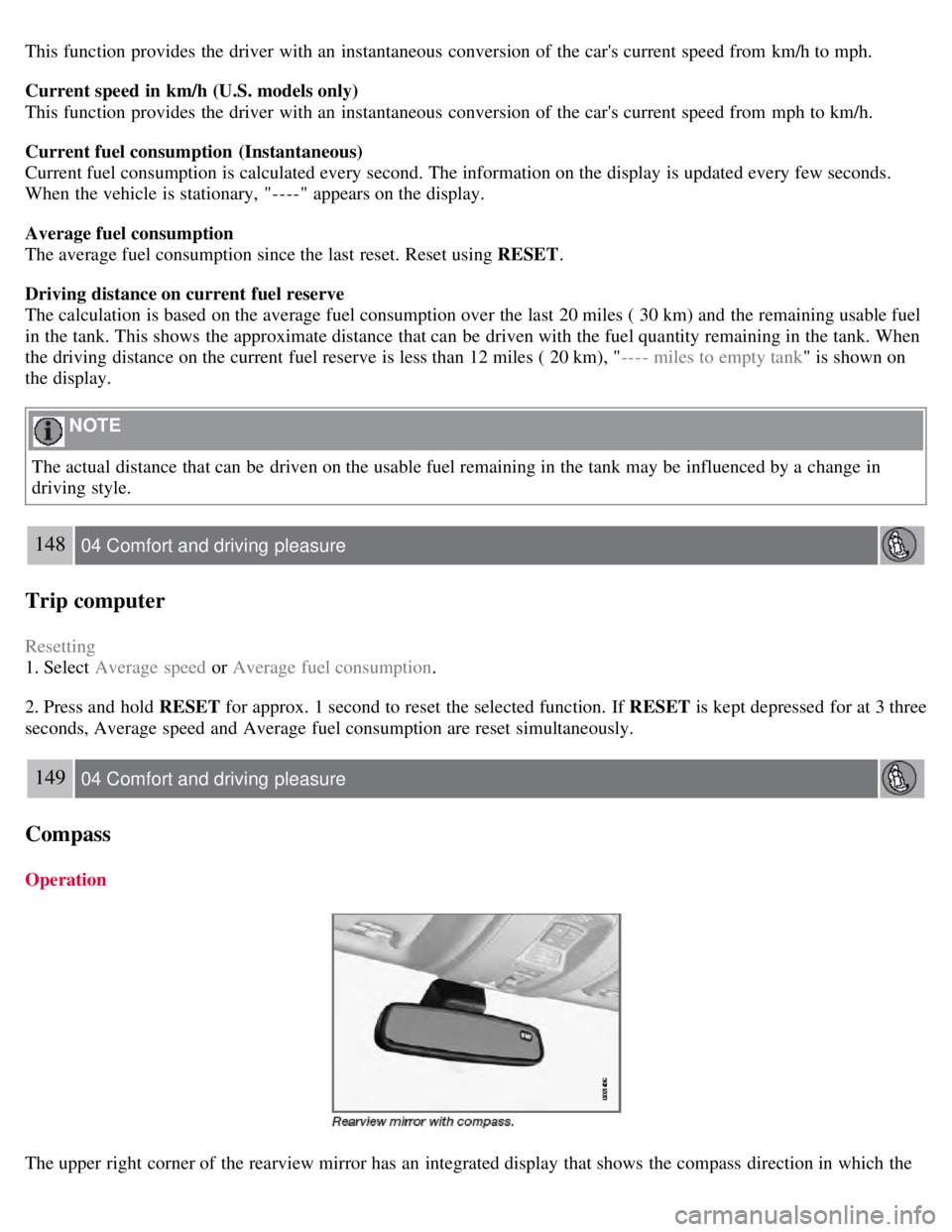
The upper right corner of the rearview mirror has an integrated display that shows the compass direction in which the
Page 149 of 275

Temporarily switching off Spin control
1. Turn the thumbwheel
until the DSTC menu is shown.
2. Hold down the RESET button
to toggle between DSTC SPIN CONTROL ON or OFF .
Messages in the information display
DSTC Temporarily OFF - system function has been temporarily reduced due to high brake disc temperature. The
function is activated automatically when the brakes have cooled.
DSTC Service required - the system has been disabled due to a fault. If this occurs:
152 04 Comfort and driving pleasure
Stability system
1. Stop the vehicle in a safe place and turn off the engine.
2. Restart the engine.
If the message remains when the engine is restarted, drive to an authorized Volvo workshop to have the system
inspected.
Symbols in the instrument panel
If the symbols
and are displayed at the same time, read the message in the information display.
If the symbol
appears alone, it may appear as follows:
If the symbol flashes, this indicates that the stability system is actively functioning to help counteract wheel spin
and/or a skid.
If the symbol remains on for approximately 2 seconds after the engine has been started, this indicates that the system
is performing a self -diagnostic test.
WARNING
The stability system is intended to help improve driving safety. It supplements, but can never replace, the driver's
judgment and responsibility when operating the vehicle. Speed and driving style should always be adapted to traffic
and road conditions.
153 04 Comfort and driving pleasure
Page 152 of 275
Adjusting the set speed
After a speed has been set, it can be increased or decreased by using the
or buttons.
Press and hold down or until the vehicle reaches the desired speed. This will become the set speed when the
button is released.
Press or for approximately a half second and release the button to increase or decrease vehicle speed by
approximately 1 mph (1.6 km/h).
NOTE
A temporary increase in speed by pressing the accelerator pedal, for less than 1 minute (e.g. when passing another
car), does not affect the current cruise control setting. The vehicle will automatically return to the previously set
speed when the accelerator pedal is released.
If one of the cruise control buttons is kept depressed for more than approx. 1 minute cruise control is disengaged.
The engine must then be switched off in order to reset cruise control.
Automatic deactivation
Cruise control is automatically deactivated temporarily if one of the following occurs:
If the speed drops below approximately 20 mph (30 km/h).
When the brake pedal is depressed.
If the gear selector is moved to position N.
During wheel spin or wheel lock-up.
If the vehicle's speed is increased by using the accelerator pedal for more than 1 minute.
The currently set speed will be saved in the system's memory.
155 04 Comfort and driving pleasure
Cruise control
Temporary deactivation
The driver can temporarily deactivate cruise control by pressing 0. The saved speed is shown in brackets in the
information display.
Resume set speed
If cruise control has been deactivated temporarily, it can be reactivated by pressing
. The vehicle's speed returns to
the most recently set speed.
WARNING
There may be a significant increase in speed after the
button has been pressed.
Deactivation
Cruise control is disengaged with CRUISE , by putting the gear selector in Neutral, or by switching off the engine. The
set speed is cleared.
WARNING
Cruise control should not be used in heavy traffic or when driving on wet or slippery roads. Cruise control may not
Page 156 of 275

The "car" symbol illuminates on the left side of the display when the radar sensor detects another
vehicle ahead. The distance to a vehicle ahead is only regulated when this symbol is illuminated.
Adjusting the set speed
After a speed has been set, it can be increased or decreased by using the
or buttons.
When the system is in active mode, the
button has the same function as , but results in a smaller increase in
speed.
NOTE
If one of the adaptive cruise control buttons is pressed for more than approximately one minute, ACC will be
deactivated. The engine must then be switched off and restarted to reset ACC.
In some situations cruise control cannot be activated. Cruise Control Unavailable is shown in the display, see page
166.
Setting a time interval
The set time interval to vehicles ahead is increased with
and decreased with . The current time interval is
shown briefly in the display following adjustment.
Five different time intervals can be selected and are shown in the display as 1-5 horizontal bars. The
greater the number of bars, the longer the time interval.
At low speeds, when the distance to the vehicle ahead is short, ACC increases the time interval slightly.
In order to follow the vehicle ahead as smoothly as possible, ACC allows the time
159 04 Comfort and driving pleasure
Adaptive Cruise Control-ACC
interval to vary considerably in certain situations.
WARNING
Only use a time interval that is suitable in current traffic conditions.
A short time interval gives the driver limited reaction time if an unexpected situation occurs in traffic.
The number of bars indicating the selected time interval are shown while the setting is being made and for several
seconds afterward. A smaller version of the symbol is then shown to the right in the display. The same symbol is also
displayed when Distance Alert is activated, see page 163
.
Deactivating and resuming settings
Cruise control is deactivated, either with a short press on , or by action taken by the driver, such as braking, etc.
Page:
< prev 1-8 9-16 17-24