2008 VOLVO C30 steering
[x] Cancel search: steeringPage 41 of 234

47 02 Instruments and controls
Instrument overview
1. Steering wheel adjustment68
2. Hood opener201
3. Controls in driver's door(see inset illustration on next page)
4. Turn signals, high beams, trip computer60
5. Lighting panel, fuel filler door opener58
6. Door open handle, and locking button126
7. Climate system air vent88
8. Side window air vent-
9. Cruise control 66
10. Horn, airbag19
11. Main instrument panel49
12. Audio controls228
13. Wipers/washers63
14. Ignition switch139
15. Moonroof controls75
16. Not in use
17. Movement detector (option), alarm sensor129
18. Courtesy lighting switch102
19. Driver's side reading light102
20. Passenger's side reading light102
21. Seat belt reminder and Occupant Weight Sensor indicator16
22. Rear-view mirror72
23. Display for climate control and audio system77
Page 52 of 234
1. Turn the ignition key or optional keyless drive start control to position II.
2. Press button 5 to turn on the rear fog light.
59 02 Instruments and controls
Lighting panel
An indicator light in the button illuminates when the rear fog light is on.
NOTE
The rear fog light is considerably brighter than the normal taillights and should be used only when conditions such as
fog, rain, snow, smoke or dust reduce visibility for other vehicles to less than 500 ft. (150 meters).
Instrument panel lighting
The instrument panel lighting illuminates when the ignition is in position II and the light switch (1) is in either position
or .
Move the thumb wheel (2) up to increase brightness or down to decrease brightness.
NOTE
To make it easier to read the odometer, trip odometer, clock, and ambient temperature, these gauges illuminate when the
vehicle is unlocked and when the key has been removed from the ignition switch. The lighting will go out when the
vehicle is locked.
Unlocking the fuel filler door
With the ignition switched off, press button 4 to unlock the fuel filler door. Please note that the fuel filler door will remain
unlocked until the vehicle begins to move forward.
An audible click will be heard when the fuel filler door re-locks.
60 02 Instruments and controls
Left-side steering wheel lever
Lever positions
Page 53 of 234

1. Turn signals, lane change position
2. Turn signals, position for normal turns
3. High beam flash
4. Toggle between high and low beams, Home Safe lighting
Turn signals
When turning
Move the lever as far up or down as possible (to position 2) to start the turn signals.
The turn signals will be cancelled automatically by the movement of the steering wheel, or the lever can be returned to its
initial position by hand.
When changing lanes
The driver can automatically flash the turn signals 3 times by:
Moving the turn signal lever up or down to position 1 and releasing it.
Moving the lever up or down to position 2 and immediately back to its original position.
NOTE
This automatic flashing sequence can be interrupted by immediately moving the lever in the opposite direction.
If the turn signal indicator flashes faster than normal, check for a burned-out turn signal bulb.
High/low beam headlights
Continuous high beams
1. Turn the ignition key or optional keyless drive start control to position II.
2. With the light switch (1) in position
, (see page 59) pull the turn signal lever toward the steering wheel (position 4)
to toggle between high and low beams.
High beam flash
1. Turn the ignition key or optional keyless drive start control to position II.
2. Pull the turn signal lever to position 3. The high beams will remain on until the lever is released.
Home safe lighting
When you leave your vehicle at night, you can make use of the home safe lighting function to illuminate the area in front
Page 54 of 234

of the car.
1. Remove the key from the ignition switch.
2. Pull the direction indicator lever as far as possible towards the steering wheel (to position 4) and release it.
3. Exit the vehicle and lock the doors.
The headlights and parking lights will illuminate and remain on for 30
1, 60 or 90 seconds. The time interval can be
changed according to your preferences by using the Personal Settings function, see page 78
for more information.
1Factory setting
61 02 Instruments and controls
Trip computer (option)
The trip computer stores information gathered from several systems in your vehicle and has five menus (six on Canadian
models) that can be shown in the information display.
MILES TO EMPTY TANK
AVERAGE (average fuel consumption)
INSTANTANEOUS (current fuel consumption)
AVERAGE SPEED
ACTUAL SPEED (current speed in m.p.h., Canadian models only)
DSTC (see page 150)
NOTE
Warning messages from the car's monitoring systems will override the trip computer function.
If a warning message is shown in the information display while you are using the trip computer:
1. Acknowledge the message by pressing the READ button (A).
2. Press button A again to return to the trip computer function.
Controls
The trip computer functions can be accessed by twisting INFO (B) one step at a time in either direction. Twisting a final
time returns you to the original function.
Page 55 of 234

Resetting
AVERAGE (average fuel consumption) and AVERAGE SPEED can be reset.
1. Select one of these functions.
2. Press RESET (C).
Holding RESET for at least five seconds resets both functions at the same time.
MILES TO EMPTY TANK
This function shows the approximate distance that can be driven on the fuel remaining in the tank. This calculation is
based on average fuel consumption during the last 20 miles (30 km) of driving and the amount of fuel remaining in the
tank when the reading was taken. When the driving distance on current fuel reserve is less than 12 miles (20 km), "----"
will be displayed in the information display.
AVERAGE
This value indicates fuel consumption since the last time the trip computer was reset (by pressing RESET, button C).
When the engine is switched off, information on fuel consumption is stored and remains in system memory until the
RESET (button C) is pressed again.
INSTANTANEOUS
This value indicates the current fuel consumption, based on readings taken once per second. When the vehicle is not
moving, "----" will be displayed.
AVERAGE SPEED
This value indicates average speed since the last time the trip computer was reset (by pressing RESET, button C). When
the engine is switched off, information on average
62 02 Instruments and controls
Trip computer (option)
speed is stored and remains in system memory until the RESET (button C) is pressed again.
ACTUAL SPEED (Canadian models only)
This function provides the driver with an instantaneous conversion of the car's current speed from km/h to m.p.h.
NOTE
Trip computer readings may vary slightly depending on the circumference of the tires on the car, tire inflation, or
driving style.
63 02 Instruments and controls
Right-side steering wheel lever
Windshield wipers
Page 56 of 234

A. Windshield/headlight washers
B. Rain sensor (option) - on/off
C. Thumb wheel
D. Rear liftgate wiper/washer
Windshield wipers off
The windshield wipers are off when the lever is in position 0.
Manual wiper function
From position 0, move the lever upward. The windshield wipers will sweep one stroke at a time for as long as the lever is
held up.
Intermittent wiper function
With the lever in this position, you can set the wiper interval by moving the thumb wheel (C) upward to increase wiper
speed or downward to decrease the speed.
Continuous wiper function
The wipers operate at "normal" speed.
High speed wiper function.
A -Windshield washers
Pull the lever toward the steering wheel and release it. The wipers will make 2-3 sweeps across the windshield after the
lever has been released.
CAUTION
Use ample washer fluid when washing the windshield. The windshield should be thoroughly wet when the wipers are
in operation.
Before using the wipers, ice and snow should be removed from the windshield/ rear window. Be sure the wiper
blades are not frozen in place.
Headlight washers (certain models)
Page 57 of 234
When the lever has been pulled, high pressure jets mounted in the bumper will spray the headlights.
The following applies to conserve washer fluid (see page 58
for information on the light switch positions):
Low/high beam headlights on
The headlights will be washed the first time the windshield is washed. Thereafter, the headlights will only be washed once
for every five times the windshield is washed within a 10-minute period.
64 02 Instruments and controls
Right-side steering wheel lever
Parking lights on
Optional Bi -Xenon® headlights will be washed once for every five times the windshield is washed.
Normal halogen headlights will not be washed.
B - Rain sensor (option)
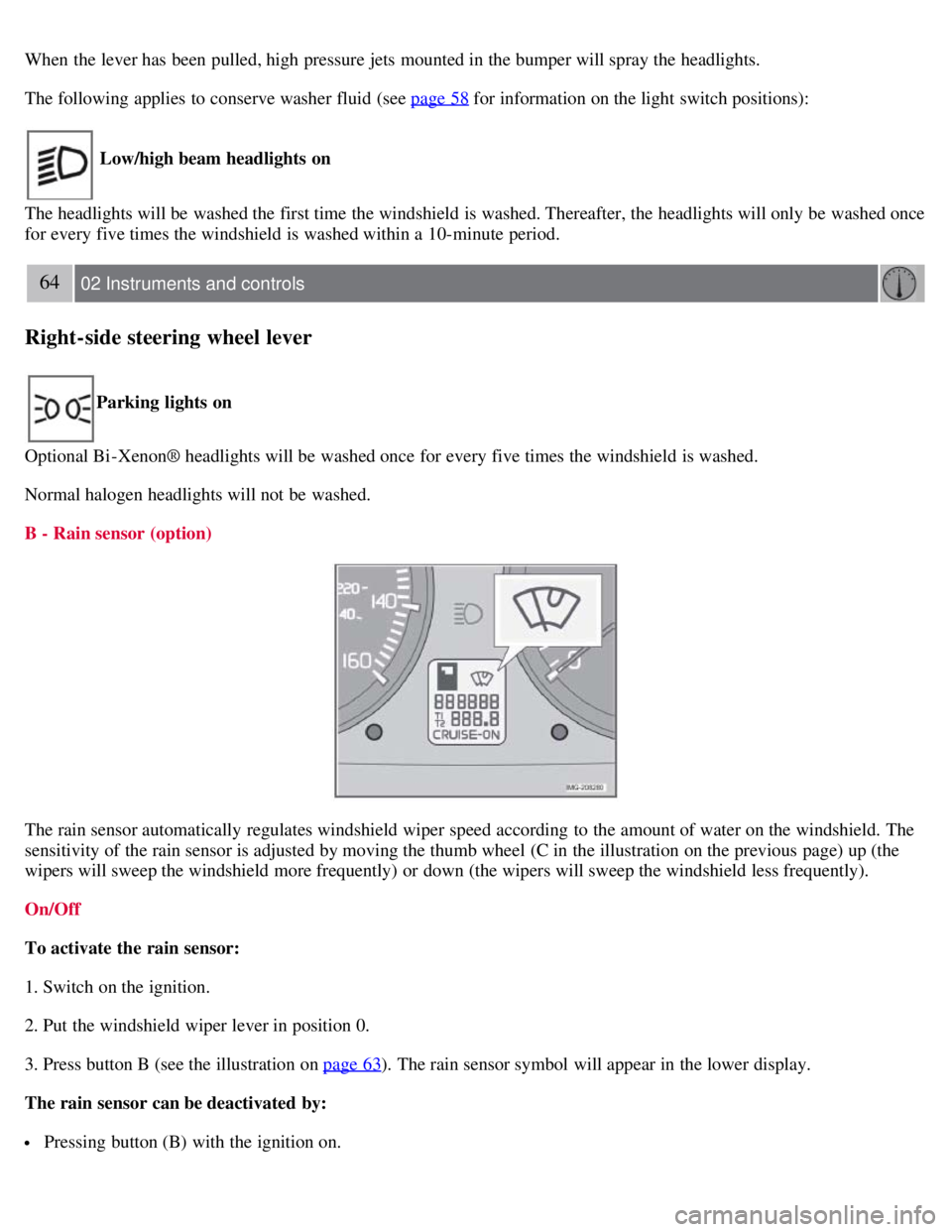
The rain sensor automatically regulates windshield wiper speed according to the amount of water on the windshield. The
sensitivity of the rain sensor is adjusted by moving the thumb wheel (C in the illustration on the previous page) up (the
wipers will sweep the windshield more frequently) or down (the wipers will sweep the windshield less frequently).
On/Off
To activate the rain sensor:
1. Switch on the ignition.
2. Put the windshield wiper lever in position 0.
3. Press button B (see the illustration on page 63
). The rain sensor symbol will appear in the lower display.
The rain sensor can be deactivated by:
Pressing button (B) with the ignition on.
Page 58 of 234

or
Moving the windshield wiper lever down. If the lever is moved up, the rain sensor function will remain activated
CAUTION
The rain sensor should be deactivated when washing the vehicle in an automatic car wash, etc. If the rain sensor
function is left on, the wipers will start inadvertently in the car wash and could be damaged.
The rain sensor is automatically deactivated:
When the key is removed from the ignition.
Five minutes after the ignition is switched off if the key is left in the ignition.
C - Thumb wheel
The thumb wheel is used to set the wiper interval when intermittent wiping is selected, or the sensitivity to the amount of
rain on the windshield when the rain sensor is selected. Move the wheel upward or downward to increase/decrease wiper
speed when the intermittent function is selected, or to increase/decrease the optional rain sensor's sensitivity when this
function is activated.
D - Rear liftgate wiper/washer
Press the lever forward to wipe and wash the liftgate window. The wiper will sweep the window several times after the
lever has been released.
The button at the end of the lever has three positions:
Intermittent wiping
Press in the upper section of the button.
Normal wiper speed
Press in the lower section of the button.
Neutral position
The wiper function is switched off.
65 02 Instruments and controls
Right-side steering wheel lever
Rear liftgate wiper and reverse gear
If the front wipers are on and the transmission is put into reverse gear, the liftgate wiper will be activated.
If the transmission is in reverse and the manual windshield wiper function is used (the lever is pushed upward), the
liftgate wiper will also be activated for as long the lever is held up.
If the liftgate wiper is already in normal wiping function, the normal wiping function will continue.
66 02 Instruments and controls
Cruise control (option)
Engaging the cruise control function