Page 134 of 384
119
2-2. Instrument cluster
2
When driving
Odometer/trip meter
Odometer:
Displays the total distance the vehicle has been driven.
Trip meter:
Displays the distance the vehicle has been driven since the meter was
last reset. Trip meters A and B can be used to record and display differ-
ent distances independently.
ODO/TRIP button
Switches between odometer and trip meter displays. Pushing and hold-
ing the button will reset the trip meter when the trip meter is being dis-
played.
CLOCK button
Adjusts the time.
( →P. 201)
Page 135 of 384
120 2-2. Instrument cluster
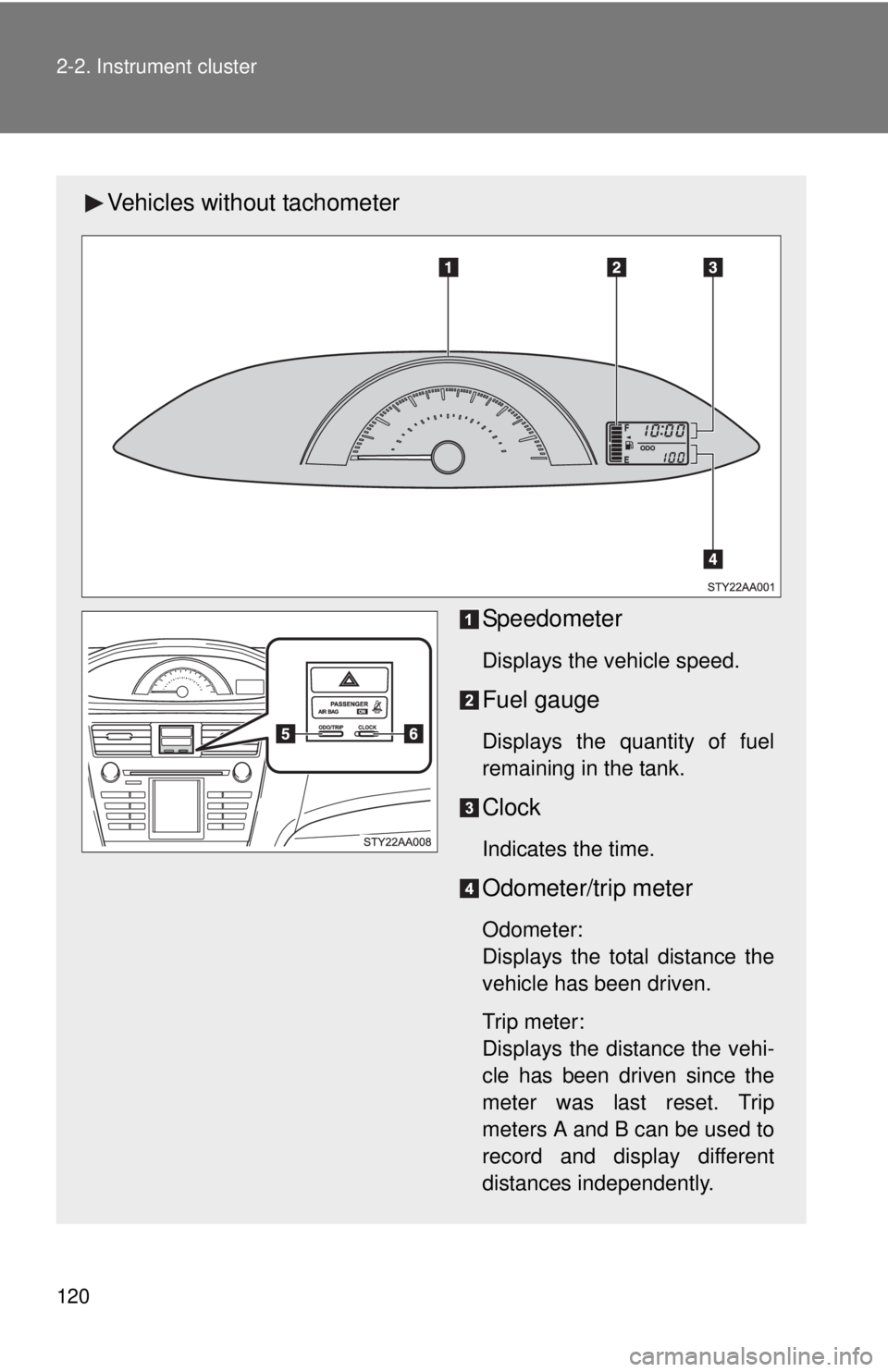
Vehicles without tachometerSpeedometer
Displays the vehicle speed.
Fuel gauge
Displays the quantity of fuel
remaining in the tank.
Clock
Indicates the time.
Odometer/trip meter
Odometer:
Displays the total distance the
vehicle has been driven.
Trip meter:
Displays the distance the vehi-
cle has been driven since the
meter was last reset. Trip
meters A and B can be used to
record and display different
distances independently.
Page 136 of 384
121
2-2. Instrument cluster
2
When driving
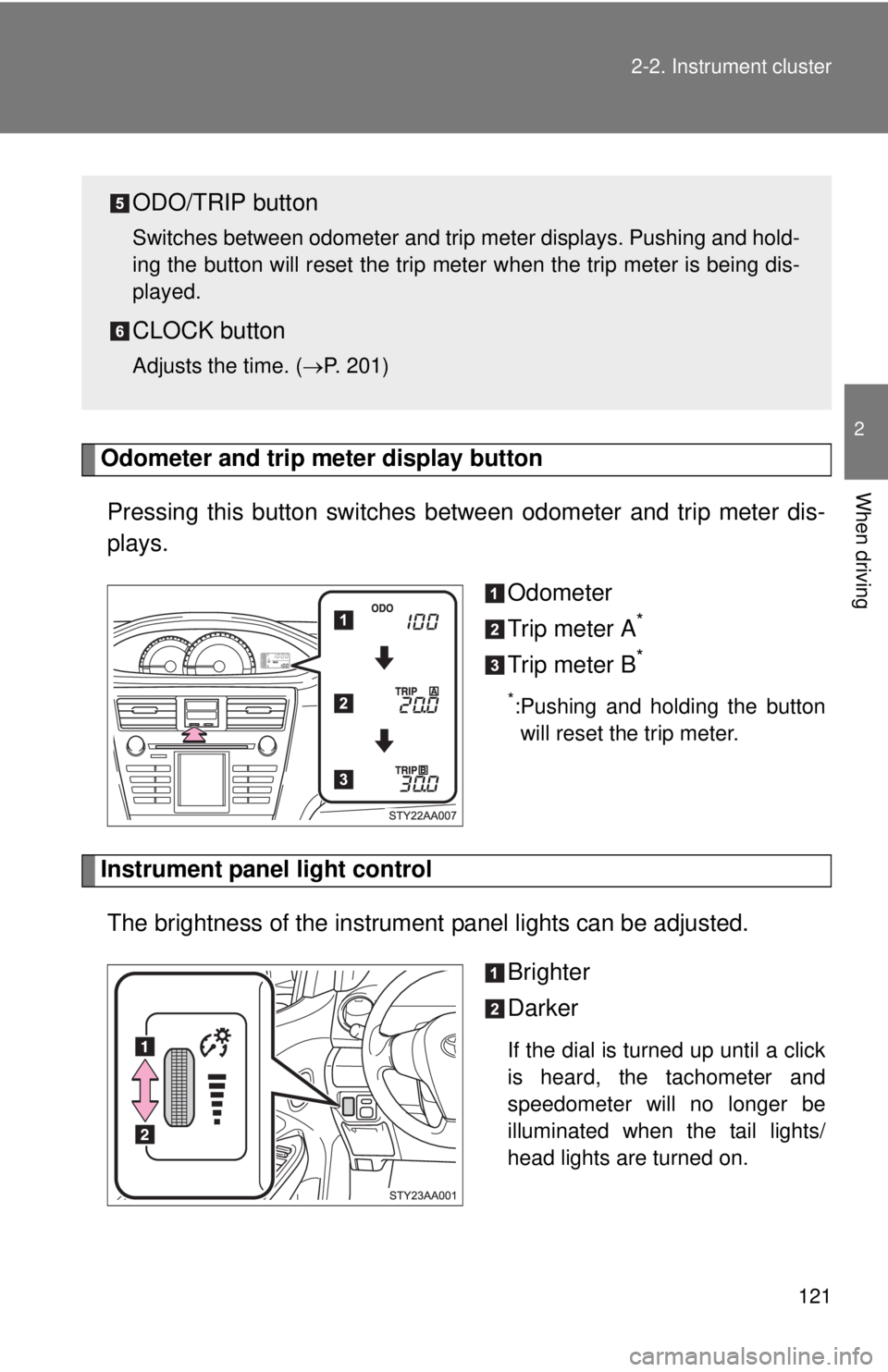
Odometer and trip meter display button
Pressing this button switches
between odometer and trip meter dis-
plays.
Odometer
Trip meter A
*
Trip meter B*
*:Pushing and holding the buttonwill reset the trip meter.
Instrument panel light control
The brightness of the instrument panel lights can be adjusted.
Brighter
Darker
If the dial is turned up until a click
is heard, the tachometer and
speedometer will no longer be
illuminated when the tail lights/
head lights are turned on.
ODO/TRIP button
Switches between odometer and trip meter displays. Pushing and hold-
ing the button will reset the trip meter when the trip meter is being dis-
played.
CLOCK button
Adjusts the time. ( →P. 201)