Page 166 of 388
166 2-5. Driving information
NOTICE
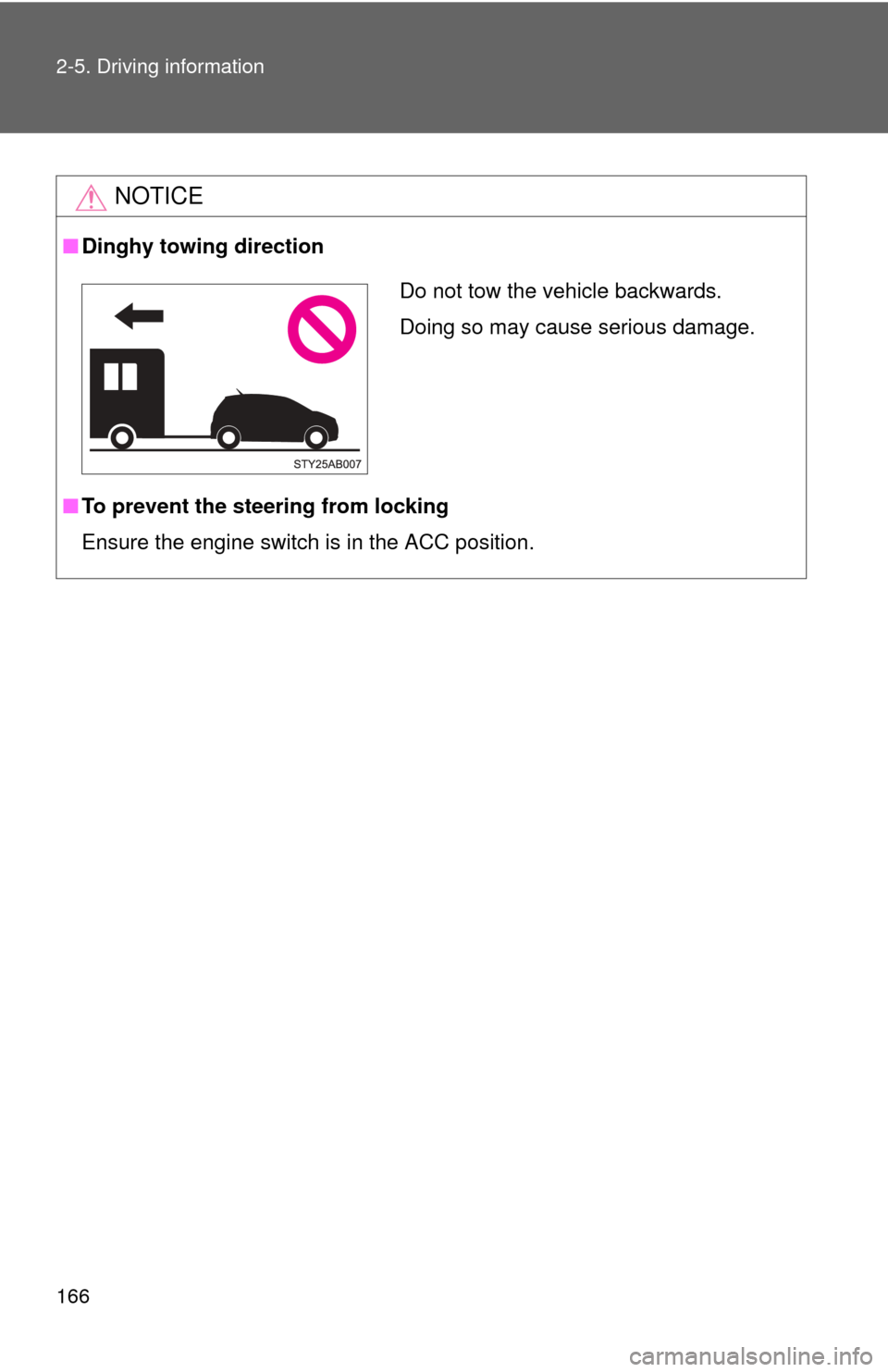
■Dinghy towing direction
■ To prevent the steering from locking
Ensure the engine switch is in the ACC position.
Do not tow the vehicle backwards.
Doing so may cause serious damage.
Page 167 of 388

Interior features3
167
3-1. Using the air conditioning system and defogger... 168
Air conditioning system .... 168
Rear window defogger ..... 175
3-2. Using the audio system .......................... 176
Audio system types .......... 176
Using the radio ................. 179
Using the cassette player ............................. 182
Using the CD player ......... 185
Playing back MP3 and WMA discs ..................... 192
Optimal use of the audio system ........................... 200
Using the AUX adapter .... 203
3-3. Using the interior lights ............................. 204
Interior lights list ............... 204
• Interior light ..................... 205
• Personal lights ................ 205 3-4. Using the storage
features ......................... 206
List of storage features .... 206
• Glove boxes ................... 206
• Cup holders ................... 208
• Bottle holders ................. 209
• Auxiliary boxes ............... 211
3-5. Other interior features ... 213 Sun visors ........................ 213
Vanity mirrors ................... 214
Clock ................................ 215
Power outlet ..................... 217
Floor mat .......................... 218
Luggage compartment features .......................... 219
Page 168 of 388
168
3-1. Using the air conditioning system and defogger
Air conditioning system
Adjusting the settings■ Adjusting the temperature setting
Turn the temperature control dial clockwise (warm) or counter-
clockwise (cool).
If is not pressed, the system will blow ambient temperature air or
heated air.
For quick cooling, turn the temperature control dial to the “
MAX A/C”
position and set the air intake selection dial to (recirculated air)
mode.
Fan speed control dial
Air outlet selection dialAir conditioning
ON/OFF switch
Temperature control dial
Air intake selection dial
Page 169 of 388
169
3-1. Using the air conditioning system
and defogger
3
Interior features
■Adjusting the fan speed
Turn the fan speed control dial clockwise (increase) or counter-
clockwise (decrease).
Set the dial to “0” to turn the fan off.
■ Selecting the air outlets
Set the air outlet selection di al to an appropriate position.
The positions between the air outlet selections shown below can also be
selected for more detailed adjustment.
When the dial is set to , air
flows to the upper body.
When the dial is set to , air
flows to the upper body and feet.
: Some models
Page 173 of 388
173
3-1. Using the air conditioning system
and defogger
3
Interior features
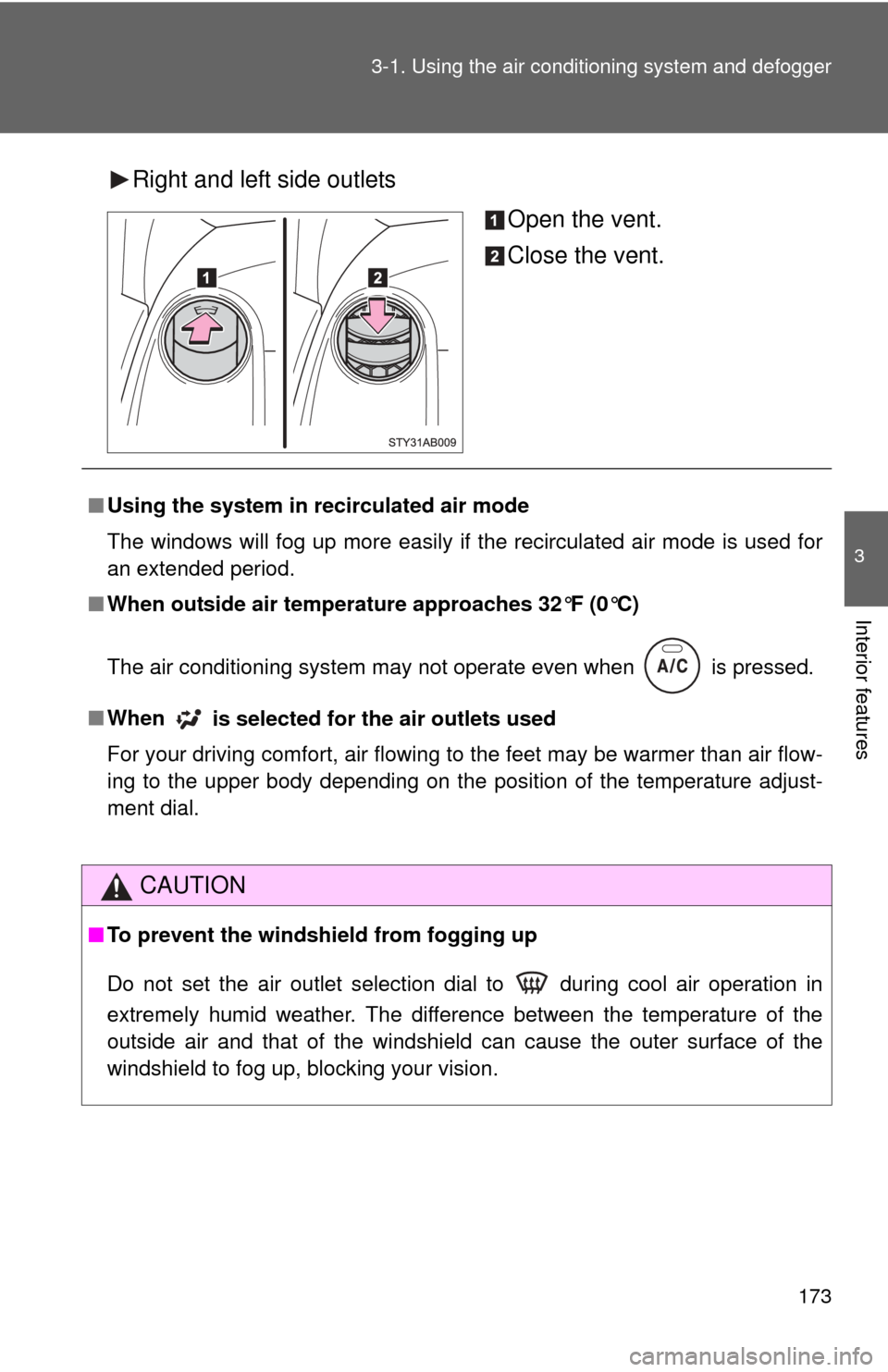
Right and left side outlets
Open the vent.
Close the vent.
■Using the system in recirculated air mode
The windows will fog up more easily if the recirculated air mode is used for
an extended period.
■ When outside air temperature approaches 32°F (0°C)
The air conditioning system may not operate even when
is pressed.
■ When
is selected for the air outlets used
For your driving comfort, air flowing to the feet may be warmer than air flow-
ing to the upper body depending on the position of the temperature adjust-
ment dial.
CAUTION
■ To prevent the windshield from fogging up
Do not set the air outlet selection dial to during cool air operation in
extremely humid weather. The difference between the temperature of the
outside air and that of the windshield can cause the outer surface of the
windshield to fog up, blocking your vision.
Page 204 of 388
204
3-3. Using the interior lights
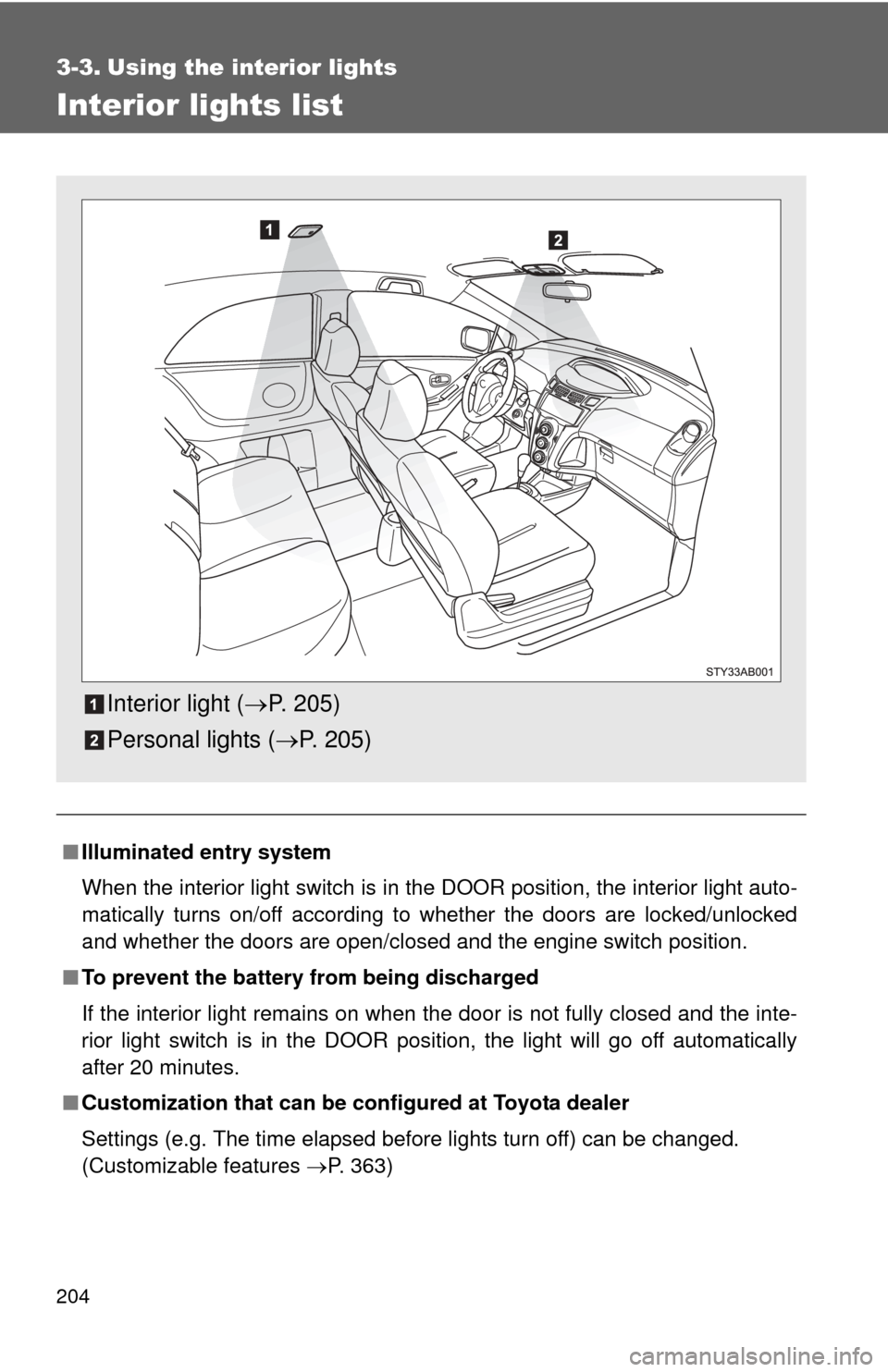
Interior lights list
■Illuminated entry system
When the interior light switch is in the DOOR position, the interior light auto-
matically turns on/off according to whether the doors are locked/unlocked
and whether the doors are open/closed and the engine switch position.
■ To prevent the battery from being discharged
If the interior light remains on when the door is not fully closed and the inte-
rior light switch is in the DOOR position, the light will go off automatically
after 20 minutes.
■ Customization that can be co nfigured at Toyota dealer
Settings (e.g. The time elapsed before lights turn off) can be changed.
(Customizable features P. 363)
Interior light (P. 205)
Personal lights ( P. 205)
Page 215 of 388
215
3-5. Other interior features
3
Interior features
Clock
Vehicles with tachometerPress and hold the clock reset button to enter the adjust-
ment mode for the clock.
Press the clock reset button to adjust the hours.
After adjusting the hours, wait 5 seconds to allow the hours to be
automatically input.
Press the clock reset button to adjust the minutes.
After adjusting the minutes, wait 5 seconds to allow the minutes to
be automatically input and then return to normal mode.
Page 216 of 388
216 3-5. Other interior features
■The clock is displayed when
The engine switch is in the ON position.
■ When disconnecting and reco nnecting battery terminals
The time display will automatically be set to 1:00.
■ Adjusting to a full hour (vehicles without tachometer)
If you press the clock reset button, the minute values will be rounded to the
nearest hour. So, minute values from “:00” to “:29” are rounded down, and
values from “:30” to “:59” are rounded up.*
*: e.g.
1:00 to 1:29 1:00
1:30 to 1:59 2:00
Vehicles without tachometer
Press and hold the clock reset button to enter the adjust-
ment mode for the clock.
Press the clock reset button to adjust the minutes.
After adjusting the minutes, wait 5 seconds to allow the minutes to
be automatically input.
Press the clock reset button to adjust the hours.
After adjusting the hours, wait 5 seconds to allow the hours to be
automatically input and then return to normal mode.