Page 361 of 621
351
2008 TUNDRA from Apr. ’08 Prod. (OM 34477U)
�Delete Speed Dial
The registered speed dial can be de-
leted.
�List names
The registered names can be checked.
�Set Speed Dial
Speed dials can be set
Redial (see page 373)
Callback (see page 374)
Making a phone call (see page 376)
Receiving a phone call (see page 378)
Talking on the phone (see page 379)
—Some basics
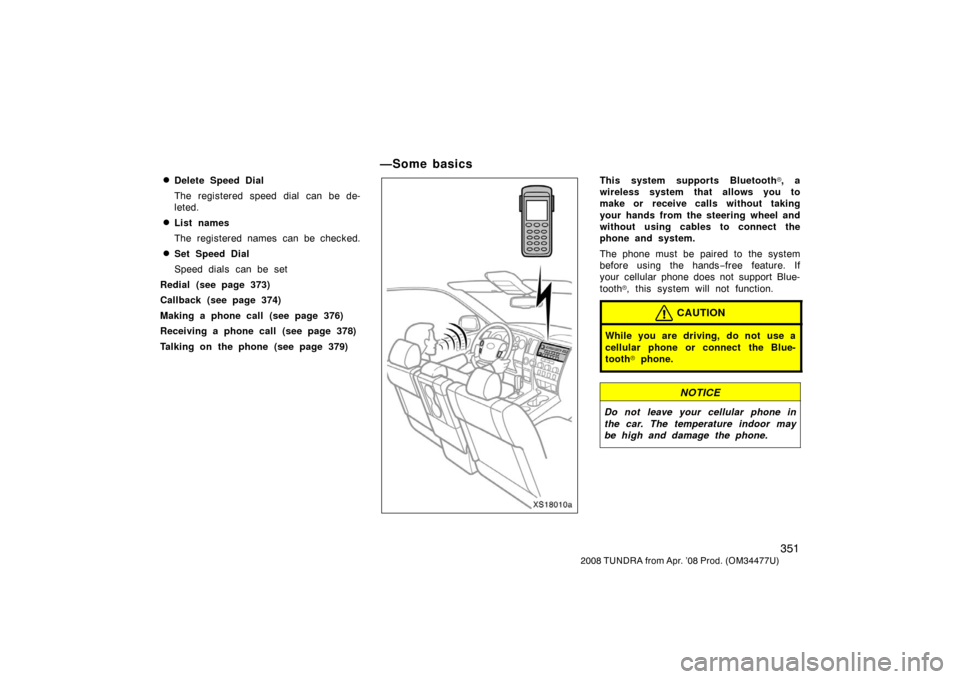
XS18010a
This system supports Bluetooth�, a
wireless system that allows you to
make or receive calls without taking
your hands from the steering wheel and
without using cables to connect the
phone and system.
The phone must be paired to the system
before using the hands −free feature. If
your cellular phone does not support Blue-
tooth
�, this system will not function.
CAUTION
While you are driving, do not use a
cellular phone or connect the Blue-
tooth
� phone.
NOTICE
Do not leave your cellular phone in
the car. The temperature indoor may
be high and damage the phone.
Page 362 of 621
352
2008 TUNDRA from Apr. ’08 Prod. (OM 34477U)
The system may not function in the follow-
ing conditions and places:
�The cellular phone is turned off.
�The current position is outside the
communication area.
�The cellular phone is not connected.
�The cellular phone has a low battery.
�The cellular phone is hiding behind the
seat or in the glove box and console
box.
�The cellular phone touches or is cov-
ered with metal materials.
This system supports the following ser-
vice.
�HFP (Hands Free Profile) Ver.1.0.
�OPP (Object Push Profile) Ver.1.1.
If your cellular phone does not support
HFP, you cannot enter the Bluetooth
�
phone, and take OPP service individually.
Bluetooth is a registered trademark of
Bluetooth SIG. Inc. When transferring ownership of the ve-
hicle:
A lot of personal data is registered
when you use the handsfree system.
When transferring ownership of the ve-
hicle, initialize the system.
If you initialize it, the former state will
never come back again. Pay much atten-
tion when initializing the data.
You can initialize the following data in the
system.
�Phone book data
�Dialed numbers and received calls
�Speed dial
�Bluetooth� phone data
�Security code
FCC ID: HYQBTAU01A
IC ID: 1551ABTAU01A
MADE IN MEXICO
This device complies with Part 15 of the
FCC Rules and RSS
−210. Operation is
subject to the following two conditions:
(1) This device may not cause harmful
interference, and (2) this device must
accept any interference received, includ-
ing interference that may cause unde-
sired operation.
CAUTION
Changes or modifications not ex-
pressly approved by the party respon-
sible for compliance could void the
user’s authority to operate the equip-
ment.
Page 366 of 621
356
2008 TUNDRA from Apr. ’08 Prod. (OM 34477U)
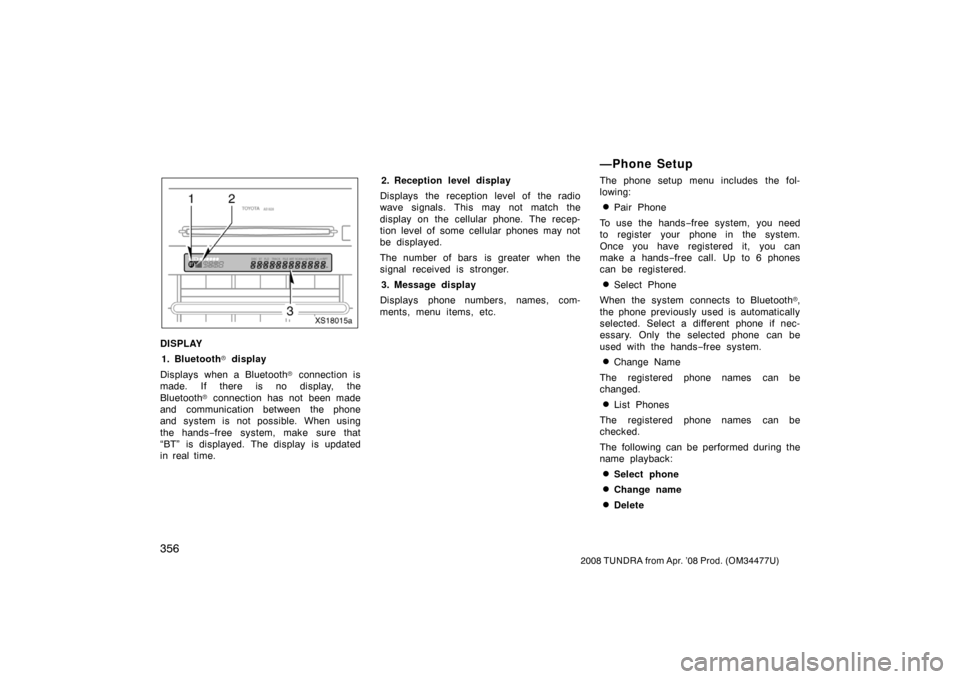
XS18015a
DISPLAY
1. Bluetooth
� display
Displays when a Bluetooth
� connection is
made. If there is no display, the
Bluetooth
� connection has not been made
and communication between the phone
and system is not possible. When using
the hands −free system, make sure that
“BT” is displayed. The display is updated
in real time. 2. Reception level display
Displays the reception level of the radio
wave signals. This may not match the
display on the cellular phone. The recep-
tion level of some cellular phones may not
be displayed.
The number of bars is greater when the
signal received is stronger.
3. Message display
Displays phone numbers, names, com-
ments, menu items, etc.
—Phone Setup
The phone setup menu includes the fol-
lowing:
�Pair Phone
To use the hands −free system, you need
to register your phone in the system.
Once you have registered it, you can
make a hands −free call. Up to 6 phones
can be registered.
�Select Phone
When the system connects to Bluetooth
�,
the phone previously used is automatically
selected. Select a different phone if nec-
essary. Only the selected phone can be
used with the hands −free system.
�Change Name
The registered phone names can be
changed.
�List Phones
The registered phone names can be
checked.
The following can be performed during the
name playback:
�Select phone
�Change name
�Delete
Page 389 of 621

379
2008 TUNDRA from Apr. ’08 Prod. (OM 34477U)
To transfer a call to the phone:
The received call can be transferred from
the hands−free system to the cellular
phone that is connected to Bluetooth
�. For
details, refer to the user’s guide for the
cellular phone. While talking on the phone, the display is
as follows. The display differs depending
on whether or not the vehicle is in motion.
When the vehicle is stopped:
Number is displayed.
When the vehicle is in motion:
“Talking“ is displayed.
When the call is finished, push the on
−
hook switch.
In the following situations, your voice may
not reach the party.
�Talk alternately with the other party on
the phone. If you talk at the same
time, the voice may not reach each
other. (It is not a malfunction.)
�Keep the volume of receiving voice
down. Otherwise, echo is coming up.
When you talk on the phone, speak
clearly towards the microphone.
�When driving on a rough road.
�When driving at high speeds.
�When the window is open.
�When the air conditioning vents face
the microphone.
�When the sound of the air conditioning
fan is loud. To transfer a call from the phone:
Pushing the off
−hook switch while talking
on the cellular phone that is connected to
Bluetooth
� allows you to talk hands −free.
To transfer a call to the phone:
The call can be transferred from the
hands −free system to the phone that is
connected to Bluetooth
�. For details, refer
to the user’s guide for the cellular phone.
—Talking on the phone