Page 3 of 24
1
OVERVIEW
FEATURES/OPERATIONS
SAFETY AND EMERGENCY FEATURES
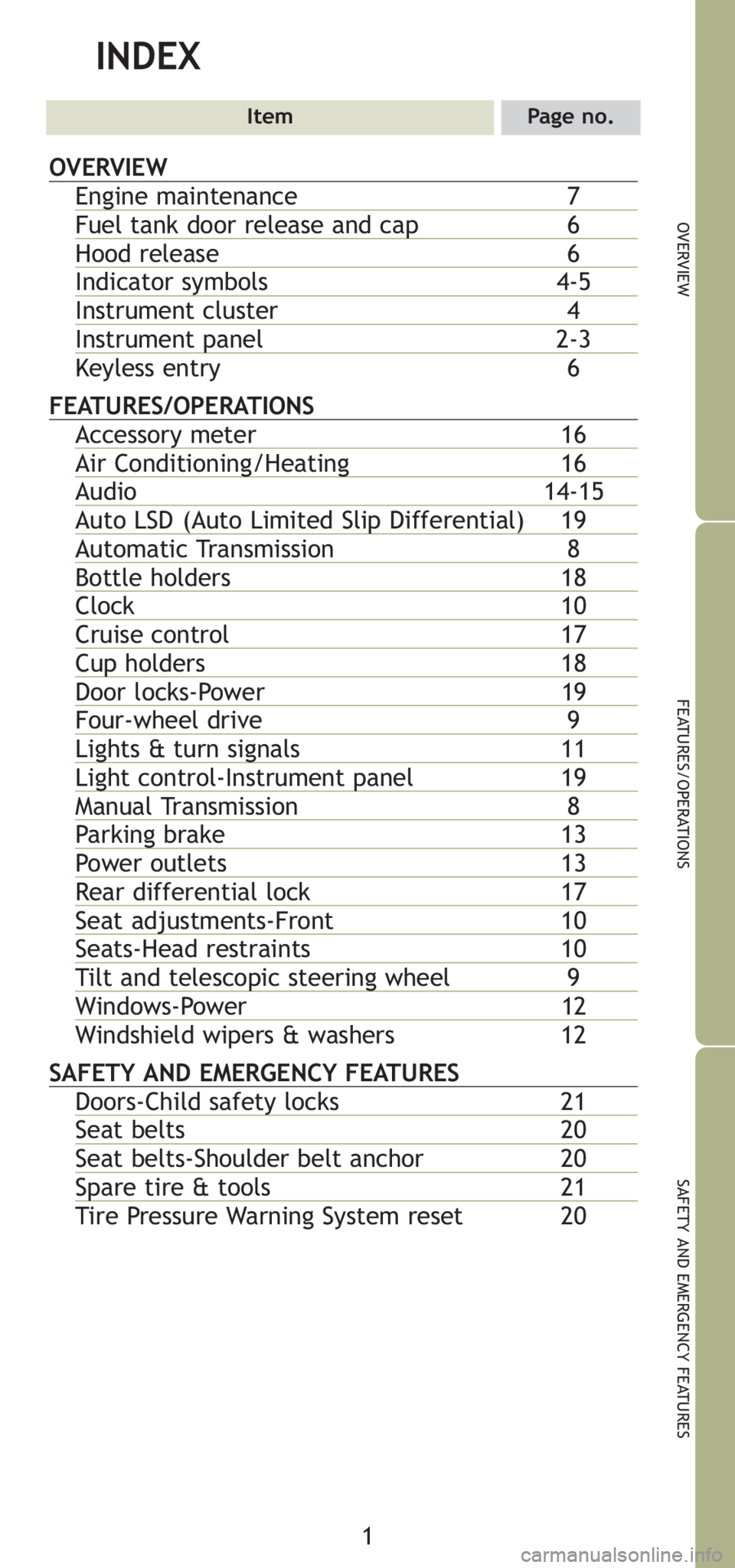
INDEX
ItemPage no.
OVERVIEW
Engine maintenance 7
Fuel tank door release and cap6
Hood release 6
Indicator symbols 4-5
Instrument cluster 4
Instrument panel2-3
Keyless entry 6
FEATURES/OPERATIONS
Accessory meter 16
Air Conditioning/Heating16
Audio 14-15
Auto LSD (Auto Limited Slip Differential) 19
Automatic Transmission 8
Bottle holders 18
Clock 10
Cruise control 17
Cup holders 18
Door locks-Power 19
Four-wheel drive 9
Lights & turn signals11
Light control-Instrument panel19
Manual Transmission 8
Parking brake 13
Power outlets 13
Rear differential lock 17
Seat adjustments-Front 10
Seats-Head restraints 10
Tilt and telescopic steering wheel 9
Windows-Power 12
Windshield wipers & washers 12
SAFETY AND EMERGENCY FEATURES
Doors-Child safety locks 21
Seat belts 20
Seat belts-Shoulder belt anchor 20
Spare tire & tools 21
Tire Pressure Warning System reset 20
Page 4 of 24
2
OVERVIEW
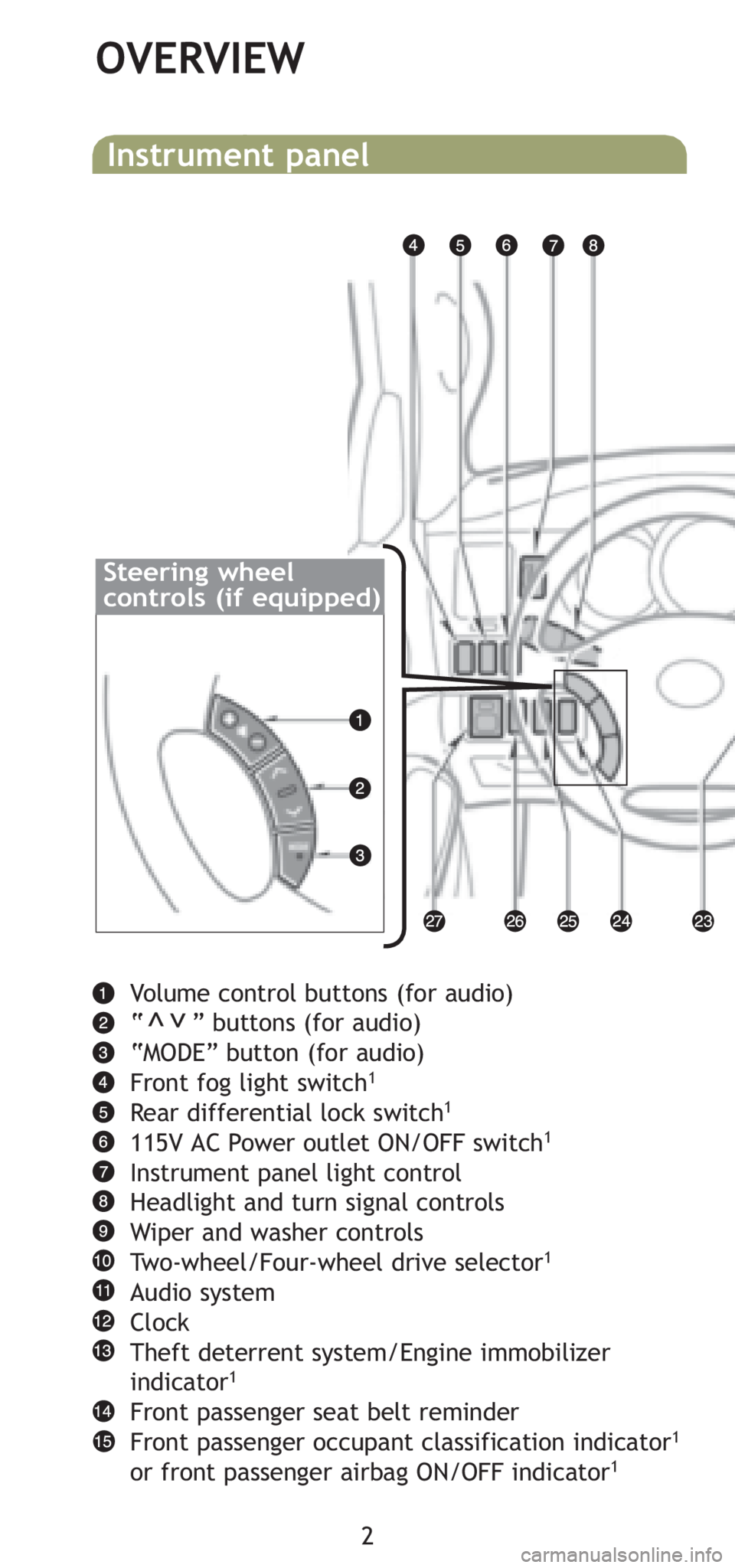
Volume control buttons (for audio)
“ ” buttons (for audio)
“MODE” button (for audio)
Front fog light switch
1
Rear differential lock switch1
115V AC Power outlet ON/OFF switch1
Instrument panel light control
Headlight and turn signal controls
Wiper and washer controls
Two-wheel/Four-wheel drive selector
1
Audio system
Clock
Theft deterrent system/Engine immobilizer
indicator
1
Front passenger seat belt reminder
Front passenger occupant classification indicator1
or front passenger airbag ON/OFF indicator1
Instrument panel
>>
Steering wheel
controls (if equipped)
Page 11 of 24
9
OVERVIEW
FEATURES/OPERATIONS
SAFETY AND EMERGENCY FEATURES
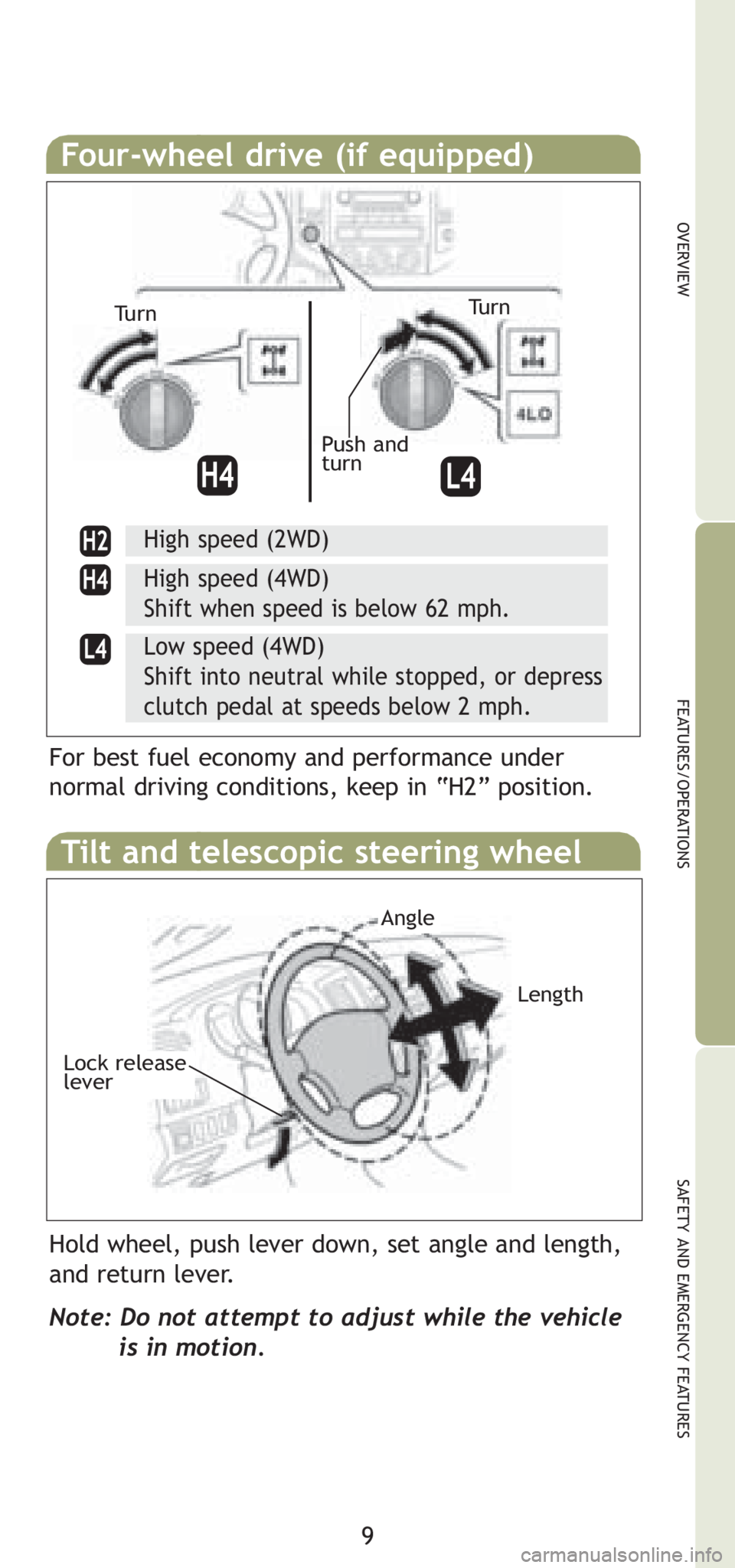
Four-wheel drive (if equipped)
High speed (2WD)
High speed (4WD)
Shift when speed is below 62 mph.
Low speed (4WD)
Shift into neutral while stopped, or depress
clutch pedal at speeds below 2 mph.
For best fuel economy and performance under
normal driving conditions, keep in “H2” position.
Tilt and telescopic steering wheel
Hold wheel, push lever down, set angle and length,
and return lever.
Note: Do not attempt to adjust while the vehicle
is in motion.
Tu r n
Push and
turn
Length
Angle
Lock release
lever
Tu r n
Page 17 of 24
15
OVERVIEW
FEATURES/OPERATIONS
SAFETY AND EMERGENCY FEATURES
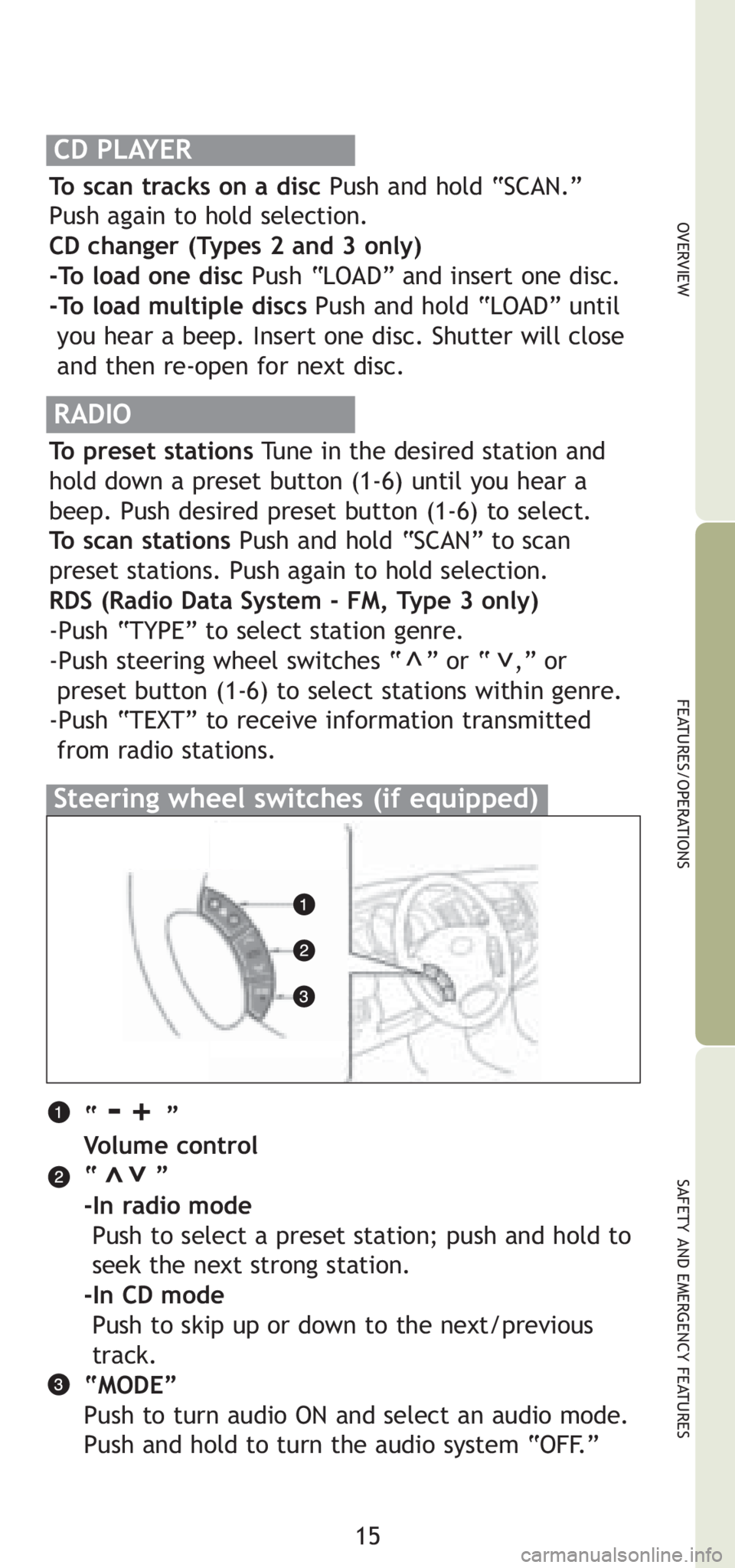
“ -+ ”
Volume control
“ ”
-In radio mode
Push to select a preset station; push and hold to
seek the next strong station.
-In CD mode
Push to skip up or down to the next/previous
track.
“MODE”
Push to turn audio ON and select an audio mode.
Push and hold to turn the audio system “OFF.”
>>
Steering wheel switches (if equipped)
RADIO
To preset stations Tune in the desired station and
hold down a preset button (1-6) until you hear a
beep. Push desired preset button (1-6) to select.
To scan stations Push and hold “SCAN” to scan
preset stations. Push again to hold selection.
RDS (Radio Data System - FM, Type 3 only)
-Push “TYPE” to select station genre.
-Push steering wheel switches “ ” or “ ,” or
preset button (1-6) to select stations within genre.
-Push “TEXT” to receive information transmitted
from radio stations.
>>
CD PLAYER
To scan tracks on a disc Push and hold “SCAN.”
Push again to hold selection.
CD changer (Types 2 and 3 only)
-To load one disc Push “LOAD” and insert one disc.
-To load multiple discs Push and hold “LOAD” until
you hear a beep. Insert one disc. Shutter will close
and then re-open for next disc.