Page 380 of 572
08 SIENNA_U (L/O 0801)
372
2008 SIENNA from Aug. ’08 Prod. (OM45455U)
“MODE” button
This button is used to select the item.
Every time you push the “MODE” button,
the display toggles.
For more details, see “—Outside tempera-
ture and cruise information display” on
page 376.
CAUTION
Do not adjust the display while the
vehicle is moving. Be sure to adjust
the display only when the vehicle is
stopped.
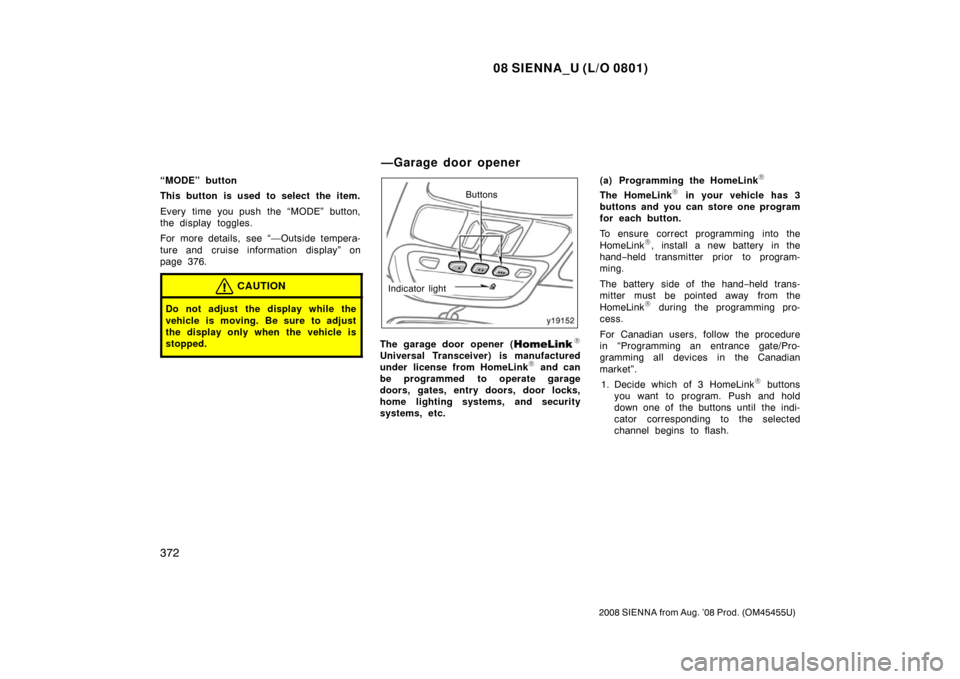
Buttons
Indicator light
The garage door opener (\b
Universal Transceiver) is manufactured
under license from HomeLink\b and can
be programmed to operate garage
doors, gates, entry doors, door locks,
home lighting systems, and security
systems, etc. (a) Programming the HomeLink
\b
The HomeLink\b in your vehicle has 3
buttons and you can store one program
for each button.
To ensure correct programming into the
HomeLink
\b, install a new battery in the
hand− held transmitter prior to program-
ming.
The battery side of the hand −held trans-
mitter must be pointed away from the
HomeLink
\b during the programming pro-
cess.
For Canadian users, follow the procedure
in “Programming an entrance gate/Pro-
gramming all devices in the Canadian
market”.
1. Decide which of 3 HomeLink
\b buttons
you want to program. Push and hold
down one of the buttons until the indi-
cator corresponding to the selected
channel begins to flash.
—Garage door opener
Page 382 of 572

08 SIENNA_U (L/O 0801)
374
2008 SIENNA from Aug. ’08 Prod. (OM45455U)
6. Repeat steps 2 through 5 for each re-maining HomeLink\b button to program
another device.
Programming a rolling code system
If your device is “Rolling Code”
equipped, it is necessary to follow
steps 1 through 4 under the heading
“Programming the HomeLink
\b” before
proceeding with the steps listed below.
1. Locate the “training” button on the ceil- ing mounted garage door opener motor.
The exact location and color of the
button may vary by brand of garage
door opener. Refer to the owner ’s
guide supplied by the garage door
opener manufacturer for the location of
this “training” button.
2. Press the “training” button on the ceil- ing mounted garage door opener motor.
Following this step, you have 30 seconds
in which to initiate step 3 below. 3. Press and release the vehicle’s pro- grammed HomeLink
\b button twice. The
garage door may open. If the door
does open, the programming process is
complete. If the door does not open,
press and release the button a third
time. This third press and release will
complete the programming process by
opening the garage door. The ceiling mounted garage door opener
motor should now recognize the
HomeLink
\b unit and be able activate the
garage door up/down.
4. Repeat steps 1 through 3 for each re- maining HomeLink
\b button to program
another rolling code system.
Programming an entrance gate/program-
ming all devices in the Canadian market 1. Decide which of the 3 HomeLink
\b but-
tons you want to program.
2. Place your hand −held gate/device
transmitter 25 to 75 mm (1 to 3 in.)
away from the surface of the
HomeLink
\b.
Keep the indicator light on the HomeLink
\b
in view while programming.
3. Press and hold the selected HomeLink
\b button.
4. Continuously press and release ( cycle)
the hand− held gate/device transmitter
button every two seconds until step 5
is complete.
5. When the indicator light on the HomeLink
\b changes from a slow to a
rapid flash after 20 seconds, you can
release both buttons. 6. Test the operation of the HomeLink
\b by
pressing the newly programmed button.
Check to see if the gate/device oper-
ates correctly.
7. Repeat steps 1 through 6 for each re- maining HomeLink
\b button to program
another device.
Programming other devices
To program other devices such as home
security systems, home door locks or
lighting, contact your authorized Toyota
dealer for assistance.
Reprogramming a button
Individual HomeLink
\b buttons cannot be
erased, however, to reprogram a single
button, follow the procedure “Programming
the HomeLink
\b”.
(b) Operating the HomeLink
\b
To operate the HomeLink\b, press the
appropriate HomeLink\b button to activate
the programmed device. The HomeLink\b
indicator light should come on. The
HomeLink\b continues to send the signal
for up to 20 seconds as long as the
button is pressed.
Page 390 of 572
08 SIENNA_U (L/O 0801)
382
2008 SIENNA from Aug. ’08 Prod. (OM45455U)
Perform circling calibration just after
you have purchased your Toyota. And
then always perform circling calibration
after the battery has been removed, re-
placed or disconnected.
�Do not perform circling calibration of
the compass in a place where the
earth’s magnetic field is subject to in-
terference by artificial magnetic fields
(underground parking, under a steel
tower, between buildings, roof parking,
near a crossing, near a large vehicle,
etc.).
�During calibration, do not operate elec-
tric systems (moon roof, power win-
dows, etc.) as they may interfere with
the calibration.
CAUTION
�When doing the circling calibration,
be sure to secure a wide space,
and watch out for people and ve-
hicles in the neighborhood. Do not
violate any local traffic rules while
performing circling calibration.
�Do not adjust the display while the
vehicle is moving. Be sure to adjust
the display only when the vehicle is
stopped.
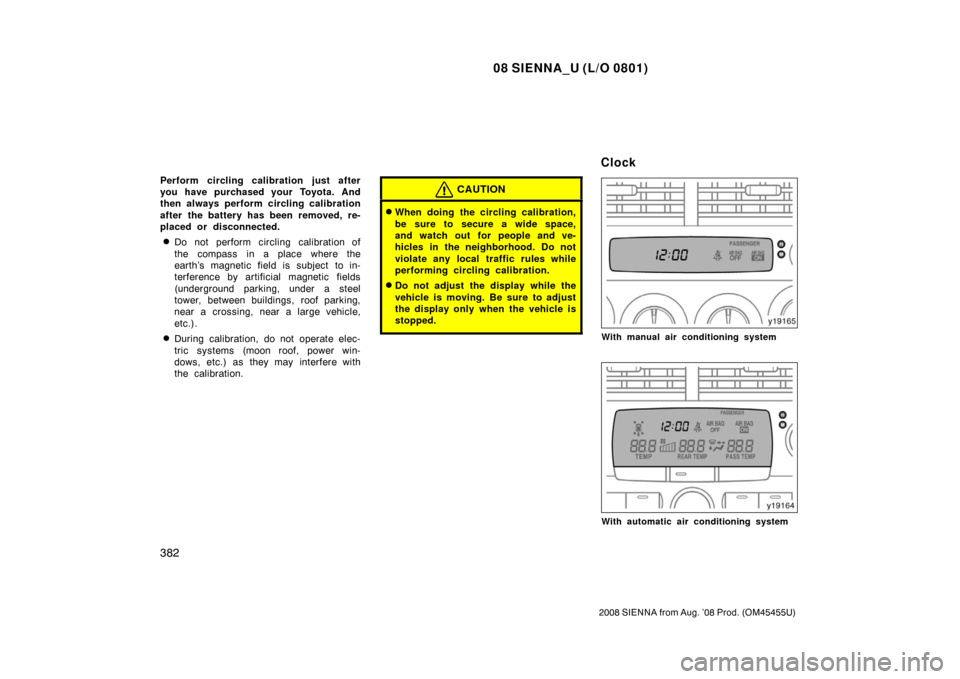
With manual air conditioning system
With automatic air conditioning system
Clock
Page 404 of 572
08 SIENNA_U (L/O 0801)
396
2008 SIENNA from Aug. ’08 Prod. (OM45455U)
Check surroundings for safety.
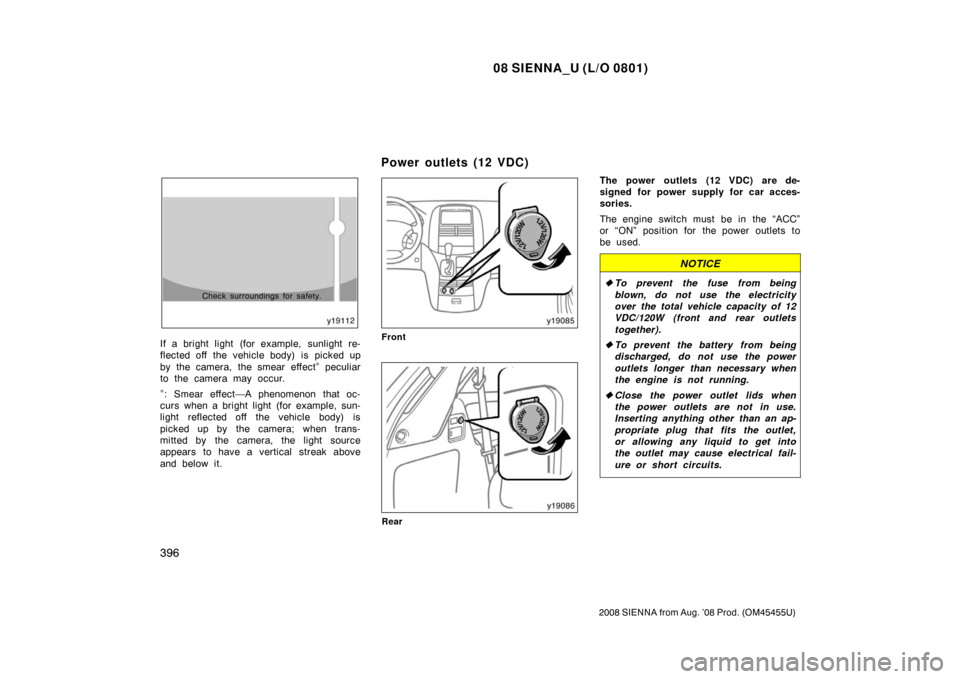
If a bright light (for example, sunlight re-
flected off the vehicle body) is picked up
by the camera, the smear effect
∗ peculiar
to the camera may occur.
∗: Smear effect—A phenomenon that oc-
curs when a bright light (for example, sun-
light reflected off the vehicle body) is
picked up by the camera; when trans-
mitted by the camera, the light source
appears to have a vertical streak above
and below it.
Front
Rear
The power outlets (12 VDC) are de-
signed for power supply for car acces-
sories.
The engine switch must be in the “ACC”
or “ON” position for the power outlets to
be used.
NOTICE
� To prevent the fuse from being
blown, do not use the electricity
over the total vehicle capacity of 12
VDC/120W (front and rear outlets
together).
� To prevent the battery from being
discharged, do not use the power
outlets longer than necessary when
the engine is not running.
� Close the power outlet lids when
the power outlets are not in use.
Inserting anything other than an ap-
propriate plug that fits the outlet,
or allowing any liquid to get into
the outlet may cause electrical fail-
ure or short circuits.
Power outlets (12 VDC)
Page 414 of 572
08 SIENNA_U (L/O 0801)
406
2008 SIENNA from Aug. ’08 Prod. (OM45455U)
Type G (console box tray)Front door
Sliding door
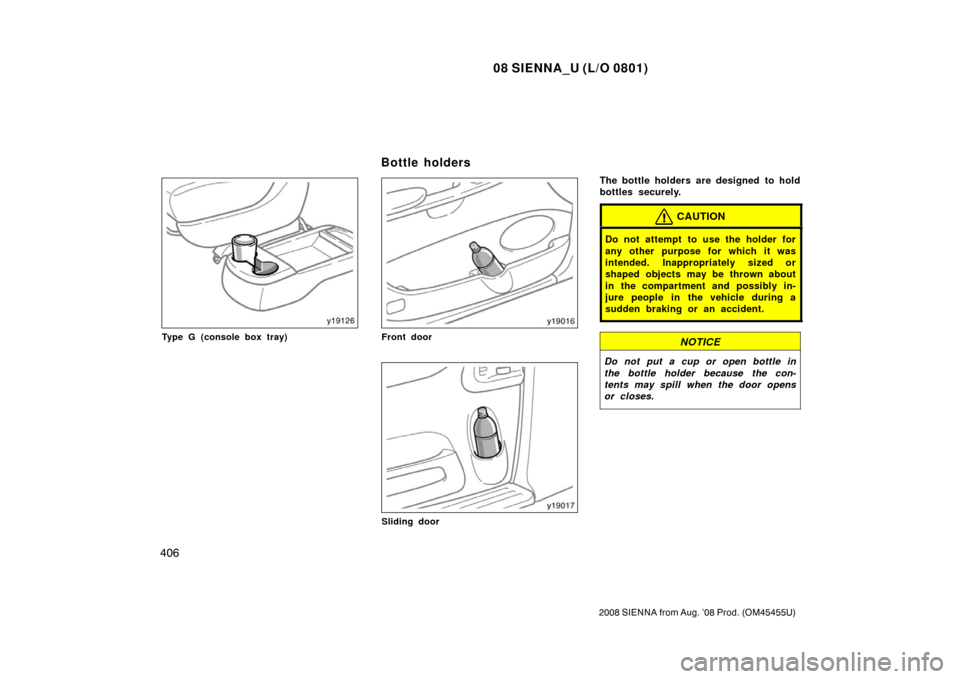
The bottle holders are designed to hold
bottles securely.
CAUTION
Do not attempt to use the holder for
any other purpose for which it was
intended. Inappropriately sized or
shaped objects may be thrown about
in the compartment and possibly in-
jure people in the vehicle during a
sudden braking or an accident.
NOTICE
Do not put a cup or open bottle in
the bottle holder because the con-
tents may spill when the door opens
or closes.
Bottle holders
Page 419 of 572
08 SIENNA_U (L/O 0801)
411
2008 SIENNA from Aug. ’08 Prod. (OM45455U)
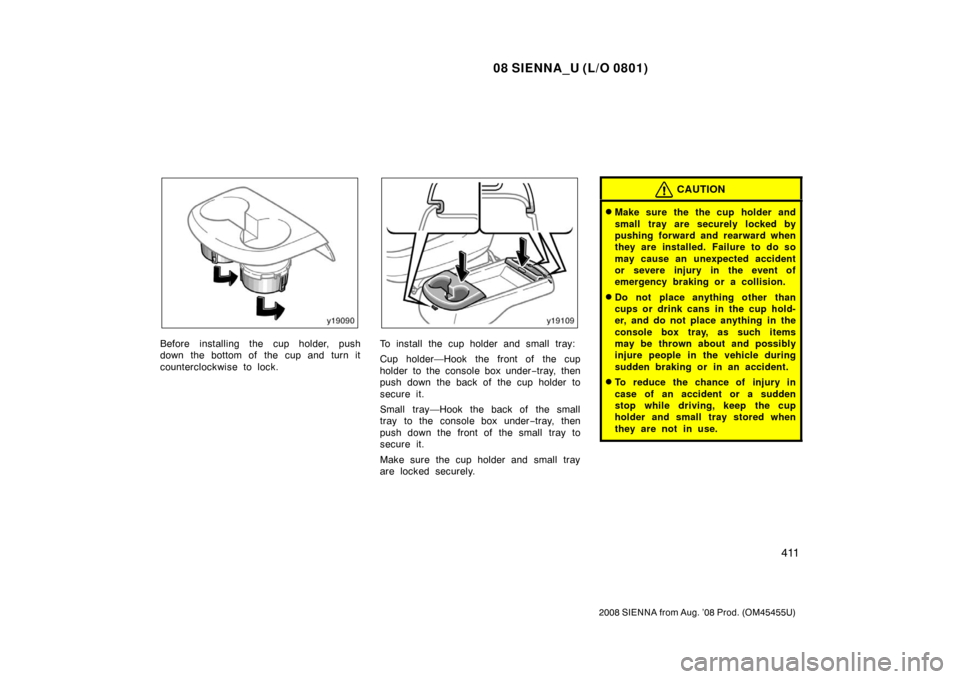
Before installing the cup holder, push
down the bottom of the cup and turn it
counterclockwise to lock.To install the cup holder and small tray:
Cup holder—Hook the front of the cup
holder to the console box under−tray, then
push down the back of the cup holder to
secure it.
Small tray—Hook the back of the small
tray to the console box under −tray, then
push down the front of the small tray to
secure it.
Make sure the cup holder and small tray
are locked securely.
CAUTION
�Make sure the the cup holder and
small tray are securely locked by
pushing forward and rearward when
they are installed. Failure to do so
may cause an unexpected accident
or severe injury in the event of
emergency braking or a collision.
�Do not place anything other than
cups or drink cans in the cup hold-
er, and do not place anything in the
console box tray, as such items
may be thrown about and possibly
injure people in the vehicle during
sudden braking or in an accident.
�To reduce the chance of injury in
case of an accident or a sudden
stop while driving, keep the cup
holder and small tray stored when
they are not in use.
Page 421 of 572
08 SIENNA_U (L/O 0801)
413
2008 SIENNA from Aug. ’08 Prod. (OM45455U)
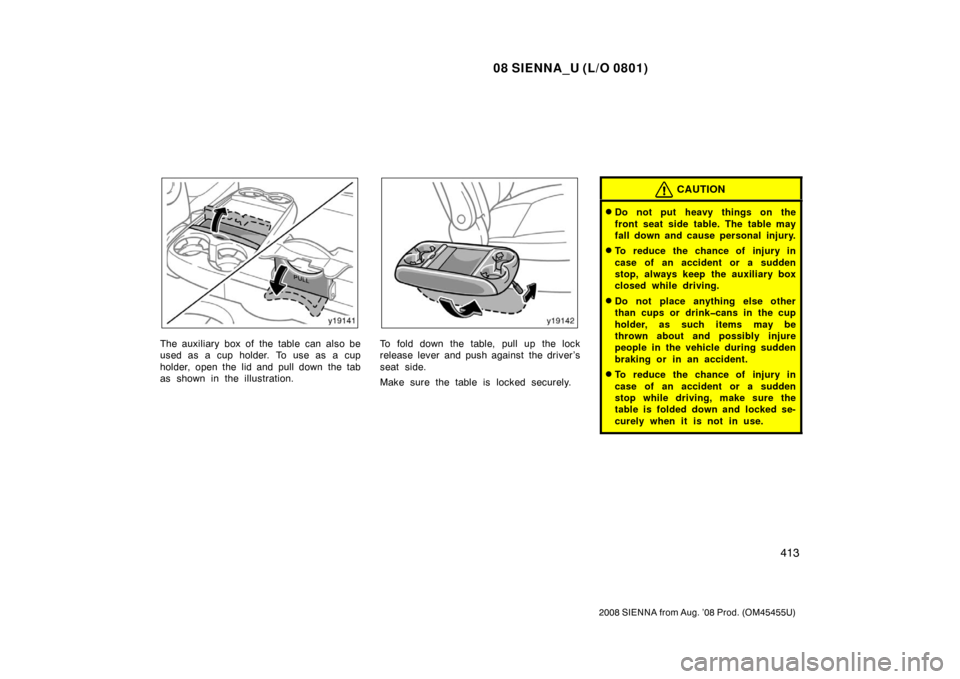
The auxiliary box of the table can also be
used as a cup holder. To use as a cup
holder, open the lid and pull down the tab
as shown in the illustration.To fold down the table, pull up the lock
release lever and push against the driver’s
seat side.
Make sure the table is locked securely.
CAUTION
�Do not put heavy things on the
front seat side table. The table may
fall down and cause personal injury.
�To reduce the chance of injury in
case of an accident or a sudden
stop, always keep the auxiliary box
closed while driving.
�Do not place anything else other
than cups or drinkcans in the cup
holder, as such items may be
thrown about and possibly injure
people in the vehicle during sudden
braking or in an accident.
�To reduce the chance of injury in
case of an accident or a sudden
stop while driving, make sure the
table is folded down and locked se-
curely when it is not in use.
Page 424 of 572
08 SIENNA_U (L/O 0801)
416
2008 SIENNA from Aug. ’08 Prod. (OM45455U)
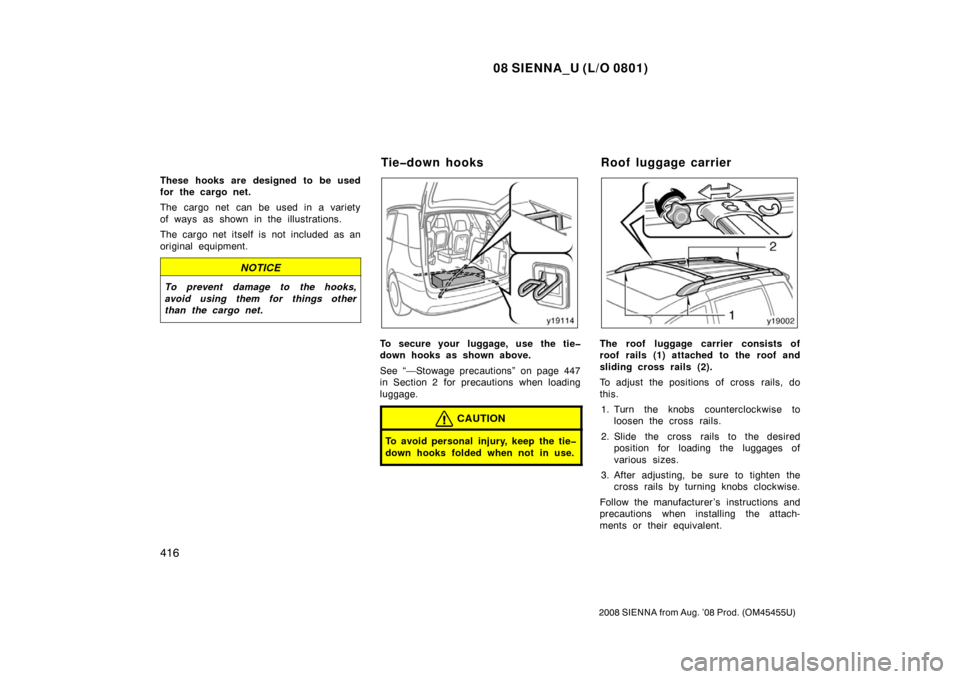
These hooks are designed to be used
for the cargo net.
The cargo net can be used in a variety
of ways as shown in the illustrations.
The cargo net itself is not included as an
original equipment.
NOTICE
To prevent damage to the hooks,
avoid using them for things other
than the cargo net.
To secure your luggage, use the tie
down hooks as shown above.
See “—Stowage precautions” on page 447
in Section 2 for precautions when loading
luggage.
CAUTION
To avoid personal injury, keep the tie
down hooks folded when not in use.
The roof luggage carrier consists of
roof rails (1) attached to the roof and
sliding cross rails (2).
To adjust the positions of cross rails, do
this.1. Turn the knobs counterclockwise to loosen the cross rails.
2. Slide the cross rails to the desired position for loading the luggages of
various sizes.
3. After adjusting, be sure to tighten the cross rails by turning knobs clockwise.
Follow the manufacturer ’s instructions and
precautions when installing the attach-
ments or their equivalent.
Tiedown hooks Roof luggage carrier