Page 213 of 466
’08 Rav4_U (L/O 0802)
213
2008 RAV4 from Feb. ’08 Prod. (OM42726U)
Select the title number by using the
joystick and push the “ENT” button to
enter the number. The player starts play-
ing disc for that title number. The selected
title number will appear on the screen.
Push the “Back” switch to return to the
menu screen.
CHANGING THE SUBTITLE LANGUAGE
Push the “Sub Title” switch on the screen,
and then the changing subtitle language
screen will appear. You can also display
the screen by pushing the “SUB TITLE”
button on the controller.
Page 214 of 466
’08 Rav4_U (L/O 0802)
214
2008 RAV4 from Feb. ’08 Prod. (OM42726U)
Each time you push the “Sub Title” switch,
another language stored on the disc is
selected.
To turn off the subtitles, push the “Hide
Buttons” switch.
Push the “Back” switch to return to the
previous screen.
The selected subtitle language will appear
on the screen.
CHANGING AUDIO LANGUAGE
Push the “Audio” switch on the screen
and then the changing audio language
screen will appear. You can also display
the screen by pushing the “AUDIO” button
on the controller.
Page 215 of 466
’08 Rav4_U (L/O 0802)
215
2008 RAV4 from Feb. ’08 Prod. (OM42726U)
Each time you push the “Audio” switch,
another language stored on the disc is
selected.
To turn off the audio language screen,
push the “Hide Buttons” switch.
Push the “Back” switch to return to the
previous screen.
The selected audio language will appear
on the screen.
CHANGING ANGLE SCREEN
Push the “Angle” switch on the screen,
and then the changing angle screen will
appear. You can also display the screen
by pushing the “ANGLE” button on the
controller.
Page 216 of 466
’08 Rav4_U (L/O 0802)
216
2008 RAV4 from Feb. ’08 Prod. (OM42726U)
The angle can be selected for discs that
are multi−angle compatible when the “
”
mark appears on the screen. Each time
you push the “Angle” switch, the angle
changes. The angle number which you
can select will appear on the screen.
To turn off the screen, push the “Hide
Buttons” switch.
Push the “Back” switch to return to the
previous screen.
CHANGING THE INITIAL SETTING
Push the “Set Up” switch on the screen,
and then the initial setting screen will ap-
pear. You can also display the screen by
pushing the “SET UP” button on the con-
troller. You can change the initial setting.
After the setting is done, the player plays
from the beginning of the chapter or the
track.
Page 218 of 466

’08 Rav4_U (L/O 0802)
218
2008 RAV4 from Feb. ’08 Prod. (OM42726U)
CHANGING THE SUBTITLE LANGUAGE
To display the “Select Subtitle Lang.”
screen, push the “Subtitle Language”
switch on the “Setup Menu” screen.
Select the language you want to read by
pushing the appropriate switch on the
screen.
To return to the “Setup Menu” screen,
push the “Back” switch.
If you cannot find the language you want
to read, push the “Others” switch. The
“Enter Subtitle Lang. Code” screen will
appear.To enter the code of the language you
want to read, use the joystick to enter the
appropriate 4−digit language code. For de-
tails about the language codes, see the
language code list.
Push the “ENT” button on the controller.
If numbers which are not on the list are
entered and the “ENT” button is pushed,
the “Incorrect code” screen will appear.
Enter the language code you want to read
again.
To return to the “Select Subtitle Lang.”
screen, push the “Back” switch on the
screen.CHANGING THE DVD LANGUAGE
To display the “Select DVD Lang.” screen,
push the “DVD Language” switch on the
“Setup Menu” screen.
Select the language you want to read on
the screen.
To return to the “Setup Menu” screen,
push the “Back” switch.
If you cannot find a language you want to
read, push the “Others” switch. The “Enter
DVD Lang. Code” screen will appear.
Page 220 of 466
’08 Rav4_U (L/O 0802)
220
2008 RAV4 from Feb. ’08 Prod. (OM42726U)
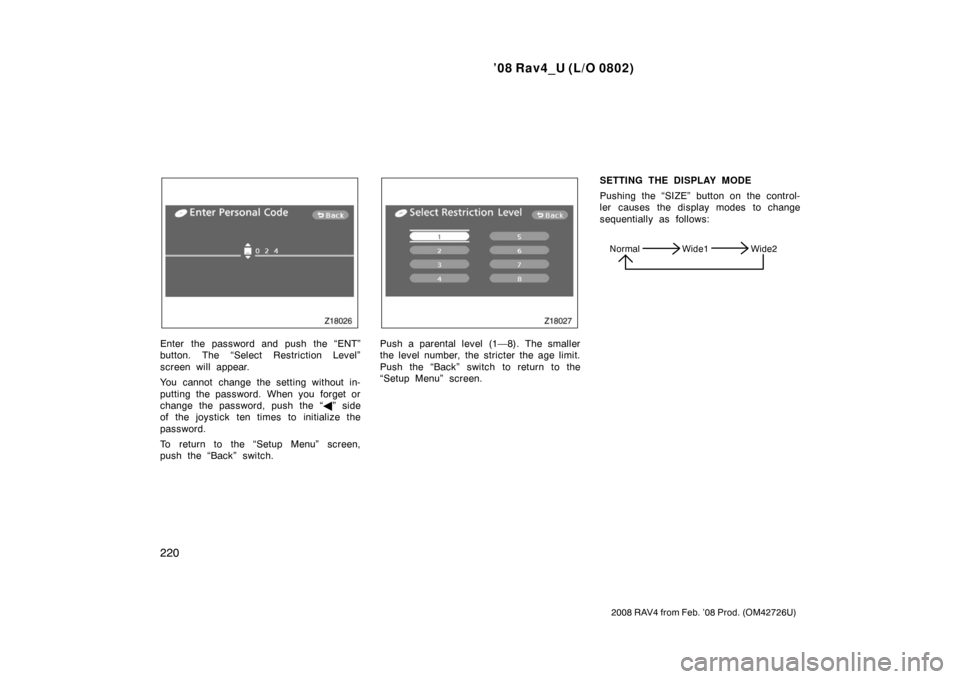
Enter the password and push the “ENT”
button. The “Select Restriction Level”
screen will appear.
You cannot change the setting without in-
putting the password. When you forget or
change the password, push the “�” side
of the joystick ten times to initialize the
password.
To return to the “Setup Menu” screen,
push the “Back” switch.Push a parental level (1—8). The smaller
the level number, the stricter the age limit.
Push the “Back” switch to return to the
“Setup Menu” screen. SETTING THE DISPLAY MODE
Pushing the “SIZE” button on the control-
ler causes the display modes to change
sequentially as follows:
Normal Wide1 Wide2
Page 224 of 466

’08 Rav4_U (L/O 0802)
224
2008 RAV4 from Feb. ’08 Prod. (OM42726U)
SELECTING THE DISC MENU NUMBER
(video CD only)
Push the “Select Number” switch and then
the disc menu number search screen will
appear. You can also display the screen
by pushing the “SEARCH” button on the
controller.Enter the disc menu number by using the
joystick and push the “ENT” button. The
player starts playing the disc from the
entered disc menu number. The entered
disc menu number will appear on the
screen.
Push the “Back” switch to return to the
menu screen.OPERATING THE “�”, “��” AND
“ �� ” SWITCHES (video CD only)
“ �
” switch: Push this switch to pause
the disc or to cancel the pause and return
to normal playing.
“ �� ” and “�� ” switches: Push this
switch to fast forward or reverse. If you
want to return to the beginning of the
current track, release the switch.
Video CD only—
Push the “�� ” switch/button while paus-
ing, the DVD video plays the slow −motion
video replay.
—DVD player operation (video
CD/audio CD/CD text/MP3)
Page 225 of 466
’08 Rav4_U (L/O 0802)
225
2008 RAV4 from Feb. ’08 Prod. (OM42726U)
TURNING ON THE DISC MENU (video
CD only)
Push the “Return” switch to turn on the
menu screen for the disc.
For the operation of the menu screen, see
the manual for the video CD.CHANGING MENU PAGE OR TRACK
(video CD only)
Push the “Next Menu” or “Prev. Menu”
switch while the disc menu is displayed.
The next or previous page will appear on
the screen.
Push the “Next Menu” or “Prev. Menu”
switch while the player is playing video.
The next or previous track will be
searched and played.CHANGING A MULTIPLEX
TRANSMISSION (video CD only)
Push the “Main/Sub” switch to change a
multiplex transmission. The mode changes
from Main/Sub to Main to Sub and back
to Main/Sub by pushing the “Main/Sub”
switch.