Page 185 of 512

Interior features3
185
PRIUS_U_(L/O_0802)
3-3. Using the audio system. 219Audio system type (Vehicle with AUX adapter).......... 219
Audio system type (Vehicle without AUX adapter)..... 222
Using the radio (vehicle with AUX adapter).......... 225
Using the radio (Vehicle without AUX adapter)..... 234
Using the CD player (Vehicle with AUX
adapter) ......................... 239
Using the CD player (Vehicle without AUX
adapter) ......................... 247
Playing MP3 and WMA discs............................... 254
Optimal use of the audio (Vehicle with AUX
adapter) ......................... 262
Optimal use of the audio system (Vehicle without
AUX adapter) ................. 266
Using the AUX adapter .... 268
Using the steering switches ......................... 269 3-4. Using the hands-free
system .......................... 272
Hands-free system (for cellular phone) ............... 272
Using the Bluetooth
®
phone ............................. 277
Setting the hands-free system ........................... 291
3-5. Using the interior lights ............................. 318
Interior lights list ............... 318
3-6. Using the storage features ......................... 322
List of storage features .......................... 322
3-7. Other interior features ......................... 329
Sun visors ........................ 329
Vanity mirror..................... 330
Clock ................................ 331
Power outlet ..................... 332
Armrest ............................ 334
Floor mats ........................ 335
Luggage compartment features .......................... 336
Garage door opener......... 339
Page 207 of 512
207
3-2. Using the air conditioning system
and defogger
3
Interior features
PRIUS_U_(L/O_0802)
CAUTION
■To prevent the windshield from fogging up
Do not use during cool air operation in extremely humid weather. The
difference between the temperature of the outside air and that of the wind-
shield can cause the outer surface of the windshield to fog up, blocking your
vision.
NOTICE
■To prevent 12 volt battery discharge
Do not leave the automatic air conditioning system on longer than necessary
when the hybrid system is not running.
Page 214 of 512
214 3-2. Using the air conditioning system and defogger
PRIUS_U_(L/O_0802)
CAUTION
■To prevent the windshield from fogging up
Do not use during cool air operation in extremely humid weather.
The difference between the temperature of the outside air and that of the
windshield can cause the outer surface of the windshield to fog up, blocking
your vision.
NOTICE
■To prevent 12 volt battery discharge
Do not leave the automatic air conditioning system on longer than necessary
when the hybrid system is not running.
Page 312 of 512
312 3-4. Using the hands-free system
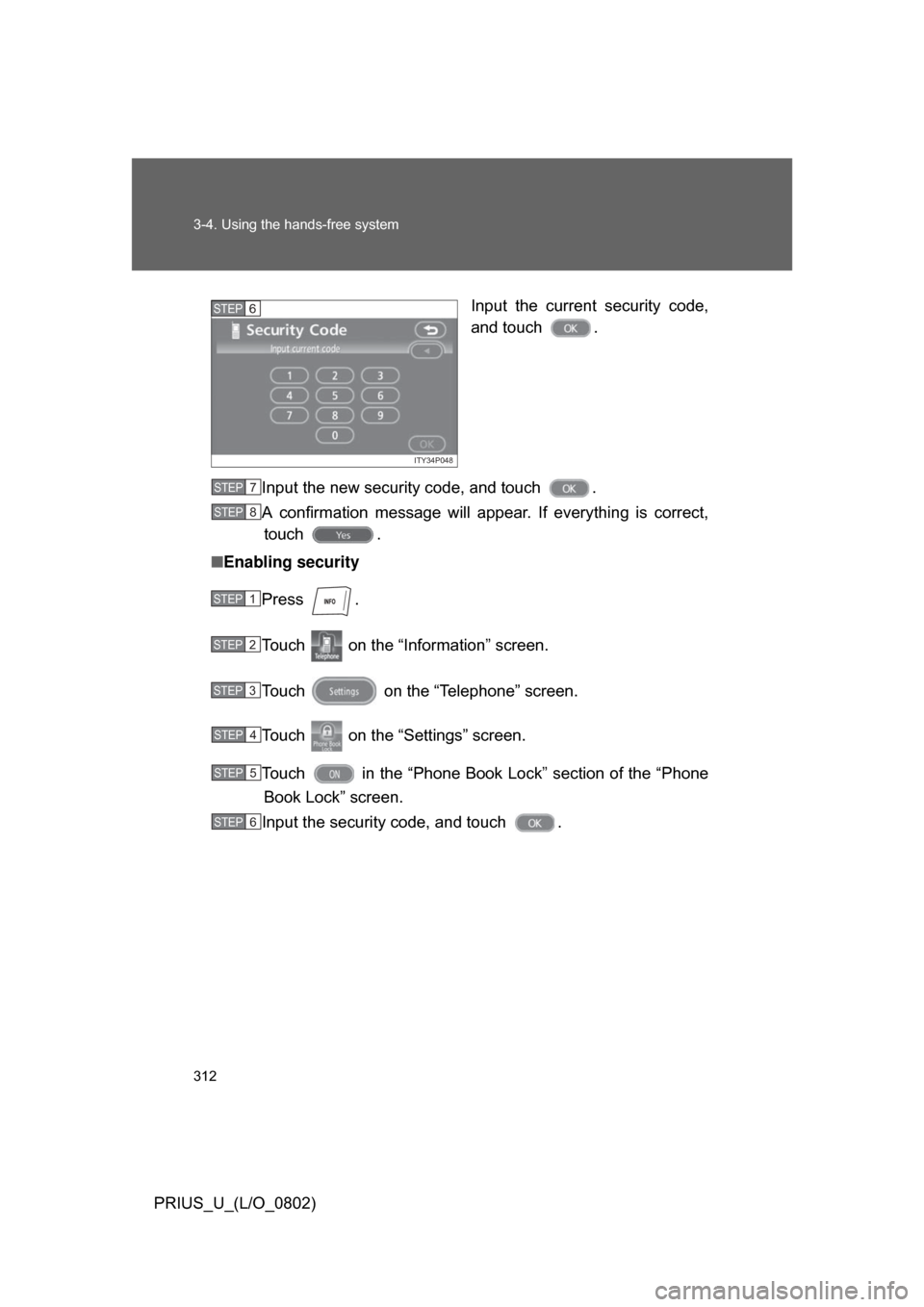
PRIUS_U_(L/O_0802)Input the current security code,
and touch .
Input the new security code, and touch .
A confirmation message will appear. If everything is correct, touch .
■ Enabling security
Press .
Touch on the “Inf ormation” screen.
Touch on the “Telephone” screen.
Touch on the “Settings” screen.
Touch in the “Phone Book Lock” section of the “Phone
Book Lock” screen.
Input the security code, and touch .
ITY34P048
STEP6
STEP7
STEP8
STEP1
STEP2
STEP3
STEP4
STEP5
STEP6
Page 313 of 512
313
3-4. Using the hands-free system
3
Interior features
PRIUS_U_(L/O_0802)
■
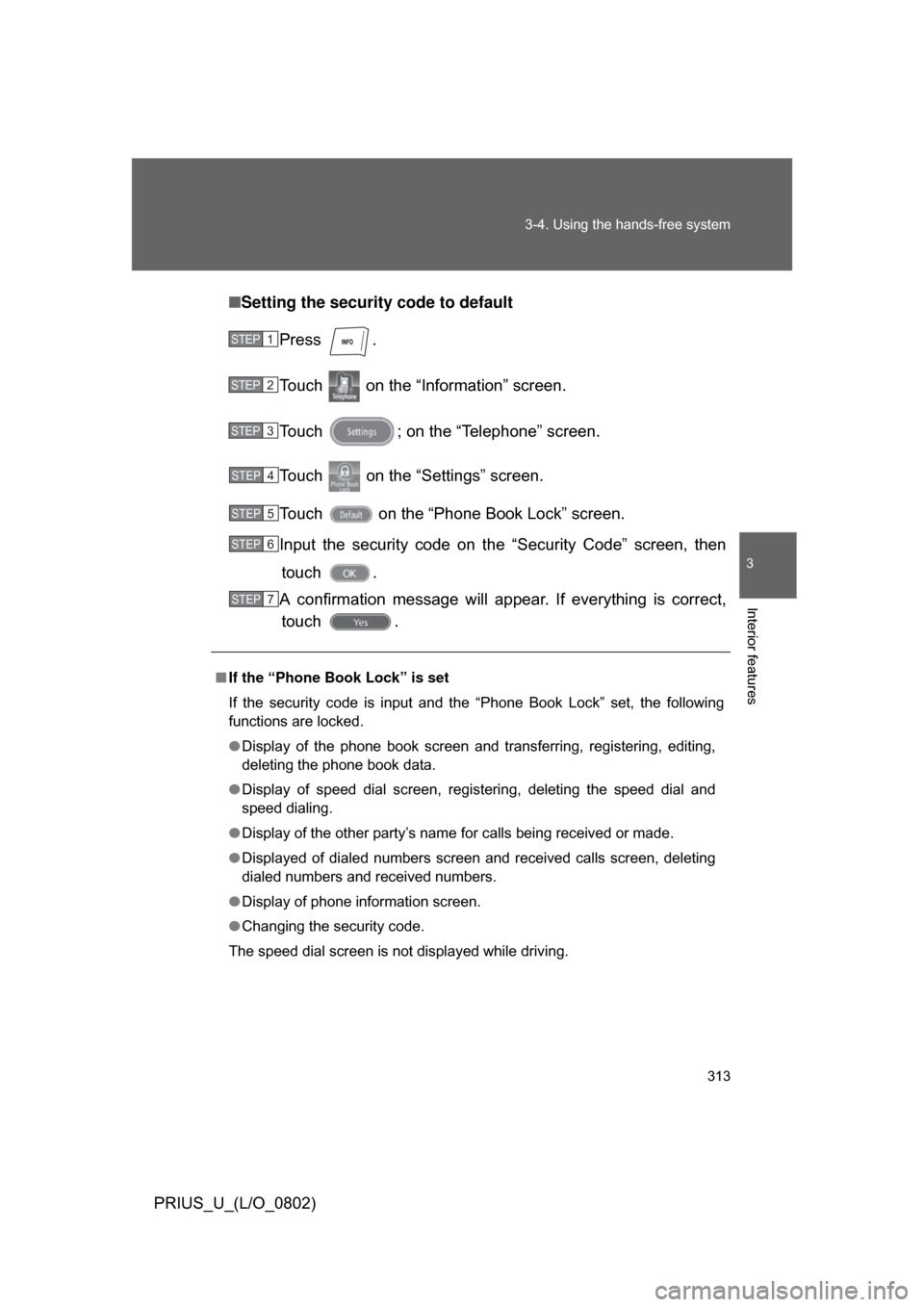
Setting the security code to default
Press .
Touch on the “Information” screen.
Touch ; on the “Telephone” screen.
Touch on the “Settings” screen.
Touch on the “Phone Book Lock” screen.
Input the security code on t he “Security Code” screen, then
touch .
A confirmation message will a ppear. If everything is correct,
touch .
■ If the “Phone Book Lock” is set
If the security code is input and the “Phone Book Lock” set, the following
functions are locked.
● Display of the phone book screen and transferring, registering, editing,
deleting the phone book data.
● Display of speed dial screen, registering, deleting the speed dial and
speed dialing.
● Display of the other party’s name for calls being received or made.
● Displayed of dialed numbers screen and received calls screen, deleting
dialed numbers and received numbers.
● Display of phone information screen.
● Changing the security code.
The speed dial screen is not displayed while driving.
STEP1
STEP2
STEP3
STEP4
STEP5
STEP6
STEP7
Page 318 of 512
318
PRIUS_U_(L/O_0802)
3-5. Using the interior lights
Interior lights list
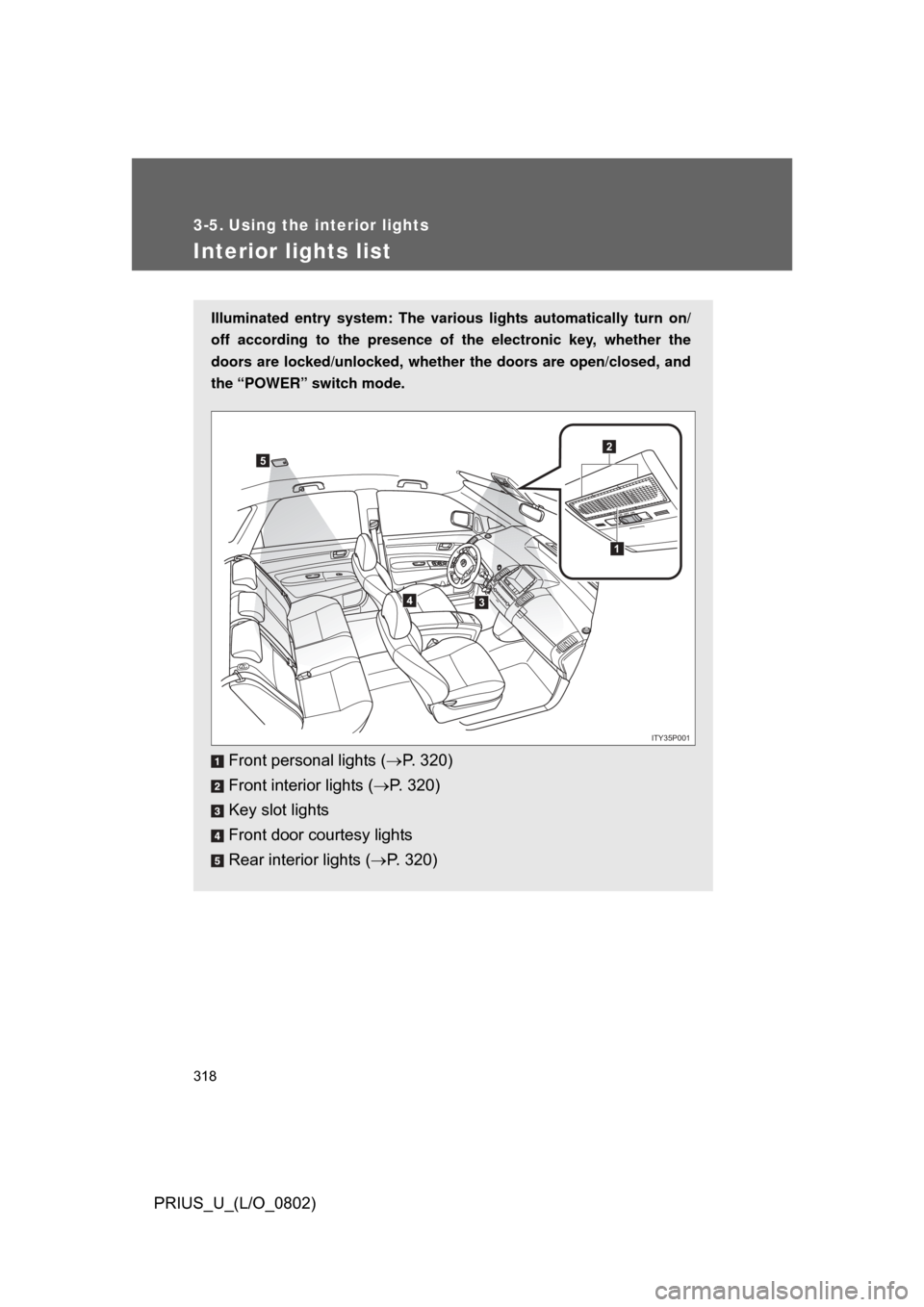
Illuminated entry system: The various lights automatically turn on/
off according to the presence of the electronic key, whether the
doors are locked/unlocked , whether the doors are open/closed, and
the “POWER” switch mode.
Front personal lights ( P. 320)
Front interior lights ( P. 320)
Key slot lights
Front door courtesy lights
Rear interior lights ( P. 320)
1
2
34
5
ITY35P001
Page 331 of 512
331
3-7. Other interior features
3
Interior features
PRIUS_U_(L/O_0802)
Clock
■The clock is displayed when
The “POWER” switch is in ACCESSORY or ON mode.
■ When the 12 volt battery is disconnected
The time display will automatically be set to 1:00.
■ When the instrument panel lights ar e turned on the brightness of the
time indicator will be reduced.
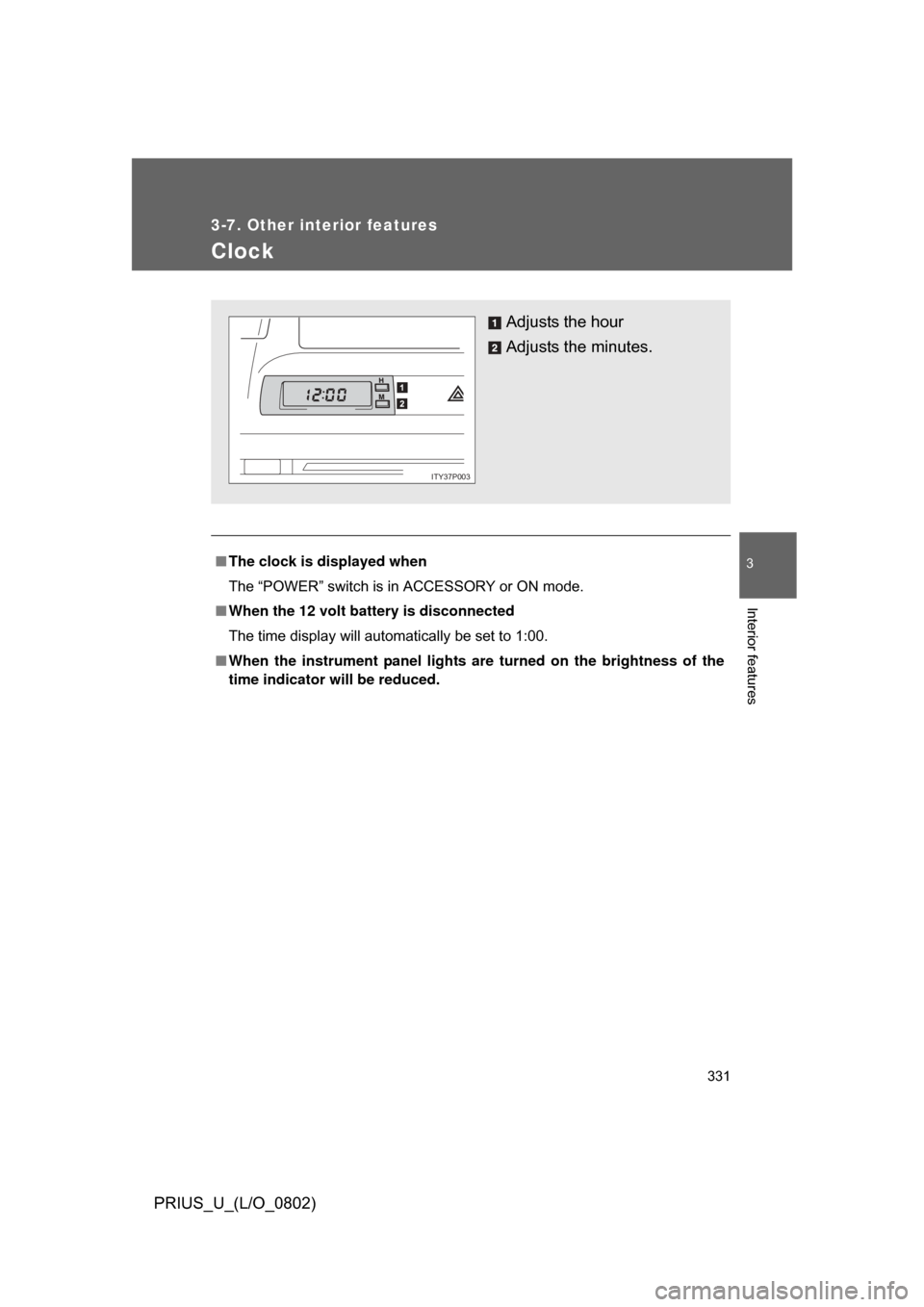
Adjusts the hour
Adjusts the minutes.
ITY37P003
Page 336 of 512
336
3-7. Other interior features
PRIUS_U_(L/O_0802)
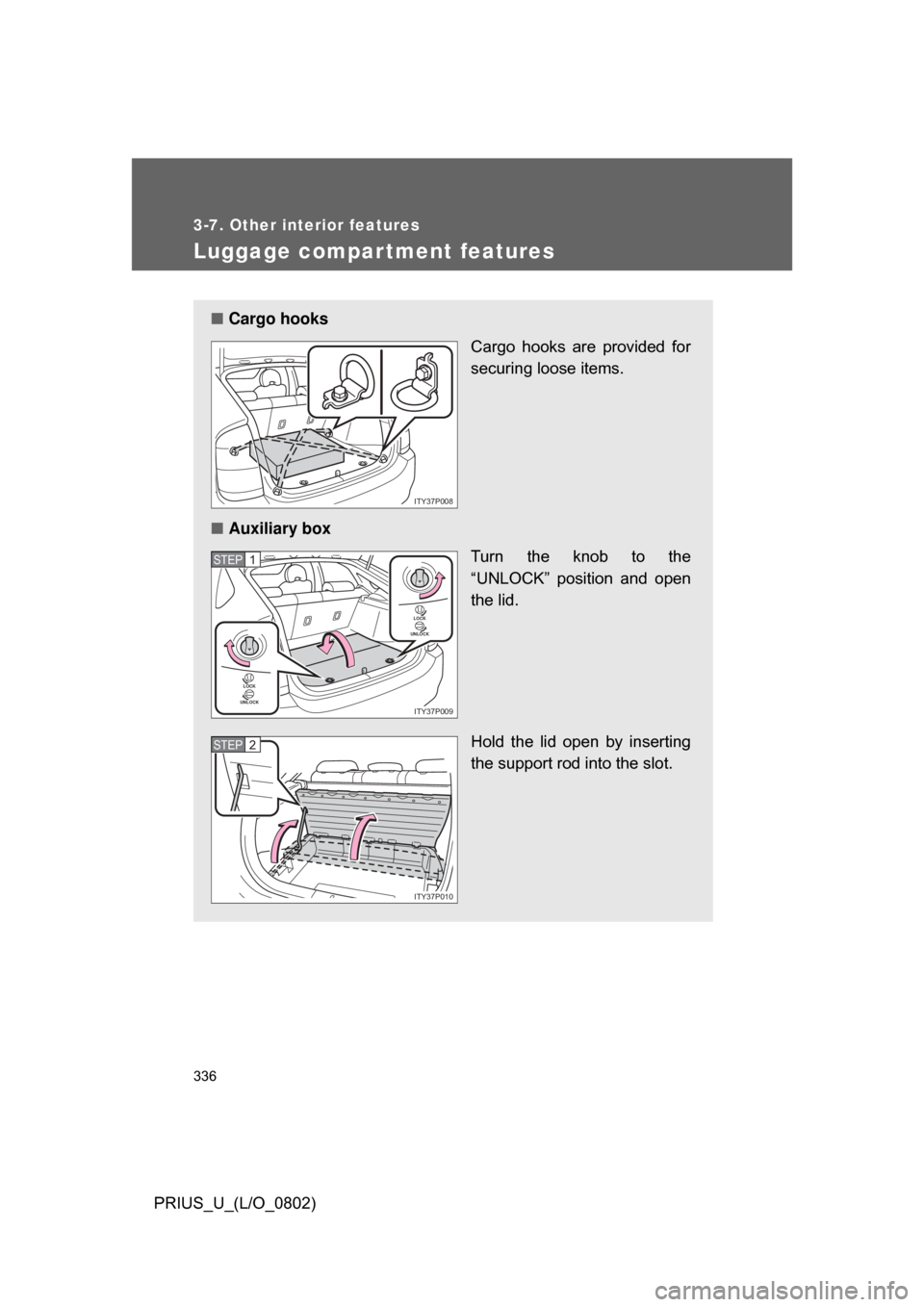
Luggage compartment features
■Cargo hooks
Cargo hooks are provided for
securing loose items.
■ Auxiliary box
Turn the knob to the
“UNLOCK” position and open
the lid.
Hold the lid open by inserting
the support rod into the slot.
ITY37P008
LOCK
UNLOCK
LOCK
UNLOCK
ITY37P009
STEP1
ITY37P010
STEP2