Page 312 of 512
312 3-4. Using the hands-free system
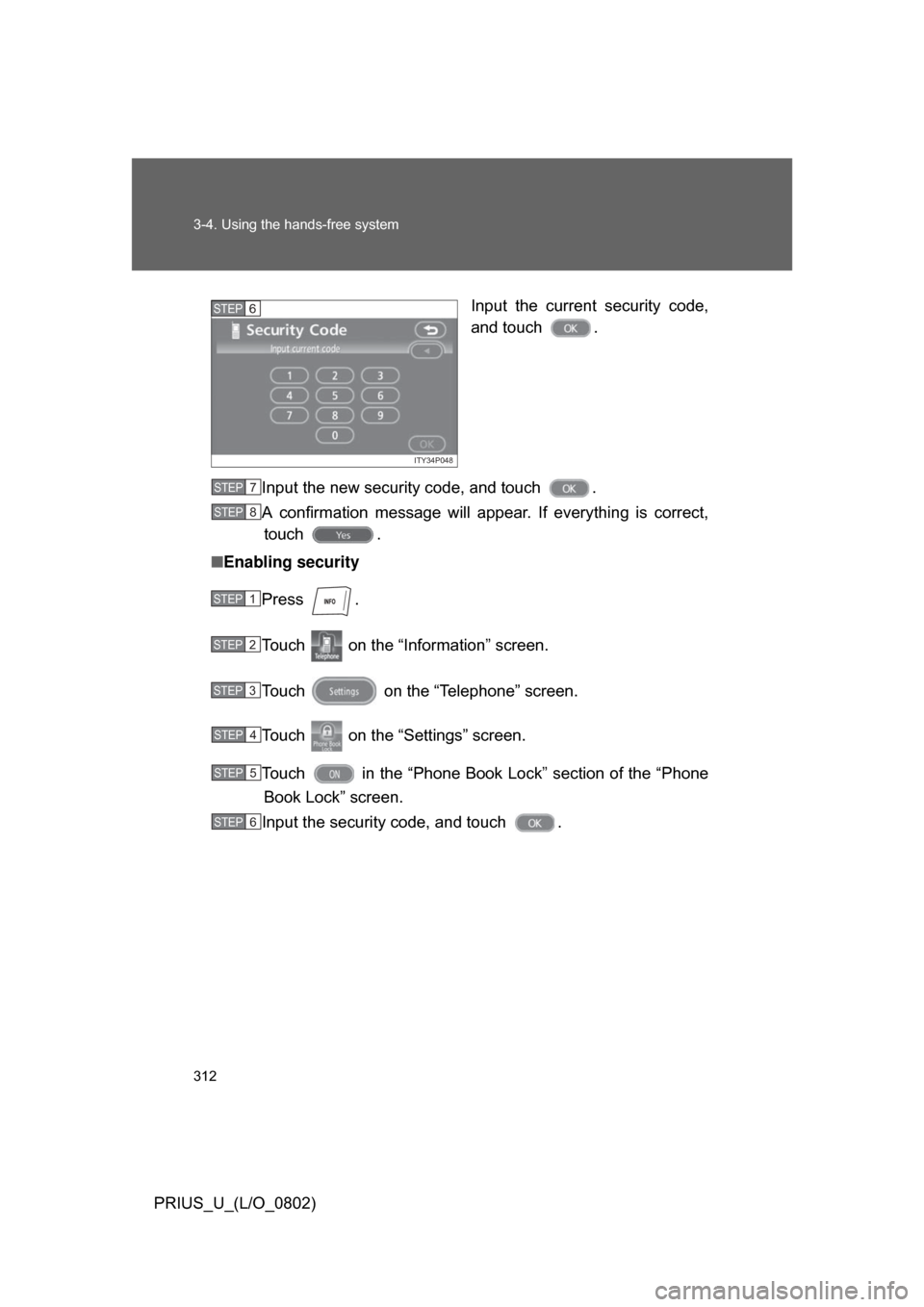
PRIUS_U_(L/O_0802)Input the current security code,
and touch .
Input the new security code, and touch .
A confirmation message will appear. If everything is correct, touch .
■ Enabling security
Press .
Touch on the “Inf ormation” screen.
Touch on the “Telephone” screen.
Touch on the “Settings” screen.
Touch in the “Phone Book Lock” section of the “Phone
Book Lock” screen.
Input the security code, and touch .
ITY34P048
STEP6
STEP7
STEP8
STEP1
STEP2
STEP3
STEP4
STEP5
STEP6
Page 313 of 512
313
3-4. Using the hands-free system
3
Interior features
PRIUS_U_(L/O_0802)
■
Setting the security code to default
Press .
Touch on the “Information” screen.
Touch ; on the “Telephone” screen.
Touch on the “Settings” screen.
Touch on the “Phone Book Lock” screen.
Input the security code on t he “Security Code” screen, then
touch .
A confirmation message will a ppear. If everything is correct,
touch .
■ If the “Phone Book Lock” is set
If the security code is input and the “Phone Book Lock” set, the following
functions are locked.
● Display of the phone book screen and transferring, registering, editing,
deleting the phone book data.
● Display of speed dial screen, registering, deleting the speed dial and
speed dialing.
● Display of the other party’s name for calls being received or made.
● Displayed of dialed numbers screen and received calls screen, deleting
dialed numbers and received numbers.
● Display of phone information screen.
● Changing the security code.
The speed dial screen is not displayed while driving.
STEP1
STEP2
STEP3
STEP4
STEP5
STEP6
STEP7
Page 314 of 512
314 3-4. Using the hands-free system
PRIUS_U_(L/O_0802)
Setting a Bluetooth® phone
■ Selecting a Bluetooth
® phone
If multiple Bluetooth
® phones are registered, follow the below pro-
cedure to select the Bluetooth® phone to be used. You may only
use one phone at a time.
Press .
Touch on the “Inf ormation” screen.
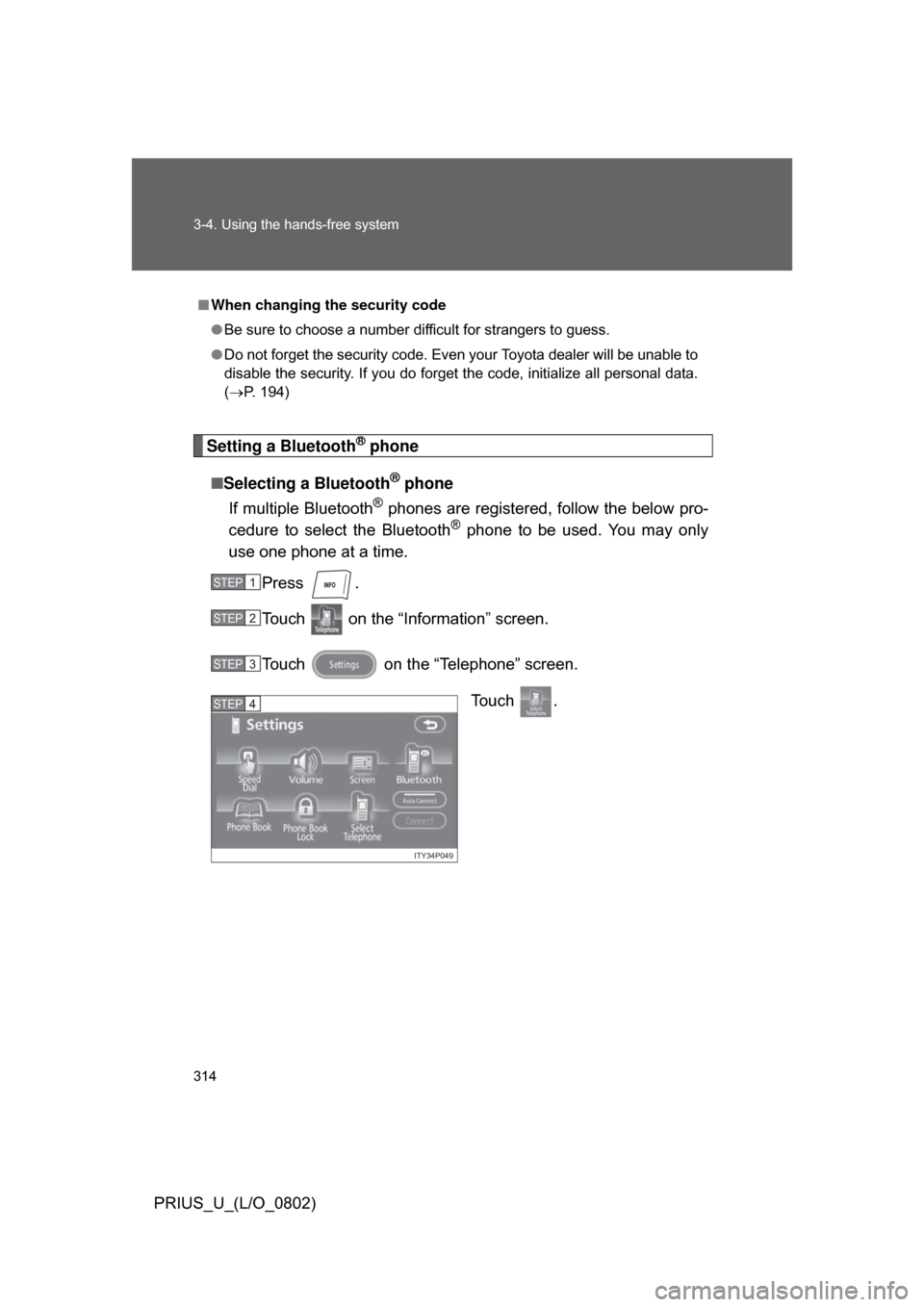
Touch on the “Telephone” screen. To u c h .
■When changing the security code
● Be sure to choose a number difficult for strangers to guess.
● Do not forget the security code. Even your Toyota dealer will be unable to
disable the security. If you do forget the code, initialize all personal data.
(P. 194)
STEP1
STEP2
STEP3
ITY34P049
STEP4
Page 315 of 512
315
3-4. Using the hands-free system
3
Interior features
PRIUS_U_(L/O_0802)
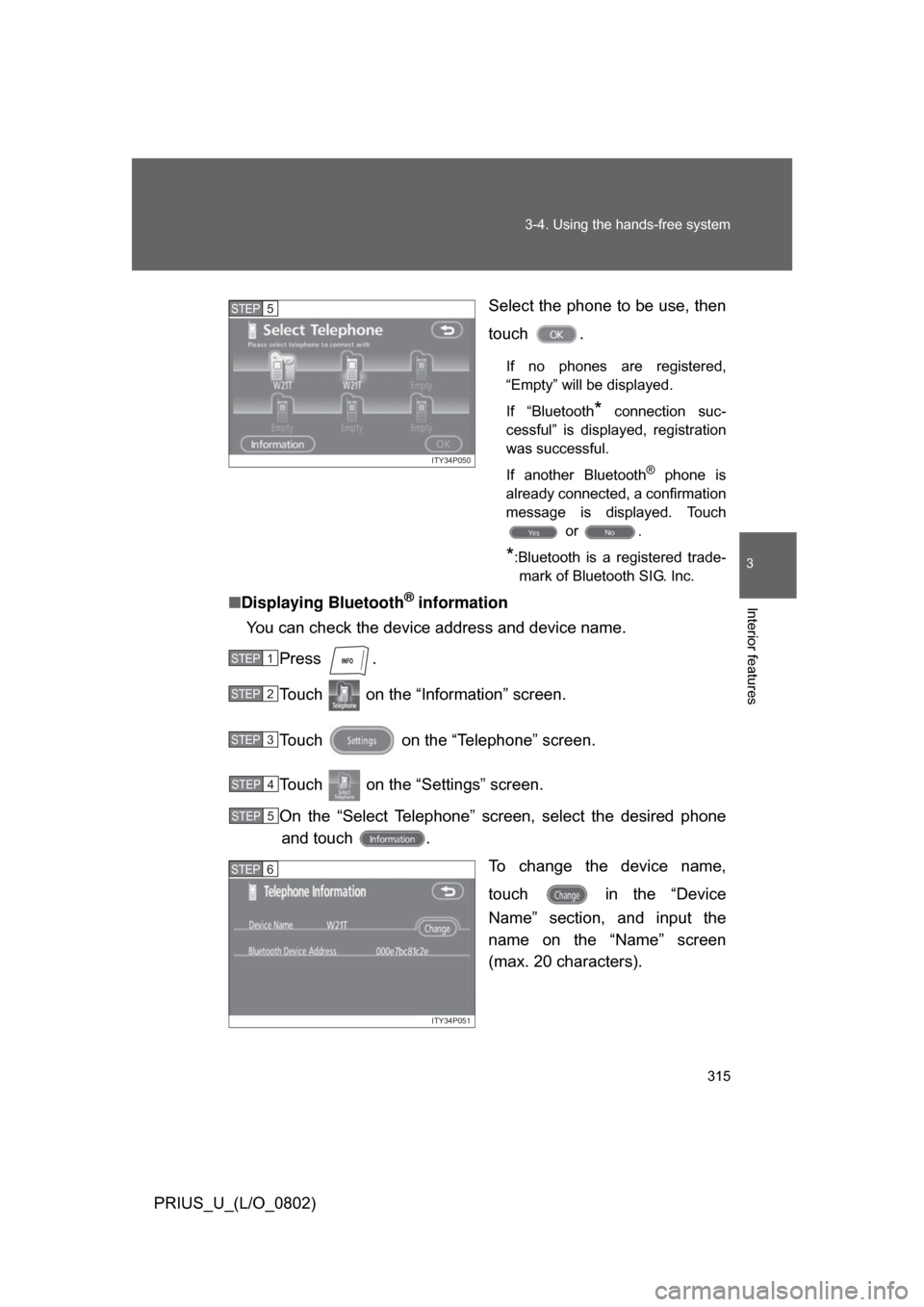
Select the phone to be use, then
touch .
If no phones are registered,
“Empty” will be displayed.
If “Bluetooth
* connection suc-
cessful” is displayed, registration
was successful.
If another Bluetooth
® phone is
already connected, a confirmation
message is displayed. Touch or .
*:Bluetooth is a registered trade-mark of Bluetooth SIG. Inc.
■ Displaying Bluetooth® information
You can check the device address and device name.
Press .
Touch on the “Information” screen.
Touch on the “Telephone” screen.
Touch on the “Settings” screen.
On the “Select Telephone” screen, select the desired phoneand touch .
To change the device name,
touch in the “Device
Name” section, and input the
name on the “Name” screen
(max. 20 characters).
ITY34P050
STEP5
STEP1
STEP2
STEP3
STEP4
STEP5
ITY34P051
STEP6
Page 316 of 512
316 3-4. Using the hands-free system
PRIUS_U_(L/O_0802)■
To change the Bluetooth
® settings
You can change the device name and passkey.
Press .
Touch on the “Inf ormation” screen.
Touch on the “Telephone” screen.
Touch on the “Settings” screen. To change the device name,
touch in the “Device
Name” section, and input the
name on the “Name” screen
(max. 20 characters).
To change the passkey, touch in the “Passkey” section,
and input 4 - 8 digits on the
“Passkey” screen.
■ Setting the Bluetooth® settings to default
Press .
Touch on the “Inf ormation” screen.
Touch on the “Telephone” screen.
Touch on the “Settings” screen.
Touch on the “Bluetooth
* Settings” screen.
A confirmation message is displa yed. If everything is correct,
touch .
*:Bluetooth is a registered trademark of Bluetooth SIG. Inc.
STEP1
STEP2
STEP3
STEP4
ITY34P052
STEP5
STEP1
STEP2
STEP3
STEP4
STEP5
STEP6
Page 317 of 512
317
3-4. Using the hands-free system
3
Interior features
PRIUS_U_(L/O_0802)
■
To delete the Bluetooth
® settings
Press .
Touch on the “Information” screen.
Touch on the “Telephone” screen.
Touch on the “Settings” screen.
Touch in the “Bluetooth
* Telephone” section of the
“Bluetooth
* Settings” screen.
On the “Delete Telephone” scre en, select the phone to delete.
To check the device address, touch .
If you touch , a confirmation message is displayed. If
everything is correct, touch .
*:Bluetooth is a registered trademark of Bluetooth SIG. Inc.
STEP1
STEP2
STEP3
STEP4
STEP5
STEP6
STEP7
Page 502 of 512

502 Alphabetical index
PRIUS_U_(L/O_0802)
Engine compartment cover..... 365
Engine/power control unit coolant
Capacity ................................467
Checking ............................... 371
Preparing and checking before winter ....................... 177
Engine oil Capacity ................................466
Checking ............................... 365
Preparing and checking before winter ....................... 177
Engine oil maintenance data ......................................... 369
Event data recorder .................424
Floor mats.................................335
Fluid
Brake .....................................373
Washer .................................. 378
Fog lights
Switch.................................... 156
Wattage .................................471
Front passenger occupant
classification system ............101
Front passenger’s seat belt reminder light.........................429
Front seats Adjustment .............................. 57
Front turn signal lights
Wattage .................................471
Fuel Capacity ................................464
Fuel gauge ............................ 143
Gas station information .........512
Information ............................ 472
Refueling ................................. 78
Type ......................................472
Fuel door.....................................78
Fuel filler door ............................ 78
Fuses......................................... 398 Garage door opener ................ 339
Gas station information .......... 512
Gauges...................................... 143
Glove box ................................. 323
Hands-free system
(for cellular phone) ................ 272
Head restraints........................... 62
Headlights
Discharge headlights precautions ......................... 414
Replacing light bulbs ............. 407
Switch ................................... 150
Wattage................................. 471
Heaters Side mirror ............................ 217
Hood.......................................... 361
Hooks
Cargo .................................... 336
Hybrid system Emergency shut off system..... 27
Energy monitor /
consumption screen ............. 27
High-voltage components ....... 26
Power switch ......................... 130
Illuminated entry system......... 318
Immobilizer system ................... 81
I/M test ...................................... 356
Identification Engine ................................... 463
Vehicle .................................. 463
Ignition switch.......................... 130
Indicator lights ......................... 146
Initialization Items to initialize ................... 491
Inside rear view mirror .............. 71
Instrument panel light control .................................... 144
F
G
H
I