Page 130 of 512
130
2-1. Driving procedures
PRIUS_U_(L/O_0802)
Power (ignition) switch
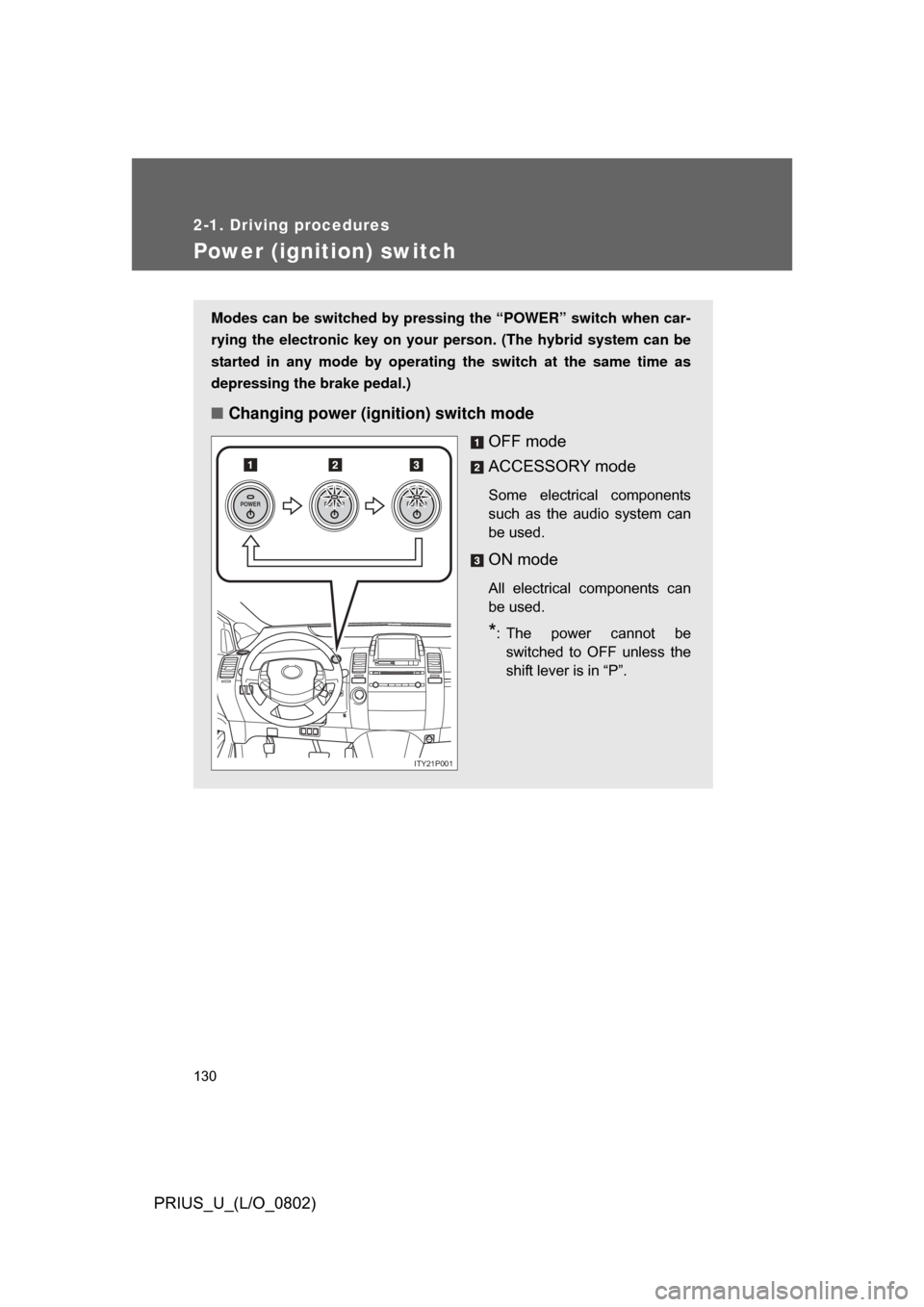
Modes can be switched by pressing the “POWER” switch when car-
rying the electronic key on your person. (The hybrid system can be
started in any mode by operating the switch at the same time as
depressing the brake pedal.)
■ Changing power (ignition) switch mode
OFF mode
ACCESSORY mode
Some electrical components
such as the audio system can
be used.
ON mode
All electrical components can
be used.
*: The power cannot beswitched to OFF unless the
shift lever is in “P”.
POWERPOWERPOWER
ITY21P001
Page 131 of 512
131
2-1. Driving procedures
2
When driving
PRIUS_U_(L/O_0802)
■
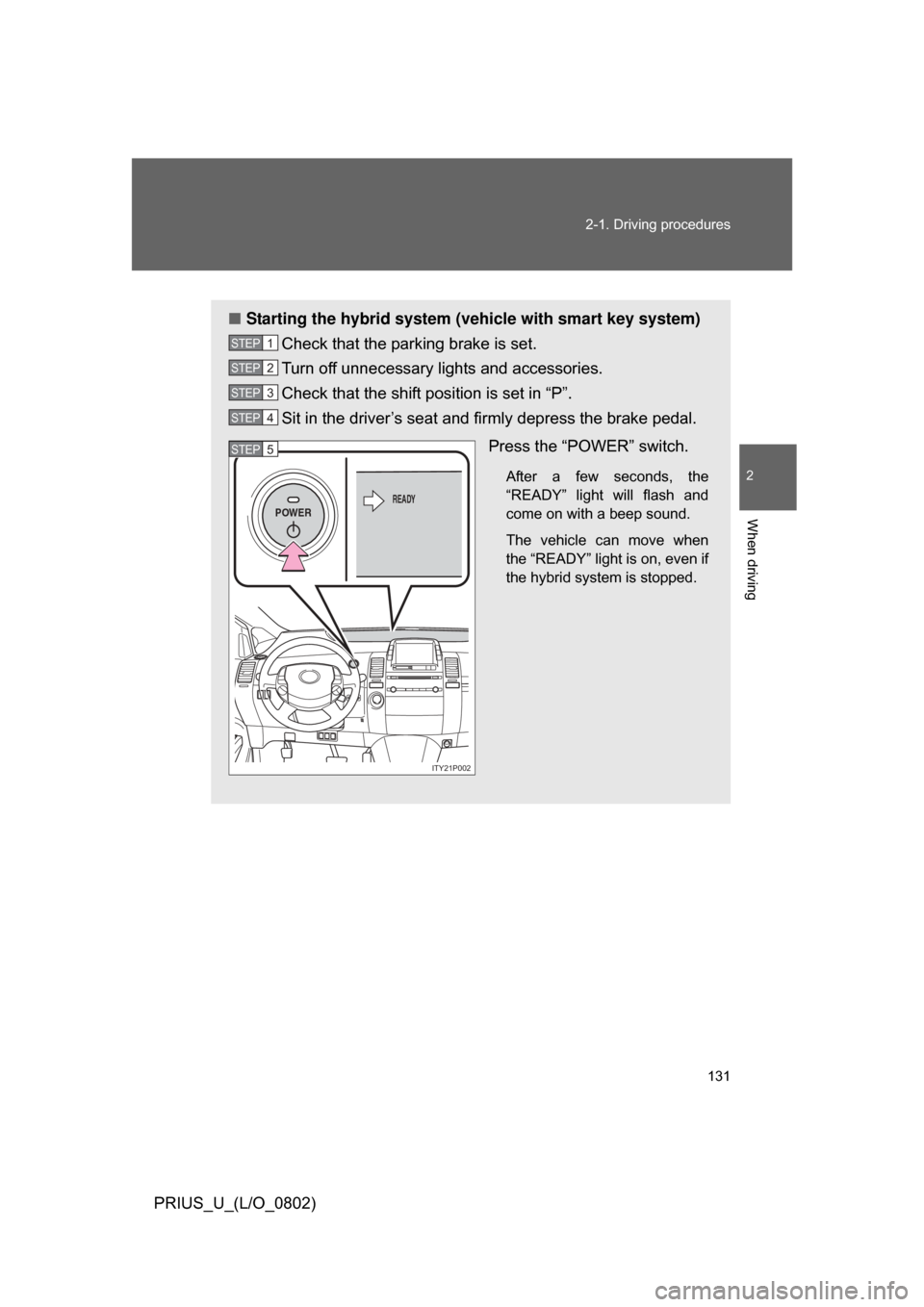
Starting the hybrid system (vehicle with smart key system)
Check that the parking brake is set.
Turn off unnecessary lights and accessories.
Check that the shift position is set in “P”.
Sit in the driver’s seat and firmly depress the brake pedal.
Press the “POWER” switch.
After a few seconds, the
“READY” light will flash and
come on with a beep sound.
The vehicle can move when
the “READY” light is on, even if
the hybrid system is stopped.
STEP1
STEP2
STEP3
STEP4
POWERREADY
ITY21P002
STEP5
Page 132 of 512
132 2-1. Driving procedures
PRIUS_U_(L/O_0802)
■Starting the hybrid system (v ehicle without smart key sys-
tem)
Check that the parking brake is set.
Turn off unnecessary lights and accessories.
Check that the shift position is set in “P”.
Insert the key into the key slot
and firmly with the brake pedal
depressed.
STEP1
STEP2
STEP3
ITY21P009
STEP4
Page 134 of 512

134 2-1. Driving procedures
PRIUS_U_(L/O_0802)
■If the hybrid system does not start
The hybrid system immobilizer system may not have been deactivated.
(P. 81)
■ If the “READY” light does not come on
If the “READY” light does not come on when you press the power switch with
the shift lever in “P” and the brake pedal pressed, contact your Toyota dealer
immediately.
■ When the “POWER” switch in dicator flashes in amber
The system may be malfunctioning. Have the vehicle inspected by your Toy-
ota dealer immediately.
■ Auto power OFF function
The “POWER” switch will automatically turn OFF when left in ACCESSORY
mode for 1 hour or more.
■ Electronic key battery depletion
P. 4 4
■ When the electronic key battery is discharged
P. 396
■ Conditions affecting operation
P. 4 2
■ Leak detection pump
Several hours after the engine is turned off, you may hear a sound coming
from underneath the luggage compartment for several minutes.
This is normal operation and does not indicate a malfunction.
Page 137 of 512
137
2-1. Driving procedures
2
When driving
PRIUS_U_(L/O_0802)
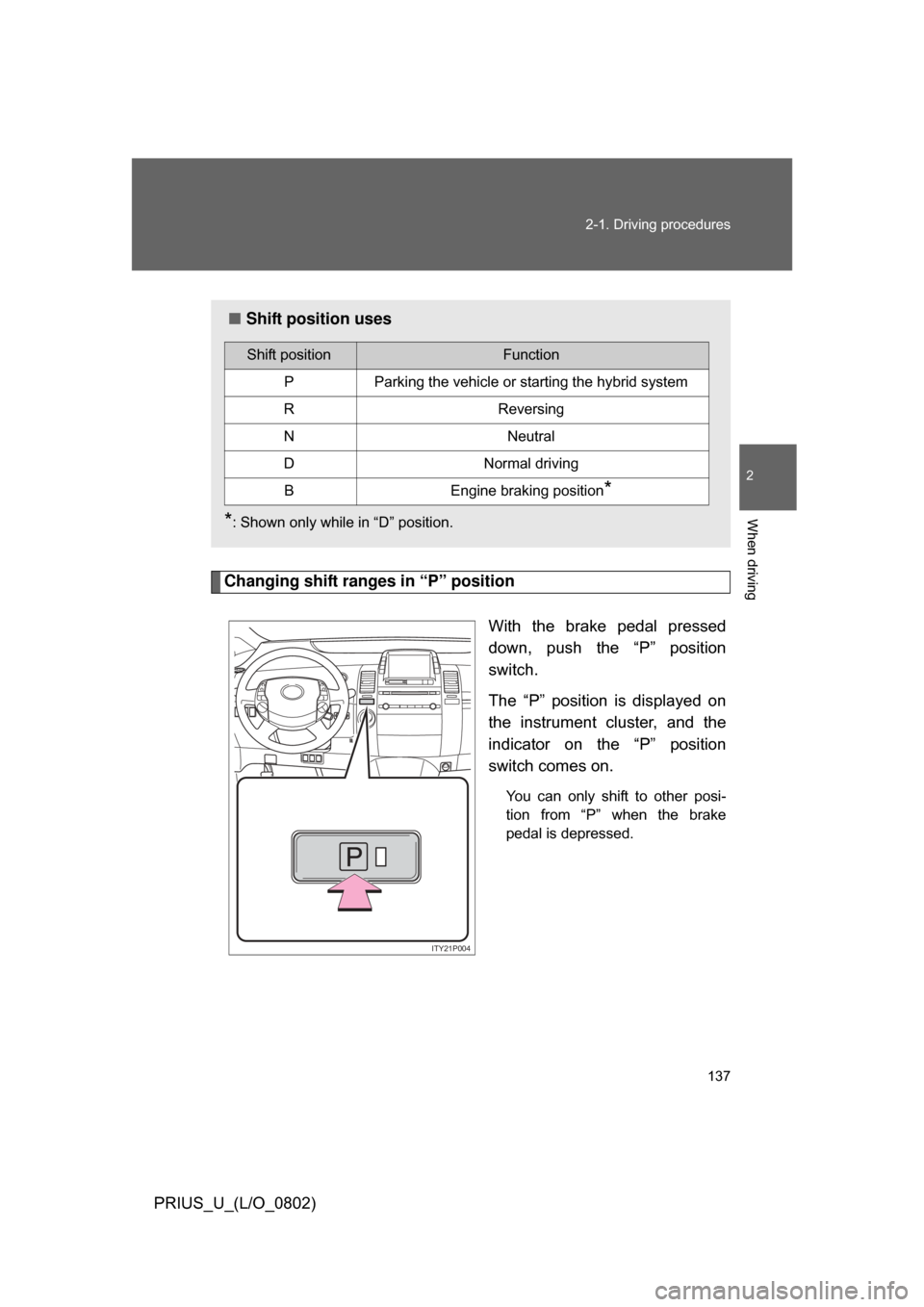
Changing shift ranges in “P” position
With the brake pedal pressed
down, push the “P” position
switch.
The “P” position is displayed on
the instrument cluster, and the
indicator on the “P” position
switch comes on.
You can only shift to other posi-
tion from “P” when the brake
pedal is depressed.
■Shift position uses
*: Shown only while in “D” position.
Shift positionFunction
PParking the vehicle or starting the hybrid system
RReversing
NNeutral
DNormal driving
BEngine braking position*
ITY21P004
Page 138 of 512

138 2-1. Driving procedures
PRIUS_U_(L/O_0802)
■Using engine brake
To use the engine braking, shift the shift lever to “B” position.
● During high speed driving, you may feel that deceleration by engine brak-
ing is less than that of a typical vehicle.
● Do not continue normal driving with the transmission in “B” for a long
time.
This may cause decreased fuel economy. To prevent this, use “D” for
normal driving.
■ Reverse warning buzzer
When shifting into “R”, a buzzer will sound to inform the driver that the shift
lever is in “R”.
■ If the system malfunctions
The following conditions, there is some problem in the system.
Immediately stop the vehicle in a safe place and contact your Toyota dealer.
● The indicator on the “P” position switch flashes. However, this does not
indicate a malfunction unless a warning message appears in the touch
screen.
● All frames of shift position indicators in the instrument cluster flash.
● The parking system error message appears on the touch screen.
● The instrument cluster and touch screen does not come on when the
“POWER” switch is in ON mode.
Page 139 of 512
139
2-1. Driving procedures
2
When driving
PRIUS_U_(L/O_0802)
■
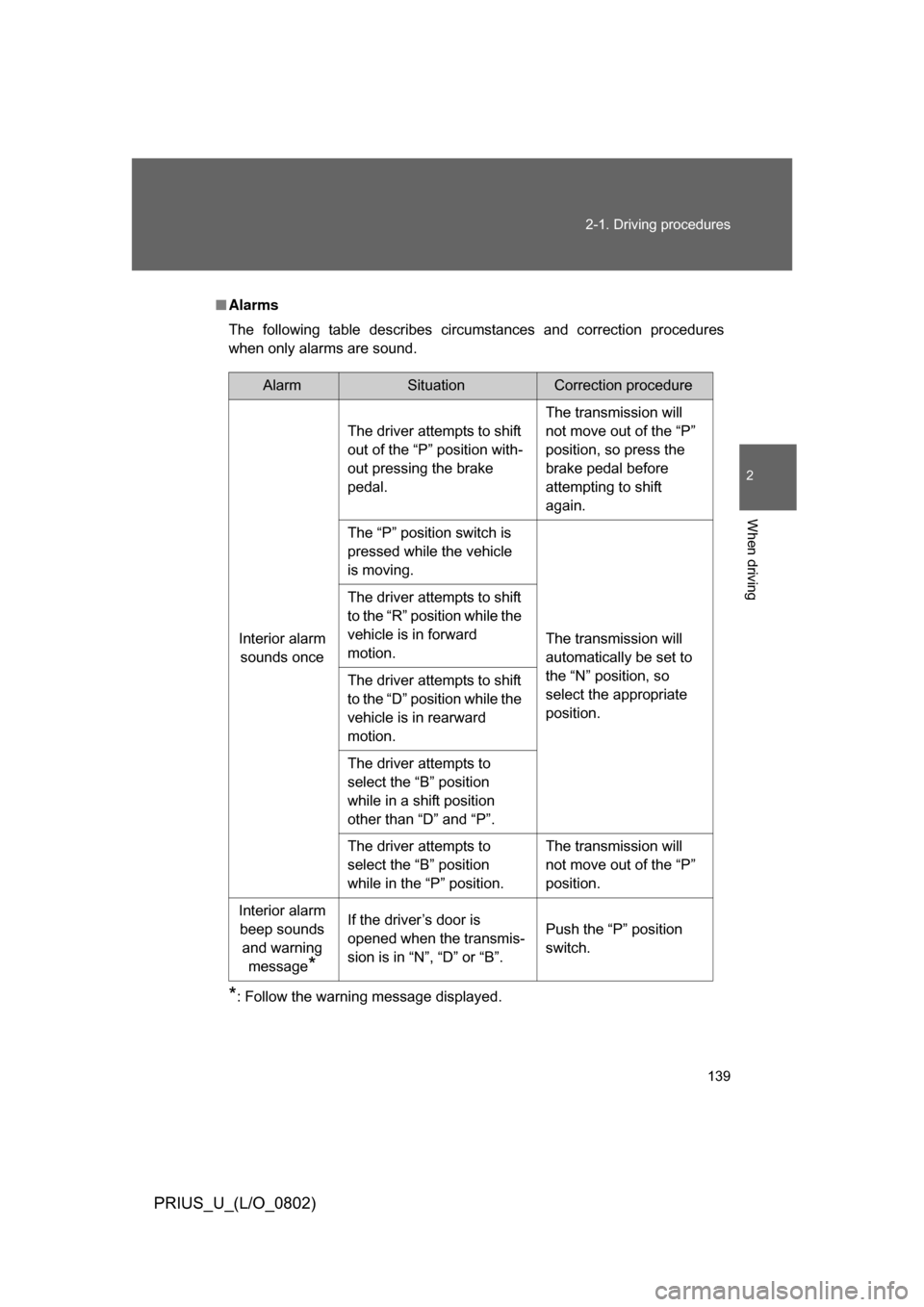
Alarms
The following table describes circumstances and correction procedures
when only alarms are sound.
*: Follow the warning message displayed.
AlarmSituationCorrection procedure
Interior alarm sounds once The driver attempts to shift
out of the “P” position with-
out pressing the brake
pedal.
The transmission will
not move out of the “P”
position, so press the
brake pedal before
attempting to shift
again.
The “P” position switch is
pressed while the vehicle
is moving.
The transmission will
automatically be set to
the “N” position, so
select the appropriate
position.
The driver attempts to shift
to the “R” position while the
vehicle is in forward
motion.
The driver attempts to shift
to the “D” position while the
vehicle is in rearward
motion.
The driver attempts to
select the “B” position
while in a shift position
other than “D” and “P”.
The driver attempts to
select the “B” position
while in the “P” position.
The transmission will
not move out of the “P”
position.
Interior alarm beep sounds and warning message
*
If the driver’s door is
opened when the transmis-
sion is in “N”, “D” or “B”. Push the “P” position
switch.
Page 142 of 512
142
2-1. Driving procedures
PRIUS_U_(L/O_0802)
Parking brake
NOTICE
■Before driving
Fully release the parking brake.
Driving the vehicle with the parking brake set will lead to brake components
overheating, which may affect braking performance and increase brake
wear.
■ When parking the vehicle
Before you leave the vehicle, set the parking brake, push the “P” position
switch and make sure that the vehicle does not move.
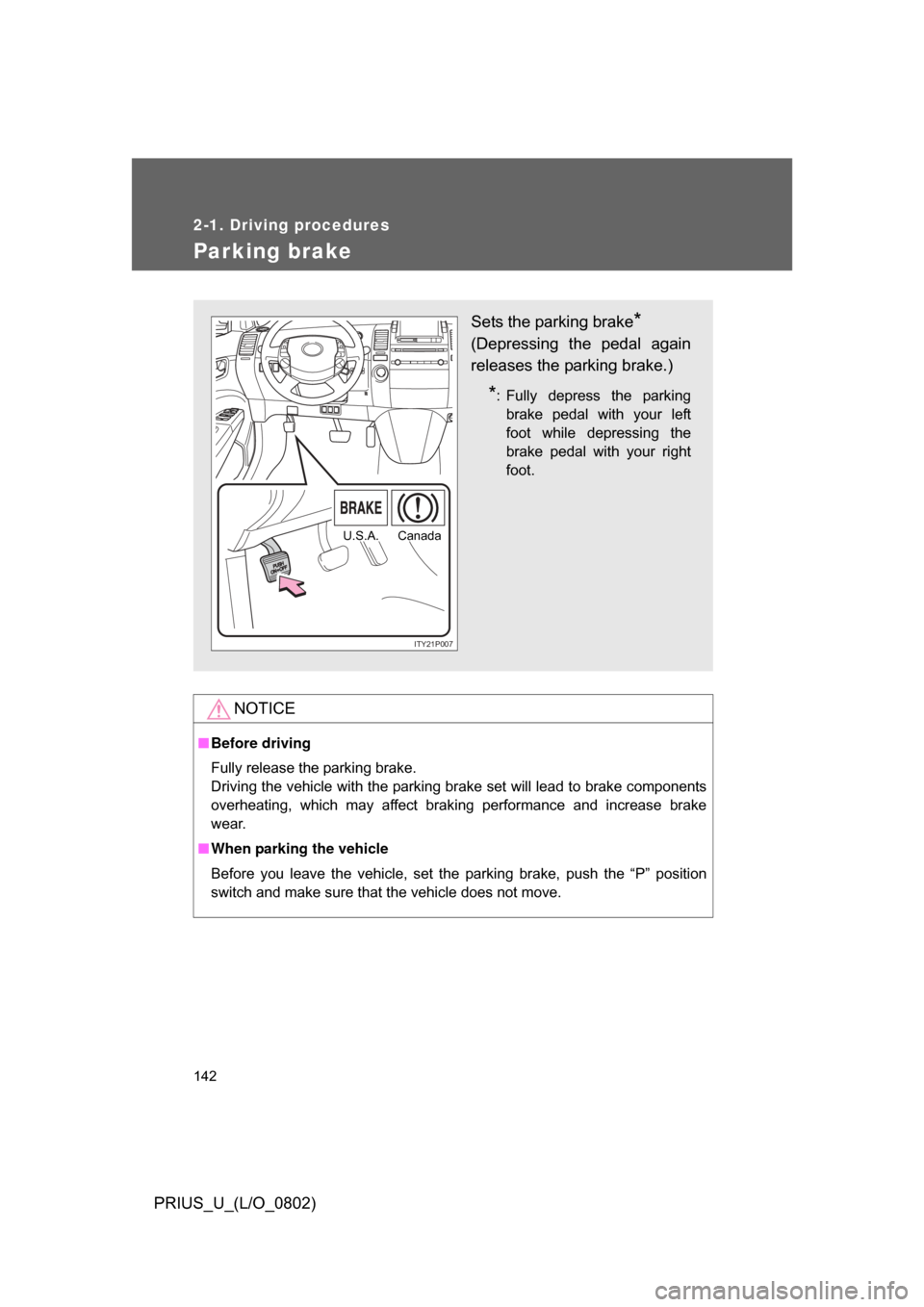
Sets the parking brake*
(Depressing the pedal again
releases the parking brake.)
*: Fully depress the parking
brake pedal with your left
foot while depressing the
brake pedal with your right
foot.
ITY21P007
CanadaU.S.A.