Page 228 of 452
228 3-3. Using the hands-free system (for cellular phone)
AVALON_U_(L/O_0802)
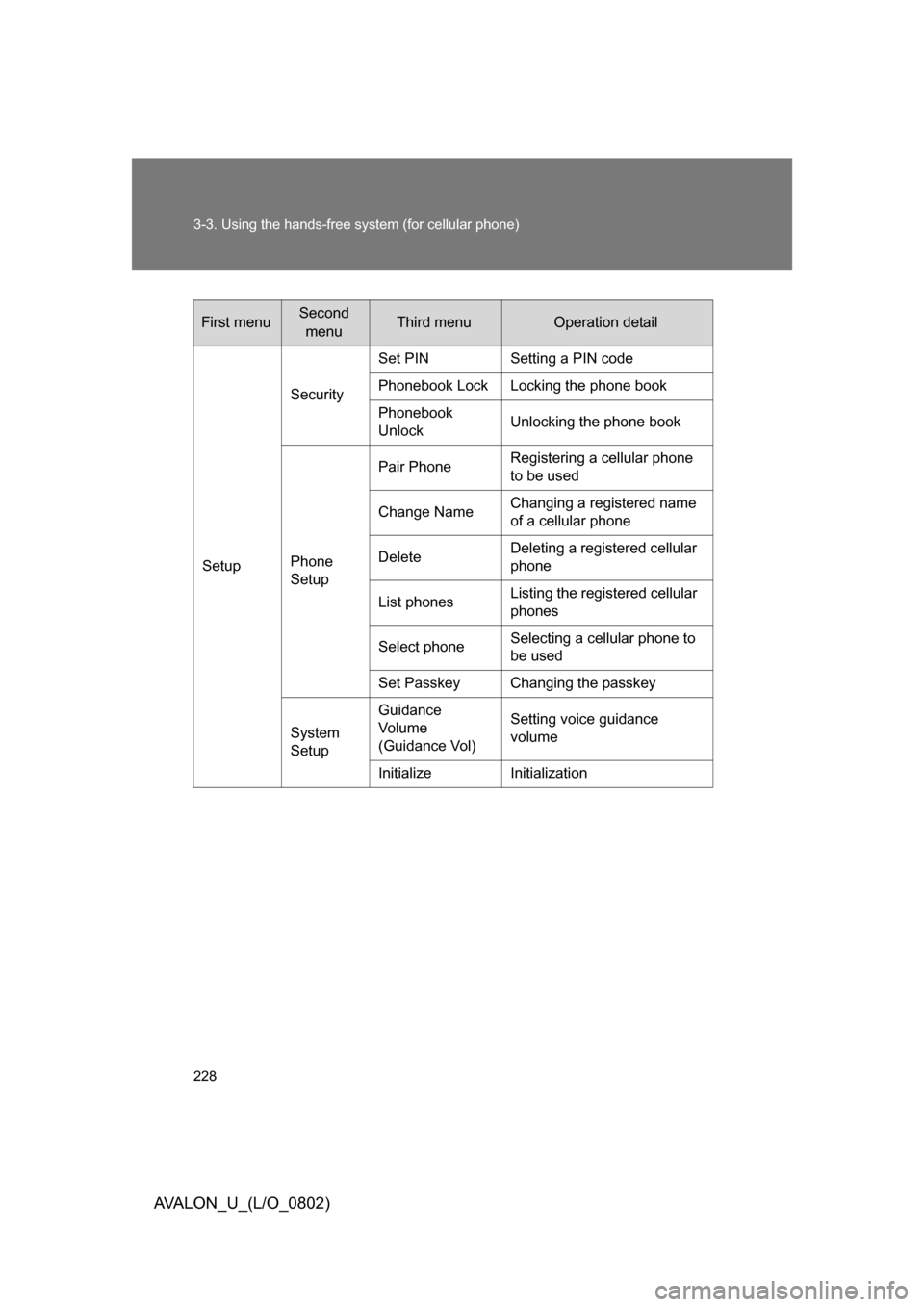
First menuSecond menuThird menuOperation detail
Setup Security
Set PIN Setting a PIN code
Phonebook Lock Locking the phone book
Phonebook
Unlock
Unlocking the phone book
Phone
Setup Pair Phone
Registering a cellular phone
to be used
Change Name Changing a registered name
of a cellular phone
Delete Deleting a registered cellular
phone
List phones Listing the registered cellular
phones
Select phone Selecting a cellular phone to
be used
Set Passkey Changing the passkey
System
Setup Guidance
Vo l u m e
(Guidance Vol) Setting voice guidance
volume
Initialize Initialization
Page 229 of 452
229
3-3. Using the hands-free
system (for cellular phone)
3
Interior features
AVALON_U_(L/O_0802)■
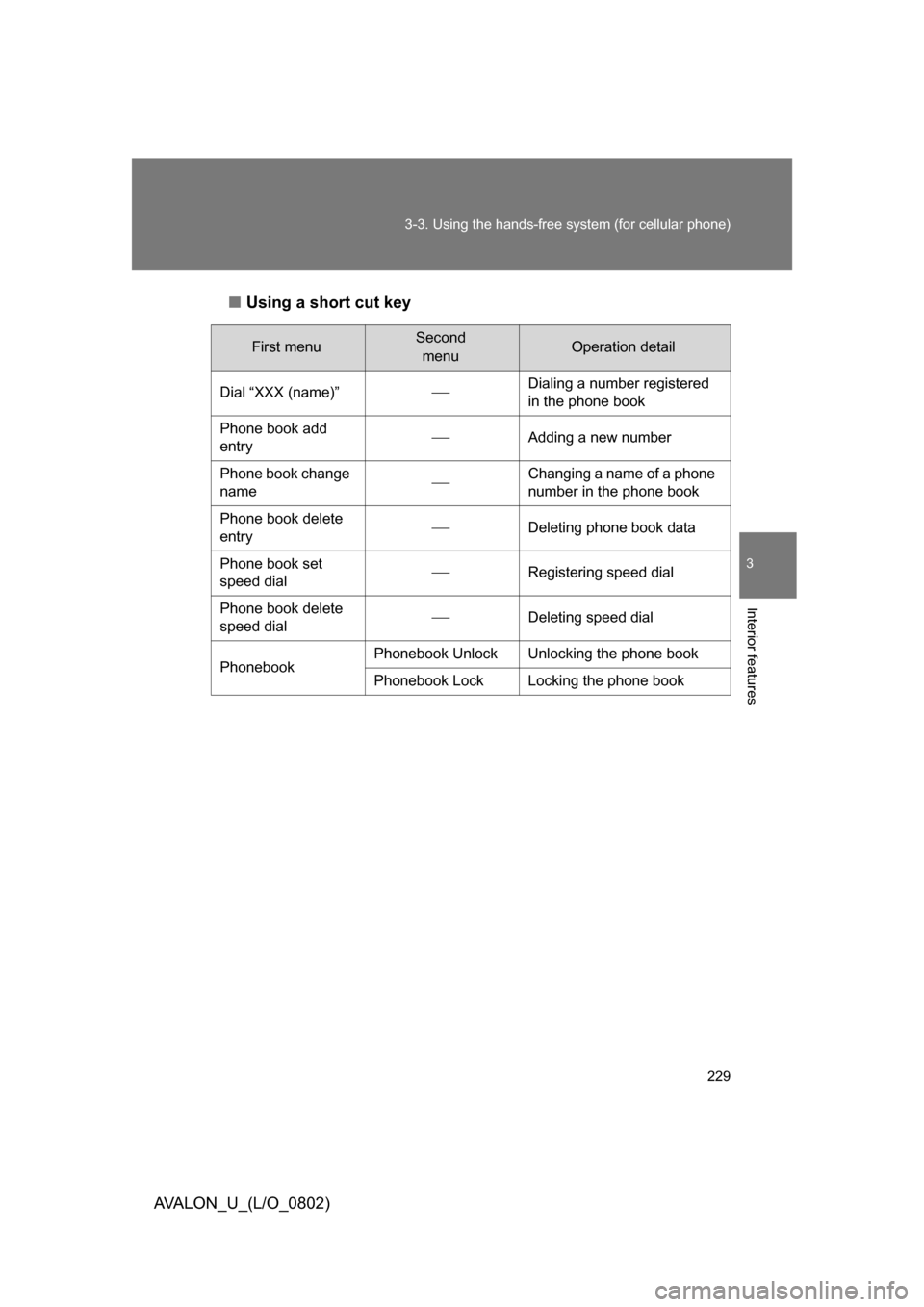
Using a short cut key
First menuSecond
menuOperation detail
Dial “XXX (name)”
Dialing a number registered
in the phone book
Phone book add
entry
Adding a new number
Phone book change
name
Changing a name of a phone
number in the phone book
Phone book delete
entry
Deleting phone book data
Phone book set
speed dial
Registering speed dial
Phone book delete
speed dial
Deleting speed dial
Phonebook Phonebook Unlock Unlocking the phone book
Phonebook Lock Locking the phone book
Page 230 of 452
230 3-3. Using the hands-free system (for cellular phone)
AVALON_U_(L/O_0802)
■Automatic adjustment of volume
When vehicle speed is 50 mph (80 km/h) or more, the volume automatically
increases. The volume returns to the previous volume setting when vehicle
speed drops to 43 mph (70 km/h) or less.
■ When using a voice command
● For numbers, say a combination of single digits from zero to nine, #
(pound), (star), and + (plus).
● Say a command correctly and clearly.
■ The system may not recognize your voice in the following situations:
● When driving on unsealed roads
● When driving at high speeds
● If the window is open
● If the air conditioning is blowing directly on the microphone
● If the air conditioning is set too high
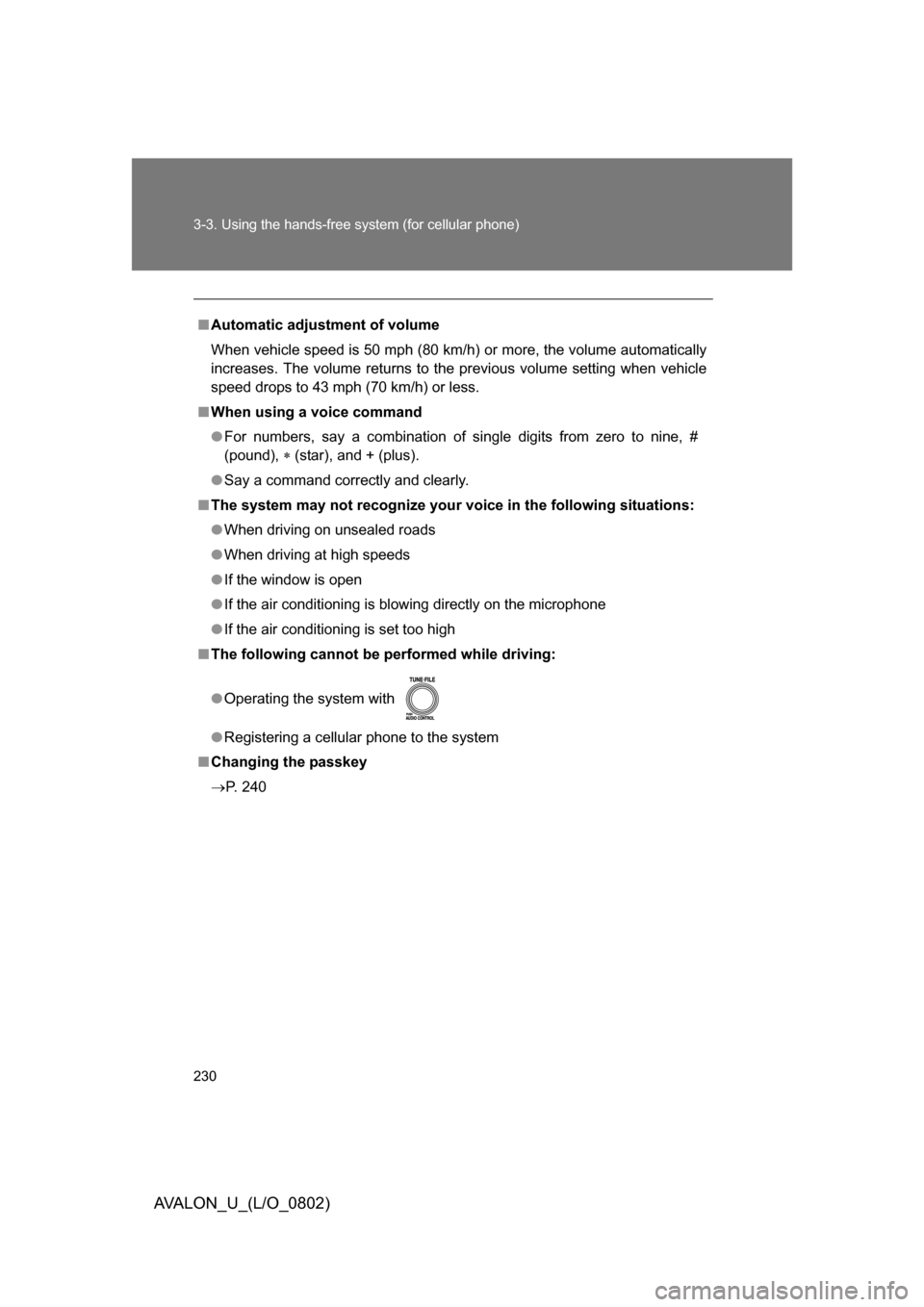
■ The following cannot be performed while driving:
● Operating the system with
● Registering a cellular phone to the system
■ Changing the passkey
P. 240
Page 231 of 452
231
3-3. Using the hands-free system (for cellular phone)
3
Interior features
AVALON_U_(L/O_0802)
Making a phone call
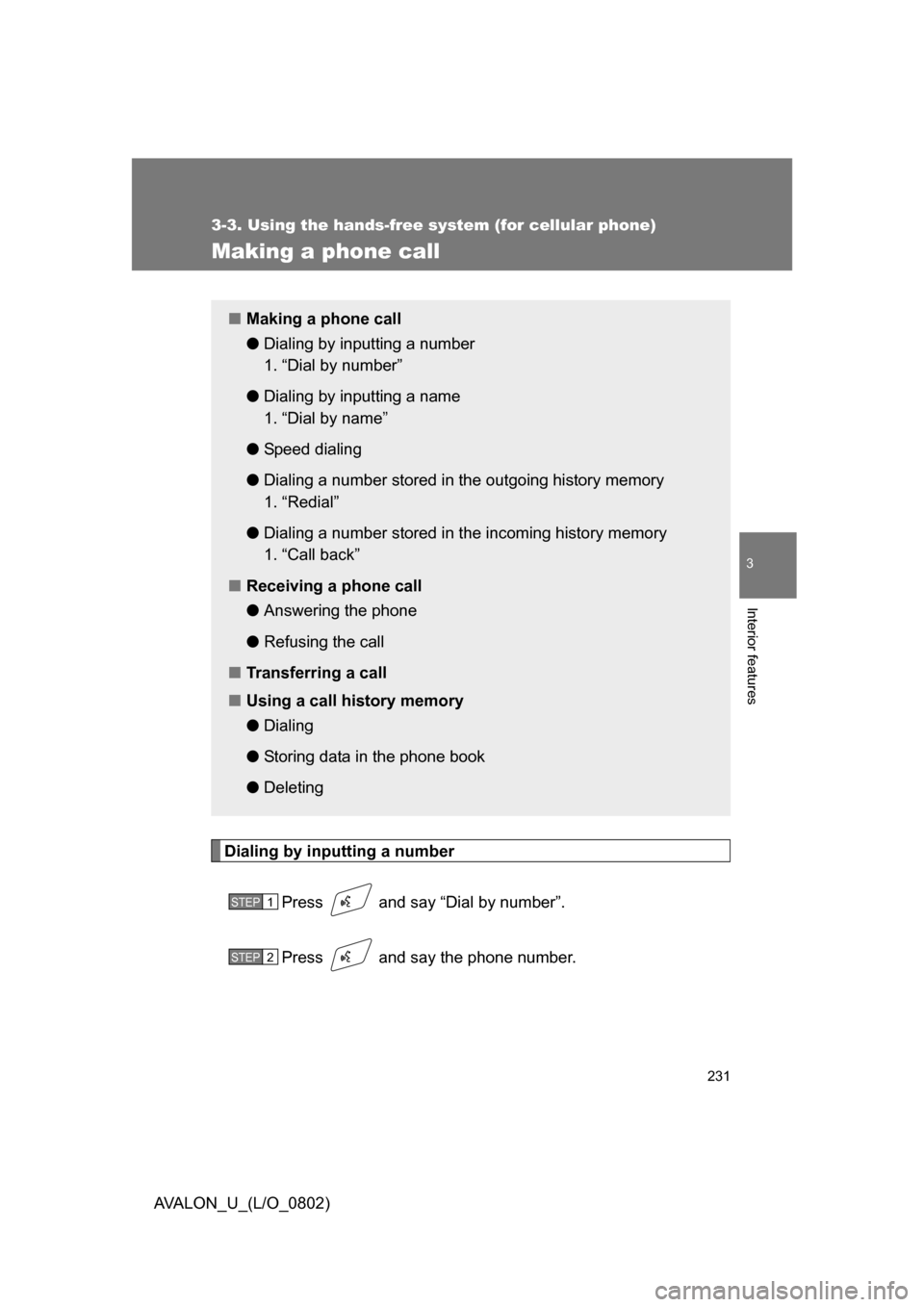
Dialing by inputting a numberPress and say “Dial by number”.
Press and say the phone number.
■Making a phone call
●Dialing by inputting a number
1. “Dial by number”
● Dialing by inputting a name
1. “Dial by name”
● Speed dialing
● Dialing a number stored in the outgoing history memory
1. “Redial”
● Dialing a number stored in the incoming history memory
1. “Call back”
■ Receiving a phone call
●Answering the phone
● Refusing the call
■ Transferring a call
■ Using a call history memory
●Dialing
● Storing data in the phone book
● Deleting
STEP1
STEP2
Page 232 of 452
232 3-3. Using the hands-free system (for cellular phone)
AVALON_U_(L/O_0802)Dial by one of the following methods:
a. Press .
b. Press and say “Dial”.
c. Select “Dial” by using .
Dialing by inputting a name
Press and say “Dial by name”.
Select a registered name to be input by either of the following
methods:
a. Press and say a registered name.
b. Press and say “List names”. Press while the desired name is being read aloud.
Dial by one of the following methods:
a. Press .
b. Press and say “Dial”.
c. Select “Dial” by using .
STEP3
STEP1
STEP2
STEP3
Page 233 of 452
233
3-3. Using the hands-free
system (for cellular phone)
3
Interior features
AVALON_U_(L/O_0802)
Speed dialing
Press .
Press the preset button in whic h the desired number is regis-
tered.
Press .
When receiving a phone call
■ Answering the phone
Press .
■ Refusing the call
Press .
STEP1
STEP2
STEP3
Page 234 of 452
234 3-3. Using the hands-free system (for cellular phone)
AVALON_U_(L/O_0802)
Transferring a callA call can be transferred between the cellular phone and system
while dialing, receiving a call, or during a call. Use one of the follow-
ing methods:
a. Operate the cellular phone.
Refer to the manual that comes with the cellular phone for the oper-
ation of the phone.
b. Press *1.
c. Press and say “Call Transfer”
*2.
*1: This operation can be performed only when transferring a call from the cellular phone to the system during a call.
*2: While the vehicle is in motion, a call cannot be transferred from the system to the cellular phone.
Using a call history memory
Follow the procedure below to use number stored in call history
memory:
Press and say “Redial” (when using a number stored in
the outgoing history memory) or “Callback” (when using a
number stored in the incoming history memory).
Select the number by either of the following methods:
a. Say “Previous” or “Go back” until the desired number is displayed.
b. Select the desired number by using .
STEP1
STEP2
Page 235 of 452
235
3-3. Using the hands-free
system (for cellular phone)
3
Interior features
AVALON_U_(L/O_0802)The following operations can be performed:
Dialing: Press or select “Dial” by using a voice command
or .
Storing the number in the phone book: Select “Store” by using a
voice command or .
Deleting: Select “Delete” by using a voice command or .
■Call history
Up to 5 numbers can be stored in each of the outgoing and incoming history
memories.
■ When talking on the phone
● Do not talk simultaneously with the other party.
● Keep the volume of the receiving voice down. Otherwise, voice echo will
increase.