2008 NISSAN VERSA Ignition switch
[x] Cancel search: Ignition switchPage 113 of 304
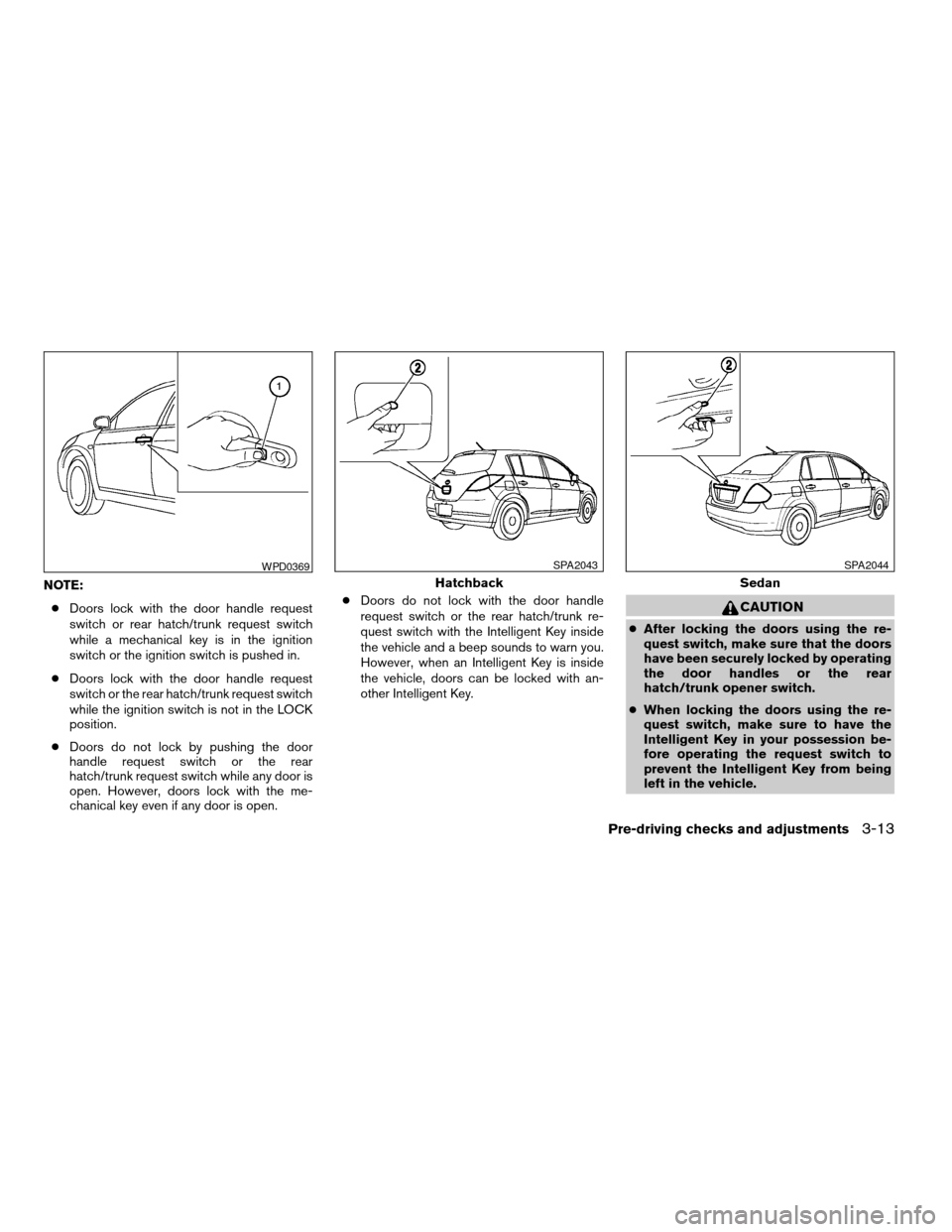
NOTE:
cDoors lock with the door handle request
switch or rear hatch/trunk request switch
while a mechanical key is in the ignition
switch or the ignition switch is pushed in.
cDoors lock with the door handle request
switch or the rear hatch/trunk request switch
while the ignition switch is not in the LOCK
position.
cDoors do not lock by pushing the door
handle request switch or the rear
hatch/trunk request switch while any door is
open. However, doors lock with the me-
chanical key even if any door is open.cDoors do not lock with the door handle
request switch or the rear hatch/trunk re-
quest switch with the Intelligent Key inside
the vehicle and a beep sounds to warn you.
However, when an Intelligent Key is inside
the vehicle, doors can be locked with an-
other Intelligent Key.
CAUTION
cAfter locking the doors using the re-
quest switch, make sure that the doors
have been securely locked by operating
the door handles or the rear
hatch/trunk opener switch.
cWhen locking the doors using the re-
quest switch, make sure to have the
Intelligent Key in your possession be-
fore operating the request switch to
prevent the Intelligent Key from being
left in the vehicle.
WPD0369
Hatchback
SPA2043
Sedan
SPA2044
Pre-driving checks and adjustments3-13
ZREVIEW COPYÐ2008 Versa(vrs)
Owners ManualÐUSA_English(nna)
01/02/08Ðdebbie
X
Page 115 of 304

If a door handle is pulled while unlocking the
doors, that door may not be unlocked. Returning
the door handle to its original position will unlock
the door. If the door does not unlock after return-
ing the door handle, push the door handle re-
quest switch to unlock the door.
All doors and the rear hatch/trunk will be locked
automatically unless one of the following opera-
tions is performed within 1 minute after pushing
the request switch.
cOpening any doors or the rear hatch/trunk.
cPushing the ignition switch.cInserting the mechanical key into the ignition
switch.
The interior light timer illuminates for 30 seconds
when a door is unlocked and the room light
switch is in the DOOR position.
The interior light can be turned off without waiting
for 30 seconds by performing one of the follow-
ing operations.
cTurning the ignition switch to the ON posi-
tion.
cLocking the doors with the remote controller.cSwitching the room light switch to the OFF
position.
HOW TO USE THE REMOTE
KEYLESS ENTRY FUNCTION
The remote keyless entry function can operate all
door locks using the remote keyless function of
the Intelligent Key. The remote keyless function
can operate at a distance of 33 ft (10 m) away
from the vehicle. The operating distance de-
pends upon the conditions around the vehicle.
WPD0369
Hatchback
SPA2043
Sedan
SPA2044
Pre-driving checks and adjustments3-15
ZREVIEW COPYÐ2008 Versa(vrs)
Owners ManualÐUSA_English(nna)
01/02/08Ðdebbie
X
Page 116 of 304
The remote keyless entry function will not func-
tion under the following conditions:
cWhen the Intelligent Key is not within the
operational range.
cWhen the doors or the rear hatch/trunk are
open or not closed securely.
cWhen the Intelligent Key battery is dis-
charged.
CAUTION
When locking the doors using the Intelli-
gent Key, be sure not to leave the key in
the vehicle.
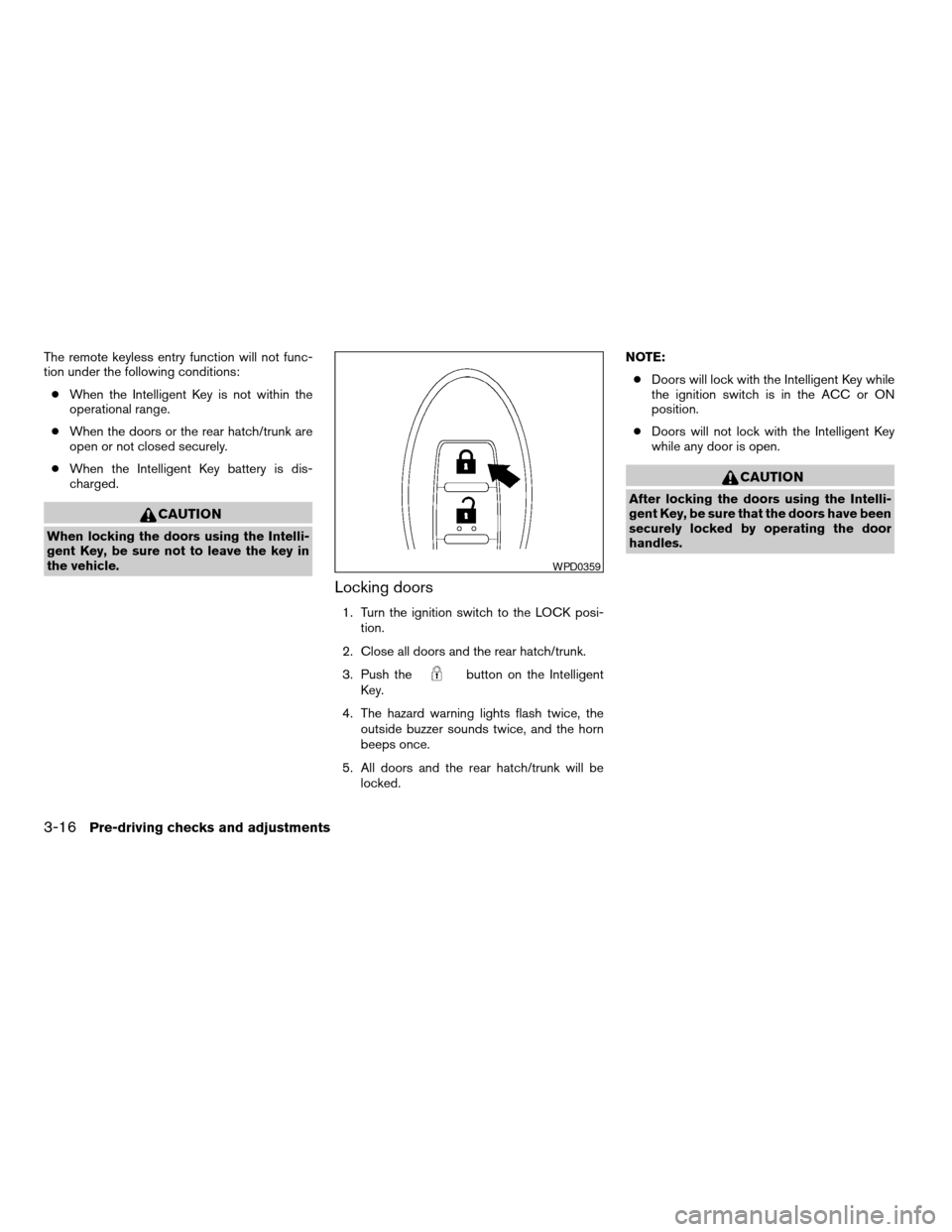
Locking doors
1. Turn the ignition switch to the LOCK posi-
tion.
2. Close all doors and the rear hatch/trunk.
3. Push the
button on the Intelligent
Key.
4. The hazard warning lights flash twice, the
outside buzzer sounds twice, and the horn
beeps once.
5. All doors and the rear hatch/trunk will be
locked.NOTE:
cDoors will lock with the Intelligent Key while
the ignition switch is in the ACC or ON
position.
cDoors will not lock with the Intelligent Key
while any door is open.
CAUTION
After locking the doors using the Intelli-
gent Key, be sure that the doors have been
securely locked by operating the door
handles.
WPD0359
3-16Pre-driving checks and adjustments
ZREVIEW COPYÐ2008 Versa(vrs)
Owners ManualÐUSA_English(nna)
01/02/08Ðdebbie
X
Page 117 of 304
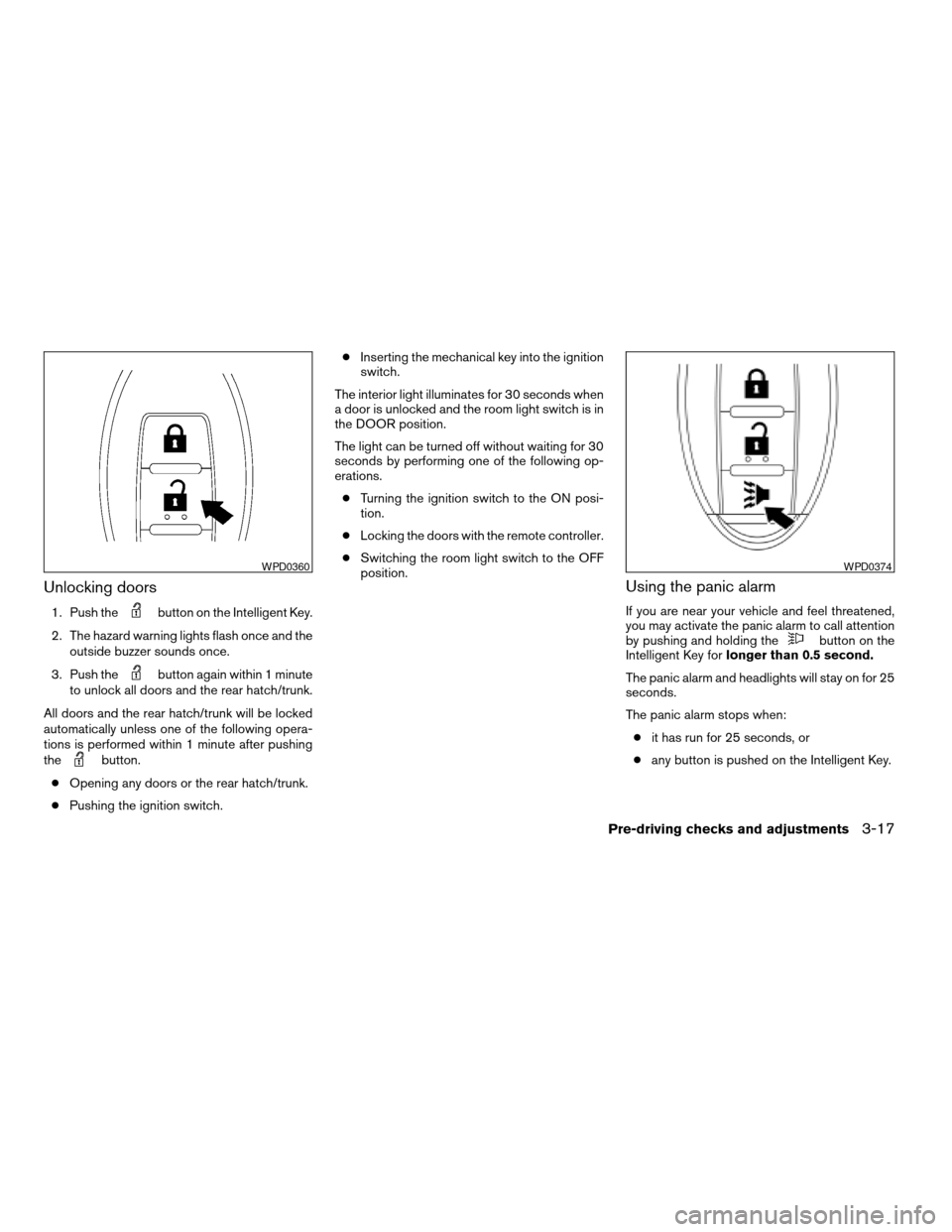
Unlocking doors
1. Push thebutton on the Intelligent Key.
2. The hazard warning lights flash once and the
outside buzzer sounds once.
3. Push the
button again within 1 minute
to unlock all doors and the rear hatch/trunk.
All doors and the rear hatch/trunk will be locked
automatically unless one of the following opera-
tions is performed within 1 minute after pushing
the
button.
cOpening any doors or the rear hatch/trunk.
cPushing the ignition switch.cInserting the mechanical key into the ignition
switch.
The interior light illuminates for 30 seconds when
a door is unlocked and the room light switch is in
the DOOR position.
The light can be turned off without waiting for 30
seconds by performing one of the following op-
erations.
cTurning the ignition switch to the ON posi-
tion.
cLocking the doors with the remote controller.
cSwitching the room light switch to the OFF
position.
Using the panic alarm
If you are near your vehicle and feel threatened,
you may activate the panic alarm to call attention
by pushing and holding the
button on the
Intelligent Key forlonger than 0.5 second.
The panic alarm and headlights will stay on for 25
seconds.
The panic alarm stops when:
cit has run for 25 seconds, or
cany button is pushed on the Intelligent Key.
WPD0360WPD0374
Pre-driving checks and adjustments3-17
ZREVIEW COPYÐ2008 Versa(vrs)
Owners ManualÐUSA_English(nna)
01/02/08Ðdebbie
X
Page 119 of 304
CAUTION
When the buzzer sounds and the warning
light illuminates, be sure to check both
the vehicle and the Intelligent Key.
WARNING SIGNALS
To help prevent the vehicle from moving unex-
pectedly by erroneous operation of the Intelligent
Key or to help prevent the vehicle from being
stolen, a chime or buzzer sounds from inside and
outside the vehicle and a warning light comes on
in the instrument panel.
When a chime or beep sounds or the warning
light comes on, be sure to check the vehicle and
the Intelligent Key.
Audible reminder and warning when
locking the doors
When the chime or buzzer sounds from inside
and outside the vehicle, check for the following:
cThe ignition switch is turned to the LOCK
position.
cThe Intelligent Key is not left inside the ve-
hicle.
cThe selector lever is in the P (Park) position.
Audible reminder and warning when
the engine stops
When the P position selecting warning light
() (CVT models) in the instrument panel
blinks in red:
cMake sure the selector lever is in the P
position.
When the chime sounds intermittently:
cMake sure the selector lever is in the P
position and the ignition switch is turned to
the LOCK position.
If the chime sounds continuously when the driv-
er’s door is opened, check the following:
cThe selector lever is in the P position and the
ignition switch is turned to the LOCK posi-
tion.
cThe mechanical key is not inserted into the
ignition switch.
cThe warning chime may stop when one of
the following is performed.
– Returning the ignition switch to the LOCK
position.
– Removing the mechanical key.
– Closing the doors.
When the Intelligent Key lock warning light ()
(M/T models) in the instrument panel blinks:
cMake sure the selector lever is in the P position.
cMake sure the ignition switch is in the LOCK
position.
Alarm and warning when the engine
starts
When the Intelligent Key system warning light
() blinks red and the outside buzzer sounds,
make sure the Intelligent Key is inside the vehicle.
Warning for low battery power
When the Intelligent Key battery is low, the Intel-
ligent Key system warning light () will blink
green for about 30 seconds after the ignition
switch is turned to the ON position. This warning
is to let you know that the battery of the Intelligent
Key will run down soon. Replace it with a new
one. Refer to “Battery replacement” in the “Main-
tenance and do-it-yourself” section.
NISSAN recommends replacing the battery at a
NISSAN dealer.
Preventing the Intelligent Key from
being left in the vehicle
If you lock all doors using the power door lock
switch with the Intelligent Key in the vehicle, all of
the doors unlock immediately and the buzzer will
warn you when the door is closed.
Pre-driving checks and adjustments3-19
ZREVIEW COPYÐ2008 Versa(vrs)
Owners ManualÐUSA_English(nna)
01/03/08Ðdebbie
X
Page 120 of 304

TROUBLESHOOTING GUIDE
Symptom Possible Cause Remedy
When pushing the door handle
request switchThe front door beep sounds for approximately 2
seconds.The doors cannot be locked.Take out the Intelligent Key from the vehicle and push the
door handle request switch.
When closing the doorsThe front door beep sounds for approximately
10 seconds.The ignition knob is not turned to
LOCK position.Turn the ignition knob to LOCK.
The key warning light in the instrument panel
blinks in red and the front door warning beep
sounds for approximately 3 seconds.The Intelligent Key is not in the
vehicle.Be sure to carry the Intelligent Key with you.
The front door beep sounds for approximately 3
seconds and all doors unlock.The Intelligent Key is left in the
vehicle.Take out the Intelligent Key from the vehicle and close the
door.
When opening the driver’s door A warning chime sounds continuously.The ignition knob is not in LOCK
position, or the mechanical key is
inserted into the ignition knob.Turn the ignition knob to LOCK.
Remove the mechanical key from the ignition knob.
When stopping the engine The P position warning light in the instrument
panel blinks in red.The selector lever is not in the P
(Park) position.Make sure that the selector lever is in the P (Park) position
and turn the ignition knob to LOCK.
When turning the ignition knob The warning chime sounds The ignition knob is not turned to
LOCK.Turn the ignition knob to LOCK.
When starting the engine The key warning light in the instrument panel
blinks in green.The battery charge is low. Replace the battery with a new one. See “Battery replace-
ment” in the “Maintenance and do-it-yourself” section.
When turning the ignition switch A warning chime sounds continuously. The ignition switch is not turned
to the LOCK position.Turn the ignition switch to the LOCK position.
A warning chime sounds continuously and the
Intelligent Key lock warning light blinks.
When pushing the ignition
switchThe Intelligent Key system warning light in the
instrument panel illuminates red.The Intelligent Key is not in the
vehicle.If the Intelligent Key system warning light illuminates red even
while you are carrying the Intelligent Key, the battery is com-
pletely discharged. Replace the battery with a new one. See
“Battery replacement” in the “Maintenance and do-it-yourself”
section.
3-20Pre-driving checks and adjustments
ZREVIEW COPYÐ2008 Versa(vrs)
Owners ManualÐUSA_English(nna)
01/02/08Ðdebbie
X
Page 129 of 304
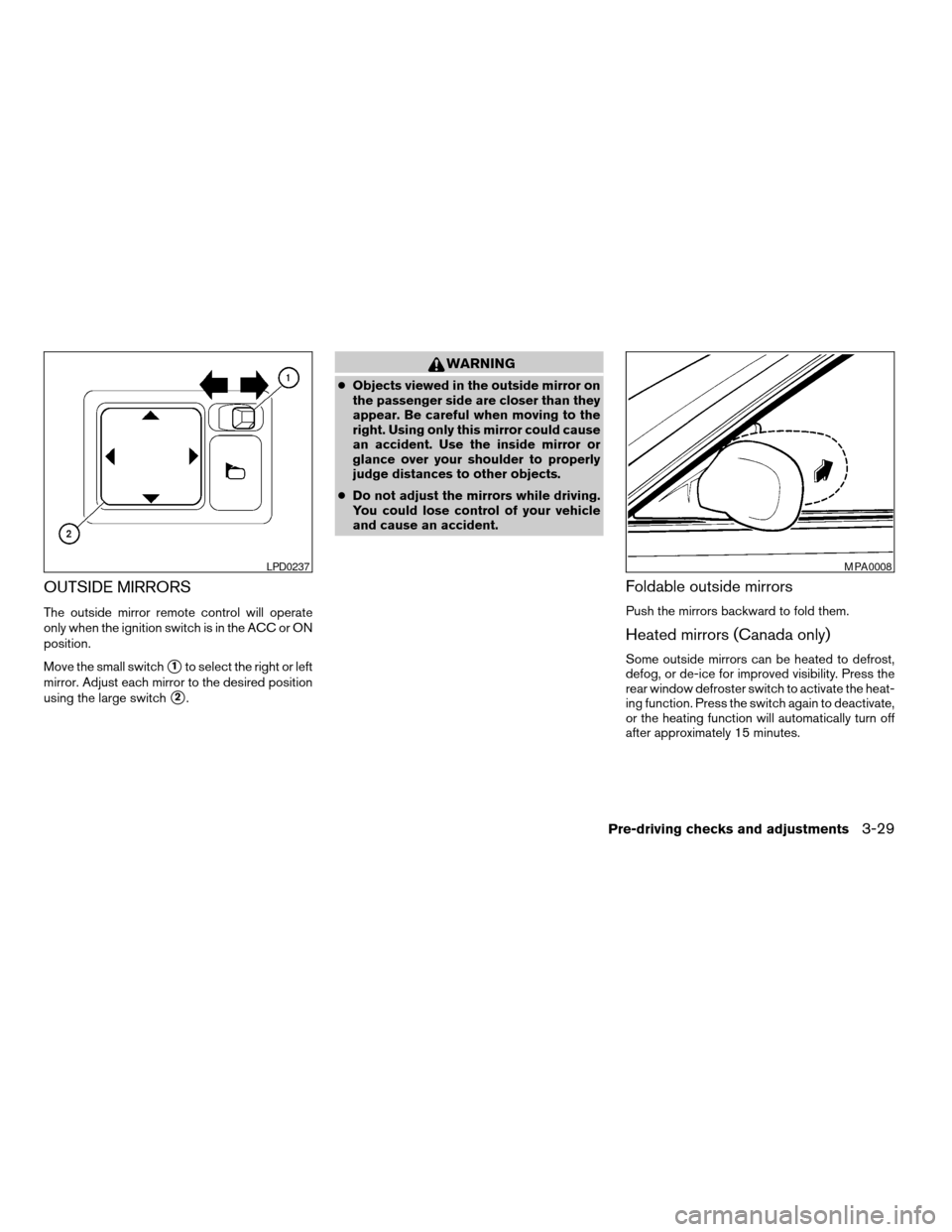
OUTSIDE MIRRORS
The outside mirror remote control will operate
only when the ignition switch is in the ACC or ON
position.
Move the small switch
s1to select the right or left
mirror. Adjust each mirror to the desired position
using the large switch
s2.
WARNING
cObjects viewed in the outside mirror on
the passenger side are closer than they
appear. Be careful when moving to the
right. Using only this mirror could cause
an accident. Use the inside mirror or
glance over your shoulder to properly
judge distances to other objects.
cDo not adjust the mirrors while driving.
You could lose control of your vehicle
and cause an accident.
Foldable outside mirrors
Push the mirrors backward to fold them.
Heated mirrors (Canada only)
Some outside mirrors can be heated to defrost,
defog, or de-ice for improved visibility. Press the
rear window defroster switch to activate the heat-
ing function. Press the switch again to deactivate,
or the heating function will automatically turn off
after approximately 15 minutes.
LPD0237MPA0008
Pre-driving checks and adjustments3-29
ZREVIEW COPYÐ2008 Versa(vrs)
Owners ManualÐUSA_English(nna)
01/02/08Ðdebbie
X
Page 147 of 304

To adjust Bass, Treble, Fade and Balance, press
the MENU button until the desired mode appears
in the display. Press the TUNE/SEEK button to
adjust Bass and Treble to the desired level. You
can also use the TUNE/SEEK button to adjust
Fader and Balance modes. Fader adjusts the
sound level between the front and rear speakers
and Balance adjusts the sound between the right
and left speakers.
Once you have adjusted the sound quality to the
desired level, press the MENU button repeatedly
until the radio or CD display reappears. Other-
wise, the radio or CD display will automatically
reappear after about 10 seconds.
Clock operation
Press the MENU button until CLK-ON or CLK-
OFF is displayed, use the TUNE/SEEK button to
turn the clock display on or off.
Clock set
If the clock is not displayed with the ignition
switch in the ACC or ON position, you need to
select the CLK-ON mode. Press the MENU but-
ton repeatedly until CLK-OFF mode is displayed.
Use the TUNE/SEEK button to enable CLK-ON
mode.
1. Press the MENU button repeatedly until
CLK-ON mode appears.2. Press the MENU button again, the time will
start flashing.
3. Press the TUNE/SEEK button
orto adjust the hour.
4. Press the MENU button again; the display
will switch to the minute adjustment mode.
5. The minutes will start flashing. Press
TUNE/SEEK button
orto ad-
just the minutes.
6. Press the MENU button again to exit the
clock set mode.
The display will return to the regular clock display
after 10 seconds, or press the MENU button
again to return to the regular clock display.
Resetting the time
Hold the MENU button down and then press the
TUNE/SEEK button; the time will reset as fol-
lows:
cIf the displayed minutes before the reset are
in the range of :00 - :29, the hour displayed
before the reset will stay the same and the
minutes will be reset to :00.
cIf the displayed minutes before the reset are
in the range of :30 - :59, the hour displayed
before the reset will advance by one hour
and the minutes will be reset to :00.For example, if the MENU button and the
TUNE/SEEK button are pressed while the time
displayed is between 8:00 and 8:29, the display
will be reset to 8:00. If the buttons were pressed
while the time was between 8:30 and 8:59, the
display will be reset to 9:00. At the same time the
display will return to the audio.FM/AM radio operation
FM·AM button:
Press the FM·AM button to change from AMÃ!
FM reception.
The FM stereo indicator, ST, illuminates during
FM stereo reception. When the stereo broadcast
signal is weak, the radio automatically changes
from stereo to monaural reception.
TUNE/SEEK buttons:
Manual tuning
Press the
orbutton for less than 0.5
seconds for manual tuning.
SEEK tuning
Press the
orbutton for more than
1.5 seconds to seek through the frequencies.
Seek tuning begins from low to high frequencies,
or high to low frequencies depending on which
button is pressed, and stops at the next broad-
Heater, air conditioner, audio and phone systems4-17
ZREVIEW COPYÐ2008 Versa(vrs)
Owners ManualÐUSA_English(nna)
01/02/08Ðdebbie
X