Page 111 of 304

OPERATING RANGE
The Intelligent Key functions can only be used
when the Intelligent Key is within the specified
operating range from the request switch
s1.
When the Intelligent Key battery is discharged or
strong radio waves are present near the operat-
ing location, the Intelligent Key system’s operat-
ing range becomes narrower, and the Intelligent
Key may not function properly.
The operating range is within 31.50 in (80 cm)
from each request switch
s1.If the Intelligent Key is too close to the door glass,
handle or rear bumper, the request switches may
not function.
When the Intelligent Key is within the operating
range, it is possible for anyone, even someone
who does not carry the Intelligent Key, to push the
request switch to lock/unlock the doors.
DOOR LOCKS/UNLOCKS
PRECAUTION
cDo not push the door handle request switch
with the Intelligent Key held in your hand as
illustrated. The close distance to the door
handle will cause the Intelligent Key system
to have difficulty recognizing that the Intelli-
gent Key is outside the vehicle.
cAfter locking with the door handle request
switch, verify the doors are securely locked
by testing them.
cTo prevent the Intelligent Key from being left
inside the vehicle, make sure you carry the
key with you and then lock the doors.
Hatchback
WPD0402
Sedan
WPD0403WPD0375
Pre-driving checks and adjustments3-11
ZREVIEW COPYÐ2008 Versa(vrs)
Owners ManualÐUSA_English(nna)
01/02/08Ðdebbie
X
Page 113 of 304
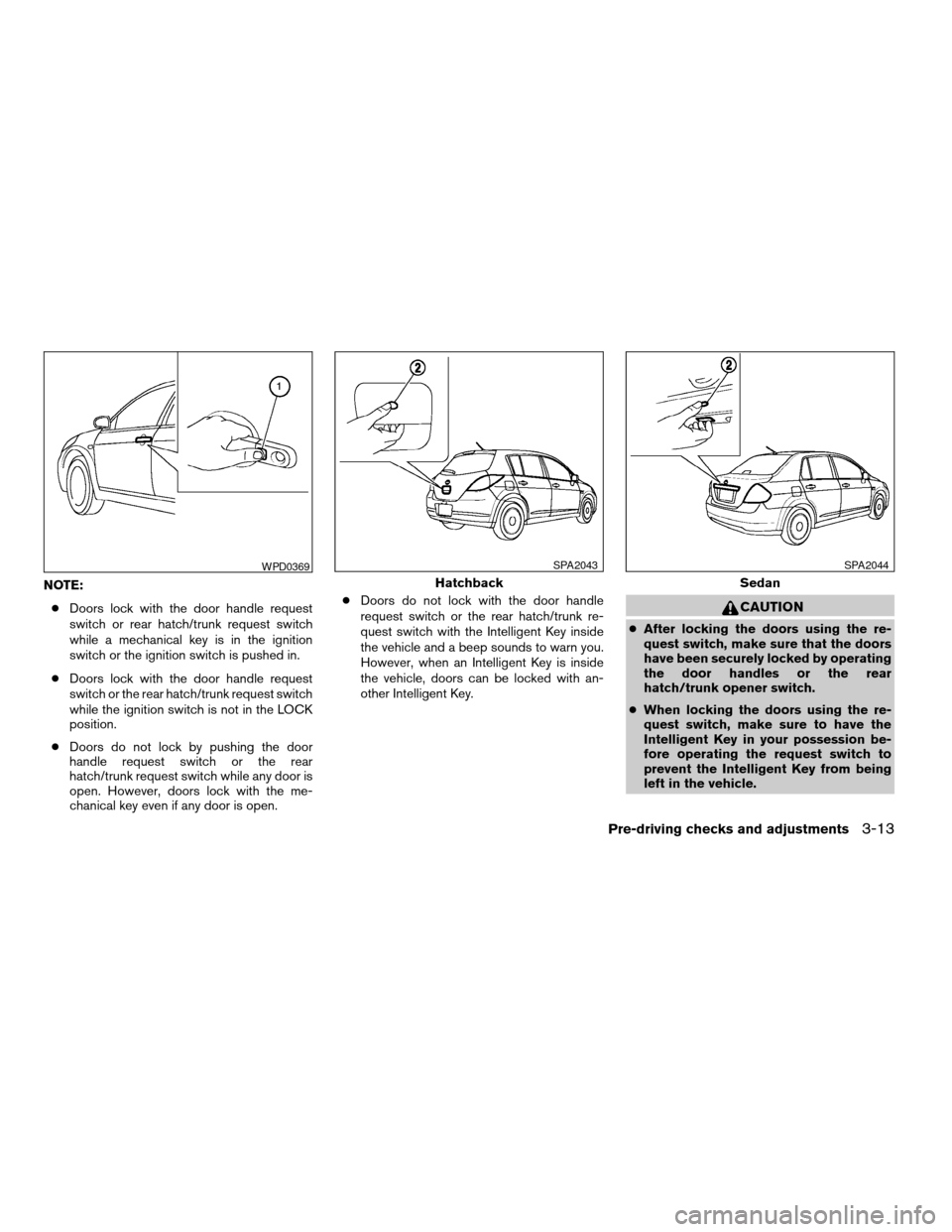
NOTE:
cDoors lock with the door handle request
switch or rear hatch/trunk request switch
while a mechanical key is in the ignition
switch or the ignition switch is pushed in.
cDoors lock with the door handle request
switch or the rear hatch/trunk request switch
while the ignition switch is not in the LOCK
position.
cDoors do not lock by pushing the door
handle request switch or the rear
hatch/trunk request switch while any door is
open. However, doors lock with the me-
chanical key even if any door is open.cDoors do not lock with the door handle
request switch or the rear hatch/trunk re-
quest switch with the Intelligent Key inside
the vehicle and a beep sounds to warn you.
However, when an Intelligent Key is inside
the vehicle, doors can be locked with an-
other Intelligent Key.
CAUTION
cAfter locking the doors using the re-
quest switch, make sure that the doors
have been securely locked by operating
the door handles or the rear
hatch/trunk opener switch.
cWhen locking the doors using the re-
quest switch, make sure to have the
Intelligent Key in your possession be-
fore operating the request switch to
prevent the Intelligent Key from being
left in the vehicle.
WPD0369
Hatchback
SPA2043
Sedan
SPA2044
Pre-driving checks and adjustments3-13
ZREVIEW COPYÐ2008 Versa(vrs)
Owners ManualÐUSA_English(nna)
01/02/08Ðdebbie
X
Page 115 of 304

If a door handle is pulled while unlocking the
doors, that door may not be unlocked. Returning
the door handle to its original position will unlock
the door. If the door does not unlock after return-
ing the door handle, push the door handle re-
quest switch to unlock the door.
All doors and the rear hatch/trunk will be locked
automatically unless one of the following opera-
tions is performed within 1 minute after pushing
the request switch.
cOpening any doors or the rear hatch/trunk.
cPushing the ignition switch.cInserting the mechanical key into the ignition
switch.
The interior light timer illuminates for 30 seconds
when a door is unlocked and the room light
switch is in the DOOR position.
The interior light can be turned off without waiting
for 30 seconds by performing one of the follow-
ing operations.
cTurning the ignition switch to the ON posi-
tion.
cLocking the doors with the remote controller.cSwitching the room light switch to the OFF
position.
HOW TO USE THE REMOTE
KEYLESS ENTRY FUNCTION
The remote keyless entry function can operate all
door locks using the remote keyless function of
the Intelligent Key. The remote keyless function
can operate at a distance of 33 ft (10 m) away
from the vehicle. The operating distance de-
pends upon the conditions around the vehicle.
WPD0369
Hatchback
SPA2043
Sedan
SPA2044
Pre-driving checks and adjustments3-15
ZREVIEW COPYÐ2008 Versa(vrs)
Owners ManualÐUSA_English(nna)
01/02/08Ðdebbie
X
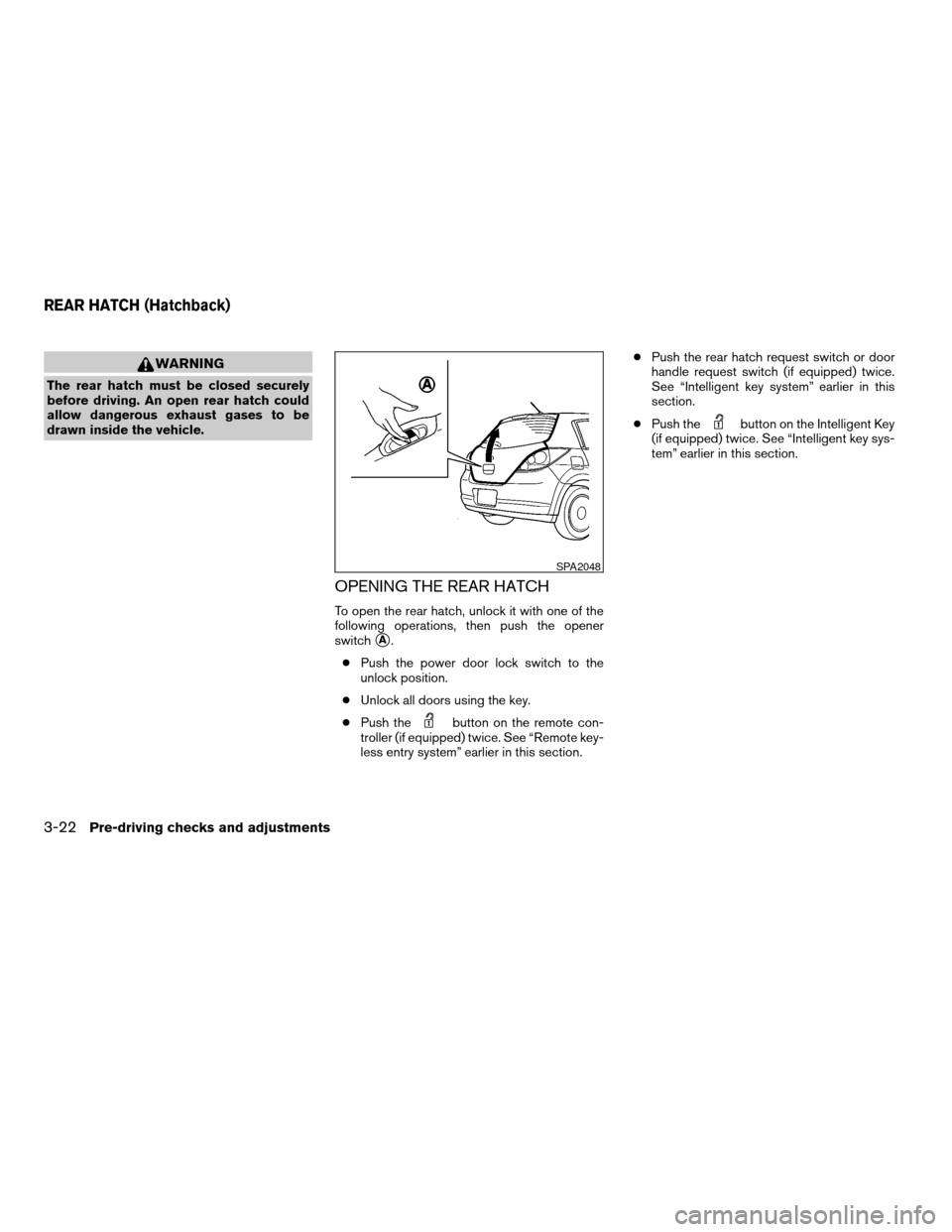
Page 122 of 304
WARNING
The rear hatch must be closed securely
before driving. An open rear hatch could
allow dangerous exhaust gases to be
drawn inside the vehicle.
OPENING THE REAR HATCH
To open the rear hatch, unlock it with one of the
following operations, then push the opener
switch
sA.
cPush the power door lock switch to the
unlock position.
cUnlock all doors using the key.
cPush the
button on the remote con-
troller (if equipped) twice. See “Remote key-
less entry system” earlier in this section.cPush the rear hatch request switch or door
handle request switch (if equipped) twice.
See “Intelligent key system” earlier in this
section.
cPush the
button on the Intelligent Key
(if equipped) twice. See “Intelligent key sys-
tem” earlier in this section.
SPA2048
REAR HATCH (Hatchback)
3-22Pre-driving checks and adjustments
ZREVIEW COPYÐ2008 Versa(vrs)
Owners ManualÐUSA_English(nna)
01/02/08Ðdebbie
X
Page 181 of 304

Operating range
The Intelligent Key functions can only be used
when the Intelligent Key is within the specified
operating range.
When the Intelligent Key battery is almost dis-
charged or strong radio waves are present near
the operating location, the Intelligent Key sys-
tem’s operating range becomes narrower and
may not function properly.
If the Intelligent Key is within the operating range,
it is possible for anyone, even someone who does
not carry the Intelligent Key, to turn the ignition
switch to start the engine.The operating range of the engine start function
is inside of the vehicles1.
cThe luggage area (hatchback) or trunk (se-
dan) is not included in the operating range,
but the Intelligent Key may function.
cIf the Intelligent Key is placed on the instru-
ment panel, rear parcel shelf, inside the
glove box, storage bin or door pocket, the
Intelligent Key may not function.
cIf the Intelligent Key is placed near the door
or window outside the vehicle, the Intelligent
Key may function.
Hatchback
WSD0165
Sedan
WSD0191
Without Intelligent Key system
SSD0392
Starting and driving5-7
ZREVIEW COPYÐ2008 Versa(vrs)
Owners ManualÐUSA_English(nna)
01/02/08Ðdebbie
X
Page 211 of 304
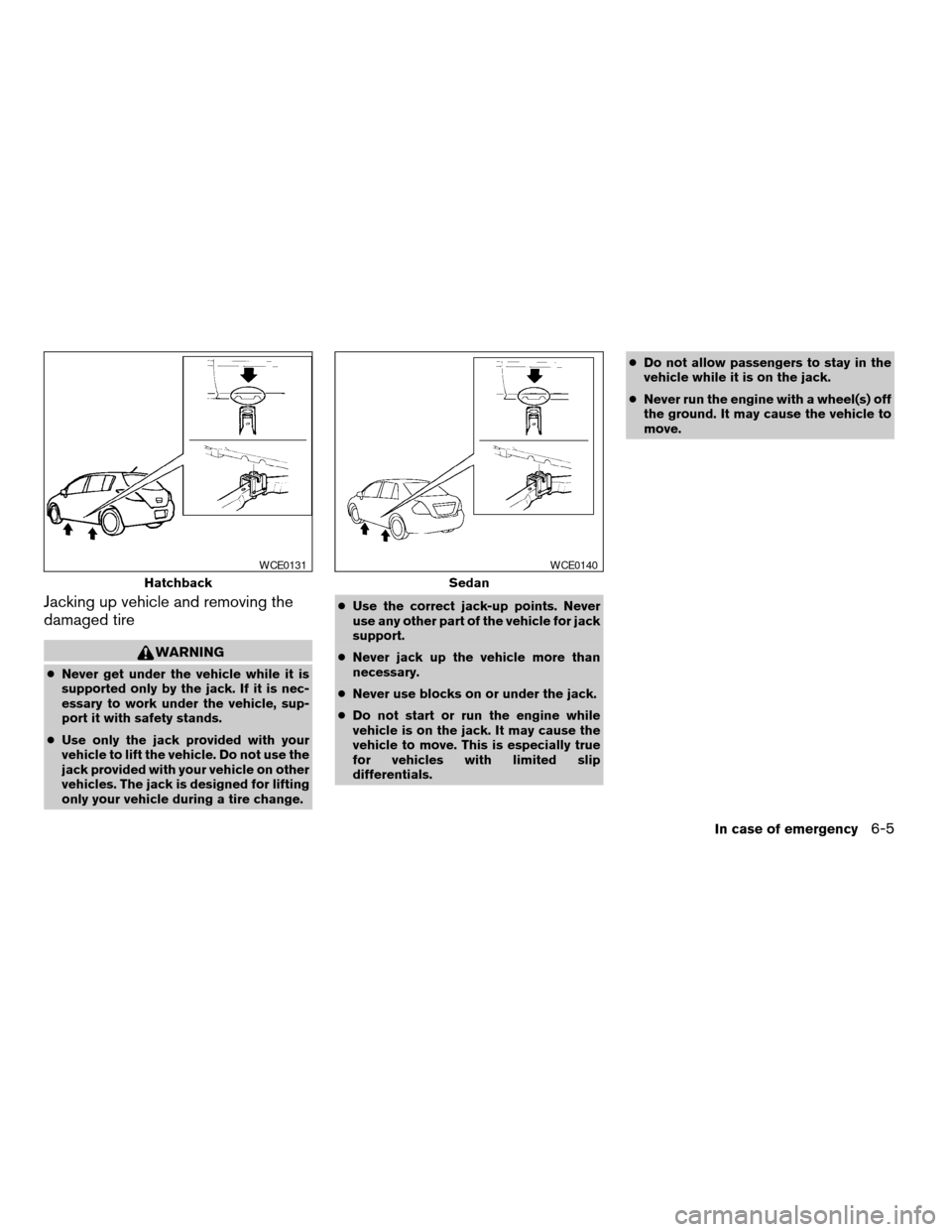
Jacking up vehicle and removing the
damaged tire
WARNING
cNever get under the vehicle while it is
supported only by the jack. If it is nec-
essary to work under the vehicle, sup-
port it with safety stands.
cUse only the jack provided with your
vehicle to lift the vehicle. Do not use the
jack provided with your vehicle on other
vehicles. The jack is designed for lifting
only your vehicle during a tire change.cUse the correct jack-up points. Never
use any other part of the vehicle for jack
support.
cNever jack up the vehicle more than
necessary.
cNever use blocks on or under the jack.
cDo not start or run the engine while
vehicle is on the jack. It may cause the
vehicle to move. This is especially true
for vehicles with limited slip
differentials.cDo not allow passengers to stay in the
vehicle while it is on the jack.
cNever run the engine with a wheel(s) off
the ground. It may cause the vehicle to
move.
Hatchback
WCE0131
Sedan
WCE0140
In case of emergency6-5
ZREVIEW COPYÐ2008 Versa(vrs)
Owners ManualÐUSA_English(nna)
01/02/08Ðdebbie
X
Page 254 of 304
cHigh pressure halogen gas is sealed
inside the halogen bulb. The bulb may
break if the glass envelope is scratched
or the bulb is dropped.
cUse the same number and wattage as
originally installed:
High/low beam:
Wattage: 60/55
Bulb no.: H4
Fog may temporarily form inside the lens of the
exterior lights in the rain or in a car wash. A
temperature difference between the inside and
the outside of the lens causes the fog. This is not
a malfunction. If large drops of water collect
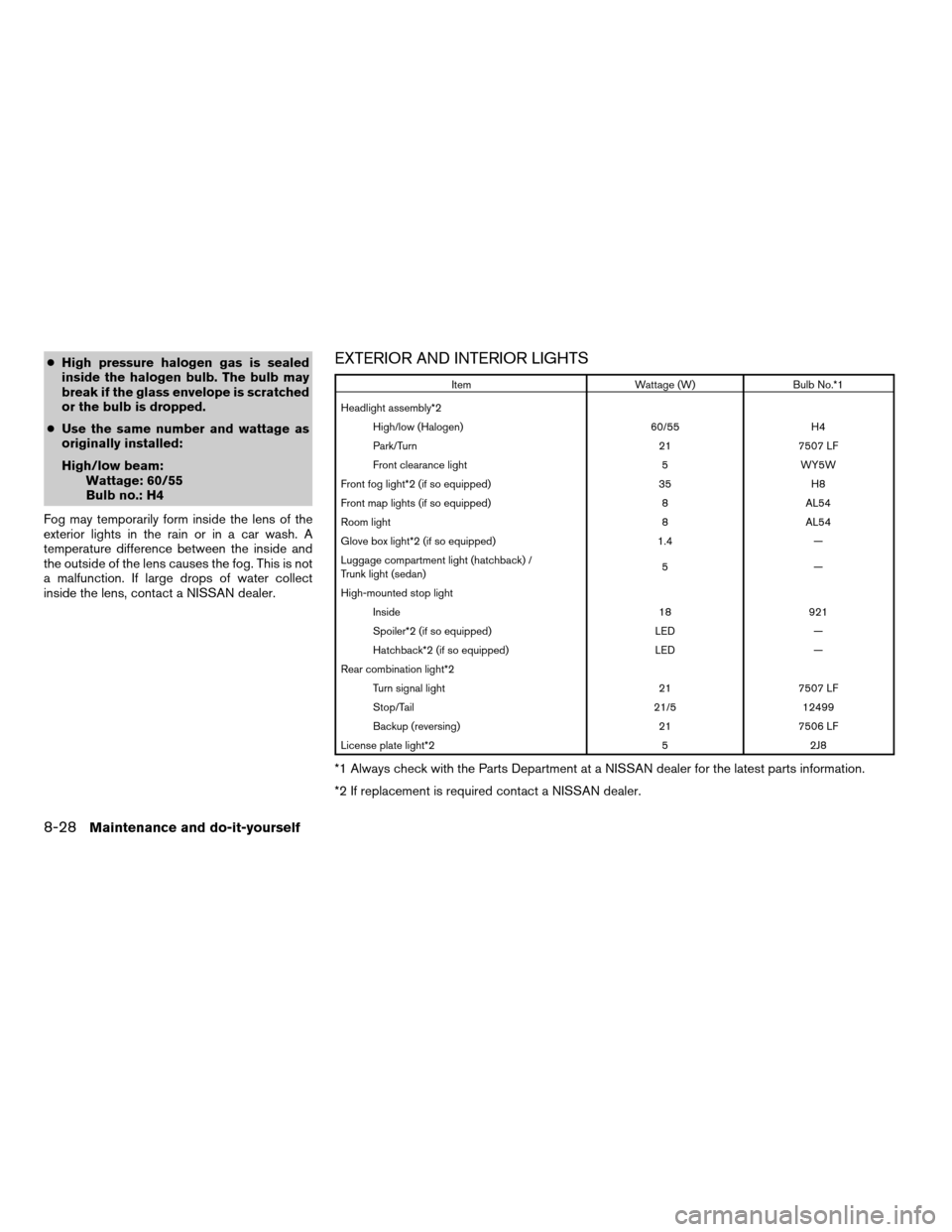
inside the lens, contact a NISSAN dealer.EXTERIOR AND INTERIOR LIGHTS
Item Wattage (W) Bulb No.*1
Headlight assembly*2
High/low (Halogen) 60/55 H4
Park/Turn 21 7507 LF
Front clearance light 5 WY5W
Front fog light*2 (if so equipped) 35 H8
Front map lights (if so equipped) 8 AL54
Room light 8 AL54
Glove box light*2 (if so equipped) 1.4 —
Luggage compartment light (hatchback) /
Trunk light (sedan)5—
High-mounted stop light
Inside 18 921
Spoiler*2 (if so equipped) LED —
Hatchback*2 (if so equipped) LED —
Rear combination light*2
Turn signal light 21 7507 LF
Stop/Tail 21/5 12499
Backup (reversing) 21 7506 LF
License plate light*2 5 2J8
*1 Always check with the Parts Department at a NISSAN dealer for the latest parts information.
*2 If replacement is required contact a NISSAN dealer.
8-28Maintenance and do-it-yourself
ZREVIEW COPYÐ2008 Versa(vrs)
Owners ManualÐUSA_English(nna)
01/03/08Ðcathy
X
Page 255 of 304
s1Front view
1. Front map lights (if so equipped)
2. Room light
3. Front fog light (if so equipped)
4. Headlight assembly
s2Rear view (hatchback)
s3Rear view (sedan)
5. Luggage compartment light (hatchback)
Trunk light (sedan)
6. High-mounted stop light
7. License plate light
8. Rear combination light
WDI0575
Maintenance and do-it-yourself8-29
ZREVIEW COPYÐ2008 Versa(vrs)
Owners ManualÐUSA_English(nna)
01/02/08Ðdebbie
X