2008 NISSAN ROGUE lights
[x] Cancel search: lightsPage 98 of 309
Black plate (98,1)
Model "S35-D" EDITED: 2007/ 12/ 19
the clock set mode.
The display will return to the regular clock
display after 10 seconds.
If the power supply is disconnected, the
clock will not indicate the correct time.
Readjust the time.
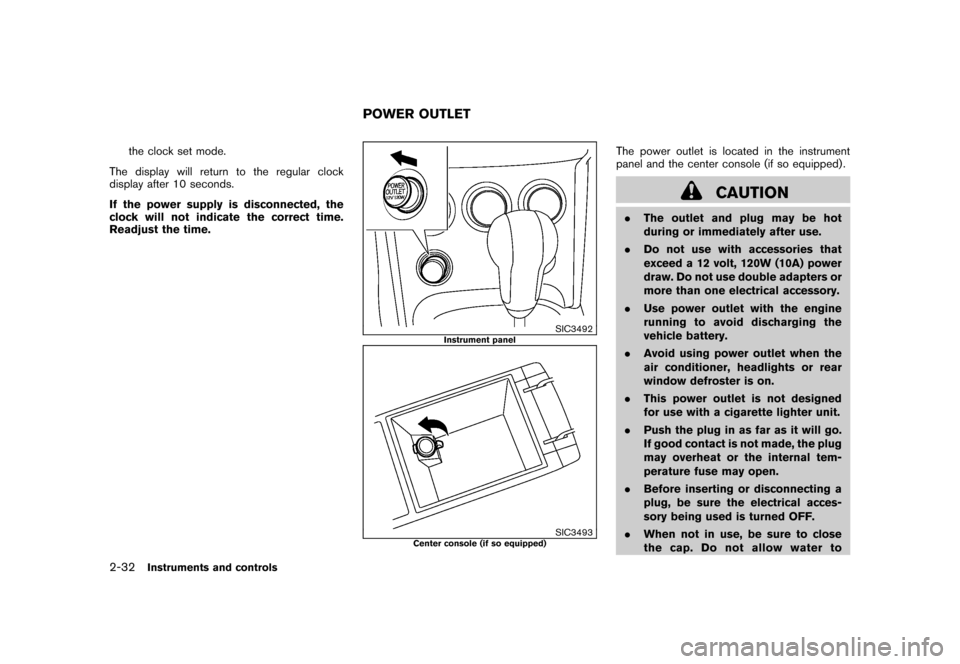
SIC3492
Instrument panel
SIC3493
Center console (if so equipped)
The power outlet is located in the instrument
panel and the center console (if so equipped) .
CAUTION
.The outlet and plug may be hot
during or immediately after use.
.Do not use with accessories that
exceed a 12 volt, 120W (10A) power
draw. Do not use double adapters or
more than one electrical accessory.
.Use power outlet with the engine
running to avoid discharging the
vehicle battery.
.Avoid using power outlet when the
air conditioner, headlights or rear
window defroster is on.
.This power outlet is not designed
for use with a cigarette lighter unit.
.Push the plug in as far as it will go.
If good contact is not made, the plug
may overheat or the internal tem-
perature fuse may open.
.Before inserting or disconnecting a
plug, be sure the electrical acces-
sory being used is turned OFF.
.When not in use, be sure to close
the cap. Do not allow water to
POWER OUTLET
2-32
Instruments and controls
Page 110 of 309
Black plate (110,1)
Model "S35-D" EDITED: 2007/ 12/ 19
If the moonroof does not operateIf the moonroof does not operate properly,
perform the following procedure to initialize the
moonroof operation system.
1. If the moonroof is open, close it fully by
repeatedly pushing the switch toward
*2.
2. Push and hold the switch toward
*2
to tilt the moonroof up.
3. Release the moonroof switch after the
moonroof moves slightly up and down.
4. Push and hold the switch toward
*1
to fully tilt the moonroof down.
5. Check if the moonroof switch operates
normally.
If the moonroof does not operate properly after
performing the procedure above, have your
vehicle checked by a NISSAN dealer.
CAUTION
Do not use for extended periods of time
with the engine stopped. This could
result in a discharged battery.
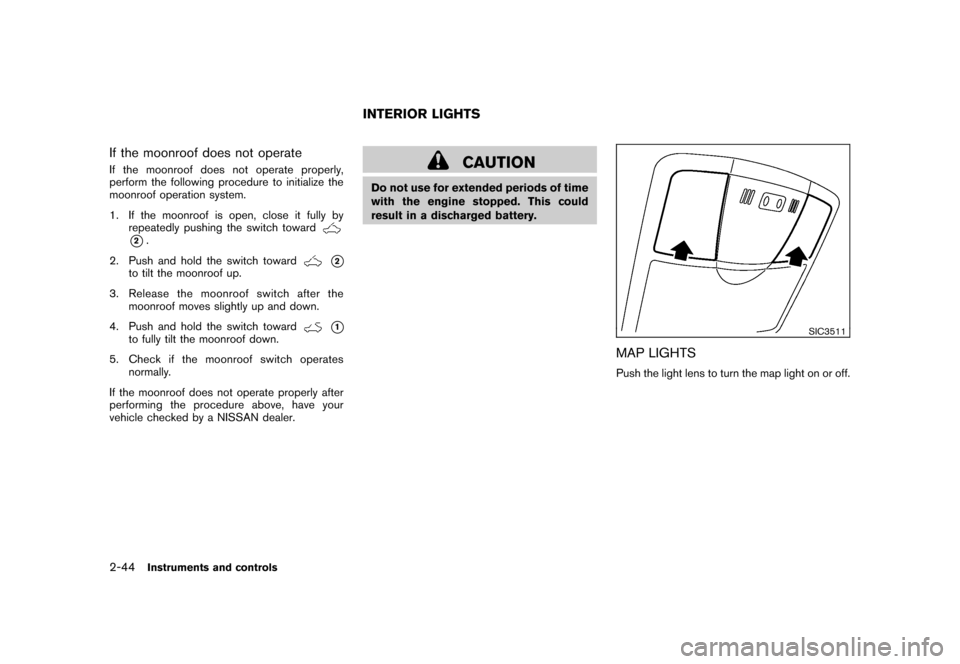
SIC3511
MAP LIGHTSPush the light lens to turn the map light on or off.
INTERIOR LIGHTS
2-44
Instruments and controls
Page 111 of 309
Black plate (111,1)
Model "S35-D" EDITED: 2007/ 12/ 19
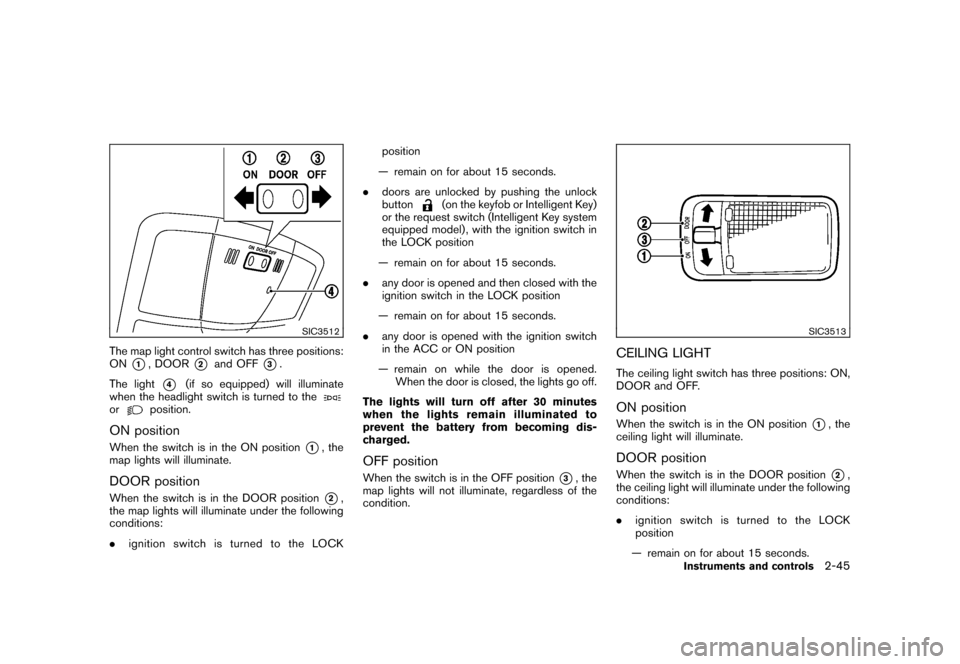
SIC3512
The map light control switch has three positions:
ON
*1, DOOR
*2
and OFF
*3.
The light
*4
(if so equipped) will illuminate
when the headlight switch is turned to the
or
position.
ON positionWhen the switch is in the ON position
*1, the
map lights will illuminate.
DOOR positionWhen the switch is in the DOOR position
*2,
the map lights will illuminate under the following
conditions:
.ignition switch is turned to the LOCKposition
— remain on for about 15 seconds.
.doors are unlocked by pushing the unlock
button
(on the keyfob or Intelligent Key)
or the request switch (Intelligent Key system
equipped model) , with the ignition switch in
the LOCK position
— remain on for about 15 seconds.
.any door is opened and then closed with the
ignition switch in the LOCK position
— remain on for about 15 seconds.
.any door is opened with the ignition switch
in the ACC or ON position
— remain on while the door is opened.
When the door is closed, the lights go off.
The lights will turn off after 30 minutes
when the lights remain illuminated to
prevent the battery from becoming dis-
charged.
OFF positionWhen the switch is in the OFF position
*3, the
map lights will not illuminate, regardless of the
condition.
SIC3513
CEILING LIGHTThe ceiling light switch has three positions: ON,
DOOR and OFF.ON positionWhen the switch is in the ON position
*1, the
ceiling light will illuminate.
DOOR positionWhen the switch is in the DOOR position
*2,
the ceiling light will illuminate under the following
conditions:
.ignition switch is turned to the LOCK
position
— remain on for about 15 seconds.
Instruments and controls
2-45
Page 112 of 309
Black plate (112,1)
Model "S35-D" EDITED: 2007/ 12/ 19
.doors are unlocked by pushing the unlock
button
(on the keyfob or Intelligent Key)
or the request switch (Intelligent Key system
equipped model) , with the ignition switch in
the LOCK position
— remain on for about 15 seconds.
.any door is opened and then closed with the
ignition switch in the LOCK position
— remain on for about 15 seconds.
.any door is opened with the ignition switch
in the ACC or ON position
— remain on while the door is opened.
When the door is closed, the lights go off.
The light will turn off after 30 minutes
when the lights remain illuminated to
prevent the battery from becoming dis-
charged.
OFF positionWhen the switch is in the OFF position
*3, the
ceiling light will not illuminate, regardless of the
condition.
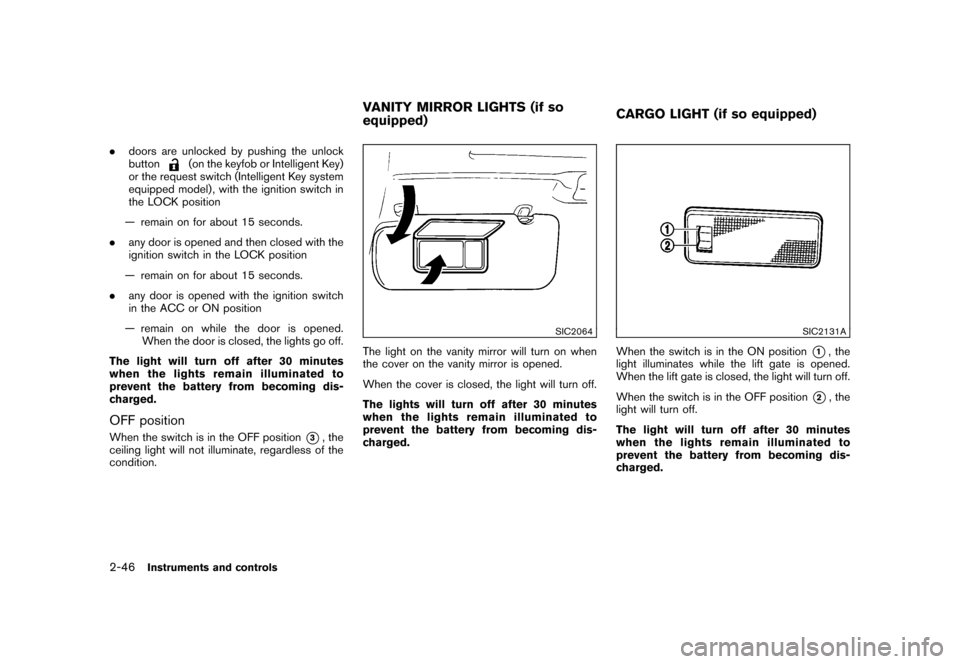
SIC2064
The light on the vanity mirror will turn on when
the cover on the vanity mirror is opened.
When the cover is closed, the light will turn off.
The lights will turn off after 30 minutes
when the lights remain illuminated to
prevent the battery from becoming dis-
charged.
SIC2131A
When the switch is in the ON position
*1, the
light illuminates while the lift gate is opened.
When the lift gate is closed, the light will turn off.
When the switch is in the OFF position
*2, the
light will turn off.
The light will turn off after 30 minutes
when the lights remain illuminated to
prevent the battery from becoming dis-
charged.
VANITY MIRROR LIGHTS (if so
equipped)CARGO LIGHT (if so equipped)
2-46
Instruments and controls
Page 117 of 309
Black plate (10,1)
3 Pre-driving checks and adjustments
Model "S35-D" EDITED: 2007/ 12/ 25
Keys ............................................................... 3-2NISSAN Vehicle Immobilizer System keys ............ 3-2
Intelligent keys (if so equipped) ......................... 3-3
Doors .............................................................. 3-4
Locking with key ............................................ 3-4
Locking with inside lock knob ........................... 3-4
Locking with power door lock switch .................. 3-5
Child safety rear door lock ............................... 3-5
Remote keyless entry system (if so equipped) ........... 3-6
How to use remote keyless entry system ............. 3-6
Intelligent Key system (if so equipped) .................... 3-8
Intelligent Key operating range ........................ 3-10
Door locks/unlocks precaution ........................ 3-10
Intelligent Key operation ................................. 3-11
Warning lights and audible reminders ............... 3-13Troubleshooting guide
................................... 3-14
How to use remote keyless entry function .......... 3-16
Hood ............................................................ 3-19
Lift gate ......................................................... 3-20
Lift gate release ........................................... 3-21
Fuel-filler door ................................................. 3-21
Opening the fuel-filler door ............................. 3-21
Fuel-filler cap .............................................. 3-21
Steering wheel ................................................ 3-23
Tilt operation ............................................... 3-23
Sun visors ...................................................... 3-23
Mirrors ........................................................... 3-24
Inside mirror ................................................ 3-24
Outside mirrors ............................................ 3-25
Page 123 of 309
Black plate (125,1)
Model "S35-D" EDITED: 2007/ 12/ 19
5. The hazard indicator flashes twice and the
horn chirps once.
.When the LOCK
button is pushed with
all doors locked, the hazard indicator flashes
twice and the horn chirps once as a
reminder that the doors are already locked.
.Operate the door handles to confirm that the
doors have been securely locked.
Unlocking doors1. Push the UNLOCK
button on the
keyfob once.
.The driver’s door unlocks.
.The hazard indicator flashes once if all
doors are completely closed.
.The interior light illuminates and the light
timer activates for 15 seconds when the
switch is in the DOOR position.
2. Push the UNLOCK
button again within
5 seconds.
.All the doors and the lift gate unlock.
.The hazard indicator flashes once if all
doors are completely closed.
All doors will be locked automatically unless one
of the following operations is performed within 1
minute of pushing the UNLOCK
button..Any door or lift gate is opened.
.The ignition switch is turned to the ON
position.
The interior light can be turned off without
waiting for 15 seconds by turning the ignition
switch to the ON position or by locking the
doors with the keyfob.
Using the panic alarmIf you are near your vehicle and feel threatened,
you may activate the alarm to call attention by
pushing and holding the PANIC
button on
the keyfob forlonger than 1 second(with the
key removed from the ignition switch) .
The theft warning alarm and headlights will stay
on for 25 seconds.
The panic alarm stops when:
.It has run for 25 seconds, or
.The LOCK
button or the UNLOCK
button is pushed, or
.The PANIC
button is pushed on the
keyfob for longer than 1 second.
Pre-driving checks and adjustments
3-7
Page 129 of 309
Black plate (131,1)
Model "S35-D" EDITED: 2007/ 12/ 19
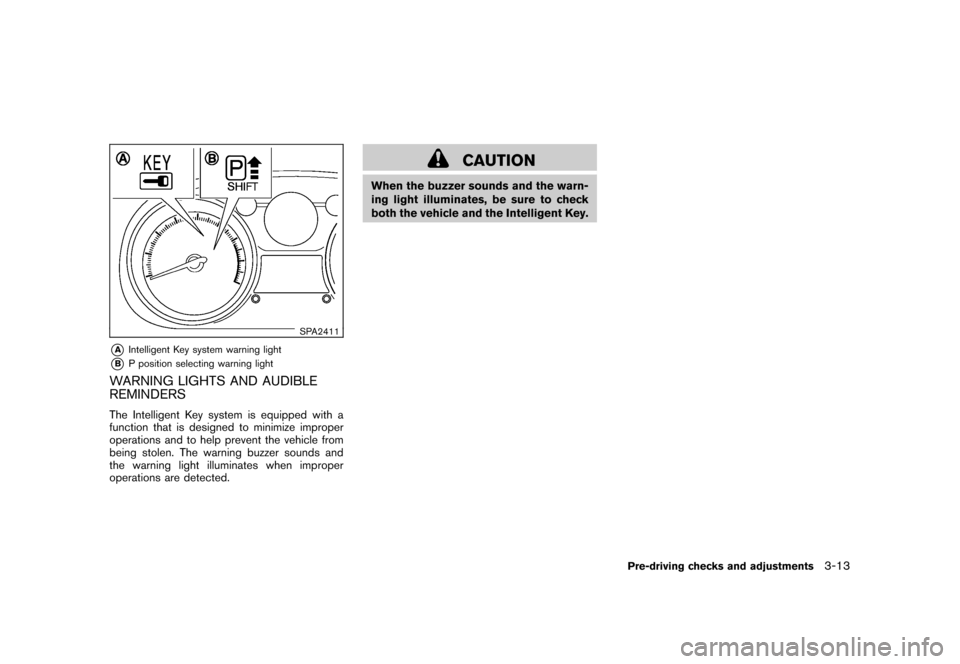
SPA2411
*A
Intelligent Key system warning light
*B
P position selecting warning light
WARNING LIGHTS AND AUDIBLE
REMINDERSThe Intelligent Key system is equipped with a
function that is designed to minimize improper
operations and to help prevent the vehicle from
being stolen. The warning buzzer sounds and
the warning light illuminates when improper
operations are detected.
CAUTION
When the buzzer sounds and the warn-
ing light illuminates, be sure to check
both the vehicle and the Intelligent Key.
Pre-driving checks and adjustments
3-13
Page 133 of 309
Black plate (135,1)
Model "S35-D" EDITED: 2007/ 12/ 19
.Opening any doors.
.Pushing the ignition switch.
.Inserting the mechanical key into the ignition
switch.
During this 1-minute time period, if the UNLOCK
button is pushed, all doors will be locked
automatically after another 1 minute.
Using panic alarmIf you are near your vehicle and feel threatened,
you may activate the alarm to call attention as
follows:
1. Push the PANIC
button
*3
on the
Intelligent Key formore than 1 second.
2. The theft warning alarm and headlights will
stay on for 25 seconds.
3. The panic alarm stops when:
.It has run for 25 seconds, or
.Any of the buttons on the Intelligent Key
is pushed. (Note: Panic button must be
pushed for more than 1 second.)
Setting hazard indicator and horn modeThis vehicle is set in hazard indicator and horn
mode when you first receive the vehicle.
In hazard indicator and horn mode, when the
LOCK
button
*1
is pushed, the hazardindicator flashes twice and the horn chirps once.
When the UNLOCK
button
*2
is pushed,
the hazard indicator flashes once.
If horns are not necessary, the system can be
switched to the hazard indicator mode.
In hazard indicator mode, when the LOCK
button is pushed, the hazard indicator flashes
twice. When the UNLOCK
button is
pushed, neither the hazard indicator nor the
horn operates.
Pre-driving checks and adjustments
3-17