2008 NISSAN MAXIMA ignition
[x] Cancel search: ignitionPage 90 of 328

Security indicator light
The security indicator lights1is located on the
instrument panel near the windshield.
The security indicator light blinks whenever the
ignition switch is in the LOCK position with the
key removed from the ignition switch.
This function indicates the NISSAN Vehicle Im-
mobilizer System is operational.
If the NISSAN Vehicle Immobilizer System is mal-
functioning, the light will remain on while the
ignition key is in the ON position.If the light still remains on and/or the en-
gine will not start, see a NISSAN dealer for
NISSAN Vehicle Immobilizer System ser-
vice as soon as possible. Please bring all
keys that you have when visiting your
NISSAN dealer for service.
SWITCH OPERATION
The windshield wiper and washer operates when
the ignition switch is in the ON position.
Push the lever down to operate the wiper at the
following speed:
s1Intermittent — intermittent operation can be
adjusted by turning the knob toward
sA
(Slower) orsB(Faster) . Also, the intermit-
tent operation speed varies in accordance
with the vehicle speed. (For example, when
the vehicle speed is high, the intermittent
operation speed will be faster.)
LIC0994WIC0854
WINDSHIELD WIPER AND WASHER
SWITCH
2-20Instruments and controls
ZREVIEW COPYÐ2008 Maxima(max)
Owners ManualÐUSA_English(nna)
06/08/07Ðdebbie
X
Page 94 of 328

NOTE:
Autolight activation sensitivity and the
time delay for autolight shutoff can be ad-
justed for vehicles with navigation system.
See “Vehicle electronic systems” in the
“Display screen, heater, air conditioner, au-
dio and phone systems” section later in this
manual.
To turn on the autolight system:
1. Turn the headlight switch to the AUTO posi-
tion
s1.
2. Turn the ignition key to ON.
3. The autolight system automatically turns the
headlights on and off.
Initially, if the ignition switch is turned OFF and a
door is opened and left open, the headlights
remain ON for 5 minutes. If another door is
opened during the 5 minutes, then the 5 minute
timer is reset.
To turn the autolight system off, turn the switch to
the OFF,
orposition.Be sure you do not put anything on top of
the autolight sensor
s1located in the top
side of the instrument panel. The autolight
sensor controls the autolight; if it is cov-
ered, the autolight sensor reacts as if it is
dark out and the headlights will illuminate.
If this occurs while parked with the engine
off and the key in the ON position, your
vehicle’s battery could become discharged.Headlight beam select
s1To select the high beam function, push the
lever forward. The high beam lights come on
and the
light illuminates.
s2Pull the lever back to select the low beam.
s3Pulling and releasing the lever flashes the
headlight high beams on and off.
Battery saver system
If the ignition switch is turned OFF while the
headlight switch is in theorposi-
tion, the headlights will turn off after 5 minutes.
WIC0996LIC0562
2-24Instruments and controls
ZREVIEW COPYÐ2008 Maxima(max)
Owners ManualÐUSA_English(nna)
06/08/07Ðdebbie
X
Page 95 of 328
CAUTION
Even though the battery saver feature au-
tomatically turns off the headlights after a
period of time, you should turn the head-
light switch to the OFF position when the
engine is not running to avoid discharging
the vehicle battery.
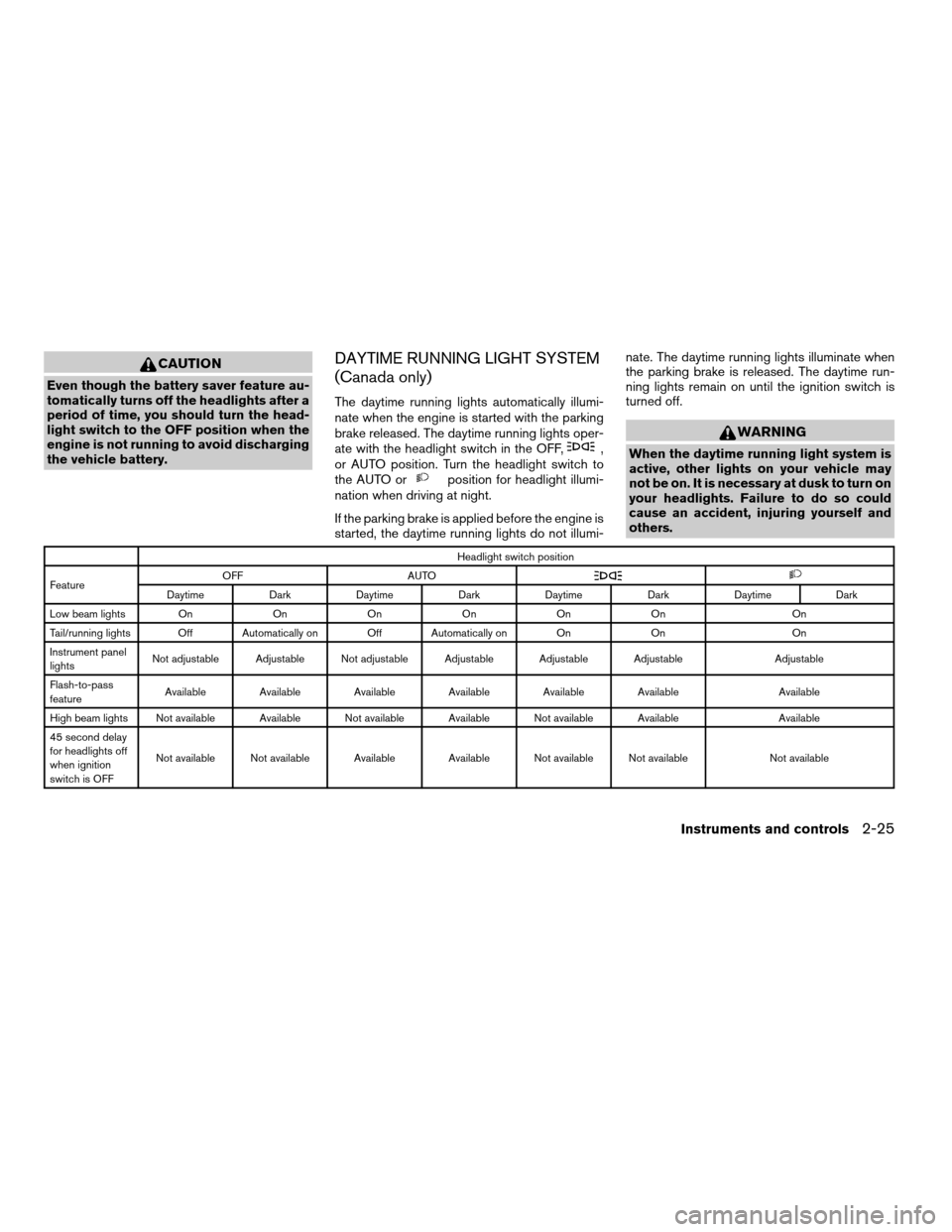
DAYTIME RUNNING LIGHT SYSTEM
(Canada only)
The daytime running lights automatically illumi-
nate when the engine is started with the parking
brake released. The daytime running lights oper-
ate with the headlight switch in the OFF,
,
or AUTO position. Turn the headlight switch to
the AUTO or
position for headlight illumi-
nation when driving at night.
If the parking brake is applied before the engine is
started, the daytime running lights do not illumi-nate. The daytime running lights illuminate when
the parking brake is released. The daytime run-
ning lights remain on until the ignition switch is
turned off.
WARNING
When the daytime running light system is
active, other lights on your vehicle may
not be on. It is necessary at dusk to turn on
your headlights. Failure to do so could
cause an accident, injuring yourself and
others.
Headlight switch position
FeatureOFF AUTO
Daytime Dark Daytime Dark Daytime Dark Daytime Dark
Low beam lights On On On On On On On
Tail/running lights Off Automatically on Off Automatically on On On On
Instrument panel
lightsNot adjustable Adjustable Not adjustable Adjustable Adjustable Adjustable Adjustable
Flash-to-pass
featureAvailable Available Available Available Available Available Available
High beam lights Not available Available Not available Available Not available Available Available
45 second delay
for headlights off
when ignition
switch is OFFNot available Not available Available Available Not available Not available Not available
Instruments and controls2-25
ZREVIEW COPYÐ2008 Maxima(max)
Owners ManualÐUSA_English(nna)
06/08/07Ðdebbie
X
Page 97 of 328
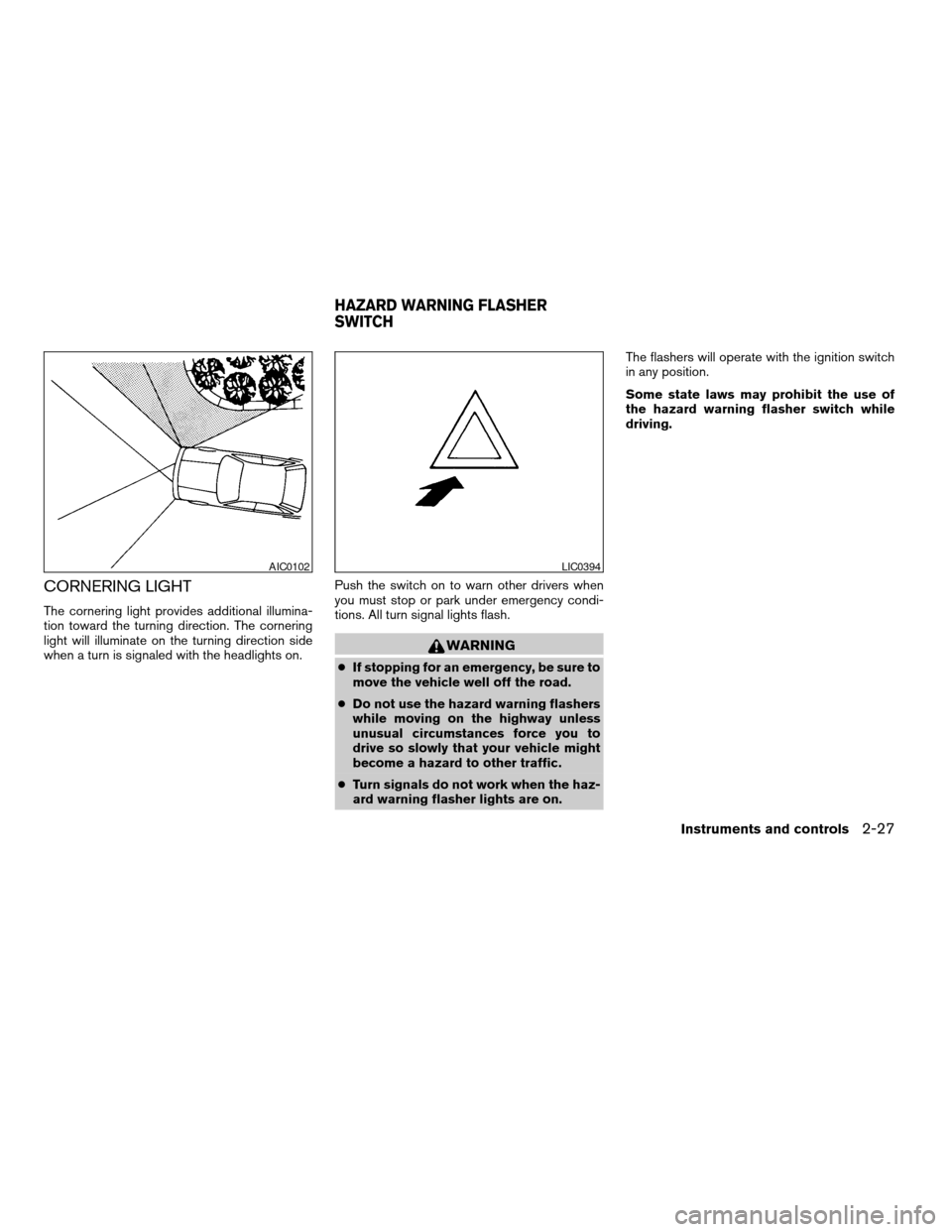
CORNERING LIGHT
The cornering light provides additional illumina-
tion toward the turning direction. The cornering
light will illuminate on the turning direction side
when a turn is signaled with the headlights on.Push the switch on to warn other drivers when
you must stop or park under emergency condi-
tions. All turn signal lights flash.
WARNING
cIf stopping for an emergency, be sure to
move the vehicle well off the road.
cDo not use the hazard warning flashers
while moving on the highway unless
unusual circumstances force you to
drive so slowly that your vehicle might
become a hazard to other traffic.
cTurn signals do not work when the haz-
ard warning flasher lights are on.The flashers will operate with the ignition switch
in any position.
Some state laws may prohibit the use of
the hazard warning flasher switch while
driving.
AIC0102LIC0394
HAZARD WARNING FLASHER
SWITCH
Instruments and controls2-27
ZREVIEW COPYÐ2008 Maxima(max)
Owners ManualÐUSA_English(nna)
06/08/07Ðdebbie
X
Page 100 of 328
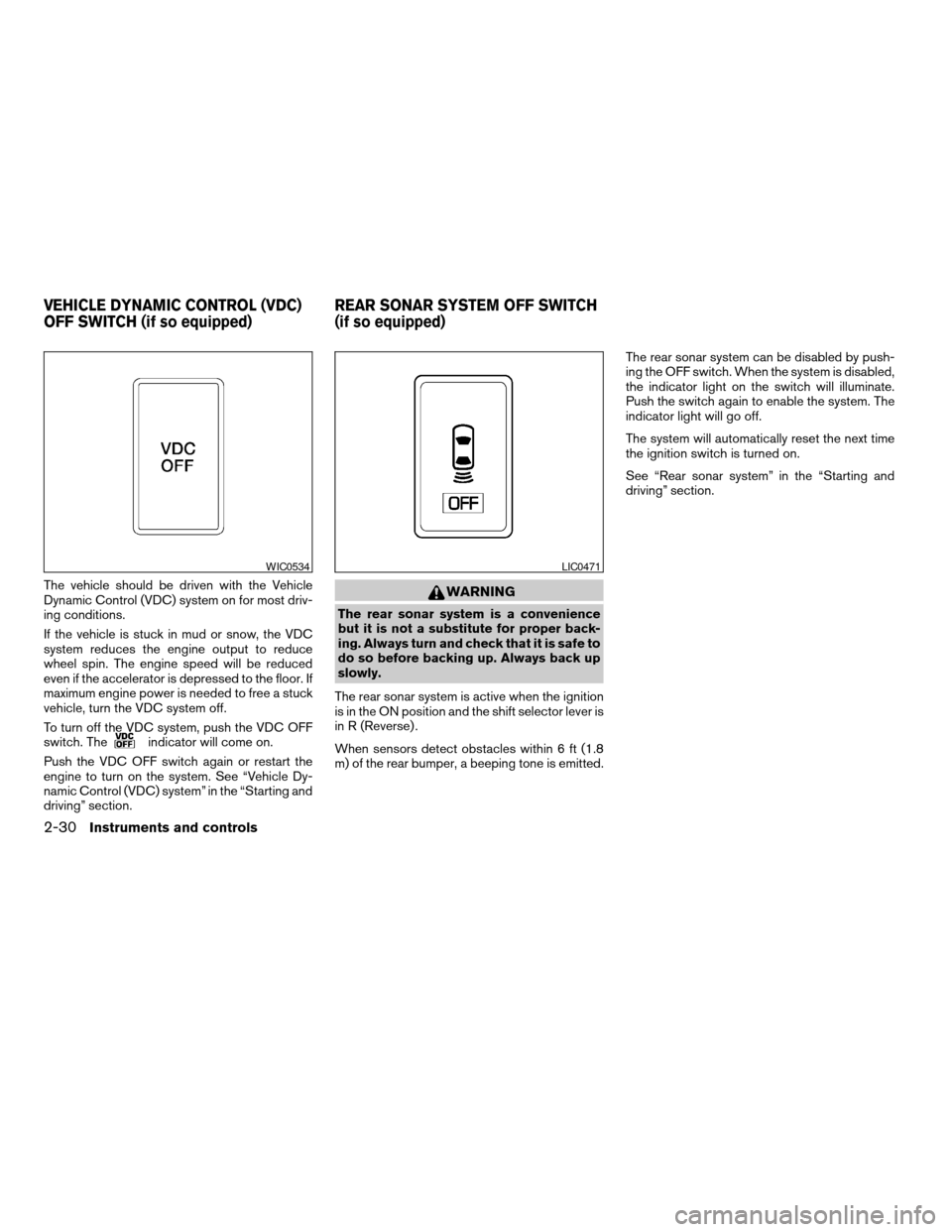
The vehicle should be driven with the Vehicle
Dynamic Control (VDC) system on for most driv-
ing conditions.
If the vehicle is stuck in mud or snow, the VDC
system reduces the engine output to reduce
wheel spin. The engine speed will be reduced
even if the accelerator is depressed to the floor. If
maximum engine power is needed to free a stuck
vehicle, turn the VDC system off.
To turn off the VDC system, push the VDC OFF
switch. The
indicator will come on.
Push the VDC OFF switch again or restart the
engine to turn on the system. See “Vehicle Dy-
namic Control (VDC) system” in the “Starting and
driving” section.
WARNING
The rear sonar system is a convenience
but it is not a substitute for proper back-
ing. Always turn and check that it is safe to
do so before backing up. Always back up
slowly.
The rear sonar system is active when the ignition
is in the ON position and the shift selector lever is
in R (Reverse) .
When sensors detect obstacles within 6 ft (1.8
m) of the rear bumper, a beeping tone is emitted.The rear sonar system can be disabled by push-
ing the OFF switch. When the system is disabled,
the indicator light on the switch will illuminate.
Push the switch again to enable the system. The
indicator light will go off.
The system will automatically reset the next time
the ignition switch is turned on.
See “Rear sonar system” in the “Starting and
driving” section.
WIC0534LIC0471
VEHICLE DYNAMIC CONTROL (VDC)
OFF SWITCH (if so equipped)REAR SONAR SYSTEM OFF SWITCH
(if so equipped)
2-30Instruments and controls
ZREVIEW COPYÐ2008 Maxima(max)
Owners ManualÐUSA_English(nna)
06/08/07Ðdebbie
X
Page 101 of 328
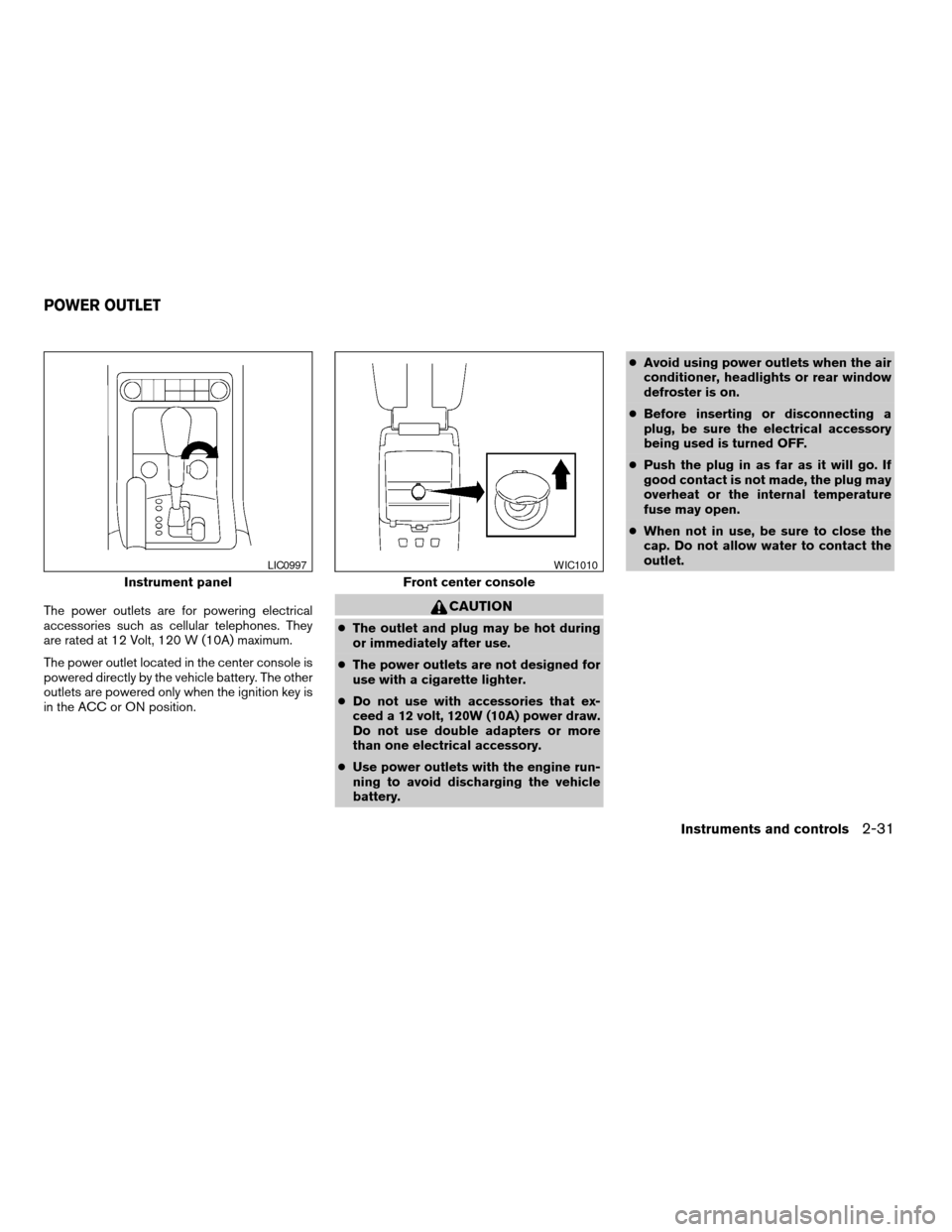
The power outlets are for powering electrical
accessories such as cellular telephones. They
are rated at 12 Volt, 120 W (10A) maximum.
The power outlet located in the center console is
powered directly by the vehicle battery. The other
outlets are powered only when the ignition key is
in the ACC or ON position.CAUTION
cThe outlet and plug may be hot during
or immediately after use.
cThe power outlets are not designed for
use with a cigarette lighter.
cDo not use with accessories that ex-
ceed a 12 volt, 120W (10A) power draw.
Do not use double adapters or more
than one electrical accessory.
cUse power outlets with the engine run-
ning to avoid discharging the vehicle
battery.cAvoid using power outlets when the air
conditioner, headlights or rear window
defroster is on.
cBefore inserting or disconnecting a
plug, be sure the electrical accessory
being used is turned OFF.
cPush the plug in as far as it will go. If
good contact is not made, the plug may
overheat or the internal temperature
fuse may open.
cWhen not in use, be sure to close the
cap. Do not allow water to contact the
outlet.
Instrument panel
LIC0997
Front center console
WIC1010
POWER OUTLET
Instruments and controls2-31
ZREVIEW COPYÐ2008 Maxima(max)
Owners ManualÐUSA_English(nna)
06/08/07Ðdebbie
X
Page 107 of 328
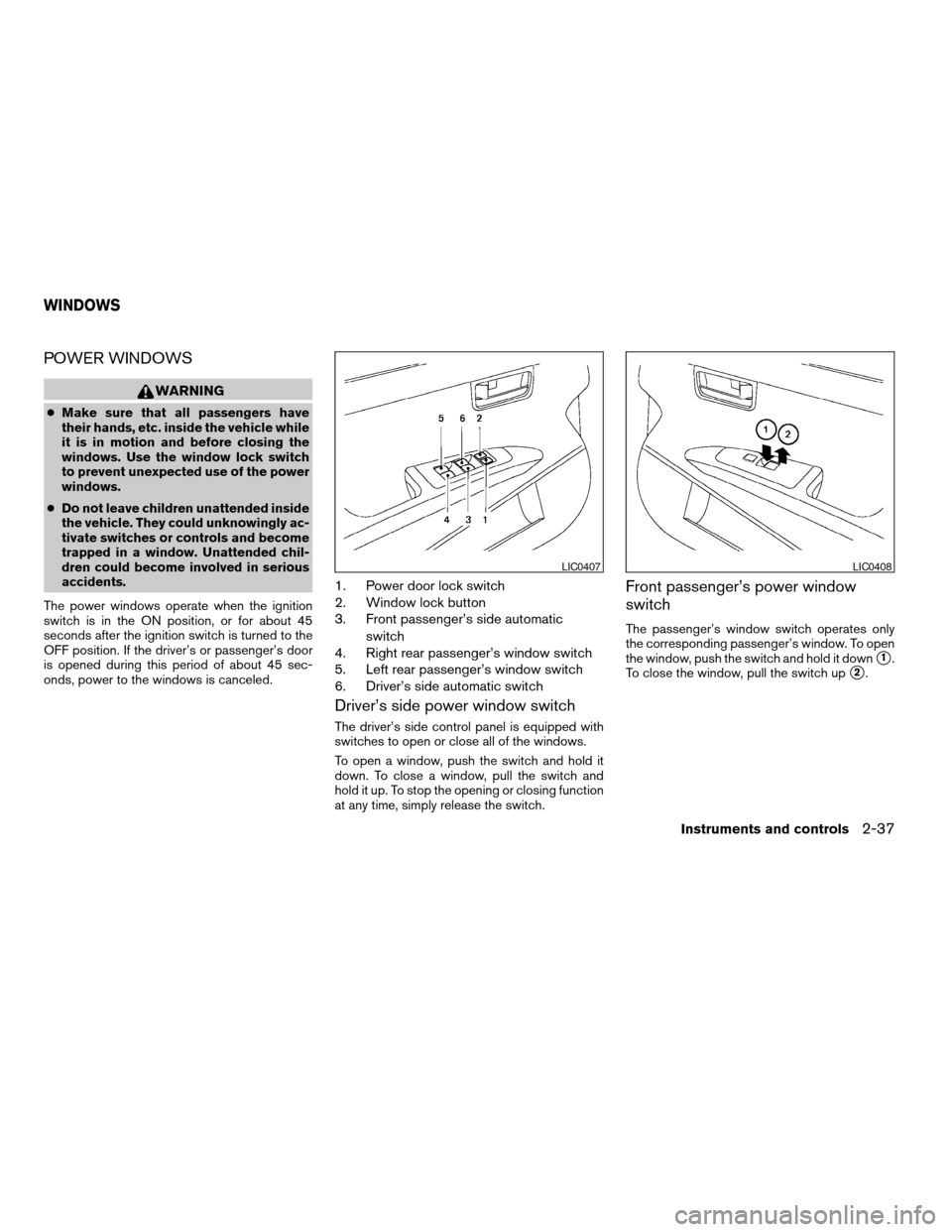
POWER WINDOWS
WARNING
cMake sure that all passengers have
their hands, etc. inside the vehicle while
it is in motion and before closing the
windows. Use the window lock switch
to prevent unexpected use of the power
windows.
cDo not leave children unattended inside
the vehicle. They could unknowingly ac-
tivate switches or controls and become
trapped in a window. Unattended chil-
dren could become involved in serious
accidents.
The power windows operate when the ignition
switch is in the ON position, or for about 45
seconds after the ignition switch is turned to the
OFF position. If the driver’s or passenger’s door
is opened during this period of about 45 sec-
onds, power to the windows is canceled.
1. Power door lock switch
2. Window lock button
3. Front passenger’s side automatic
switch
4. Right rear passenger’s window switch
5. Left rear passenger’s window switch
6. Driver’s side automatic switch
Driver’s side power window switch
The driver’s side control panel is equipped with
switches to open or close all of the windows.
To open a window, push the switch and hold it
down. To close a window, pull the switch and
hold it up. To stop the opening or closing function
at any time, simply release the switch.
Front passenger’s power window
switch
The passenger’s window switch operates only
the corresponding passenger’s window. To open
the window, push the switch and hold it down
s1.
To close the window, pull the switch up
s2.
LIC0407LIC0408
WINDOWS
Instruments and controls2-37
ZREVIEW COPYÐ2008 Maxima(max)
Owners ManualÐUSA_English(nna)
06/08/07Ðdebbie
X
Page 109 of 328

Open or close the SkyView roof shade by sliding
it from side to side.AUTOMATIC MOONROOF
The moonroof will only operate when the ignition
key is in the ON position. The automatic moon-
roof is operational for about 45 seconds, even if
the ignition key is turned to the ACC or OFF
position. If the driver’s door or the front passen-
ger’s door is opened during this period of about
45 seconds, power to the moonroof is canceled.
Sliding the moonroof
To open the roof, slide the switch to the OPEN
position
s1. When the roof is tilted up, it will
automatically tilt down and then open.To close the roof, slide the switch to the CLOSE
position
s2.
The position of the sliding roof lid can be chosen
by the position of the sliding switch.
To fully open or close the roof, completely move
the switch to the open or closed position.
Tilting the moonroof
To tilt the moonroof up, push the tilt switch to the
UP position
s3. When the roof is open, it will
automatically close and then tilt up. To tilt the
moonroof down, push the tilt switch to the
DOWN position
s4.
Restarting the moonroof sliding switch
The sliding switch will become inoperable after
the battery terminal is disconnected, the electri-
cal supply interrupted and/or some abnormality
detected. Use the following reset procedure to
return moonroof operation to normal.
1. If the moonroof lid is open, push the tilting
switch repeatedly toward the DOWN posi-
tion to fully close the lid.
2. Push and hold the tilting switch for more
than 2 seconds toward the DOWN position
to reestablish the lid’s home position.
The moonroof should now operate normally.
LIC0411WIC0906
SKYVIEW™ GLASS-PANELED ROOF MOONROOF (if so equipped)
Instruments and controls2-39
ZREVIEW COPYÐ2008 Maxima(max)
Owners ManualÐUSA_English(nna)
06/08/07Ðdebbie
X