2008 NISSAN ARMADA bluetooth
[x] Cancel search: bluetoothPage 3 of 456
CALIFORNIA PROPOSITION 65
WARNING
WARNING
Engine exhaust, some of its constituents,
and certain vehicle components contain
or emit chemicals known to the State of
California to cause cancer and birth de-
fects or other reproductive harm. In addi-
tion, certain fluids contained in vehicles
and certain products of component wear
contain or emit chemicals known to the
State of California to cause cancer and
birth defects or other reproductive harm.
CALIFORNIA PERCHLORATE
ADVISORY
Some vehicle parts, such as lithium batter-
ies, may contain perchlorate material. The
following advisory is provided: “Perchlorate
Material – special handling may apply, See
www.dtsc.ca.gov/hazardouswaste/perchlorate.”
BLUETOOTHtis a
trademark owned by
Bluetooth SIG, Inc.,
U.S.A. and licensed to
Visteon and Xanavi
Informatics Corpora-
tion.
Gracenotetis a regis-
tered trademark of
Gracenote, Inc. The
Gracenote logo and
logo type, and the
ªPowered by
Gracenoteº logo are
trademarks of
Gracenote.
© 2007 NISSAN NORTH AMERICA, INC.
All rights reserved. No part of this Owner’s
Manual may be reproduced or stored in a retrieval
system, or transmitted in any form, or by any
means, electronic, mechanical, photocopying,
recording or otherwise, without the prior written
permission of Nissan North America, Inc.
ZREVIEW COPYÐ2008 Armada(wzw)
Owners ManualÐUSA_English(nna)
03/05/07Ðarosenma
X
Page 12 of 456

1. Vents (P. 4-37)
2. Headlight/fog light (if so equipped)/turn
signal switch (P. 2-32)
3. Instrument brightness control (P. 2-35)
4. Steering wheel switch for audio
control/hands-free bluetoothTphone
(P. 4-75)
5. Driver supplemental air bag/horn
(P. 1-48, P. 2-36)
6. Meters, gauges and warning/indicator
lights (P. 2-4, 2-13)
7. Cruise control main/set switches
(P. 5-17)
8. Windshield wiper/washer switch and
rear window wiper/washer switch
(P. 2-30, P. 2-31)
9. Ignition switch (P. 5-8)
10. Display screen/Display screen with
navigation system* (if so equipped)
(P. 4-2, P. 4-17)
11. Navigation system* controls (if so
equipped) (P. 4-17)
12. Audio system controls (P. 4-41)
13. Front passenger supplemental air bag
(P. 1-48)
14. Glove box (P. 2-44)
15. Hazard lights (P. 2-36)
WIC1256
INSTRUMENT PANEL
0-6Illustrated table of contents
ZREVIEW COPYÐ2008 Armada(wzw)
Owners ManualÐUSA_English(nna)
03/05/07Ðarosenma
X
Page 84 of 456

1. Vents (P. 4-37)
2. Headlight/fog light (if so equipped)/turn
signal switch (P. 2-32)
3. Instrument brightness control (P. 2-35)
4. Steering wheel switch for audio
control/hands-free bluetoothTphone
(P. 4-75)
5. Driver supplemental air bag/horn
(P. 1-48, P. 2-36)
6. Meters, gauges and warning/indicator
lights (P. 2-4, 2-13)
7. Cruise control main/set switches
(P. 5-17)
8. Windshield wiper/washer switch and
rear window wiper/washer switch
(P. 2-30, P. 2-31)
9. Ignition switch (P. 5-8)
10. Display screen/Display screen with
navigation system* (if so equipped)
(P. 4-2, P. 4-17)
11. Navigation system* controls
(if so equipped) (P. 4-17)
12. Audio system controls (P. 4-41)
13. Front passenger supplemental air bag
(P. 1-48)
14. Glove box (P. 2-44)
15. Hazard lights (P. 2-36)
WIC1256
INSTRUMENT PANEL
2-2Instruments and controls
ZREVIEW COPYÐ2008 Armada(wzw)
Owners ManualÐUSA_English(nna)
03/05/07Ðarosenma
X
Page 181 of 456

Rear audio controls............................4-77
Antenna......................................4-77
NISSAN mobile entertainment system (MES)
(if so equipped)..................................4-78
Digital video disc (DVD) player controls..........4-79
Remote control................................4-80
Flip-down screen..............................4-80
Before operating the DVD mobile
entertainment system..........................4-82
Playing a digital versatile disc (DVD).............4-83
Remote control operation.......................4-88
Care and maintenance.........................4-90
How to handle the DVD........................4-91
Car phone or CB radio............................4-93
BluetoothTHands-Free Phone System without
Navigation System (if so equipped).................4-94
Using the system..............................4-96
Control buttons...............................4-98
Getting started................................4-98
List of voice commands.......................4-100Speaker adaptation (SA) mode.................4-105
Troubleshooting guide........................4-107
BluetoothTHands-Free Phone System with
Navigation System (if so equipped)................4-108
Voice commands.............................4-110
Pairing procedure............................4-110
Phonebook..................................4-112
Making a call.................................4-114
Receiving a call..............................4-114
During a call.................................4-115
Phone setting................................4-116
NISSAN Voice Recognition System
(if so equipped).................................4-117
Command list................................4-117
Using the system.............................4-126
System features..............................4-128
Voice command learning function...............4-129
Voice recognition settings.....................4-132
Troubleshooting guide........................4-134
ZREVIEW COPYÐ2008 Armada(wzw)
Owners ManualÐUSA_English(nna)
03/05/07Ðarosenma
X
Page 197 of 456

1. STATUS button (P. 4-21)
2. DEST button*
3. NISSAN Controller (P. 4-18)
4. PHONE button**5.OFF brightness control button
(P. 4-34)
6. INFO button (P. 4-21)
7. SETTING button (P. 4-26)
8. VOICE button*9. BACK (previous) button (P. 4-18)
10. ROUTE button*
11. ZOOM IN button*
12. MAP button*
13. ZOOM OUT button*
*For Navigation system control buttons, refer to
the separate Navigation System Owner’s
Manual.
**For information on the PHONE button, see
“BluetoothTHands-Free Phone System with
Navigation System” later in this section.
When you use this system, make sure the engine
is running.
If you use the system with the engine not
running (ignition ON or ACC) for a long
time, it will use up all the battery power,
and the engine will not start.
Reference symbols:
ENTER button — This is a button on the control
panel.
“Display” key — This is a select key on the screen.
By selecting this key you can proceed to the next
function.
LHA0880
CONTROL PANEL BUTTONS —
COLOR SCREEN WITH NAVIGATION
SYSTEM (if so equipped)
Monitor, climate, audio, phone and voice recognition systems4-17
ZREVIEW COPYÐ2008 Armada(wzw)
Owners ManualÐUSA_English(nna)
03/05/07Ðarosenma
X
Page 213 of 456

Select Language:
Select the “English” key or the “Français” key to
change the language shown on the display.Select Units:
Select the “US” (Mile, °F, MPG) key or the “Met-
ric” (km, °C, L/100 km) key to change the units
shown on the display.
Audio settings
For audio settings, refer to “Audio System” later in
this section.
Navigation settings
Refer to the separate Navigation System Own-
er’s Manual for information regarding these set-
tings.
Volume and beeps settings
Navigation volume
For navigation volume settings refer to the sepa-
rate Navigation System Owner’s Manual for infor-
mation regarding these settings.
Phone volume
For phone volume settings refer to “BluetoothT
Hands-Free Phone System With Navigation Sys-
tem” later in this section.
LHA0912LHA0913
Monitor, climate, audio, phone and voice recognition systems4-33
ZREVIEW COPYÐ2008 Armada(wzw)
Owners ManualÐUSA_English(nna)
03/05/07Ðarosenma
X
Page 214 of 456
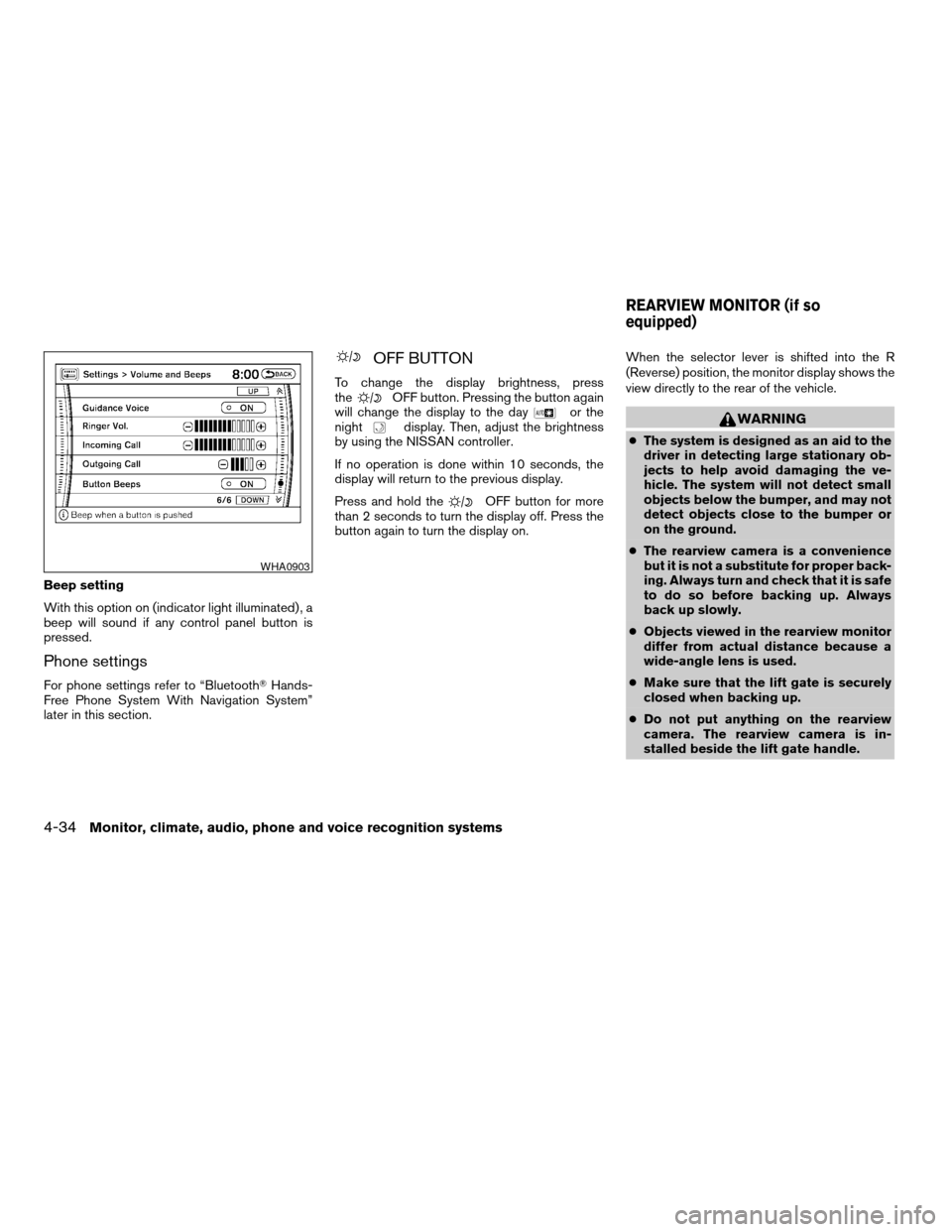
Beep setting
With this option on (indicator light illuminated) , a
beep will sound if any control panel button is
pressed.
Phone settings
For phone settings refer to “BluetoothTHands-
Free Phone System With Navigation System”
later in this section.
OFF BUTTON
To change the display brightness, press
theOFF button. Pressing the button again
will change the display to the dayor the
nightdisplay. Then, adjust the brightness
by using the NISSAN controller.
If no operation is done within 10 seconds, the
display will return to the previous display.
Press and hold the
OFF button for more
than 2 seconds to turn the display off. Press the
button again to turn the display on.When the selector lever is shifted into the R
(Reverse) position, the monitor display shows the
view directly to the rear of the vehicle.
WARNING
cThe system is designed as an aid to the
driver in detecting large stationary ob-
jects to help avoid damaging the ve-
hicle. The system will not detect small
objects below the bumper, and may not
detect objects close to the bumper or
on the ground.
cThe rearview camera is a convenience
but it is not a substitute for proper back-
ing. Always turn and check that it is safe
to do so before backing up. Always
back up slowly.
cObjects viewed in the rearview monitor
differ from actual distance because a
wide-angle lens is used.
cMake sure that the lift gate is securely
closed when backing up.
cDo not put anything on the rearview
camera. The rearview camera is in-
stalled beside the lift gate handle.
WHA0903
REARVIEW MONITOR (if so
equipped)
4-34Monitor, climate, audio, phone and voice recognition systems
ZREVIEW COPYÐ2008 Armada(wzw)
Owners ManualÐUSA_English(nna)
03/05/07Ðarosenma
X
Page 274 of 456
CAUTION
cKeep the antenna as far away as pos-
sible from the electronic control
modules.
cKeep the antenna wire more than 8 in
(20 cm) away from the electronic con-
trol system harnesses. Do not route the
antenna wire next to any harness.
cAdjust the antenna standing-wave ratio
as recommended by the manufacturer.
cConnect the ground wire from the CB
radio chassis to the body.
cFor details, consult a NISSAN dealer.
WARNING
cUse a phone after stopping your vehicle
in a safe location. If you have to use a
phone while driving, exercise extreme
caution at all times so full attention may
be given to vehicle operation.
cIf you are unable to devote full attention
to vehicle operation while talking on
the phone, pull off the road to a safe
location and stop your vehicle before
doing so.
CAUTION
To avoid discharging the vehicle battery,
use a phone after starting the engine.
BLUETOOTHTHANDS-FREE PHONE
SYSTEM WITHOUT NAVIGATION
SYSTEM (if so equipped)
4-94Monitor, climate, audio, phone and voice recognition systems
ZREVIEW COPYÐ2008 Armada(wzw)
Owners ManualÐUSA_English(nna)
03/05/07Ðarosenma
X