2008 NISSAN ALTIMA fuel
[x] Cancel search: fuelPage 10 of 352
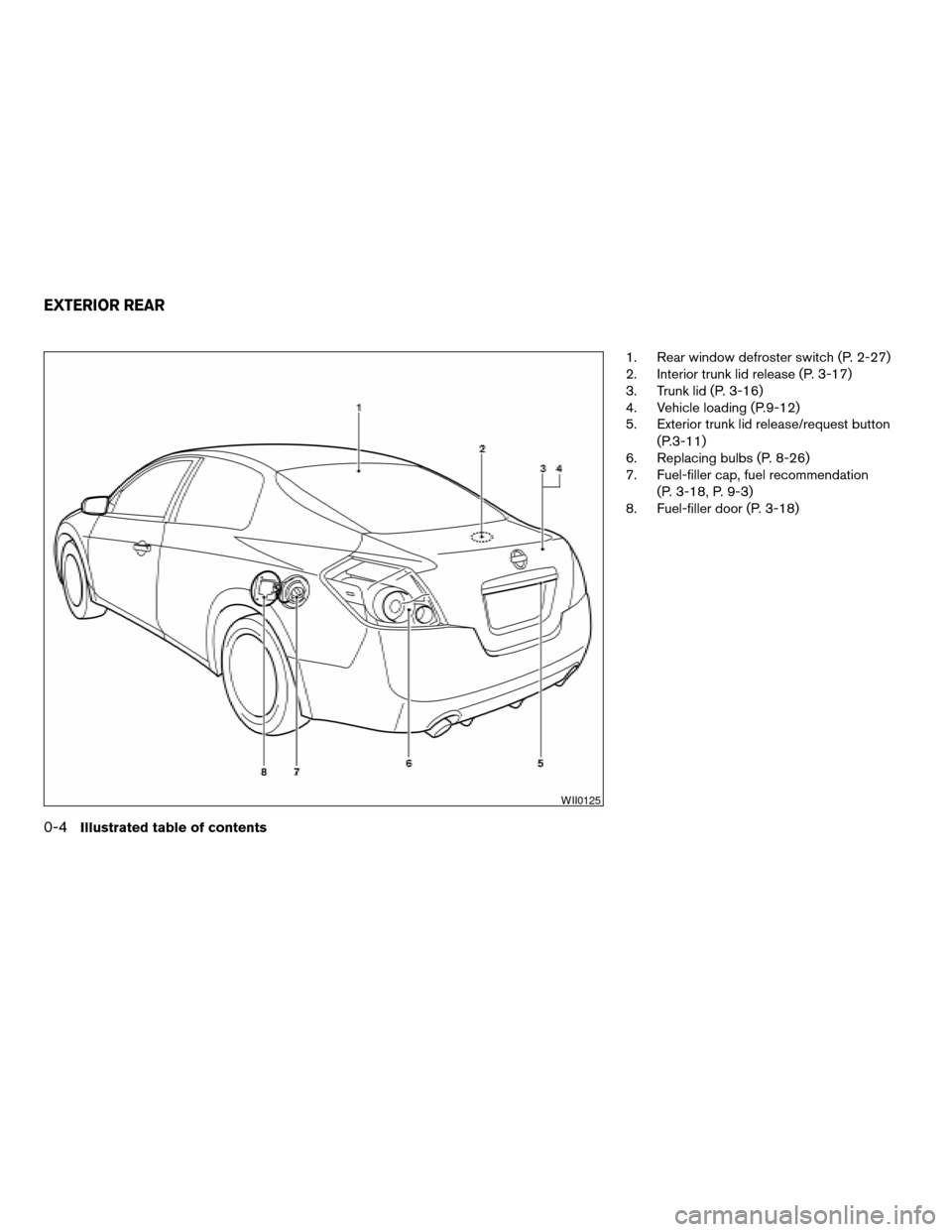
1. Rear window defroster switch (P. 2-27)
2. Interior trunk lid release (P. 3-17)
3. Trunk lid (P. 3-16)
4. Vehicle loading (P.9-12)
5. Exterior trunk lid release/request button
(P.3-11)
6. Replacing bulbs (P. 8-26)
7. Fuel-filler cap, fuel recommendation
(P. 3-18, P. 9-3)
8. Fuel-filler door (P. 3-18)
WII0125
EXTERIOR REAR
0-4Illustrated table of contents
ZREVIEW COPYÐ2008 Altima(alt)
Owners ManualÐUSA_English(nna)
03/12/07Ðdebbie
X
Page 72 of 352

2 Instruments and controls
Instrument panel...................................2-2
Meters and gauges................................2-3
Speedometer and odometer.....................2-4
Tachometer....................................2-5
Engine coolant temperature gauge...............2-5
Fuel gauge....................................2-6
Compass display (if so equipped)...................2-6
Compass display...............................2-7
Warning/indicator lights and audible reminders......2-10
Checking bulbs...............................2-10
Warning lights................................2-10
Indicator lights................................2-14
Audible reminders.............................2-16
Vehicle information display.........................2-16
How to use the Vehicle Information Display.......2-17
Security systems.................................2-24
Vehicle security system.........................2-24
NISSAN vehicle immobilizer system.............2-25
Windshield wiper and washer switch...............2-26
Switch operation..............................2-26
Rear window and outside mirror (if so equipped)
defroster switch..................................2-27
Headlight and turn signal switch....................2-27Xenon headlights (if so equipped)...............2-27
Headlight control switch........................2-28
Daytime running light system (Canada only)......2-30
Instrument brightness control...................2-31
Turn signal switch.............................2-31
Fog light switch (if so equipped)................2-32
Hazard warning flasher switch.....................2-32
Horn............................................2-33
Heated seat (if so equipped).......................2-33
Traction control system (TCS) off switch
(if so equipped)..................................2-34
Vehicle dynamic control (VDC) off switch
(if so equipped)..................................2-34
Power outlet.....................................2-35
Storage.........................................2-36
Map pockets..................................2-36
Seatback pockets.............................2-36
Storage pouch................................2-37
Sunglasses holder.............................2-37
Cup holders..................................2-38
Glove box....................................2-39
Console box..................................2-39
Covered storage box...........................2-40
ZREVIEW COPYÐ2008 Altima(alt)
Owners ManualÐUSA_English(nna)
03/12/07Ðdebbie
X
Page 75 of 352

20. Traction Control System (TCS) OFF
switch (if so equipped)/Vehicle Dy-
namic Control (VDC) OFF switch
(if so equipped) (P. 5-23, P. 5-24)
Trunk opener (P. 3-16)
Intelligent Key port (P. 5-6)
*: Refer to the separate Navigation System Own-
er’s Manual.
See the page number indicated in paren-
theses for operating details.
1. Tachometer
2. Speedometer
3. Fuel gauge
4. Engine coolant temperature gauge
5. Odometer/twin trip odometer
6. Twin trip odometer change button7. Vehicle information display
8. Instrument brightness control
WIC1259
METERS AND GAUGES
Instruments and controls2-3
ZREVIEW COPYÐ2008 Altima(alt)
Owners ManualÐUSA_English(nna)
03/12/07Ðdebbie
X
Page 78 of 352
FUEL GAUGE
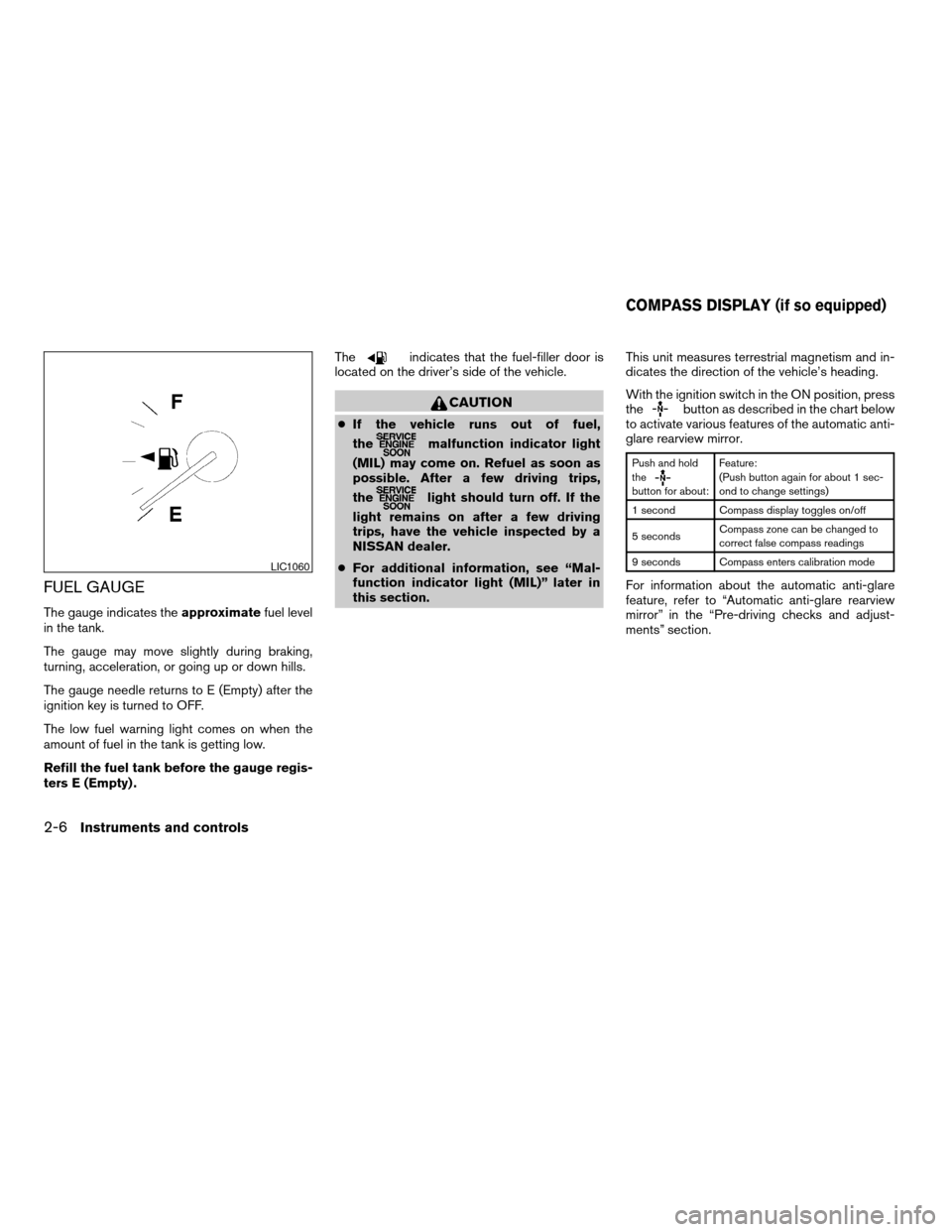
The gauge indicates theapproximatefuel level
in the tank.
The gauge may move slightly during braking,
turning, acceleration, or going up or down hills.
The gauge needle returns to E (Empty) after the
ignition key is turned to OFF.
The low fuel warning light comes on when the
amount of fuel in the tank is getting low.
Refill the fuel tank before the gauge regis-
ters E (Empty) .The
indicates that the fuel-filler door is
located on the driver’s side of the vehicle.
CAUTION
cIf the vehicle runs out of fuel,
the
malfunction indicator light
(MIL) may come on. Refuel as soon as
possible. After a few driving trips,
the
light should turn off. If the
light remains on after a few driving
trips, have the vehicle inspected by a
NISSAN dealer.
cFor additional information, see “Mal-
function indicator light (MIL)” later in
this section.This unit measures terrestrial magnetism and in-
dicates the direction of the vehicle’s heading.
With the ignition switch in the ON position, press
the
button as described in the chart below
to activate various features of the automatic anti-
glare rearview mirror.
Push and hold
the
button for about:Feature:
(Push button again for about 1 sec-
ond to change settings)
1 second Compass display toggles on/off
5 secondsCompass zone can be changed to
correct false compass readings
9 seconds Compass enters calibration mode
For information about the automatic anti-glare
feature, refer to “Automatic anti-glare rearview
mirror” in the “Pre-driving checks and adjust-
ments” section.
LIC1060
COMPASS DISPLAY (if so equipped)
2-6Instruments and controls
ZREVIEW COPYÐ2008 Altima(alt)
Owners ManualÐUSA_English(nna)
03/12/07Ðdebbie
X
Page 86 of 352
cThe supplemental air bag warning light does
not come on at all.
Unless checked and repaired, the supplemental
restraint system (air bag system) and/or the seat
belts with pretensioners may not function prop-
erly. For additional details see “Supplemental
restraint system” in the “Safety—Seats, seat belts
and supplemental restraint system” section of
this manual.
WARNING
If the supplemental air bag warning light
is on, it could mean that the supplemental
front air bag, front seat-mounted side-
impact supplemental air bags, roof-
mounted curtain side-impact supplemen-
tal air bags, and/or seat belts with
pretensioner systems will not operate in
an accident. To help avoid injury to your-
self or others, have your vehicle checked
by a NISSAN dealer as soon as possible.
INDICATOR LIGHTS
Continuously Variable
Transmission (CVT) position
indicator light
When the push-button ignition switch is pushed
to the ON position, this indicator light shows thetransmission selector lever position. See “Driving
the vehicle” in the “Starting and driving” section
of this manual.
Front passenger air bag
status light
The front passenger air bag status light ()
will be lit and the passenger front air bag will be
OFF depending on how the front passenger seat
is being used.
For front passenger air bag status light operation,
see “Front passenger air bag and status light” in
the “Safety — Seats, seat belts and supplemental
restraint system” section of this manual.
High beam indicator light
(blue)
This blue light comes on when the headlight high
beams are on and goes out when the low beams
are selected.
The high beam indicator light also comes on
when the passing signal is activated.
Malfunction indicator light
(MIL)
If this indicator light comes on steady or blinks
while the engine is running, it may indicate a
potential emission control malfunction.The malfunction indicator light may also come on
steady if the fuel-filler cap is loose or missing, or if
the vehicle runs out of fuel. Check to make sure
the fuel-filler cap is installed and closed tightly,
and that the vehicle has at least 3 gallons (11.4
liters) of fuel in the fuel tank.
After a few driving trips, the
light should
turn off if no other potential emission control
system malfunction exists.
If this indicator light comes on steady for 20
seconds and then blinks for 10 seconds when
the engine is not running, it indicates that the
vehicle is not ready for an emission control sys-
tem inspection/maintenance test. See “Readi-
ness for inspection/maintenance (I/M) test” in the
“Technical and consumer information” section of
this manual.
Operation
The malfunction indicator light will come on in
one of two ways:
cMalfunction indicator light on steady — An
emission control system malfunction has
been detected. Check the fuel-filler cap. If
the fuel-filler cap is loose or missing, tighten
or install the cap and continue to drive the
vehicle. The
light should turn off after
a few driving trips. If thelight does not
turn off after a few driving trips, have the
2-14Instruments and controls
ZREVIEW COPYÐ2008 Altima(alt)
Owners ManualÐUSA_English(nna)
03/12/07Ðdebbie
X
Page 87 of 352
vehicle inspected by a NISSAN dealer. You
do not need to have your vehicle towed to
the dealer.
cMalfunction indicator light blinking — An en-
gine misfire has been detected which may
damage the emission control system. To re-
duce or avoid emission control system dam-
age:
– do not drive at speeds above 45 MPH
(72 km/h) .
– avoid hard acceleration or deceleration.
– avoid steep uphill grades.
– if possible, reduce the amount of cargo
being hauled or towed.
The malfunction indicator light may stop blinking
and come on steady. Have the vehicle inspected
by a NISSAN dealer. You do not need to have
your vehicle towed to the dealer.
CAUTION
Continued vehicle operation without hav-
ing the emission control system checked
and repaired as necessary could lead to
poor driveability, reduced fuel economy,
and possible damage to the emission con-
trol system.
Security indicator light
This light blinks when the ignition switch is in the
OFF, LOCK or ACC position.
The blinking security indicator light indicates that
the security systems equipped on the vehicle are
operational.
For additional information, see “Security sys-
tems” later in this section.
Slip indicator light (if so
equipped)
This indicator light will blink when the traction
control system is limiting wheel spin. Slippery
road conditions may exist if the slip indicator
blinks on. If this happens, adjust your driving
accordingly.
The slip indicator light also comes on when you
push the push-button ignition switch to the ON
position. The light will turn off after about 2 sec-
onds if the system is operational. If the light does
not come on or does not go off, have the traction
control system checked by a NISSAN dealer.
Traction control system off
indicator light (if so equipped)
This indicator light comes on when the traction
control off switch is pushed to OFF. This indi-
cates the traction control system is not operating.
Push the traction control off switch again or re-
start the engine and the system will operate nor-
mally. See “Traction control system (TCS)” in the
“Starting and driving” section of this manual.
The traction control light also comes on when you
push the push-button ignition switch to the ON
position. The light will turn off after about 2 sec-
onds if the traction control system (TCS) is op-
erational. If the light stays on or comes on along
with the SLIP indicator light while you are driving,
have the traction control system checked by a
NISSAN dealer.
While the traction control system is operating,
you might feel slight vibration or hear the system
working when starting the vehicle or accelerat-
ing, but this is normal.
Turn signal/hazard indicator
lights
The appropriate light flashes when the turn signal
switch is activated.
Instruments and controls2-15
ZREVIEW COPYÐ2008 Altima(alt)
Owners ManualÐUSA_English(nna)
03/13/07Ðarosenma
X
Page 89 of 352

HOW TO USE THE VEHICLE
INFORMATION DISPLAY
Press thebutton, located on the instru-
ment panel just behind the steering wheel, to
display the following modes:
Engine start operation indicator!MPG!
MPG/MPH!Time/Miles!Range!Exterior
Temperature!Setting!WarningFuel Economy mode
The fuel economy mode can be selected to dis-
play the instant fuel economy since the last reset.Average speed mode
The average speed mode can be selected to
display the average miles per gallon and miles per
hour since the last reset.
LIC1103LIC1093LIC1097
Instruments and controls2-17
ZREVIEW COPYÐ2008 Altima(alt)
Owners ManualÐUSA_English(nna)
03/12/07Ðdebbie
X
Page 90 of 352

Time/Miles (km)
The time/miles (km) mode can be selected to
show the time and distance driven since the last
reset.Range mode
The range mode can be selected to give you an
estimation of the distance that can be driven
before refueling. The range is constantly calcu-
lated based on the amount of fuel in the fuel tank
and the actual fuel consumption.Exterior Temperature mode
The exterior temperature mode can be selected
to provide you with the temperature outside of
your vehicle.
WIC1266LIC1095LIC1096
2-18Instruments and controls
ZREVIEW COPYÐ2008 Altima(alt)
Owners ManualÐUSA_English(nna)
03/12/07Ðdebbie
X