2008 NISSAN ALTIMA HYBRID audio
[x] Cancel search: audioPage 5 of 351
Table of
ContentsHEV Overview
Illustrated table of contents
Safety—Seats, seat belts and supplemental restraint system
Instruments and controls
Pre-driving checks and adjustments
Monitor, climate, audio, phone and voice recognition systems
Starting and driving
In case of emergency
Appearance and care
Maintenance and do-it-yourself
Technical and consumer information
Index
HEV
0
1
2
3
4
5
6
7
8
9
10
Page 9 of 351

POWER METER
The power meter indicates the total amount of
power in the hybrid system.
For additional information, see “Meters and
gauges” in the “Instruments and controls” section
of this manual.
HIGH VOLTAGE BATTERY STATUS
METER
The gauge indicates the amount of power in the
high voltage battery.
For additional information, see “Meters and
gauges” in the “Instruments and controls” section
of this manual.
ENERGY FLOW (equipped with
navigation)
When you use this system, make sure the Hybrid
System is in the ready mode.If you use the system with the Hybrid Sys-
tem off (ignition ACC) for a long time, it will
use up all the 12–volt battery power, and
the engine will not start.
Energy flow for various operating modes can be
displayed on the navigation system monitor. The
screen must be set to the Energy Flow mode or
the Energy / Fuel History mode.
To access the Energy Flow screen, you must
agree to the start-up screen. For additional infor-
mation, see “Setting up the start-up screen” in
the “Monitor, climate, audio, phone and voice
recognition systems” section of this manual.
LIC1109WIC1123
HEV-4HEV Overview
ZREVIEW COPYÐ2008 Altima Hybrid Electric
(ahv)
Owners ManualÐUSA_English(nna)
05/31/07Ðdebbie
X
Page 10 of 351

Press the INFO button on the control panel, then
touch the “Energy Flow” key on the screen.This is an example of the Energy Flow display.
The Energy Flow display varies, depending on
the condition of the vehicle. The graphic does not
reflect the actual motion of the vehicle.
The Energy Flow will display:
cWhen the vehicle is powered only by the
traction motor.
cWhen the vehicle is powered by both the
traction motor and the gasoline engine.
cWhen the vehicle is powered only by the
gasoline engine.
cWhen the vehicle is regenerating and charg-
ing the high voltage battery.cWhen there is no energy flow in the vehicle.
ENERGY / FUEL HISTORY (equipped
with navigation)
The Energy / Fuel History screen appears in the
display with the navigation system when the
screen is in the Energy / Fuel History mode.
To access the Energy / Fuel History screen, you
must agree to the start-up screen. For additional
information, see “Setting up the start-up screen”
in the “Monitor, climate, audio, phone and voice
recognition systems” section of this manual.
LHV0001LHV0002
HEV OverviewHEV-5
ZREVIEW COPYÐ2008 Altima Hybrid Electric
(ahv)
Owners ManualÐUSA_English(nna)
05/31/07Ðdebbie
X
Page 23 of 351

1. Vents (P. 4-10)
2. Headlight/fog light (if so equipped)/turn
signal switch (P. 2-29)3. Steering wheel switch for audio control
(if so equipped)/BluetoothTHands-free
Phone System (if so equipped)
(P. 4-36, 4-39)
4. Meters and gauges (P. 2-3)5. Driver supplemental air bag/horn
(P. 1-34, 2-34)
6.
Cruise control main/set switch (P. 5-14)7. Windshield wiper/washer switch
(P. 2-28)
8. Push-button ignition switch (P. 5-6)
9.
Hazard warning flasher switch (P. 2-33)10. Front passenger air bag status light
(P. 2-15)
11. Front passenger supplemental air bag
(P. 1-34)
12. Glove box (P. 2-38)
13. Navigation system* (if so equipped)
(P. 4-2)
14. Heater and air conditioner (P. 4-11)
15. Shift selector lever (P. 5-10)
16. Audio system controls (P. 4-13)
17. Tilt/telescopic steering wheel controls
(P. 3-21)
18. Vehicle information display controls
(P. 2-18)
19. Hood release (P. 3-17)
20. Intelligent Key port (P. 3-6)
Trunk opener (P. 3-17)
*: Refer to the separate Navigation System Own-
er’s Manual.
See the page number indicated in paren-
theses for operating details.
WIC1258
INSTRUMENT PANEL
0-6Illustrated table of contents
ZREVIEW COPYÐ2008 Altima Hybrid Electric
(ahv)
Owners ManualÐUSA_English(nna)
05/31/07Ðdebbie
X
Page 81 of 351

1. Vents (P. 4-10)
2. Headlight/fog light (if so equipped)/turn
signal switch (P. 2-29)3. Steering wheel switch for audio control
(if so equipped)/BluetoothTHands-free
Phone System (if so equipped)
(P. 4-36, 4-39)
4. Meters and gauges (P. 2-3)5. Driver supplemental air bag/horn
(P. 1-34, 2-34)
6.
Cruise control main/set switch (P. 5-14)7. Windshield wiper/washer switch
(P. 2-28)
8. Push-button ignition switch (P. 5-6)
9. Hazard warning flasher switch (P. 2-33)
10. Front passenger air bag status light
(P. 2-15)
11. Front passenger supplemental air bag
(P. 1-34)
12. Glove box (P. 2-38)
13. Navigation system* (if so equipped)
(P. 4-2)
14. Heater and air conditioner (P. 4-11)
15. Shift selector lever (P. 5-10)
16. Audio system controls (P. 4-13)
17. Tilt/telescopic steering wheel controls
(P. 3-21)
18. Vehicle information display controls
(P. 2-18)
19. Hood release (P. 3-17)
20. Intelligent Key port (P. 3-6)
Trunk opener (P. 3-17)
*: Refer to the separate Navigation System Own-
er’s Manual.
See the page number indicated in paren-
theses for operating details.
WIC1258
INSTRUMENT PANEL
2-2Instruments and controls
ZREVIEW COPYÐ2008 Altima Hybrid Electric
(ahv)
Owners ManualÐUSA_English(nna)
05/31/07Ðdebbie
X
Page 105 of 351

Your vehicle may have two types of security sys-
tems:
cVehicle security system
cNISSAN Vehicle Immobilizer System
VEHICLE SECURITY SYSTEM
The vehicle security system provides visual and
audible alarm signals if someone opens the doors
or trunk lid when the system is armed. It is not,
however, a motion detection type system that
activates when a vehicle is moved or when a
vibration occurs.
The system helps deter vehicle theft but cannot
prevent it, nor can it prevent the theft of interior orexterior vehicle components in all situations. Al-
ways secure your vehicle even if parking for a
brief period. Never leave your Intelligent Key in
the vehicle, and always lock the vehicle when
unattended. Be aware of your surroundings, and
park in secure, well-lit areas whenever possible.
Many devices offering additional protection, such
as component locks, identification markers, and
tracking systems, are available at auto supply
stores and specialty shops. Your NISSAN dealer
may also offer such equipment. Check with your
insurance company to see if you may be eligible
for discounts for various theft protection features.
How to arm the vehicle security
system
1. Close all windows.(The system can be
armed even if the windows are open.)
2. Remove the intelligent key from the vehicle.
3. Close all doors, hood and trunk. Lock all
doors. The doors can be locked with the
intelligent key, door handle request switch,
power door lock switch or mechanical key.
For vehicles with navigation system, see
9Vehicle electronic systems9in the9Display
screen, heater, air conditioner and audio
systems9section later in this manual. For
vehicles without navigation system, see9Si-lencing the horn beep feature9in the9Pre-
driving checks and adjustments9section
later in this manual.
4. Confirm that the security indicator light
comes on. The security light stays on for
about 30 seconds. The vehicle security sys-
tem is now pre-armed. After about 30 sec-
onds the vehicle security system automati-
cally shifts into the armed phase. The
security light begins to flash once every 3
seconds. If, during the 30-second pre-arm
time period, the driver’s door is unlocked by
the key or the keyfob, or the ignition switch is
pushed to ACC or ON, the system will not
arm.
cEven when the driver and/or passen-
gers are in the vehicle, the system will
activate with all the doors, hood and
trunk lid locked with the ignition
switch in the LOCK position. When
pushing the ignition switch to the ACC
or ON position, the system will be re-
leased.
Vehicle security system activation
The vehicle security system will give the following
alarm:
cThe headlights blink and the horn sounds
intermittently.
LIC0301
SECURITY SYSTEMS
2-26Instruments and controls
ZREVIEW COPYÐ2008 Altima Hybrid Electric
(ahv)
Owners ManualÐUSA_English(nna)
05/31/07Ðdebbie
X
Page 108 of 351
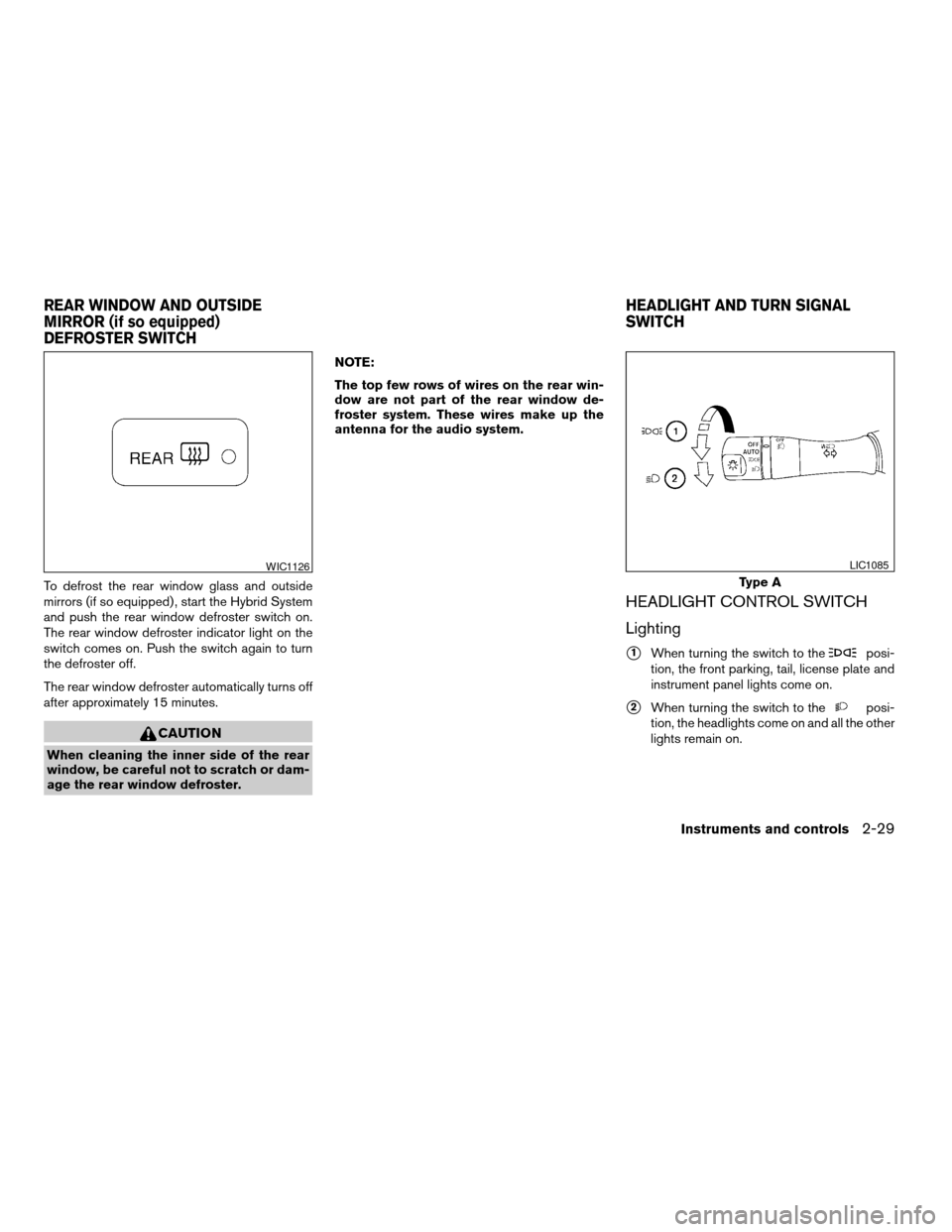
To defrost the rear window glass and outside
mirrors (if so equipped) , start the Hybrid System
and push the rear window defroster switch on.
The rear window defroster indicator light on the
switch comes on. Push the switch again to turn
the defroster off.
The rear window defroster automatically turns off
after approximately 15 minutes.
CAUTION
When cleaning the inner side of the rear
window, be careful not to scratch or dam-
age the rear window defroster.NOTE:
The top few rows of wires on the rear win-
dow are not part of the rear window de-
froster system. These wires make up the
antenna for the audio system.
HEADLIGHT CONTROL SWITCH
Lighting
s1When turning the switch to theposi-
tion, the front parking, tail, license plate and
instrument panel lights come on.
s2When turning the switch to theposi-
tion, the headlights come on and all the other
lights remain on.
WIC1126
Type A
LIC1085
REAR WINDOW AND OUTSIDE
MIRROR (if so equipped)
DEFROSTER SWITCHHEADLIGHT AND TURN SIGNAL
SWITCH
Instruments and controls2-29
ZREVIEW COPYÐ2008 Altima Hybrid Electric
(ahv)
Owners ManualÐUSA_English(nna)
05/31/07Ðdebbie
X
Page 133 of 351
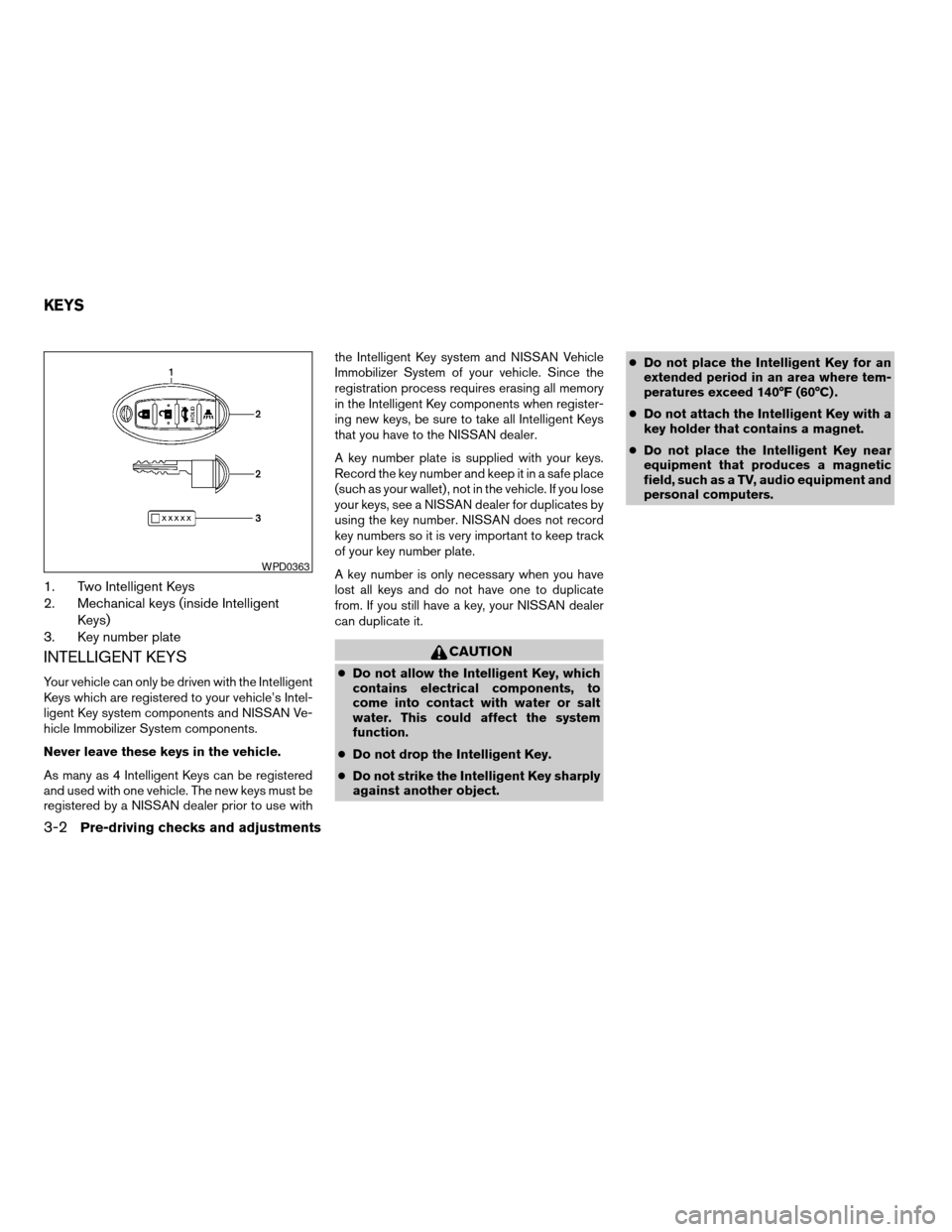
1. Two Intelligent Keys
2. Mechanical keys (inside Intelligent
Keys)
3. Key number plate
INTELLIGENT KEYS
Your vehicle can only be driven with the Intelligent
Keys which are registered to your vehicle’s Intel-
ligent Key system components and NISSAN Ve-
hicle Immobilizer System components.
Never leave these keys in the vehicle.
As many as 4 Intelligent Keys can be registered
and used with one vehicle. The new keys must be
registered by a NISSAN dealer prior to use withthe Intelligent Key system and NISSAN Vehicle
Immobilizer System of your vehicle. Since the
registration process requires erasing all memory
in the Intelligent Key components when register-
ing new keys, be sure to take all Intelligent Keys
that you have to the NISSAN dealer.
A key number plate is supplied with your keys.
Record the key number and keep it in a safe place
(such as your wallet) , not in the vehicle. If you lose
your keys, see a NISSAN dealer for duplicates by
using the key number. NISSAN does not record
key numbers so it is very important to keep track
of your key number plate.
A key number is only necessary when you have
lost all keys and do not have one to duplicate
from. If you still have a key, your NISSAN dealer
can duplicate it.
CAUTION
cDo not allow the Intelligent Key, which
contains electrical components, to
come into contact with water or salt
water. This could affect the system
function.
cDo not drop the Intelligent Key.
cDo not strike the Intelligent Key sharply
against another object.cDo not place the Intelligent Key for an
extended period in an area where tem-
peratures exceed 140°F (60°C) .
cDo not attach the Intelligent Key with a
key holder that contains a magnet.
cDo not place the Intelligent Key near
equipment that produces a magnetic
field, such as a TV, audio equipment and
personal computers.
WPD0363
KEYS
3-2Pre-driving checks and adjustments
ZREVIEW COPYÐ2008 Altima Hybrid Electric
(ahv)
Owners ManualÐUSA_English(nna)
05/31/07Ðdebbie
X