Page 254 of 374
CAUTION
●Do not rest your foot on the clutch pedal
while driving. This may cause clutch
damage.
●Fully depress the clutch pedal before
shifting to help prevent transmission
damage.
●Stop your vehicle completely before
shifting into R (Reverse) .
●When the vehicle is stopped with the
engine running (for example, at a stop
light) , shift to N (Neutral) and release
the clutch pedal with the foot brake
applied.
Shifting
To change gears, or when upshifting or down-
shifting, depress the clutch pedal fully, shift into
the appropriate gear, then release the clutch
slowly and smoothly.
To ensure smooth gear changes, fully depress
the clutch pedal before operating the shift selec-
tor. If the clutch pedal is not fully depressed
before the transmission is shifted, a gear noise
may be heard. Transmission damage may occur.Start the vehicle in 1st gear and shift to 2nd, 3rd,
4th and 5th up to 6th gear in sequence according
to vehicle speed.
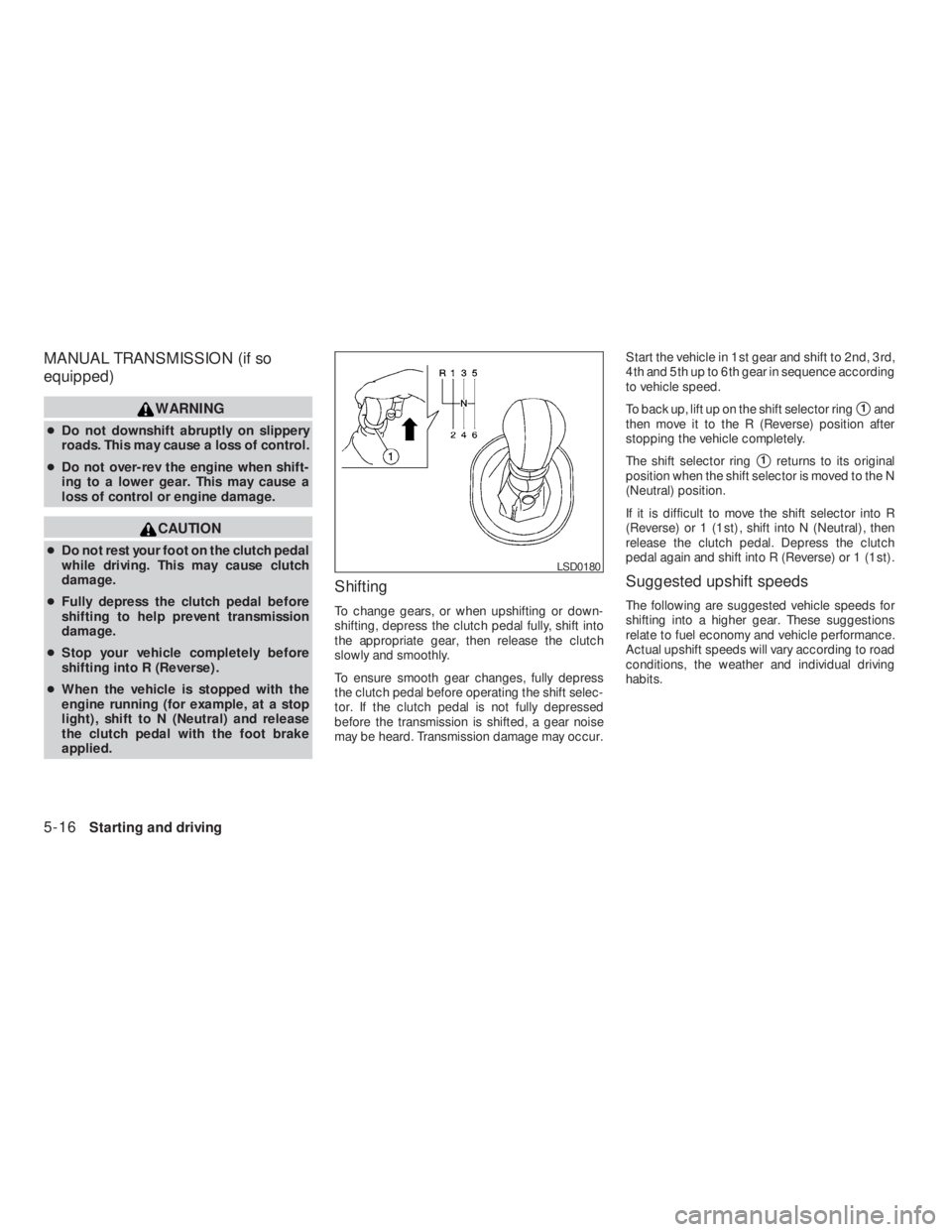
To back up, lift up on the shift selector ring
�1and
then move it to the R (Reverse) position after
stopping the vehicle completely.
The shift selector ring
�1returns to its original
position when the shift selector is moved to the N
(Neutral) position.
If it is difficult to move the shift selector into R
(Reverse) or 1 (1st) , shift into N (Neutral) , then
release the clutch pedal. Depress the clutch
pedal again and shift into R (Reverse) or 1 (1st) .
Suggested upshift speeds
The following are suggested vehicle speeds for
shifting into a higher gear. These suggestions
relate to fuel economy and vehicle performance.
Actual upshift speeds will vary according to road
conditions, the weather and individual driving
habits.
Page 264 of 374
indica-
tor light may come on. Do not drive on
these types of roads.
●If wheels or tires other than the recom-
mended ones are used, the Traction
Control System may not operate prop-
erly and the
indicator light may
come on.
●The Traction Control System is not a
substitute for winter tires or tire chains
on a snow covered road.The Vehicle Dynamic Control (VDC) system uses
various sensors to monitor driver inputs and ve-
hicle motion. Under certain driving situations, the
system will control braking and engine output to
help keep the vehicle on its steered path.
●When the Vehicle Dynamic Control (VDC)
system is operating, theSLIPindicator in
the instrument panel blinks:
●If theSLIPindicator blinks, the road condi-
tions may be slippery. Be sure to adjust your
speed and driving to these conditions. See
“Slip indicator light”, and “Vehicle Dynamic
Control (VDC) off indicator light” in the “In-
struments and controls” section.
●Indicator light
If a malfunction occurs in the system, the
SLIPand
indicator lights come on in
the instrument panel.
As long as these indicator lights are on, the
traction control function is canceled.
If the vehicle is operated with the Vehicle Dy-
namic Control system OFF using the VDC OFF
switch, VDC and TCS functions will be turned off.
TheSLIPindicator will flash if wheel spin is
detected. The ABS will still operate with the VDC
system off.When the VDC system is operating, you may feel
a pulsation in the brake pedal and hear a noise or
vibration from under the hood. This is normal and
indicates that the VDC system is working prop-
erly.
The computer has a built in diagnostic feature
that tests the system each time you start the
engine and move the vehicle forward or in reverse
at a slow speed. When the self-test occurs, you
may hear a clunk noise and/or feel a pulsation in
the brake pedal. This is normal and is not an
indication of a malfunction.
Page 295 of 374
CAUTION
●Do not work under the hood while the
engine is hot. Turn the engine off and
wait until it cools down.
●Avoid contact with used engine oil and
coolant. Improperly disposed engine
oil, engine coolant and/or other vehicle
fluids can damage the environment. Al-
ways conform to local regulations for
disposal of vehicle fluid.●Never leave the engine or the CVT re-
lated component harness connector
disconnected while the ignition switch
is in the ON position.
●Never connect or disconnect the battery
or any transistorized component while
the ignition switch is in the ON position.
●Your vehicle is equipped with an auto-
matic engine cooling fan. It may come
on at any time without warning, even if
the ignition key is in the OFF position
and the engine is not running. To avoid
injury, always disconnect the negative
battery cable before working near the
fan.
This “Maintenance and do-it-yourself” section
gives instructions regarding only those items
which are relatively easy for an owner to perform.
A genuine NISSAN service manual is also avail-
able. See “Owner’s Manual/Service Manual or-
der information” in the “Technical and consumer
information” section of this manual.
You should be aware that incomplete or improper
servicing may result in operating difficulties or
excessive emissions, and could affect warranty
coverage.If in doubt about any servicing,
have it done by a NISSAN dealer.
MAINTENANCE PRECAUTIONS
Maintenance and do-it-yourself8-5
�REVIEW COPY—2009 Altima(alt)
Owners Manual—USA_English(nna)
09/08/08—debbie
�
Page 298 of 374
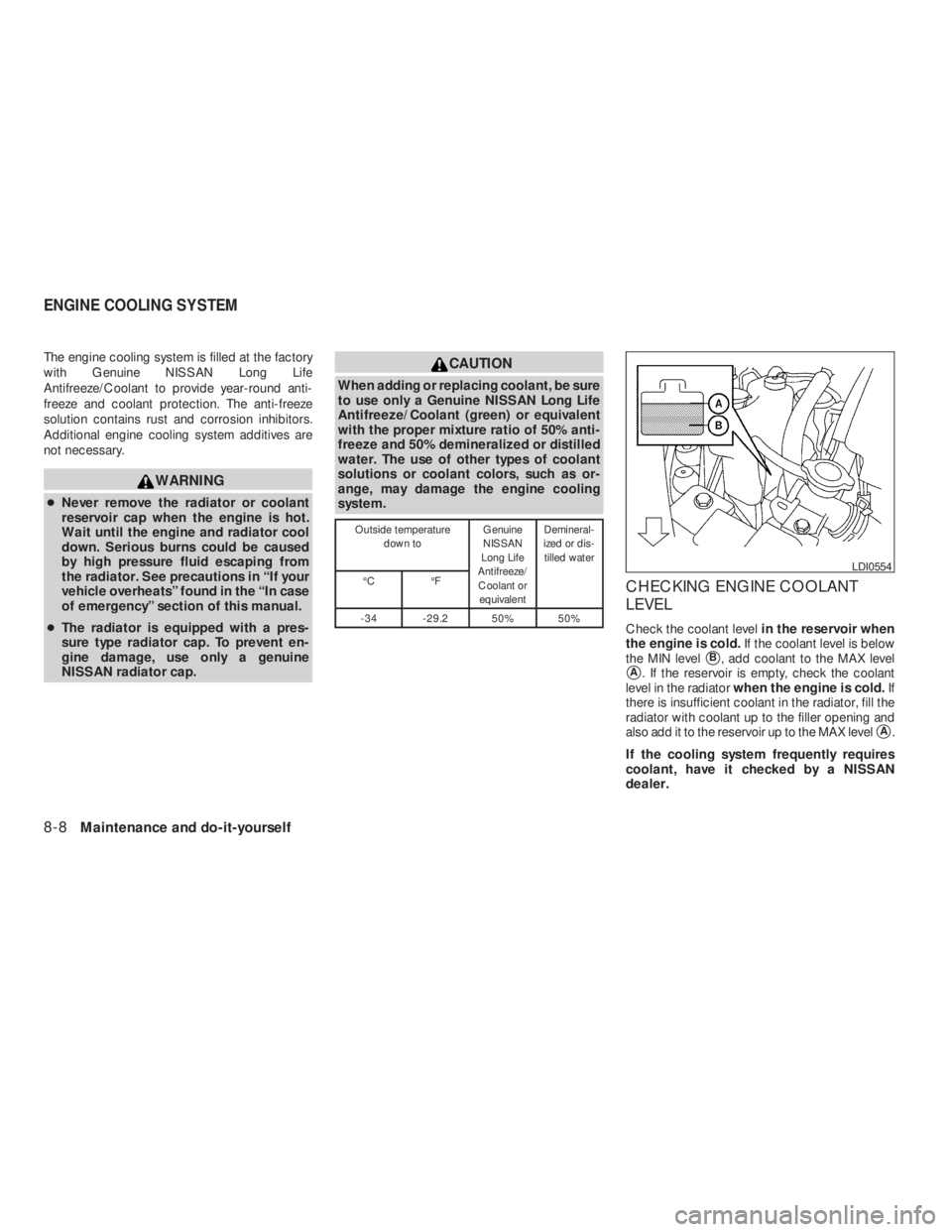
CAUTION
When adding or replacing coolant, be sure
to use only a Genuine NISSAN Long Life
Antifreeze/Coolant (green) or equivalent
with the proper mixture ratio of 50% anti-
freeze and 50% demineralized or distilled
water. The use of other types of coolant
solutions or coolant colors, such as or-
ange, may damage the engine cooling
system.
Page 299 of 374
WARNING
●To avoid the danger of being scalded,
never change the coolant when the en-
gine is hot.
●Never remove the radiator cap when the
engine is hot. Serious burns could be
caused by high pressure fluid escaping
from the radiator.
●Avoid direct skin contact with used
coolant. If skin contact is made, wash
thoroughly with soap or hand cleaner
as soon as possible.
●Keep coolant out of the reach of chil-
dren and pets.
Engine coolant must be disposed of properly.
Check your local regulations.
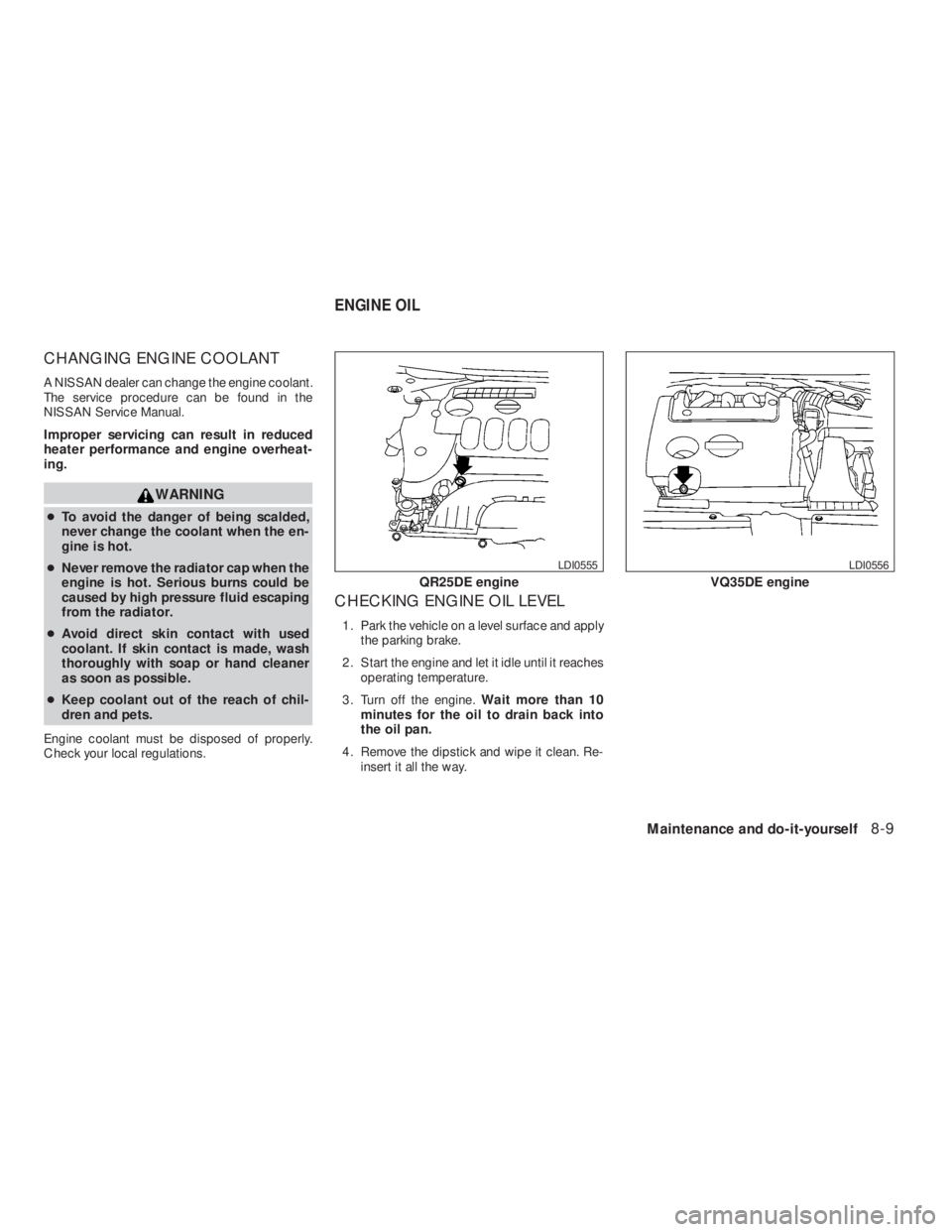
CHECKING ENGINE OIL LEVEL
1. Park the vehicle on a level surface and apply
the parking brake.
2. Start the engine and let it idle until it reaches
operating temperature.
3. Turn off the engine.Wait more than 10
minutes for the oil to drain back into
the oil pan.
4. Remove the dipstick and wipe it clean. Re-
insert it all the way.
Page 300 of 374
CAUTION
Oil level should be checked regularly. Op-
erating the engine with an insufficient
amount of oil can damage the engine, and
such damage is not covered by warranty.
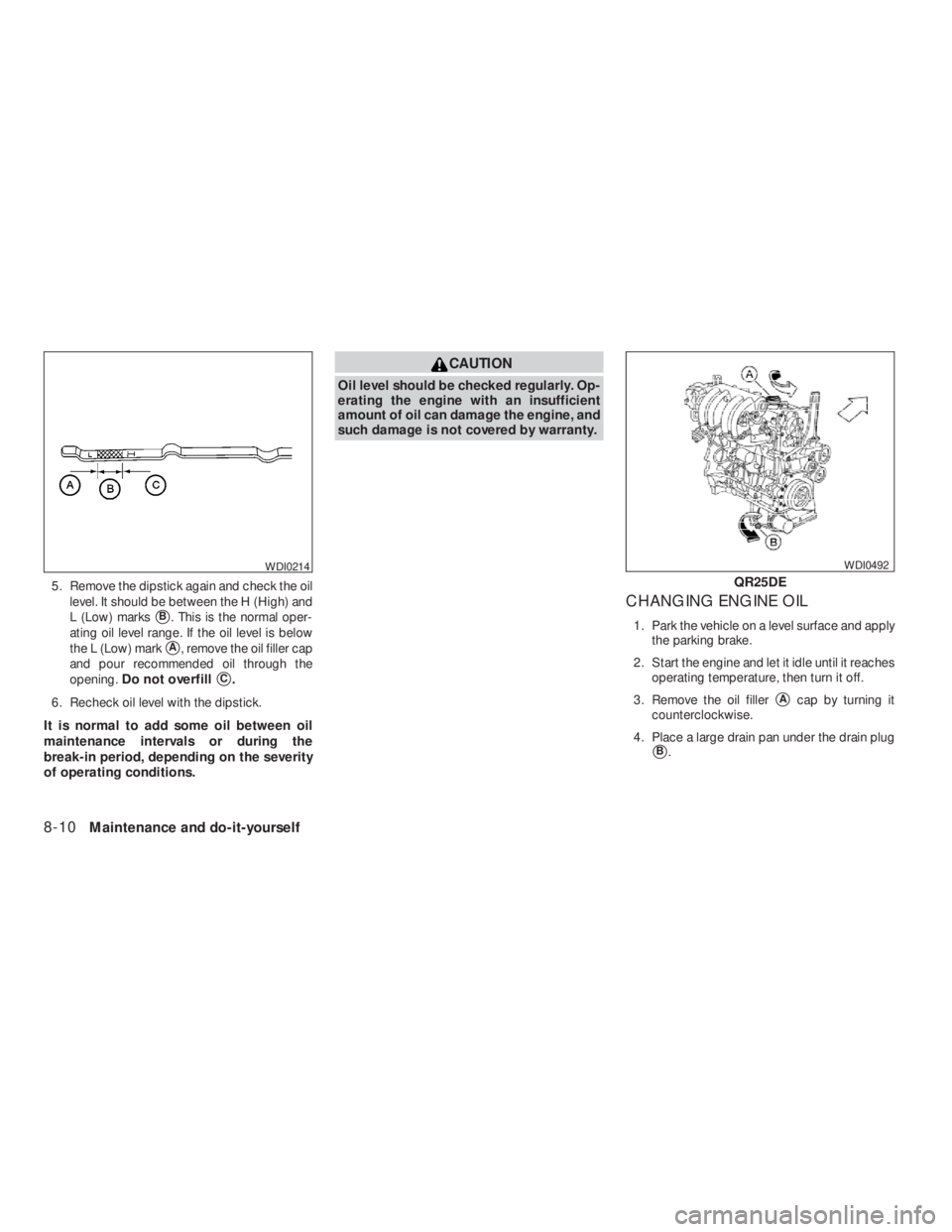
CHANGING ENGINE OIL
1. Park the vehicle on a level surface and apply
the parking brake.
2. Start the engine and let it idle until it reaches
operating temperature, then turn it off.
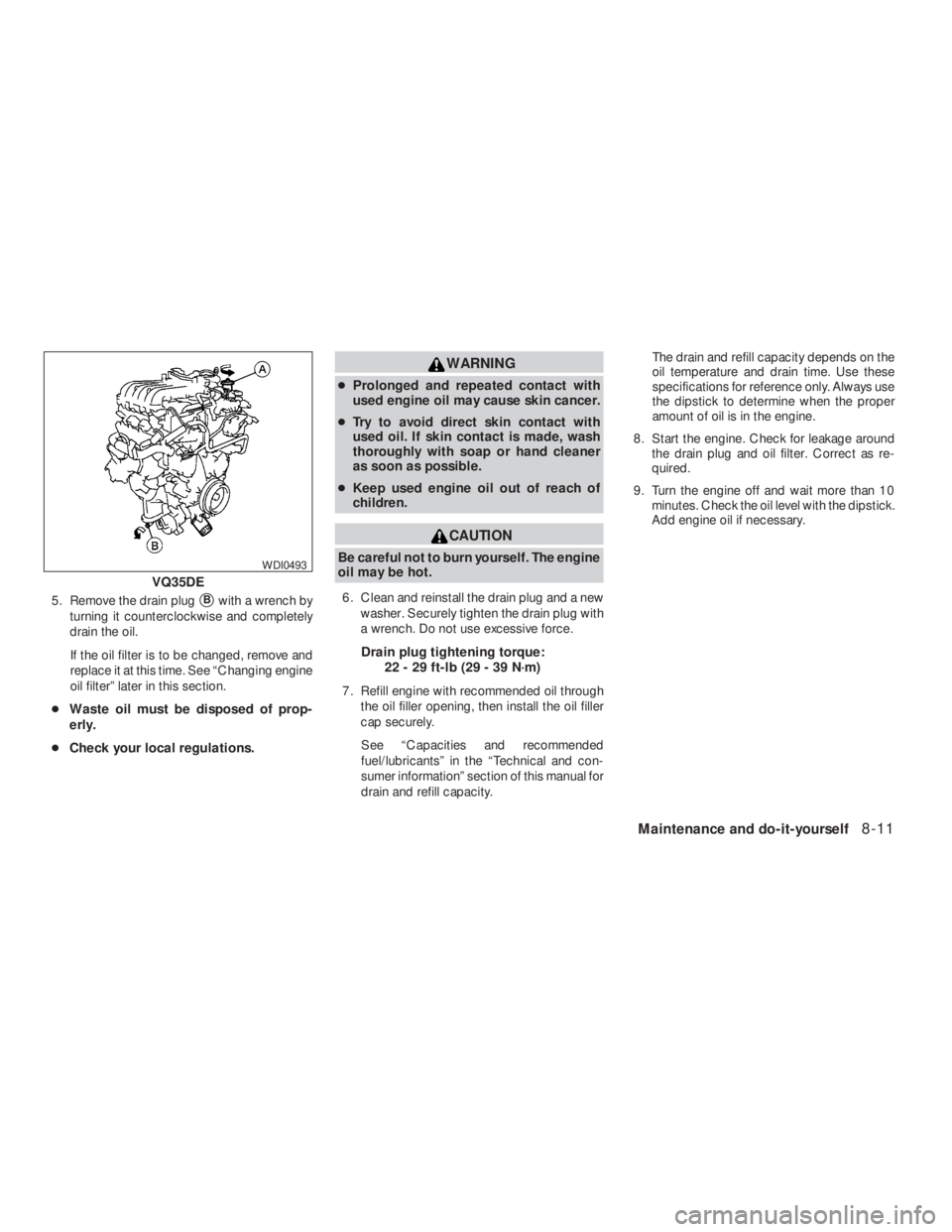
3. Remove the oil filler
�Acap by turning it
counterclockwise.
4. Place a large drain pan under the drain plug
�B.
Page 301 of 374
WARNING
●Prolonged and repeated contact with
used engine oil may cause skin cancer.
●Try to avoid direct skin contact with
used oil. If skin contact is made, wash
thoroughly with soap or hand cleaner
as soon as possible.
●Keep used engine oil out of reach of
children.
CAUTION
Be careful not to burn yourself. The engine
oil may be hot.
6. Clean and reinstall the drain plug and a new
washer. Securely tighten the drain plug with
a wrench. Do not use excessive force.
Drain plug tightening torque:
22 - 29 ft-lb (29 - 39 N·m)
7. Refill engine with recommended oil through
the oil filler opening, then install the oil filler
cap securely.
See “Capacities and recommended
fuel/lubricants” in the “Technical and con-
sumer information” section of this manual for
drain and refill capacity.The drain and refill capacity depends on the
oil temperature and drain time. Use these
specifications for reference only. Always use
the dipstick to determine when the proper
amount of oil is in the engine.
8. Start the engine. Check for leakage around
the drain plug and oil filter. Correct as re-
quired.
9. Turn the engine off and wait more than 10
minutes. Check the oil level with the dipstick.
Add engine oil if necessary.
Page 308 of 374
WARNING
Be sure the engine and ignition switch are
off and that the parking brake is engaged
securely.
CAUTION
Be sure to use the correct socket to re-
move the spark plugs. An incorrect socket
can damage the spark plugs.
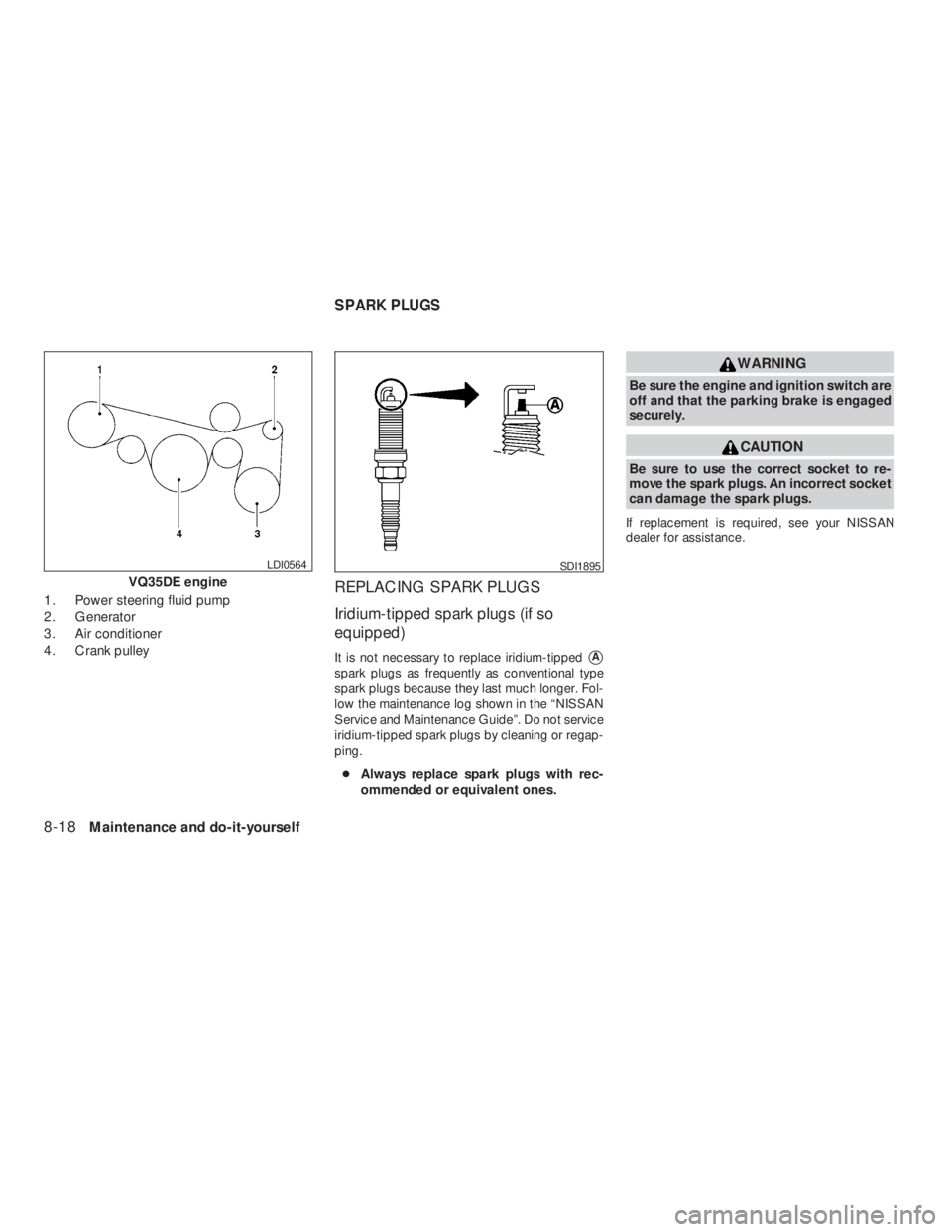
If replacement is required, see your NISSAN
dealer for assistance.
SDI1895
SPARK PLUGS