97 Telephone*
Phone book
�
Phone book
On the COMAND control unit�
Press the
soft key in the Telephone
main menu
(� page
89)
.
The Phone Book menu appears on the
display. The first list entry is highlighted
automatically.
On the multifunction steering wheel�
Switch the multifunction display in the
instrument cluster to the Telephone
main display
(� page
26)
.
�
Press
j or k.
A phone book entry appears on the
multifunction display; scroll up or down
as required.
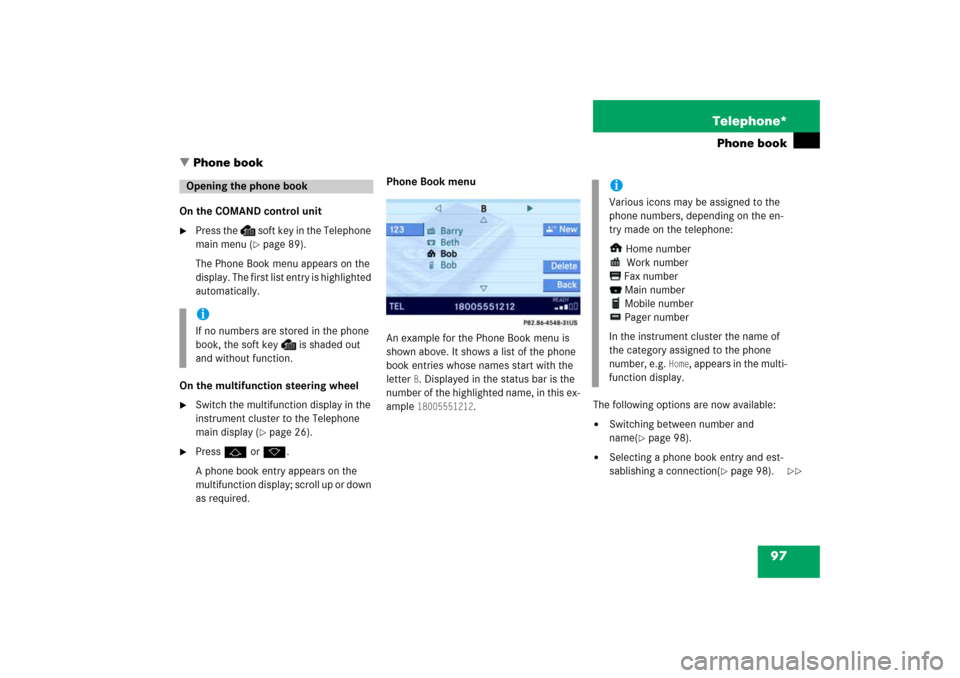
Phone Book menu An example for the Phone Book menu is
shown above. It shows a list of the phone
book entries whose names start with the
letter
B. Displayed in the status bar is the
number of the highlighted name, in this ex
-
ample
18005551212
.
The following options are now available:�
Switching between number and
name
(� page
98)
.
�
Selecting a phone book entry and est
-
sablishing a connection
(� page
98)
.
Opening the phone bookiIf no numbers are stored in the phone
book, the soft key
is shaded out
and without function.
iVarious icons may be assigned to the
phone numbers, depending on the en
-
try made on the telephone:
Home number
Work number
Fax number
Main number
Mobile number
Pager number
In the instrument cluster the name of
the category assigned to the phone
number, e.g.
Home
, appears in the multi
-
function display.
��