Page 141 of 509
140 Controls in detail
Automatic transmission*
Gear selector lever positions
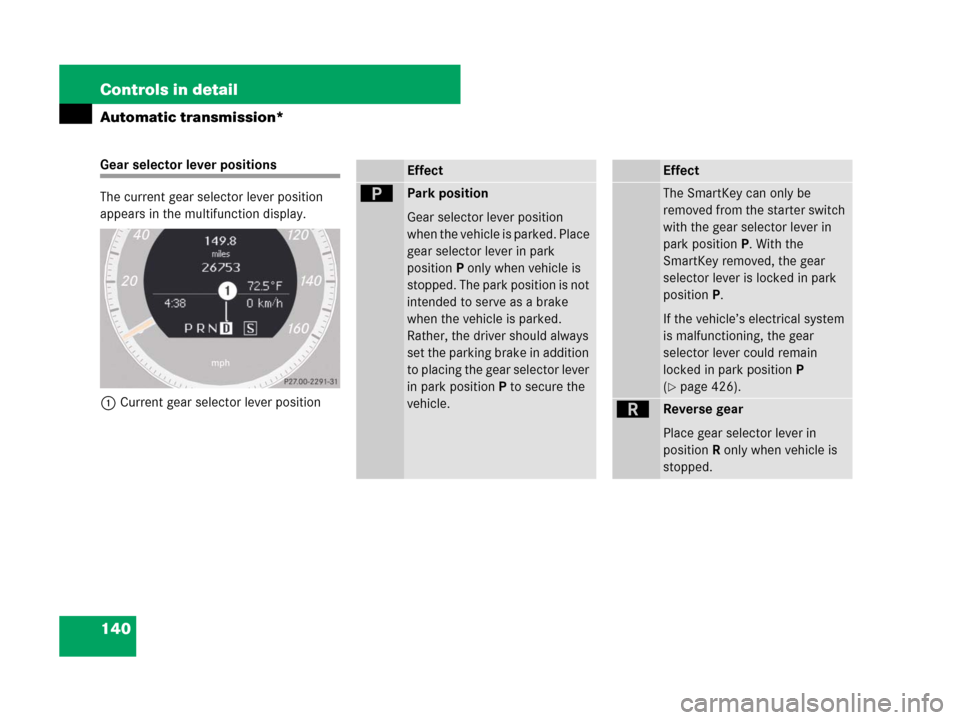
The current gear selector lever position
appears in the multifunction display.
1Current gear selector lever positionEffect
ìPark position
Gear selector lever position
when the vehicle is parked. Place
gear selector lever in park
positionP only when vehicle is
stopped. The park position is not
intended to serve as a brake
when the vehicle is parked.
Rather, the driver should always
set the parking brake in addition
to placing the gear selector lever
in park positionP to secure the
vehicle.
Effect
The SmartKey can only be
removed from the starter switch
with the gear selector lever in
park positionP. With the
SmartKey removed, the gear
selector lever is locked in park
positionP.
If the vehicle’s electrical system
is malfunctioning, the gear
selector lever could remain
locked in park positionP
(
�page 426).
íReverse gear
Place gear selector lever in
positionR only when vehicle is
stopped.
Page 144 of 509
143 Controls in detail
Automatic transmission*
Gear ranges
With the gear selector lever in drive
positionD, you can select a gear range for
the automatic transmission to operate
within.
Gear selector lever (
�page 145):
You can limit the gear range by pressing
the gear selector lever to the left (D-), and
reverse the gear range limit by pressing
the gear selector lever to the right (D+).The selected gear range appears in the
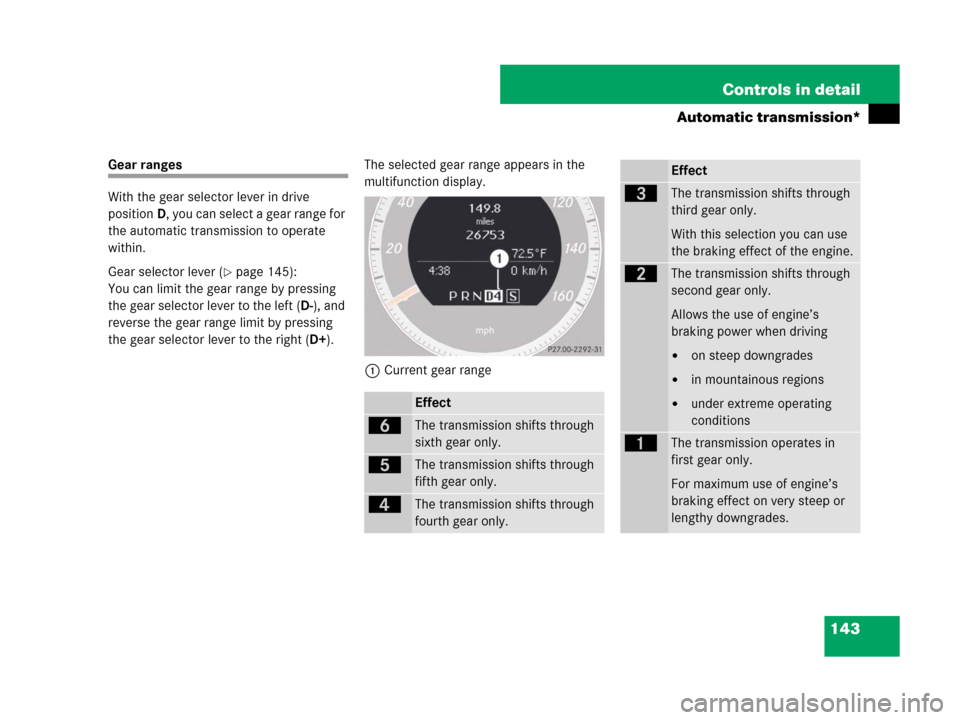
multifunction display.
1Current gear range
Effect
ïThe transmission shifts through
sixth gear only.
îThe transmission shifts through
fifth gear only.
éThe transmission shifts through
fourth gear only.
Effect
èThe transmission shifts through
third gear only.
With this selection you can use
the braking effect of the engine.
çThe transmission shifts through
second gear only.
Allows the use of engine’s
braking power when driving
�on steep downgrades
�in mountainous regions
�under extreme operating
conditions
æThe transmission operates in
first gear only.
For maximum use of engine’s
braking effect on very steep or
lengthy downgrades.
Page 145 of 509
144 Controls in detail
Automatic transmission*
Automatic shift program
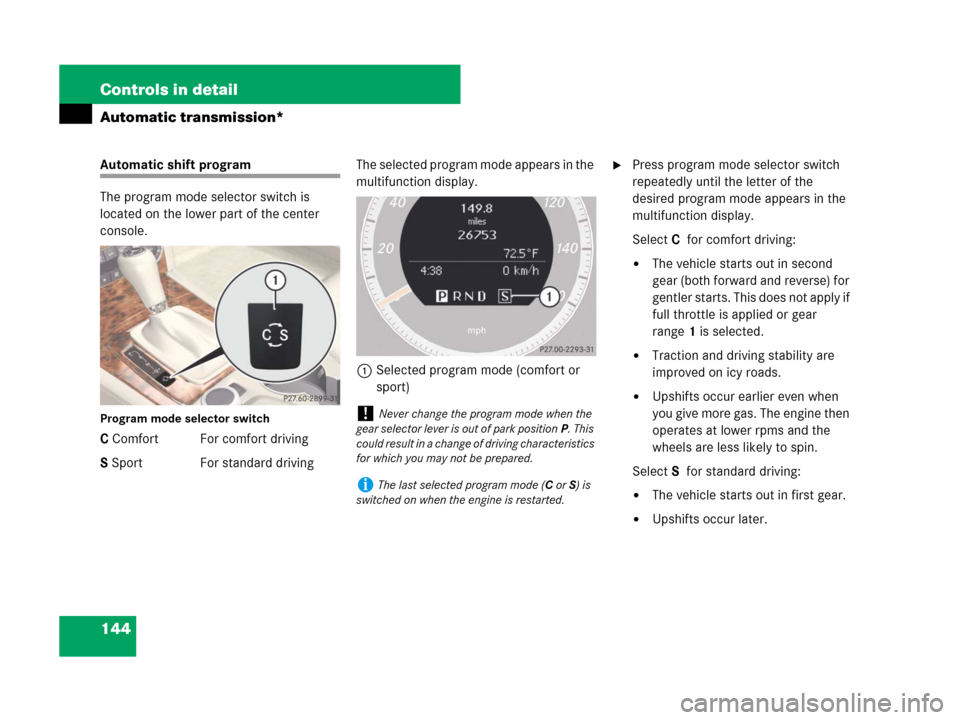
The program mode selector switch is
located on the lower part of the center
console.
Program mode selector switch
C Comfort For comfort driving
S Sport For standard drivingThe selected program mode appears in the
multifunction display.
1Selected program mode (comfort or
sport)
�Press program mode selector switch
repeatedly until the letter of the
desired program mode appears in the
multifunction display.
SelectCfor comfort driving:
�The vehicle starts out in second
gear (both forward and reverse) for
gentler starts. This does not apply if
full throttle is applied or gear
range1 is selected.
�Traction and driving stability are
improved on icy roads.
�Upshifts occur earlier even when
you give more gas. The engine then
operates at lower rpms and the
wheels are less likely to spin.
SelectSfor standard driving:
�The vehicle starts out in first gear.
�Upshifts occur later.
!Never change the program mode when the
gear selector lever is out of park positionP. This
could result in a change of driving characteristics
for which you may not be prepared.
iThe last selected program mode (CorS) is
switched on when the engine is restarted.
Page 146 of 509
145 Controls in detail
Automatic transmission*
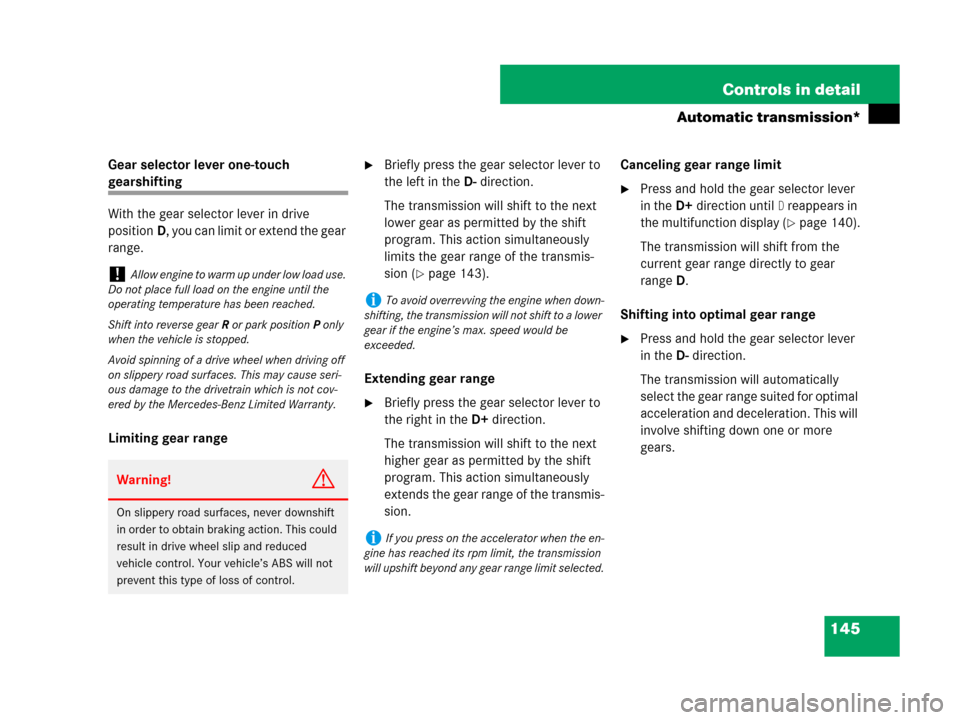
Gear selector lever one-touch
gearshifting
With the gear selector lever in drive
positionD, you can limit or extend the gear
range.
Limiting gear range
�Briefly press the gear selector lever to
the left in theD-direction.
The transmission will shift to the next
lower gear as permitted by the shift
program. This action simultaneously
limits the gear range of the transmis-
sion (
�page 143).
Extending gear range
�Briefly press the gear selector lever to
the right in theD+direction.
The transmission will shift to the next
higher gear as permitted by the shift
program. This action simultaneously
extends the gear range of the transmis-
sion.Canceling gear range limit
�Press and hold the gear selector lever
in theD+direction until
D reappears in
the multifunction display (
�page 140).
The transmission will shift from the
current gear range directly to gear
rangeD.
Shifting into optimal gear range
�Press and hold the gear selector lever
in theD-direction.
The transmission will automatically
select the gear range suited for optimal
acceleration and deceleration. This will
involve shifting down one or more
gears.
!Allow engine to warm up under low load use.
Do not place full load on the engine until the
operating temperature has been reached.
Shift into reverse gearR or park positionP only
when the vehicle is stopped.
Avoid spinning of a drive wheel when driving off
on slippery road surfaces. This may cause seri-
ous damage to the drivetrain which is not cov-
ered by the Mercedes-Benz Limited Warranty.
Warning!G
On slippery road surfaces, never downshift
in order to obtain braking action. This could
result in drive wheel slip and reduced
vehicle control. Your vehicle’s ABS will not
prevent this type of loss of control.
iTo avoid overrevving the engine when down-
shifting, the transmission will not shift to a lower
gear if the engine’s max. speed would be
exceeded.
iIf you press on the accelerator when the en-
gine has reached its rpm limit, the transmission
will upshift beyond any gear range limit selected.
Page 148 of 509
147 Controls in detail
Instrument cluster
�Instrument cluster
A full view illustration of the instrument
cluster can be found in the “At a glance”
section of this manual (
�page 26).
You can change the instrument cluster
settings in the instrument cluster submenu
of the control system (
�page 168).
Multifunction display
The multifunction display is activated when
you:
�open a door
�switch on the ignition
�switch on the exterior lamps
The language setting for the multifunction
display can be changed via control system
(
�page 168).
Warning!G
No messages will be displayed if either the
instrument cluster or the multifunction dis-
play is inoperative.
As a result, you will not be able to see infor-
mation about your driving conditions, such
as speed or outside temperature, warning/
indicator lamps, malfunction/warning mes-
sages or the failure of any systems. Driving
characteristics may be impaired.
If you must continue to drive, please do so
with added caution. Contact an authorized
Mercedes-Benz Center as soon as possible.
Page 149 of 509
148 Controls in detail
Instrument cluster
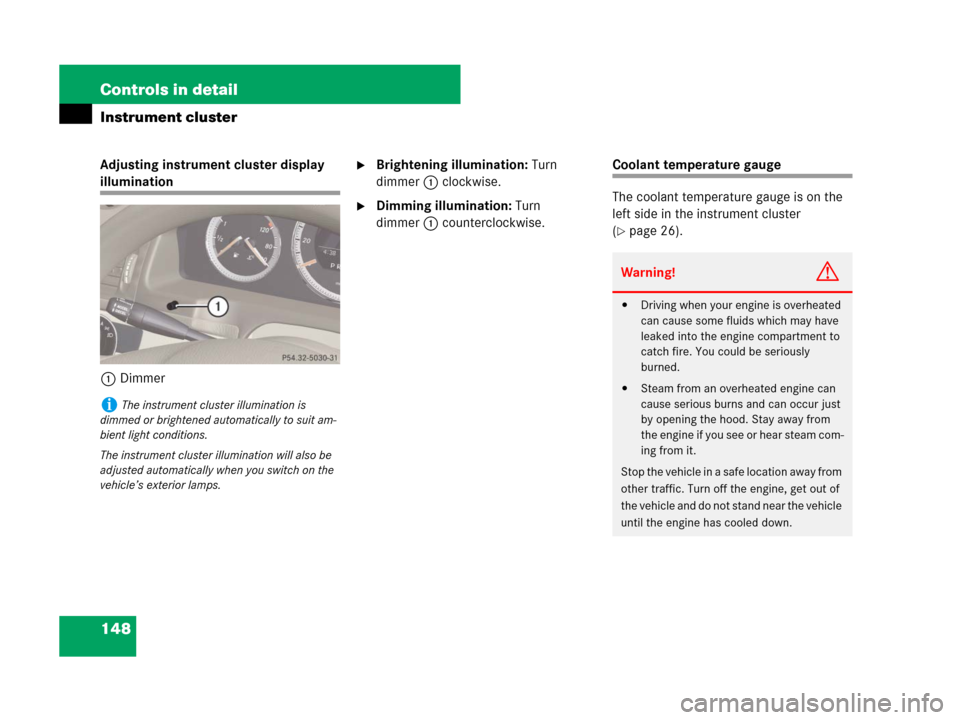
Adjusting instrument cluster display
illumination
1Dimmer
�Brightening illumination: Turn
dimmer1 clockwise.
�Dimming illumination: Turn
dimmer1 counterclockwise.
Coolant temperature gauge
The coolant temperature gauge is on the
left side in the instrument cluster
(
�page 26).
iThe instrument cluster illumination is
dimmed or brightened automatically to suit am-
bient light conditions.
The instrument cluster illumination will also be
adjusted automatically when you switch on the
vehicle’s exterior lamps.
Warning!G
�Driving when your engine is overheated
can cause some fluids which may have
leaked into the engine compartment to
catch fire. You could be seriously
burned.
�Steam from an overheated engine can
cause serious burns and can occur just
by opening the hood. Stay away from
the engine if you see or hear steam com-
ing from it.
Stop the vehicle in a safe location away from
other traffic. Turn off the engine, get out of
the vehicle and do not stand near the vehicle
until the engine has cooled down.
Page 150 of 509
149 Controls in detail
Instrument cluster
Tachometer
The red marking on the tachometer de-
notes excessive engine speed.
To help protect the engine, the fuel supply
is interrupted if the engine is operated
within the red marking.Outside temperature indicator
The outside temperature is indicated in the
multifunction display (
�page 151).
!Excessive coolant temperature triggers a
warning in the multifunction display
(
�page 402).
The engine should not be operated with the cool-
ant temperature above 248°F (120°C), i.e. in
the red zone of the coolant temperature gauge.
Doing so may cause serious engine damage
which is not covered by the Mercedes-Benz Lim-
ited Warranty.
iDuring severe operating conditions,
e.g. stop-and-go traffic, the coolant temperature
may rise close to 248°F (120°C), i.e. close to
the red zone of the temperature gauge.
!Avoid driving at excessive engine speeds, as
it may result in serious engine damage that is not
covered by the Mercedes-Benz Limited
Warranty.
Warning!G
The outside temperature indicator is not de-
signed to serve as an ice-warning device and
is therefore unsuitable for that purpose.
Indicated temperatures just above the freez-
ing point do not guarantee that the road sur-
face is free of ice. The road may still be icy,
especially in wooded areas or on bridges.
Page 151 of 509
150 Controls in detail
Instrument cluster
The outside temperature sensor is located
in the front bumper area. Due to its loca-
tion, the sensor can be affected by road or
engine heat during idling or slow driving.
Therefore, the accuracy of the displayed
temperature can only be verified by com-
parison to a thermometer placed next to
the sensor, not by comparison to external
displays (e.g. bank signs, etc.).
When moving the vehicle into colder ambi-
ent temperatures (e.g. when leaving your
garage), you will notice a delay before the
lower temperature is displayed.
A delay also occurs when ambient temper-
atures rise. This prevents inaccurate tem-
perature indications caused by heat
radiated from the engine during idling or
slow driving.Fuel gauge
The fuel gauge is on the left-hand side of
the instrument cluster (
�page 26). Once
the fuel level has fallen below the reserve
mark, the yellow fuel tank reserve warning
lamp 4 for the fuel reserve comes on
(
�page 380).