2008 LINCOLN TOWN CAR display
[x] Cancel search: displayPage 24 of 273
FADE:Press FADE; then
press
SEL-TEXTto shift
sound to the rear/front speakers.
8.SEL-TEXT:Use with Bass,
Treble, Balance, Fade and other
menu functions.
TEXT:TEXT is only available when equipped with Satellite radio. Your
vehicle may be equipped with Satellite ready capability. The kit to enable
Satellite reception is available through your authorized dealer. Detailed
Satellite instructions are included with the dealer installed kit.Check
with your authorized dealer for availability.
9.MENU:Press MENU repeatedly
to access RDS on/off.
Use
SEL-TEXTto toggle
RDS on/off. Press MENU again to access Program type mode or Show
Type mode. (MENU must be pressed within 10 seconds to proceed to
the next RDS mode.)
The Federal Communications Commission (FCC) and the Canadian Radio
and Telecommunications Commission (CRTC) recommend that FM radio
broadcasters use RDS technology to transmit information. FM radio
stations are independently operated and individually elect to use RDS
technology to transmit station ID and program type as desired.
FIND Program type:Allows you to search RDS-equipped stations for a
certain category of music format: Classic, Country, Info, Jazz, Oldies,
R&B, Religious, Rock, Soft, Top 40.
In FM mode, with RDS ON, press MENU until the program type menu is
displayed. One of the various program types will appear.
Press
SEL-TEXTto scroll through music types. Press SEEK or
SCAN to search for a station playing the requested music category.
Show TYPE:Selects between displaying the station’s call letters or
music format when RDS is enabled. Press and hold MENU until SHOW
XX appears in the display. Press
SEL-TEXTto select NAME or
TYPE.
Compression:Brings soft and loud CD passages together for a more
consistent listening level when in CD mode. Press MENU until
compression status is displayed. Press
SEL-TEXTto enable the
compression feature when COMPRESS OFF is displayed.
FADEBALSEL-TEXT+
2008 Town Car(tow)
Owners Guide (post-2002-fmt)
USA(fus)
Entertainment Systems
24
Page 25 of 273
PressSEL-TEXTagain to disable the feature when COMPRESS
ON is displayed. When activated, the compression icon will illuminate in
the display.
Occupancy mode:(Available on Audiophile audios only): Press MENU
until occupancy mode appears in the display. Press
SEL-TEXTto
select ALL, DRIVER or REAR SEAT occupancy mode.
Autoset:Allows you to set the strongest local radio stations without
losing your original manually set preset stations for AM/FM1/FM2. Press
MENU until AUTOSET appears in the display. Press
SEL-TEXT
to toggle ON/OFF. When the six strongest stations are filled, the station
stored in preset 1 will begin playing. If there are less than six strong
stations, the system will store the last one in the remaining presets.
When activated, AUTOSET will appear in the display when any of the
preset controls are pressed.
Speed sensitive volume:Radio volume changes automatically and
slightly with vehicle speed to compensate for road and wind noise.
Recommended level is 1–3. Level 0 turns the feature off and level 7 is
the maximum setting.
Press MENU to access and use
SEL-TEXTto adjust the volume
setting. The level will appear in the display.
Armrest ON/OFF:Press MENU repeatedly until Armrest ON/OFF
appears. Use
SEL-TEXTto toggle the rear console audio controls
on or off (if equipped).
Setting the clock:Your vehicle is equipped with an in-dash clock. Refer
toClockin theDriver Controlschapter for instructions on how to set
the time.
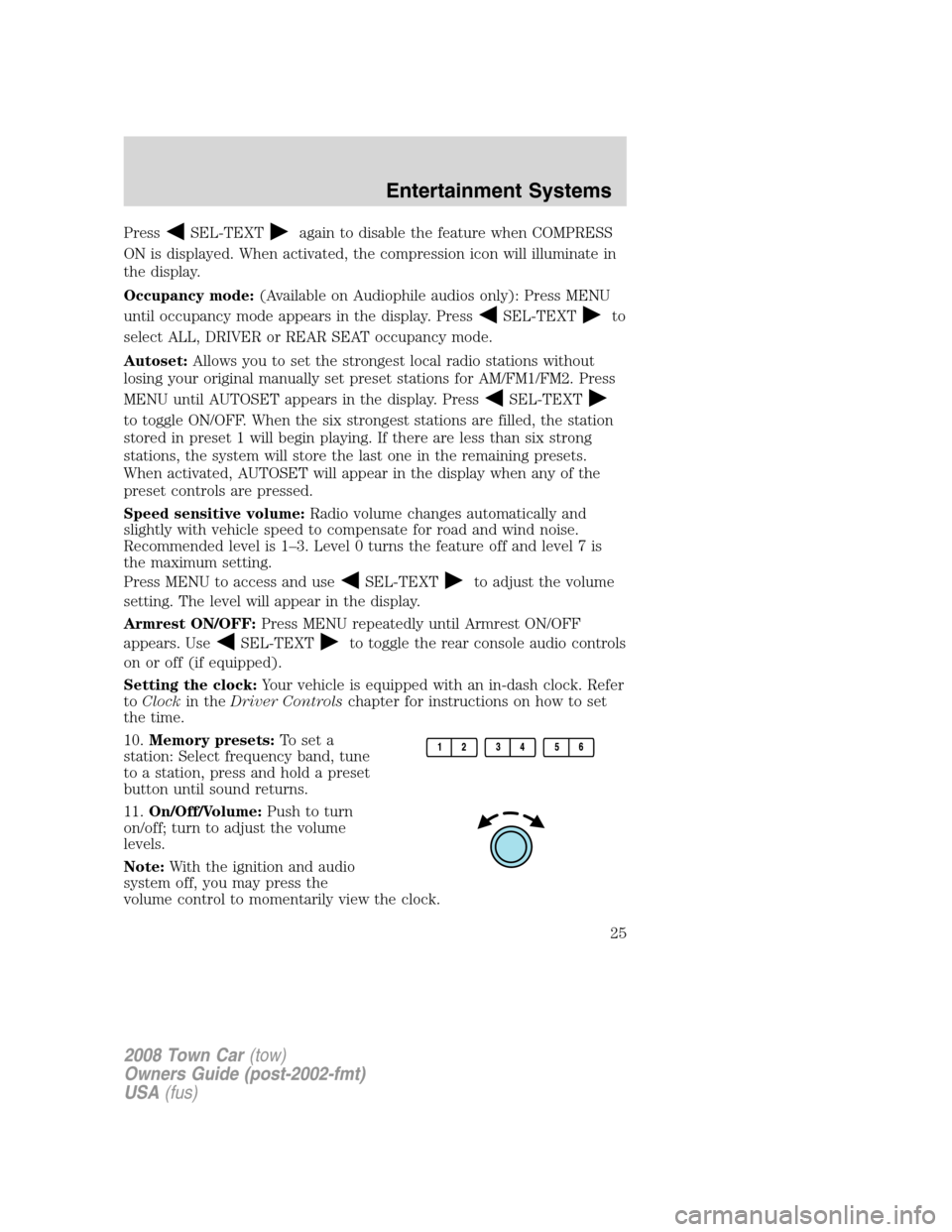
10.Memory presets:To set a
station: Select frequency band, tune
to a station, press and hold a preset
button until sound returns.
11.On/Off/Volume:Push to turn
on/off; turn to adjust the volume
levels.
Note:With the ignition and audio
system off, you may press the
volume control to momentarily view the clock.
2008 Town Car(tow)
Owners Guide (post-2002-fmt)
USA(fus)
Entertainment Systems
25
Page 26 of 273
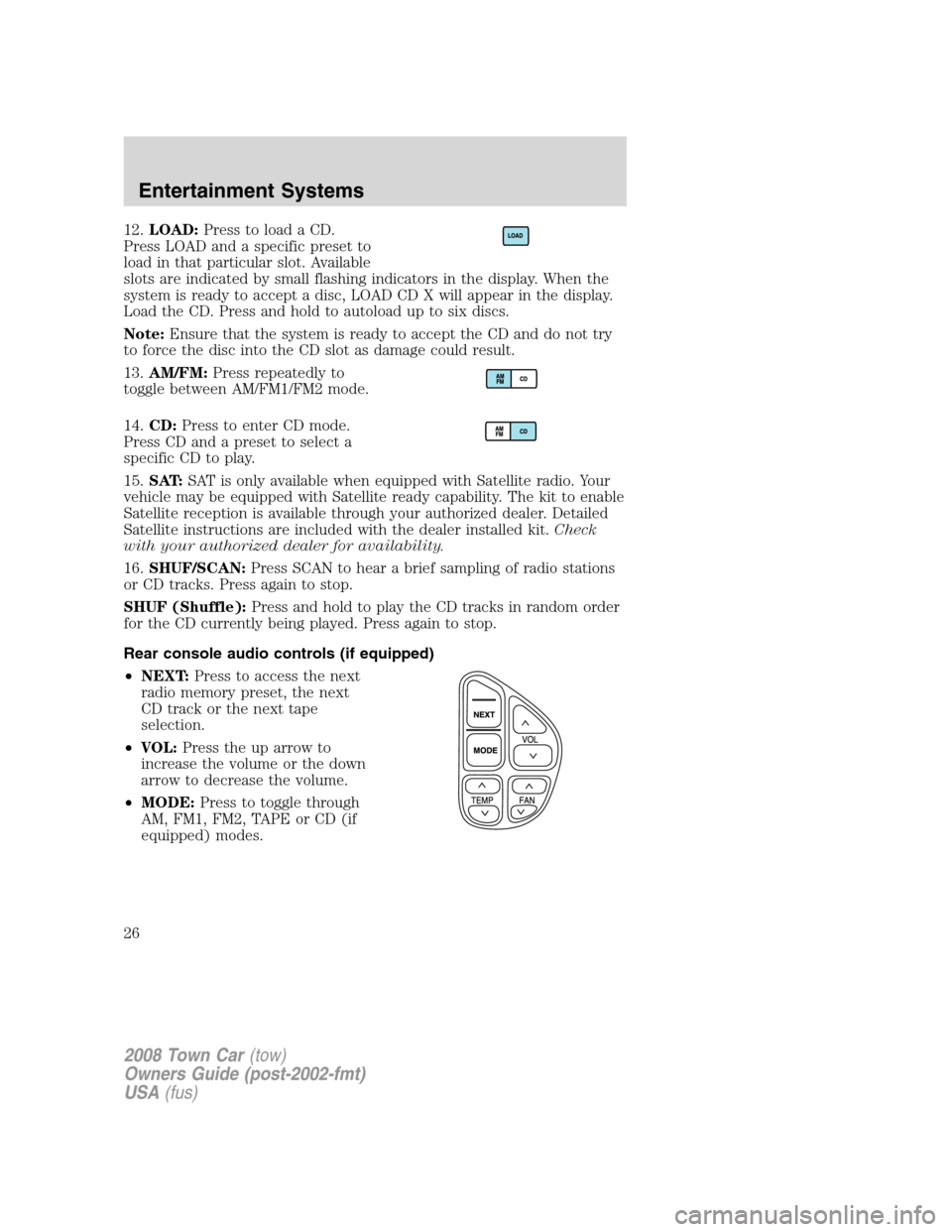
12.LOAD:Press to load a CD.
Press LOAD and a specific preset to
load in that particular slot. Available
slots are indicated by small flashing indicators in the display. When the
system is ready to accept a disc, LOAD CD X will appear in the display.
Load the CD. Press and hold to autoload up to six discs.
Note:Ensure that the system is ready to accept the CD and do not try
to force the disc into the CD slot as damage could result.
13.AM/FM:Press repeatedly to
toggle between AM/FM1/FM2 mode.
14.CD:Press to enter CD mode.
Press CD and a preset to select a
specific CD to play.
15.SAT:SAT is only available when equipped with Satellite radio. Your
vehicle may be equipped with Satellite ready capability. The kit to enable
Satellite reception is available through your authorized dealer. Detailed
Satellite instructions are included with the dealer installed kit.Check
with your authorized dealer for availability.
16.SHUF/SCAN:Press SCAN to hear a brief sampling of radio stations
or CD tracks. Press again to stop.
SHUF (Shuffle):Press and hold to play the CD tracks in random order
for the CD currently being played. Press again to stop.
Rear console audio controls (if equipped)
•NEXT:Press to access the next
radio memory preset, the next
CD track or the next tape
selection.
•VOL:Press the up arrow to
increase the volume or the down
arrow to decrease the volume.
•MODE:Press to toggle through
AM, FM1, FM2, TAPE or CD (if
equipped) modes.
2008 Town Car(tow)
Owners Guide (post-2002-fmt)
USA(fus)
Entertainment Systems
26
Page 27 of 273
GENERAL AUDIO INFORMATION
Radio frequencies:
AM and FM frequencies are established by the Federal Communications
Commission (FCC) and the Canadian Radio and Telecommunications
Commission (CRTC). Those frequencies are:
AM: 530, 540–1700, 1710 kHz
FM: 87.7, 87.9–107.7, 107.9 MHz
Radio reception factors:
There are three factors that can affect radio reception:
•Distance/strength: The further you travel from an FM station, the
weaker the signal and the weaker the reception.
•Terrain: Hills, mountains, tall buildings, power lines, electric fences,
traffic lights and thunderstorms can interfere with your reception.
•Station overload: When you pass a broadcast tower, a stronger signal
may overtake a weaker one and play while the weak station frequency
is displayed.
CD/CD player care
Do:
•Handle discs by their edges only. Never touch the playing surface.
•Inspect discs before playing. Clean only with an approved CD cleaner
and wipe from the center out.
Don’t:
•Expose discs to direct sunlight or heat sources for extended periods
of time.
•Clean using a circular motion.
CD units are designed to play commercially pressed 4.75 in
(12 cm) audio compact discs only. Due to technical
incompatibility, certain recordable and re-recordable compact
discs may not function correctly when used in Ford CD players.
Dirty, warped or damaged CDs, irregular shaped CDs, CDs with a
scratch protection film attached, and CDs with homemade paper
(adhesive) labels should not be inserted into the CD player. The
label may peel and cause the CD to become jammed. It is
recommended that homemade CDs be identified with permanent
felt tip marker rather than adhesive labels. Ballpoint pens may
damage CDs. Please contact your authorized dealer for further
information.
2008 Town Car(tow)
Owners Guide (post-2002-fmt)
USA(fus)
Entertainment Systems
27
Page 29 of 273
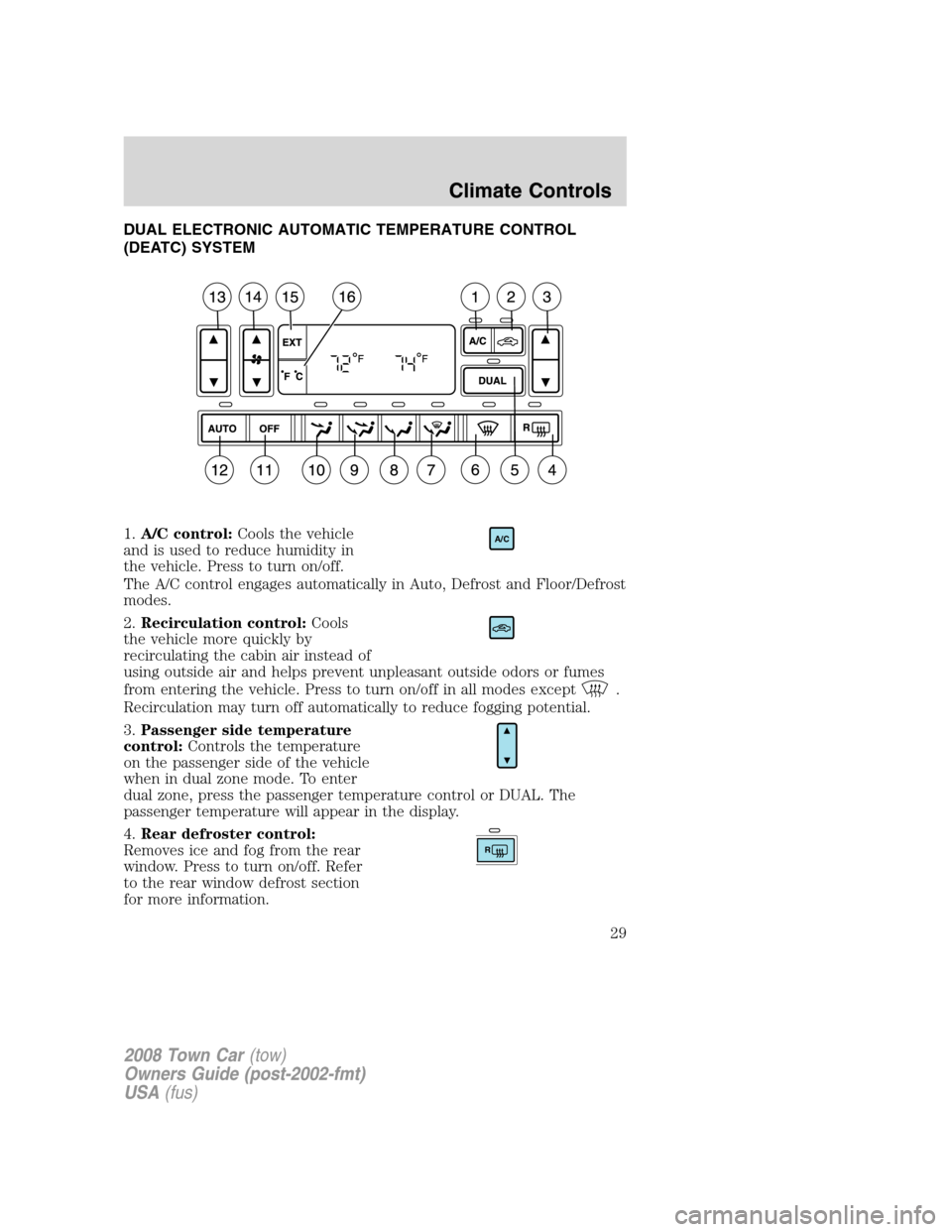
DUAL ELECTRONIC AUTOMATIC TEMPERATURE CONTROL
(DEATC) SYSTEM
1.A/C control:Cools the vehicle
and is used to reduce humidity in
the vehicle. Press to turn on/off.
The A/C control engages automatically in Auto, Defrost and Floor/Defrost
modes.
2.Recirculation control:Cools
the vehicle more quickly by
recirculating the cabin air instead of
using outside air and helps prevent unpleasant outside odors or fumes
from entering the vehicle. Press to turn on/off in all modes except
.
Recirculation may turn off automatically to reduce fogging potential.
3.Passenger side temperature
control:Controls the temperature
on the passenger side of the vehicle
when in dual zone mode. To enter
dual zone, press the passenger temperature control or DUAL. The
passenger temperature will appear in the display.
4.Rear defroster control:
Removes ice and fog from the rear
window. Press to turn on/off. Refer
to the rear window defrost section
for more information.
A/C
R
2008 Town Car(tow)
Owners Guide (post-2002-fmt)
USA(fus)
Climate Controls
29
Page 31 of 273
15.EXT:Displays the outside air
temperature. It will remain
displayed until the EXT control is
pressed again. The external
temperature will be most accurate when the vehicle has been moving for
a period of time.
16.Temperature conversion:
Press to toggle between Fahrenheit
and Celsius temperature on the
DEATC display only. The set point
temperatures in Celsius will be displayed in half-degree increments.
Operating tips
•To reduce fog build up on the windshield during humid weather, place
the air flow selector in the
position.
•To reduce humidity build up inside the vehicle: do not drive with the
recirculation control on or the system turned off.
•To improve the A/C cool down, drive with the windows slightly open
for 2–3 minutes after start up or until the vehicle has been “aired out.”
•Do not put objects under the front seats that will interfere with the
airflow to the back seats.
•Remove any snow, ice or leaves from the air intake area at the base of
the windshield.
During extreme high ambient temperatures when idling stationary for
extended periods of time in gear, it is recommended to run the A/C in
the MAX A/C position, reduce blower fan speed from the highest setting
and put the vehicle’s transmission into the PARK gear position to
continue to receive cool air from your A/C system.
To aid in side window defogging/demisting in cold weather:
1. Select
.
2. Select A/C.
3. Adjust the temperature control to maintain comfort.
4. Set the fan to the highest speed.
5. Direct the outer instrument panel vents towards the side windows.
To increase airflow to the outer instrument panel vents, close the vents
located in the middle of the instrument panel.
2008 Town Car(tow)
Owners Guide (post-2002-fmt)
USA(fus)
Climate Controls
31
Page 46 of 273
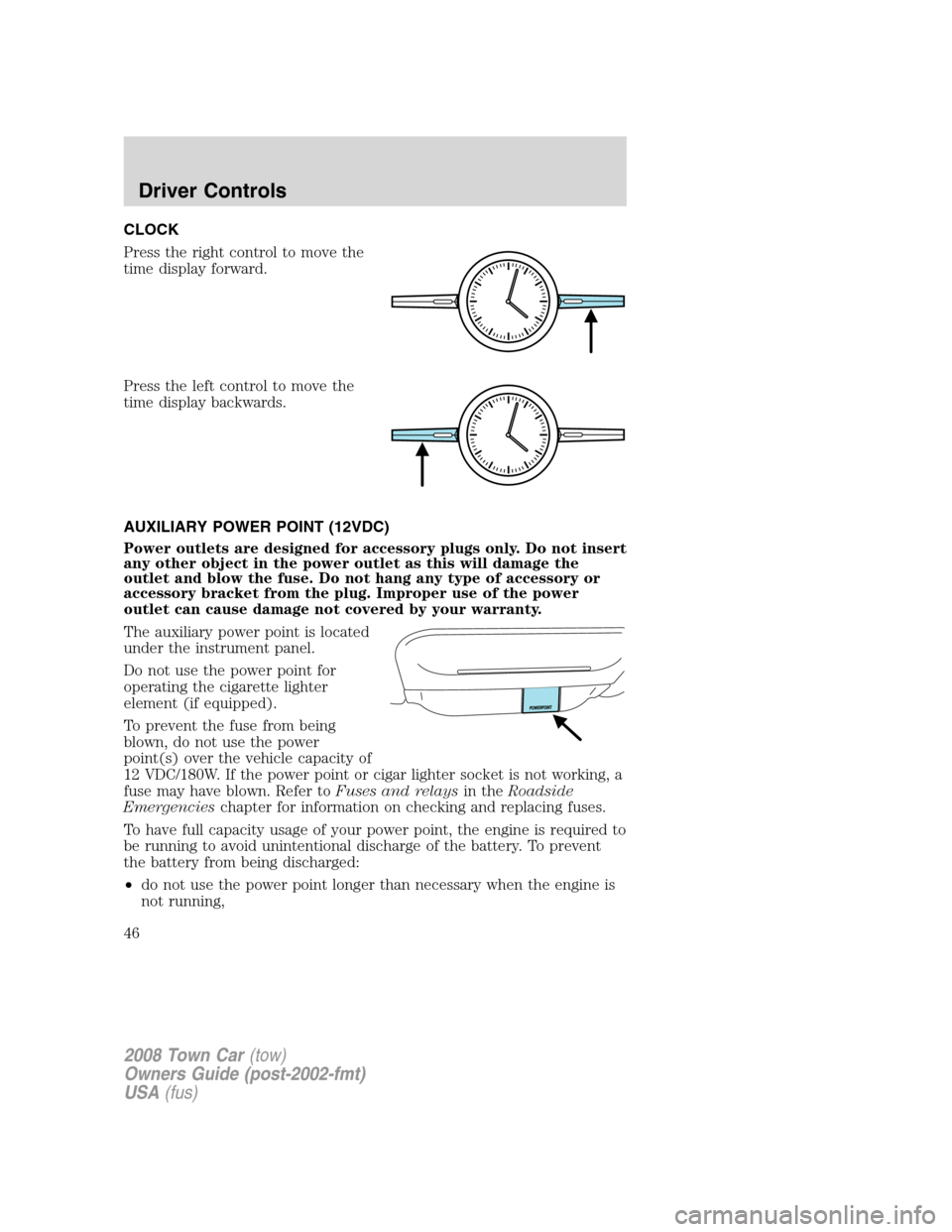
CLOCK
Press the right control to move the
time display forward.
Press the left control to move the
time display backwards.
AUXILIARY POWER POINT (12VDC)
Power outlets are designed for accessory plugs only. Do not insert
any other object in the power outlet as this will damage the
outlet and blow the fuse. Do not hang any type of accessory or
accessory bracket from the plug. Improper use of the power
outlet can cause damage not covered by your warranty.
The auxiliary power point is located
under the instrument panel.
Do not use the power point for
operating the cigarette lighter
element (if equipped).
To prevent the fuse from being
blown, do not use the power
point(s) over the vehicle capacity of
12 VDC/180W. If the power point or cigar lighter socket is not working, a
fuse may have blown. Refer toFuses and relaysin theRoadside
Emergencieschapter for information on checking and replacing fuses.
To have full capacity usage of your power point, the engine is required to
be running to avoid unintentional discharge of the battery. To prevent
the battery from being discharged:
•do not use the power point longer than necessary when the engine is
not running,
2008 Town Car(tow)
Owners Guide (post-2002-fmt)
USA(fus)
Driver Controls
46
Page 52 of 273
SPEED CONTROL
With speed control set, you can maintain a set speed without keeping
your foot on the accelerator pedal.
WARNING:Do not use the speed control in heavy traffic or on
roads that are winding, slippery or unpaved.
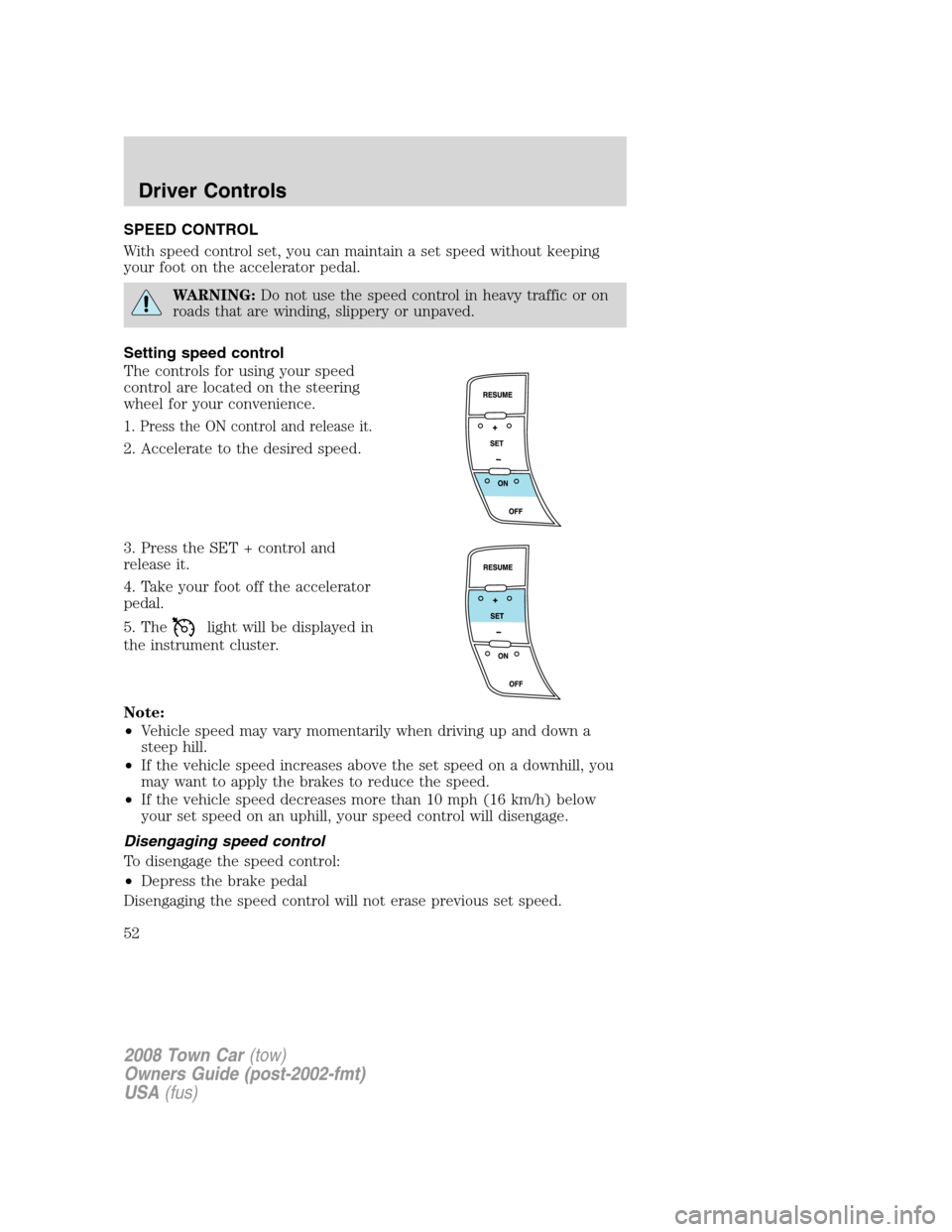
Setting speed control
The controls for using your speed
control are located on the steering
wheel for your convenience.
1. Press the ON control and release it.
2. Accelerate to the desired speed.
3. Press the SET + control and
release it.
4. Take your foot off the accelerator
pedal.
5. The
light will be displayed in
the instrument cluster.
Note:
•Vehicle speed may vary momentarily when driving up and down a
steep hill.
•If the vehicle speed increases above the set speed on a downhill, you
may want to apply the brakes to reduce the speed.
•If the vehicle speed decreases more than 10 mph (16 km/h) below
your set speed on an uphill, your speed control will disengage.
Disengaging speed control
To disengage the speed control:
•Depress the brake pedal
Disengaging the speed control will not erase previous set speed.
2008 Town Car(tow)
Owners Guide (post-2002-fmt)
USA(fus)
Driver Controls
52