Page 68 of 352

5. RRear fan speed control:Press to enable the auxiliary system
or to adjust the rear fan speed from the front control. The rear fan speed
settings available are 4, 3, 2, 1 and O (OFF). When the rear fan button is
pressed, the display will show only the rear cabin settings. After the rear
setting changes are completed on the front control, the display will
automatically show all climate settings.
6.
Passenger heated seat control:Press to activate/deactivate the
passenger heated seat. SeeClimate controlled seatsin theSeating and
Safety Restraintschapter.
7.
Passenger cooled seat control:Press to activate/deactivate the
passenger cooled seat. SeeClimate controlled seatsin theSeating and
Safety Restraintschapter.
8.REAR:Press to enable the control located in the rear floor console (if
equipped). Press again to turn the auxiliary system off. When the REAR
button is pressed, the display will show only the rear cabin settings.
After the rear setting changes are completed on the front control, the
display will automatically show all climate settings.
9.
Airflow direction control:Press to toggle through the air
distribution modes listed below. The selected mode will be shown in the
display.
:Distributes air through the instrument panel vents.
:Distributes air through the instrument panel and the floor vents.
:Distributes air through the floor vents.
:Distributes air through the windshield defroster vents, demister
vents and the floor vents.
10.
Driver heated seat control:Press to activate/deactivate the
driver heated seat. SeeClimate controlled seatsin theSeating and
Safety Restraintschapter.
11.
Driver cooled seat control:Press to activate/deactivate the
driver cooled seat. SeeClimate controlled seatsin theSeating and
Safety Restraintschapter.
12. F
Front fan speed control:Press to manually increase or
decrease the fan speed. To return to full automatic control, press AUTO.
13.OFF:Outside air is shut out and the climate system is turned off.
2008 Navigator(nav)
Owners Guide (post-2002-fmt)
USA(fus)
Climate Controls
68
Page 70 of 352

•For maximum cooling performance, MAX A/C:
In AUTO: Press AUTO control and set to desired temperature.
In Manual Override Control: Press the
(panel), A/C,
and
(recirculation) controls, set the temperature to 60°F (15°C)
and the fan to the highest blower setting.
•Do not put objects under the front seats that will interfere with the
airflow to the back seats.
•Remove any snow, ice or leaves from the air intake area at the base of
the windshield.
To aid in side window defogging/demisting in cold weather:
1. Select
.
2. Select A/C.
3. Adjust the temperature control to maintain comfort.
4. Set the fan speed to the highest setting.
5. Direct the outer instrument panel vents towards the side windows.
To increase airflow to the outer instrument panel vents, close the vents
located in the middle of the instrument panel.
Do not place objects on top of the instrument panel as these
objects may become projectiles in a collision or sudden stop.
AUXILIARY CLIMATE CONTROL (IF EQUIPPED)
1.Fan speed:Turn to select the
desired fan speed.
2.Temperature/mode selection:
The distribution of air from the
overhead and floor registers is based
on the temperature selected. Turn
to select for comfort.
To use the rear climate controls,
ensure thatREARis pressed on the main climate control face.
1
2
3
4
12
2008 Navigator(nav)
Owners Guide (post-2002-fmt)
USA(fus)
Climate Controls
70
Page 88 of 352

CLOCK
Press the right (+) control to move
the time display forwards.
Press the left (-) control to move
the time display backwards.
AUXILIARY POWER POINT (12VDC)
Power outlets are designed for accessory plugs only. Do not insert
any other object in the power outlet as this will damage the
outlet and blow the fuse. Do not hang any type of accessory or
accessory bracket from the plug. Improper use of the power
outlet can cause damage not covered by your warranty.
An auxiliary power point is located
by the passenger’s ankle near the
floor in the front console bin.
Do not use the power point for
operating the cigarette lighter
element (if equipped).
To prevent the fuse from being
blown, do not use the power
point(s) over the vehicle capacity of
12 VDC/180W. If the power point or
cigar lighter socket is not working, a fuse may have blown. Refer to
Fuses and relaysin theRoadside Emergencieschapter for information
on checking and replacing fuses.
To prevent the battery from being discharged, do not use the power
point longer than necessary when the engine is not running.
Always keep the power point caps closed when not being used.
2008 Navigator(nav)
Owners Guide (post-2002-fmt)
USA(fus)
Driver Controls
88
Page 89 of 352

A second auxiliary power point is
located on the rear side of the
center console. The power point is
accessible from the rear seats.
A third auxiliary power point is
located on the right rear quarter
panel. The power point is accessible
from the liftgate.
Cigar lighter (if equipped)
Do not plug optional electrical accessories into the cigarette lighter
socket.
Do not hold the lighter in with your hand while it is heating, this will
damage the lighter element and socket. The lighter will be released from
its heating position when it is ready to be used.
Improper use of the lighter can cause damage not covered by your
warranty.
POWER WINDOWS
Do not leave children unattended in the vehicle and do not let
children play with the power windows. They may seriously injure
themselves.
When closing the power windows, you should verify they are free
of obstructions and ensure that children and/or pets are not in
the proximity of the window openings.
1
2
3
4
2008 Navigator(nav)
Owners Guide (post-2002-fmt)
USA(fus)
Driver Controls
89
Page 99 of 352
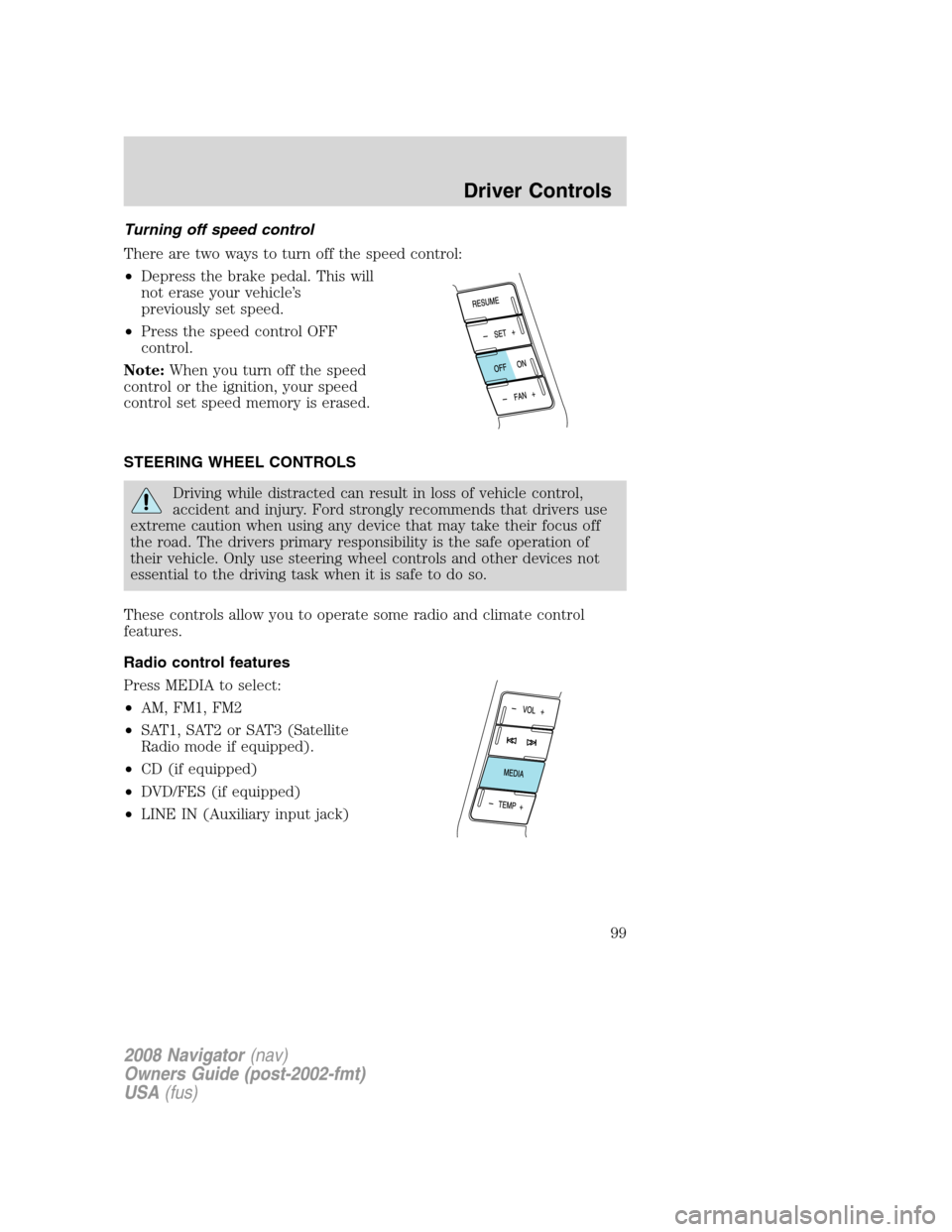
Turning off speed control
There are two ways to turn off the speed control:
•Depress the brake pedal. This will
not erase your vehicle’s
previously set speed.
•Press the speed control OFF
control.
Note:When you turn off the speed
control or the ignition, your speed
control set speed memory is erased.
STEERING WHEEL CONTROLS
Driving while distracted can result in loss of vehicle control,
accident and injury. Ford strongly recommends that drivers use
extreme caution when using any device that may take their focus off
the road. The drivers primary responsibility is the safe operation of
their vehicle. Only use steering wheel controls and other devices not
essential to the driving task when it is safe to do so.
These controls allow you to operate some radio and climate control
features.
Radio control features
Press MEDIA to select:
•AM, FM1, FM2
•SAT1, SAT2 or SAT3 (Satellite
Radio mode if equipped).
•CD (if equipped)
•DVD/FES (if equipped)
•LINE IN (Auxiliary input jack)
2008 Navigator(nav)
Owners Guide (post-2002-fmt)
USA(fus)
Driver Controls
99
Page 271 of 352

Fuse/Relay
LocationFuse Amp
RatingPassenger Compartment Fuse Panel
Description
29 5A Instrument panel cluster
30 5A Not used (Spare)
31 10A Compass, Automatic dimming rear view
mirror
32 10A Restraints control module
33 10A Not used (Spare)
34 5A Not used (spare)
35 10A Rear park assist, 4x4, rear video camera
36 5A PATS transceiver
37 10A Climate control
38 20A Subwoofer/Amp (Audiophile radio), THX
Amp/DSP
39 20A Radio
40 20A THX Amp/DSP
41 15A Not used (Spare)
42 10A Trailer tow battery charge coil
43 10A Rear wiper logic
44 10A Not used (Spare)
45 5A Front wiper logic
46 7.5A Climate control, Auxiliary relay control
47 30A Circuit
BreakerPower windows, Moon roof
48 — Delayed accessory relay
Power distribution box
The power distribution box is located in the engine compartment. The
power distribution box contains high-current fuses that protect your
vehicle’s main electrical systems from overloads.
Always disconnect the battery before servicing high current
fuses.
2008 Navigator(nav)
Owners Guide (post-2002-fmt)
USA(fus)
Roadside Emergencies
271
Page 272 of 352
To reduce risk of electrical shock, always replace the cover to
the Power Distribution Box before reconnecting the battery or
refilling fluid reservoirs.
If the battery has been disconnected and reconnected, refer to the
Batterysection of theMaintenance and Specificationschapter.
The high-current fuses are coded as follows:
Fuse/Relay
LocationFuse Amp
RatingPower Distribution Box Description
1 — Blower relay
2 — Not used
3 — Rear window defroster relay
4 30A** Third row seats (driver side)
5 30A** Trailer tow connector (electric brake)
6 60A ** ABS (valves)
7 40A** Power running boards
8 40A** Heated/cooled seats
9 60A** ABS (pump)
10 20A** Rear console power point
11 30A** Auxiliary blower
12 25A* Trailer tow connector (park lamps)
13 30A* Trailer tow connector (battery charge)
14 — Not used
2008 Navigator(nav)
Owners Guide (post-2002-fmt)
USA(fus)
Roadside Emergencies
272
Page 309 of 352
OPENING THE HOOD
1. Inside the vehicle, pull the hood
release handle located under the
bottom of the instrument panel.
2. Go to the front of the vehicle and
release the auxiliary latch that is
located under the front center of
the hood.
3. Lift the hood until the lift
cylinders hold it open.
IDENTIFYING COMPONENTS IN THE ENGINE COMPARTMENT
5.4L 3V–V8 engine
1. Windshield washer fluid reservoir
2. Engine oil dipstick
3. Brake fluid reservoir
4. Engine coolant reservoir
5. Air filter assembly
6. Power steering fluid reservoir
7. Power distribution box
8. Engine oil filler cap
9. Battery
2008 Navigator(nav)
Owners Guide (post-2002-fmt)
USA(fus)
Maintenance and Specifications
309

